


Mo 62A
Einplatinencomputer
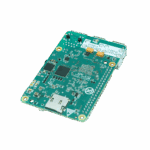
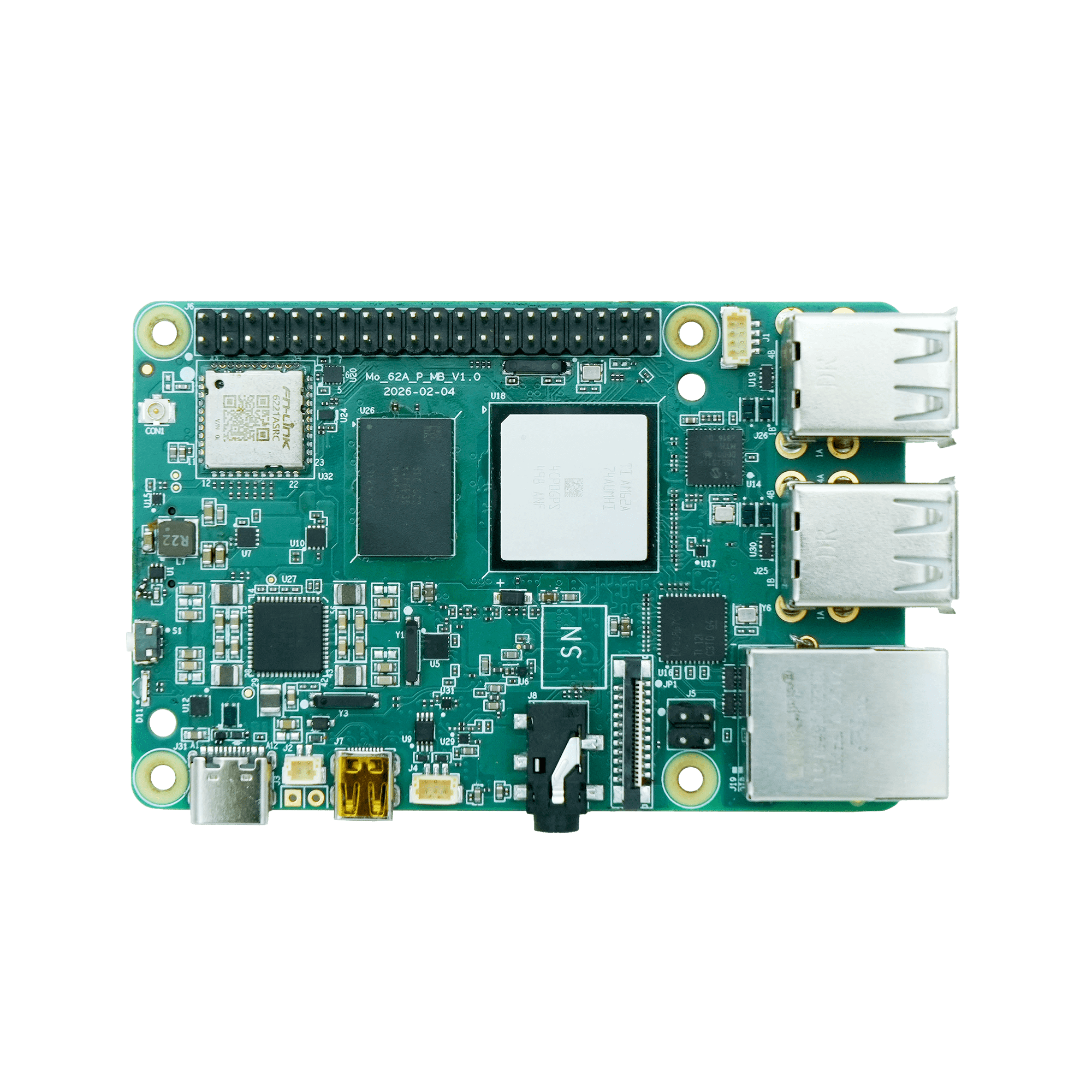
Einstiegsklasse Open-Source KI-SBC mit TI AM62A74-Prozessor, der 2 TOPS für ressourcenschonende Edge-Inferenz und industrielle Bildverarbeitung liefert.
Mo 62A
Einplatinencomputer
Einstiegsklasse Open-Source KI-SBC mit TI AM62A74-Prozessor, der 2 TOPS für ressourcenschonende Edge-Inferenz und industrielle Bildverarbeitung liefert.
FOTO
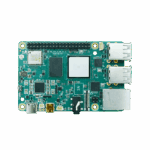
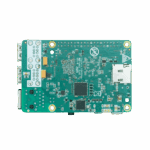
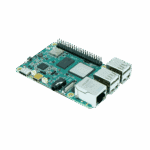
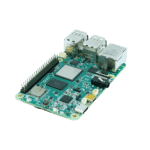
2 TOPS Open-Source KI-SBC für ressourcenschonende Edge-Inferenz
Hochleistungsprozessor
Ausgestattet mit dem KI-Vision-Prozessor AM62A von Texas Instruments, der über eine Quad-Core 64-Bit Arm® Cortex®-A53 CPU mit bis zu 1,4 GHz verfügt.

KI-Beschleunigung
Ausgestattet mit C7x DSPs und Matrix-Multiplikationsbeschleunigern (MMAs) liefert es eine Deep-Learning-Leistung von bis zu 2 TOPS.

Umfangreiche Konnektivität
Multimodale Schnittstellen: Gigabit-Ethernet, USB 2.0 sowie flexible Multimedia-Ein-/Ausgänge für kostengünstige Systeme mit mehreren Kameras und Bildschirmen.

Schnelles Prototyping
Ein 40-poliger Erweiterungsstecker ermöglicht lötfreies Prototyping und breite Kompatibilität mit Sensoren, Aktoren und Verbindungszubehör.
Hochleistungsprozessor
Ausgestattet mit dem KI-Vision-Prozessor AM62A von Texas Instruments, der über eine Quad-Core 64-Bit Arm® Cortex®-A53 CPU mit bis zu 1,4 GHz verfügt.
KI-Beschleunigung
Ausgestattet mit C7x DSPs und Matrix-Multiplikationsbeschleunigern (MMAs) liefert es eine Deep-Learning-Leistung von bis zu 2 TOPS.
Umfangreiche Konnektivität
Multimodale Schnittstellen: Gigabit-Ethernet, USB 2.0 sowie flexible Multimedia-Ein-/Ausgänge für kostengünstige Systeme mit mehreren Kameras und Bildschirmen.
Schnelles Prototyping
Ein 40-poliger Erweiterungsstecker ermöglicht lötfreies Prototyping und breite Kompatibilität mit Sensoren, Aktoren und Verbindungszubehör.
-
Technische Kernspezifikationen
KI-Beschleuniger C7x DSP + Deep Learning Accelerator, 2 TOPSKI-Laufzeit TI TIDL, unterstützt TFLite / ONNXBluetooth BLE 4.2CPU 4 × Cortex-A53 @ 1,4 GHzAbmessungen (B × T × H) 85 × 56 mm (3.35 × 2.2 in)Schnittstelle 1 × GbE, 4 × USB 2.0, Micro-HDMI, MIPI CSI-2, 40-Pin-HATBetriebstemperatur 0 °C ~ +50 °C (32 °F ~ +122 °F)Betriebssystem Debian 13 (Embedded Linux)Leistung USB Typ-C 5 V / 5 A DC; ≤ 25 WRAM LPDDR4 4 GB (Standard) / 2 GB / 8 GBSicherheit Secure Boot, TrustZone, OP-TEE, Hardware AES-256W-lan Wi-Fi 5 (802.11ac), Dualband 2,4 / 5 GHz
-
Hardwareplattform
KI-Beschleuniger C7x DSP + Deep Learning Accelerator, 2 TOPSCPU TI AM62A74, 4 × Cortex-A53 @ 1,4 GHzISP / Vision On-Chip-ISP + VPAC (RGB-IR, WDR, LDC)RAM LPDDR4 4 GB (Standard) / 2 GB / 8 GB
-
Schnittstelle
40-poliger Stecker GPIO / I²C / SPI / UART / PCM, HAT-kompatibelAudio 3,5-mm-Klinkenbuchse + PCM über 40-poligen SteckerTaste 1 × Reset-TasteKamera 1 × 4-spuriger MIPI CSI-2Debug-UART 1 × TTL UARTAnzeige 1 × Micro-HDMIEthernet 1 × Gigabit-EthernetLüfteranschluss 1 × 4-poliger LüfteranschlussLED PWR, USERLagerung microSDUSB 4 × USB 2.0 Typ-A
-
Drahtlos
Antenne Wi-Fi / BLE: integrierte, aufsteckbare AntenneBluetooth BLE 4.2W-lan Wi-Fi 5 (802.11ac), Dualband 2,4 / 5 GHz
-
Leistung
Stromverbrauch 25 W (MAX)Stromzufuhr USB Typ-C 5 V / 5 A Gleichstrom
-
Mechanisch
Kühlung Aktiver Lüfter (optional)Abmessungen (B × T × H) 85 × 56 mm (3.35 × 2.2 in)Gehäuse LeiterplatteRTC Unterstützung (Akku-Backup)Gewicht 47 g (0.1 lb)
-
Umwelt
Betriebstemperatur 0 °C ~ +50 °C (32 °F ~ +122 °F)Lagertemperatur -20 °C ~ +70 °C (-4 °F ~ +158 °F)
-
Betriebssystem
Kernel Linux-Kernel 6.12Betriebssystem Debian 13.2 Trixie
-
KI & Vision
KI-Laufzeit TI TIDL, unterstützt TFLite / ONNXKamera-Framework V4L2Anzeige-Framework DRM / KMSVision SDK TI EdgeAI SDK
-
Netzwerkfunktionen
IP-Anwendung TCP/UDP, ICMP, DNS, DHCPIP-Routing Statisches Routing
-
Sicherheit
Krypto-Beschleuniger Hardware AES-256OP-TEE UnterstützungSicherer Boot UnterstützungTrustZone Unterstützung
-
Entwicklung
Sprachen Python, C/C++Bibliotheken OpenCV, GStreamer, NumPyOpen SDK Unterstützt kundenspezifische Systemkonfigurationen.Paketmanager apt (Debian)
-
Systemverwaltung
Debuggen UART-KonsoleFirmware-Upgrade SD-Karten-FlashFernzugriff SSH
-
Produktmodelle
Mo 62A-2G 2 GBMo 62A-4G 4 GBMo 62A-8G 8 GB
Standardpaket*
- Mo 62A AI Single Board Computer *1
Optionales Zubehör
- Netzteil *1
- Wi-Fi-Antenne *1
- RTC-Batterie *1
- TTL-Debug-Seriellkabel *1
- Ventilator *1
- Ethernet-Kabel *1
- 32-GB-SD-Karte *1
- Micro-HDMI auf HDMI (MO 62A) *1
- Mini DP auf DP (MO 68A) *1
* Der Standardpaketinhalt variiert je nach Standardbestellcode.
Kontaktieren Sie uns Um mehr über unsere Verpackungsoptionen zu erfahren, wenden Sie sich bitte direkt an uns.
Spezifikationen
-
Technische Kernspezifikationen
KI-Beschleuniger C7x DSP + Deep Learning Accelerator, 2 TOPSKI-Laufzeit TI TIDL, unterstützt TFLite / ONNXBluetooth BLE 4.2CPU 4 × Cortex-A53 @ 1,4 GHzAbmessungen (B × T × H) 85 × 56 mm (3.35 × 2.2 in)Schnittstelle 1 × GbE, 4 × USB 2.0, Micro-HDMI, MIPI CSI-2, 40-Pin-HATBetriebstemperatur 0 °C ~ +50 °C (32 °F ~ +122 °F)Betriebssystem Debian 13 (Embedded Linux)Leistung USB Typ-C 5 V / 5 A DC; ≤ 25 WRAM LPDDR4 4 GB (Standard) / 2 GB / 8 GBSicherheit Secure Boot, TrustZone, OP-TEE, Hardware AES-256W-lan Wi-Fi 5 (802.11ac), Dualband 2,4 / 5 GHz
-
Hardwareplattform
KI-Beschleuniger C7x DSP + Deep Learning Accelerator, 2 TOPSCPU TI AM62A74, 4 × Cortex-A53 @ 1,4 GHzISP / Vision On-Chip-ISP + VPAC (RGB-IR, WDR, LDC)RAM LPDDR4 4 GB (Standard) / 2 GB / 8 GB
-
Schnittstelle
40-poliger Stecker GPIO / I²C / SPI / UART / PCM, HAT-kompatibelAudio 3,5-mm-Klinkenbuchse + PCM über 40-poligen SteckerTaste 1 × Reset-TasteKamera 1 × 4-spuriger MIPI CSI-2Debug-UART 1 × TTL UARTAnzeige 1 × Micro-HDMIEthernet 1 × Gigabit-EthernetLüfteranschluss 1 × 4-poliger LüfteranschlussLED PWR, USERLagerung microSDUSB 4 × USB 2.0 Typ-A
-
Drahtlos
Antenne Wi-Fi / BLE: integrierte, aufsteckbare AntenneBluetooth BLE 4.2W-lan Wi-Fi 5 (802.11ac), Dualband 2,4 / 5 GHz
-
Leistung
Stromverbrauch 25 W (MAX)Stromzufuhr USB Typ-C 5 V / 5 A Gleichstrom
-
Mechanisch
Kühlung Aktiver Lüfter (optional)Abmessungen (B × T × H) 85 × 56 mm (3.35 × 2.2 in)Gehäuse LeiterplatteRTC Unterstützung (Akku-Backup)Gewicht 47 g (0.1 lb)
-
Umwelt
Betriebstemperatur 0 °C ~ +50 °C (32 °F ~ +122 °F)Lagertemperatur -20 °C ~ +70 °C (-4 °F ~ +158 °F)
-
Betriebssystem
Kernel Linux-Kernel 6.12Betriebssystem Debian 13.2 Trixie
-
KI & Vision
KI-Laufzeit TI TIDL, unterstützt TFLite / ONNXKamera-Framework V4L2Anzeige-Framework DRM / KMSVision SDK TI EdgeAI SDK
-
Netzwerkfunktionen
IP-Anwendung TCP/UDP, ICMP, DNS, DHCPIP-Routing Statisches Routing
-
Sicherheit
Krypto-Beschleuniger Hardware AES-256OP-TEE UnterstützungSicherer Boot UnterstützungTrustZone Unterstützung
-
Entwicklung
Sprachen Python, C/C++Bibliotheken OpenCV, GStreamer, NumPyOpen SDK Unterstützt kundenspezifische Systemkonfigurationen.Paketmanager apt (Debian)
-
Systemverwaltung
Debuggen UART-KonsoleFirmware-Upgrade SD-Karten-FlashFernzugriff SSH
-
Produktmodelle
Mo 62A-2G 2 GBMo 62A-4G 4 GBMo 62A-8G 8 GB
Downloads
Bestellung
Standardpaket*
- Mo 62A AI Single Board Computer *1
Optionales Zubehör
- Netzteil *1
- Wi-Fi-Antenne *1
- RTC-Batterie *1
- TTL-Debug-Seriellkabel *1
- Ventilator *1
- Ethernet-Kabel *1
- 32-GB-SD-Karte *1
- Micro-HDMI auf HDMI (MO 62A) *1
- Mini DP auf DP (MO 68A) *1
* Der Standardpaketinhalt variiert je nach Standardbestellcode.
Kontaktieren Sie uns Um mehr über unsere Verpackungsoptionen zu erfahren, wenden Sie sich bitte direkt an uns.
DeviceLive
IoT-Geräteverwaltungsplattform
Gerätemanagement, Fernüberwachung, Edge-App-Management und Fernwartung helfen Industrieunternehmen beim Aufbau intelligenter Edge-Netzwerke.
DeviceLive
Ähnliche Fälle
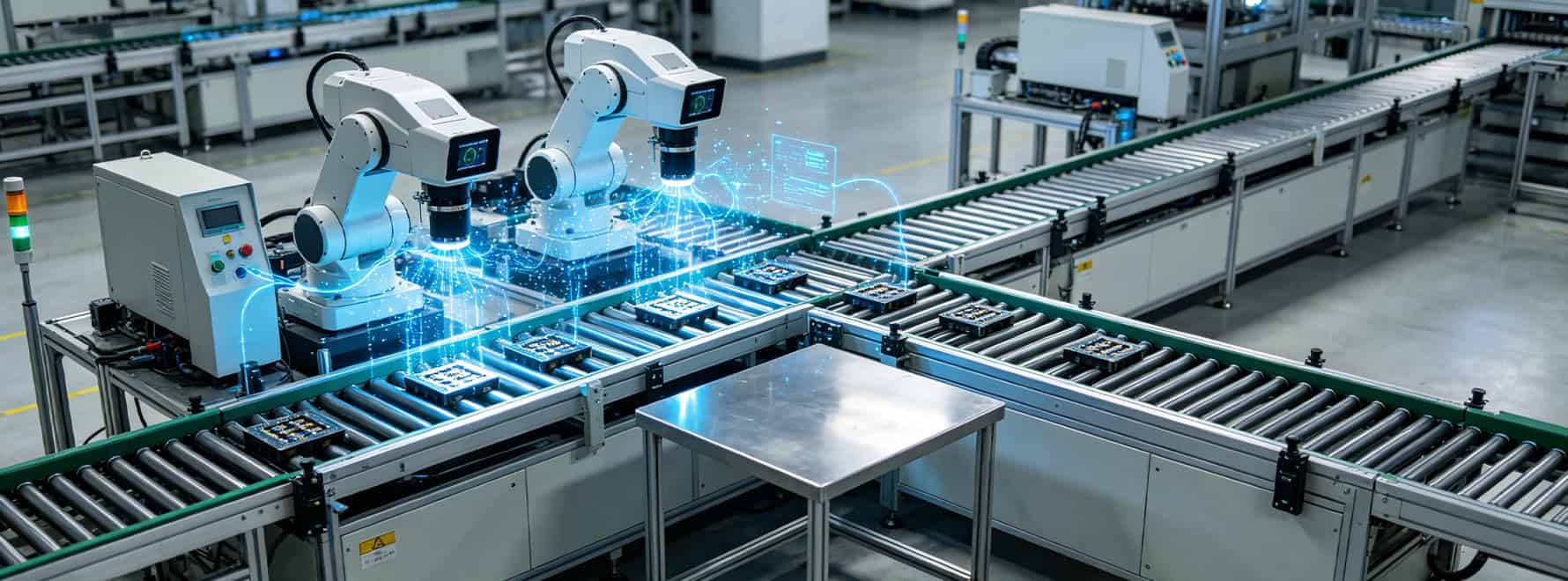
Kompakte KI-gestützte visuelle Inspektionssysteme
Entwicklung kompakter KI-gestützter Systeme für die visuelle Inspektion: Anwendungen und Anwendungsfälle – Wichtigste Erkenntnisse – Beschleunigung…
Mehr erfahren →
Umwandlung von Videos vom Straßenrand in verwertbare Verkehrsdaten
Nutzung von Videoaufnahmen vom Straßenrand zu verwertbaren Verkehrsdatenanwendungen und Fallstudien – Wichtigste Erkenntnisse…
Mehr erfahren →
Intelligente Baustellenüberwachung am Rande
Intelligente Baustellenüberwachung am Netzwerkrand: Anwendungen und Fallstudien – Wichtigste Erkenntnisse – Verbesserung…
Mehr erfahren →Häufig gestellte Fragen
Was bietet der MO-62A?
Der MO-62A ist ein 2-TOPS-KI-Einplatinencomputer für die geräteinterne Bildverarbeitung am Edge. Wichtigste Spezifikationen:
| — | — |
| Berechnen | 4× Cortex-A53 @ 1,4 GHz + C7x DSP + 2-TOPS Deep Learning Accelerator |
| Vision-Pipeline | On-Chip-ISP + VPAC (RGB-IR, WDR, LDC); 1× 4-Lane MIPI CSI-2 |
| RAM | LPDDR4, 2 GB / 4 GB (Standard) / 8 GB SKUs ( MO-62A-2G/-4G/-8G ) |
| Betriebssystem | Debian Linux |
| Konnektivität | 1× Gigabit-Ethernet, Wi-Fi 5 Dualband, BLE 4.2 |
| Andere E/A | 4 × USB 2.0 Typ-A, Micro-HDMI, 3,5-mm-Audioanschluss, 40-poliger HAT-kompatibler Header, Micro-SD-Kartensteckplatz |
| Sicherheit | Secure Boot, ARM TrustZone, OP-TEE, Hardware-AES-256 |
| Leistung / Größe | USB Typ-C 5 V (max. 25 W), 85 × 56 mm, 47 g |
Die 85 × 56 mm große Platine und das 40-polige Layout sind mechanisch kompatibel mit Standard-SBC-Gehäusen und HAT-Zubehör. Typische Anwendungen: KI-Vision-Systeme, intelligente Kameras, Fehlerinspektion und andere Edge-KI-Anwendungen. Der MO-62A ist ein entwicklerorientierter SBC, der über SSH und Standard-Debian-Tools verwaltet wird. nicht Führen Sie InHand IEOS oder DeviceLive aus.
Wie flashe und starte ich den MO-62A zum ersten Mal?
- Flashen Sie die SD-Karte — Laden Sie die neueste Version herunter
.img.zipvon der Release-Seite (SDK auf GitHub):github.com/inhandnet/mo-62a). Verwenden balenaEtcher (Windows / macOS / Linux) oderddum das Bild in ein ≥16 GB Klasse 10 / UHS-I microSD-Karte. - Peripheriegeräte anschließen — Stecken Sie die Karte ein, schließen Sie einen Monitor über Micro-HDMI an, stecken Sie RJ45 in Ihr Netzwerk und schließen Sie optional eine USB-Tastatur/Maus und ein IMX219-Kamerakabel an.
- Schalten Sie zuletzt Strom ein. über USB Typ-C (5 V, ≥3 A). Die rote Power-LED leuchtet sofort auf. Der normale Startvorgang dauert 30–45 Sekunden. Der erste Startvorgang dauert 1–2 Minuten länger. Während sich das Root-Dateisystem auf die gesamte SD-Karte ausdehnt, startet das Board automatisch neu und befindet sich fortan im XFCE-Desktop.
- Einloggen mit Benutzernamen
Debian, Passworttemporäres Passwort— gültig für Nur eine AnmeldungAnschließend werden Sie aufgefordert, sofort ein neues Passwort festzulegen.
Im Headless-Modus bezieht das Board automatisch eine DHCP-Adresse und ist unter folgender Adresse erreichbar: ssh [email protected] (mDNS) oder ssh debian@ Außerdem ist ein 3-poliger TTL-UART-Debug-Anschluss (115200 Baud, 8N1) für den Zugriff auf die serielle Konsole vorhanden.
Wie führe ich KI-Modelle auf dem MO-62A aus?
Die Modelle durchlaufen den TI Deep Learning (TIDL) Laufzeitumgebung, die akzeptiert TFLite ( .tflite ) Und ONNX ( .onnx ) Modelle. Der integrierte ISP/VPAC übernimmt die RAW→RGB-Konvertierung, WDR und Objektivkorrektur, sodass der DLA ein sauberes Eingangssignal erhält; die Vor- und Nachbearbeitung erfolgt in Python oder C/C++ üblicherweise mit OpenCV und GStreamer.
Mit 2 TOPS eignet sich der MO-62A für Bildklassifizierung, einfache Objekterkennung (z. B. YOLO-Nano-Varianten), OCR, Anwesenheits-/Anomalieerkennung sowie Gesten- und Posenerkennung. Für die gleichzeitige Verarbeitung mehrerer Datenströme und in hoher Auflösung bei höheren Bildraten empfiehlt sich ein InHand AI Edge-Computer mit höherer TOPS-Leistung.
Wie verwende ich die 40-polige Stiftleiste am MO-62A?
Der 40-polige HAT-kompatible Header stellt GPIO, I²C, SPI, UART, PWM und PCM bereit bei 3,3 V Logik. Standardmäßige SBC-HAT-Zubehörteile werden mechanisch montiert – vor dem Anschließen die elektrische Kompatibilität (3,3 V) prüfen.
Pin-Notizen:
- Alle Benutzer-PINs sind standardmäßig auf GPIOAlternative Funktionen werden über Device-Tree-Overlays aktiviert.
- Pins 27/28 sind reserviert für den Kamera-I²C-Bus – sie können nicht als allgemeine GPIOs verwendet werden.
- Das Board wird mitgeliefert libgpiod v2.x; Die
-CEin Flag ist erforderlich, um einen Chip anzugeben. Drei GPIO-Chips (gpiochip0–gpiochip2) decken den MCU und die Hauptdomänen ab.
Kurze Beispiele:
“ bash`
gpiodetect # list chips
gpioget -c gpiochip2 23 # read pin 11
gpioset -c gpiochip1 39=1 # Treiber Pin 7 hoch
gpiomon -c gpiochip2 23 # watch edges
i2cdetect -y 2 # Scankamera I²C-Bus
Für Peripheriegeräte mit höherer Bandbreite verwenden Sie den 4-Lane-MIPI-CSI-2-Anschluss (IMX219 wird über das mitgelieferte Kabel unterstützt). imx219-preview.sh` script), den Micro-HDMI-Anschluss für Displays und die vier USB 2.0 Typ-A-Anschlüsse für Speichermedien und Adapter.
—