


ER615
Enterprise-Router
Der ER615 ist ein kostengünstiger, verbesserter Filialrouter mit erhöhter Leistung und Wi-Fi 6 AX3000, ideal für kleine Filialen und Einzelhandelsstandorte.
ER615
Enterprise-Router
Der ER615 ist ein kostengünstiger, verbesserter Filialrouter mit erhöhter Leistung und Wi-Fi 6 AX3000, ideal für kleine Filialen und Einzelhandelsstandorte.
FOTO
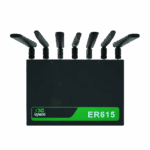
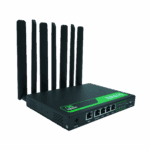
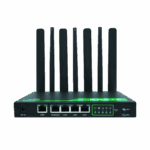
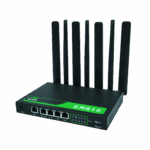
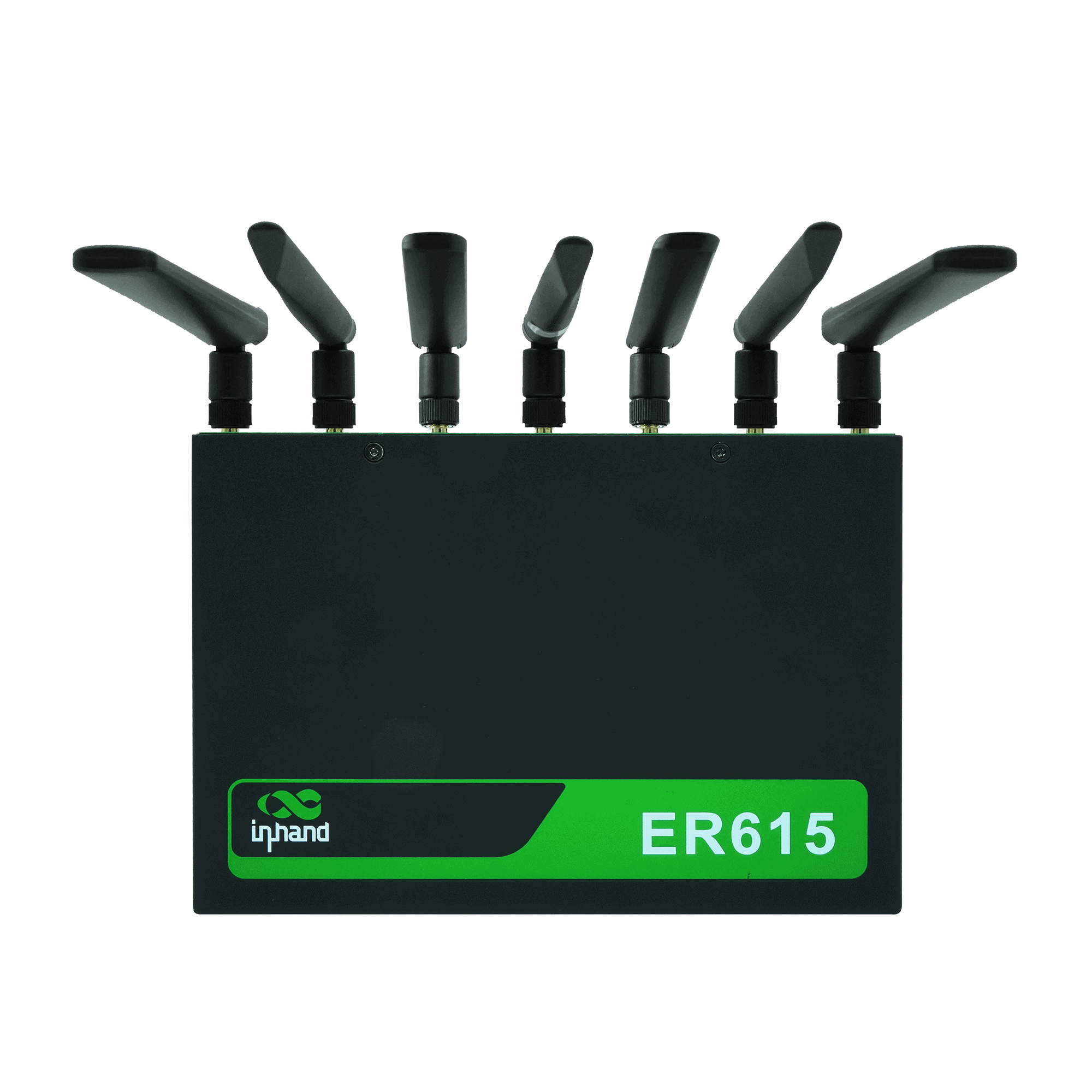
5G WiFi6 Router für Hochgeschwindigkeits-Konnektivität für kleine und mittlere Unternehmen

Kostengünstige Mobilfunkverbindungen
Bietet stabilen 4G/5G-Mobilfunkzugang und ist damit ideal für kleine Geschäfte und grundlegende Filialnetzwerkbedürfnisse.

Unterstützt 3-in-1-IoT-Karte
Unterstützt den Multi-SIM-Betrieb mit Single-SIM-Umschaltung über die Netze dreier Betreiber hinweg und gewährleistet so eine qualitativ hochwertige Mobilfunkverbindung.

Management außerhalb des regulären Bandes
Überwacht und wartet Endgeräte (POS-Systeme, Kameras, Telefone) aus der Ferne über einen unabhängigen Managementkanal und gewährleistet so den zuverlässigen Betrieb kritischer Geräte.

Unterstützt Verbindungen mit mehreren Geräten
Gigabit-Anschlüsse und 1200M Wi-Fi unterstützen POS-Systeme, Kameras, VoIP, Telefone und andere Geräte für die tägliche Netzwerkvernetzung im Geschäft.

Zentralisierte Cloud-Verwaltung
Unterstützt InCloud Manager für einheitlichen Zugriff, visuelle Verwaltung und Massenkonfiguration/Upgrades, wodurch die betriebliche Komplexität reduziert wird.
Kostengünstige Mobilfunkverbindungen
Bietet stabilen 4G/5G-Mobilfunkzugang und ist damit ideal für kleine Geschäfte und grundlegende Filialnetzwerkbedürfnisse.
Unterstützt 3-in-1-IoT-Karte
Unterstützt den Multi-SIM-Betrieb mit Single-SIM-Umschaltung über die Netze dreier Betreiber hinweg und gewährleistet so eine qualitativ hochwertige Mobilfunkverbindung.
Management außerhalb des regulären Bandes
Überwacht und wartet Endgeräte (POS-Systeme, Kameras, Telefone) aus der Ferne über einen unabhängigen Managementkanal und gewährleistet so den zuverlässigen Betrieb kritischer Geräte.
Unterstützt Verbindungen mit mehreren Geräten
Gigabit-Anschlüsse und 1200M Wi-Fi unterstützen POS-Systeme, Kameras, VoIP, Telefone und andere Geräte für die tägliche Netzwerkvernetzung im Geschäft.
Zentralisierte Cloud-Verwaltung
Unterstützt InCloud Manager für einheitlichen Zugriff, visuelle Verwaltung und Massenkonfiguration/Upgrades, wodurch die betriebliche Komplexität reduziert wird.
-
Technische Kernspezifikationen
Antennen 4G: SMA ×2; 5G: SMA ×4; WLAN: RP-SMA ×2; ≤5 dBiMobilfunk 5G/4G; NSA bis zu 2,6 Gbit/s Download / 458 Mbit/s Upload; SA bis zu 2 Gbit/s Download / 766 Mbit/s Upload; LTE bis zu 150/50 Mbit/sCloud-Management InCloud ManagerAbmessungen / Umgebung 198 × 137 × 25 mm (7.8 × 5.39 × 0.98 in); 848 g (1.87 lb); wall / desktop; -10 °C ~ +50 °C (14 °F ~ +122 °F) op.; -40 °C ~ +85 °C (-40 °F ~ +185 °F) stg.; 5–95% RH; IP20EMV EMV-Stufe 2Ethernet 5 × GbE (WAN/LAN, Dual-WAN)Netzwerk & Sicherheit IPv4/IPv6; VLAN, DHCP, statisches Routing; NAT; 3L-Firewall; PPPoE; Dual-SIMLeistung 12 V / 2 A; Spitzenleistung ≤24 WSD-WAN / VPN SD-WAN (Spoke); IPsec, L2TPSIM Dual Nano-SIM; eSIM optionalDurchsatz / Benutzer 1 Gbit/s; IPsec 100 Mbit/s; 200 Benutzer (128 WLAN)W-lan Wi-Fi 6 (802.11ax), 2,4/5 GHz, 3000 Mbit/s; Multi-SSID, VLAN, Gastnetzwerk
-
Leistungskennzahlen
Blitz 8 GBIPsec-VPN-Durchsatz 100 Mbit/sRAM 512 MBEmpfohlene Nutzer 200 (Wi-Fi: 128)Durchsatz 1 Gbit/s
-
Schnittstellen
Antenne 4G: SMA × 2, WLAN: RP-SMA × 2; 5G: SMA × 4, WLAN: RP-SMA × 2Mobilfunk 5G SA: 2 Gbit/s Download / 766 Mbit/s Upload; 5G NSA: 2,6 Gbit/s Download / 458 Mbit/s Upload; 4G LTE: 150 Mbit/s Download / 50 Mbit/s UploadEthernet 5 × 10/100/1000 Mbit/s, WAN/LAN-Umschaltung, Dual-WANZurücksetzen Reset-Taste mit LochblendeSIM-Karte Dual Nano-SIM (eSIM optional)
-
Leistung
Eingang 12 V / 2 ASpitzenleistung ≤ 24 W
-
LEDs
LED Stromversorgung, Netzwerk, Signal, WLAN
-
Mechanisch
Abmessungen 198 × 137 × 25 mm (7.8 × 5.39 × 0.98 in)Installation Wandmontage, TischmontageSchutz IP20Gewicht 848 g (1.87 lb)
-
Umfeld
Luftfeuchtigkeit 5–95 % RH (nicht kondensierend)Betriebstemperatur -10 °C ~ +50 °C (14 °F ~ +122 °F)Lagertemperatur -40 °C ~ +85 °C (-40 °F ~ +185 °F)
-
EMV
EMV EMV-Stufe 2
-
Cloud-Management
Armaturenbrett WAN-/Zugangs-/Anwendungstransparenz, Verkehrsstatistiken, Mobilfunksignal, Schnittstellenstatus, ClientanalyseMerkmale Zentrale Konfiguration, automatische Bereitstellung, Remote-Upgrades, SD-WANPlattform InCloud Manager
-
Netzwerkfunktionen
Zugang 5G/4G, kabelgebunden, WLANWählen PPPoE, automatische Wahlwiederholung per Mobilfunk, Dual-SIM-Umschaltung, APN-KonfigurationIP-Protokolle IPv4, IPv6Protokolle VLAN, DHCP (Server/Client), DHCP-Snooping, DNS, DDNS, IP-Passthrough, STP, ARP, ICMPRouting Statisches RoutingSD-WAN SD-WAN (Spoke)VPN IPsec-VPN, L2TP-VPN
-
W-lan
Verschlüsselung WPA, WPA2, WPA-PSK, WPA2-PSK, WPA3Merkmale Multi-SSID, SSID-VLAN, SSID versteckt, Gastmodus
-
Sicherheit
Zugangskontrolle Blacklist/Whitelist, DomainfilterungFirewall 3L-Regeln für eingehende/ausgehende Verbindungen, Portweiterleitung, SNAT, DNAT
-
Zuverlässigkeit
Alarm Lokale E-Mail; Plattform-SMS und E-MailVeranstaltungen Benutzeranmeldungen, Verbindungsabbrüche, GeräteneustartsProtokolle Laufzeitprotokolle, DiagnoseprotokolleVerkehrsgestaltung Verkehrsformung nach Verbindung/IP/ProtokollUpgrades Geplante Aktualisierungen
-
Diagnostik
Werkzeuge ICMP, Paketerfassung, Traceroute
Standardpaket*
- ER615 Enterprise Router *1
- WLAN-Antenne *3
- 5G-Antenne *4
- 4G-Antenne *2
- Ethernet-Kabel *1
- Netzteil *1
* Der Standardpaketinhalt variiert je nach Standardbestellcode.
Kontaktieren Sie uns Um mehr über unsere Verpackungsoptionen zu erfahren, wenden Sie sich bitte direkt an uns.
Spezifikationen
-
Technische Kernspezifikationen
Antennen 4G: SMA ×2; 5G: SMA ×4; WLAN: RP-SMA ×2; ≤5 dBiMobilfunk 5G/4G; NSA bis zu 2,6 Gbit/s Download / 458 Mbit/s Upload; SA bis zu 2 Gbit/s Download / 766 Mbit/s Upload; LTE bis zu 150/50 Mbit/sCloud-Management InCloud ManagerAbmessungen / Umgebung 198 × 137 × 25 mm (7.8 × 5.39 × 0.98 in); 848 g (1.87 lb); wall / desktop; -10 °C ~ +50 °C (14 °F ~ +122 °F) op.; -40 °C ~ +85 °C (-40 °F ~ +185 °F) stg.; 5–95% RH; IP20EMV EMV-Stufe 2Ethernet 5 × GbE (WAN/LAN, Dual-WAN)Netzwerk & Sicherheit IPv4/IPv6; VLAN, DHCP, statisches Routing; NAT; 3L-Firewall; PPPoE; Dual-SIMLeistung 12 V / 2 A; Spitzenleistung ≤24 WSD-WAN / VPN SD-WAN (Spoke); IPsec, L2TPSIM Dual Nano-SIM; eSIM optionalDurchsatz / Benutzer 1 Gbit/s; IPsec 100 Mbit/s; 200 Benutzer (128 WLAN)W-lan Wi-Fi 6 (802.11ax), 2,4/5 GHz, 3000 Mbit/s; Multi-SSID, VLAN, Gastnetzwerk
-
Leistungskennzahlen
Blitz 8 GBIPsec-VPN-Durchsatz 100 Mbit/sRAM 512 MBEmpfohlene Nutzer 200 (Wi-Fi: 128)Durchsatz 1 Gbit/s
-
Schnittstellen
Antenne 4G: SMA × 2, WLAN: RP-SMA × 2; 5G: SMA × 4, WLAN: RP-SMA × 2Mobilfunk 5G SA: 2 Gbit/s Download / 766 Mbit/s Upload; 5G NSA: 2,6 Gbit/s Download / 458 Mbit/s Upload; 4G LTE: 150 Mbit/s Download / 50 Mbit/s UploadEthernet 5 × 10/100/1000 Mbit/s, WAN/LAN-Umschaltung, Dual-WANZurücksetzen Reset-Taste mit LochblendeSIM-Karte Dual Nano-SIM (eSIM optional)
-
Leistung
Eingang 12 V / 2 ASpitzenleistung ≤ 24 W
-
LEDs
LED Stromversorgung, Netzwerk, Signal, WLAN
-
Mechanisch
Abmessungen 198 × 137 × 25 mm (7.8 × 5.39 × 0.98 in)Installation Wandmontage, TischmontageSchutz IP20Gewicht 848 g (1.87 lb)
-
Umfeld
Luftfeuchtigkeit 5–95 % RH (nicht kondensierend)Betriebstemperatur -10 °C ~ +50 °C (14 °F ~ +122 °F)Lagertemperatur -40 °C ~ +85 °C (-40 °F ~ +185 °F)
-
EMV
EMV EMV-Stufe 2
-
Cloud-Management
Armaturenbrett WAN-/Zugangs-/Anwendungstransparenz, Verkehrsstatistiken, Mobilfunksignal, Schnittstellenstatus, ClientanalyseMerkmale Zentrale Konfiguration, automatische Bereitstellung, Remote-Upgrades, SD-WANPlattform InCloud Manager
-
Netzwerkfunktionen
Zugang 5G/4G, kabelgebunden, WLANWählen PPPoE, automatische Wahlwiederholung per Mobilfunk, Dual-SIM-Umschaltung, APN-KonfigurationIP-Protokolle IPv4, IPv6Protokolle VLAN, DHCP (Server/Client), DHCP-Snooping, DNS, DDNS, IP-Passthrough, STP, ARP, ICMPRouting Statisches RoutingSD-WAN SD-WAN (Spoke)VPN IPsec-VPN, L2TP-VPN
-
W-lan
Verschlüsselung WPA, WPA2, WPA-PSK, WPA2-PSK, WPA3Merkmale Multi-SSID, SSID-VLAN, SSID versteckt, Gastmodus
-
Sicherheit
Zugangskontrolle Blacklist/Whitelist, DomainfilterungFirewall 3L-Regeln für eingehende/ausgehende Verbindungen, Portweiterleitung, SNAT, DNAT
-
Zuverlässigkeit
Alarm Lokale E-Mail; Plattform-SMS und E-MailVeranstaltungen Benutzeranmeldungen, Verbindungsabbrüche, GeräteneustartsProtokolle Laufzeitprotokolle, DiagnoseprotokolleVerkehrsgestaltung Verkehrsformung nach Verbindung/IP/ProtokollUpgrades Geplante Aktualisierungen
-
Diagnostik
Werkzeuge ICMP, Paketerfassung, Traceroute
Downloads
Bestellung
Standardpaket*
- ER615 Enterprise Router *1
- WLAN-Antenne *3
- 5G-Antenne *4
- 4G-Antenne *2
- Ethernet-Kabel *1
- Netzteil *1
* Der Standardpaketinhalt variiert je nach Standardbestellcode.
Kontaktieren Sie uns Um mehr über unsere Verpackungsoptionen zu erfahren, wenden Sie sich bitte direkt an uns.
InCloud Manager
Cloudbasierte Netzwerkmanagementplattform
KI-gestützte Netzwerkplattform für Filialketten und KMU, die die zentrale Überwachung und Verwaltung von Routern, Access Points und Switches ermöglicht.
InCloud Manager
Ähnliche Fälle

Sichere und nahtlose Konnektivität mit Mobilfunk-Failover-Lösung
Sichere und nahtlose Konnektivität mit Mobilfunk-Failover-Lösungen: Anwendungsfälle und Schlüsselerkenntnisse…
Mehr erfahren →
SD-WAN optimiert Abläufe für Bekleidungskette
SD-WAN optimiert Abläufe für Bekleidungsketten – Anwendungsbeispiele und wichtige Erkenntnisse zu SD-WAN…
Mehr erfahren →
SD-WAN-Netzwerk für verteilte Straßenüberwachung
SD-WAN-Netzwerke für verteilte Straßenüberwachungsanwendungen und Fallstudien: Wichtigste Erkenntnisse A…
Mehr erfahren →Häufig gestellte Fragen
Was bietet der ER615?
Der ER615 ist ein cloudbasierter 5G/4G-Router für Filialnetze mit Wi-Fi 6, der für eine höhere Clientdichte und einen höheren Durchsatz als der ER605 ausgelegt ist. Highlights:
| — | — |
| Durchsatz | 1 Gbit/s Routing, 100 Mbit/s IPsec-VPN |
| Empfohlene Nutzer | Bis zu 200 insgesamt (128 Wi-Fi-Clients) |
| Mobilfunk | 5G (SA bis zu 2 Gbit/s DL, NSA bis zu 2,6 Gbit/s DL) oder 4G; Dual-Nano-SIM, optionale eSIM |
| W-lan | Wi-Fi 6 (802.11ax) Dualband, bis zu 3000 Mbit/s WPA3 Unterstützung |
| Ethernet | 5× GbE – WAN/LAN umschaltbar, Dual-WAN |
| Erinnerung | 512 MB RAM / 8 GB Flash |
| Management | InCloud Manager (kostenlose Basislizenz; Branch Professional schaltet vollständiges SD-WAN frei) |
Zu den Cellular-SKUs gehören ER615-CNNR (China 5G), ER615-CNC4 (China 4G Cat 4), ER615-EUC4 (EU/APAC 4G Cat 4) und ER615-EN00 (kein Mobilfunknetz). Jedes Gerät ist mit oder ohne WLAN erhältlich ( -WLAN oder -N / A ).
Wie richte ich den ER615 ein und melde mich zum ersten Mal an?
Installieren Sie die Mobilfunk- und WLAN-Antennen, legen Sie die SIM-Karte ein und schließen Sie das 12-V/2-A-Netzteil an. Sobald das Gerät hochgefahren ist, verbinden Sie einen Computer per Ethernet-Kabel mit einem LAN-Anschluss. Stellen Sie den Adapter auf DHCP oder eine statische IP-Adresse im Bereich 192.168.2.x ein. Öffnen Sie einen Browser und gehen Sie zu http://192.168.2.1 Melden Sie sich mit den auf dem Geräteetikett aufgedruckten Zugangsdaten an.
Wie verbinde ich den ER615 mit dem Mobilfunknetz und richte den APN ein?
Schalten Sie das Gerät aus und legen Sie die SIM-Karte(n) ein. Schalten Sie das Gerät ein – der ER615 erkennt den Mobilfunkanbieter in den meisten Fällen automatisch und wendet den passenden APN an, sodass keine manuelle Einrichtung erforderlich ist. Falls die Mobilfunkverbindung nicht hergestellt wird, melden Sie sich an und gehen Sie zu Internet 〉 MobilfunkKonfigurieren Sie den APN gemäß den Anforderungen Ihres Mobilfunkanbieters und klicken Sie auf AnwendenFür Dual-SIM- (oder eSIM-)Failover konfigurieren Sie jedes Profil und legen die Verbindungspriorität fest. Überprüfen Sie dies durch Prüfen der folgenden Punkte: Netzwerk-LEDDauerhaft grün = Mobilfunkverbindung; blinkend grün = Verbindungsaufbau; blinkend rot = Verbindungsabbruch.
Wie konfiguriere ich Failover auf dem ER615?
Das ER615 unterstützt Mobilfunk (Dual-Nano-SIM + optionale eSIM). Dual-Wired-WANund Wi-Fi-Client-Uplink. Konfigurieren Sie Failover an drei Stellen unter Internet:
- Uplink-Tabelle — Ziehen Sie die Uplinks, um die Einstellungen festzulegen Prioritätsreihenfolge.
- Uplink-Einstellungen > Verbindungserkennung — Erkennungsadressen und Schwellenwerte festlegen für Latenz, Jitter, Paketverlust und Signalstärke.
- Link-Backup > Failover-Modus — das Umschaltverhalten für die nächstprioritäre Uplink-Verbindung auswählen.
Klicken Speichern. Das Failback erfolgt automatisch, sobald die Uplink-Verbindung mit höherer Priorität wiederhergestellt ist und die Verbindungsprüfung besteht.
—