


ER815
Enterprise-Router
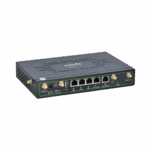
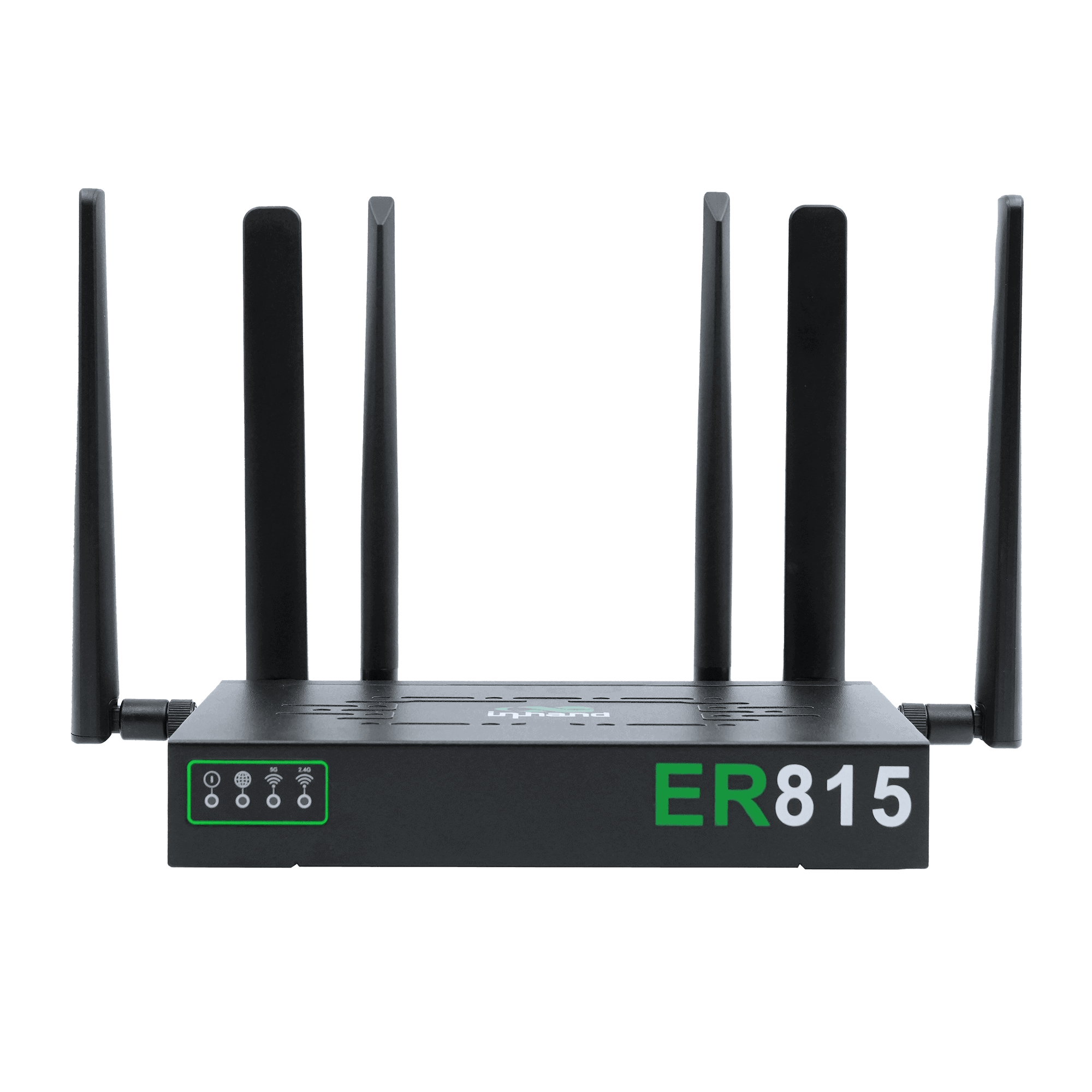
Der ER815 ist ein leistungsstarker, aufgerüsteter Zweigstellenrouter mit Wi-Fi 6, der zuverlässige kabelgebundene und mobile Konnektivität für kritische Geschäftsstandorte bietet.
ER815
Enterprise-Router
Der ER815 ist ein leistungsstarker, aufgerüsteter Zweigstellenrouter mit Wi-Fi 6, der zuverlässige kabelgebundene und mobile Konnektivität für kritische Geschäftsstandorte bietet.
FOTO
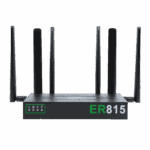
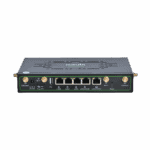
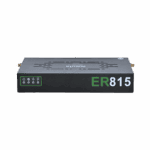
Dual-SIM 5G Wi-Fi6 Router für Premium-KMU

Hochleistungs-Zweigstellenrouter
Bietet zuverlässigen Netzwerkzugang für Filialen und Filialnetze mit höheren Anforderungen an Stabilität und Parallelverarbeitung.

WLAN-6-Funkzugang
Unterstützt Wi-Fi 6 AX3000 und verbessert so die gleichzeitige Leistung und Abdeckung für den Zugriff durch eine hohe Gerätedichte.

SD-WAN
Ermöglicht den schnellen Aufbau von Site-to-Site-SD-WAN-Netzwerken mit einfacher Bedienung, verbessert die Netzwerkverfügbarkeit und reduziert die betriebliche Komplexität.

Unterstützt Verbindungen mit mehreren Geräten
Unterstützt mehrere Geräte gleichzeitig, darunter Kassensysteme, Kameras, Telefone und Büroterminals, und erfüllt so die komplexen Anforderungen komplexer Filialnetzwerke.

Zentralisierte Cloud-Verwaltung
Unterstützt InCloud Manager für einheitlichen Zugriff, visuelle Verwaltung und Massenkonfiguration/Upgrades, wodurch die betriebliche Komplexität reduziert wird.

Management außerhalb des regulären Bandes
Überwacht und wartet Endgeräte (POS-Systeme, Kameras, Telefone) aus der Ferne über einen unabhängigen Managementkanal und gewährleistet so den zuverlässigen Betrieb kritischer Geräte.
-
Technische Kernspezifikationen
Antennen 4G: SMA ×2; 5G: SMA ×4; WLAN: RP-SMA ×2; ≤5 dBiMobilfunk 5G/4G; SA bis zu 2,4 Gbit/s DL / 900 Mbit/s UL; NSA bis zu 3,4 Gbit/s DL / 550 Mbit/s UL; LTE bis zu 1,6 Gbit/s DL / 200 Mbit/s ULAbmessungen 210 × 140 × 35 mm (8.27 × 5.51 × 1.38 in); 1.25 kg (2.76 lb);EMV EMV-Stufe 2Ethernet WAN: 1 × 2.5G or 1 × 2.5G + 1 × GbE; LAN: 4 × GbE or 3 × GbENetzwerk IPv4/IPv6Leistung 12 V / 3 A; Spitzenleistung ≤18 WSD-WAN / VPN SD-WAN; IPsec, L2TP, VXLAN, GRE, OpenVPNSIM Dual Nano-SIM; eSIM optionalDurchsatz / Benutzer 1 Gbit/s; IPsec 300 Mbit/s; 150–200 BenutzerW-lan Wi-Fi 6 (802.11ax), 2.4/5 GHz, 3000 Mbps; multi-SSID
-
Leistungskennzahlen
Blitz 8 GBIPsec-VPN-Durchsatz 300 Mbit/sRAM 512 MBEmpfohlene Nutzer 150–200Durchsatz 1 Gbit/s
-
Schnittstellen
Antenne 4G: SMA × 2, WLAN: RP-SMA × 2; 5G: SMA × 4, WLAN: RP-SMA × 2Mobilfunk 5G SA: 2,4 Gbit/s DL / 900 Mbit/s UL; 5G NSA: 3,4 Gbit/s DL / 550 Mbit/s UL; LTE: 1,6 Gbit/s DL / 200 Mbit/s ULEthernet WAN: 1 × 2,5G oder 1 × 2,5G + 1 × GbE; LAN: 4 × GbE oder 3 × GbE; WAN/LAN-Switching, Dual-WANZurücksetzen Reset-Taste mit LochblendeSIM-Karte Dual Nano-SIM (eSIM optional)
-
Leistung
Eingang 12 V / 3 ASpitzenleistung ≤ 18 W
-
LEDs
LED Stromversorgung, Netzwerk, 5-GHz-WLAN, 2,4-GHz-WLAN
-
Mechanisch
Abmessungen 210 × 140 × 35 mm (8.27 × 5.51 × 1.38 in)Installation Halterungsmontage, WandmontageSchutz IP20Gewicht 1.25 kg (2.76 lb)
-
Umfeld
Luftfeuchtigkeit 5–95 % RH (nicht kondensierend)Betriebstemperatur -10 °C ~ +50 °C (14 °F ~ +122 °F)Lagertemperatur -40 °C ~ +85 °C (-40 °F ~ +185 °F)
-
Zertifizierung
Zertifizierung Im Plan: CE, FCC, IC, PTCRB, AT&T, Verizon, T-MobileEMV EMV-Stufe 2
-
Cloud-Management
Armaturenbrett Geräteverbindungsstatus, Verkehrsstatistiken, Mobilfunksignalstatistiken, Schnittstellenstatus, Clientstatistiken und -analysen, Uplink-ManagementMerkmale Einheitlicher Gerätezugriff, automatische Fernbereitstellung, Massen-Fernaktualisierungen, Konfigurationsbereitstellung, SD-WAN-Netzwerk, Fernwartung des Connectors, Zwei-Faktor-AuthentifizierungPlattform InCloud Manager
-
Netzwerkfunktionen
Zugang 5G/4G, kabelgebunden, WLANWählen PPPoE, automatische Wahlwiederholung per Mobilfunk, Dual-SIM-Umschaltung, APN-KonfigurationIntelligente Verbindungen Echtzeit-VerbindungserkennungIP-Protokolle IPv4, IPv6Protokolle VLAN, DHCP (Server/Client), DHCP-Snooping, DNS, URL-Filterung, DDNS, Feste IP-Adresse, IP-Passthrough, STP, ARP, ICMPRouting Statisches RoutingSD-WAN SD-WAN-NetzwerkVPN IPsec VPN, L2TP VPN, VXLAN, GRE, OpenVPN
-
W-lan
Verschlüsselung WPA, WPA2, WPA-PSK, WPA2-PSKMerkmale Multi-SSID, SSID-VLAN, SSID versteckt, Gastmodus, benutzerdefiniertes Startportal
-
Sicherheit
Zugangskontrolle Blacklist-/Whitelist-Filterung, Domänenfilterung, Portalauthentifizierung, 802.1XFirewall 3L-Regeln für eingehende/ausgehende Verbindungen, Portweiterleitung, SNAT, DNATFernzugriffskontrolle Unterstützt
-
Zuverlässigkeit
Alarm Lokale E-Mail; Plattform-SMS und E-MailVeranstaltungen Benutzeranmeldungen, Verbindungsabbrüche, GeräteneustartsProtokolle Laufzeitprotokolle, DiagnoseprotokolleVerkehrsgestaltung QoS nach Verbindung, IP und ProtokollUpgrades Geplante Aktualisierungen
-
Diagnostik
Werkzeuge ICMP, Paketerfassung, Tracert
Standardpaket*
- ER815 Enterprise Router *1
- WLAN-Antenne *2
- 4G-Antenne *2
- 5G-Antenne *4
- Ethernet-Kabel *1
- Netzteil *1
* Der Standardpaketinhalt variiert je nach Standardbestellcode.
Kontaktieren Sie uns Um mehr über unsere Verpackungsoptionen zu erfahren, wenden Sie sich bitte direkt an uns.
Spezifikationen
-
Technische Kernspezifikationen
Antennen 4G: SMA ×2; 5G: SMA ×4; WLAN: RP-SMA ×2; ≤5 dBiMobilfunk 5G/4G; SA bis zu 2,4 Gbit/s DL / 900 Mbit/s UL; NSA bis zu 3,4 Gbit/s DL / 550 Mbit/s UL; LTE bis zu 1,6 Gbit/s DL / 200 Mbit/s ULAbmessungen 210 × 140 × 35 mm (8.27 × 5.51 × 1.38 in); 1.25 kg (2.76 lb);EMV EMV-Stufe 2Ethernet WAN: 1 × 2.5G or 1 × 2.5G + 1 × GbE; LAN: 4 × GbE or 3 × GbENetzwerk IPv4/IPv6Leistung 12 V / 3 A; Spitzenleistung ≤18 WSD-WAN / VPN SD-WAN; IPsec, L2TP, VXLAN, GRE, OpenVPNSIM Dual Nano-SIM; eSIM optionalDurchsatz / Benutzer 1 Gbit/s; IPsec 300 Mbit/s; 150–200 BenutzerW-lan Wi-Fi 6 (802.11ax), 2.4/5 GHz, 3000 Mbps; multi-SSID
-
Leistungskennzahlen
Blitz 8 GBIPsec-VPN-Durchsatz 300 Mbit/sRAM 512 MBEmpfohlene Nutzer 150–200Durchsatz 1 Gbit/s
-
Schnittstellen
Antenne 4G: SMA × 2, WLAN: RP-SMA × 2; 5G: SMA × 4, WLAN: RP-SMA × 2Mobilfunk 5G SA: 2,4 Gbit/s DL / 900 Mbit/s UL; 5G NSA: 3,4 Gbit/s DL / 550 Mbit/s UL; LTE: 1,6 Gbit/s DL / 200 Mbit/s ULEthernet WAN: 1 × 2,5G oder 1 × 2,5G + 1 × GbE; LAN: 4 × GbE oder 3 × GbE; WAN/LAN-Switching, Dual-WANZurücksetzen Reset-Taste mit LochblendeSIM-Karte Dual Nano-SIM (eSIM optional)
-
Leistung
Eingang 12 V / 3 ASpitzenleistung ≤ 18 W
-
LEDs
LED Stromversorgung, Netzwerk, 5-GHz-WLAN, 2,4-GHz-WLAN
-
Mechanisch
Abmessungen 210 × 140 × 35 mm (8.27 × 5.51 × 1.38 in)Installation Halterungsmontage, WandmontageSchutz IP20Gewicht 1.25 kg (2.76 lb)
-
Umfeld
Luftfeuchtigkeit 5–95 % RH (nicht kondensierend)Betriebstemperatur -10 °C ~ +50 °C (14 °F ~ +122 °F)Lagertemperatur -40 °C ~ +85 °C (-40 °F ~ +185 °F)
-
Zertifizierung
Zertifizierung Im Plan: CE, FCC, IC, PTCRB, AT&T, Verizon, T-MobileEMV EMV-Stufe 2
-
Cloud-Management
Armaturenbrett Geräteverbindungsstatus, Verkehrsstatistiken, Mobilfunksignalstatistiken, Schnittstellenstatus, Clientstatistiken und -analysen, Uplink-ManagementMerkmale Einheitlicher Gerätezugriff, automatische Fernbereitstellung, Massen-Fernaktualisierungen, Konfigurationsbereitstellung, SD-WAN-Netzwerk, Fernwartung des Connectors, Zwei-Faktor-AuthentifizierungPlattform InCloud Manager
-
Netzwerkfunktionen
Zugang 5G/4G, kabelgebunden, WLANWählen PPPoE, automatische Wahlwiederholung per Mobilfunk, Dual-SIM-Umschaltung, APN-KonfigurationIntelligente Verbindungen Echtzeit-VerbindungserkennungIP-Protokolle IPv4, IPv6Protokolle VLAN, DHCP (Server/Client), DHCP-Snooping, DNS, URL-Filterung, DDNS, Feste IP-Adresse, IP-Passthrough, STP, ARP, ICMPRouting Statisches RoutingSD-WAN SD-WAN-NetzwerkVPN IPsec VPN, L2TP VPN, VXLAN, GRE, OpenVPN
-
W-lan
Verschlüsselung WPA, WPA2, WPA-PSK, WPA2-PSKMerkmale Multi-SSID, SSID-VLAN, SSID versteckt, Gastmodus, benutzerdefiniertes Startportal
-
Sicherheit
Zugangskontrolle Blacklist-/Whitelist-Filterung, Domänenfilterung, Portalauthentifizierung, 802.1XFirewall 3L-Regeln für eingehende/ausgehende Verbindungen, Portweiterleitung, SNAT, DNATFernzugriffskontrolle Unterstützt
-
Zuverlässigkeit
Alarm Lokale E-Mail; Plattform-SMS und E-MailVeranstaltungen Benutzeranmeldungen, Verbindungsabbrüche, GeräteneustartsProtokolle Laufzeitprotokolle, DiagnoseprotokolleVerkehrsgestaltung QoS nach Verbindung, IP und ProtokollUpgrades Geplante Aktualisierungen
-
Diagnostik
Werkzeuge ICMP, Paketerfassung, Tracert
Downloads
Bestellung
Standardpaket*
- ER815 Enterprise Router *1
- WLAN-Antenne *2
- 4G-Antenne *2
- 5G-Antenne *4
- Ethernet-Kabel *1
- Netzteil *1
* Der Standardpaketinhalt variiert je nach Standardbestellcode.
Kontaktieren Sie uns Um mehr über unsere Verpackungsoptionen zu erfahren, wenden Sie sich bitte direkt an uns.
InCloud Manager
Cloudbasierte Netzwerkmanagementplattform
KI-gestützte Netzwerkplattform für Filialketten und KMU, die die zentrale Überwachung und Verwaltung von Routern, Access Points und Switches ermöglicht.
InCloud Manager
Ähnliche Fälle

Komplettlösung für ein Netzwerk im Einzelhandel
Netzwerklösung aus einer Hand für Einzelhandelsketten: Anwendungsbeispiele und Schlüsselfälle…
Mehr erfahren →
SD-WAN Hybrid-Netzwerklösung
SD-WAN-Hybridnetzwerklösungen: Anwendungsbeispiele und Schlüsselerkenntnisse
Mehr erfahren →
Netzwerk der Geschäftszweige
Netzwerkanwendungen und Fallstudien für Geschäftszweige – Wichtigste Erkenntnisse – Netzwerklösungen für Unternehmen…
Mehr erfahren →
Notfallwiederherstellung und Konnektivität für Zweigstellen
Notfallwiederherstellung – Konnektivität für Zweigstellen: Anwendungen und Fälle – Wichtigste Erkenntnisse zur Konnektivität…
Mehr erfahren →
5G ermöglicht ein revolutionäres Ladeerlebnis für Elektrofahrzeuge
5G ermöglicht revolutionäre Ladeerlebnisse für Elektrofahrzeuge – Anwendungen und Anwendungsfälle – Wichtigste Erkenntnisse zu 5G…
Mehr erfahren →
Drahtlose Netzwerklösung für Spielhallenketten
Anwendungsfälle und Fallstudien: Drahtlose Netzwerklösung für Spielhallenketten – Wichtigste Erkenntnisse…
Mehr erfahren →
Drahtlose Netzwerklösung für Restaurantketten
Drahtlose Netzwerklösung für Restaurantketten – Anwendungen und Anwendungsfälle: Wichtigste Erkenntnisse…
Mehr erfahren →Häufig gestellte Fragen
Was ist der ER815 und was sind seine wichtigsten Funktionen?
Der ER815 ist InHands Fortschrittlicher 5G SD-WAN Edge-Router für Zweigstellenbereitstellungen mit hohem Durchsatz. Hauptmerkmale:
– 5G NR Mobilfunk (NSA + SA) mit Dual-Nano-SIM plus optionaler eSIM
– 1 Gbit/s Gesamtdurchsatz + 300 Mbit/s IPsec-VPN-Durchsatz
– Dualband-Wi-Fi 6 (bis zu 3 Gbit/s, 802.11ax)
– 5× Gigabit-Ethernet mit WAN/LAN-Umschaltung und Dual-WAN
– SD-WAN via InCloud Manager (für den vollen Funktionsumfang ist eine Branch Professional-Lizenz erforderlich)
Cellular SKUs: global 5G (NRQ3), EU/APAC 5G (NRQ4), China 5G (NRQ2) oder Cat 4 (LQ20), EU/APAC Cat 4 (FQ58) oder no-cellular (EN00).
Wie richte ich den ER815 ein und melde mich zum ersten Mal an?
Installieren Sie die Mobilfunk- und WLAN-Antennen, legen Sie die SIM-Karte ein (das ER815 unterstützt Dual-Nano-SIM plus optionale eSIM für Ausfallsicherheit) und schließen Sie das Netzteil an. Sobald das Gerät hochgefahren ist, verbinden Sie einen Computer per Ethernet mit einem LAN-Anschluss. Stellen Sie den Adapter auf DHCP oder eine statische IP-Adresse im Bereich 192.168.2.x ein. Öffnen Sie einen Browser und gehen Sie zu http://192.168.2.1Melden Sie sich mit den auf dem Geräteetikett aufgedruckten Zugangsdaten an.
Wie verbinde ich den ER815 mit dem Mobilfunknetz und richte den APN ein?
Schalten Sie das Gerät aus und legen Sie die SIM-Karte(n) ein. Schalten Sie das Gerät ein – der ER815 erkennt den Mobilfunkanbieter in den meisten Fällen automatisch und wendet den passenden APN an, sodass keine manuelle Einrichtung erforderlich ist. Falls die Mobilfunkverbindung nicht hergestellt wird, melden Sie sich an und gehen Sie zu Internet 〉 MobilfunkKonfigurieren Sie den APN für jede SIM-Karte gemäß den Anforderungen Ihres Mobilfunkanbieters und klicken Sie auf AnwendenFür Dual-SIM-Failover konfigurieren Sie beide SIM-Profile und legen Sie die Verbindungspriorität in den Interneteinstellungen fest. Überprüfen Sie dies anschließend. Netzwerk-LEDDauerhaft grün = Mobilfunkverbindung; blinkend grün = Verbindungsaufbau; blinkend rot = Verbindungsabbruch.
Wie konfiguriere ich Multi-Uplink-Failover auf dem ER815?
Der ER815 unterstützt mehrere WAN-Uplinks: Dual-Nano-SIM-Mobilfunk, optionale eSIM, Dual-WAN-Ethernet, Und Wi-Fi-ClientKonfigurieren Sie Failover an drei Stellen unter Internet:
1. Uplink-Tabelle — Ziehen Sie die Uplinks, um die Einstellungen festzulegen PrioritätsreihenfolgeDie Uplink-Verbindung mit der höchsten Priorität wird genutzt, solange sie funktionsfähig ist.
2. Uplink-Einstellungen > Verbindungserkennung — eingerichtet für bis zu zwei Erkennungsadressen (z.B, 8.8.8.8und Schwellenwerte für Latenz, Jitter, Paketverlust und SignalstärkeWenn Schwellenwerte überschritten werden, wird die aktive Uplink-Verbindung als ausgefallen markiert.
3. Link-Backup > Failover-Modus — das Ausfallverhalten auswählen (z. B. Verzögerter Schalter mit N Sekunden) für den Wechsel zum Uplink mit der nächsten Priorität.
—