


EAP600
Enterprise Access Point
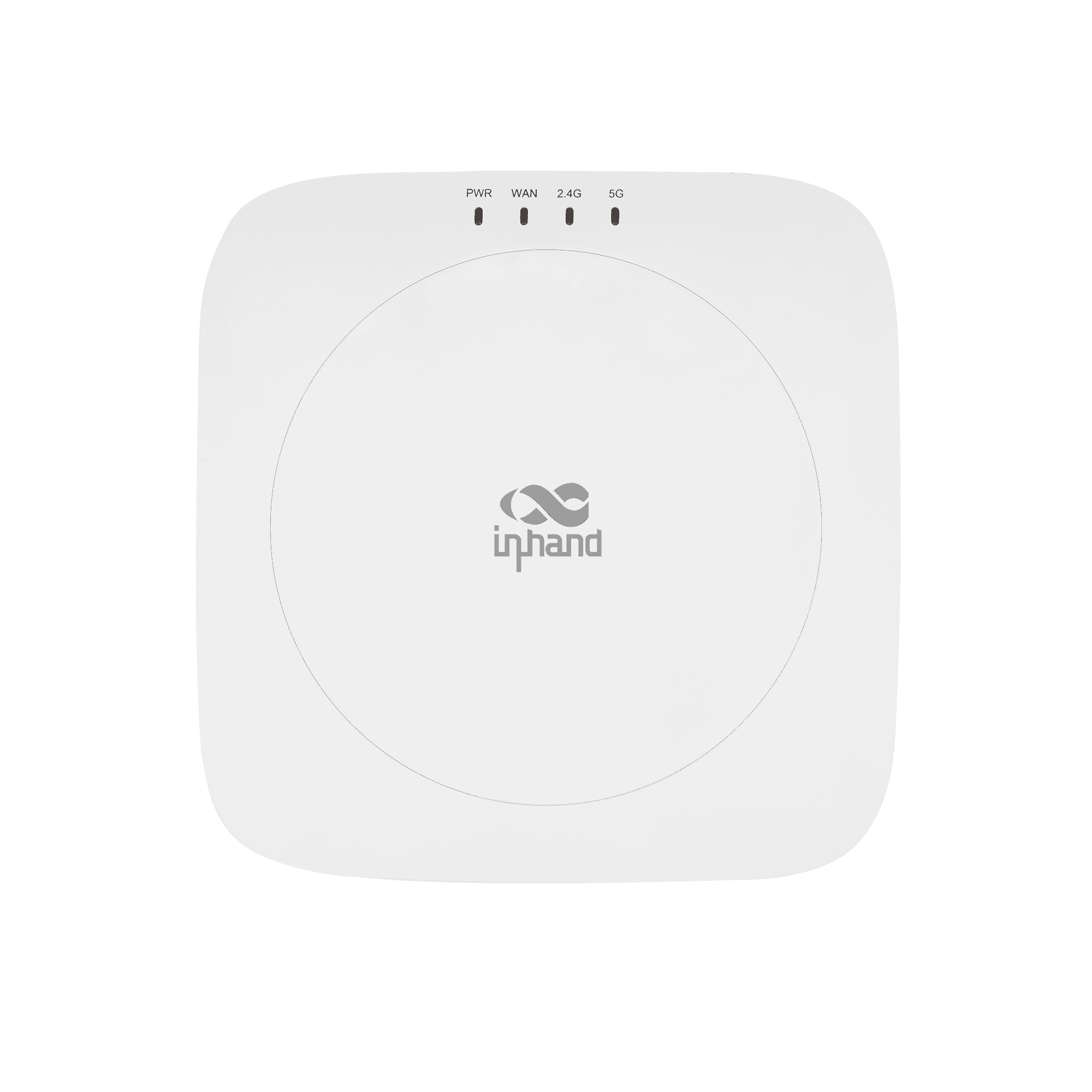
Der EAP600 ist ein Wi-Fi-6-Zugangspunkt für den Innenbereich mit hoher Abdeckungsdichte und Cloud-Management, ideal für KMU-Büros, Einzelhandel und drahtlose Filialnetzwerke.
EAP600
Unternehmen
Der EAP600 ist ein Wi-Fi-6-Zugangspunkt für den Innenbereich mit hoher Abdeckungsdichte und Cloud-Management, ideal für KMU-Büros, Einzelhandel und drahtlose Filialnetzwerke.
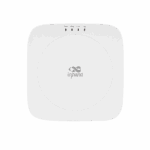
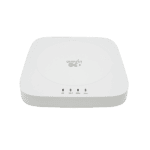
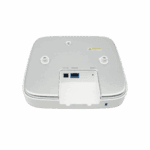
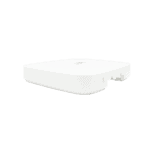
QSG-VIDEO
Cloud-verwalteter Wi-Fi 6 Access Point für KMU

Hochleistungs-Wi-Fi-6-Zugang
Dualband-802.11ax-Unterstützung bis zu ~2,97 Gbit/s, was einen verbesserten Durchsatz und eine höhere Leistung bei mehreren Benutzern ermöglicht.

Gigabit Ethernet Port
Unterstützt Clientverbindungen mit hoher Dichte und ermöglicht Dutzende bis Hunderte von Geräten pro Frequenzband – ideal für stark frequentierte Büro- oder Geschäftsumgebungen.

Cloudbasiertes einheitliches Management
Lässt sich in InCloud Manager integrieren für zentralisierte Richtlinien, Fernüberwachung und Massenbereitstellung.

Sicherer Zugang und Gastverwaltung
Bietet Portal-Authentifizierung, WPA3-Verschlüsselung und Unterstützung für Gastnetzwerke für sicheren WLAN-Zugang.

Mesh-Netzwerk und nahtloses Roaming
Ermöglicht Mesh-Konnektivität und Roaming zwischen Access Points für eine erweiterte Abdeckung und unterbrechungsfreie Verbindung.

Flexibler Einsatz und Kosteneinsparungen
Kompaktes Design mit optionaler PoE-Unterstützung, ideal für Büros, Einzelhandel und die Abdeckung von Innenräumen mit einfacher Installation.
-
Technische Kernspezifikationen
Cloud-Management InCloud Manager mit zentralisierter Verwaltung, einheitlichem Gerätezugriff, Zero-Touch-Bereitstellung und Batch-Upgrade-ManagementUmwelt & Compliance Operating 0 °C ~ +45 °C (32 °F ~ +113 °F), storage -40 °C ~ +70 °C (-40 °F ~ +158 °F), 5%~95% RH, IP30, CE/IC/FCCEthernet-Schnittstelle 1 × Gigabit-Ethernet-Anschluss, 1 × Reset-Taste, 4 × LEDs (PWR/WAN/2,4G/5G)Speicher & Datenspeicher 512 MB RAM, 128 MB NAND-FlashspeicherStromversorgung 12 V / 2 A DC, 802.3af PoERadio & Antenne 2 × 2 MU-MIMO, 2 × integrierte Dualfrequenzantennen, kein BluetoothEmpfohlene Nutzer Bis zu 150 BenutzerSSID & Zugangskontrolle 8 SSIDs pro Band, Trennung von Gast- und Geschäftsnetzwerken, MAC-Blacklist-/Whitelist-FilterungVisualisierung & Betrieb & Wartung Dashboard, Topologie, Client-Monitor, WLAN-Funktionalität, FAT-Routing-/FAT-Bridge-ModusWi-Fi-Leistung Wi-Fi 6 (802.11b/g/n/ac/ax), Dualband-Komplettnutzung mit bis zu 2974 Mbit/s (2,4 GHz 574 Mbit/s + 5 GHz 2,4 Gbit/s)
-
Leistungskennzahlen
Blitz 128 MB NANDRAM 512 MBEmpfohlene Nutzer ≤150
-
Schnittstellen
Antenne 2 × eingebaute DualfrequenzantenneBluetooth NEINTaste 1 × Reset-TasteEthernet 1 × Gigabit-Ethernet-AnschlussLED 4 × LED (PWR/WAN/2,4 GHz/5 GHz)
-
Radio
2,4 GHz 802.11b/g/n/ac/ax, max. 574 Mbit/s5 GHz 802.11a/n/ac/ax, max. 2,4 Gbit/sRadio 2 × 2 MU-MIMO, Dualband-Betrieb, maximale Übertragungsrate 2974 Mbit/s
-
Leistung
Stromversorgung 12 V/2 A Gleichstrom; 802.3af PoE
-
Umfeld
Luftfeuchtigkeit 5% ~ 95%IP-Level IP30Betriebstemperatur 0 °C ~ +45 °C (32 °F ~ +113 °F)Lagertemperatur -40 °C ~ +70 °C (-40 °F ~ +158 °F)
-
Zertifizierung
Zertifizierung CE, IC, FCC
-
Cloud-Management
InCloud Manager Zentralisierte Verwaltung, einheitlicher Gerätezugriff, automatische Fernbereitstellung, Stapelaktualisierung und -verwaltung
-
Netzwerkfunktionen
Gastzugang Besuchernetzwerk für temporäre NutzerIP-Protokoll IPv4/IPv6Netz Mesh-Netzwerk wird unterstütztNetzwerkzugriff Statische IP-Adresse / DHCPPortal Radius-, Mobiltelefon- und Facebook-Portal-AuthentifizierungRadioeinstellung Bandbreiten- und SendeleistungskonfigurationSSID 8 SSIDs pro BandStandards 802.11b/g/n/ac/ax (Wi-Fi 6)VLAN & IP Benutzerdefinierte WLAN-Netzwerk-IP-Adresse oder VLAN-ID
-
Sicherheit
Zugangskontrolle MAC-Whitelist-/Blacklist-FilterungAuthentifizierung WPA-PSK, WPA/WPA2/WPA3 (WPA/Enterprise)Isolierung Trennung von Gastnetzwerk und Geschäftsnetzwerk
-
Visualisierung
Client-Monitor Statistiken zu Kundenverkehr und VerbindungsdauerArmaturenbrett Geräteinformationen, Schnittstellenstatus, Verkehrsstatistiken, Clientzugriffe und AlarmeTopologie AP-Upstream-/Downstream-Topologie-VerbindungsstatusWi-Fi-Erlebnis Wi-Fi-Client-Qualitätsanalyse
-
Modus
Arbeitsmodus FAT-Routing-Modus / FAT-Brückenmodus
Standardpaket*
- EAP600 Enterprise AP *1
* Der Standardpaketinhalt variiert je nach Standardbestellcode.
Kontaktieren Sie uns Um mehr über unsere Verpackungsoptionen zu erfahren, wenden Sie sich bitte direkt an uns.
Spezifikationen
-
Technische Kernspezifikationen
Cloud-Management InCloud Manager mit zentralisierter Verwaltung, einheitlichem Gerätezugriff, Zero-Touch-Bereitstellung und Batch-Upgrade-ManagementUmwelt & Compliance Operating 0 °C ~ +45 °C (32 °F ~ +113 °F), storage -40 °C ~ +70 °C (-40 °F ~ +158 °F), 5%~95% RH, IP30, CE/IC/FCCEthernet-Schnittstelle 1 × Gigabit-Ethernet-Anschluss, 1 × Reset-Taste, 4 × LEDs (PWR/WAN/2,4G/5G)Speicher & Datenspeicher 512 MB RAM, 128 MB NAND-FlashspeicherStromversorgung 12 V / 2 A DC, 802.3af PoERadio & Antenne 2 × 2 MU-MIMO, 2 × integrierte Dualfrequenzantennen, kein BluetoothEmpfohlene Nutzer Bis zu 150 BenutzerSSID & Zugangskontrolle 8 SSIDs pro Band, Trennung von Gast- und Geschäftsnetzwerken, MAC-Blacklist-/Whitelist-FilterungVisualisierung & Betrieb & Wartung Dashboard, Topologie, Client-Monitor, WLAN-Funktionalität, FAT-Routing-/FAT-Bridge-ModusWi-Fi-Leistung Wi-Fi 6 (802.11b/g/n/ac/ax), Dualband-Komplettnutzung mit bis zu 2974 Mbit/s (2,4 GHz 574 Mbit/s + 5 GHz 2,4 Gbit/s)
-
Leistungskennzahlen
Blitz 128 MB NANDRAM 512 MBEmpfohlene Nutzer ≤150
-
Schnittstellen
Antenne 2 × eingebaute DualfrequenzantenneBluetooth NEINTaste 1 × Reset-TasteEthernet 1 × Gigabit-Ethernet-AnschlussLED 4 × LED (PWR/WAN/2,4 GHz/5 GHz)
-
Radio
2,4 GHz 802.11b/g/n/ac/ax, max. 574 Mbit/s5 GHz 802.11a/n/ac/ax, max. 2,4 Gbit/sRadio 2 × 2 MU-MIMO, Dualband-Betrieb, maximale Übertragungsrate 2974 Mbit/s
-
Leistung
Stromversorgung 12 V/2 A Gleichstrom; 802.3af PoE
-
Umfeld
Luftfeuchtigkeit 5% ~ 95%IP-Level IP30Betriebstemperatur 0 °C ~ +45 °C (32 °F ~ +113 °F)Lagertemperatur -40 °C ~ +70 °C (-40 °F ~ +158 °F)
-
Zertifizierung
Zertifizierung CE, IC, FCC
-
Cloud-Management
InCloud Manager Zentralisierte Verwaltung, einheitlicher Gerätezugriff, automatische Fernbereitstellung, Stapelaktualisierung und -verwaltung
-
Netzwerkfunktionen
Gastzugang Besuchernetzwerk für temporäre NutzerIP-Protokoll IPv4/IPv6Netz Mesh-Netzwerk wird unterstütztNetzwerkzugriff Statische IP-Adresse / DHCPPortal Radius-, Mobiltelefon- und Facebook-Portal-AuthentifizierungRadioeinstellung Bandbreiten- und SendeleistungskonfigurationSSID 8 SSIDs pro BandStandards 802.11b/g/n/ac/ax (Wi-Fi 6)VLAN & IP Benutzerdefinierte WLAN-Netzwerk-IP-Adresse oder VLAN-ID
-
Sicherheit
Zugangskontrolle MAC-Whitelist-/Blacklist-FilterungAuthentifizierung WPA-PSK, WPA/WPA2/WPA3 (WPA/Enterprise)Isolierung Trennung von Gastnetzwerk und Geschäftsnetzwerk
-
Visualisierung
Client-Monitor Statistiken zu Kundenverkehr und VerbindungsdauerArmaturenbrett Geräteinformationen, Schnittstellenstatus, Verkehrsstatistiken, Clientzugriffe und AlarmeTopologie AP-Upstream-/Downstream-Topologie-VerbindungsstatusWi-Fi-Erlebnis Wi-Fi-Client-Qualitätsanalyse
-
Modus
Arbeitsmodus FAT-Routing-Modus / FAT-Brückenmodus
Downloads
Bestellung
Standardpaket*
- EAP600 Enterprise AP *1
* Der Standardpaketinhalt variiert je nach Standardbestellcode.
Kontaktieren Sie uns Um mehr über unsere Verpackungsoptionen zu erfahren, wenden Sie sich bitte direkt an uns.
InCloud Manager
Cloudbasierte Netzwerkmanagementplattform
KI-gestützte Netzwerkplattform für Filialketten und KMU, die die zentrale Überwachung und Verwaltung von Routern, Access Points und Switches ermöglicht.
InCloud Manager
Ähnliche Fälle

Hotelnetzwerklösung
Hotelnetzwerklösungen – Anwendungsbeispiele und wichtigste Erkenntnisse mit 24-Port-PoE und…
Mehr erfahren →
Drahtlose Abdeckungslösung für Filialketten
Drahtlose Abdeckungslösung für Filialketten – Anwendungsbeispiele und Schlüsselerkenntnisse…
Mehr erfahren →
Drahtlose Netzwerklösung für Spielhallenketten
Anwendungsfälle und Fallstudien: Drahtlose Netzwerklösung für Spielhallenketten – Wichtigste Erkenntnisse…
Mehr erfahren →Häufig gestellte Fragen
Wie richte ich den EAP600 als Access Point ein?
Der EAP600 ist ein Dualband-Wi-Fi-6-Access-Point (802.11ax) für Unternehmensnetzwerke in Innenräumen – empfohlene Abdeckung 200–300 m², bis zu 150 gleichzeitige Clients, kombinierte Spitzengeschwindigkeit 2974 Mbit/s. Typischer Einsatz:
- Montieren — Deckenmontage mit der mitgelieferten Halterung (empfohlen) oder Aufstellung auf einem Schreibtisch. Rundes Gehäuse (158 × 158 × 28 mm), nur für interne Antennen.
- Stromversorgung und Uplink — Verbinden Sie den einzelnen Gigabit-Ethernet-Anschluss mit einem 802.3af PoE Schalter oder Injektor; ein Kabel überträgt sowohl Strom als auch Daten. Ein 12-V/2-A-Gleichstromadapter ist als optionales Zubehör erhältlich.
- Wählen Sie den Betriebsmodus — die EAP600 Schiffe in FAT-Routing (Eigenes Subnetz + DHCP, nützlich bei direkter Internetverbindung). Wechseln Sie zu FAT-Brücke wenn es sich hinter einem vorhandenen Router befindet und Clients das Upstream-LAN/DHCP gemeinsam nutzen sollen.
- SSIDs und Sicherheit konfigurieren — bis zu 8 SSIDs pro Band (insgesamt 16), WPA2/WPA3 (Personal oder Enterprise), VLAN-Tagging, Gastisolierung und MAC-Filterung.
- Skalierbares Management — registrieren in InCloud Manager (Kostenlose Lizenz enthalten) für die automatische Bereitstellung, die Stapelverarbeitung von Firmware/Konfigurationen, die Topologieansicht und die Client-Analyse. Für Standorte mit mehreren Access Points aktivieren. Netz Zusätzliche EAP600-Einheiten verbinden sich automatisch über drahtlose Backhaul-Verbindungen.
Wie greife ich zum ersten Mal auf die Weboberfläche des EAP600 zu?
Schließen Sie einen Laptop per Ethernet an oder verbinden Sie sich mit dem standardmäßigen WLAN-Netzwerk (SSID). EAP600-XXXXXX / EAP600-5G-XXXXXX Öffnen Sie einen Browser und gehen Sie zu https://192.168.10.1 Akzeptieren Sie die Warnung zum selbstsignierten Zertifikat. Melden Sie sich mit den Anmeldedaten auf dem Geräteetikett an. Falls die Seite nicht geladen wird, überprüfen Sie, ob Ihr Laptop auf DHCP eingestellt ist.
Wie konfiguriere ich SSIDs auf dem EAP600?
Melden Sie sich an und gehen Sie zu Wi-Fi > SSIDs Hier können Sie SSIDs erstellen oder bearbeiten (bis zu 8 pro Frequenzband, insgesamt 16 über 2,4 GHz und 5 GHz). Legen Sie für jede SSID das Sendeband, den Sicherheitstyp (WPA2/WPA3 Personal oder Enterprise) und das Passwort fest. Optionale SSID-Einstellungen umfassen Client-Isolation (Blockierung des Client-zu-Client-Verkehrs auf derselben SSID), SSID-Ausblenden und MAC-Whitelist/Blacklist. Klicken Sie hier. Anwenden um die SSID live zu schalten.
Wie registriere ich den EAP600 im InCloud Manager?
Der EAP600 wird mit einer kostenlosen InCloud Manager-Lizenz ausgeliefert. Schritte:
- Melden Sie sich an (oder erstellen Sie ein Konto) unter
https://star.inhandcloud.com. - Klicken Sie im Portal Gerät hinzufügen und geben Sie die EAP600 ein Seriennummer (auf dem Geräteetikett aufgedruckt) zusammen mit allen erforderlichen Etikettenfeldern.
- Verbinden Sie den EAP600 mit dem Internet – sobald er die Plattform erreicht, erscheint er im Portal online.
Anschließend können Sie Konfigurationen übertragen, Firmware-Upgrades planen, Client-Analysen einsehen und über ein einziges Dashboard remote auf das Gerät zugreifen. Die Cloud-Verwaltung kann jederzeit deaktiviert werden. System > Cloud-Management für den vollständig autarken Betrieb.
—