


CPE02
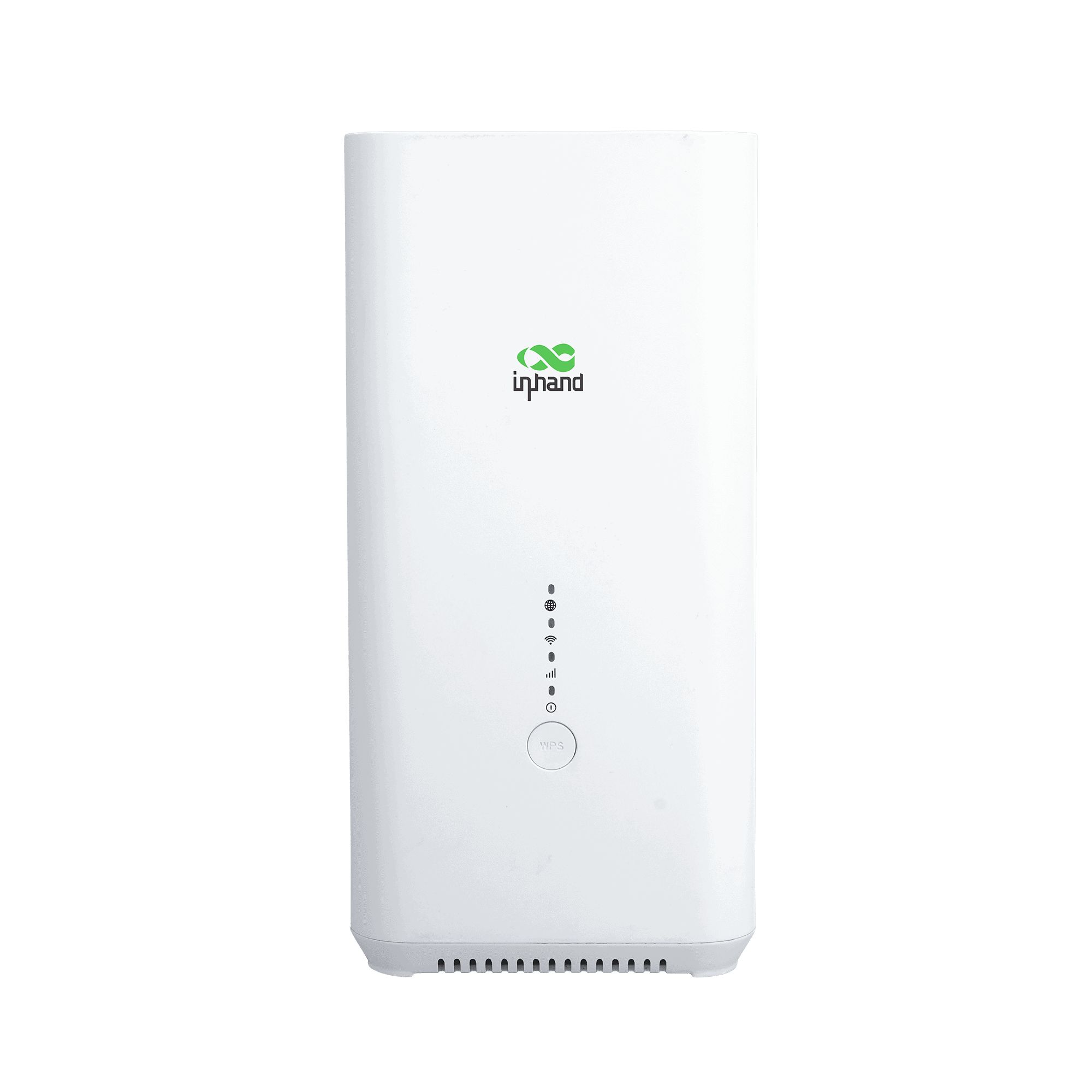
Indoor 5G Wi-Fi6 Router
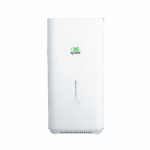
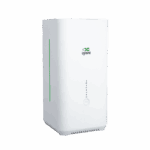
Der CPE02, ausgestattet mit dem Qualcomm X62-Chip, bietet Wi-Fi-6-Geschwindigkeiten von AX5400 für Einzelhandel und Büros. Dank nahtloser InCloud-Integration vereinfacht er die Massenverwaltung und gewährleistet so einen leistungsstarken und effizienten IT-Betrieb.
CPE02
Indoor 5G Wi-Fi6 Router
Der CPE02, ausgestattet mit dem Qualcomm X62-Chip, bietet Wi-Fi-6-Geschwindigkeiten von AX5400 für Einzelhandel und Büros. Dank nahtloser InCloud-Integration vereinfacht er die Massenverwaltung und gewährleistet so einen leistungsstarken und effizienten IT-Betrieb.

QSG-VIDEO
Schnelle Bereitstellung, nahtlose Konnektivität

5G NSA/SA
Unterstützt 5G NSA/SA mit maximalen Downloadgeschwindigkeiten von bis zu 3,4 Gbit/s und gewährleistet so extrem niedrige Latenzzeiten für bandbreitenintensive Anwendungen.

Wi-Fi 6 AX5400
Bietet drahtlose Geschwindigkeiten von bis zu 5400 Mbit/s und unterstützt über 128 gleichzeitige Benutzer für nahtloses HD-Streaming.

Ausfallkonnektivität
Ausgestattet mit 5G-Failover und WAN-Backup zur automatischen Umschaltung der Verbindungen, gewährleistet dies einen unterbrechungsfreien Internetzugang für die Geschäftskontinuität.

Sicherheit auf Unternehmensebene
Schützt Daten mit robusten Firewalls und mehreren VPN-Protokollen wie IPsec und OpenVPN und sichert so den Fernzugriff für verteilte Netzwerke.

Hohe Zuverlässigkeit
Ausgestattet mit einem Qualcomm-Chipsatz und optimierter Wärmeableitung, um einen stabilen 24/7-Betrieb in komplexen kommerziellen Umgebungen zu gewährleisten.

Intelligentes Cloud-Management
Ermöglicht die automatische Bereitstellung und die zentrale Überwachung über InCloud, wodurch Netzwerkausfälle reduziert und der Fernbetrieb vereinfacht werden.
-
Technische Kernspezifikationen
Mobilfunk 5G SA/NSA + 4G LTE; 5G DL bis zu 2,6 Gbit/sCloud-Management InCloud ManagerVPN IPsec, L2TP, OpenVPNNetzwerkfunktionen IPv4/IPv6; NAT, VLAN, DHCP; PPPoE; Dual-SIM-Richtlinie; statisches RoutingW-lan Wi-Fi 6 (AX5400), 2,4/5 GHz; Multi-SSID, VLAN, WPA2/WPA3Durchsatz / Benutzer Firewall 1 Gbit/s; bis zu 200 Benutzer (128 WLAN)SIM 1 × Nano 4FF + optionale eSIMEthernet 2 × GbE (EU/APAC) oder 2,5G + 1G (USA); WAN/LAN, Dual-LANAbmessungen / Montage 105 × 105 × 217 mm (4.13 × 4.13 × 8.54 in); 800 g (1.76 lb); desktop / wall-mountLeistung 12 V / 2 A; ≤ 15 WUmfeld -10 °C ~ +40 °C (14 °F ~ 104 °F) op.; -40 °C ~ +85 °C (-40 °F ~ 185 °F) stg.; 5%–95% RH; IP20Zertifizierung CE, FCC, IC, PTCRB, AT&T, Verizon, T-Mobile; EMV-Stufe 2
-
Leistungskennzahlen
CPU IPQ5018Firewall-Durchsatz 1 Gbit/sEmpfohlene Nutzer 200 (Wi-Fi: 128)
-
Schnittstellen
Mobilfunk 5G NSA: 2,6 Gbit/s Download / 650 Mbit/s Upload; 5G SA: 2,0 Gbit/s Download / 1,0 Gbit/s Upload; 4G LTE: 600 Mbit/s Download / 150 Mbit/s Upload
-
4×4 MIMO 5G Sub-6 GHz, 256QAM
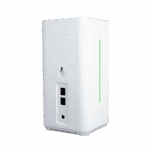
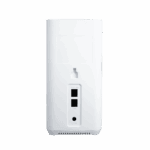
Ethernet 2 × GbE (EU/APAC) oder 2,5G + 1G (USA), WAN/LAN- und Dual-LAN-UnterstützungSIM-Karte 1 × Nano 4FF, 1 × eSIM (optional)Typ C Nur für DebuggingZurücksetzen Hardware-WerksresetWPS WLAN-Verbindung per Knopfdruck für den Client
-
W-lan
Antennengewinn ≤ 5 dBiStandard Wi-Fi 6, 802.11 a/b/g/n/ac/axMax Rate 5400 Mbit/sMerkmale Mehrere SSIDs, SSID-VLANs, versteckte SSIDsTX Power 2.4 GHz: 17 dBm; 5 GHz: 17 dBmVerschlüsselung WPA, WPA2, WPA3
-
Leistung
Eingang 12 V / 2 AStromverbrauch ≤ 15 W
-
LEDs
LED 5G, WLAN, Signalstärke, Stromversorgung
-
Mechanisch
Abmessungen (L × B × H) 105 × 105 × 217 mm (4.13 × 4.13 × 8.54 in)Gewicht 800 g (1.76 lb)Installation Tisch- oder WandmontageSchutz IP20
-
Umfeld
Betriebstemperatur -10 °C ~ +40 °C (14 °F ~ 104 °F)Lagertemperatur -40 °C ~ +85 °C (-40 °F ~ 185 °F)Luftfeuchtigkeit 5 % ~ 95 % RH (nicht kondensierend)
-
Zertifizierung
Zertifizierung CE, FCC, IC, PTCRB, AT&T, Verizon, T-MobileEMV EMV-Stufe 2
-
Cloud-Management
Plattform InCloud ManagerMerkmale Einheitlicher Gerätezugriff, automatische Fernbereitstellung, Massen-Fernaktualisierungen, Konfigurationsbereitstellung, Fernwartung von Verbindungsstücken, Zwei-Faktor-AuthentifizierungArmaturenbrett Geräteverbindungsstatus, Verkehrsstatistiken, Mobilfunksignalstatistiken, Schnittstellenstatus, Clientstatistiken und -analysen, Uplink-Management
-
Netzwerkfunktionen
Zugang 5G/4G, kabelgebundenWählen PPPoE, cellular automatic redial, dual-SIM switching policy, APN configurationIntelligente Verbindungen Echtzeit-VerbindungserkennungIP-Protokolle IPv4, IPv6Netzwerkprotokolle VLAN, DHCP, DNS, URL-Filterung, DDNS, Feste Adresszuweisung, IP-Passthrough, STP, ARP, ICMPGeschwindigkeitstest Unterstützung für GerätegeschwindigkeitstestsVPN IPsec-VPN, L2TP-VPN, OpenVPNRouting Statisches Routing
-
Zuverlässigkeit
Upgrade Geplantes UpgradeProtokolle Laufzeitprotokolle, DiagnoseprotokolleVeranstaltungen Benutzeranmeldung, Verbindungsabbruch, GeräteneustartWarnmeldungen Lokale E-Mail; Plattform-SMS, E-MailDiagnostik ICMP, Paketerfassung, Tracert
Standardpaket*
- CPE02 Indoor-Router *1
- Ethernet-Kabel *1
- Netzteil *1
- Montagesatz *1
- Benutzerhandbuch *1
* Der Standardpaketinhalt variiert je nach Standardbestellcode.
Kontaktieren Sie uns Um mehr über unsere Verpackungsoptionen zu erfahren, wenden Sie sich bitte direkt an uns.
Spezifikationen
-
Technische Kernspezifikationen
Mobilfunk 5G SA/NSA + 4G LTE; 5G DL bis zu 2,6 Gbit/sCloud-Management InCloud ManagerVPN IPsec, L2TP, OpenVPNNetzwerkfunktionen IPv4/IPv6; NAT, VLAN, DHCP; PPPoE; Dual-SIM-Richtlinie; statisches RoutingW-lan Wi-Fi 6 (AX5400), 2,4/5 GHz; Multi-SSID, VLAN, WPA2/WPA3Durchsatz / Benutzer Firewall 1 Gbit/s; bis zu 200 Benutzer (128 WLAN)SIM 1 × Nano 4FF + optionale eSIMEthernet 2 × GbE (EU/APAC) oder 2,5G + 1G (USA); WAN/LAN, Dual-LANAbmessungen / Montage 105 × 105 × 217 mm (4.13 × 4.13 × 8.54 in); 800 g (1.76 lb); desktop / wall-mountLeistung 12 V / 2 A; ≤ 15 WUmfeld -10 °C ~ +40 °C (14 °F ~ 104 °F) op.; -40 °C ~ +85 °C (-40 °F ~ 185 °F) stg.; 5%–95% RH; IP20Zertifizierung CE, FCC, IC, PTCRB, AT&T, Verizon, T-Mobile; EMV-Stufe 2
-
Leistungskennzahlen
CPU IPQ5018Firewall-Durchsatz 1 Gbit/sEmpfohlene Nutzer 200 (Wi-Fi: 128)
-
Schnittstellen
Mobilfunk 5G NSA: 2,6 Gbit/s Download / 650 Mbit/s Upload; 5G SA: 2,0 Gbit/s Download / 1,0 Gbit/s Upload; 4G LTE: 600 Mbit/s Download / 150 Mbit/s Upload
-
4×4 MIMO 5G Sub-6 GHz, 256QAM
Ethernet 2 × GbE (EU/APAC) oder 2,5G + 1G (USA), WAN/LAN- und Dual-LAN-UnterstützungSIM-Karte 1 × Nano 4FF, 1 × eSIM (optional)Typ C Nur für DebuggingZurücksetzen Hardware-WerksresetWPS WLAN-Verbindung per Knopfdruck für den Client
-
W-lan
Antennengewinn ≤ 5 dBiStandard Wi-Fi 6, 802.11 a/b/g/n/ac/axMax Rate 5400 Mbit/sMerkmale Mehrere SSIDs, SSID-VLANs, versteckte SSIDsTX Power 2.4 GHz: 17 dBm; 5 GHz: 17 dBmVerschlüsselung WPA, WPA2, WPA3
-
Leistung
Eingang 12 V / 2 AStromverbrauch ≤ 15 W
-
LEDs
LED 5G, WLAN, Signalstärke, Stromversorgung
-
Mechanisch
Abmessungen (L × B × H) 105 × 105 × 217 mm (4.13 × 4.13 × 8.54 in)Gewicht 800 g (1.76 lb)Installation Tisch- oder WandmontageSchutz IP20
-
Umfeld
Betriebstemperatur -10 °C ~ +40 °C (14 °F ~ 104 °F)Lagertemperatur -40 °C ~ +85 °C (-40 °F ~ 185 °F)Luftfeuchtigkeit 5 % ~ 95 % RH (nicht kondensierend)
-
Zertifizierung
Zertifizierung CE, FCC, IC, PTCRB, AT&T, Verizon, T-MobileEMV EMV-Stufe 2
-
Cloud-Management
Plattform InCloud ManagerMerkmale Einheitlicher Gerätezugriff, automatische Fernbereitstellung, Massen-Fernaktualisierungen, Konfigurationsbereitstellung, Fernwartung von Verbindungsstücken, Zwei-Faktor-AuthentifizierungArmaturenbrett Geräteverbindungsstatus, Verkehrsstatistiken, Mobilfunksignalstatistiken, Schnittstellenstatus, Clientstatistiken und -analysen, Uplink-Management
-
Netzwerkfunktionen
Zugang 5G/4G, kabelgebundenWählen PPPoE, cellular automatic redial, dual-SIM switching policy, APN configurationIntelligente Verbindungen Echtzeit-VerbindungserkennungIP-Protokolle IPv4, IPv6Netzwerkprotokolle VLAN, DHCP, DNS, URL-Filterung, DDNS, Feste Adresszuweisung, IP-Passthrough, STP, ARP, ICMPGeschwindigkeitstest Unterstützung für GerätegeschwindigkeitstestsVPN IPsec-VPN, L2TP-VPN, OpenVPNRouting Statisches Routing
-
Zuverlässigkeit
Upgrade Geplantes UpgradeProtokolle Laufzeitprotokolle, DiagnoseprotokolleVeranstaltungen Benutzeranmeldung, Verbindungsabbruch, GeräteneustartWarnmeldungen Lokale E-Mail; Plattform-SMS, E-MailDiagnostik ICMP, Paketerfassung, Tracert
Downloads
Bestellung
Standardpaket*
- CPE02 Indoor-Router *1
- Ethernet-Kabel *1
- Netzteil *1
- Montagesatz *1
- Benutzerhandbuch *1
* Der Standardpaketinhalt variiert je nach Standardbestellcode.
Kontaktieren Sie uns Um mehr über unsere Verpackungsoptionen zu erfahren, wenden Sie sich bitte direkt an uns.
InCloud Manager
Cloudbasierte Netzwerkmanagementplattform
KI-gestützte Netzwerkplattform für Filialketten und KMU, die die zentrale Überwachung und Verwaltung von Routern, Access Points und Switches ermöglicht.
InCloud Manager
Ähnliche Fälle

5G-Failover: Integrierte Ausfallsicherheit für Supermarktnetze
5G-Failover: Integrierte Ausfallsicherheit für Supermarktnetzwerke – Anwendungen und Anwendungsfälle – Wichtigste Erkenntnisse…
Mehr erfahren →
5G-Konnektivität für Burgerketten: Schnell, zuverlässig und skalierbar
5G-Konnektivität für Burgerketten: Schnelle, zuverlässige und skalierbare Anwendungen…
Mehr erfahren →
5G-Breitband: Der ultraschnelle Motor für kleine und mittlere Unternehmen
5G-Breitband: Die ultraschnelle Technologie für SOHO- und KMU-Anwendungen und -Szenarien…
Mehr erfahren →Häufig gestellte Fragen
Was bietet das CPE02?
Das CPE02 ist ein 5G-CPE für den Innenbereich, das Mobilfunk in Wi-Fi 6 und kabelgebundenes Ethernet umwandelt – ideal für Einzelhandelsgeschäfte, Restaurants, Kliniken und hybride Büros, die schnelles Breitband ohne festen Internetanschluss benötigen. Drei regionale Varianten:
| NANR (USA) | EUNR (EU/APAC) | CNNR (China) | |
| — | — | — | — |
| Ethernet | 1 × 2,5-GbE-WAN + 1 × GbE-LAN | 2× GbE (1 WAN + 1 LAN) | 2× GbE |
| Wi-Fi 6 Spitzenleistung | 5400 Mbit/s | 3000 Mbit/s | 3000 Mbit/s |
| Eingebettete eSIM | Integrierte Verizon eSIM | — | — |
Alle Varianten unterstützen 5G SA/NSA, Dual-WAN (Mobilfunk + Kabel) mit WAN/LAN-Port-Umschaltung und bis zu 200 Benutzer / 128 WLAN-Clients Pro Gerät. Stromversorgung über das mitgelieferte 12 V/3 A Netzteil (≤18 W Spitzenleistung), geeignet für Tisch- oder Wandmontage, Schutzart IP20 für Innenräume.
Wie greife ich auf die Weboberfläche des CPE02 zu?
Verbinden Sie Ihren Computer per Ethernet oder treten Sie dem standardmäßigen WLAN-Netzwerk (SSID) bei. CPE02-[letzte 6 Stellen der MAC-Adresse] oder CPE02-5G-[letzte 6 Stellen der MAC-Adresse] Das Standard-WLAN-Passwort sind die letzten 8 Ziffern der Geräteseriennummer. Öffnen Sie einen Browser und gehen Sie zu https://192.168.2.1 — Akzeptieren Sie das selbstsignierte Zertifikat. Melden Sie sich mit den Anmeldeinformationen auf dem Typenschild des Geräts an.
Wie verbinde ich das CPE02 mit dem Mobilfunknetz und richte den APN ein?
Schalten Sie das Gerät aus und legen Sie die SIM-Karte ein. Schalten Sie das Gerät ein – das CPE02 erkennt den Mobilfunkanbieter in den meisten Fällen automatisch und wendet den passenden APN an, sodass keine manuelle Einrichtung erforderlich ist. Falls die Mobilfunkverbindung nicht hergestellt wird, melden Sie sich an und gehen Sie zu Internet > Uplink-Tabelle, klicken Bearbeiten Geben Sie neben „Mobilfunk“ den APN ein und klicken Sie auf „OK“. SpeichernKonfigurieren Sie den SIM-Modus (nur SIM1, nur eSIM oder Dual-SIM) auf demselben Bildschirm – die NANR-SKU enthält eine integrierte Verizon eSIM. Überprüfen Sie dies, indem Sie die folgenden Einstellungen prüfen: Netzwerk-LEDDauerhaft grün = Mobilfunkverbindung (oder kabelgebundene Verbindung); blinkend grün = Verbindung zum Mobilfunknetz wird hergestellt; blinkend rot = Netzwerkverbindung unterbrochen.
Wie kann ich die öffentliche Mobilfunk-IP-Adresse an ein nachgelagertes Gerät weiterleiten?
Der CPE02 unterstützt IP-Passthrough – die öffentliche IP-Adresse der Mobilfunkverbindung wird per MAC-Bindung direkt an ein ausgewähltes nachgelagertes Gerät weitergeleitet. Weiter zu Dienste > Passthrough-EinstellungenAktivieren Sie IP-Passthrough und binden Sie die MAC-Adresse des Zielgeräts. Klicken Sie auf AnwendenDas nachgelagerte Gerät erhält die öffentliche IP-Adresse über DHCP; das CPE02 selbst ist nur über seine lokale Verwaltungsschnittstelle erreichbar.
—