


VT200
Fahrzeugtelematik-Gateway
Kompaktes Telematik-Gateway für zuverlässige Fahrzeugortung und -diagnose mit Integration von LTE, GNSS und Inertialsensoren für hochpräzise Standortbestimmung und Echtzeit-Fahrverhaltensanalyse.
VT200
Fahrzeugtelematik-Gateway
Kompaktes Telematik-Gateway für zuverlässige Fahrzeugortung und -diagnose mit Integration von LTE, GNSS und Inertialsensoren für hochpräzise Standortbestimmung und Echtzeit-Fahrverhaltensanalyse.
FOTO
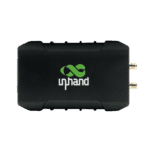
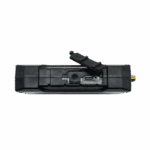
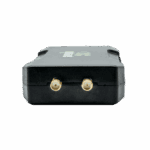
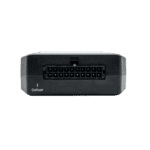
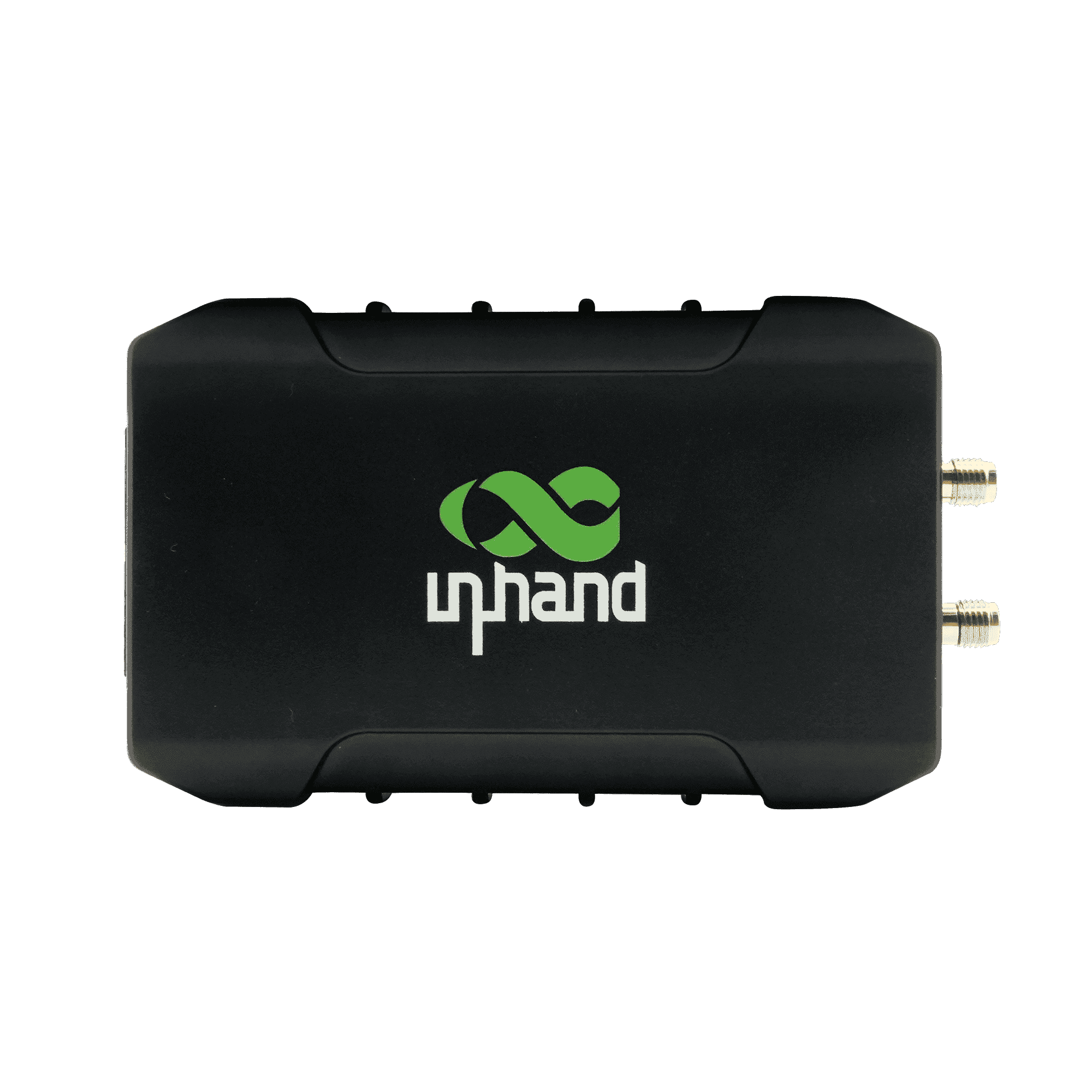
Jederzeit und überall: Erfassen Sie Ihr Fahrzeug intelligent

Globale LTE CAT M1/CAT 1 Konnektivität
Bietet weltweit stabile und energieeffiziente Mobilfunkverbindungen und gewährleistet so eine kontinuierliche Datenübertragung zwischen Fahrzeugen und der Cloud.

Hochpräzise GNSS- und Inertialsensorik
Kombiniert GPS/Galileo/BD mit eingebauten Sensoren, um präzise Standort- und Entfernungsdaten zu liefern und die Genauigkeit auch in Straßenschluchten oder Tunneln beizubehalten.

Intelligente Fahranalyse
Nutzt integrierte Gyroskope zur Erkennung von starkem Bremsen, schneller Beschleunigung und Kollisionen und ermöglicht es Managern so, die allgemeine Flottensicherheit zu verbessern.

Motorzustandsüberwachung
Kompatibel mit OBD-II- und J1939-Protokollen zur Erfassung wichtiger Motordaten, wodurch vorbeugende Wartung ermöglicht und ungeplante Ausfallzeiten reduziert werden.

Vielseitige E/A-Schnittstellen
Ausgestattet mit zahlreichen Ein- und Ausgängen zur Überwachung des Zündstatus, von Sensoren und externen Steuergeräten, bietet es einen umfassenden Überblick über den Fahrzeugbetrieb.

Kontinuierlicher Stromschutz
Verfügt über einen eingebauten Akku und Energiesparmodi, um sicherzustellen, dass die Datenerfassung auch dann fortgesetzt wird, wenn die Stromversorgung des Fahrzeugs unterbrochen oder ausgeschaltet ist.
-
Technische Kernspezifikationen
Mobilfunknetz LTE Cat.1 / Cat-M1Zugriff auf die Cloud-Plattform Unterstützt AWS IoT, Azure IoT, Aliyun IoT und gängige Tracking-Plattformen von Drittanbietern.Abmessungen 98,6 × 62 × 23,5 mm (eingebaute Antenne) / 108,3 × 62 × 23,5 mm (externe Antenne)Schnittstellen CAN, RS-232, RS-485, DI/AI, DO, 1-Wire, USB Type-CBetriebstemperatur -20 °C ~ 60 °C (-4 °F ~ 140 °F)Positionierungsfähigkeit GNSS (GPS / Galileo / Beidou / GLONASS) + Trägheitsnavigation (DR)Netzteilbereich 9 ~ 36 VDCSchutzklasse IP40Sicherheitsfähigkeit Unterstützt SSL/TLS-Verschlüsselung und plattformseitige SicherheitsauthentifizierungLagertemperatur -40 °C ~ 85 °C (-40 °F ~ 185 °F)Übertragungsprotokolle TCP, UDP, HTTP, MQTT, JT808Transparente Übertragung Supports transparent transmission for OBD-II / J1939 / CAN / ELD, and RS-232/RS-485 serial passthrough
-
Netzwerk & Mobilfunk
Mobilfunkantenne Eingebaute Keramikantenne oder externer SMA-Anschluss (modellabhängig)GNSS-Antenne Eingebaute Keramikantenne oder externer SMA-Anschluss (modellabhängig)Netzwerktyp LTE Cat.1 / Cat-M1SIM Nano-SIM (4FF), Einzel-SIM-Karte
-
Satellitennavigation
Beschleunigung Messbereich: ±2 / ±4 / ±8 / ±16 gWinkelgeschwindigkeit Messbereich: ±125 / ±250 / ±500 / ±1000 / ±2000 dpsKanäle 72 KanäleTrägheitsnavigation Unterstützt Koppelnavigation (DR)Anfangsempfindlichkeit bei der Positionierung -164 dBm (Anfangspositionierungszeit 26 s)Standortgenauigkeit 2,5 m (CEP50)Satellitenunterstützung GPS / Galileo / Beidou / GLONASSTracking-Empfindlichkeit -156 dBm (Warmstart) / -147 dBm (Kaltstart)Aktualisierungsfrequenz 10 MHz
-
Elektrotechnik und Umwelt
Batteriekapazität (Batteriemodelle) 1000 mAhBatteriematerial (Batteriemodelle) Lithium-IonenBatteriebetriebstemperatur Charging: 0 °C ~ 45 °C (32 °F ~ 113 °F); Discharging: -20 °C ~ 60 °C (-4 °F ~ 140 °F)Batterielagertemperatur -20 °C ~ 35 °C (-4 °F ~ 95 °F)ESD IEC 61000-4-2 (4 kV-Test)Luftfeuchtigkeit 95% RH @ 50 ℃ (nicht kondensierend)Betriebstemperatur -20 °C ~ 60 °C (-4 °F ~ 140 °F)Schutzklasse IP40Lagertemperatur -40 °C ~ 85 °C (-40 °F ~ 185 °F)Betriebsspannung 9 ~ 36 VDC
-
Mechanisch
Abmessungen 98,6 × 62 × 23,5 mm (eingebaut) / 108,3 × 62 × 23,5 mm (extern)Gehäusematerial ABS + PC
-
Fahrzeugschnittstellen
1-Draht 1 KanalCAN-Bus 1 KanalDigitaler Eingang / Analoger Eingang 4 Kanäle (DI/AI)Digitalausgang 2 Kanäle (max. 300 mA)Externe Schnittstellen USB 2.0 Typ-C, SIM-Kartensteckplatz, LED-AnzeigenZündsignal 1 Kanal (ACC/IGT)Serielle Schnittstelle RS-232 and RS-485
-
Netzwerkfunktionen
Cloud-Plattformen AWS IoT, Azure IoT, Aliyun IoT, Wialon, Traccar, GPSWox, WhiteLabel Tracking, ThingsBoard, MQTT Cloud, Customer Private Cloud und andere unterstützte PlattformenVerschlüsselung SSL/TLSTransportprotokolle TCP, UDP, HTTP, MQTT, JT808
-
Fahrzeugdaten & Transparente Übertragung
Datenübertragung OBD-II / J1939 / CAN-Bus / ELD transparente ÜbertragungSerielle transparente Übertragung RS-232/RS-485 transparent; supports Modbus RTU to Modbus
-
Veranstaltung & Berichterstattung
Ereignisalarm Kollisionserkennung, Bewegungserkennung, Geschwindigkeitsüberschreitung, I/O-Änderung, ZündsignalerkennungBerichterstattung Unterstützung für SMS oder FlexAPI über TCP/UDP/MQTT
-
Konfigurationsschnittstelle
Konfiguration USB 2.0 Typ-C
-
Sicherheit
Authentifizierung Unterstützt für sichere Kommunikation (pro Plattform)
-
Zertifizierung
Zertifizierungen CE, FCC, IC, PTCRB, E-Prüfzeichen
Standardpaket*
- VT200 Telematik-Gateway *1
- 20-poliges All-in-One-Testkabel*1
- Der Inhalt der Standardverpackung* variiert je nach Standardbestellcode.
- Optionales Zubehör
- 4G-Antenne *1
- GNSS-Antenne *1
- Kontaktieren Sie uns direkt, um mehr über unsere Verpackungsoptionen zu erfahren.
Kontaktieren Sie uns Um mehr über unsere Verpackungsoptionen zu erfahren, wenden Sie sich bitte direkt an uns.
Spezifikationen
-
Technische Kernspezifikationen
Mobilfunknetz LTE Cat.1 / Cat-M1Zugriff auf die Cloud-Plattform Unterstützt AWS IoT, Azure IoT, Aliyun IoT und gängige Tracking-Plattformen von Drittanbietern.Abmessungen 98,6 × 62 × 23,5 mm (eingebaute Antenne) / 108,3 × 62 × 23,5 mm (externe Antenne)Schnittstellen CAN, RS-232, RS-485, DI/AI, DO, 1-Wire, USB Type-CBetriebstemperatur -20 °C ~ 60 °C (-4 °F ~ 140 °F)Positionierungsfähigkeit GNSS (GPS / Galileo / Beidou / GLONASS) + Trägheitsnavigation (DR)Netzteilbereich 9 ~ 36 VDCSchutzklasse IP40Sicherheitsfähigkeit Unterstützt SSL/TLS-Verschlüsselung und plattformseitige SicherheitsauthentifizierungLagertemperatur -40 °C ~ 85 °C (-40 °F ~ 185 °F)Übertragungsprotokolle TCP, UDP, HTTP, MQTT, JT808Transparente Übertragung Supports transparent transmission for OBD-II / J1939 / CAN / ELD, and RS-232/RS-485 serial passthrough
-
Netzwerk & Mobilfunk
Mobilfunkantenne Eingebaute Keramikantenne oder externer SMA-Anschluss (modellabhängig)GNSS-Antenne Eingebaute Keramikantenne oder externer SMA-Anschluss (modellabhängig)Netzwerktyp LTE Cat.1 / Cat-M1SIM Nano-SIM (4FF), Einzel-SIM-Karte
-
Satellitennavigation
Beschleunigung Messbereich: ±2 / ±4 / ±8 / ±16 gWinkelgeschwindigkeit Messbereich: ±125 / ±250 / ±500 / ±1000 / ±2000 dpsKanäle 72 KanäleTrägheitsnavigation Unterstützt Koppelnavigation (DR)Anfangsempfindlichkeit bei der Positionierung -164 dBm (Anfangspositionierungszeit 26 s)Standortgenauigkeit 2,5 m (CEP50)Satellitenunterstützung GPS / Galileo / Beidou / GLONASSTracking-Empfindlichkeit -156 dBm (Warmstart) / -147 dBm (Kaltstart)Aktualisierungsfrequenz 10 MHz
-
Elektrotechnik und Umwelt
Batteriekapazität (Batteriemodelle) 1000 mAhBatteriematerial (Batteriemodelle) Lithium-IonenBatteriebetriebstemperatur Charging: 0 °C ~ 45 °C (32 °F ~ 113 °F); Discharging: -20 °C ~ 60 °C (-4 °F ~ 140 °F)Batterielagertemperatur -20 °C ~ 35 °C (-4 °F ~ 95 °F)ESD IEC 61000-4-2 (4 kV-Test)Luftfeuchtigkeit 95% RH @ 50 ℃ (nicht kondensierend)Betriebstemperatur -20 °C ~ 60 °C (-4 °F ~ 140 °F)Schutzklasse IP40Lagertemperatur -40 °C ~ 85 °C (-40 °F ~ 185 °F)Betriebsspannung 9 ~ 36 VDC
-
Mechanisch
Abmessungen 98,6 × 62 × 23,5 mm (eingebaut) / 108,3 × 62 × 23,5 mm (extern)Gehäusematerial ABS + PC
-
Fahrzeugschnittstellen
1-Draht 1 KanalCAN-Bus 1 KanalDigitaler Eingang / Analoger Eingang 4 Kanäle (DI/AI)Digitalausgang 2 Kanäle (max. 300 mA)Externe Schnittstellen USB 2.0 Typ-C, SIM-Kartensteckplatz, LED-AnzeigenZündsignal 1 Kanal (ACC/IGT)Serielle Schnittstelle RS-232 and RS-485
-
Netzwerkfunktionen
Cloud-Plattformen AWS IoT, Azure IoT, Aliyun IoT, Wialon, Traccar, GPSWox, WhiteLabel Tracking, ThingsBoard, MQTT Cloud, Customer Private Cloud und andere unterstützte PlattformenVerschlüsselung SSL/TLSTransportprotokolle TCP, UDP, HTTP, MQTT, JT808
-
Fahrzeugdaten & Transparente Übertragung
Datenübertragung OBD-II / J1939 / CAN-Bus / ELD transparente ÜbertragungSerielle transparente Übertragung RS-232/RS-485 transparent; supports Modbus RTU to Modbus
-
Veranstaltung & Berichterstattung
Ereignisalarm Kollisionserkennung, Bewegungserkennung, Geschwindigkeitsüberschreitung, I/O-Änderung, ZündsignalerkennungBerichterstattung Unterstützung für SMS oder FlexAPI über TCP/UDP/MQTT
-
Konfigurationsschnittstelle
Konfiguration USB 2.0 Typ-C
-
Sicherheit
Authentifizierung Unterstützt für sichere Kommunikation (pro Plattform)
-
Zertifizierung
Zertifizierungen CE, FCC, IC, PTCRB, E-Prüfzeichen
Downloads
Bestellung
Standardpaket*
- VT200 Telematik-Gateway *1
- 20-poliges All-in-One-Testkabel*1
- Der Inhalt der Standardverpackung* variiert je nach Standardbestellcode.
- Optionales Zubehör
- 4G-Antenne *1
- GNSS-Antenne *1
- Kontaktieren Sie uns direkt, um mehr über unsere Verpackungsoptionen zu erfahren.
Kontaktieren Sie uns Um mehr über unsere Verpackungsoptionen zu erfahren, wenden Sie sich bitte direkt an uns.
Ähnliche Fälle

Carsharing-Lösung
Carsharing-Lösungen: Anwendungsbeispiele und wichtige Erkenntnisse – Gemeinsam genutzte Lösungen schützen und optimieren…
Mehr erfahren →Häufig gestellte Fragen
Welche VT200-Artikelnummern sind verfügbar?
Der VT200 ist ein kompakter Fahrzeugtelematik-Tracker. Artikelnummern (Nordamerika/Weltweit): VT200-FQ33 (LTE Kat. 1, Nordamerika) und VT200-FQ02 (LTE Cat M1, global Cat-M/NB-IoT). Jedes ist optional mit folgenden Optionen erhältlich: -SCHLÄGER (1000 mAh Akku) und -AMEISE (externe SMA-Antenne) Suffixe — zum Beispiel VT200-FQ02-ANT-BAT . Zulassungen: CE, FCC, IC, PTCRB, E-Mark.
Wie konfiguriere ich den VT200?
Der VT200 wird mithilfe des VT3 (oder VT310) Windows-Desktop-Tool Es gibt keine Web-Verwaltungsoberfläche oder einen Ethernet-Anschluss. Verbinden Sie den VT200 über USB Typ-C mit Ihrem Windows 10/11-Computer (115200 Baud). Öffnen Sie das VT3-Tool, laden Sie das Gerät und konfigurieren Sie die Parameter für Mobilfunk-APN, GPS-Berichterstattung und Energiesparmodus über die Registerkarten der Benutzeroberfläche.
Wie konfiguriere ich den Mobilfunk-APN auf dem VT200?
Öffnen Sie im VT3-Tool die Mobilfunk Öffnen Sie die Registerkarte für das verbundene VT200. Geben Sie den APN ein; Benutzername und Passwort sind optional und nur für private/Unternehmens-SIM-Karten erforderlich. Speichern Sie die Konfiguration und übertragen Sie sie auf das Gerät. Das VT200 wählt sich beim Einschalten automatisch ein. Überprüfen Sie dies anhand der Mobilfunk-LED: Ein Blinken mit 0,5 Hz bedeutet, dass die Verbindung hergestellt ist; 1 Hz bedeutet, dass der Wählvorgang läuft.
Wie konfiguriere ich den Schlafmodus für die Anhänger- oder Fahrzeugortung?
Der Schlafmodus des VT200 ermöglicht die Standortmeldung von geparkten oder stromlosen Anhängern. Gehen Sie im VT3-Tool zu Systemeinstellungen > RuhemodusKonfigurieren Sie das Weckintervall (wie oft sich das Gerät einschaltet, um Daten zu melden) und aktivieren Sie die IGT-Weckfunktion, damit das Gerät vollständig aufwacht, sobald die Fahrzeugzündung erkannt wird. Kombinieren Sie dies mit der optionalen -SCHLÄGER SKU (1000 mAh Batterie), um die Ortung auch dann aufrechtzuerhalten, wenn die primäre Stromversorgung des Fahrzeugs unterbrochen wird.
—