


InBOX712
Dual-Display
Industriecomputer
InBOX712 wurde für Szenarien entwickelt, die zwei Bildschirme und einen erweiterten Funktionsumfang bei gleichzeitig hoher Stabilität erfordern. Es ermöglicht die Darstellung von Benutzeroberflächen auf mehreren Bildschirmen und die flexible Integration von seriellen/USB-Peripheriegeräten.
InBOX712
Dual-Display
Industriecomputer
InBOX712 wurde für Szenarien entwickelt, die zwei Bildschirme und einen erweiterten Funktionsumfang bei gleichzeitig hoher Stabilität erfordern. Es ermöglicht die Darstellung von Benutzeroberflächen auf mehreren Bildschirmen und die flexible Integration von seriellen/USB-Peripheriegeräten.
FOTO
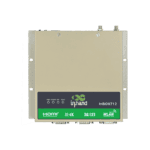
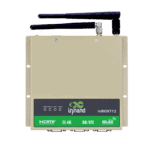
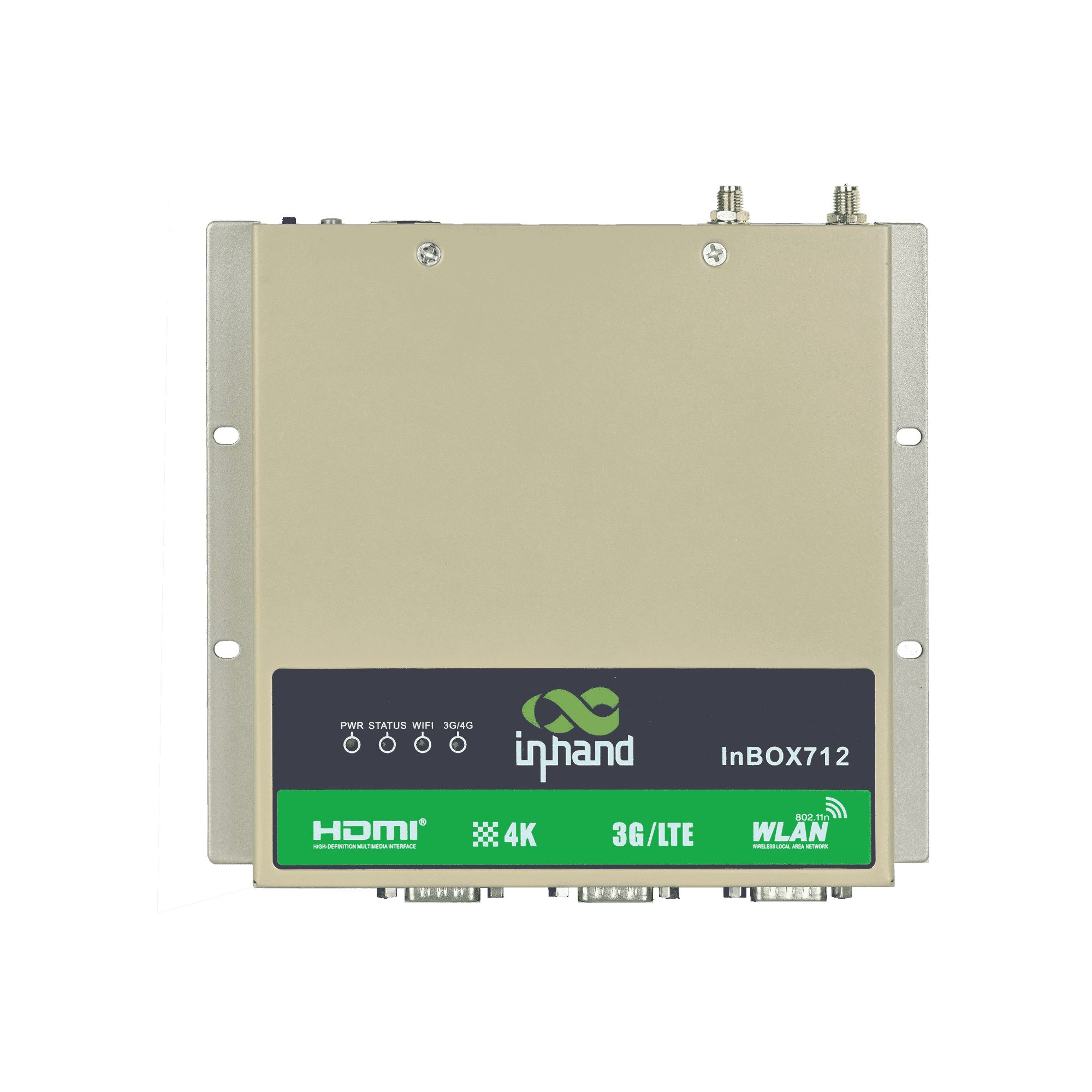
Hochleistungsfähiger ARM-Industriecomputer






-
Kernspezifikationen
Bluetooth Bluetooth 4.1CPU RK3399, 6 Kerne, 1,8 GHzAbmessungen 170 × 150 × 26 mm (6.69 × 5.91 × 1.02 in)Anzeige Zwei HDMI-Anschlüsse (bis zu 4K)Ethernet 1 × 10/100/1000 Mbit/sBetriebssystem Android 7.1Leistungsaufnahme 12 V GleichstromRAM / Speicher 2 GB / 16 GB eMMCSeriennummer 2 × RS-232, 1 × RS-232/RS-485USB 4 × USB 2.0, 1 × USB 3.0W-lan 802.11b/g/n, Client/AP-ModusBetriebstemperatur -20 °C ~ 70 °C (-4 °F ~ 158 °F)
-
Prozessor
CPU RK3399, 6 Kerne, 1,8 GHzBLITZ 16 GB eMMCRAM 2 GB
-
Schnittstellen
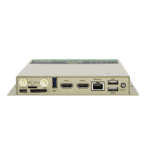
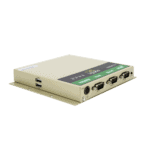
Antenne 1 × SMA (3G/4G); 1 × RP-SMA (WLAN)Tasten 1 × Ein-/Ausschalter; 1 × ModustasteDebuggen 1 × Typ-CEthernet 1 × 10/100/1000 Mbps, WAN/LANHDMI HDMI1: Default 1366 × 768, resolution modifiable, with audio HDMI2: Fixed 1920 × 1080, no audioSD 1 × Schubladen-SD-KartenhalterSeriennummer 2 × RS-232 (DB9); 1 × RS-232/RS-485 (DB9)SIM 1 × Schubladen-SIM-KartenhalterUSB 4 × USB 2.0; 1 × USB 3.0
-
Konnektivität
Bluetooth Bluetooth 4.1Mobilfunk 4G LTEW-lan 802.11b/g/n, Client/AP-Modus
-
Leistung
Stromverbrauch < 10 W (ohne Peripheriegeräte)Stromzufuhr 12 V DC (selbstverriegelnde vieradrige Rundsteckdose)
-
Mechanisch
Kühlung LüfterlosAbmessungen (B × T × H) 170 × 150 × 26 mm (einschließlich Montageteile)Gehäuse MetallInstallation WandmontageSchutzklasse IP40
-
Umwelt
Luftfeuchtigkeit 5 ~ 95% (nicht kondensierend)Lagertemperatur -40 °C ~ 85 °C (-40 °F ~ 185 °F)Betriebstemperatur -20 °C ~ 70 °C (-4 °F ~ 158 °F)
-
Zuverlässigkeit
RTC Eingebaute Echtzeituhr mit Knopfzelle
-
EMV
EFT Stufe 3ESD Stufe 3Anstieg Stufe 3
-
Indikatoren
3G/4G LED Im Normalbetrieb immer eingeschaltet.Betriebsanzeige-LED Leuchtet dauerhaft nach dem EinschaltenStatus-LED Blinkt im NormalbetriebWi-Fi-LED Im Normalbetrieb immer eingeschaltet.
-
Zertifizierung
Zertifizierung CCC, CE, FCC, IC
-
Betriebssystem
Betriebssystem Android 7.1
-
Netzwerk
Bluetooth Bluetooth 4.1Netzwerk 4GW-lan 802.11b/g/n, Client/AP-Modus
-
Grafikverarbeitung
Bildverarbeitung BMP, JPG, PNG, GIFVerarbeitungsleistung Dual-ISP mit bis zu 800 MPix/s, unterstützt Dateneingabe von zwei Kameras, 3D- und TiefeninformationsextraktionVideo-Codec H.265/H.264/VP9 4K@60fps HD-Videodekodierung
-
Konfigurationsverwaltung
Zeitschalter UnterstütztUpgrade Lokales USB-Upgrade
Standardpaket*
- InBox712 Edge Computer *1
- Optionales Zubehör
- 4G-Antenne *1
- Wi-Fi-Antenne *1
- Netzteil *1
* Der Standardpaketinhalt variiert je nach Standardbestellcode.
Kontaktieren Sie uns Um mehr über unsere Verpackungsoptionen zu erfahren, wenden Sie sich bitte direkt an uns.
Spezifikationen
-
Kernspezifikationen
Bluetooth Bluetooth 4.1CPU RK3399, 6 Kerne, 1,8 GHzAbmessungen 170 × 150 × 26 mm (6.69 × 5.91 × 1.02 in)Anzeige Zwei HDMI-Anschlüsse (bis zu 4K)Ethernet 1 × 10/100/1000 Mbit/sBetriebssystem Android 7.1Leistungsaufnahme 12 V GleichstromRAM / Speicher 2 GB / 16 GB eMMCSeriennummer 2 × RS-232, 1 × RS-232/RS-485USB 4 × USB 2.0, 1 × USB 3.0W-lan 802.11b/g/n, Client/AP-ModusBetriebstemperatur -20 °C ~ 70 °C (-4 °F ~ 158 °F)
-
Prozessor
CPU RK3399, 6 Kerne, 1,8 GHzBLITZ 16 GB eMMCRAM 2 GB
-
Schnittstellen
Antenne 1 × SMA (3G/4G); 1 × RP-SMA (WLAN)Tasten 1 × Ein-/Ausschalter; 1 × ModustasteDebuggen 1 × Typ-CEthernet 1 × 10/100/1000 Mbps, WAN/LANHDMI HDMI1: Default 1366 × 768, resolution modifiable, with audio HDMI2: Fixed 1920 × 1080, no audioSD 1 × Schubladen-SD-KartenhalterSeriennummer 2 × RS-232 (DB9); 1 × RS-232/RS-485 (DB9)SIM 1 × Schubladen-SIM-KartenhalterUSB 4 × USB 2.0; 1 × USB 3.0
-
Konnektivität
Bluetooth Bluetooth 4.1Mobilfunk 4G LTEW-lan 802.11b/g/n, Client/AP-Modus
-
Leistung
Stromverbrauch < 10 W (ohne Peripheriegeräte)Stromzufuhr 12 V DC (selbstverriegelnde vieradrige Rundsteckdose)
-
Mechanisch
Kühlung LüfterlosAbmessungen (B × T × H) 170 × 150 × 26 mm (einschließlich Montageteile)Gehäuse MetallInstallation WandmontageSchutzklasse IP40
-
Umwelt
Luftfeuchtigkeit 5 ~ 95% (nicht kondensierend)Lagertemperatur -40 °C ~ 85 °C (-40 °F ~ 185 °F)Betriebstemperatur -20 °C ~ 70 °C (-4 °F ~ 158 °F)
-
Zuverlässigkeit
RTC Eingebaute Echtzeituhr mit Knopfzelle
-
EMV
EFT Stufe 3ESD Stufe 3Anstieg Stufe 3
-
Indikatoren
3G/4G LED Im Normalbetrieb immer eingeschaltet.Betriebsanzeige-LED Leuchtet dauerhaft nach dem EinschaltenStatus-LED Blinkt im NormalbetriebWi-Fi-LED Im Normalbetrieb immer eingeschaltet.
-
Zertifizierung
Zertifizierung CCC, CE, FCC, IC
-
Betriebssystem
Betriebssystem Android 7.1
-
Netzwerk
Bluetooth Bluetooth 4.1Netzwerk 4GW-lan 802.11b/g/n, Client/AP-Modus
-
Grafikverarbeitung
Bildverarbeitung BMP, JPG, PNG, GIFVerarbeitungsleistung Dual-ISP mit bis zu 800 MPix/s, unterstützt Dateneingabe von zwei Kameras, 3D- und TiefeninformationsextraktionVideo-Codec H.265/H.264/VP9 4K@60fps HD-Videodekodierung
-
Konfigurationsverwaltung
Zeitschalter UnterstütztUpgrade Lokales USB-Upgrade
Downloads
Bestellung
Standardpaket*
- InBox712 Edge Computer *1
- Optionales Zubehör
- 4G-Antenne *1
- Wi-Fi-Antenne *1
- Netzteil *1
* Der Standardpaketinhalt variiert je nach Standardbestellcode.
Kontaktieren Sie uns Um mehr über unsere Verpackungsoptionen zu erfahren, wenden Sie sich bitte direkt an uns.
KI-gestützte Cloud
Plattform für den unbemannten Einzelhandelsbetrieb
Technologie verändert das Leben
Und der Einzelhandel mit Verkaufsautomaten macht das Einkaufen bequemer.
KI-gestützte Cloud
Häufig gestellte Fragen
Welche InBOX712-Artikelnummern sind verfügbar?
Der InBOX712 ist die Dual-HDMI-Variante der InBOX700-Familie. Artikelnummern: InBOX712-DQ20-STD (China), InBOX712-FQ58-STD (EMEA, optional -485 ), InBOX712-FQ39-STD (Nordamerika), InBOX712-EN00-STD (Keine Mobilfunkverbindung). Nur Android 7.1. Zulassungen: CCC, CE, FCC, IC.
Wie konfiguriere ich die InBOX712?
Der InBOX712 läuft mit Android 7.1 und wird über die Android-Benutzeroberfläche (HDMI-Display und USB-Tastatur/Maus anschließen) oder per SSH über seine standardmäßige Ethernet-IP-Adresse konfiguriert. 192.168.2.2 Es gibt keine browserbasierte Web-Verwaltungsoberfläche. Die Anmeldedaten sind in der Auspackanleitung dokumentiert.
Wie konfiguriere ich den Mobilfunk-APN auf dem InBOX712?
Der InBOX712 verwendet denselben NVRAM CLI als InBOX710. SSH-Verbindung herstellen und ausführen nvram set wan1_ppp_apn= Und nvram commit Das Gerät wählt sich beim Start ein. Überprüfen Sie den Status mit nvram get _wan1_network_type und signalisieren nvram get _wan1_sigrssi .
Worin unterscheidet sich die InBOX712 von der InBOX710 und der InBOX732?
| InBOX710 | InBOX712 | InBOX732 | |
| — | — | — | — |
| Anzeigeausgabe | 1× HDMI | 2× HDMI (HDMI1 4K + Audio; HDMI2 1080p) | 1× HDMI |
| Betriebssystemoptionen | Debian ( -L ) oder Android ( -STD ) | Nur für Android 7.1 | Debian ( -L ) oder Android 10 |
| Industrielle E/A | RS-232 ×3, optional RS-485 ( -485 ) | — | CAN-Bus, 4× DI + 4× DO, Audio-I/O |
| Stromzufuhr | Standard | Standard | Weitbereichsspannung 9–24 V DC |
| Zielnutzung | Kiosk, digitale Beschilderung, HMI | Dual-Screen Beschilderung, POS-Systeme + kundenorientierte Displays, Kontrollwände | Fahrzeug, robuste Industrie |
Wähle die InBOX712 wenn die Bereitstellung erforderlich ist zwei gleichzeitige Anzeigen — zum Beispiel ein Kassenterminal mit einem nach dem Kunden gerichteten Bildschirm, digitale Doppelbildschirm-Anzeigetafeln oder eine Multi-Monitor-Kontrollwand.
—