


IR302
Industrierouter
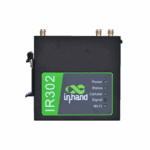
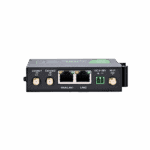
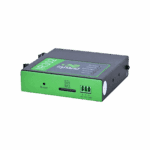
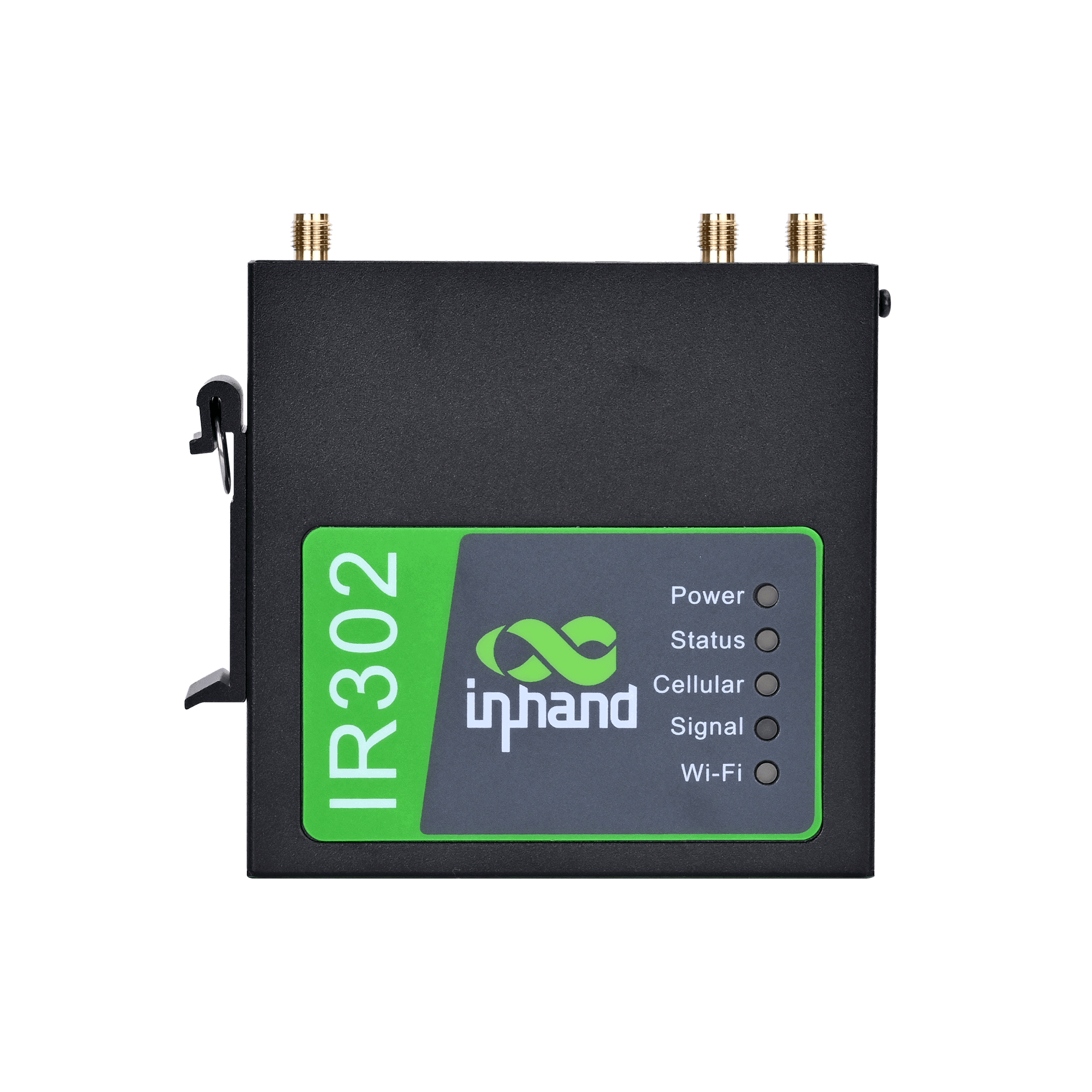
Der IR302 ist ein kompakter und vielseitiger Industrierouter, der eine stabile, sichere und konforme Konnektivität für unbeaufsichtigte Standorte und eine effiziente Vernetzung in industriellen und kommerziellen IoT-Anwendungen bietet.
IR302
Industrierouter
Der IR302 ist ein kompakter und vielseitiger Industrierouter, der eine stabile, sichere und konforme Konnektivität für unbeaufsichtigte Standorte und eine effiziente Vernetzung in industriellen und kommerziellen IoT-Anwendungen bietet.
QSG-VIDEO
Kompakte und vielseitige Industriefräse

Vielfältige Zugriffsmöglichkeiten, überall
Der IR302 verbindet sich über Mobilfunk-, Kabel- oder WLAN-Netzwerke mit dem Internet und bietet flexible und zuverlässige Netzwerkdienste für vielfältige Geschäftsanwendungen.

Umfassende Sicherheitsstrategien
IR302 bietet umfassende Netzwerksicherheit mit Firewall, Zugriffskontrolle, VPN, Datenverschlüsselung und erweitertem Wi-Fi-Schutz für zuverlässige Konnektivität.

Ständig verfügbare, zuverlässige Kommunikation
IR302 gewährleistet eine unterbrechungsfreie und zuverlässige Netzwerkverbindung mit Mobilfunk-, Kabel- und Wi-Fi-Backup, Dual-SIM, VRRP und mehrschichtiger Überwachung.

Vereinfachtes Cloud-Management
Der IR302 verbindet sich mit der InHand Device Manager Cloud, um Tausende von verteilten Geräten in Echtzeit zu verwalten und so einen wirtschaftlichen und effizienten Betrieb zu ermöglichen.
-
Wichtigste technische Spezifikationen
Mobilfunk 4G LTE Cat.4/Cat.1/3G/2G, multi-band coverage, dual-SIM redundancy, ICCID binding and RSRP threshold auto-switchingCloud-Management Device Manager (DM) batch configuration and firmware upgrade; InConnect Service (ICS) cloud managementAbmessungen Approx. 100 mm × 30 mm × 100 mm (L × W × H, excluding mounting ears and antennas)Ethernet 1× 10/100 Mbps WAN/LAN switchable + 1× 10/100 Mbps LANOperating Temperature / Protection Normal:-35℃ to 70℃ (-31 °F ~ 158 °F),Extended:-40℃ to 75℃ (-40 °F ~ 167 °F), IP30, full metal fanless natural convection coolingStromversorgung 9~36V DC wide voltage input, typical power consumption 2~5W, peak < 10W, reverse polarity protectionProzessor 580MHz industrial-grade embedded processor, 128 MB DDR, 32 MB SPI FlashFernverwaltung SNMP v1/v2c/v3, WebUI, CLI, SSH Client, HTTP/HTTPS APISicherheit Firewall, ACL access contro/l, MAC-IP binding (200 entries), content filtering, SIP ALG, attack protectionSerial Interface 1× RS-232/RS-485 combo terminal, DTU transparent transmission (TCP Server/Client/UDP/MQTT)VPN IPsec (IKEv1/v2), GRE, L2TP, PPTP, OpenVPN, WireGuard, ZeroTierW-lan IEEE 802.11 b/g/n, 2.4 GHz, AP/STA/AP+STA mixed mode, up to 32 clients
-
Hardware-Spezifikationen
4G Module Depends on model configuration, covering Quectel, Fibocom, MeiG and other mainstream industrial modules (see Ordering Information for details)Antennenschnittstellen 2 x 4G main/diversity antennas (SMA female) 1 x Wi-Fi antenna (SMA female, FQ38-WLAN configuration)Bootloader 1.1.3.r4956Gehäusematerial Full metal enclosure, IP30 protection ratingEthernet-Schnittstellen 1 x 10/100 Mbps WAN/LAN switchable port 1 x 10/100 Mbps LAN portHardware Version IR302_P_MB_V12LED-Anzeigen Power (red), Status (green), Cellular (yellow) Signal (red/yellow/green), Wi-Fi (green)Erinnerung 128 MB DDRMontage DIN rail mounting / Wall mountingStromverbrauch Typical 2~5W, peak <10WStromschnittstelle 2-pin industrial terminal (9~36V DC) Optional 12V DC adapterProzessor 580MHz industrial-grade embedded processorProduktabmessungen Approx. 100 mm x 30 mm x 100 mm (L x W x H, excluding mounting ears and antennas)Reset-Taste Supports hardware factory resetSerielle Schnittstelle 1 x RS-232 / RS-485 combo terminal (supports DTU transparent transmission)SIM Card Slots 2 x dual-SIM card slots (drawer type / Nano-SIM, supports dual-SIM network backup)Lagerung 32 MB SPI FlashTotal Weight Approx. 250 g (0.55 lb)
-
Wi-Fi Wireless LAN
1 m 72 Mbps10 m 72 Mbps30 m 72 Mbps5 m 72 Mbps
-
Network Services
DDNS Supports PeanutShell, DynDNS, No-IP and other mainstream dynamic DNS providersDHCP-Server Supports DHCP server/relay, expert options (dhcp-option) customization, supports Option 43/60/82 and other extensionsDNS DNS forwarding, domain name service, custom DNS serversDual-SIM Management Dual-SIM network backup, ICCID binding, signal threshold (RSRP) automatic switching, packet loss rate triggered switching, maximum dial attempt limit, minimum connection time controlNAT SNAT/DNAT, NAPT, port forwarding (100 rules), virtual IP mapping, DMZNTP Network time synchronization, supports custom NTP servers and calibration cyclesSMS Management SMS remote reboot/dial control, custom commands, access whitelistStatic Routing Supports multiple static routes and policy routes, supports route priority configurationTCP Checksum Supports TCP checksum option configuration
-
VPN Tunnels
GRE Standard GRE tunnel, supports over IPsecIPsec IKEv1 / IKEv2, supports pre-shared key/certificate authentication, encryption algorithms include AES128/192/256, 3DES, DES; hash algorithms include MD5, SHA1, SHA256, SHA384, SHA512; DH groups include Group1/2/5/14/15/16/17/18/19/20/21 (ECP521); supports AES256+SHA512+ECP521 combinationL2TP L2TP over IPsec, supports MS-CHAPv2 authenticationOpenVPN Supports TUN/TAP mode, UDP/TCP transport, TLS/SSL encryptionPPTP PPTP client/serverWireGuard Next-generation high-performance VPN protocol, simple configuration, high encryption strengthZeroTier Supports SD-WAN virtual networking, quickly build global private LAN
-
Industrial Communication and DTU
Ethernet DTU Supports transparent transmission of Ethernet port data to remote TCP/UDP serversProtokollkonvertierung Supports Modbus RTU/TCP protocol conversion (optional)Serial DTU RS-232/RS-485 transparent transmission, supports TCP Server/Client, UDP, MQTT modes, supports multi-center reportingState Grid Encryption Supports national cryptographic algorithm module (optional, model suffix -SEC), supports IEC101/IEC104 power protocols
-
Fernverwaltung
CLI Complete command line: show version/system/clock/modem/log/users/interface/ip/route/arp, ping, telnet, traceroute, reboot, arping, etc.Device Manager (DM) InHand device management platform, supports batch configuration delivery, firmware upgrades, status monitoring, alarm managementHTTP API HTTP and HTTPS protocol management interfaces, supports remote configuration and status queriesInConnect Service (ICS) Cloud management platform, supports OpenVPN cloud configuration delivery and unified managementSNMP v1/v2c/v3, supports standard MIB-II and private MIBs, supports Trap alarms; supports custom SNMP ports; extended OIDs can query dial IP, operator, SIM phone number, ICCID, BAND, etc.SSH Secure remote command line access; device can act as SSH client to connect to remote serversWebUI Responsive Chinese web management, supports wireless client parameter display, network packet capture (tcpdump), export system operating status
-
Accessories List (Per Unit Standard)
12V DC Power Adapter 1 pc4G Suction Cup Antenna 1 pc / 2 pcsCertificate of Conformity 1 pcIR302 Host 1 unitMounting Ears 1 pairNetwork Cable 1 pcProduct Warranty Card 1 pcWi-Fi Suction Cup Antenna 1 pc
-
Anpassungsfähigkeit an die Umwelt
Altitude ≤ 5000 mOperating Humidity 5% ~ 95% RH (non-condensing)Betriebstemperatur Normal:-35℃ to 70℃ (-31 °F ~ 158 °F),Extended:-40℃ to 75℃ (-40 °F ~ 167 °F)Schutzklasse IP30Storage Humidity 5% ~ 95% RH (non-condensing)Lagertemperatur -40 °C ~ +85 °C (-40 °F ~ +185 °F)
-
Power and Protection
ESD-Schutz Contact discharge 4kV, air discharge 8kV (IEC 61000-4-2)Input Current Typical 0.2A@12V, peak 0.8A@12VEingangsspannung 9 ~ 36V DC (typical 12V/24V)Verpolungsschutz UnterstütztSurge Protection Power port: IEC 61000-4-5 standard, common mode 2kV, differential mode 1kV
-
EMC and Safety Certifications
CE Compliant with EU EMC Directive 2014/30/EU, RED Directive 2014/53/EUEMV IEC 61000-4-2 (Electrostatic Discharge) IEC 61000-4-3 (RF Electromagnetic Field Immunity) IEC 61000-4-4 (Electrical Fast Transient/Burst) IEC 61000-4-5 (Surge Immunity) IEC 61000-4-6 (RF Field Induced Conducted Disturbance Immunity) IEC 61000-4-8 (Power Frequency Magnetic Field Immunity)FCC Compliant with FCC Part 15/Part 22/Part 24/Part 27RoHS Compliant with EU RoHS 2.0 DirectiveSicherheit UL/cUL, CB (IEC 62368-1)WEEE Compliant with EU WEEE Directive
-
Reliability Indicators
MTBF ≥ 100,000 hours (Telcordia SR-332 standard, 25°C environment)Garantiezeitraum 1 year (standard terms)
Standardpaket*
- Industrierouter IR302 *1
- Netzteil *1
- 4G-Antenne *1 (Nordamerika *2)
- WLAN-Antenne *2
- Ethernet-Kabel *1
- Panel-Montagesatz *1
* Der Standardpaketinhalt variiert je nach Standardbestellcode.
Optionales Zubehör
- DIN-Schienen-Montagesatz *1
Kontaktieren Sie uns Um mehr über unsere Verpackungsoptionen zu erfahren, wenden Sie sich bitte direkt an uns.
Spezifikationen
-
Wichtigste technische Spezifikationen
Mobilfunk 4G LTE Cat.4/Cat.1/3G/2G, multi-band coverage, dual-SIM redundancy, ICCID binding and RSRP threshold auto-switchingCloud-Management Device Manager (DM) batch configuration and firmware upgrade; InConnect Service (ICS) cloud managementAbmessungen Approx. 100 mm × 30 mm × 100 mm (L × W × H, excluding mounting ears and antennas)Ethernet 1× 10/100 Mbps WAN/LAN switchable + 1× 10/100 Mbps LANOperating Temperature / Protection Normal:-35℃ to 70℃ (-31 °F ~ 158 °F),Extended:-40℃ to 75℃ (-40 °F ~ 167 °F), IP30, full metal fanless natural convection coolingStromversorgung 9~36V DC wide voltage input, typical power consumption 2~5W, peak < 10W, reverse polarity protectionProzessor 580MHz industrial-grade embedded processor, 128 MB DDR, 32 MB SPI FlashFernverwaltung SNMP v1/v2c/v3, WebUI, CLI, SSH Client, HTTP/HTTPS APISicherheit Firewall, ACL access contro/l, MAC-IP binding (200 entries), content filtering, SIP ALG, attack protectionSerial Interface 1× RS-232/RS-485 combo terminal, DTU transparent transmission (TCP Server/Client/UDP/MQTT)VPN IPsec (IKEv1/v2), GRE, L2TP, PPTP, OpenVPN, WireGuard, ZeroTierW-lan IEEE 802.11 b/g/n, 2.4 GHz, AP/STA/AP+STA mixed mode, up to 32 clients
-
Hardware-Spezifikationen
4G Module Depends on model configuration, covering Quectel, Fibocom, MeiG and other mainstream industrial modules (see Ordering Information for details)Antennenschnittstellen 2 x 4G main/diversity antennas (SMA female) 1 x Wi-Fi antenna (SMA female, FQ38-WLAN configuration)Bootloader 1.1.3.r4956Gehäusematerial Full metal enclosure, IP30 protection ratingEthernet-Schnittstellen 1 x 10/100 Mbps WAN/LAN switchable port 1 x 10/100 Mbps LAN portHardware Version IR302_P_MB_V12LED-Anzeigen Power (red), Status (green), Cellular (yellow) Signal (red/yellow/green), Wi-Fi (green)Erinnerung 128 MB DDRMontage DIN rail mounting / Wall mountingStromverbrauch Typical 2~5W, peak <10WStromschnittstelle 2-pin industrial terminal (9~36V DC) Optional 12V DC adapterProzessor 580MHz industrial-grade embedded processorProduktabmessungen Approx. 100 mm x 30 mm x 100 mm (L x W x H, excluding mounting ears and antennas)Reset-Taste Supports hardware factory resetSerielle Schnittstelle 1 x RS-232 / RS-485 combo terminal (supports DTU transparent transmission)SIM Card Slots 2 x dual-SIM card slots (drawer type / Nano-SIM, supports dual-SIM network backup)Lagerung 32 MB SPI FlashTotal Weight Approx. 250 g (0.55 lb)
-
Wi-Fi Wireless LAN
1 m 72 Mbps10 m 72 Mbps30 m 72 Mbps5 m 72 Mbps
-
Network Services
DDNS Supports PeanutShell, DynDNS, No-IP and other mainstream dynamic DNS providersDHCP-Server Supports DHCP server/relay, expert options (dhcp-option) customization, supports Option 43/60/82 and other extensionsDNS DNS forwarding, domain name service, custom DNS serversDual-SIM Management Dual-SIM network backup, ICCID binding, signal threshold (RSRP) automatic switching, packet loss rate triggered switching, maximum dial attempt limit, minimum connection time controlNAT SNAT/DNAT, NAPT, port forwarding (100 rules), virtual IP mapping, DMZNTP Network time synchronization, supports custom NTP servers and calibration cyclesSMS Management SMS remote reboot/dial control, custom commands, access whitelistStatic Routing Supports multiple static routes and policy routes, supports route priority configurationTCP Checksum Supports TCP checksum option configuration
-
VPN Tunnels
GRE Standard GRE tunnel, supports over IPsecIPsec IKEv1 / IKEv2, supports pre-shared key/certificate authentication, encryption algorithms include AES128/192/256, 3DES, DES; hash algorithms include MD5, SHA1, SHA256, SHA384, SHA512; DH groups include Group1/2/5/14/15/16/17/18/19/20/21 (ECP521); supports AES256+SHA512+ECP521 combinationL2TP L2TP over IPsec, supports MS-CHAPv2 authenticationOpenVPN Supports TUN/TAP mode, UDP/TCP transport, TLS/SSL encryptionPPTP PPTP client/serverWireGuard Next-generation high-performance VPN protocol, simple configuration, high encryption strengthZeroTier Supports SD-WAN virtual networking, quickly build global private LAN
-
Industrial Communication and DTU
Ethernet DTU Supports transparent transmission of Ethernet port data to remote TCP/UDP serversProtokollkonvertierung Supports Modbus RTU/TCP protocol conversion (optional)Serial DTU RS-232/RS-485 transparent transmission, supports TCP Server/Client, UDP, MQTT modes, supports multi-center reportingState Grid Encryption Supports national cryptographic algorithm module (optional, model suffix -SEC), supports IEC101/IEC104 power protocols
-
Fernverwaltung
CLI Complete command line: show version/system/clock/modem/log/users/interface/ip/route/arp, ping, telnet, traceroute, reboot, arping, etc.Device Manager (DM) InHand device management platform, supports batch configuration delivery, firmware upgrades, status monitoring, alarm managementHTTP API HTTP and HTTPS protocol management interfaces, supports remote configuration and status queriesInConnect Service (ICS) Cloud management platform, supports OpenVPN cloud configuration delivery and unified managementSNMP v1/v2c/v3, supports standard MIB-II and private MIBs, supports Trap alarms; supports custom SNMP ports; extended OIDs can query dial IP, operator, SIM phone number, ICCID, BAND, etc.SSH Secure remote command line access; device can act as SSH client to connect to remote serversWebUI Responsive Chinese web management, supports wireless client parameter display, network packet capture (tcpdump), export system operating status
-
Accessories List (Per Unit Standard)
12V DC Power Adapter 1 pc4G Suction Cup Antenna 1 pc / 2 pcsCertificate of Conformity 1 pcIR302 Host 1 unitMounting Ears 1 pairNetwork Cable 1 pcProduct Warranty Card 1 pcWi-Fi Suction Cup Antenna 1 pc
-
Anpassungsfähigkeit an die Umwelt
Altitude ≤ 5000 mOperating Humidity 5% ~ 95% RH (non-condensing)Betriebstemperatur Normal:-35℃ to 70℃ (-31 °F ~ 158 °F),Extended:-40℃ to 75℃ (-40 °F ~ 167 °F)Schutzklasse IP30Storage Humidity 5% ~ 95% RH (non-condensing)Lagertemperatur -40 °C ~ +85 °C (-40 °F ~ +185 °F)
-
Power and Protection
ESD-Schutz Contact discharge 4kV, air discharge 8kV (IEC 61000-4-2)Input Current Typical 0.2A@12V, peak 0.8A@12VEingangsspannung 9 ~ 36V DC (typical 12V/24V)Verpolungsschutz UnterstütztSurge Protection Power port: IEC 61000-4-5 standard, common mode 2kV, differential mode 1kV
-
EMC and Safety Certifications
CE Compliant with EU EMC Directive 2014/30/EU, RED Directive 2014/53/EUEMV IEC 61000-4-2 (Electrostatic Discharge) IEC 61000-4-3 (RF Electromagnetic Field Immunity) IEC 61000-4-4 (Electrical Fast Transient/Burst) IEC 61000-4-5 (Surge Immunity) IEC 61000-4-6 (RF Field Induced Conducted Disturbance Immunity) IEC 61000-4-8 (Power Frequency Magnetic Field Immunity)FCC Compliant with FCC Part 15/Part 22/Part 24/Part 27RoHS Compliant with EU RoHS 2.0 DirectiveSicherheit UL/cUL, CB (IEC 62368-1)WEEE Compliant with EU WEEE Directive
-
Reliability Indicators
MTBF ≥ 100,000 hours (Telcordia SR-332 standard, 25°C environment)Garantiezeitraum 1 year (standard terms)
Downloads
Bestellung
Standardpaket*
- Industrierouter IR302 *1
- Netzteil *1
- 4G-Antenne *1 (Nordamerika *2)
- WLAN-Antenne *2
- Ethernet-Kabel *1
- Panel-Montagesatz *1
* Der Standardpaketinhalt variiert je nach Standardbestellcode.
Optionales Zubehör
- DIN-Schienen-Montagesatz *1
Kontaktieren Sie uns Um mehr über unsere Verpackungsoptionen zu erfahren, wenden Sie sich bitte direkt an uns.
Geräte-Manager
Geräteverwaltungs-Cloud
Zentralisierte Verwaltung von InHand Industrieroutern und Gateways mit visueller Überwachung sowie einfacher Fernkonfiguration und -aktualisierung.
Geräte-Manager
InConnect
Fernzugriffsdienst
Sicherer Fernzugriff auf Geräte per Plug-and-Play, der es Technikern ermöglicht, Fernwartung, Software-Updates und Protokolldiagnosen durchzuführen.
InConnect
Ähnliche Fälle

Drahtlose Geldautomatenverbindung
Anwendungen und Anwendungsfälle für drahtlose Geldautomatenverbindungen – Wichtigste Erkenntnisse: Um stabile Verbindungen aufrechtzuerhalten…
Mehr erfahren →
Drahtlose POS-Lösung
Anwendungen und Anwendungsfälle der drahtlosen POS-Lösung: Wichtigste Erkenntnisse zur drahtlosen POS-Lösung von InHand…
Mehr erfahren →
Fernwartung von Aufzügen
Fernwartung von Aufzügen: Anwendungen und Fallstudien – Wichtigste Erkenntnisse Die Fernwartung…
Mehr erfahren →Häufig gestellte Fragen
Welche Mobilfunkanbieter sind nach IR302 zertifiziert?
IR302-FQ38 (LTE Cat 4, Nordamerika) ist zertifiziert mit Verizon, AT&T, T-Mobileund FirstNet (LTE/4G) sowie FCC, IC und PTCRB. IR302-FQ33 (LTE Cat 1, Nordamerika) ist zertifiziert mit Verizon und AT&T. IR302-FQ02 (Global LTE Cat-M/NB-IoT) ist von Verizon und AT&T zertifiziert. Die Europa/APAC-Varianten (IR302-FQ58, IR302-FQ53) sind CE- und UKCA-zertifiziert. Die IR302-Familie verfügt außerdem über Zulassungen von Anatel (Brasilien), CCC (China) und EAC.
Wie richte ich das IR302 ein und melde mich zum ersten Mal an?
Installieren Sie die Antennen, legen Sie die SIM-Karte bei ausgeschaltetem Gerät ein und schließen Sie das Netzteil an. Sobald das Gerät hochgefahren ist, verbinden Sie einen Computer per Ethernet mit einem LAN-Anschluss (beide Anschlüsse sind standardmäßig LAN-Anschlüsse). Stellen Sie den Netzwerkadapter des Computers auf DHCP oder eine statische IP-Adresse im Bereich 192.168.2.x ein. Öffnen Sie einen Browser. http://192.168.2.1 und melden Sie sich mit den auf dem Geräteetikett aufgedruckten Zugangsdaten an.
Wie verbinde ich den IR302 mit dem Mobilfunknetz und richte den APN ein?
Schalten Sie das Gerät aus und legen Sie die SIM-Karte ein. Schalten Sie es anschließend ein, melden Sie sich an und gehen Sie zu Netzwerk > MobilfunkWählen Sie Ihr Mobilfunkanbieterprofil aus unter SIM1-NetzbetreiberUm einen benutzerdefinierten APN zu erstellen, bearbeiten Sie ihn in der Profile Klicken Sie im entsprechenden Abschnitt auf „Profilindex im Dropdown-Menü › Netzwerkanbieter“. AnwendenÜberprüfen Sie dies, indem Sie Folgendes prüfen: Zelluläre LED: Dauerhaft an = verbunden; blinkend = Verbindung wird hergestellt; aus = deaktiviert.
Wie aktiviere ich WLAN auf dem IR302?
Das WLAN des IR302 ist standardmäßig deaktiviert. Melden Sie sich an der Web-Oberfläche an und gehen Sie zu Netzwerk > WLAN-Modus umschalten; WLAN-Typ einstellen auf APDann geh zu Netzwerk > WLANAktivieren Sie es und konfigurieren Sie die SSID, den Sicherheitstyp und das Passwort. Klicken Sie Anwenden.
—