


EC3320
KI-Edge-Computer
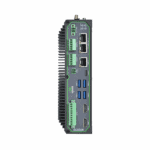
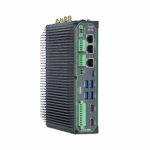
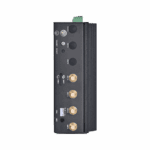
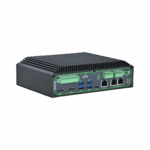
Der EC3320 ist ein leistungsstarker KI-Edge-Inferenzrechner auf Basis der RK3588-Plattform, der für Anwendungen in den Bereichen intelligente Fertigung, intelligente Städte und Energie entwickelt wurde und intelligente Entscheidungsfindung in Echtzeit ermöglicht.
EC3320
KI-Edge-Computer
Der EC3320 ist ein leistungsstarker KI-Edge-Inferenzrechner auf Basis der RK3588-Plattform, der für Anwendungen in den Bereichen intelligente Fertigung, intelligente Städte und Energie entwickelt wurde und intelligente Entscheidungsfindung in Echtzeit ermöglicht.
QSG-VIDEO
Hochleistungsfähige industrielle KI-Edge-Inferenzplattform

Ausgestattet mit dem RK3588 ARM-Mehrkernprozessor mit integrierter NPU, unterstützt er mehrere KI-Frameworks und Edge-Intelligence-Anwendungen.

Umfangreiche industrielle Schnittstellen
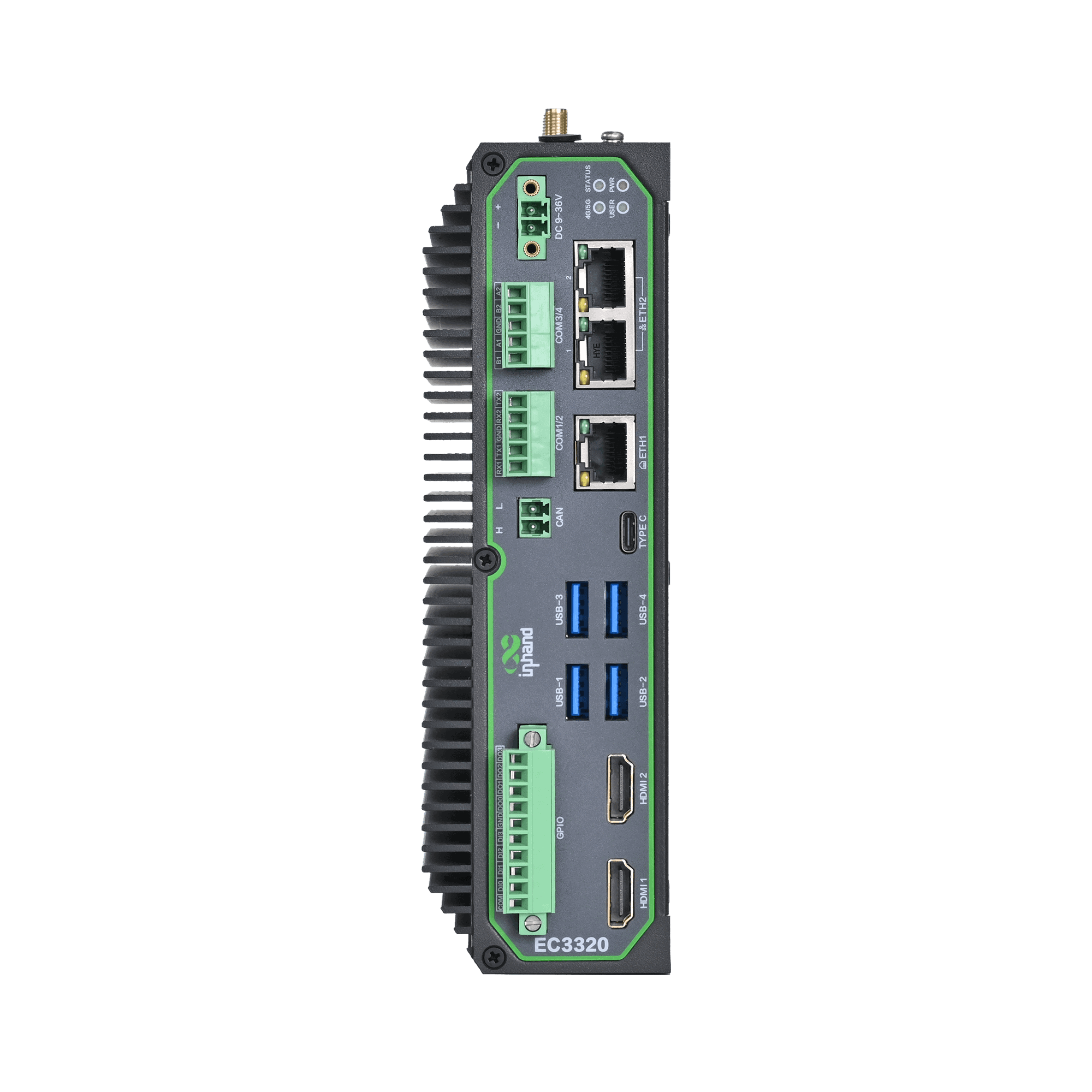
Unterstützt Ethernet, serielle Schnittstellen, CAN, USB, HDMI und DI/DO für diverse industrielle Anwendungen.

Unterstützt kabelgebundene, Mobilfunk- und WLAN-Verbindungen mit Dual-SIM und Verbindungsredundanz.

Unterstützt Secure Boot, TPM 2.0 und Systemhärtung für verbesserte Geräte- und Datensicherheit.

Lüfterloses Design mit industrieller EMV-Konformität und breitem Betriebstemperaturbereich.

Integriert mit InHand DeviceLive für die Fernverwaltung von Geräten, Anwendungen und Containern.
-
Technische Kernspezifikationen
Offene Plattform Linux mit Edge-App-/Container-ManagementCPU 4×Cortex-A76 + 4×Cortex-A55, bis zu 2,4 GHzGPU Mali-G610 MC4NPU Bis zu 6 TOPS (INT8), Hailo-Erweiterung auf bis zu 26 TOPSSpeicher / Datenspeicher 8 GB / 64 GB eMMCDatenerfassung Modbus RTU/TCP, EtherNet/IP, OPC UA, DNP3.0, BACnet, CNCMobilfunknetz 5G NR / 4G Cat.6 (model-dependent)Netzwerkfunktionen Dual-SIM backup, multi-level link detection, auto-redialSicherheit (TPM2.0 optional) Sicherer Start, TPM 2.0Cloud-Management DeviceLive, HTTP/HTTPS/SSH-FernverwaltungSchnittstellen 3×GE, 2×RS-232 + 2×RS-485, CAN, DI/DO, USB3.0, HDMI, MIC/SPKLeistungsaufnahme 9–36 V Gleichstrom
-
Hardwareplattform
CPU Quad Cortex-A76 + Quad Cortex-A55, bis zu 2,4 GHzGPU Hochleistungs-Quad-Core-GPU Mali-G610 MC4NPU Up to 6 TOPS (INT8) Support INT4/INT8/lNT16 mixed operations and framework switching of TensorFlow / MXNet / PyTorch / CaffeRAM 8 GBBLITZ 64 GB eMMC
-
Konnektivität & Schnittstellen
Ethernet-Anschlüsse 3×10/100/1000 Mbps GEE/A-Anschlüsse 10-poliger industrietauglicher grüner Anschluss (4IN, 4OUT, 2GND)Serielle Schnittstellen 2×RS-232 + 2×RS-485, industrial terminalDÜRFEN 1×CAN2.0Tasten 1x Ein-/Ausschalter, 1x Reset-TasteSIM-Karteninhaber 2×Nano-SIMLED-Anzeigen Stromversorgung, Status, 4G, BenutzerUSB 4×USB3.0Erweiterungsschnittstellen 1x M.2(Supports SATA3.0 SSD, supports 2242 size) 1x M.2(Supports Hailo-8 M.2 module, up to 26TOPs computing power)HDMI 2×HDMI2.0MIC UnterstütztSPK UnterstütztW-lan STA, 802.11ac/a/b/g/n, 2,4G/5G DualbandBluetooth BLE5.0GPS Unterstützt (erfordert Unterstützung durch ein Mobilfunkmodul)
-
Leistung und Stromverbrauch
Eingangsspannung 9~36V DC (2-poliger grüner Industrieanschluss mit Flansch)Stromschnittstelle Industrieller DC-Anschlusseingang
-
Mechanische Spezifikationen
Produktabmessungen 180 × 136 × 54 mm (7.09 × 5.35 × 2.13 in)Montageart DIN-Schienen-/WandmontageSchutzklasse IP40Gehäuse & Wärmeableitung Metallgehäuse, lüfterloses DesignTPM (optional) TPM2.0
-
Umwelt & Zertifizierungen
Lagertemperatur -40 °C ~ 85 °C (-40 °F ~ 185 °F)Betriebstemperatur -20 °C ~ 60 °C (-4 °F ~ 140 °F)Umgebungsfeuchtigkeit 5~95% RH (nicht kondensierend)Physikalische Eigenschaften IEC60068-2-27 shock resistance IEC60068-2-6 vibration resistance IEC60068-2-32 drop resistanceEMV-Standard EN61000-4-2, level 3, Static EN61000-4-3, level 3, Radiation Electric Field EN61000-4-4, level 3, Pulsed Electric Field EN61000-4-5, level 3, Surge EN61000-4-6, level 3, Conducted Disturbance Immunity EN61000-4-8, Power Frequency Field Resistance, horizontal / vertical 400A/m (>level 2) EN61000-4-12, level 3, Shock Wave Resistance
-
Betriebssystem
Betriebssystem Linux
-
Netzwerkfunktionen
Netzwerkzugriff 5G NR / LTE Cat.6 (model-dependent), Ethernet
-
Sicherheit
Sicherer Boot Unterstützt
-
Zuverlässigkeit
Linkerkennung Mehrstufige Verbindungserkennung mit automatischer WahlwiederholungEingebauter Wachhund Eingebetteter WachhundDual-SIM Switchover Unterstützt
-
Datenerfassungsprotokolle (DSA)
Industrieprotokolle Modbus RTU Master/Slave, Modbus TCP Master/Slave, EtherNet/IP, ISO über TCP, OPC UA Client/Server, Mitsubishi MC 3C/3E/3C über TCP, Mitsubishi CPU-Port, FINSUDP, HostLink, PPIStromprotokolle DLT645-2007, IEC101/104, DNP3.0Andere Protokolle BACnet, CNC
-
Netzwerkmanagement
Upgrade-Methode Unterstützt patentierte Upgrade-Mechanismen, lokale oder Remote-Firmware-UpgradesProtokollierungsfunktionen Lokale/Remote-ProtokolleFernverwaltung DeviceLive-/HTTP-/HTTPS-/SSH-FernverwaltungDeviceLive Cloud Unterstützt cloudbasierte Parameterkonfiguration, Containerverwaltung, Anwendungs- und Firmwareverwaltung
-
KI-Erweiterungsmodul (optional)
— KeinerH8 Hailo-8, M.2 Key B+M 2280
Standardpaket*
- EC3320 AI Edge Computer *1
- 4G-Antenne *1
- 5G-Antenne *4
- WLAN-Antenne *2
- Ethernet-Kabel *1
- Optionales Zubehör
- Netzteil *1
- Netzkabel *1
- Panel-Montagesatz *1
* Der Standardpaketinhalt variiert je nach Standardbestellcode.
Kontaktieren Sie uns Um mehr über unsere Verpackungsoptionen zu erfahren, wenden Sie sich bitte direkt an uns.
Spezifikationen
-
Technische Kernspezifikationen
Offene Plattform Linux mit Edge-App-/Container-ManagementCPU 4×Cortex-A76 + 4×Cortex-A55, bis zu 2,4 GHzGPU Mali-G610 MC4NPU Bis zu 6 TOPS (INT8), Hailo-Erweiterung auf bis zu 26 TOPSSpeicher / Datenspeicher 8 GB / 64 GB eMMCDatenerfassung Modbus RTU/TCP, EtherNet/IP, OPC UA, DNP3.0, BACnet, CNCMobilfunknetz 5G NR / 4G Cat.6 (model-dependent)Netzwerkfunktionen Dual-SIM backup, multi-level link detection, auto-redialSicherheit (TPM2.0 optional) Sicherer Start, TPM 2.0Cloud-Management DeviceLive, HTTP/HTTPS/SSH-FernverwaltungSchnittstellen 3×GE, 2×RS-232 + 2×RS-485, CAN, DI/DO, USB3.0, HDMI, MIC/SPKLeistungsaufnahme 9–36 V Gleichstrom
-
Hardwareplattform
CPU Quad Cortex-A76 + Quad Cortex-A55, bis zu 2,4 GHzGPU Hochleistungs-Quad-Core-GPU Mali-G610 MC4NPU Up to 6 TOPS (INT8) Support INT4/INT8/lNT16 mixed operations and framework switching of TensorFlow / MXNet / PyTorch / CaffeRAM 8 GBBLITZ 64 GB eMMC
-
Konnektivität & Schnittstellen
Ethernet-Anschlüsse 3×10/100/1000 Mbps GEE/A-Anschlüsse 10-poliger industrietauglicher grüner Anschluss (4IN, 4OUT, 2GND)Serielle Schnittstellen 2×RS-232 + 2×RS-485, industrial terminalDÜRFEN 1×CAN2.0Tasten 1x Ein-/Ausschalter, 1x Reset-TasteSIM-Karteninhaber 2×Nano-SIMLED-Anzeigen Stromversorgung, Status, 4G, BenutzerUSB 4×USB3.0Erweiterungsschnittstellen 1x M.2(Supports SATA3.0 SSD, supports 2242 size) 1x M.2(Supports Hailo-8 M.2 module, up to 26TOPs computing power)HDMI 2×HDMI2.0MIC UnterstütztSPK UnterstütztW-lan STA, 802.11ac/a/b/g/n, 2,4G/5G DualbandBluetooth BLE5.0GPS Unterstützt (erfordert Unterstützung durch ein Mobilfunkmodul)
-
Leistung und Stromverbrauch
Eingangsspannung 9~36V DC (2-poliger grüner Industrieanschluss mit Flansch)Stromschnittstelle Industrieller DC-Anschlusseingang
-
Mechanische Spezifikationen
Produktabmessungen 180 × 136 × 54 mm (7.09 × 5.35 × 2.13 in)Montageart DIN-Schienen-/WandmontageSchutzklasse IP40Gehäuse & Wärmeableitung Metallgehäuse, lüfterloses DesignTPM (optional) TPM2.0
-
Umwelt & Zertifizierungen
Lagertemperatur -40 °C ~ 85 °C (-40 °F ~ 185 °F)Betriebstemperatur -20 °C ~ 60 °C (-4 °F ~ 140 °F)Umgebungsfeuchtigkeit 5~95% RH (nicht kondensierend)Physikalische Eigenschaften IEC60068-2-27 shock resistance IEC60068-2-6 vibration resistance IEC60068-2-32 drop resistanceEMV-Standard EN61000-4-2, level 3, Static EN61000-4-3, level 3, Radiation Electric Field EN61000-4-4, level 3, Pulsed Electric Field EN61000-4-5, level 3, Surge EN61000-4-6, level 3, Conducted Disturbance Immunity EN61000-4-8, Power Frequency Field Resistance, horizontal / vertical 400A/m (>level 2) EN61000-4-12, level 3, Shock Wave Resistance
-
Betriebssystem
Betriebssystem Linux
-
Netzwerkfunktionen
Netzwerkzugriff 5G NR / LTE Cat.6 (model-dependent), Ethernet
-
Sicherheit
Sicherer Boot Unterstützt
-
Zuverlässigkeit
Linkerkennung Mehrstufige Verbindungserkennung mit automatischer WahlwiederholungEingebauter Wachhund Eingebetteter WachhundDual-SIM Switchover Unterstützt
-
Datenerfassungsprotokolle (DSA)
Industrieprotokolle Modbus RTU Master/Slave, Modbus TCP Master/Slave, EtherNet/IP, ISO über TCP, OPC UA Client/Server, Mitsubishi MC 3C/3E/3C über TCP, Mitsubishi CPU-Port, FINSUDP, HostLink, PPIStromprotokolle DLT645-2007, IEC101/104, DNP3.0Andere Protokolle BACnet, CNC
-
Netzwerkmanagement
Upgrade-Methode Unterstützt patentierte Upgrade-Mechanismen, lokale oder Remote-Firmware-UpgradesProtokollierungsfunktionen Lokale/Remote-ProtokolleFernverwaltung DeviceLive-/HTTP-/HTTPS-/SSH-FernverwaltungDeviceLive Cloud Unterstützt cloudbasierte Parameterkonfiguration, Containerverwaltung, Anwendungs- und Firmwareverwaltung
-
KI-Erweiterungsmodul (optional)
— KeinerH8 Hailo-8, M.2 Key B+M 2280
Downloads
Bestellung
Standardpaket*
- EC3320 AI Edge Computer *1
- 4G-Antenne *1
- 5G-Antenne *4
- WLAN-Antenne *2
- Ethernet-Kabel *1
- Optionales Zubehör
- Netzteil *1
- Netzkabel *1
- Panel-Montagesatz *1
* Der Standardpaketinhalt variiert je nach Standardbestellcode.
Kontaktieren Sie uns Um mehr über unsere Verpackungsoptionen zu erfahren, wenden Sie sich bitte direkt an uns.
DeviceLive
IoT-Geräteverwaltungsplattform
Gerätemanagement, Fernüberwachung, Edge-App-Management und Fernwartung helfen Industrieunternehmen beim Aufbau intelligenter Edge-Netzwerke.
DeviceLive
Häufig gestellte Fragen
Für welche KI-Workloads ist der EC3320 ausgelegt?
Der EC3320 ist ein KI-Edge-Computer mit einem Quad-Core ARM Cortex-A76 + Quad-Core Cortex-A55 CPU mit bis zu 2,4 GHz, Mali-G610 MC4 GPU und eine integrierte 6 TOPS (INT8) NPU — erweiterbar auf bis zu 26 TOPS über eine optionale Hailo-8 M.2 Modul ( -H8 (mit Suffix). Konzipiert für industrielle KI-Inferenz am Netzwerkrand – Echtzeit-Datenerfassung, Protokollkonvertierung und Hosting von KI-Anwendungen. Umfangreiche industrielle I/O-Schnittstellen: 3× Gigabit-Ethernet, 2× RS-232 + 2× RS-485, CAN, 4× DI + 4× DO, Wi-Fi 5, BLE 5.0, Dual-Nano-SIM. Zielanwendungen sind unter anderem intelligente Fertigung, intelligente Energieversorgung, Smart City, intelligente Gesundheitsversorgung und öffentliche Versorgungsunternehmen. Mobilfunkoptionen: LTE Cat 6 (FQ09), 5G NR (NRQ3) oder ohne Mobilfunk (EN00).
Wie richte ich den EC3320 ein und wie greife ich darauf zu?
Der EC3320 ist ein Linux-basierter Edge-Computer mit 2 HDMI-Ausgänge und 4 USB 3.0-Anschlüsse — Es werden drei Zugriffsmethoden unterstützt.
Direkt (primär): Schließen Sie ein HDMI-Display und eine USB-Tastatur/Maus an. Schalten Sie das Gerät ein und wählen Sie die entsprechende Option. Systembenutzer Melden Sie sich auf dem Anmeldebildschirm an und geben Sie das auf dem Typenschild des Geräts aufgedruckte Passwort ein. Verwenden Sie anschließend direkt den Linux-Desktop.
Remote — SSH: Verbinden Sie sich mit der Standard-ETH2-IP-Adresse. 192.168.4.100 Verwenden Sie einen SSH-Client (MobaXterm, PuTTY usw.). Melden Sie sich mit den Systembenutzer-Anmeldeinformationen vom Namensschild an.
Remote — IEOS web: Öffnen Sie einen Browser, um https://192.168.4.100:9100 (Nur HTTPS, Port 9100). Melden Sie sich als Benutzername an. adm mit dem Namensschildpasswort.
Wie kann ich die Leistung des EC3320 mit einem Hailo-Beschleuniger auf 26 TOPS erweitern?
Der EC3320 verfügt über eine integrierte 6 TOPS NPU und eine Onboard-M.2-Steckplatz das akzeptiert Hailo-8 KI-Beschleunigermodul (ausgewählt mit dem -H8 SKU-Suffix). Mit installiertem Hailo-8 ist die KI-Rechenleistung erweiterbar auf bis zu 26 TOPS für höhere Dichte an Bildverarbeitungs- und Inferenz-Workloads.
Wie kann ich den EC3320 mit DeviceLive fernsteuern?
Der EC3320 verwendet InHand DeviceLive für die Cloud-Verwaltung. Die Registrierung erfolgt in der DeviceLive-Portal — Es ist keine Konfiguration über die Web-Oberfläche des Geräts erforderlich. Melden Sie sich bei Ihrem DeviceLive-Mandanten an und klicken Sie auf Gerät hinzufügenGeben Sie die Seriennummer und die Zugangsdaten des EC3320 vom Geräteetikett ein. Sobald das Gerät über eine Internetverbindung verfügt, verbindet es sich automatisch mit DeviceLive. Von dort aus können Sie die Geräteflotte per Remote-Containerverwaltung und Batch-Firmware-/Anwendungsupdates verwalten; Linux-Sicherheitspatches werden ebenfalls über DeviceLive bereitgestellt.
—