Enterprise Branch Networking Configuration Manual
I. Document Information
-
Document Name: Enterprise Branch Networking Configuration Manual
-
Product Models: ER815, ER2000
-
Firmware Versions: V2.0.2 (ER815), V2.0.4 (ER2000)
-
Applicable Scenarios: Equipment networking, SD-WAN networking
-
Writing Date: March 30, 2026
II. Gateway Overview
2.1 Product Introduction
In this scenario, the router product is mainly used for equipment networking and building SD-WAN networking between branch ends and central end in enterprise branch networking scenarios.
2.2 Main Functions
-
Provide network for on-site equipment
-
Build SD-WAN networking between branch ends and central end
-
Remote configuration, remote diagnosis, remote upgrade
-
Wide temperature industrial-grade design
2.3 Typical Application Topology
III. Hardware Description
3.1 Appearance and Interfaces
-
Power interface: 12V/3A DC (EC815), 100-240V (ER2000)
-
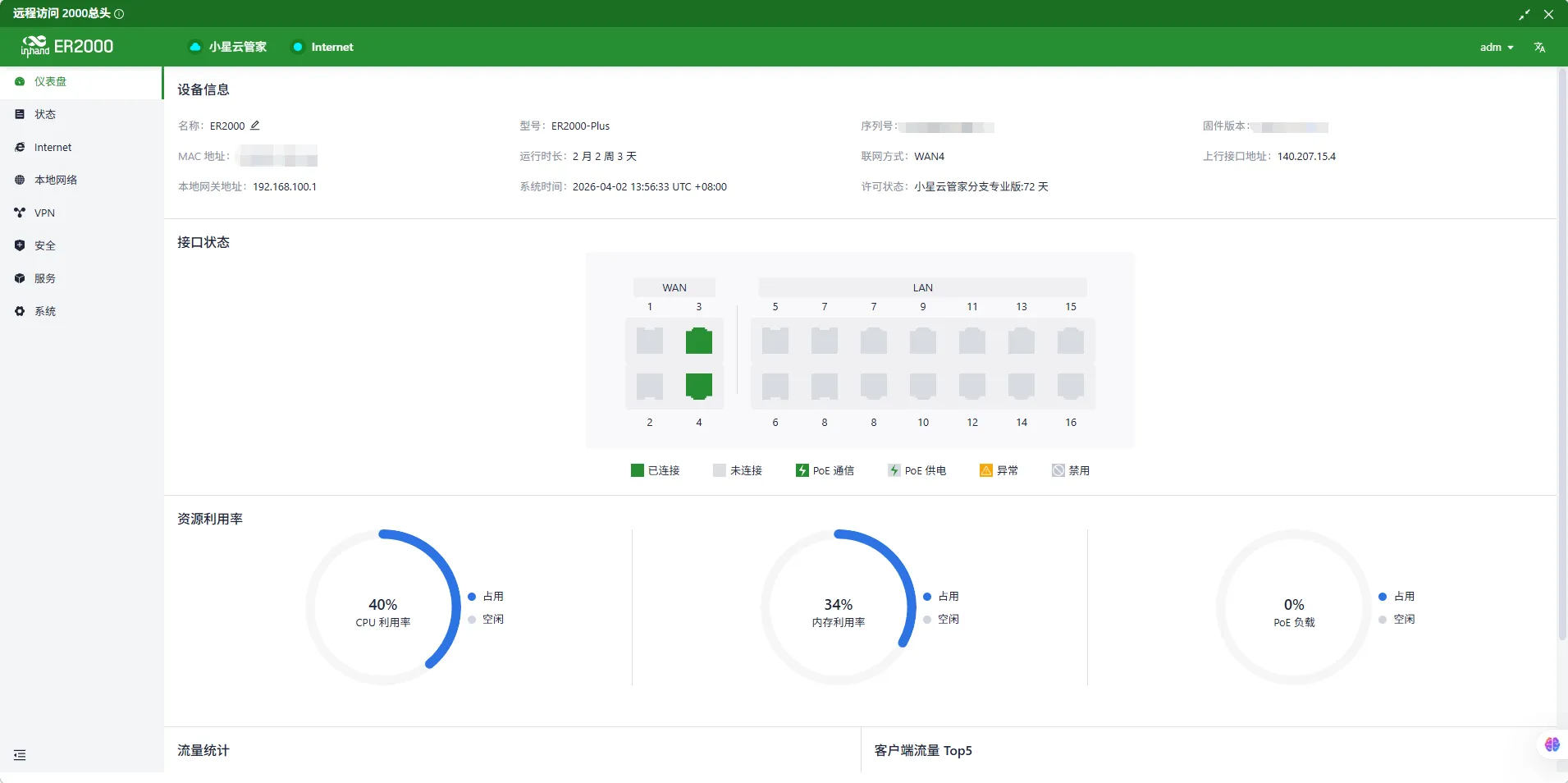
Network ports: ER815 LAN ×5 (WAN/LAN configurable ×2), ER2000 WAN: 1×10G SFP+, 1×GbE SFP, 2×GbE RJ45 (PoE), LAN: 2×10G SFP+, 2×GbE Combo, 8×GbE RJ45 (PoE)
-
Wireless: ER815: 4G/5G/Wi-Fi (optional)
-
Indicator lights: PWR, RUN, NET, signal strength
-
Reset button: Restore factory settings
3.2 Wiring Instructions
3.2.1 Power Wiring
-
Positive: V+
-
Negative: V-
-
Note: Reverse polarity protection, lightning protection, grounding
3.2.2 Ethernet Wiring
Direct/crossover adaptive, recommends Cat5e or higher network cables.
IV. Factory Default Parameters
-
Default IP: 192.168.2.1
-
Subnet mask: 255.255.255.0
-
Web username: adm
-
Web password: Random password, refer to corresponding equipment nameplate
V. Preliminary Preparation
-
Set computer to same network segment IP as gateway
-
Connect computer to gateway LAN port with network cable
-
Power on gateway, wait for RUN light to illuminate steadily
-
Enter gateway IP in browser to access configuration page
VI. Network Configuration
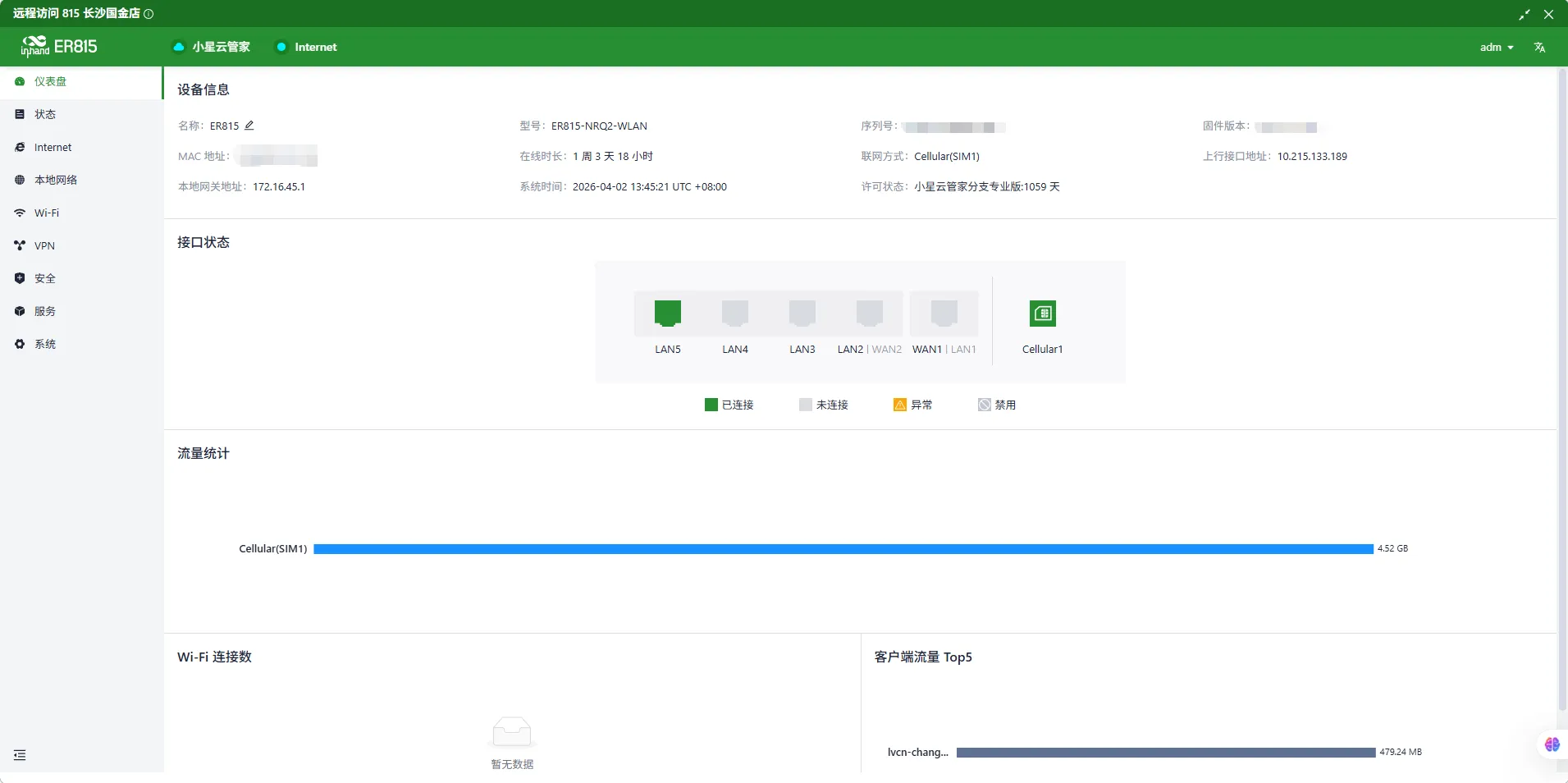
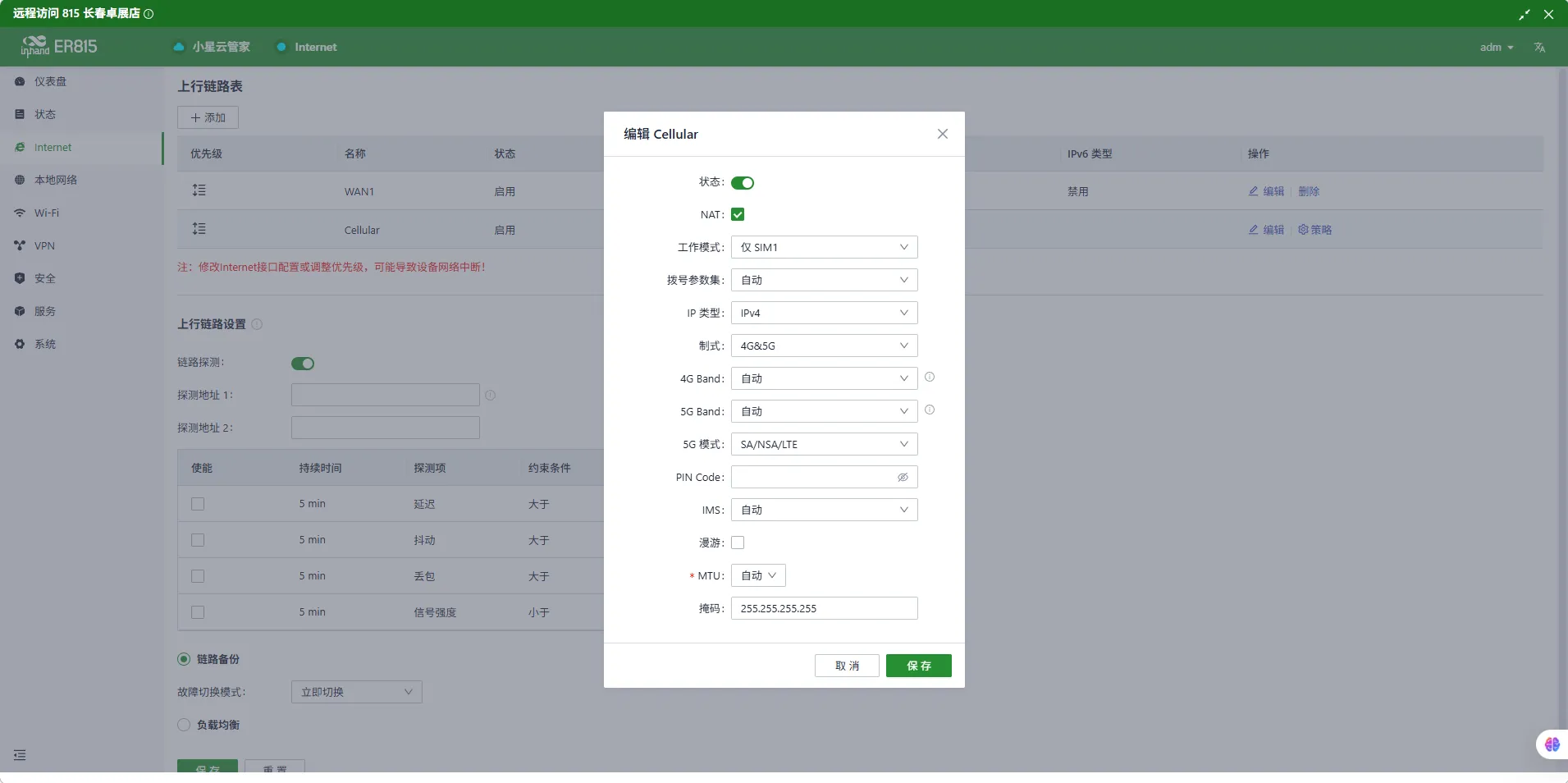
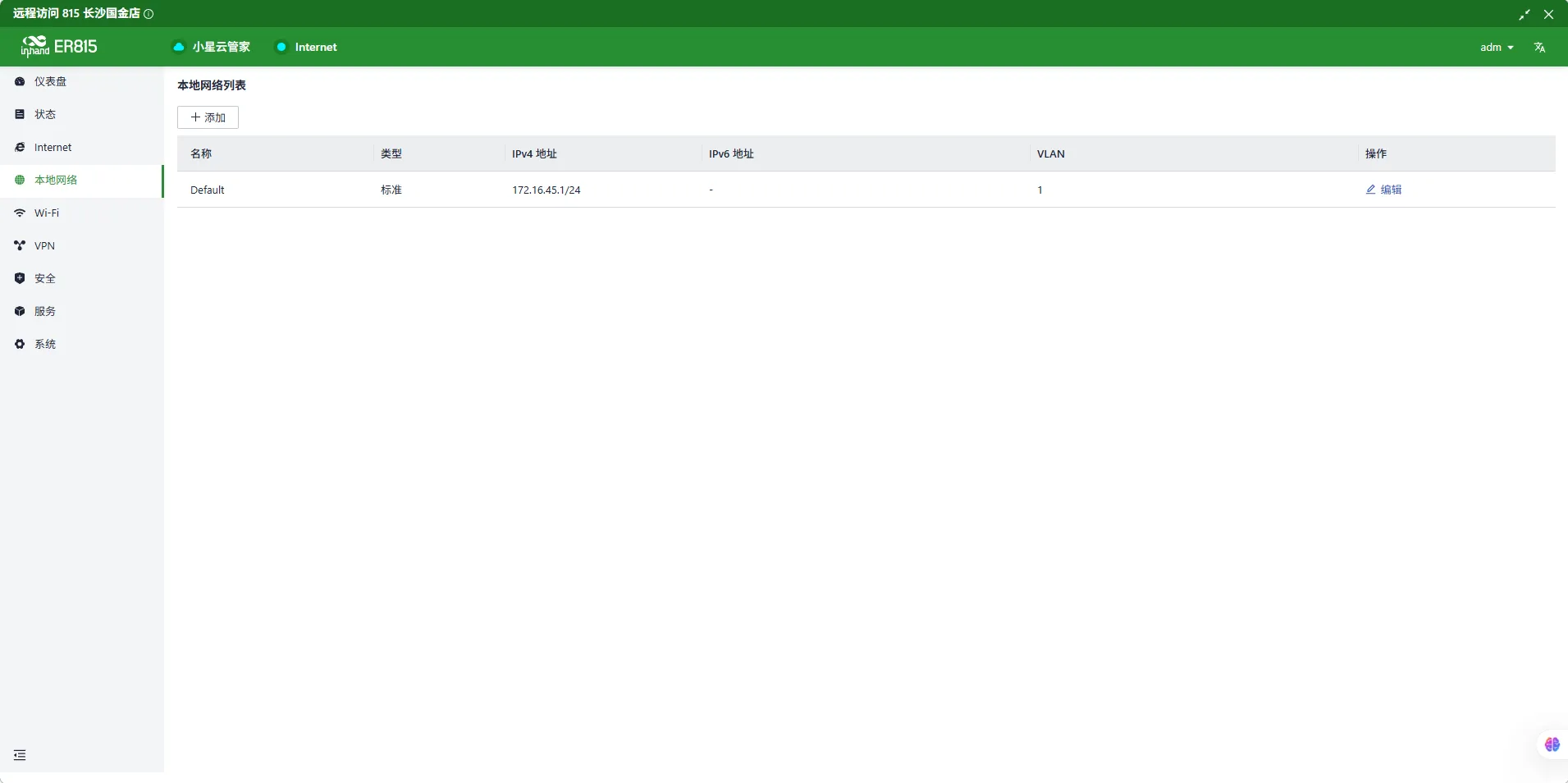
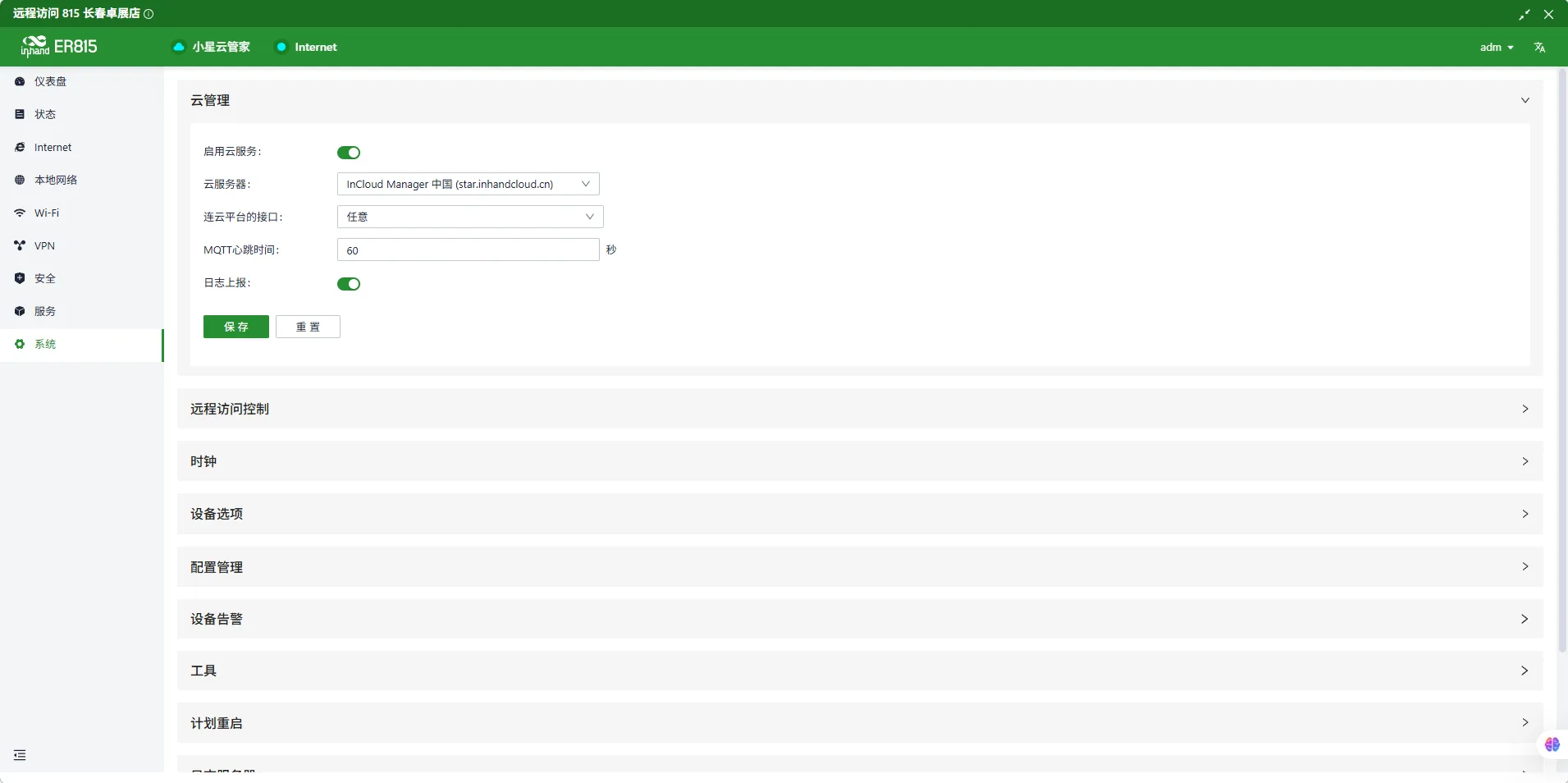
6.1 ER815 Configuration
-
Insert SIM card (supports NB-IoT/4G)
-
Enable mobile network
-
APN: Automatic / Manual entry
-
View signal strength
-
Set VLAN address to 172.16.45.1/24
-
Configure connection to Xiaoxing Cloud platform
6.2 ER2000 Configuration
-
Connect wired network to ER2000 wan1 port
-
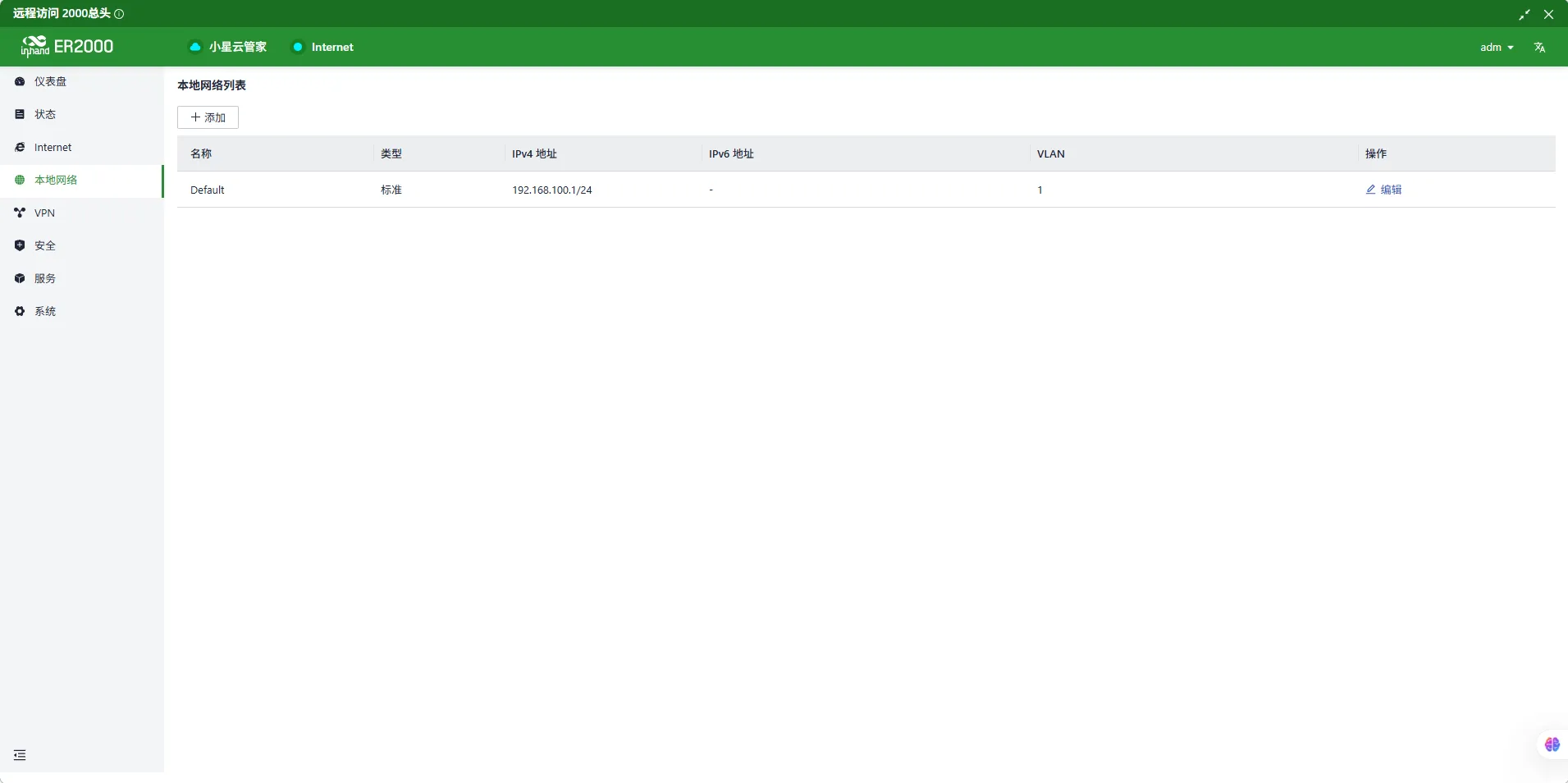
Set local VLAN address to 192.168.100.1
-
Network provided to WAN port needs to be mapped to public network (customer needs to provide this)
-
Configure connection to Xiaoxing Cloud platform
VII. Xiaoxing Cloud Platform Configuration
Building SD-WAN network requires using Inhand Xiaoxing Cloud platform. Equipment needs to purchase platform professional edition license
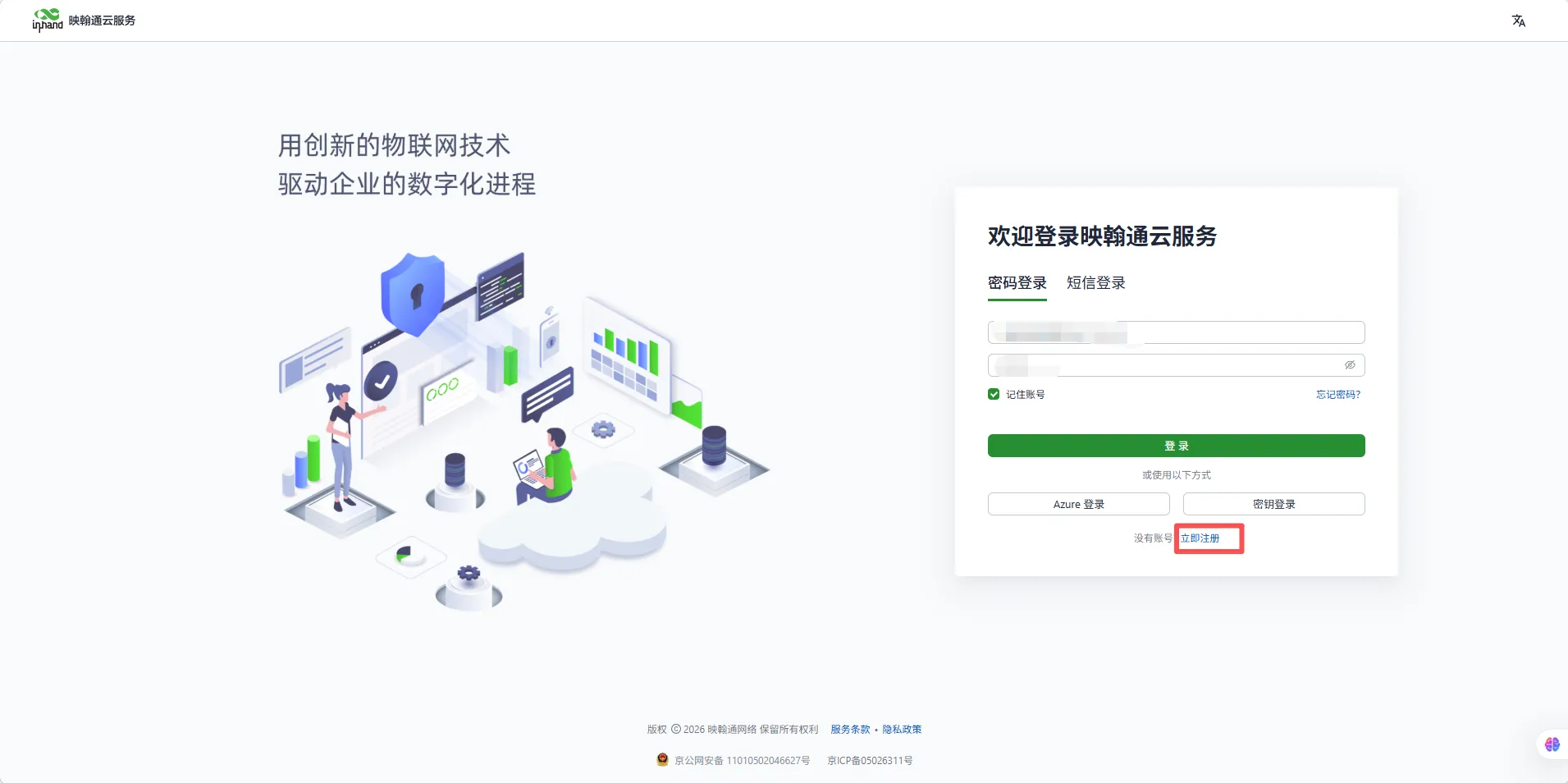
- User registers Xiaoxing Cloud platform account by themselves
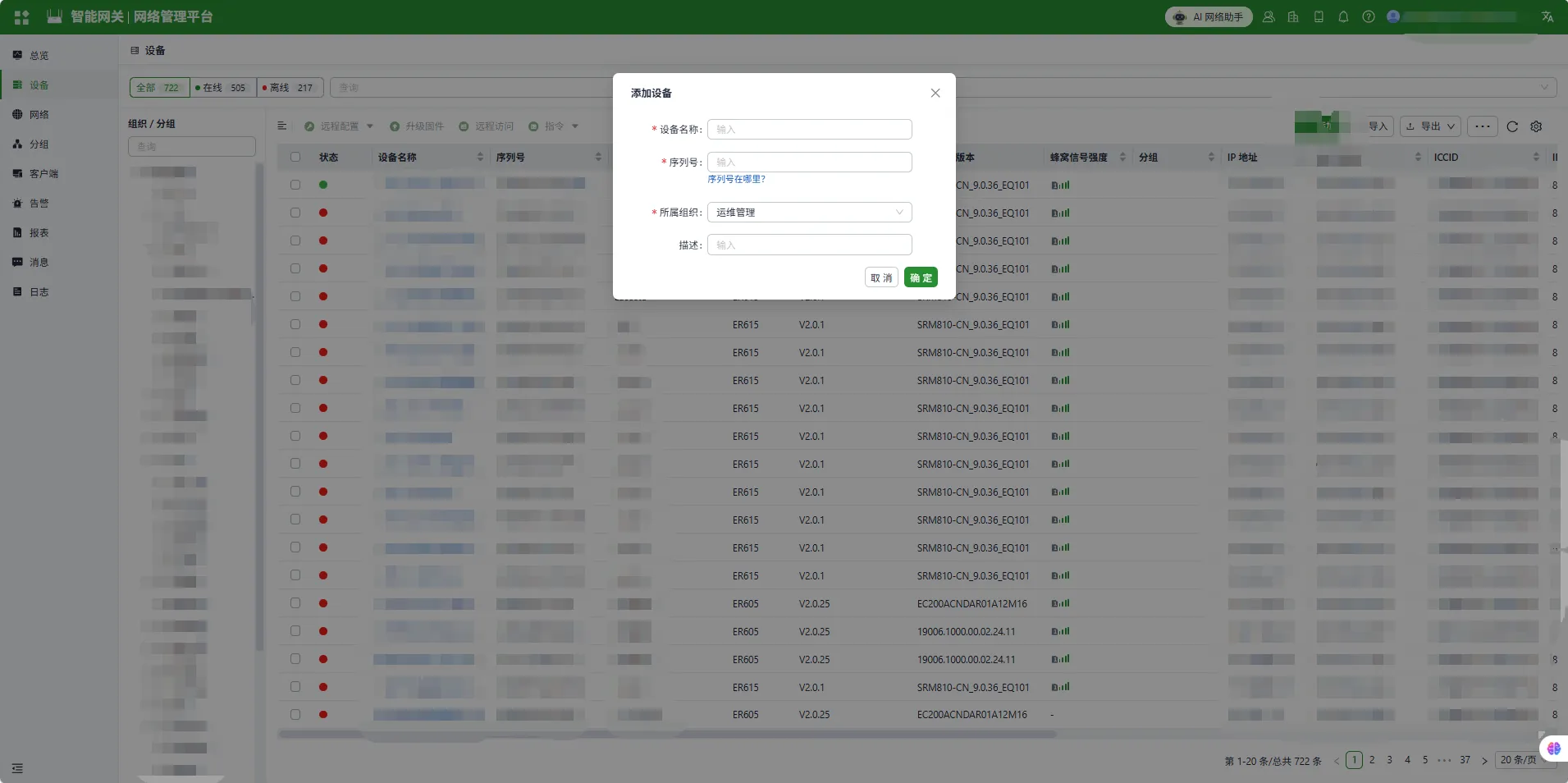
- Add ER815 and ER2000 equipment
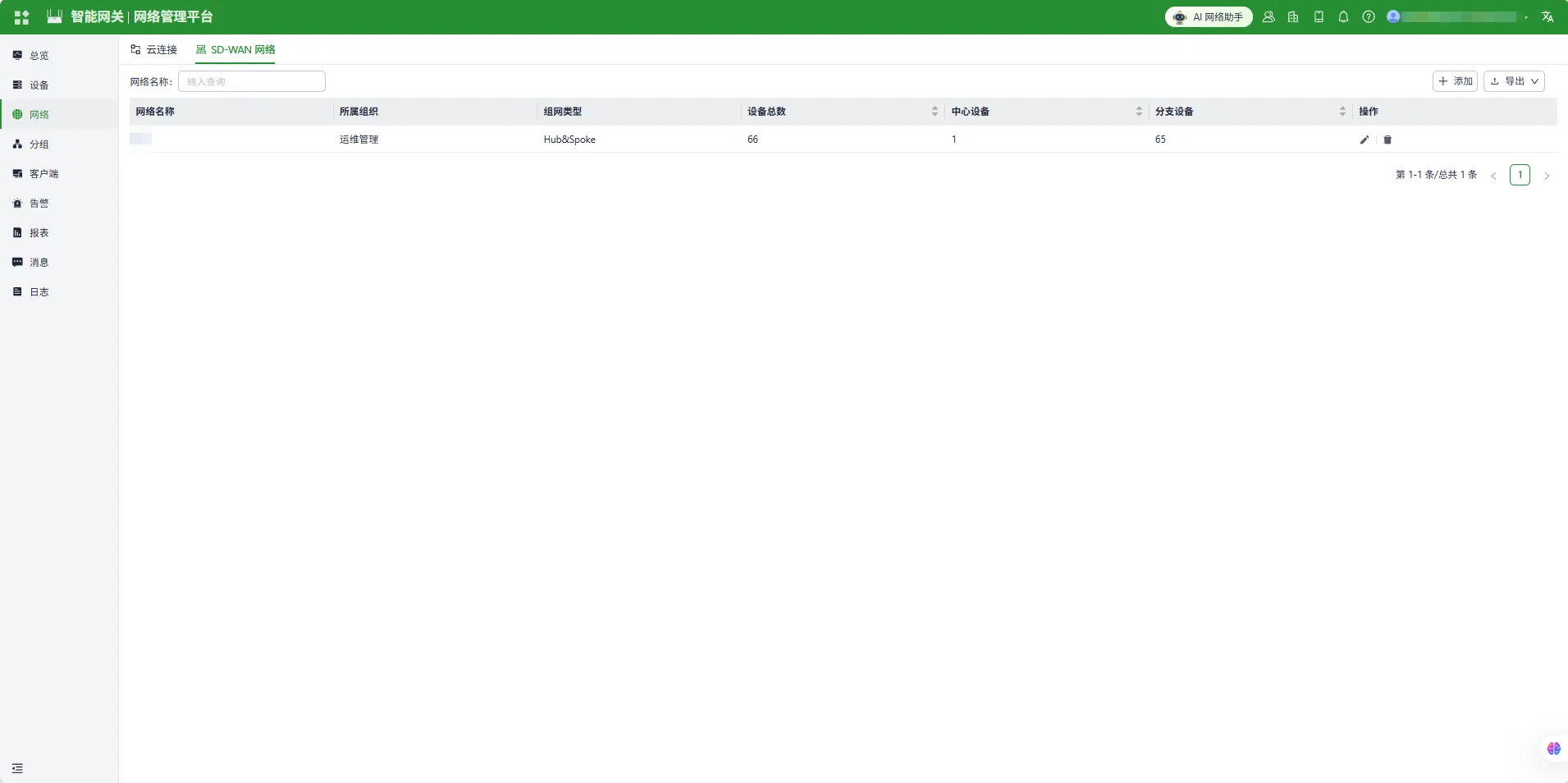
- Add SD-WAN network
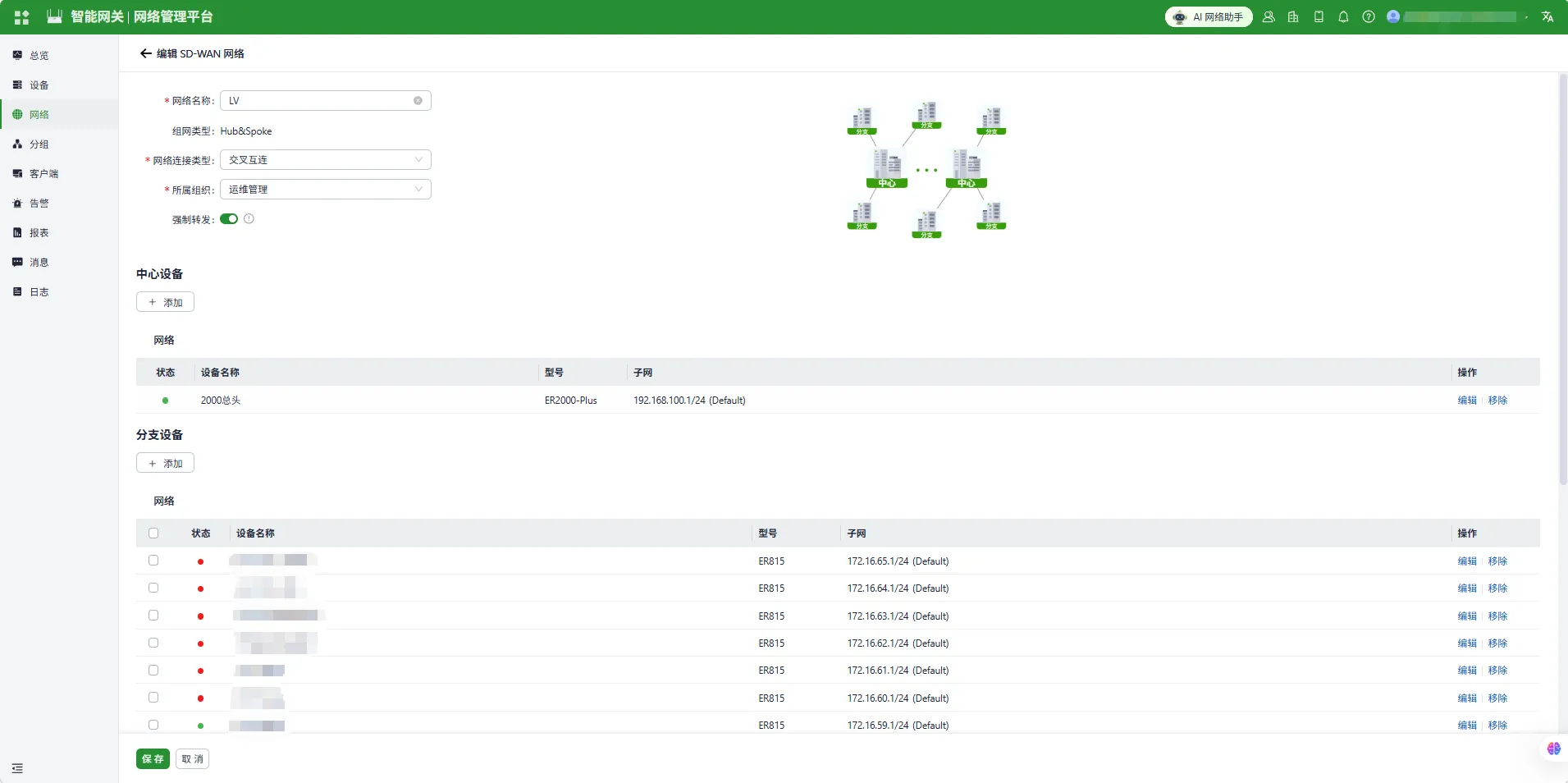
- Edit SD-WAN network
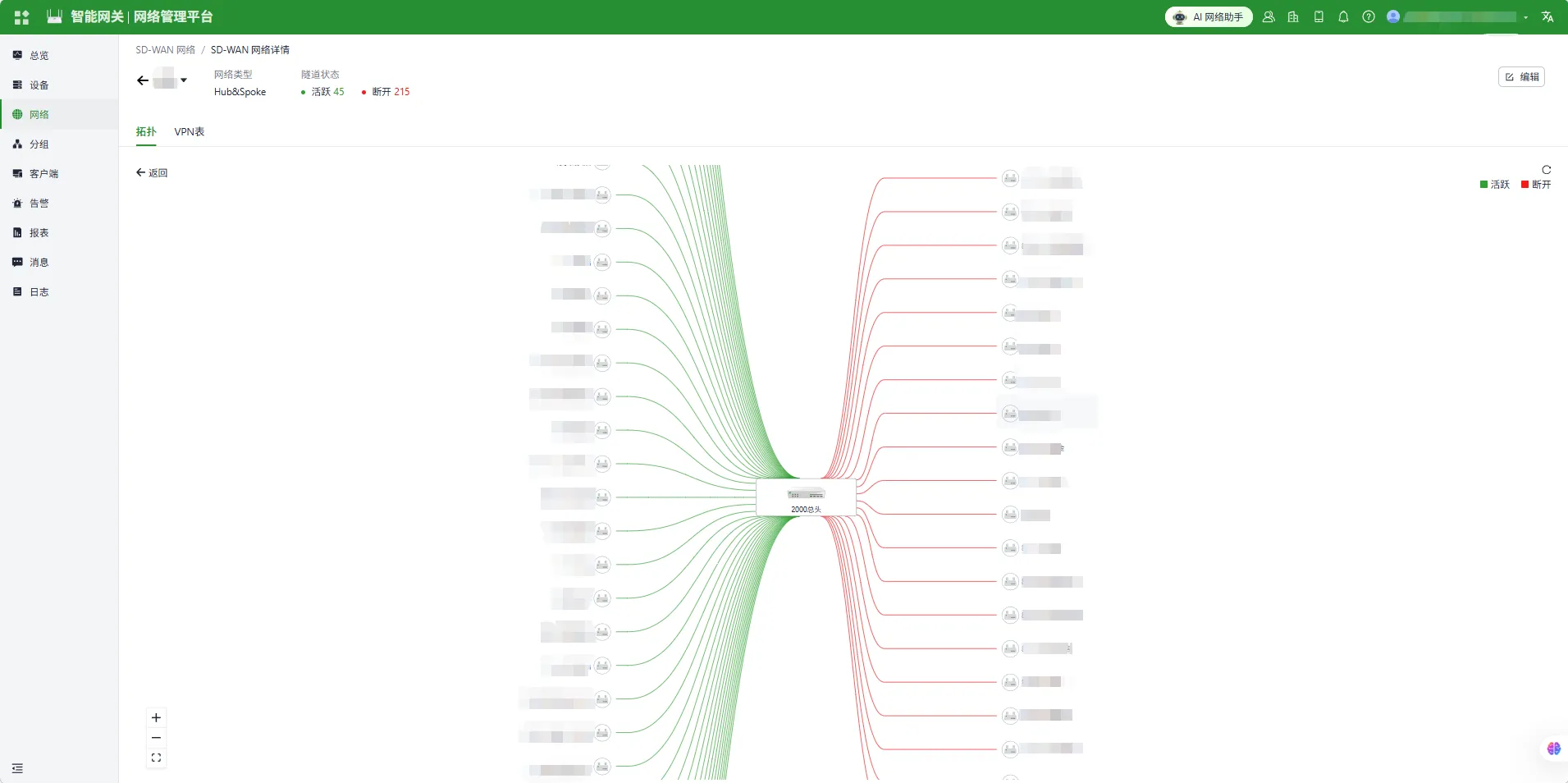
- Successful connection effect is shown in the figure
VIII. Same Configuration Can Import Configuration Files
Configuration files are in the config directory