InCloud Manager Introduces an AI Assistant to Simplify Multi-Site Network Operations
Company News
December, 2025 —For businesses running multiple stores and branch offices, network issues don’t just slow down IT—they interrupt day-to-day operations. When connectivity becomes unstable, the impact can ripple across payments, business processing, internal system access, and overall customer experience.
At the same time, as sites scale up, IT and operations teams often don’t grow at the same pace.
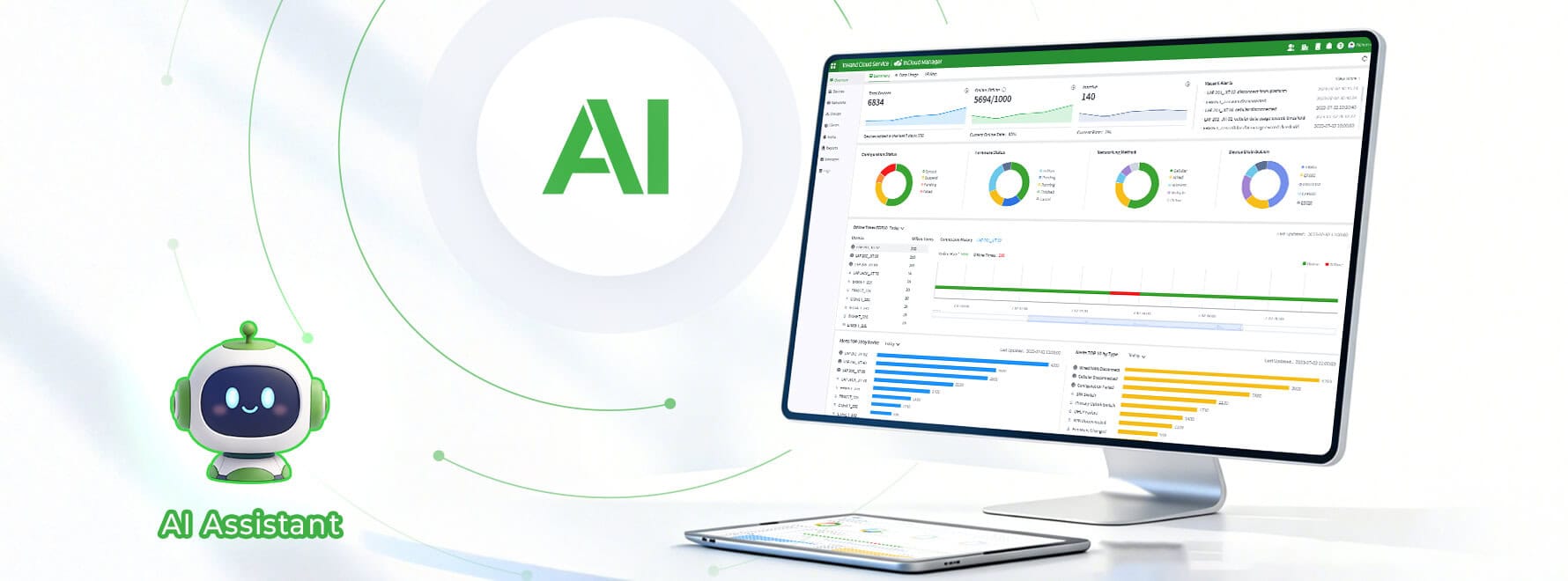
To help organizations respond faster and operate more consistently at scale, InCloud Manager introduces the InCloud Manager AI Assistant—an LLM-powered conversational assistant built directly into the cloud platform.
It enables users to ask natural-language questions, get organized insights, and follow guided steps for diagnosis and configuration—without changing the existing network architecture.
Why it matters for multi-site operators
These situations are familiar to many teams: • A store reports “the network is unstable,” but the root cause isn’t clear—Wi-Fi, uplink, or an application issue. • Device logs are dense and time-consuming to review, when managers simply need a clear answer: Were there abnormal disconnects, and did they affect business operations?
Often, the challenge isn’t that problems are “hard”—it’s that investigation is repetitive, manual, and slow. The AI Assistant is designed to reduce that repetitive workload, so teams can focus on the decisions that truly require judgment.
What the AI Assistant helps you do
1) Ask and answer operational questions in seconds
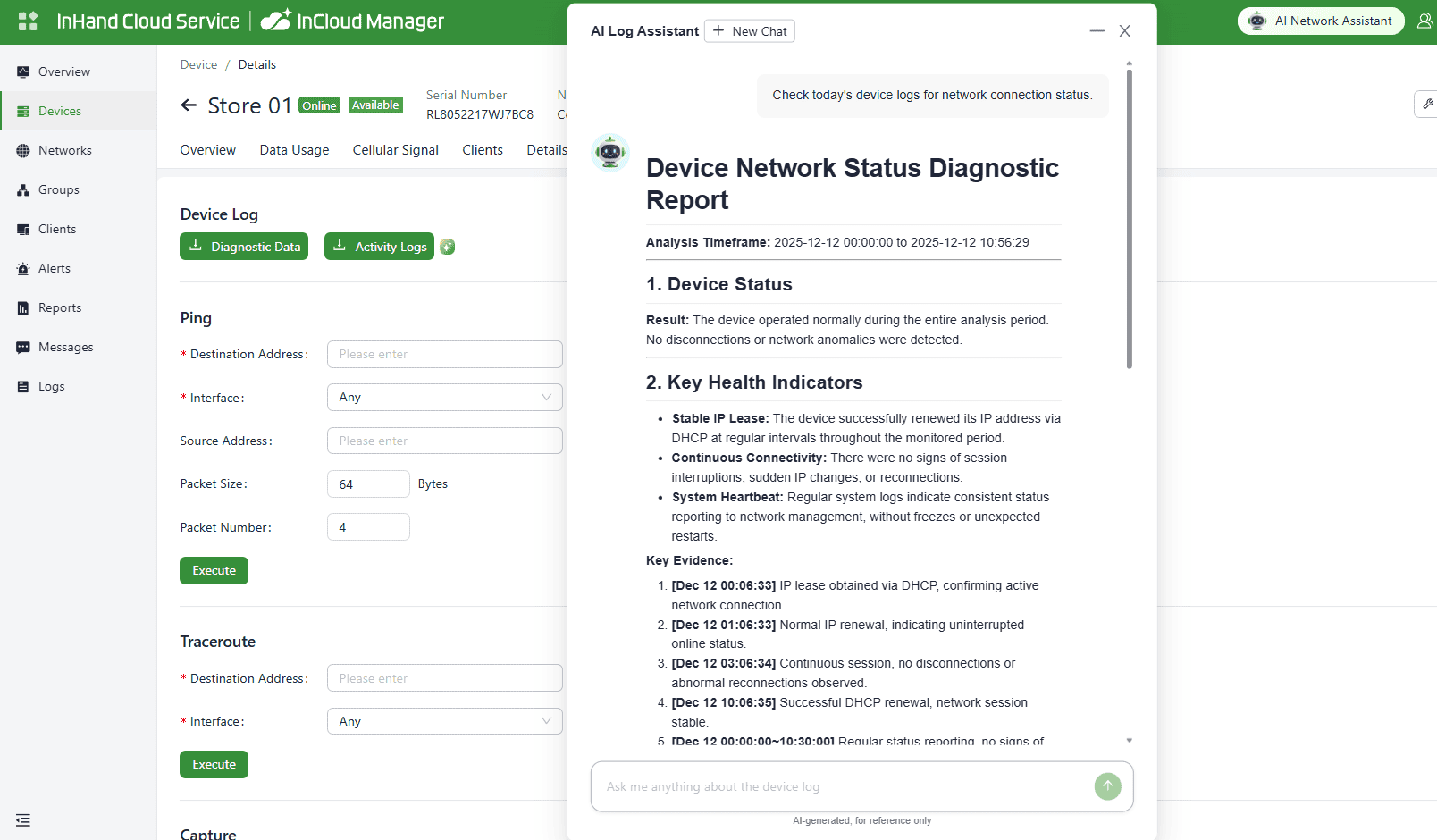
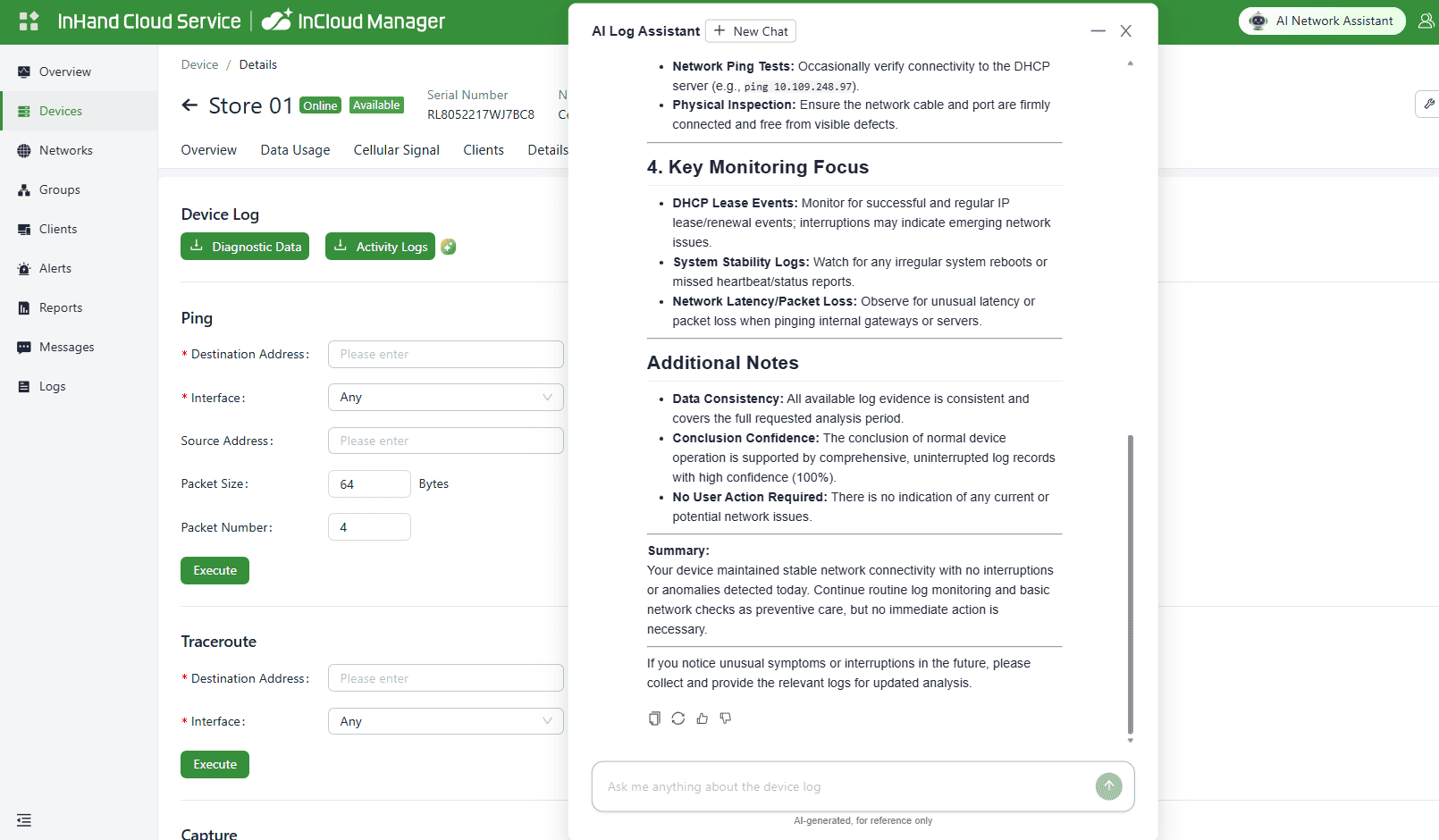
Users can open a chat window and ask questions such as: • “Has device“Store 01”experienced any internet disconnection today?” • “Which stores in East China had the most router disconnects in the past week?”
Instead of digging through dashboards and raw logs, the AI Assistant returns structured, readable resultsthat are easy to understand and share—helpful for managers who need clarity and for engineers who need speed.
2) Semantic Configuration: Define the objective, and the system provides a configuration approach.
When opening a new store or adding a branch, businesses usually want every site configured to the same standard. In practice, teams still spend time searching documentation, locating the right settings, and avoiding missed steps.
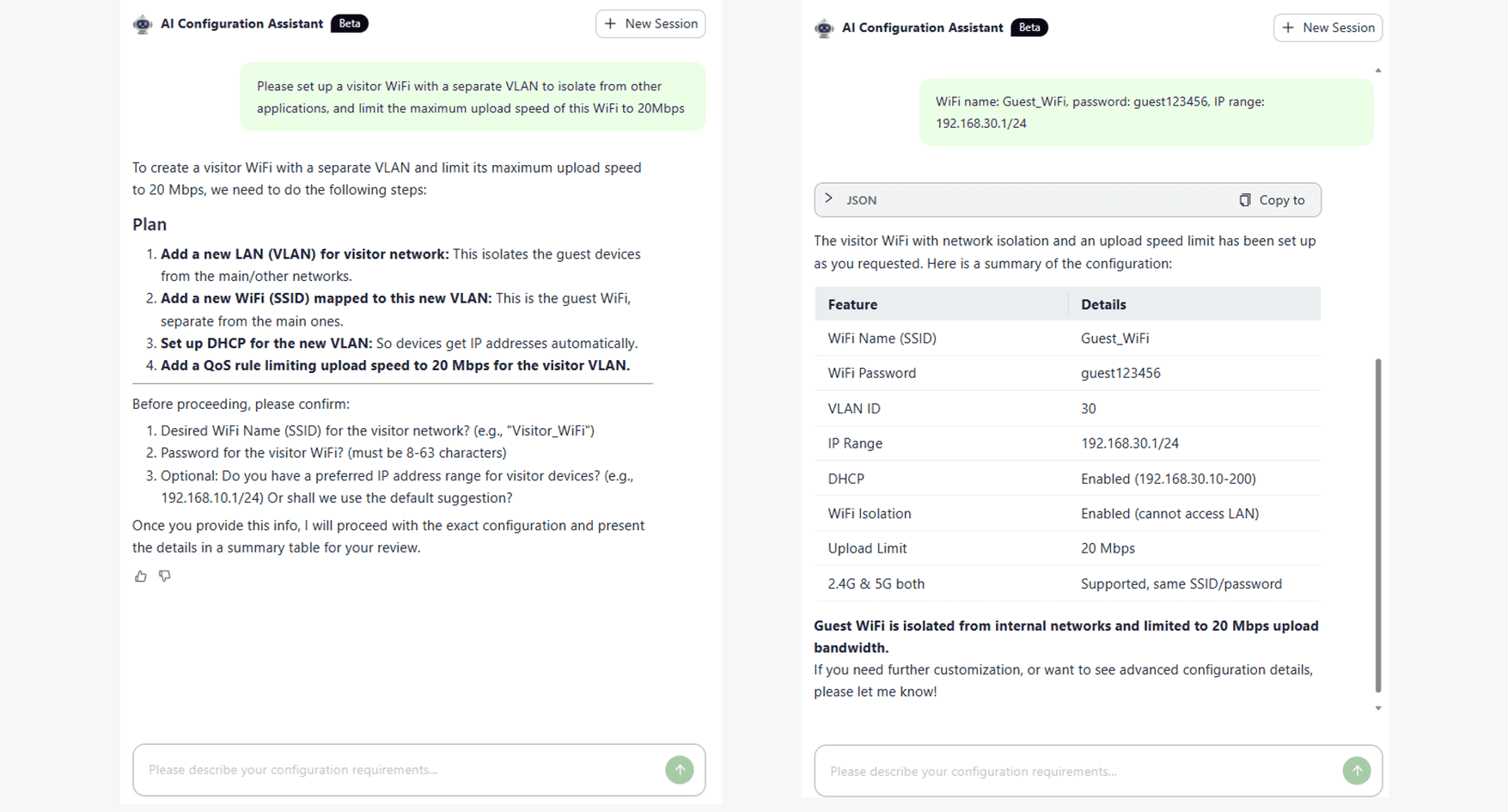
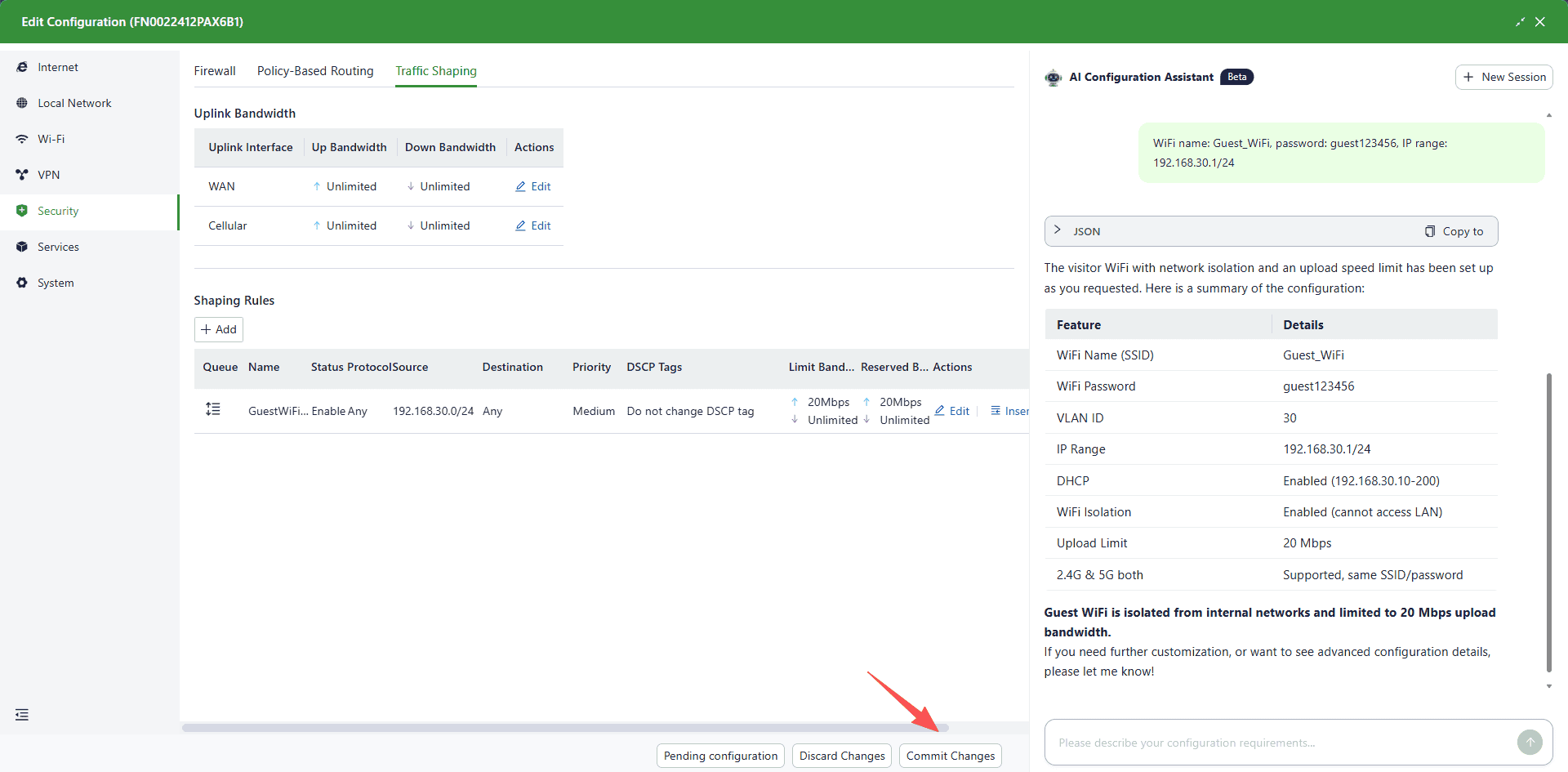
With the AI Assistant, users can describe the desired outcome—for example: • “Please set up a visitor WiFi with a separate VLAN isolate from other applications, and limit the maximum upload speed of this WiFi to 20Mbps.”
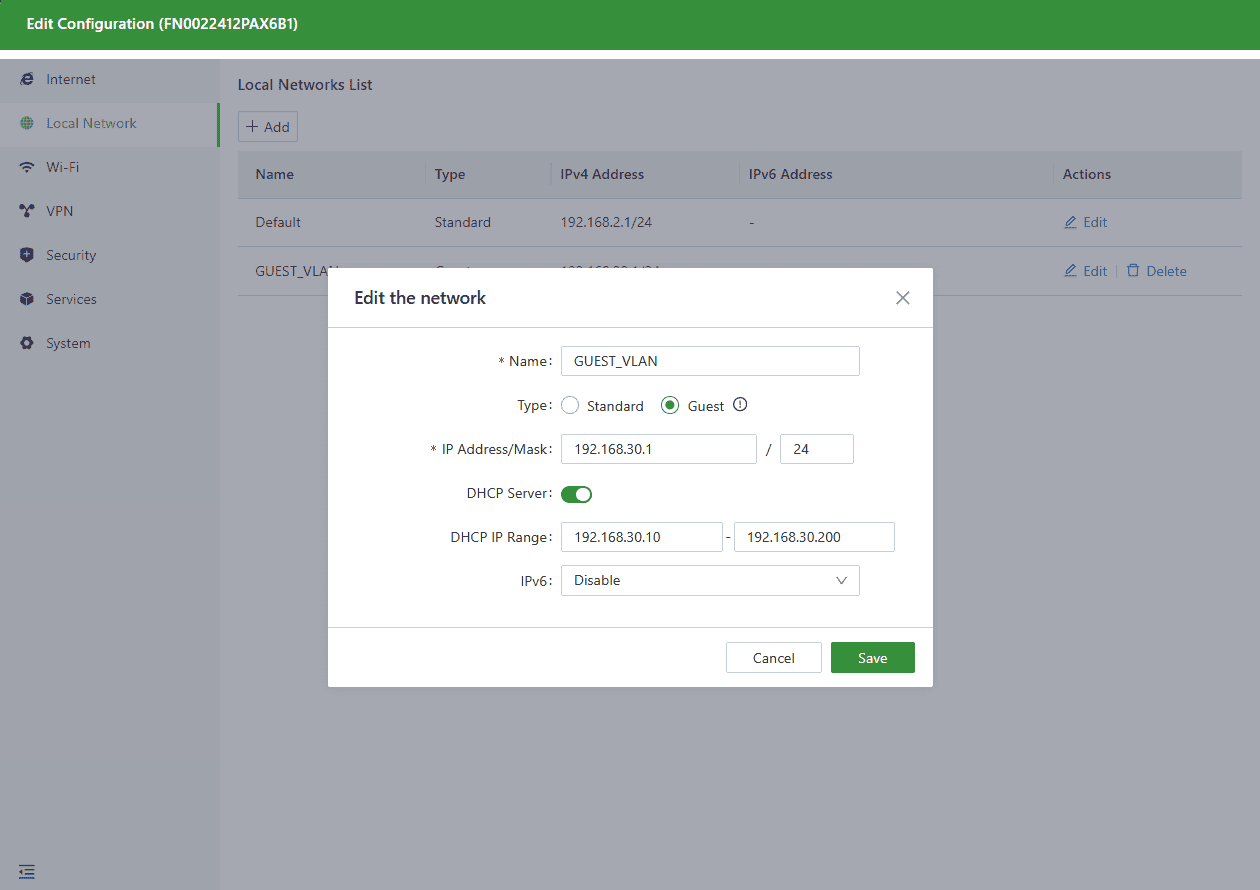
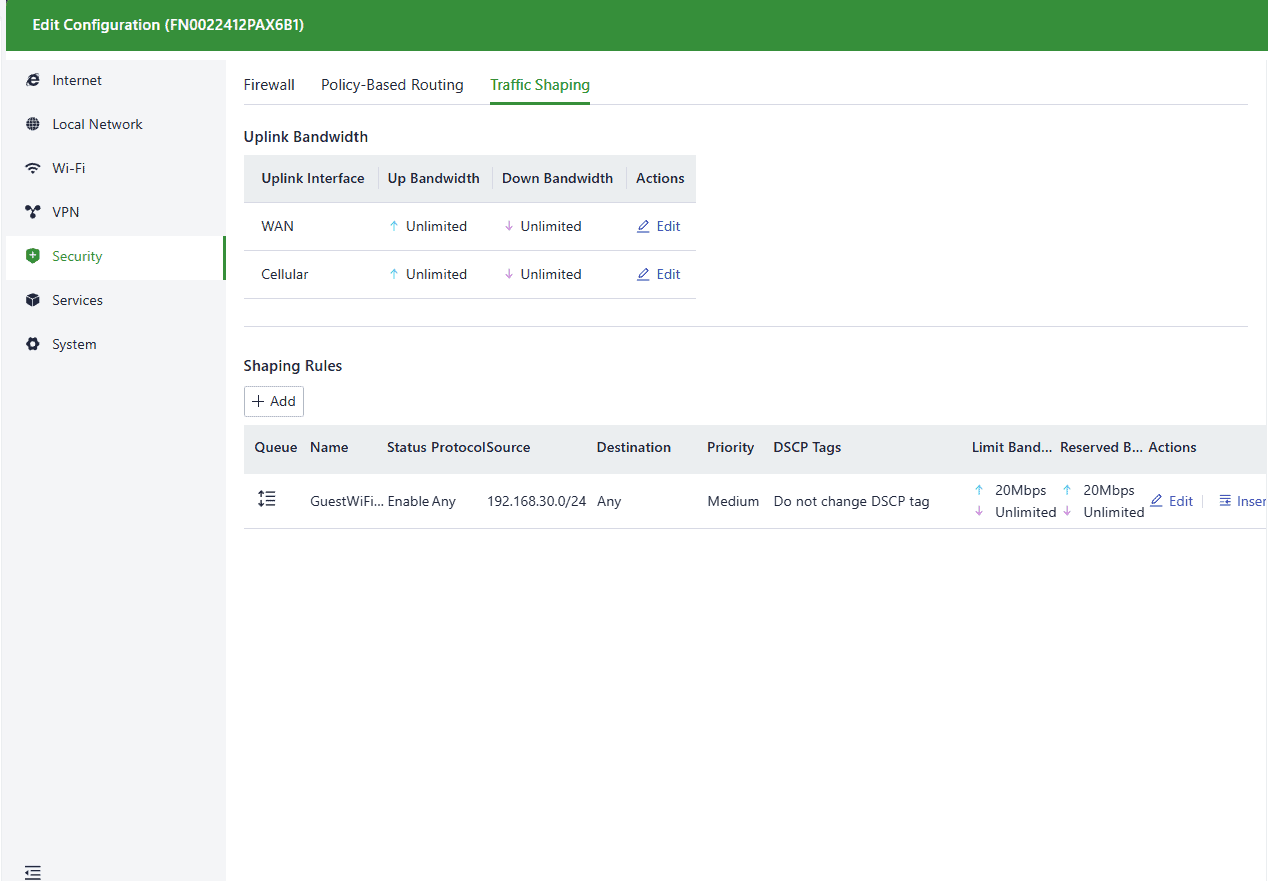
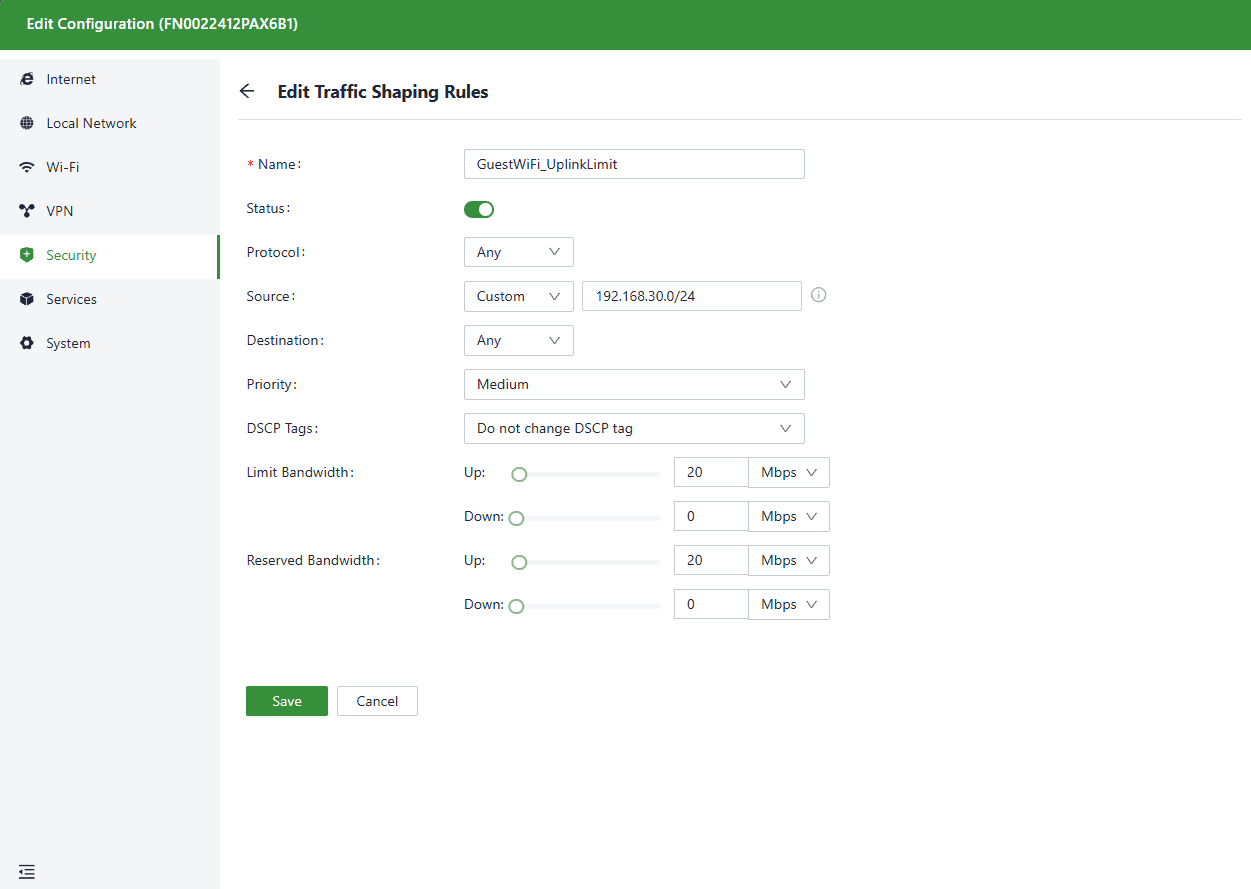
Below is the device’s actual configuration, auto-generated by AI. Engineers only need to manually enter two lines of text in the entire process. Newly Added VLAN:
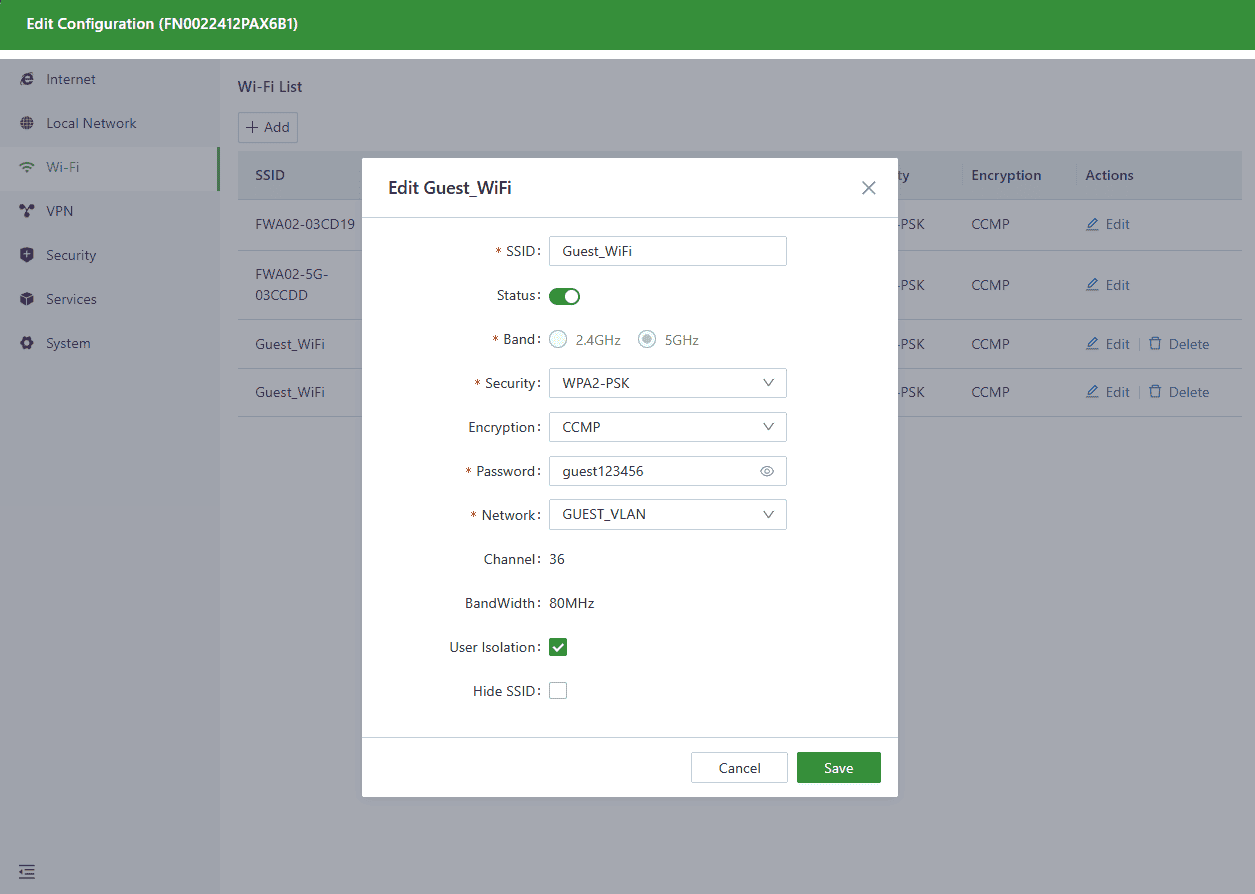
Add a new Wi-Fi and associate it with the VLAN
The assistant then recommends a configuration path and provides step-by-step guidance inside the platform, helping reduce omissions and inconsistent practices across sites. Final execution remains engineer-approved within the platform.
Availability note: This capability currently supports FWA02, with planned expansion to ER615, FWA12, and more models.
3) Start troubleshooting with a clear direction
When business teams report issues like “systems are slow at noon” or “approvals keep loading,” the hardest part is often finding a credible starting point—especially when logs are long and symptoms are vague.
Users can ask the AI Assistant: • “Check today’s device for network connection status.” • “From 12:00–13:00, did the link or Wi-Fi show abnormal fluctuations at the Shanghai People’s Square store?”
The system analyzes logs and historical data to highlight suspicious time windows, observed symptoms, and recommended areas to check first.
It does not replace engineering judgment—but it helps teams troubleshoot faster, reduce time to resolution, and minimize business disruption.
Built into the “device + cloud” foundation you already use
The InCloud Manager AI Assistant isn’t a separate tool. It works within the same foundation: connected devices plus the InCloud Manager cloud platform.
Devices send status, logs, and signal data to the platform
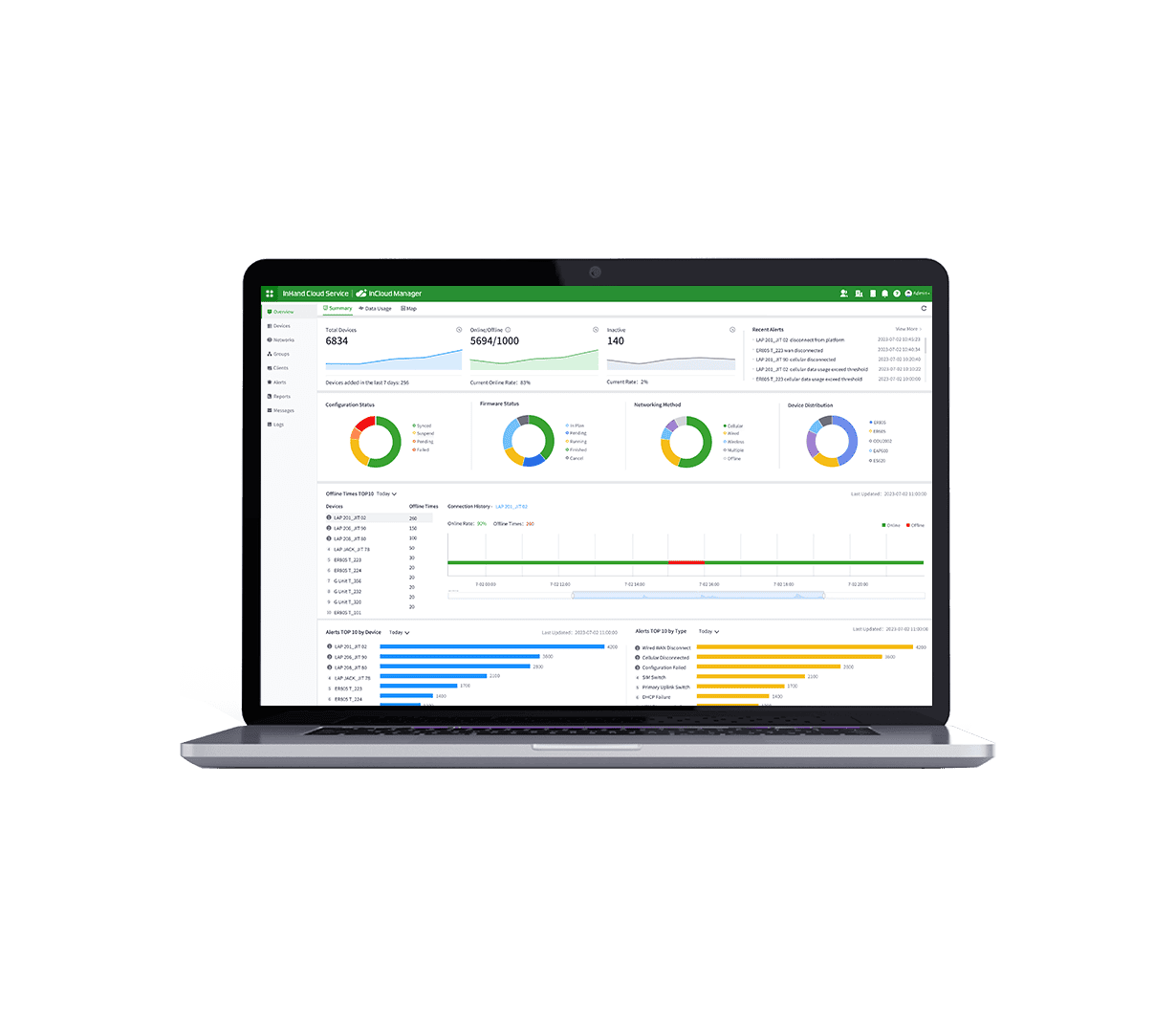
InCloud Manager provides centralized visibility across stores and branches
The AI Assistant helps turn complex operational information into actionable, understandable outcomes
This makes it especially valuable for rapidly expanding businesses that need better operational control without adding headcount at the same rate.
How to get started
If you’re already using InHand devices with InCloud Manager, log in to the platform and try the AI Assistant.
If you’re evaluating InCloud Manager, you can request a trial and our team will provide an online demo or evaluation plan.


 Ask AI Anything