


CPE02
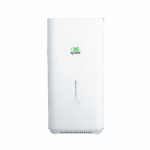
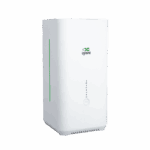
Indoor 5G Wi-Fi6 Router
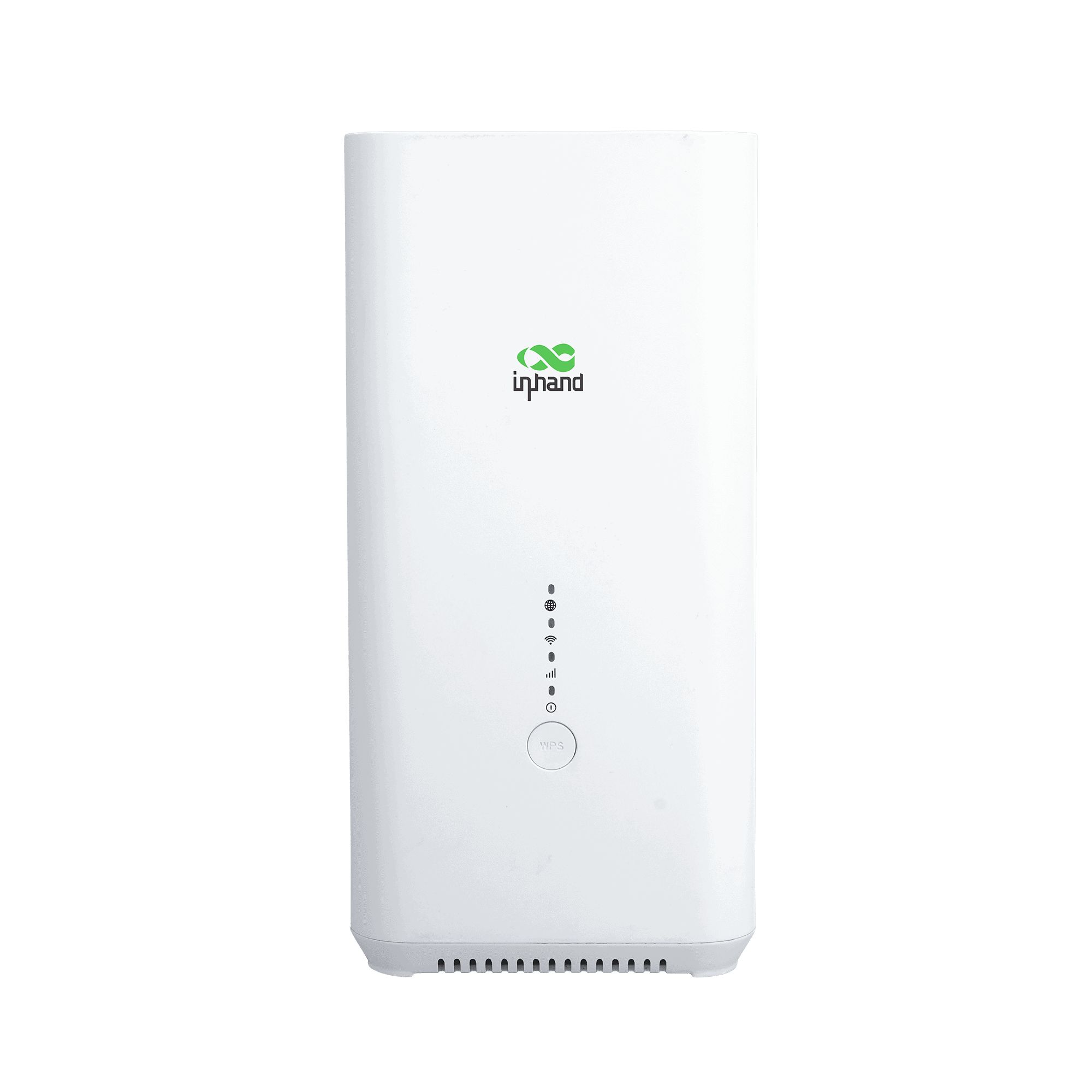
Powered by Qualcomm X62, the CPE02 delivers AX5400 Wi-Fi 6 speeds for retail and offices. With seamless InCloud integration, it simplifies bulk management, ensuring high-performance, efficient IT operations.
CPE02
Indoor 5G Wi-Fi6 Router
Powered by Qualcomm X62, the CPE02 delivers AX5400 Wi-Fi 6 speeds for retail and offices. With seamless InCloud integration, it simplifies bulk management, ensuring high-performance, efficient IT operations.
QSG VIDEO
Fast Deployment, Seamless Connectivity

5G NSA/SA
Supports 5G NSA/SA with peak download speeds up to 3.4 Gbps, ensuring ultra-low latency for bandwidth-intensive applications.

Wi-Fi 6 AX5400
Delivers wireless speeds up to 5400 Mbps, supporting over 128 concurrent users for seamless HD streaming.

Failover Connectivity
Features 5G failover and WAN backup to automatically switch links, ensuring uninterrupted internet access for business continuity.

Enterprise-Grade Security
Protects data with robust firewalls and multiple VPN protocols like IPsec and OpenVPN, securing remote access for distributed networks.

High Reliability
Built with a Qualcomm chipset and optimized heat dissipation to ensure stable 24/7 operation in complex commercial environments.

Intelligent Cloud Management
Enables zero-touch provisioning and centralized monitoring via InCloud, reducing network failures and simplifying remote operations.
-
Core Technical Specifications
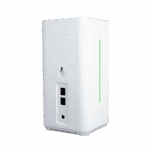
Cellular 5G SA/NSA + 4G LTE; 5G DL up to 2.6 GbpsCloud Management InCloud ManagerVPN IPsec, L2TP, OpenVPNNetwork Features IPv4/IPv6; NAT, VLAN, DHCP; PPPoE; dual-SIM policy; static routingWi-Fi Wi-Fi 6 (AX5400), 2.4/5 GHz; multi-SSID, VLAN, WPA2/WPA3Throughput / Users Firewall 1 Gbps; up to 200 users (128 Wi-Fi)SIM 1 × Nano 4FF + optional eSIMEthernet 2 × GbE (EU/APAC) or 2.5G + 1G (US); WAN/LAN, dual LANDimensions / Mount 105 × 105 × 217 mm (4.13 × 4.13 × 8.54 in); 800 g (1.76 lb); desktop / wall-mountPower 12 V / 2 A; ≤ 15 WEnvironment -10 °C ~ +40 °C (14 °F ~ 104 °F) op.; -40 °C ~ +85 °C (-40 °F ~ 185 °F) stg.; 5%–95% RH; IP20Certification CE, FCC, IC, PTCRB, AT&T, Verizon, T-Mobile; EMC Level 2
-
Performance Metrics
CPU IPQ5018Firewall Throughput 1 GbpsRecommended Users 200 (Wi-Fi: 128)
-
Interfaces
Cellular 5G NSA: 2.6 Gbps DL / 650 Mbps UL; 5G SA: 2.0 Gbps DL / 1.0 Gbps UL; 4G LTE: 600 Mbps DL / 150 Mbps UL
-
4×4 MIMO 5G Sub-6 GHz, 256QAM
Ethernet 2 × GbE (EU/APAC) or 2.5G + 1G (US), WAN/LAN and dual LAN supportSIM Card 1 × Nano 4FF, 1 × eSIM optionalType-C Debug onlyReset Hardware factory resetWPS Client one-touch Wi-Fi connection
-
Wi-Fi
Antenna Gain ≤ 5 dBiStandard Wi-Fi 6, 802.11 a/b/g/n/ac/axMax Rate 5400 MbpsFeatures Multiple SSID, SSID VLAN, SSID hiddenTX Power 2.4 GHz: 17 dBm; 5 GHz: 17 dBmEncryption WPA, WPA2, WPA3
-
Power
Input 12 V / 2 APower Consumption ≤ 15 W
-
LEDs
LED 5G, Wi-Fi, Signal, Power
-
Mechanical
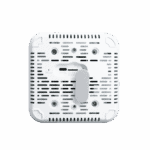
Dimensions (L × W × H) 105 × 105 × 217 mm (4.13 × 4.13 × 8.54 in)Weight 800 g (1.76 lb)Installation Desktop, wall-mountProtection IP20
-
Environment
Operating Temperature -10 °C ~ +40 °C (14 °F ~ 104 °F)Storage Temperature -40 °C ~ +85 °C (-40 °F ~ 185 °F)Humidity 5 % ~ 95 % RH (non-condensing)
-
Certification
Certification CE, FCC, IC, PTCRB, AT&T, Verizon, T-MobileEMC EMC Level 2
-
Cloud Management
Platform InCloud ManagerFeatures Unified device access, zero-touch remote deployment, bulk remote upgrades, configuration deployment, connector remote maintenance, two-factor authenticationDashboard Device connectivity status, traffic statistics, cellular signal statistics, interface status, client statistics and analysis, uplink management
-
Network Features
Access 5G/4G, wiredDialing PPPoE, cellular automatic redial, dual-SIM switching policy, APN configurationIntelligent Links Real-time link detectionIP Protocols IPv4, IPv6Network Protocols VLAN, DHCP, DNS, URL Filtering, DDNS, Fixed Address allocation, IP Passthrough, STP, ARP, ICMPSpeed Test Support for device speed testingVPN IPsec VPN, L2TP VPN, OpenVPNRouting Static routing
-
Reliability
Upgrade Scheduled upgradeLogs Runtime logs, diagnostic logsEvents User login, connection disconnect, device rebootAlerts Local email; platform SMS, emailDiagnostics ICMP, packet capture, tracert
Datasheets
 7.28.2026
 719.7 KB
Manuals
Flyers
9.2.2025 4.3 MBFirmware
 5.26.2026 43.2 MB 6.24.2025 40.8 MB 4.17.2025 40.7 MB
Drawings
7.10.2026 74.8 MB 7.10.2026 336.6 KBCertification
7.10.2026 525.5 KB 7.10.2026 1.6 MB 7.10.2026 124.3 KB 7.10.2026 300.8 KB 7.10.2026 1.1 MBStandard package*
- CPE02 Indoor Router *1
- Ethernet Cable *1
- Power Adaptor *1
- Mounting kit *1
- User Guide *1
* Standard package contents vary by standard order codes.
Contact us directly to learn more about our packaging options.
Specifications
-
Core Technical Specifications
Cellular 5G SA/NSA + 4G LTE; 5G DL up to 2.6 GbpsCloud Management InCloud ManagerVPN IPsec, L2TP, OpenVPNNetwork Features IPv4/IPv6; NAT, VLAN, DHCP; PPPoE; dual-SIM policy; static routingWi-Fi Wi-Fi 6 (AX5400), 2.4/5 GHz; multi-SSID, VLAN, WPA2/WPA3Throughput / Users Firewall 1 Gbps; up to 200 users (128 Wi-Fi)SIM 1 × Nano 4FF + optional eSIMEthernet 2 × GbE (EU/APAC) or 2.5G + 1G (US); WAN/LAN, dual LANDimensions / Mount 105 × 105 × 217 mm (4.13 × 4.13 × 8.54 in); 800 g (1.76 lb); desktop / wall-mountPower 12 V / 2 A; ≤ 15 WEnvironment -10 °C ~ +40 °C (14 °F ~ 104 °F) op.; -40 °C ~ +85 °C (-40 °F ~ 185 °F) stg.; 5%–95% RH; IP20Certification CE, FCC, IC, PTCRB, AT&T, Verizon, T-Mobile; EMC Level 2
-
Performance Metrics
CPU IPQ5018Firewall Throughput 1 GbpsRecommended Users 200 (Wi-Fi: 128)
-
Interfaces
Cellular 5G NSA: 2.6 Gbps DL / 650 Mbps UL; 5G SA: 2.0 Gbps DL / 1.0 Gbps UL; 4G LTE: 600 Mbps DL / 150 Mbps UL
-
4×4 MIMO 5G Sub-6 GHz, 256QAM
Ethernet 2 × GbE (EU/APAC) or 2.5G + 1G (US), WAN/LAN and dual LAN supportSIM Card 1 × Nano 4FF, 1 × eSIM optionalType-C Debug onlyReset Hardware factory resetWPS Client one-touch Wi-Fi connection
-
Wi-Fi
Antenna Gain ≤ 5 dBiStandard Wi-Fi 6, 802.11 a/b/g/n/ac/axMax Rate 5400 MbpsFeatures Multiple SSID, SSID VLAN, SSID hiddenTX Power 2.4 GHz: 17 dBm; 5 GHz: 17 dBmEncryption WPA, WPA2, WPA3
-
Power
Input 12 V / 2 APower Consumption ≤ 15 W
-
LEDs
LED 5G, Wi-Fi, Signal, Power
-
Mechanical
Dimensions (L × W × H) 105 × 105 × 217 mm (4.13 × 4.13 × 8.54 in)Weight 800 g (1.76 lb)Installation Desktop, wall-mountProtection IP20
-
Environment
Operating Temperature -10 °C ~ +40 °C (14 °F ~ 104 °F)Storage Temperature -40 °C ~ +85 °C (-40 °F ~ 185 °F)Humidity 5 % ~ 95 % RH (non-condensing)
-
Certification
Certification CE, FCC, IC, PTCRB, AT&T, Verizon, T-MobileEMC EMC Level 2
-
Cloud Management
Platform InCloud ManagerFeatures Unified device access, zero-touch remote deployment, bulk remote upgrades, configuration deployment, connector remote maintenance, two-factor authenticationDashboard Device connectivity status, traffic statistics, cellular signal statistics, interface status, client statistics and analysis, uplink management
-
Network Features
Access 5G/4G, wiredDialing PPPoE, cellular automatic redial, dual-SIM switching policy, APN configurationIntelligent Links Real-time link detectionIP Protocols IPv4, IPv6Network Protocols VLAN, DHCP, DNS, URL Filtering, DDNS, Fixed Address allocation, IP Passthrough, STP, ARP, ICMPSpeed Test Support for device speed testingVPN IPsec VPN, L2TP VPN, OpenVPNRouting Static routing
-
Reliability
Upgrade Scheduled upgradeLogs Runtime logs, diagnostic logsEvents User login, connection disconnect, device rebootAlerts Local email; platform SMS, emailDiagnostics ICMP, packet capture, tracert
Downloads
Datasheets
7.28.2026 719.7 KBManuals
Flyers
9.2.2025 4.3 MBFirmware
5.26.2026 43.2 MB 6.24.2025 40.8 MB 4.17.2025 40.7 MBDrawings
7.10.2026 74.8 MB 7.10.2026 336.6 KBCertification
7.10.2026 525.5 KB 7.10.2026 1.6 MB 7.10.2026 124.3 KB 7.10.2026 300.8 KB 7.10.2026 1.1 MB
Ordering
Standard package*
- CPE02 Indoor Router *1
- Ethernet Cable *1
- Power Adaptor *1
- Mounting kit *1
- User Guide *1
* Standard package contents vary by standard order codes.
Contact us directly to learn more about our packaging options.
InCloud Manager
Cloud-Based Network Management Platform
AI-driven network platform for chain stores and SMEs, enabling centralized monitoring and management of routers, APs, and switches.
InCloud Manager
Related Cases

5G Failover: Built-In Resilience for Supermarket Networks
5G Failover: Built-In Resilience for Supermarket Networks Applications and Cases Key Takeaways…
Learn More →
5G Connectivity for Burger Chains: Fast, Reliable, and Ready to Scale
5G Connectivity for Burger Chains: Fast, Reliable, and Ready to Scale Applications…
Learn More →
5G Broadband: The Ultra-Fast Engine for SOHO and SMBs
5G Broadband: The Ultra-Fast Engine for SOHO and SMBs Applications and Cases…
Learn More →Frequently Asked Questions
What does the CPE02 offer?
The CPE02 is an indoor 5G CPE that converts cellular into Wi-Fi 6 and wired Ethernet — sized for retail stores, restaurants, clinics, and hybrid offices that need fast broadband without a fixed ISP line. Three regional SKUs:
| NANR (US) | EUNR (EU/APAC) | CNNR (China) | |
| — | — | — | — |
| Ethernet | 1× 2.5 GbE WAN + 1× GbE LAN | 2× GbE (1 WAN + 1 LAN) | 2× GbE |
| Wi-Fi 6 peak | 5400 Mbps | 3000 Mbps | 3000 Mbps |
| Embedded eSIM | Built-in Verizon eSIM | — | — |
All variants support 5G SA/NSA, dual WAN (cellular + wired) with WAN/LAN port switching, and up to 200 users / 128 Wi-Fi clients per device. Powered by the supplied 12 V/3 A adapter (≤18 W peak), desktop or wall-mountable, IP20 indoor rating.
How do I access the CPE02 web interface?
Connect your computer via Ethernet, or join the default Wi-Fi SSID CPE02-[last 6 of MAC] or CPE02-5G-[last 6 of MAC] . The default Wi-Fi password is the last 8 digits of the device serial number. Open a browser and go to https://192.168.2.1 — accept the self-signed certificate. Log in with the credentials on the device nameplate.
How do I connect the CPE02 to cellular and set the APN?
With the device powered off, insert the SIM card. Power on — the CPE02 auto-detects the carrier and applies the matching APN in most cases, so no manual setup is needed. If the cellular link does not come up, log in, go to Internet > Uplink Table, click Edit next to Cellular, enter the APN, and click Save. Configure SIM mode (SIM1 only, eSIM only, or Dual-SIM) on the same screen — the NANR SKU includes an embedded Verizon eSIM. Verify by checking the Network LED: steady green = cellular (or wired) connected; blinking green = connecting to cellular; blinking red = network disconnected.
How do I pass the public cellular IP through to a downstream device?
The CPE02 supports IP Passthrough — the public IP from the cellular connection is passed directly to a chosen downstream device by MAC binding. Go to Services > Passthrough Settings, enable IP Passthrough, and bind the destination device’s MAC address. Click Apply. The downstream device receives the public IP via DHCP; the CPE02 itself becomes accessible only on its local management interface.
—

