


ES620
Administrado
Conmutador empresarial
ES620 es un PoE de capa 2 de alto rendimiento gestionado en la nube.
Conmutador con gestión en la nube, ideal para implementaciones en redes empresariales, de campus y de sucursales.
ES620
Administrado
Conmutador empresarial
ES620 es un PoE de capa 2 de alto rendimiento gestionado en la nube.
Conmutador con gestión en la nube, ideal para implementaciones en redes empresariales, de campus y de sucursales.
FOTO
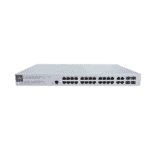
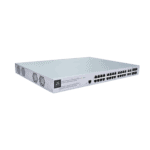
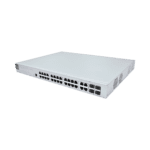
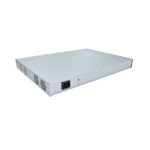
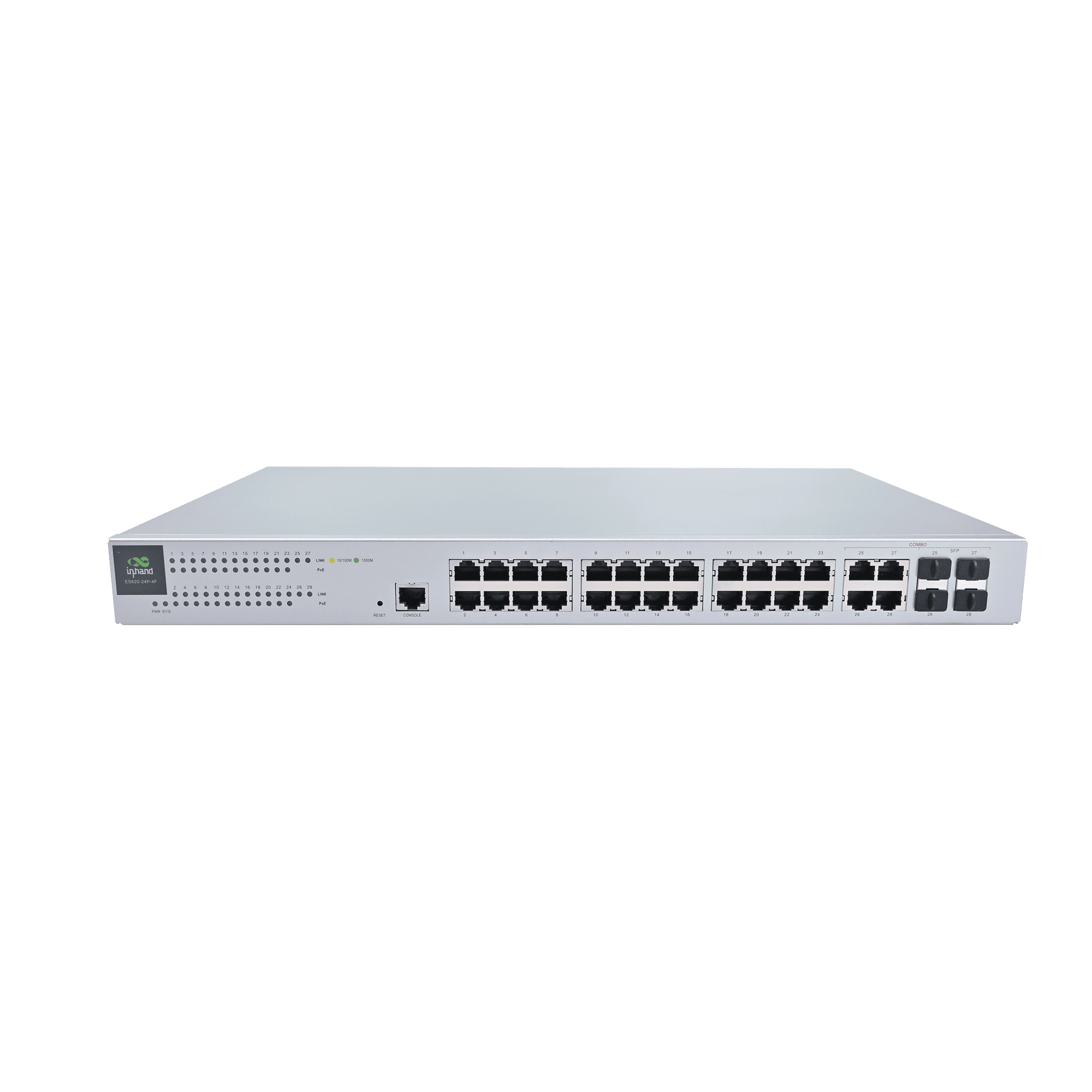
Conmutador PoE inteligente para redes empresariales fiables

Conmutación de alto rendimiento
Ofrece 24 puertos Gigabit RJ45 y 4 puertos combinados ópticos/eléctricos con alta capacidad de conmutación y rendimiento de reenvío.

Control gestionado en la nube
Se integra con InCloud Manager para una gestión centralizada de políticas, aprovisionamiento sin intervención manual, configuración por lotes y mantenimiento remoto.

Suministro de energía PoE inteligente
Los 24 puertos son compatibles con IEEE 802.3af/at PoE, con hasta 30 W por puerto y un amplio presupuesto total de energía para puntos de acceso, cámaras y teléfonos.

Fácil implementación
Ofrece una interfaz web intuitiva para la configuración de VLAN, STP y puertos, a la vez que permite una instalación plug-and-play sencilla.

Visibilidad y diagnóstico de la red
El panel de control en la nube ofrece vistas de topología, monitoreo de tráfico, alertas de estado y registros para una mejor visibilidad operativa.

Energía fiable y funcionamiento estable
Los ventiladores integrados y el chasis metálico con soporte para alimentación de CA garantizan un rendimiento estable bajo cargas sostenidas o intensas.
-
Especificaciones técnicas básicas
Gestión en la nube InCloud Manager: unified device access, zero-touch remote deploymentCumplimiento En fase de planificación: CE, FCC, IC; EMC Nivel 2Enfriamiento 4 × built-in fansPanel Device statistics, connectivity statusAmbiente Operating 0 °C ~ +45 °C (32 °F ~ +113 °F); storage -40 °C ~ +70 °C (-40 °F ~ +158 °F); humidity 95 % RH @ 40 °CInterfaces y PoE 28 × GbE RJ45; 24 × 802,3 af/en PoE; 1 × consola; 1 × restablecerMantenimiento Actualizaciones programadasMecánico 440 × 315 × 44 mm (17.32 × 12.4 × 1.73 in); metal; 1U rack; IP20Actuación Capacidad de conmutación: 56 Gbps; reenvío de paquetes: 41 Mpps; RAM: 128 MB; Flash: 32 MBFuerza 100–240 V CA, 50–60 Hz; consumo total de 400 W (370 W PoE)
-
Métricas de rendimiento
Destello 32 MBTabla de direcciones MAC 8KModelo ES620Tasa de reenvío de paquetes 41 MppsRAM 128 MBCapacidad de conmutación 56 Gbps
-
Interfaces
Consola 1 × ConsolaEthernet 28 × GbE RJ45POE 24 × 802,3 af/atReiniciar 1 × Botón de reinicio
-
LEDs
CONDUJO 1 × Alimentación, 1 × Sistema, 24 × Estado de PoE, 28 × Estado del enlace
-
Enfriamiento
Admirador 4 ventiladores integrados
-
Fuerza
Aporte 100–240 V CA, 50–60 HzConsumo de energía 400 W en total (370 W PoE)
-
Mecánico
Dimensiones 440 × 315 × 44 mm (17.32 × 12.4 × 1.73 in)Instalación Rack de 1UMaterial MetalProtección IP20
-
Ambiente
Humedad 95 % HR a 40 °CTemperatura de funcionamiento 0 °C ~ +45 °C (32 °F ~ +113 °F)Temperatura de almacenamiento -40 °C ~ +70 °C (-40 °F ~ +158 °F)
-
Proceso de dar un título
Proceso de dar un título En fase de planificación: CE, FCC, ICEMC Compatibilidad electromagnética Nivel 2
-
Gestión en la nube
Panel Estadísticas del dispositivo, estado de conectividad, análisis de la calidad de la conexión (latencia, pérdida de paquetes, rendimiento); estadísticas de tráfico, estado de la interfaz, análisis de estadísticas del cliente.Características Acceso unificado a dispositivos, implementación remota sin intervención manual, actualizaciones por lotes e implementación de configuración, mantenimiento remoto conectado a la nube, autenticación de dos factores.Plataforma Administrador en la nube
-
Características de red
Protocolo IP IPv4Protocolos VLAN, STP, RSTP, administración de puertos, control de tráfico, 802.1X, administración de PoE, agregación de enlaces, detección de bucles, tormenta de difusión
-
Mantenimiento
Alertas Alertas por SMS y correo electrónicoDiagnóstico ICMP, Tracert, TcpdumpEventos Inicio de sesión de usuario, conexión/desconexión, reinicio del dispositivo y otros eventos operativosRegistros Registros de operaciones y registros de diagnósticoActualizaciones Actualizaciones programadas
Paquete estándar*
- Conmutador empresarial ES620 *1
- Fuente de alimentación *1
- Cable serie *1
- Cable PGND *1
- Kit de montaje *1
* El contenido del paquete estándar varía según los códigos de pedido estándar.
Contáctanos Para obtener más información sobre nuestras opciones de embalaje, contáctenos directamente.
Presupuesto
-
Especificaciones técnicas básicas
Gestión en la nube InCloud Manager: unified device access, zero-touch remote deploymentCumplimiento En fase de planificación: CE, FCC, IC; EMC Nivel 2Enfriamiento 4 × built-in fansPanel Device statistics, connectivity statusAmbiente Operating 0 °C ~ +45 °C (32 °F ~ +113 °F); storage -40 °C ~ +70 °C (-40 °F ~ +158 °F); humidity 95 % RH @ 40 °CInterfaces y PoE 28 × GbE RJ45; 24 × 802,3 af/en PoE; 1 × consola; 1 × restablecerMantenimiento Actualizaciones programadasMecánico 440 × 315 × 44 mm (17.32 × 12.4 × 1.73 in); metal; 1U rack; IP20Actuación Capacidad de conmutación: 56 Gbps; reenvío de paquetes: 41 Mpps; RAM: 128 MB; Flash: 32 MBFuerza 100–240 V CA, 50–60 Hz; consumo total de 400 W (370 W PoE)
-
Métricas de rendimiento
Destello 32 MBTabla de direcciones MAC 8KModelo ES620Tasa de reenvío de paquetes 41 MppsRAM 128 MBCapacidad de conmutación 56 Gbps
-
Interfaces
Consola 1 × ConsolaEthernet 28 × GbE RJ45POE 24 × 802,3 af/atReiniciar 1 × Botón de reinicio
-
LEDs
CONDUJO 1 × Alimentación, 1 × Sistema, 24 × Estado de PoE, 28 × Estado del enlace
-
Enfriamiento
Admirador 4 ventiladores integrados
-
Fuerza
Aporte 100–240 V CA, 50–60 HzConsumo de energía 400 W en total (370 W PoE)
-
Mecánico
Dimensiones 440 × 315 × 44 mm (17.32 × 12.4 × 1.73 in)Instalación Rack de 1UMaterial MetalProtección IP20
-
Ambiente
Humedad 95 % HR a 40 °CTemperatura de funcionamiento 0 °C ~ +45 °C (32 °F ~ +113 °F)Temperatura de almacenamiento -40 °C ~ +70 °C (-40 °F ~ +158 °F)
-
Proceso de dar un título
Proceso de dar un título En fase de planificación: CE, FCC, ICEMC Compatibilidad electromagnética Nivel 2
-
Gestión en la nube
Panel Estadísticas del dispositivo, estado de conectividad, análisis de la calidad de la conexión (latencia, pérdida de paquetes, rendimiento); estadísticas de tráfico, estado de la interfaz, análisis de estadísticas del cliente.Características Acceso unificado a dispositivos, implementación remota sin intervención manual, actualizaciones por lotes e implementación de configuración, mantenimiento remoto conectado a la nube, autenticación de dos factores.Plataforma Administrador en la nube
-
Características de red
Protocolo IP IPv4Protocolos VLAN, STP, RSTP, administración de puertos, control de tráfico, 802.1X, administración de PoE, agregación de enlaces, detección de bucles, tormenta de difusión
-
Mantenimiento
Alertas Alertas por SMS y correo electrónicoDiagnóstico ICMP, Tracert, TcpdumpEventos Inicio de sesión de usuario, conexión/desconexión, reinicio del dispositivo y otros eventos operativosRegistros Registros de operaciones y registros de diagnósticoActualizaciones Actualizaciones programadas
Descargas
Pedidos
Paquete estándar*
- Conmutador empresarial ES620 *1
- Fuente de alimentación *1
- Cable serie *1
- Cable PGND *1
- Kit de montaje *1
* El contenido del paquete estándar varía según los códigos de pedido estándar.
Contáctanos Para obtener más información sobre nuestras opciones de embalaje, contáctenos directamente.
Administrador en la nube
Plataforma de gestión de red basada en la nube
Plataforma de red basada en inteligencia artificial para cadenas de tiendas y pymes, que permite la monitorización y gestión centralizada de routers, puntos de acceso y switches.
Administrador en la nube
Casos relacionados

Solución de redes hoteleras
Aplicaciones y casos prácticos de soluciones de redes para hoteles: Conclusiones clave con PoE de 24 puertos y…
Más información →Preguntas frecuentes
¿Qué ofrece el ES620?
El ES620 es un conmutador PoE Gigabit de capa 2 gestionado en la nube para sitios empresariales, gestionado completamente desde Administrador en la nube, la misma plataforma utilizada por los routers ER y los puntos de acceso EAP de InHand. Aspectos destacados:
| — | — |
| Puertos | 28 × GbE en total — 24 puertos RJ45 PoE + Enlace ascendente combinado 4× |
| Capacidad de conmutación | 56 Gbps; Reenvío de paquetes de 41 Mpps |
| PoE | 802.3af/at, hasta 30 W por puerto, Presupuesto total de 370 W |
| Tabla MAC | 8K |
| Factor de forma | Montaje en rack de 1U, 4 ventiladores internos, 100–240 V CA |
| Temperatura de funcionamiento | De 0 a +45 °C |
SKU único que se puede pedir: ES620-24P-4FLas funciones en la nube incluyen implementación sin intervención manual, envío de firmware/configuración por lotes, análisis de panel (calidad del enlace, tráfico, estadísticas del cliente), canalizaciones de eventos/alertas (SMS/correo electrónico) y diagnóstico remoto (ping, traceroute, tcpdump). Las funciones de conmutación estándar incluyen VLAN, STP/RSTP, administración de puertos, control de tráfico y administración de PoE.
¿Cómo instalo el ES620?
- Instale el ES620 en un rack estándar de 19" con los soportes de 1U suministrados. Deje espacio para la circulación del aire: cuatro ventiladores internos extraen el aire de adelante hacia atrás.
- Conecte el cable de alimentación de CA (100–240 V, 50/60 Hz). El consumo total de energía, incluyendo PoE, puede alcanzar los 400 W; dimensione la PDU del rack en consecuencia.
- Conecte el enrutador ascendente o el conmutador central a uno de los 4 puertos de enlace ascendente combinados.
- Conecte los dispositivos PoE (puntos de acceso, cámaras, teléfonos IP) a los puertos 1 a 24. Cada puerto suministra hasta 30 W según el estándar 802.3af/at, con 370 W disponibles en todos los puertos.
- Los LED de alimentación y del sistema se iluminan durante el arranque. Los indicadores de enlace y PoE por puerto se encienden a medida que los dispositivos se conectan.
¿Cómo agrego el ES620 a InCloud Manager?
- Inicia sesión (o crea una cuenta) en
https://star.inhandcloud.com. - Hacer clic Agregar dispositivo y entrar en el ES620 número de serie de la etiqueta del chasis.
- Conecte el ES620 a internet a través de cualquier puerto de enlace ascendente. Una vez que se conecte a la plataforma, aparecerá en línea en el panel de control.
A continuación, puede crear la red/sitio, configurar los puertos y la alimentación PoE, programar las actualizaciones de firmware y consultar paneles que muestran la conectividad, el tráfico y el estado de cada puerto. La autenticación de dos factores y los registros de operación y diagnóstico están integrados.
¿En qué se diferencia el ES620 de la serie ES220?
| ES220 | ES620 | |
| — | — | — |
| Gestión | No gestionado, conectar y usar. | Gestionado en la nube a través de InCloud Manager |
| Puertos máximos | 9 (ES220-8P-1T) | 28 (24 PoE + 4 combo) |
| Capacidad de conmutación | 10–16 Gbps | 56 Gbps |
| Presupuesto PoE | 52 W o 120 W | 370 W |
| Tabla MAC | 2K | 8K |
| Factor de forma | Escritorio / pared | Montaje en rack de 1U |
| Objetivo | Pequeños comercios minoristas / PYMES | Empresa / campus / hotel |
Elige el ES220 para un único sitio pequeño que solo necesita puertos Ethernet y opcionalmente algunos puntos de PoE, sin sobrecarga administrativa. Elija el ES620 Cuando el sitio tiene muchos dispositivos PoE, requiere segmentación de VLAN o forma parte de una flota de varios sitios que desea administrar desde un panel en la nube junto con sus enrutadores y puntos de acceso.
—