


InPAD3101
Todo en uno de 10,1"
Terminal interactivo
El InPAD3101 ofrece una pantalla más grande con conectividad para terminales industriales y de autoservicio. Integra conectividad serie y USB avanzada y admite múltiples opciones de Android para un rápido desarrollo e implementación de aplicaciones.
InPAD3101
Todo en uno de 10,1"
Terminal interactivo
El InPAD3101 ofrece una pantalla más grande con conectividad para terminales industriales y de autoservicio. Integra conectividad serie y USB avanzada y admite múltiples opciones de Android para un rápido desarrollo e implementación de aplicaciones.
FOTO
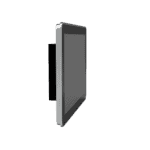
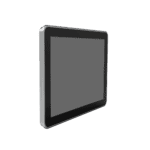
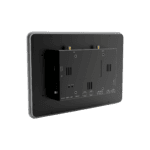
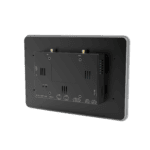
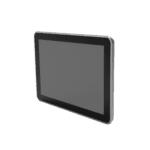
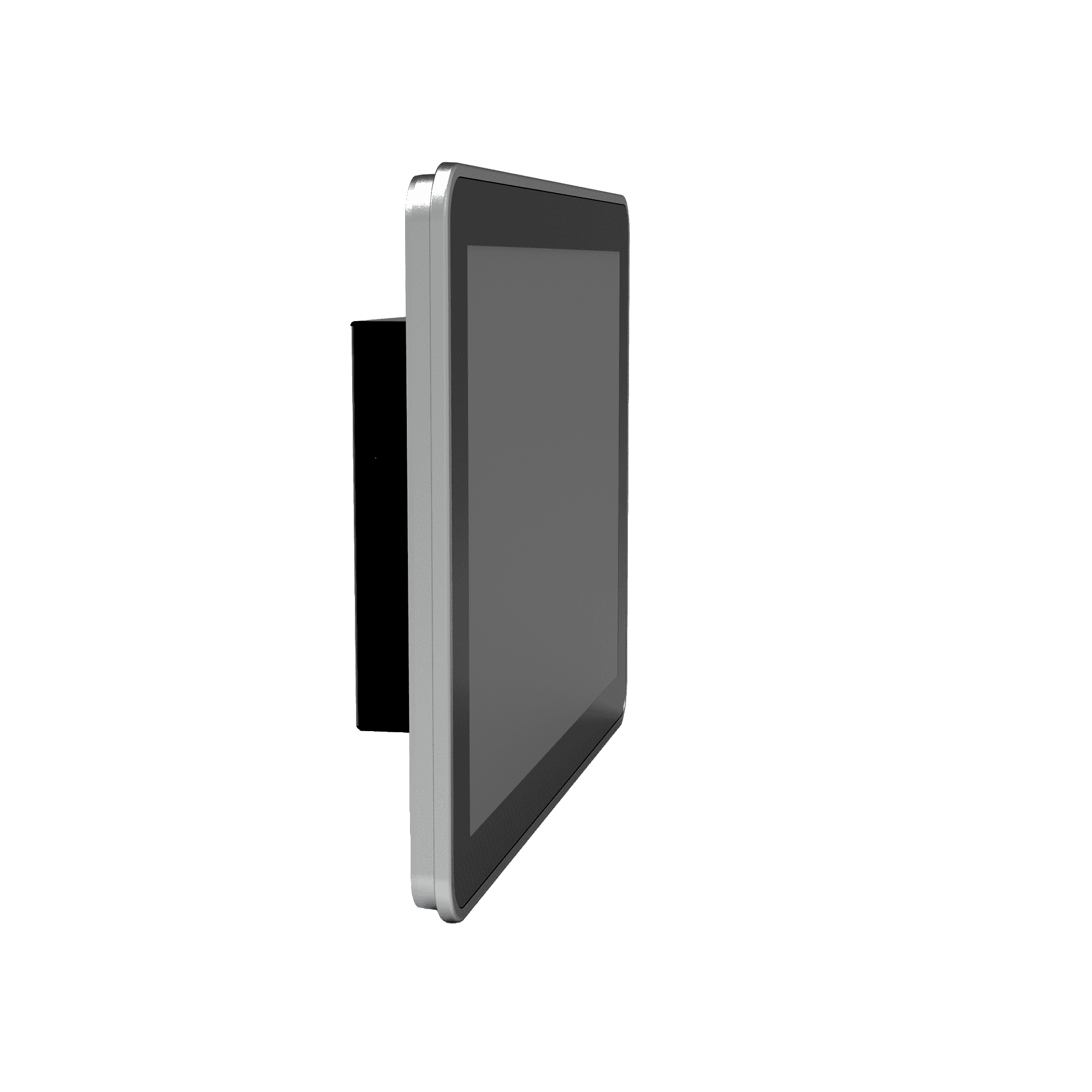
Tableta Android todo en uno de 10,1 pulgadas.






-
Especificaciones básicas
Bluetooth Bluetooth 4.2UPC RK3288 Quad-Core Cortex-A17, 1,6 GHzDimensiones 258 × 172 × 36 mm (10.16 × 6.77 × 1.42 in)Mostrar Pantalla táctil capacitiva de 10,1" (1280 × 800 píxeles), 450 cd/m²Ethernet 1 × 10/100 MbpsProtección frontal IP65Sistema operativo Android 7.1RAM / Almacenamiento 2 GB / 8 GBDe serie 2 × RS-232, 2 × RS-485USB 4 × USB 2.0Wi-Fi 802.11b/g/n, Modo Cliente/APTemperatura de funcionamiento -10 °C ~ 60 °C (14 °F ~ 140 °F)
-
Procesador
UPC RK3288 Quad-Core Cortex-A17, 1,6 GHzDESTELLO 8 GBRAM 2 GB
-
Mostrar
Brillo 450 cd/m² (típico)Contraste 800:1Resolución 1280 × 800Tamaño 10.1"Pantalla táctil Pantalla táctil capacitivaÁngulo de visión Ángulo de visión completo
-
Interfaces
Antena 1 × SMA (4G); 1 × RP-SMA (Wi-Fi)Audio 1 × SPK, salida de altavoz de 2 canales y 8 ohmios con 5 W (conector de 2,0 mm y 4 pines)Botones 1 × Botón de encendido (pulsación larga para reiniciar, pulsación corta para reiniciar la interfaz de usuario); 1 × Tecla de modoDepurar 1 × ADBEthernet 1 × 10/100 Mbps, WAN/LANDe serie 2 × RS-232 (3-pin terminal, 3.5mm pitch, no flange, ttyS1/ttyS3) 2 × RS-485 (5-pin terminal, 3.5mm pitch, with flange, ttyS2/ttyS4)SIM 1 × Tarjeta SIM estándarUSB 4 × USB 2.0
-
Conectividad
Bluetooth Bluetooth 4.2Celular 4G LTEWi-Fi 802.11b/g/n, Modo Cliente/AP
-
Fuerza
Consumo de energía < 10 WEntrada de potencia 12 V CC (interfaz circular), arranque automático al encender.
-
Mecánico
Enfriamiento Sin ventiladorDimensiones (Ancho × Profundidad × Alto) 258 × 172 × 36 mm (10.16 × 6.77 × 1.42 in)Alojamiento MetalInstalación Montaje en paredClasificación de protección IP65 (pantalla frontal)
-
Ambiental
Humedad 5 ~ 95% (no condensante)Temperatura de almacenamiento -40 °C ~ 85 °C (-40 °F ~ 185 °F)Temperatura de funcionamiento -10 °C ~ 60 °C (14 °F ~ 140 °F)
-
Fiabilidad
RTC Reloj en tiempo real (RTC) integrado.Perro guardián Compatible
-
EMC
EFT Nivel 2ESD Nivel 2Aumento Nivel 2
-
Indicadores
LED de encendido Siempre encendido después de encenderloLED de estado Parpadeo durante el funcionamiento normal
-
Proceso de dar un título
Proceso de dar un título CE
-
Sistema operativo
Sistema operativo Android 7.1
-
Red
Bluetooth Bluetooth 4.2Red 4GWi-Fi 802.11b/g/n, Modo Cliente/AP
-
Procesamiento gráfico
Multimedia Decodificación de vídeo 4K de 10 bits H.265/H.264; decodificación multiformato 1080P (VC-1, MPEG-1/2/4, VP8); codificación de vídeo 1080P (H.264, VP8); postprocesador de vídeo: desentrelazado, reducción de ruido, optimización de bordes/detalles/color
-
Aplicaciones
Software de aplicación Compatible con aplicaciones del sistema operativo Android.
-
Gestión de la configuración
Mejora Actualización USB local
Paquete estándar*
- Tableta InPAD3101 Edge *1
- Accesorios opcionales
- Antena 4G *1
- Antena Wi-Fi *1
- Fuente de alimentación *1
* El contenido del paquete estándar varía según los códigos de pedido estándar.
Contáctanos Para obtener más información sobre nuestras opciones de embalaje, contáctenos directamente.
Presupuesto
-
Especificaciones básicas
Bluetooth Bluetooth 4.2UPC RK3288 Quad-Core Cortex-A17, 1,6 GHzDimensiones 258 × 172 × 36 mm (10.16 × 6.77 × 1.42 in)Mostrar Pantalla táctil capacitiva de 10,1" (1280 × 800 píxeles), 450 cd/m²Ethernet 1 × 10/100 MbpsProtección frontal IP65Sistema operativo Android 7.1RAM / Almacenamiento 2 GB / 8 GBDe serie 2 × RS-232, 2 × RS-485USB 4 × USB 2.0Wi-Fi 802.11b/g/n, Modo Cliente/APTemperatura de funcionamiento -10 °C ~ 60 °C (14 °F ~ 140 °F)
-
Procesador
UPC RK3288 Quad-Core Cortex-A17, 1,6 GHzDESTELLO 8 GBRAM 2 GB
-
Mostrar
Brillo 450 cd/m² (típico)Contraste 800:1Resolución 1280 × 800Tamaño 10.1"Pantalla táctil Pantalla táctil capacitivaÁngulo de visión Ángulo de visión completo
-
Interfaces
Antena 1 × SMA (4G); 1 × RP-SMA (Wi-Fi)Audio 1 × SPK, salida de altavoz de 2 canales y 8 ohmios con 5 W (conector de 2,0 mm y 4 pines)Botones 1 × Botón de encendido (pulsación larga para reiniciar, pulsación corta para reiniciar la interfaz de usuario); 1 × Tecla de modoDepurar 1 × ADBEthernet 1 × 10/100 Mbps, WAN/LANDe serie 2 × RS-232 (3-pin terminal, 3.5mm pitch, no flange, ttyS1/ttyS3) 2 × RS-485 (5-pin terminal, 3.5mm pitch, with flange, ttyS2/ttyS4)SIM 1 × Tarjeta SIM estándarUSB 4 × USB 2.0
-
Conectividad
Bluetooth Bluetooth 4.2Celular 4G LTEWi-Fi 802.11b/g/n, Modo Cliente/AP
-
Fuerza
Consumo de energía < 10 WEntrada de potencia 12 V CC (interfaz circular), arranque automático al encender.
-
Mecánico
Enfriamiento Sin ventiladorDimensiones (Ancho × Profundidad × Alto) 258 × 172 × 36 mm (10.16 × 6.77 × 1.42 in)Alojamiento MetalInstalación Montaje en paredClasificación de protección IP65 (pantalla frontal)
-
Ambiental
Humedad 5 ~ 95% (no condensante)Temperatura de almacenamiento -40 °C ~ 85 °C (-40 °F ~ 185 °F)Temperatura de funcionamiento -10 °C ~ 60 °C (14 °F ~ 140 °F)
-
Fiabilidad
RTC Reloj en tiempo real (RTC) integrado.Perro guardián Compatible
-
EMC
EFT Nivel 2ESD Nivel 2Aumento Nivel 2
-
Indicadores
LED de encendido Siempre encendido después de encenderloLED de estado Parpadeo durante el funcionamiento normal
-
Proceso de dar un título
Proceso de dar un título CE
-
Sistema operativo
Sistema operativo Android 7.1
-
Red
Bluetooth Bluetooth 4.2Red 4GWi-Fi 802.11b/g/n, Modo Cliente/AP
-
Procesamiento gráfico
Multimedia Decodificación de vídeo 4K de 10 bits H.265/H.264; decodificación multiformato 1080P (VC-1, MPEG-1/2/4, VP8); codificación de vídeo 1080P (H.264, VP8); postprocesador de vídeo: desentrelazado, reducción de ruido, optimización de bordes/detalles/color
-
Aplicaciones
Software de aplicación Compatible con aplicaciones del sistema operativo Android.
-
Gestión de la configuración
Mejora Actualización USB local
Descargas
Pedidos
Paquete estándar*
- Tableta InPAD3101 Edge *1
- Accesorios opcionales
- Antena 4G *1
- Antena Wi-Fi *1
- Fuente de alimentación *1
* El contenido del paquete estándar varía según los códigos de pedido estándar.
Contáctanos Para obtener más información sobre nuestras opciones de embalaje, contáctenos directamente.
Nube de IA para InVending
Plataforma de operaciones comerciales minoristas sin supervisión
La tecnología cambia la vida
Y la venta minorista mediante máquinas expendedoras hace que comprar sea más cómodo.
Nube de IA para InVending
Casos relacionados
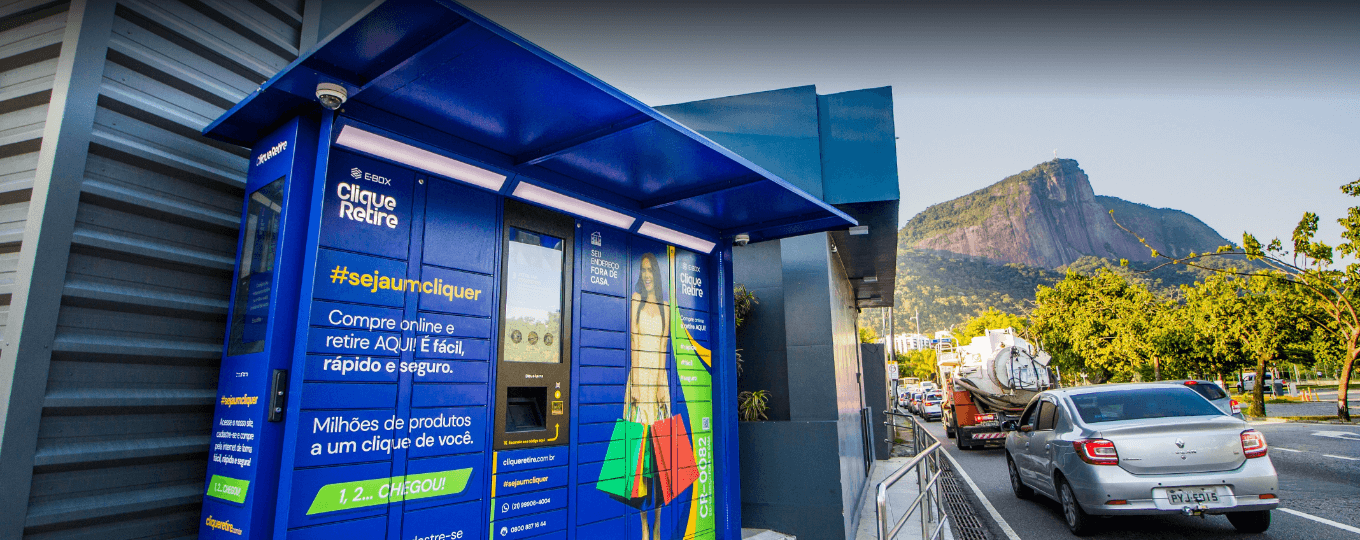
Solución de taquillas inteligentes
Aplicaciones y casos prácticos de soluciones de taquillas inteligentes: Conclusiones clave. Un fabricante de armarios tradicional…
Más información →Preguntas frecuentes
¿Qué ofrece el InPAD3101?
El InPAD3101 es un terminal Android 4G industrial con un Pantalla táctil capacitiva de 10,1 pulgadas con resolución de 1280 × 800.Diseñado para quioscos de autoservicio, configuraciones de punto de venta/pantalla para clientes de doble propósito y aplicaciones HMI de mayor tamaño. Especificaciones clave:
| — | — |
| Mostrar | 10,1 pulgadas, 1280 × 800, táctil capacitivo, 450 cd/m² típico, 800:1, IP65 pantalla frontal |
| Calcular | Procesador RK3288 de cuatro núcleos Cortex-A17 a 1,6 GHz, 2 GB de RAM, 8 GB de memoria flash. |
| Sistema operativo | Android 7.1 |
| Celular | 4G LTE; FQ58 (EMEA / Corea del Sur / Tailandia / India), FQ39 (América del Norte), o EN00 (sin cobertura celular) |
| Wi-Fi / Bluetooth | 802.11 b/g/n (modos cliente y AP), Bluetooth 4.2 |
| Red cableada | 1 puerto Ethernet de 10/100 Mbps (conmutable entre WAN y LAN) |
| E/S industriales | 2× RS-232 (terminal de 3 pines) + 2× RS-485 (terminal de 5 pines con brida), 4× USB 2.0 |
| Fuerza | CC 12 V (conector circular 5521), < 10 W, sin ventilador |
| Carcasa/montaje | Metal, 258 × 172 × 36 mm, montaje en pared o VESA 75×75 |
| Ambiente | Temperatura de funcionamiento de -10 a +60 °C, RTC, temporizador de vigilancia de hardware, certificado CE. |
Según la ficha técnica, las aplicaciones típicas incluyen: máquinas expendedoras de autoservicio, supermercados sin personal, terminales de autopago, armarios exprés inteligentes, armarios de carga inteligentes, contenedores de reciclaje de basura y equipos médicos.
¿Cómo configuro la conexión de red en el InPAD3101?
El puerto Ethernet es Deshabilitado por defectoHabilítelo en Configuración > Ethernet > Usar EthernetEl puerto funciona como WAN por defecto (DHCP, con opción de IP estática); cambiar a modo LAN para usarlo para dispositivos descendentes (IP LAN predeterminada) 192.168.1.100 ).
Para Wi-Fi, primero conecte la antena Wi-Fi RP-SMA y luego Ajustes > Wi-FiSeleccione un SSID e ingrese la contraseña.
Para la conexión celular, instale la tarjeta SIM en la ranura SIM estándar y configure el APN en Configuración > Más > Redes celulares > Nombres de puntos de acceso. detección ICMP está habilitado por defecto: el dispositivo supervisa el enlace y vuelve a marcar automáticamente en caso de fallo; el servidor de destino y el intervalo son configurables desde Configuración > Más > Detección ICMP.
¿Cómo puedo actualizar el firmware o instalar aplicaciones en el InPAD3101?
Actualización del firmware: dos métodos:
- Unidad USB: cambiar el nombre del archivo de actualización a
actualización.zipy cópielo a una unidad USB. Inserte la unidad y luego vaya a Ajustes > Acerca de la tableta > Actualizaciones del sistema UdiskEl sistema se actualiza y se reinicia automáticamente. - Transmisión ADB (estilo FOTA): Copiar
actualización.zipal dispositivo/tarjeta sddirectorio, habilitar depuración USB En Opciones de desarrollador, ejecute:
adb shell am broadcast -a com.ubox.upgraderom --include-stopped-packages
“
Instalar un APK: Copia el archivo APK a una unidad USB, insértala en el dispositivo, abre el explorador de archivos y toca el APK para instalarlo. En la primera instalación, habilita Fuentes desconocidas bajo Configuración > Seguridad.
Para habilitar las opciones de desarrollador, toque Ajustes > Acerca de la tableta > Número de compilación cinco veces hasta que veas "Ahora eres desarrollador".
¿Cómo se compara el InPAD3101 con el InPAD070S?
| InPAD070S | InPAD3101 | |
| — | — | — |
| Mostrar | 7 pulgadas, 1024 × 600 | 10,1 pulgadas, 1280 × 800 |
| Sistema operativo Android | Android 7.1 o Android 12 | Android 7.1 |
| Dimensiones | 195 × 128,8 × 36 mm | 258 × 172 × 36 mm |
| Todo el demás hardware | Idéntico | Idéntico |
Ambos modelos comparten la CPU RK3288, 2 GB de RAM / 8 GB de memoria flash, 2 puertos RS-232 + 2 puertos RS-485, 4 puertos USB 2.0, 1 puerto Ethernet 10/100, 4G + Wi-Fi + Bluetooth 4.2, pantalla frontal IP65, carcasa metálica, alimentación de 12 V CC y certificación CE.
Elige el InPAD3101 cuando el despliegue lo necesite pantalla más grande de 10,1 pulgadas — terminales de pago, armarios inteligentes de mayor tamaño, pantallas de atención al cliente en comercios minoristas o centros sanitarios, o cualquier interfaz hombre-máquina (HMI) donde el espacio adicional en la pantalla mejore la usabilidad en comparación con un panel de 7 pulgadas.
—