


ODU2002
Routeur 5G extérieur
Optimisez la puissance du signal avec l'ODU2002. Conçu pour résister aux conditions climatiques IP67, ce routeur d'extérieur utilise des antennes à gain élevé pour capter une réception 5G supérieure, offrant une connectivité stable aux réseaux intérieurs dans tous les climats.
ODU2002
Routeur 5G extérieur
Optimisez la puissance du signal avec l'ODU2002. Conçu pour résister aux conditions climatiques IP67, ce routeur d'extérieur utilise des antennes à gain élevé pour capter une réception 5G supérieure, offrant une connectivité stable aux réseaux intérieurs dans tous les climats.
PHOTO
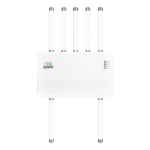
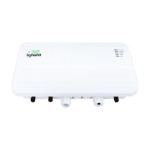
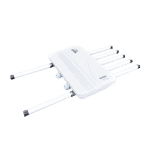
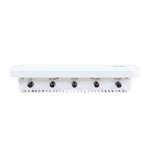
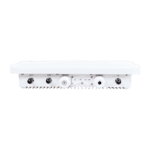
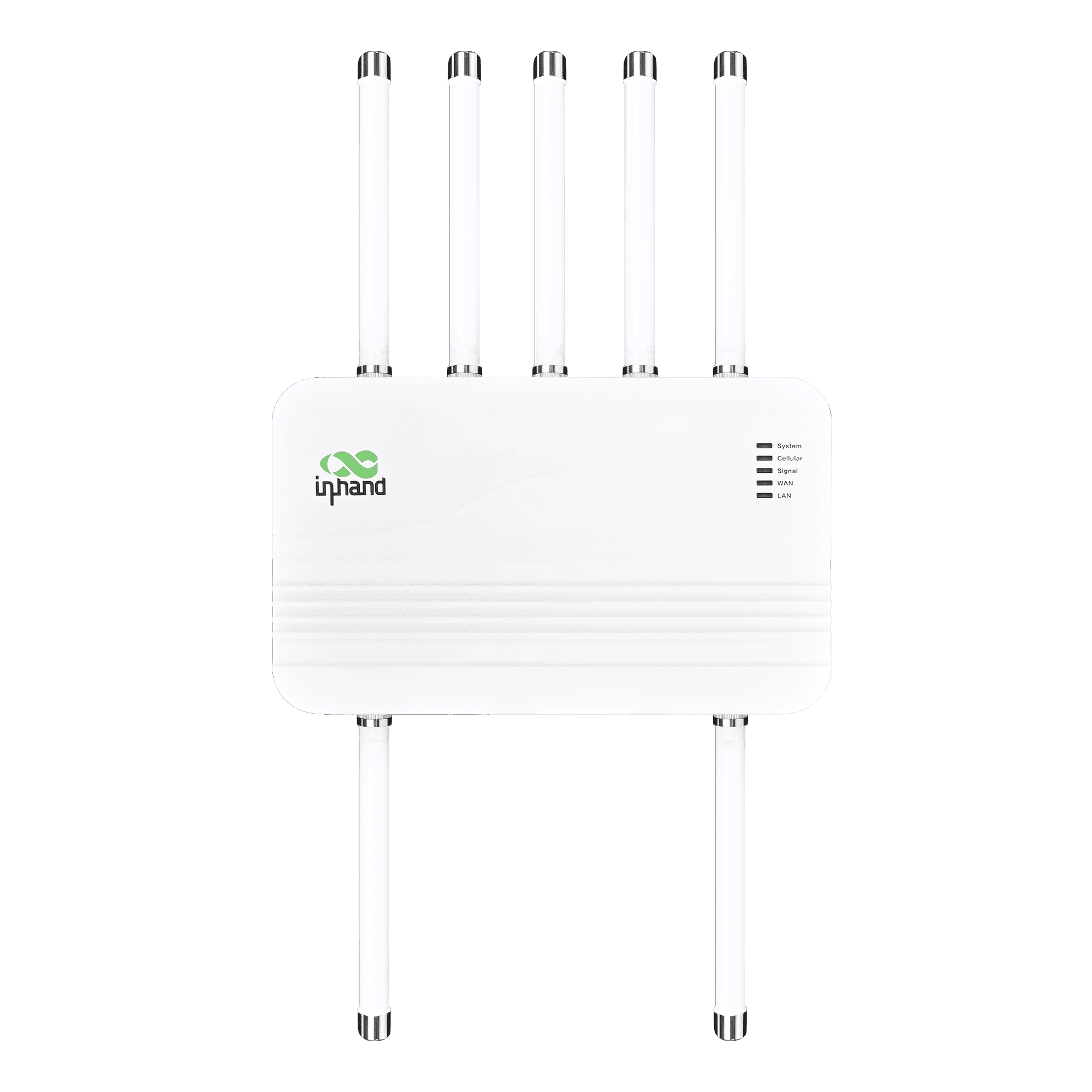
Routeur 5G extérieur pour une connectivité haut débit

5G à haute disponibilité
Offre une connectivité 5G haut débit avec des débits descendants allant jusqu'à 4,76 Gbit/s et des débits montants allant jusqu'à 1,25 Gbit/s, garantissant un accès à faible latence pour les opérations critiques, où que vous soyez.

Robuste et résistant aux intempéries (IP67)
Conçu avec un indice de protection IP67 pour résister à la poussière, à la pluie et aux températures extrêmes, assurant ainsi sa stabilité dans les climats extérieurs difficiles.

6 antennes à gain élevé
Optimise la réception du signal grâce à de puissantes antennes à large bande, étendant la couverture et augmentant la vitesse même dans les zones reculées à faible signal.

PoE pour un déploiement flexible
Prend en charge l'alimentation par Ethernet (PoE), permettant la transmission de données et d'énergie via un seul câble pour des installations extérieures simplifiées.

Gestion à distance dans le cloud
Centralisez le contrôle avec InCloud Manager. Configurez, surveillez et mettez à niveau les appareils à distance pour optimiser l'efficacité informatique et réduire les interventions sur site.

Positionnement GPS précis
Le système GNSS intégré permet un suivi de localisation en temps réel pour une gestion efficace des actifs et un déploiement visualisé sur des cartes en nuage.
-
Spécifications techniques de base
Antennes TNC : 6 × Sub-6 + 1 × GNSS + 1 × Wi-FiCellulaire 5G SA/NSA + LTE Cat19; up to 4.76 Gbps DL / 1.25 Gbps UL (5G); dual-SIM / optional eSIMGestion du cloud Gestionnaire InCloudEnvironnement -30 °C ~ +70 °C (-22 °F ~ +158 °F) op.; IEC 60068 salt mist / shock / vibration / dropEthernet / PoE / USB 2 ports Ethernet 2,5 GbE (WAN/LAN) ; PoE 802.3af/at ; USB-C 2.0GNSS GPS, GLONASS, Beidou, Galileo, QZSSRéseau et sécurité IPv4/IPv6 ; VLAN, DHCP, DDNS ; PPPoE ; double SIM ; sauvegarde de la liaison ; NAT ; pare-feu, ACLPuissance / Mécanique PoE 802.3at; ≤15 W; 360 × 220 × 72 mm (14.17 × 8.66 × 2.83 in); 2.87 kg (6.33 lb); metal; fanless; wall/pole; IP67SIM 2 × Nano-SIM (hot-swap); eSIM optionalDébit / Utilisateurs Jusqu'à 2 Gbit/s ; jusqu'à 200 utilisateursVPN IPsec, L2TPWi-Fi Point d'accès Wi-Fi 802.11 b/g/n, 2,4 GHz, 150 Mbit/s
-
Indicateurs de performance
Utilisateurs recommandés 200débit Jusqu'à 2 Gbit/s
-
Interfaces
Antenne Type TNC ; 6 × Sub-6, 1 × GNSS, 1 × Wi-FiEthernet 2 ports RJ45 2,5 GbE, commutable WAN/LAN, double réseau localGNSS GPS / GLONASS / Beidou / Galileo / QZSSSol 1 × GNDDIRIGÉ Système, cellulaire, signal, WAN, LANPOE PoE sur port LAN (802.3af/at)Réinitialiser Bouton de réinitialisationSIM 2 × Nano 4FF, branchement à chaudUSB 1 × Type-C 2.0
-
Cellulaire
Fréquence de l'antenne 5G 600–5000 MHzGain d'antenne 5G 6,46 dBiDébit de données 5G : 4,76 Gbit/s en téléchargement / 1,25 Gbit/s en envoi ; 4G : 1,6 Gbit/s en téléchargement / 200 Mbit/s en envoi
-
Pouvoir
Saisir Alimentation par Ethernet (PoE) 802.3atConsommation d'énergie ≤ 15 W
-
Mécanique
Dimensions 360 × 220 × 72 mm (14.17 × 8.66 × 2.83 in)Logement Métal, sans ventilateurInstallation fixation murale, fixation sur poteauPoids 2.87 kg (6.33 lb)
-
Environnement
Humidité 5–95 % HR (sans condensation)Température de fonctionnement -30 °C ~ +70 °C (-22 °F ~ +158 °F)Protection IP67Brume salée CEI 60068-2-52Température de stockage -40 °C ~ +85 °C (-40 °F ~ +185 °F)
-
CEM
Conduite EN 61000-4-6 Niveau 3EFT/Burst EN 61000-4-4 Niveau 3ESD EN 61000-4-2 Niveau 3RE/CE Classe A, marge de 3 dBRFI EN 61000-4-3 Niveau 3Surtension EN 61000-4-5 Niveau 3
-
Physique
Chute libre CEI 60068-2-32Choc CEI 60068-2-27Vibration CEI 60068-2-6
-
Certification
Certification FCC, IC, PTCRB, Verizon, T-Mobile, CEGarantie 3 ans
-
Gestion du cloud
Caractéristiques Gestion centralisée, tableau de bord, mise à niveau par lots, gestion des liaisons montantesPlate-forme Gestionnaire InCloud
-
Fonctionnalités réseau
Accéder 5G/4G, EthernetApplications VLAN, serveur/client DHCP, DNS, DDNS, adresse fixe, transfert IPNumérotation PPPoE, cellular auto redial, dual-SIM switching, APN configurationInterface Mode duplex, négociation de liaisonProtocole IP IPv4 / IPv6Lien de sauvegarde Équilibrage de charge paquet par paquetSurveillance des liens Détection en temps réel des délais, de la gigue et des pertes de paquetsPriorité des liens Ajustement de la priorité des liens
-
Sécurité
Pare-feu Contrôle d'accès, mappage de ports, redirection de ports, filtrage MACVPN VPN IPsec, VPN L2TP
-
Surveillance
Signal cellulaire RSSI, RSRP, RSRQ, SINRTableau de bord Informations sur le périphérique, état de l'interface, statistiques de traficbûches Journaux système, journaux de diagnostic, événements liés aux périphériques, alertes par e-mail
-
Wi-Fi
Mode Mode point d'accès 2,4 GHz
-
Politique
Politique Routage basé sur des règles, mise en forme du trafic
-
Auto-guérison
Chien de garde surveillance des logiciels et du matériel
Forfait standard*
- Routeur extérieur ODU02 *1
- Antenne 5G *2
- Antenne MIMO 5G *4
- Antenne Wi-Fi *1
- Antenne GNSS *1
- Câble Ethernet *1
- Adaptateur PoE, cordon d'alimentation*1
- Support de montage *1
- Plaque de montage *1
- Tuyau en acier inoxydable Camp *2
* Le contenu des colis standard varie selon les codes de commande standard.
Contactez-nous directement pour en savoir plus sur nos options d'emballage.
Caractéristiques
-
Spécifications techniques de base
Antennes TNC : 6 × Sub-6 + 1 × GNSS + 1 × Wi-FiCellulaire 5G SA/NSA + LTE Cat19; up to 4.76 Gbps DL / 1.25 Gbps UL (5G); dual-SIM / optional eSIMGestion du cloud Gestionnaire InCloudEnvironnement -30 °C ~ +70 °C (-22 °F ~ +158 °F) op.; IEC 60068 salt mist / shock / vibration / dropEthernet / PoE / USB 2 ports Ethernet 2,5 GbE (WAN/LAN) ; PoE 802.3af/at ; USB-C 2.0GNSS GPS, GLONASS, Beidou, Galileo, QZSSRéseau et sécurité IPv4/IPv6 ; VLAN, DHCP, DDNS ; PPPoE ; double SIM ; sauvegarde de la liaison ; NAT ; pare-feu, ACLPuissance / Mécanique PoE 802.3at; ≤15 W; 360 × 220 × 72 mm (14.17 × 8.66 × 2.83 in); 2.87 kg (6.33 lb); metal; fanless; wall/pole; IP67SIM 2 × Nano-SIM (hot-swap); eSIM optionalDébit / Utilisateurs Jusqu'à 2 Gbit/s ; jusqu'à 200 utilisateursVPN IPsec, L2TPWi-Fi Point d'accès Wi-Fi 802.11 b/g/n, 2,4 GHz, 150 Mbit/s
-
Indicateurs de performance
Utilisateurs recommandés 200débit Jusqu'à 2 Gbit/s
-
Interfaces
Antenne Type TNC ; 6 × Sub-6, 1 × GNSS, 1 × Wi-FiEthernet 2 ports RJ45 2,5 GbE, commutable WAN/LAN, double réseau localGNSS GPS / GLONASS / Beidou / Galileo / QZSSSol 1 × GNDDIRIGÉ Système, cellulaire, signal, WAN, LANPOE PoE sur port LAN (802.3af/at)Réinitialiser Bouton de réinitialisationSIM 2 × Nano 4FF, branchement à chaudUSB 1 × Type-C 2.0
-
Cellulaire
Fréquence de l'antenne 5G 600–5000 MHzGain d'antenne 5G 6,46 dBiDébit de données 5G : 4,76 Gbit/s en téléchargement / 1,25 Gbit/s en envoi ; 4G : 1,6 Gbit/s en téléchargement / 200 Mbit/s en envoi
-
Pouvoir
Saisir Alimentation par Ethernet (PoE) 802.3atConsommation d'énergie ≤ 15 W
-
Mécanique
Dimensions 360 × 220 × 72 mm (14.17 × 8.66 × 2.83 in)Logement Métal, sans ventilateurInstallation fixation murale, fixation sur poteauPoids 2.87 kg (6.33 lb)
-
Environnement
Humidité 5–95 % HR (sans condensation)Température de fonctionnement -30 °C ~ +70 °C (-22 °F ~ +158 °F)Protection IP67Brume salée CEI 60068-2-52Température de stockage -40 °C ~ +85 °C (-40 °F ~ +185 °F)
-
CEM
Conduite EN 61000-4-6 Niveau 3EFT/Burst EN 61000-4-4 Niveau 3ESD EN 61000-4-2 Niveau 3RE/CE Classe A, marge de 3 dBRFI EN 61000-4-3 Niveau 3Surtension EN 61000-4-5 Niveau 3
-
Physique
Chute libre CEI 60068-2-32Choc CEI 60068-2-27Vibration CEI 60068-2-6
-
Certification
Certification FCC, IC, PTCRB, Verizon, T-Mobile, CEGarantie 3 ans
-
Gestion du cloud
Caractéristiques Gestion centralisée, tableau de bord, mise à niveau par lots, gestion des liaisons montantesPlate-forme Gestionnaire InCloud
-
Fonctionnalités réseau
Accéder 5G/4G, EthernetApplications VLAN, serveur/client DHCP, DNS, DDNS, adresse fixe, transfert IPNumérotation PPPoE, cellular auto redial, dual-SIM switching, APN configurationInterface Mode duplex, négociation de liaisonProtocole IP IPv4 / IPv6Lien de sauvegarde Équilibrage de charge paquet par paquetSurveillance des liens Détection en temps réel des délais, de la gigue et des pertes de paquetsPriorité des liens Ajustement de la priorité des liens
-
Sécurité
Pare-feu Contrôle d'accès, mappage de ports, redirection de ports, filtrage MACVPN VPN IPsec, VPN L2TP
-
Surveillance
Signal cellulaire RSSI, RSRP, RSRQ, SINRTableau de bord Informations sur le périphérique, état de l'interface, statistiques de traficbûches Journaux système, journaux de diagnostic, événements liés aux périphériques, alertes par e-mail
-
Wi-Fi
Mode Mode point d'accès 2,4 GHz
-
Politique
Politique Routage basé sur des règles, mise en forme du trafic
-
Auto-guérison
Chien de garde surveillance des logiciels et du matériel
Téléchargements
Commander
Forfait standard*
- Routeur extérieur ODU02 *1
- Antenne 5G *2
- Antenne MIMO 5G *4
- Antenne Wi-Fi *1
- Antenne GNSS *1
- Câble Ethernet *1
- Adaptateur PoE, cordon d'alimentation*1
- Support de montage *1
- Plaque de montage *1
- Tuyau en acier inoxydable Camp *2
* Le contenu des colis standard varie selon les codes de commande standard.
Contactez-nous directement pour en savoir plus sur nos options d'emballage.
Gestionnaire InCloud
Plateforme de gestion de réseau basée sur le cloud
Plateforme réseau pilotée par l'IA pour les chaînes de magasins et les PME, permettant la surveillance et la gestion centralisées des routeurs, des points d'accès et des commutateurs.
Gestionnaire InCloud
Cas connexes

Réseau 5G ininterrompu pour les succursales d'entreprises
Réseau 5G ininterrompu pour les succursales d'entreprise : applications et cas d'utilisation – Points clés…
En savoir plus →
Réseaux de succursales d'entreprise efficaces
Applications et cas d'utilisation de réseaux de succursales d'entreprise efficaces : points clés à retenir pour la création de réseaux d'entreprise efficaces…
En savoir plus →
Réseaux 5G pour les chaînes de magasins
Réseaux 5G pour les chaînes de magasins : applications et cas d’utilisation – Points clés à retenir…
En savoir plus →Foire aux questions
Quels opérateurs de téléphonie mobile sont certifiés ODU2002 ?
1. Assurez-vous que UniFi est configuré et fonctionne correctement.
2. Allumez votre point d'accès UniFi et assurez-vous qu'il est connecté à votre console UniFi*.
3. Ouvrez votre application mobile UniFi (iOS / Android) ou accédez à votre gestionnaire de site UniFi.
4. Cliquez/appuyez pour adopter lorsque votre appareil apparaît.
Les points d'accès sont mis sous tension lorsqu'ils sont connectés à un commutateur UniFi PoE ou à une alimentation secteur via un adaptateur PoE.
*Une passerelle UniFi Cloud est recommandée pour une configuration optimale.
Comment alimenter l'ODU2002 ?
1. Assurez-vous que UniFi est configuré et fonctionne correctement.
2. Allumez votre point d'accès UniFi et assurez-vous qu'il est connecté à votre console UniFi*.
3. Ouvrez votre application mobile UniFi (iOS / Android) ou accédez à votre gestionnaire de site UniFi.
4. Cliquez/appuyez pour adopter lorsque votre appareil apparaît.
Les points d'accès s'allument lorsqu'ils sont connectés à un commutateur UniFi PoE ou à une alimentation secteur via un adaptateur PoE. *Pour une configuration optimale, l'utilisation d'une passerelle UniFi Cloud est recommandée.
Comment connecter l'ODU2002 au réseau cellulaire et configurer l'APN ?
1. Assurez-vous que UniFi est configuré et fonctionne correctement.
2. Allumez votre point d'accès UniFi et assurez-vous qu'il est connecté à votre console UniFi*.
3. Ouvrez votre application mobile UniFi (iOS / Android) ou accédez à votre gestionnaire de site UniFi.
4. Cliquez/appuyez pour adopter lorsque votre appareil apparaît.
Les points d'accès s'allument lorsqu'ils sont connectés à un commutateur UniFi PoE ou à une alimentation secteur via un adaptateur PoE. *Pour une configuration optimale, l'utilisation d'une passerelle UniFi Cloud est recommandée.
Comment configurer le transfert IP sur l'ODU2002 ?
1. Assurez-vous que UniFi est configuré et fonctionne correctement.
2. Allumez votre point d'accès UniFi et assurez-vous qu'il est connecté à votre console UniFi*.
3. Ouvrez votre application mobile UniFi (iOS / Android) ou accédez à votre gestionnaire de site UniFi.
4. Cliquez/appuyez pour adopter lorsque votre appareil apparaît.
Les points d'accès s'allument lorsqu'ils sont connectés à un commutateur UniFi PoE ou à une alimentation secteur via un adaptateur PoE. *Pour une configuration optimale, l'utilisation d'une passerelle UniFi Cloud est recommandée.