


CR202-Lite
Routeur cellulaire 4G
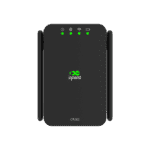
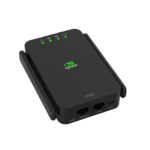
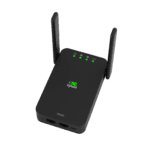
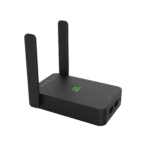
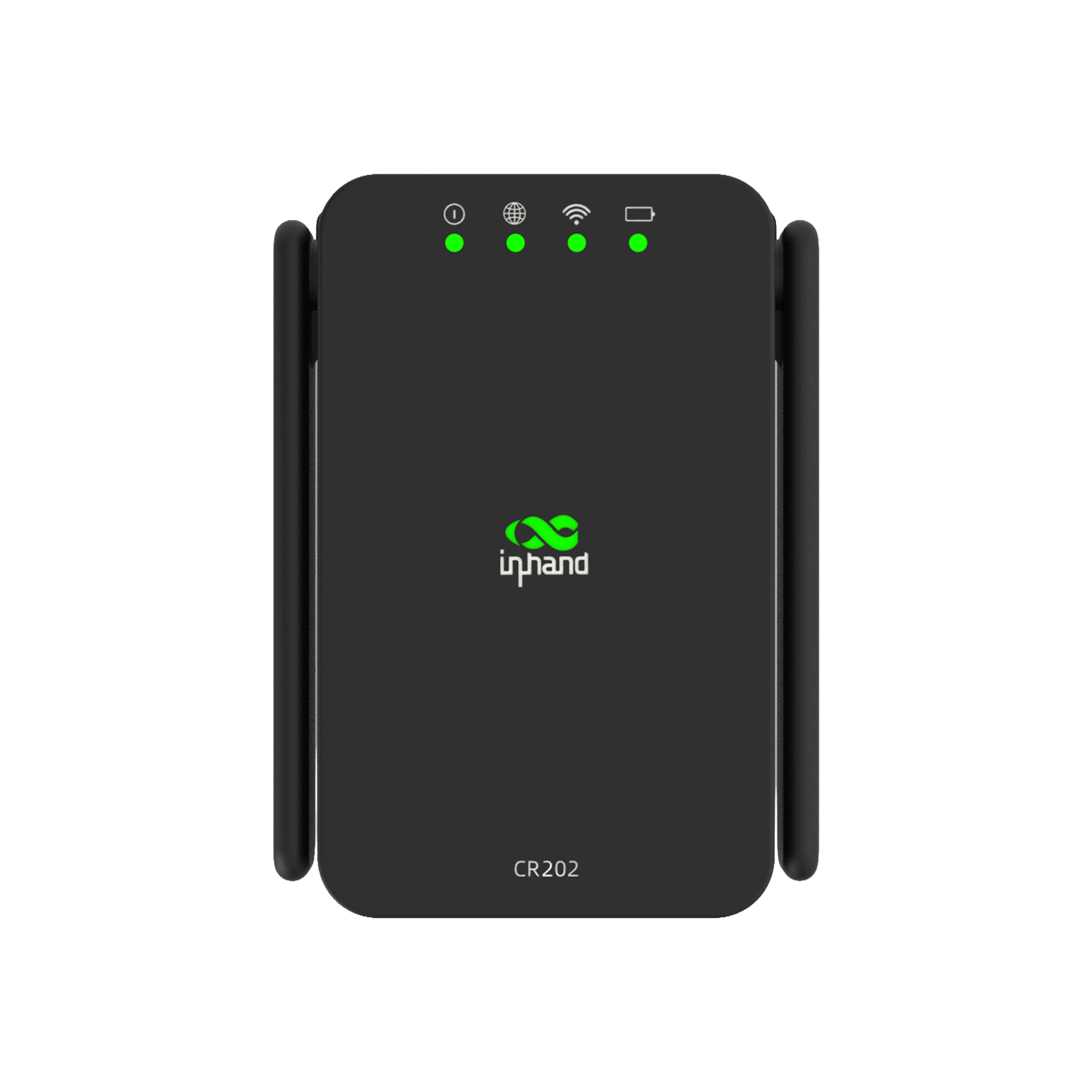
Avec leur boîtier compact et petit et leur batterie haute capacité, les routeurs cellulaires portables de la série CR202 d'InHand Networks offrent une connectivité rapide et fiable aux particuliers et aux entreprises, permettant aux utilisateurs d'accéder au réseau à tout moment et n'importe où.
CR202-Lite
Routeur cellulaire 4G
Avec leur boîtier compact et petit et leur batterie haute capacité, les routeurs cellulaires portables de la série CR202 d'InHand Networks offrent une connectivité rapide et fiable aux particuliers et aux entreprises, permettant aux utilisateurs d'accéder au réseau à tout moment et n'importe où.
Vidéo du guide de démarrage rapide
Routeur cellulaire portable, restez connecté partout et à tout moment.

Exquis et portable
Les routeurs cellulaires portables CR202 présentent un design élégant et compact qui se glisse facilement dans une poche ou un sac, offrant une connectivité à tout moment et n'importe où.

Alimentation polyvalente
Alimentée par une batterie haute capacité, la CR202 offre jusqu'à 8 heures d'autonomie par charge et permet un fonctionnement continu lorsqu'elle est branchée sur le bloc d'alimentation inclus.

connectivité omnipotente
Le CR202 prend en charge l'accès cellulaire, Wi-Fi et filaire, offrant une connectivité réseau fiable pour jusqu'à 32 appareils simultanément.

Une gestion efficace du cloud vous permet de tout garder entre vos mains.
Associé au cloud Device Manager, le CR202 permet une gestion cloud transparente, autorisant une surveillance en temps réel et un contrôle efficace des sites distribués.
Exquis et portable
Les routeurs cellulaires portables CR202 présentent un design élégant et compact qui se glisse facilement dans une poche ou un sac, offrant une connectivité à tout moment et n'importe où.
Alimentation polyvalente
Alimentée par une batterie haute capacité, la CR202 offre jusqu'à 8 heures d'autonomie par charge et permet un fonctionnement continu lorsqu'elle est branchée sur le bloc d'alimentation inclus.
connectivité omnipotente
Le CR202 prend en charge l'accès cellulaire, Wi-Fi et filaire, offrant une connectivité réseau fiable pour jusqu'à 32 appareils simultanément.
Une gestion efficace du cloud vous permet de tout garder entre vos mains.
Associé au cloud Device Manager, le CR202 permet une gestion cloud transparente, autorisant une surveillance en temps réel et un contrôle efficace des sites distribués.
-
Spécifications techniques de base
Cellulaire 4G LTE (Cat.4/Cat.6); up to 300 Mbps DL / 50 Mbps UL (Cat.6)Gestion du cloud Gestionnaire de périphériques InHandRéseau et sécurité NAT, routage statique ; pare-feu SPI, protection contre les attaques DoS, listes de contrôle d'accès (ACL), filtrage d'URLWi-Fi 2,4 GHz 802.11 b/g/n, 300 Mbit/s ; Point d'accès / StationDébit / Utilisateurs 100 Mbit/s ; jusqu'à 32 utilisateursSIM 1 × Nano + eSIM en optionEthernet / Antenne 2 × 10/100 Mbps (WAN/LAN, double LAN) ; 2 × 4G externe + 2 × Wi-Fi interneAlimentation / Batterie USB-C 5 V / 2 A ; batterie optionnelle de 3 000 mAh, jusqu’à 8 h d’autonomieDimensions / Poids 122 × 75 × 26.4 mm (4.80 × 2.95 × 1.04 in); 235 g (0.52 lb)Installation Desktop / wall; -10 °C ~ +50 °C (14 °F ~ +122 °F) op.; -20 °C ~ +60 °C (-4 °F ~ +140 °F) stg.Certification FCC, IC, PTCRB, Verizon, AT&T, FirstNet, T-Mobile, CE, UN38.3
-
Indicateurs de performance
Débit de données 100 MbpsUtilisateurs recommandés 32
-
Interfaces
Cellulaire 4G LTE Cat.4/Cat.6; Cat.6: 300 Mbps DL / 50 Mbps ULEthernet 2 × 10/100 Mbps, commutable WAN/LAN, double réseau localSIM 1 × Nano-SIM, 1 × eSIM optionalRéinitialiser Bouton de réinitialisationMARCHE/ARRÊT Bouton marche/arrêtAntenne 2 antennes cellulaires 4G externes, 2 antennes Wi-Fi internes
-
LED
DIRIGÉ Système, cellulaire, Wi-Fi, batterie
-
Wi-Fi
Fréquence Bande unique 2,4 GHzBande passante maximale 300 MbpsProtocole 802.11 b/g/nMode AP / STA
-
Pouvoir
Saisir TYPE-C, 5 V / 2 ABatterie Batterie 3000 mAh en option, autonomie jusqu'à 8 heures
-
Mécanique
Installation Bureau, fixation muraleDimensions 122 × 75 × 26.4 mm (4.80 × 2.95 × 1.04 in)Poids 235 g (0.52 lb)Logement PlastiqueRefroidissement sans ventilateur
-
Environnement
Température de fonctionnement -10 °C ~ +50 °C (14 °F ~ +122 °F)Température de stockage -20 °C ~ +60 °C (-4 °F ~ +140 °F)Protection IP30
-
Certification
Certification FCC, IC, PTCRB, Verizon, AT&T, FirstNet, T-Mobile, CE, UN38.3Garantie 3 ans (Batterie : 1 an)
-
Fonctionnalités réseau
Accéder Authentification APNAuthentification CHAP/PAPNorme de réseau GSM/EDGE, WCDMA, LTE TDD/FDD LTEProtocole LAN ARPProtocole WAN Adresse IP statique, PPPoE, DHCPDemande de propriété intellectuelle Ping, serveur DHCP, client DHCP, relais DNS, Telnet, transfert IPRoutage Routage statiqueNAT Prend en charge NAT
-
Sécurité
Pare-feu SPI, protection contre les attaques par déni de service (DoS)Contrôle d'accès ACL, filtrage d'URLAutre NAT, DMZ, mappage de ports
-
Fiabilité
Lien de sauvegarde Sauvegarde à chaud, sauvegarde à froid, équilibrage de chargeDual-SIM Failover Supports dual-SIM failover (North American model only)Détection de liens Détection des battements cardiaques, reconnexion automatiqueChien de garde Autodiagnostic, autoréparation en cas de panne
-
Gestion
Configuration Telnet, Web, SSHMise à niveau Mise à niveau Web, mise à niveau du Gestionnaire de périphériquesFonctions SMS Requête d'état, redémarrageService à la demande Activation par appel à la demande, données/SMSGestion du trafic Seuil de trafic de données, statistiques de trafic, alarme de traficAlarme Alarme de redémarrage du système, alarme de port LAN en ligne/hors ligne, alarme de trafic de données, alarme de défaillance de la carte SIMOutils d'entretien Ping, TracerouteRequête d'état État du système, état du modem, état de la connexion réseau, état du routageGestionnaire de périphériques Gestionnaire de périphériques InHand pour la gestion en masse
Forfait standard*
- Routeur cellulaire CR202-Lite *1
- Batterie au lithium 3000 mAh *1
- Alimentation *1
- Câble Ethernet *1
- Guide de l'utilisateur *1
* Le contenu des colis standard varie selon les codes de commande standard.
Contactez-nous directement pour en savoir plus sur nos options d'emballage.
Caractéristiques
-
Spécifications techniques de base
Cellulaire 4G LTE (Cat.4/Cat.6); up to 300 Mbps DL / 50 Mbps UL (Cat.6)Gestion du cloud Gestionnaire de périphériques InHandRéseau et sécurité NAT, routage statique ; pare-feu SPI, protection contre les attaques DoS, listes de contrôle d'accès (ACL), filtrage d'URLWi-Fi 2,4 GHz 802.11 b/g/n, 300 Mbit/s ; Point d'accès / StationDébit / Utilisateurs 100 Mbit/s ; jusqu'à 32 utilisateursSIM 1 × Nano + eSIM en optionEthernet / Antenne 2 × 10/100 Mbps (WAN/LAN, double LAN) ; 2 × 4G externe + 2 × Wi-Fi interneAlimentation / Batterie USB-C 5 V / 2 A ; batterie optionnelle de 3 000 mAh, jusqu’à 8 h d’autonomieDimensions / Poids 122 × 75 × 26.4 mm (4.80 × 2.95 × 1.04 in); 235 g (0.52 lb)Installation Desktop / wall; -10 °C ~ +50 °C (14 °F ~ +122 °F) op.; -20 °C ~ +60 °C (-4 °F ~ +140 °F) stg.Certification FCC, IC, PTCRB, Verizon, AT&T, FirstNet, T-Mobile, CE, UN38.3
-
Indicateurs de performance
Débit de données 100 MbpsUtilisateurs recommandés 32
-
Interfaces
Cellulaire 4G LTE Cat.4/Cat.6; Cat.6: 300 Mbps DL / 50 Mbps ULEthernet 2 × 10/100 Mbps, commutable WAN/LAN, double réseau localSIM 1 × Nano-SIM, 1 × eSIM optionalRéinitialiser Bouton de réinitialisationMARCHE/ARRÊT Bouton marche/arrêtAntenne 2 antennes cellulaires 4G externes, 2 antennes Wi-Fi internes
-
LED
DIRIGÉ Système, cellulaire, Wi-Fi, batterie
-
Wi-Fi
Fréquence Bande unique 2,4 GHzBande passante maximale 300 MbpsProtocole 802.11 b/g/nMode AP / STA
-
Pouvoir
Saisir TYPE-C, 5 V / 2 ABatterie Batterie 3000 mAh en option, autonomie jusqu'à 8 heures
-
Mécanique
Installation Bureau, fixation muraleDimensions 122 × 75 × 26.4 mm (4.80 × 2.95 × 1.04 in)Poids 235 g (0.52 lb)Logement PlastiqueRefroidissement sans ventilateur
-
Environnement
Température de fonctionnement -10 °C ~ +50 °C (14 °F ~ +122 °F)Température de stockage -20 °C ~ +60 °C (-4 °F ~ +140 °F)Protection IP30
-
Certification
Certification FCC, IC, PTCRB, Verizon, AT&T, FirstNet, T-Mobile, CE, UN38.3Garantie 3 ans (Batterie : 1 an)
-
Fonctionnalités réseau
Accéder Authentification APNAuthentification CHAP/PAPNorme de réseau GSM/EDGE, WCDMA, LTE TDD/FDD LTEProtocole LAN ARPProtocole WAN Adresse IP statique, PPPoE, DHCPDemande de propriété intellectuelle Ping, serveur DHCP, client DHCP, relais DNS, Telnet, transfert IPRoutage Routage statiqueNAT Prend en charge NAT
-
Sécurité
Pare-feu SPI, protection contre les attaques par déni de service (DoS)Contrôle d'accès ACL, filtrage d'URLAutre NAT, DMZ, mappage de ports
-
Fiabilité
Lien de sauvegarde Sauvegarde à chaud, sauvegarde à froid, équilibrage de chargeDual-SIM Failover Supports dual-SIM failover (North American model only)Détection de liens Détection des battements cardiaques, reconnexion automatiqueChien de garde Autodiagnostic, autoréparation en cas de panne
-
Gestion
Configuration Telnet, Web, SSHMise à niveau Mise à niveau Web, mise à niveau du Gestionnaire de périphériquesFonctions SMS Requête d'état, redémarrageService à la demande Activation par appel à la demande, données/SMSGestion du trafic Seuil de trafic de données, statistiques de trafic, alarme de traficAlarme Alarme de redémarrage du système, alarme de port LAN en ligne/hors ligne, alarme de trafic de données, alarme de défaillance de la carte SIMOutils d'entretien Ping, TracerouteRequête d'état État du système, état du modem, état de la connexion réseau, état du routageGestionnaire de périphériques Gestionnaire de périphériques InHand pour la gestion en masse
Téléchargements
Commander
Forfait standard*
- Routeur cellulaire CR202-Lite *1
- Batterie au lithium 3000 mAh *1
- Alimentation *1
- Câble Ethernet *1
- Guide de l'utilisateur *1
* Le contenu des colis standard varie selon les codes de commande standard.
Contactez-nous directement pour en savoir plus sur nos options d'emballage.
Gestionnaire de périphériques
Cloud de gestion des appareils
Gestion centralisée des routeurs et passerelles industriels InHand avec surveillance visuelle, configuration et mises à niveau à distance simplifiées.
Gestionnaire de périphériques
Cas connexes

Connectivité sans fil pour les voyages d'affaires
Connectivité sans fil pour les voyages d'affaires : applications et cas d'utilisation – Points clés à retenir…
En savoir plus →
Connectivité sans fil pour les détaillants mobiles
Connectivité sans fil pour les détaillants mobiles : applications et cas d’utilisation – Points clés avec double…
En savoir plus →
Diffusion en direct en extérieur
Applications et cas d'utilisation de la diffusion en direct en extérieur : principaux enseignements tirés de la carte LTE portable CR202-Lite…
En savoir plus →Foire aux questions
Quelles sont les certifications dont bénéficie la CR202-Lite ?
CR202-NAC6-WLAN-B/NA-Lite (LTE Cat 6, Amérique du Nord) est certifié avec Verizon, AT&T, T-Mobile et FirstNet (LTE/4G), ainsi que la FCC, IC et PTCRB. CR202-EUC4-WLAN-B/NA-Lite (LTE Cat 4, Europe/APAC) est certifié CE. B/NA Le suffixe indique la présence d'une batterie (3 000 mAh, autonomie d'environ 8 heures) ou l'absence de batterie. Seuls les modèles nord-américains incluent une eSIM intégrée ; les modèles européens et Asie-Pacifique utilisent uniquement une nano-SIM externe.
Comment puis-je vérifier que le CR202-Lite dispose d'une connexion cellulaire ?
Vérifiez le LED réseau (Icône Globe). La LED du globe doit être allumée. constant Pour indiquer que le réseau cellulaire est en ligne : vert pour un signal fort, jaune pour un signal moyen, rouge pour un signal faible. Un voyant vert clignotant indique une tentative de connexion ; un voyant jaune ou rouge clignotant indique une erreur de numérotation ou un problème de carte SIM/modem. Éteint, le réseau cellulaire est désactivé.
Comment accéder à l'interface web du CR202-Lite ?
Mettez l'appareil sous tension. Connectez votre ordinateur portable à un port LAN via Ethernet ou connectez-vous au réseau Wi-Fi par défaut (SSID) indiqué sur l'étiquette de l'appareil. Ouvrez un navigateur et accédez à : http://192.168.2.1 Connectez-vous avec les identifiants imprimés sur la plaque signalétique. Si la page ne se charge pas, configurez votre carte réseau en DHCP ou attribuez-lui une adresse IP statique de type 192.168.2.x.
Comment configurer le basculement double SIM sur le modèle CR202-Lite NA ?
Le modèle CR202-Lite NA prend en charge une nano-SIM physique et une eSIM Verizon intégrée. Connectez-vous et accédez à Réseau > Cellulaire:
- Réglez le Carte SIM principale (Nano ou eSIM) — c'est la carte SIM principale qui se connecte au démarrage.
- Cocher Afficher les options avancées, alors Activation de la double SIM.
- Sélectionnez le profil de l'opérateur dans Fournisseur de réseau Nano SIM et Fournisseur de réseau eSIM (ou modifier l'APN via Gérer).
- Pour un basculement fiable, configurez Mode de détection ICMP à Ignorez la circulation, saisissez une cible atteignable dans Serveur de détection ICMP (par exemple,
8.8.8.8), et ajuster Intervalle de détection ICMP et Temps mort au besoin. L'appareil envoie des requêtes ping à la cible sur la carte SIM active ; si les requêtes ping échouent, il bascule sur la carte SIM de secours. - Cliquez Appliquer.
Sans détection ICMP, le basculement ne se déclenche qu'en cas de déconnexion brutale au niveau du modem, ce qui peut passer à côté des modes de défaillance « enregistré mais sans connexion Internet ».
—