


IR624
Routeur industriel
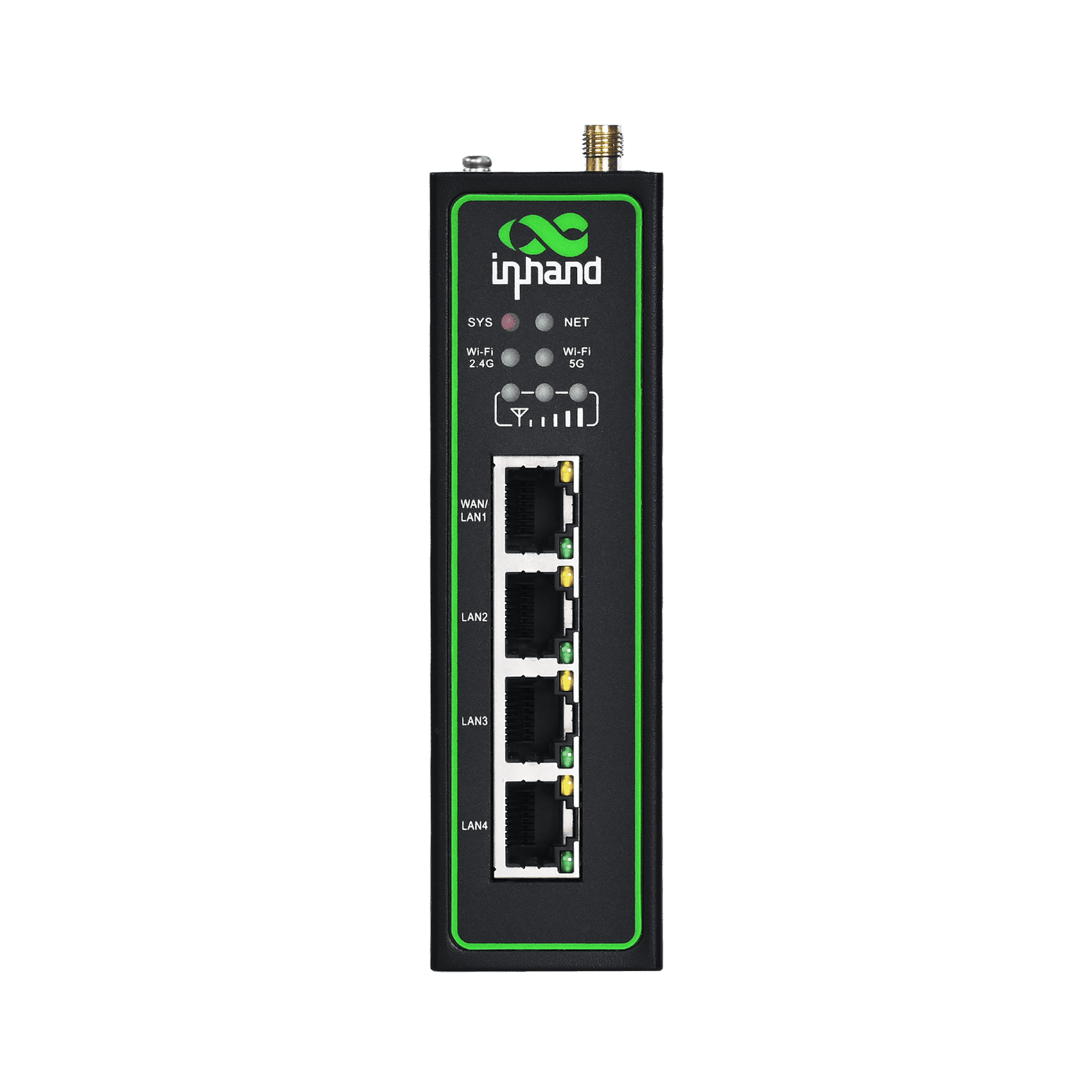
L'IR624 est un routeur industriel haute performance et polyvalent doté de la 5G, du Wi-Fi 5, de l'Ethernet Gigabit et de nombreuses interfaces industrielles, offrant une connectivité fiable et sécurisée avec une gestion cloud pour les sites industriels sans surveillance et une mise en réseau IoT efficace.
IR624
Routeur industriel
L'IR624 est un routeur industriel haute performance et polyvalent doté de la 5G, du Wi-Fi 5, de l'Ethernet Gigabit et de nombreuses interfaces industrielles, offrant une connectivité fiable et sécurisée avec une gestion cloud pour les sites industriels sans surveillance et une mise en réseau IoT efficace.
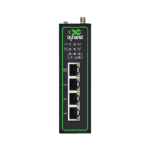
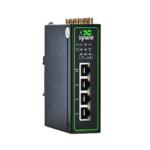
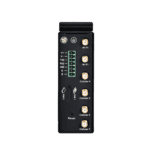
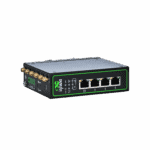
Vidéo du guide de démarrage rapide
Routeur industriel 5G Gigabit complet et robuste

Connectivité 5G à haut débit
L'IR624 offre un accès cellulaire 5G jusqu'à 3,4 Gbit/s, assurant une connectivité à large bande passante et à faible latence pour une expérience réseau plus rapide et plus efficace.

Wi-Fi 5 double bande pour une connexion sans fil plus rapide et plus fluide
L'IR624 offre une connectivité Wi-Fi double bande haut débit pour une connexion sans fil rapide et fiable.

Communications hautement fiables et ininterrompues
L'IR624 assure une connectivité réseau ininterrompue et fiable grâce à une sauvegarde cellulaire, filaire et Wi-Fi, une double carte SIM et une surveillance multicouche.

Stratégies de sécurité globales
L'IR624 offre une sécurité réseau complète avec pare-feu, contrôle d'accès, VPN, chiffrement des données et protection Wi-Fi améliorée pour une connectivité fiable.

Conception stable et fiable de qualité industrielle
L'IR624 présente une conception de qualité industrielle avec une large plage de températures et de tensions prises en charge et une forte résistance aux CEM pour un fonctionnement stable dans des environnements difficiles.

Gestion simplifiée du cloud
L'IR624 se connecte au cloud InHand DeviceLive pour gérer des milliers d'appareils distribués en temps réel, permettant des opérations économiques et efficaces.
-
Spécifications techniques de base
Réseau cellulaire 5G NR SA/NSA or LTE fallback (model-dependent), with dual-SIM supportGestion du cloud Plateforme DeviceLive pour la gestion par lots et l'exploitation et la maintenance à distanceProcesseur / Mémoire / Flash Processeur 880 MHz, 256 Mo de RAM, 128 Mo de mémoire flashDTU et interopérabilité des données Mode transparent TCP/UDP, pont Modbus RTU vers TCPInterfaces Ethernet 4 ports Ethernet 10/100/1000 Mbps, WAN/LAN/VLAN, protection d'isolation 1,5 kVTempérature de fonctionnement Normal: -35 °C ~ +70 °C (-31 °F ~ +158 °F) Extended:-40 °C ~ +75 °C (-40 °F ~ +167 °F)Alimentation électrique Alimentation CC 9~48 V, avec protection contre les surintensités et l'inversion de polaritéIndice de protection IP30Fiabilité Interface backup, dual-SIM failover, heartbeat link detection, embedded watchdogPile de sécurité Firewall, policy-based routing, 802.1X access control, IPsec VPN, L2TP VPN, OpenVPN, WireGuard VPNInterfaces série 1×RS-232 + 1×RS-485Wi-Fi (en option) Double bande 2,4 GHz/5 GHz, IEEE 802.11 ac/a/b/g/n Wave2 MU-MIMO, jusqu'à 300/867 Mbit/s
-
Processeur et stockage
processeur 880 MHzÉclair 128 MoBÉLIER 256 Mo
-
Connectivité et interfaces
Connecteurs d'antenne 4 connecteurs SMA pour la 5G ou 2 connecteurs SMA pour la 4G, 2 connecteurs RP-SMA pour le Wi-FiPorts Ethernet 4 x 10/100/1000 Mbps Ethernet (WAN/LAN/VLAN), 1.5kV isolationInterface d'alimentation Alimentation CC 9~48 V avec protection contre les surintensités et l'inversion de polaritéBouton de réinitialisation SoutenuPort série 1 x RS-232 and 1 x RS-485 ESD protection: 15KVEmplacement SIM Double emplacement pour carte Nano-SIM (1,8 V/3 V), eSIM en option
-
Wi-Fi
Bande passante de transmission maximale Jusqu'à 300 Mbit/s (2,4 GHz) / 867 Mbit/s (5 GHz)Radiofréquence 2,4 GHz / 5 GHzProtocole de transfert IEEE 802.11 ac/a/b/g/n Wave2 MU-MIMODistance de transmission 50 mètres en visibilité directe (la distance de transmission réelle dépend de l'environnement du site).Puissance d'émission 5 GHz : 17 dBm 2,4 GHz : 17 dBm
-
Puissance
Puissance de crête 530 mA à 12 VPuissance de veille 370-480 mA à 12 VPuissance de travail 415-530 mA à 12 V
-
Spécifications mécaniques
Boîtier et refroidissement boîtier métallique sans ventilateurMéthode de montage Montage sur rail DINDimensions du produit 127 × 108.2 × 35 mm (5 × 4.26 × 1.38 in)Poids du produit 544 g (1.2 lb)Indice de protection IP30
-
Environnement et conformité
Humidité ambiante 5~95% HR, sans condensationCertifications Certifications CE, E-MARK, ECE R118, FCC, IC, PTCRB, AT&T, T-Mobile, Verizon (NSA)Norme CEM EN61000-4-2, niveau 3, Statique ; EN61000-4-3, niveau 3, Champ électrique de rayonnement ; EN61000-4-4, niveau 3, Champ électrique pulsé ; EN61000-4-5, niveau 3, Surtension ; EN61000-4-6, niveau 3, Immunité aux perturbations conduites ; EN61000-4-8, Résistance aux champs de fréquence industrielle, horizontal/vertical 400 A/m (> niveau 2) ; EN61000-4-12, niveau 3, Résistance aux ondes de chocTempérature de fonctionnement Normal: -35 °C ~ +70 °C (-31 °F ~ +158 °F) Extended:-40 °C ~ +75 °C (-40 °F ~ +167 °F)Caractéristiques physiques IEC 60068-2-27 Résistance aux chocs ; IEC 60068-2-6 Résistance aux vibrations ; IEC 60068-2-32 Résistance aux chutes libresTempérature de stockage -40 °C ~ 85 °C (-40 °F ~ 185 °F)
-
Fonctionnalités réseau
Authentification d'accès CHAP/PAPApplications de propriété intellectuelle TCP/UDP/IPv4/IPv6/ICMP/NTP/DNS/HTTP/HTTPS/SSL/TLS/VRRP/PPP/PPPoE/SSH, serveur/relais/client DHCP, DDNS, Telnet, transfert IPRoutage IP Routage statique, BGPProtocole LAN ARP, EthernetFonctions NAT NAT, mappage de portsAccès au réseau APN/VPDNType de réseau WCDMA/TDD LTE/FDD LTE/5G NR (SA/NSA)Protocole WAN Adresse IP statique, DHCP, PPPoE
-
Sécurité
Certificats CA Non spécifiéSécurité des données VPN IPsec, VPN L2TP, OpenVPN, VPN WireGuardSécurité du réseau Contrôle d'accès, filtrage pare-feu (MAC/IP/port/protocole), routage basé sur des politiques, 802.1X
-
Fiabilité
Sauvegarde Sauvegarde de l'interfaceCommutation double SIM Dual-SIM failoverChien de garde intégré SoutenuDétection de liens Détection du lien par battement de cœur avec rappel automatique
-
Wi-Fi
Mode de fonctionnement Modes AP/ClientDispositifs de sécurité WPA/WPA2, WEP/TKIP/AES, prise en charge du portail Wi-Fi
-
Intelligence
Pont Pont Modbus RTU vers TCPFonction DTU Mode transparent TCP/UDP
-
Gestion de réseau
Méthodes de configuration Accès distant Web/CLI, importation/exportation de configurationJournalisation et alarme Journaux système, journaux de diagnostic, événements de l'appareilOutils d'entretien Prise en charge des outils Ping, Traceroute et de capture de paquets réseauSurveillance Tableau de bord : informations sur le périphérique, état de l’interface et statistiques de trafic détaillées. Surveillance de la liaison : délai, gigue, perte de paquets et débit.Fonction de gestion de réseau Gestion des lots et surveillance des équipements DeviceLiveGestion de la QoS Gestion du trafic QoS
Forfait standard*
- Routeur industriel IR624 *1
- Alimentation *1
- Antenne 5G *4
- Antenne 4G *2
- Câble Ethernet *1
- Kit de montage sur rail DIN *1
* Le contenu des colis standard varie selon les codes de commande standard.
Contactez-nous directement pour en savoir plus sur nos options d'emballage.
Caractéristiques
-
Spécifications techniques de base
Réseau cellulaire 5G NR SA/NSA or LTE fallback (model-dependent), with dual-SIM supportGestion du cloud Plateforme DeviceLive pour la gestion par lots et l'exploitation et la maintenance à distanceProcesseur / Mémoire / Flash Processeur 880 MHz, 256 Mo de RAM, 128 Mo de mémoire flashDTU et interopérabilité des données Mode transparent TCP/UDP, pont Modbus RTU vers TCPInterfaces Ethernet 4 ports Ethernet 10/100/1000 Mbps, WAN/LAN/VLAN, protection d'isolation 1,5 kVTempérature de fonctionnement Normal: -35 °C ~ +70 °C (-31 °F ~ +158 °F) Extended:-40 °C ~ +75 °C (-40 °F ~ +167 °F)Alimentation électrique Alimentation CC 9~48 V, avec protection contre les surintensités et l'inversion de polaritéIndice de protection IP30Fiabilité Interface backup, dual-SIM failover, heartbeat link detection, embedded watchdogPile de sécurité Firewall, policy-based routing, 802.1X access control, IPsec VPN, L2TP VPN, OpenVPN, WireGuard VPNInterfaces série 1×RS-232 + 1×RS-485Wi-Fi (en option) Double bande 2,4 GHz/5 GHz, IEEE 802.11 ac/a/b/g/n Wave2 MU-MIMO, jusqu'à 300/867 Mbit/s
-
Processeur et stockage
processeur 880 MHzÉclair 128 MoBÉLIER 256 Mo
-
Connectivité et interfaces
Connecteurs d'antenne 4 connecteurs SMA pour la 5G ou 2 connecteurs SMA pour la 4G, 2 connecteurs RP-SMA pour le Wi-FiPorts Ethernet 4 x 10/100/1000 Mbps Ethernet (WAN/LAN/VLAN), 1.5kV isolationInterface d'alimentation Alimentation CC 9~48 V avec protection contre les surintensités et l'inversion de polaritéBouton de réinitialisation SoutenuPort série 1 x RS-232 and 1 x RS-485 ESD protection: 15KVEmplacement SIM Double emplacement pour carte Nano-SIM (1,8 V/3 V), eSIM en option
-
Wi-Fi
Bande passante de transmission maximale Jusqu'à 300 Mbit/s (2,4 GHz) / 867 Mbit/s (5 GHz)Radiofréquence 2,4 GHz / 5 GHzProtocole de transfert IEEE 802.11 ac/a/b/g/n Wave2 MU-MIMODistance de transmission 50 mètres en visibilité directe (la distance de transmission réelle dépend de l'environnement du site).Puissance d'émission 5 GHz : 17 dBm 2,4 GHz : 17 dBm
-
Puissance
Puissance de crête 530 mA à 12 VPuissance de veille 370-480 mA à 12 VPuissance de travail 415-530 mA à 12 V
-
Spécifications mécaniques
Boîtier et refroidissement boîtier métallique sans ventilateurMéthode de montage Montage sur rail DINDimensions du produit 127 × 108.2 × 35 mm (5 × 4.26 × 1.38 in)Poids du produit 544 g (1.2 lb)Indice de protection IP30
-
Environnement et conformité
Humidité ambiante 5~95% HR, sans condensationCertifications Certifications CE, E-MARK, ECE R118, FCC, IC, PTCRB, AT&T, T-Mobile, Verizon (NSA)Norme CEM EN61000-4-2, niveau 3, Statique ; EN61000-4-3, niveau 3, Champ électrique de rayonnement ; EN61000-4-4, niveau 3, Champ électrique pulsé ; EN61000-4-5, niveau 3, Surtension ; EN61000-4-6, niveau 3, Immunité aux perturbations conduites ; EN61000-4-8, Résistance aux champs de fréquence industrielle, horizontal/vertical 400 A/m (> niveau 2) ; EN61000-4-12, niveau 3, Résistance aux ondes de chocTempérature de fonctionnement Normal: -35 °C ~ +70 °C (-31 °F ~ +158 °F) Extended:-40 °C ~ +75 °C (-40 °F ~ +167 °F)Caractéristiques physiques IEC 60068-2-27 Résistance aux chocs ; IEC 60068-2-6 Résistance aux vibrations ; IEC 60068-2-32 Résistance aux chutes libresTempérature de stockage -40 °C ~ 85 °C (-40 °F ~ 185 °F)
-
Fonctionnalités réseau
Authentification d'accès CHAP/PAPApplications de propriété intellectuelle TCP/UDP/IPv4/IPv6/ICMP/NTP/DNS/HTTP/HTTPS/SSL/TLS/VRRP/PPP/PPPoE/SSH, serveur/relais/client DHCP, DDNS, Telnet, transfert IPRoutage IP Routage statique, BGPProtocole LAN ARP, EthernetFonctions NAT NAT, mappage de portsAccès au réseau APN/VPDNType de réseau WCDMA/TDD LTE/FDD LTE/5G NR (SA/NSA)Protocole WAN Adresse IP statique, DHCP, PPPoE
-
Sécurité
Certificats CA Non spécifiéSécurité des données VPN IPsec, VPN L2TP, OpenVPN, VPN WireGuardSécurité du réseau Contrôle d'accès, filtrage pare-feu (MAC/IP/port/protocole), routage basé sur des politiques, 802.1X
-
Fiabilité
Sauvegarde Sauvegarde de l'interfaceCommutation double SIM Dual-SIM failoverChien de garde intégré SoutenuDétection de liens Détection du lien par battement de cœur avec rappel automatique
-
Wi-Fi
Mode de fonctionnement Modes AP/ClientDispositifs de sécurité WPA/WPA2, WEP/TKIP/AES, prise en charge du portail Wi-Fi
-
Intelligence
Pont Pont Modbus RTU vers TCPFonction DTU Mode transparent TCP/UDP
-
Gestion de réseau
Méthodes de configuration Accès distant Web/CLI, importation/exportation de configurationJournalisation et alarme Journaux système, journaux de diagnostic, événements de l'appareilOutils d'entretien Prise en charge des outils Ping, Traceroute et de capture de paquets réseauSurveillance Tableau de bord : informations sur le périphérique, état de l’interface et statistiques de trafic détaillées. Surveillance de la liaison : délai, gigue, perte de paquets et débit.Fonction de gestion de réseau Gestion des lots et surveillance des équipements DeviceLiveGestion de la QoS Gestion du trafic QoS
Téléchargements
Commander
Forfait standard*
- Routeur industriel IR624 *1
- Alimentation *1
- Antenne 5G *4
- Antenne 4G *2
- Câble Ethernet *1
- Kit de montage sur rail DIN *1
* Le contenu des colis standard varie selon les codes de commande standard.
Contactez-nous directement pour en savoir plus sur nos options d'emballage.
DeviceLive
Plateforme de gestion des appareils IoT
Gestion des appareils, surveillance à distance, gestion des applications périphériques et maintenance à distance pour aider les entreprises industrielles à construire des réseaux périphériques intelligents.
DeviceLive
Cas connexes
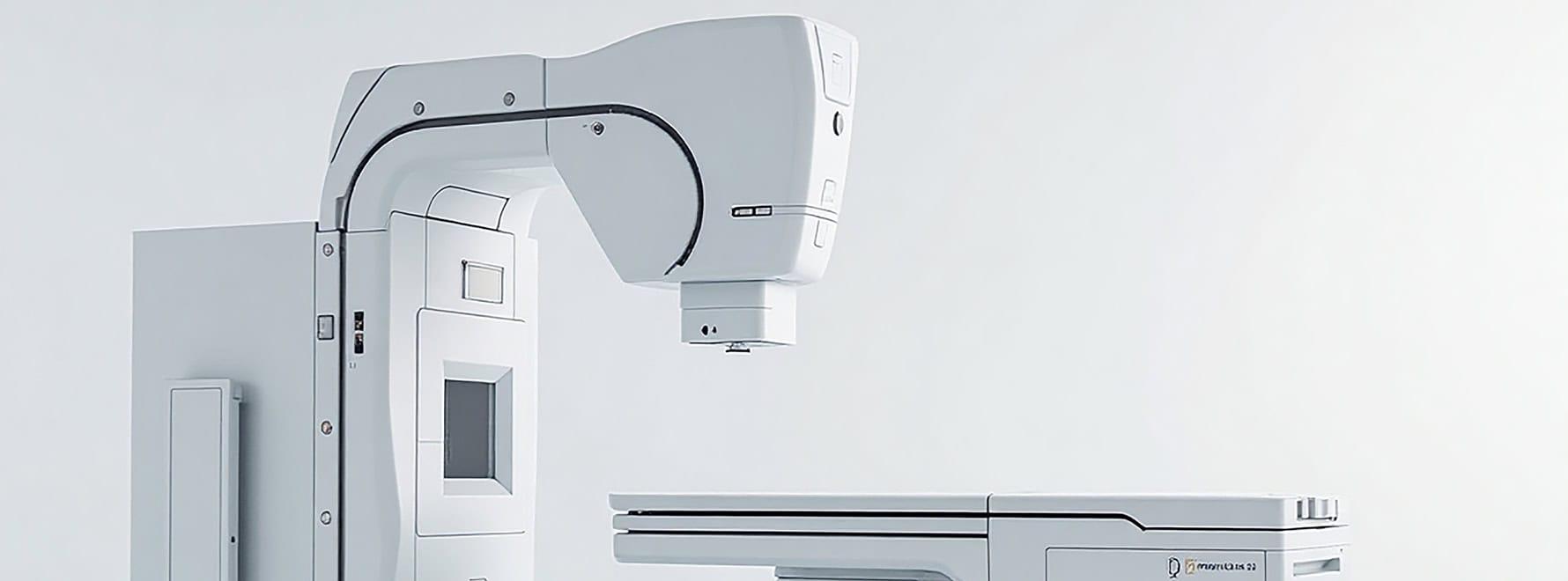
Connectivité sans fil pour les appareils d'imagerie DR
Connectivité sans fil pour les applications et cas d'utilisation des dispositifs d'imagerie DR : points clés…
En savoir plus →
Solution d'automatisation d'usine 5G
Solutions d'automatisation d'usine 5G : applications et cas d'utilisation – Points clés : Avec la rapidité…
En savoir plus →
Solution de surveillance à distance 5G pour robots industriels
Solution de surveillance à distance 5G pour les robots industriels : applications et cas d’utilisation – Points clés…
En savoir plus →
Solution de réseau 5G pour ambulances
Solutions de mise en réseau 5G pour ambulances : applications et cas clés – Soins d’urgence traditionnels…
En savoir plus →Foire aux questions
Quels opérateurs de téléphonie mobile sont certifiés conformes à la norme IR624 ?
IR624-NRQ3 (5G NR, Amérique du Nord) est certifié avec Verizon (NSA), AT&T et T-Mobile, plus FirstNet (5G), FCC, IC et PTCRB. IR624-NRF4 est la référence 5G Europe/APAC (certifiée CE). IR624-FQ58 est la référence SKU LTE Cat 4 Europe/APAC. IR624-NRF2 dessert la Chine (5G). IR624-EN00 Il s'agit de la variante sans connexion cellulaire. Toutes les références incluent 1 port série RS232 et 1 port série RS485 ; le Wi-Fi est optionnel. -WLAN ou -N / A suffixe.
Comment enregistrer l'IR624 auprès d'InHand DeviceLive ?
L'IR624 utilise InHand DeviceLive pour la gestion du cloud. L'inscription se fait dans le Portail DeviceLive — Aucune configuration n'est nécessaire sur l'interface web de l'appareil. Connectez-vous à votre compte DeviceLive, cliquez sur Ajouter un appareilSaisissez ensuite le numéro de série et les identifiants de l'IR624 figurant sur l'étiquette de l'appareil. Une fois l'IR624 connecté à Internet, il se connecte automatiquement à DeviceLive et apparaît en ligne sur le portail.
Comment connecter l'IR624 au réseau cellulaire et configurer l'APN ?
Appareil éteint, insérez la carte SIM. Allumez-le : l’IR624 détecte automatiquement l’opérateur et applique l’APN correspondant dans la plupart des cas ; aucune configuration manuelle n’est donc nécessaire. Si la connexion cellulaire ne s’établit pas, connectez-vous et accédez à… Internet > Cellulaire, saisissez l'APN conformément aux exigences de votre opérateur, puis cliquez Appliquer. Vérifiez en consultant les voyants LED de la barre de signal cellulaire sur le panneau avant : toute barre allumée indique que le réseau cellulaire est connecté et qu’il y a un signal (plus de barres = signal plus fort) ; toutes les barres éteintes = aucun signal cellulaire.
Où puis-je configurer le port série RS-485 sur l'IR624 ?
Dans l'interface web IR624, accédez à Interface industrielle > DTU Pour configurer le tunnelage série RS-485 vers IP, la conversion Modbus RTU vers TCP et les paramètres associés, définissez le débit en bauds, la parité, les bits d'arrêt et les bits de données en fonction du périphérique série connecté.
—