


CPE02
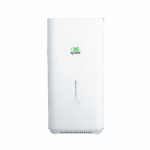
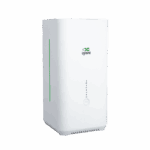
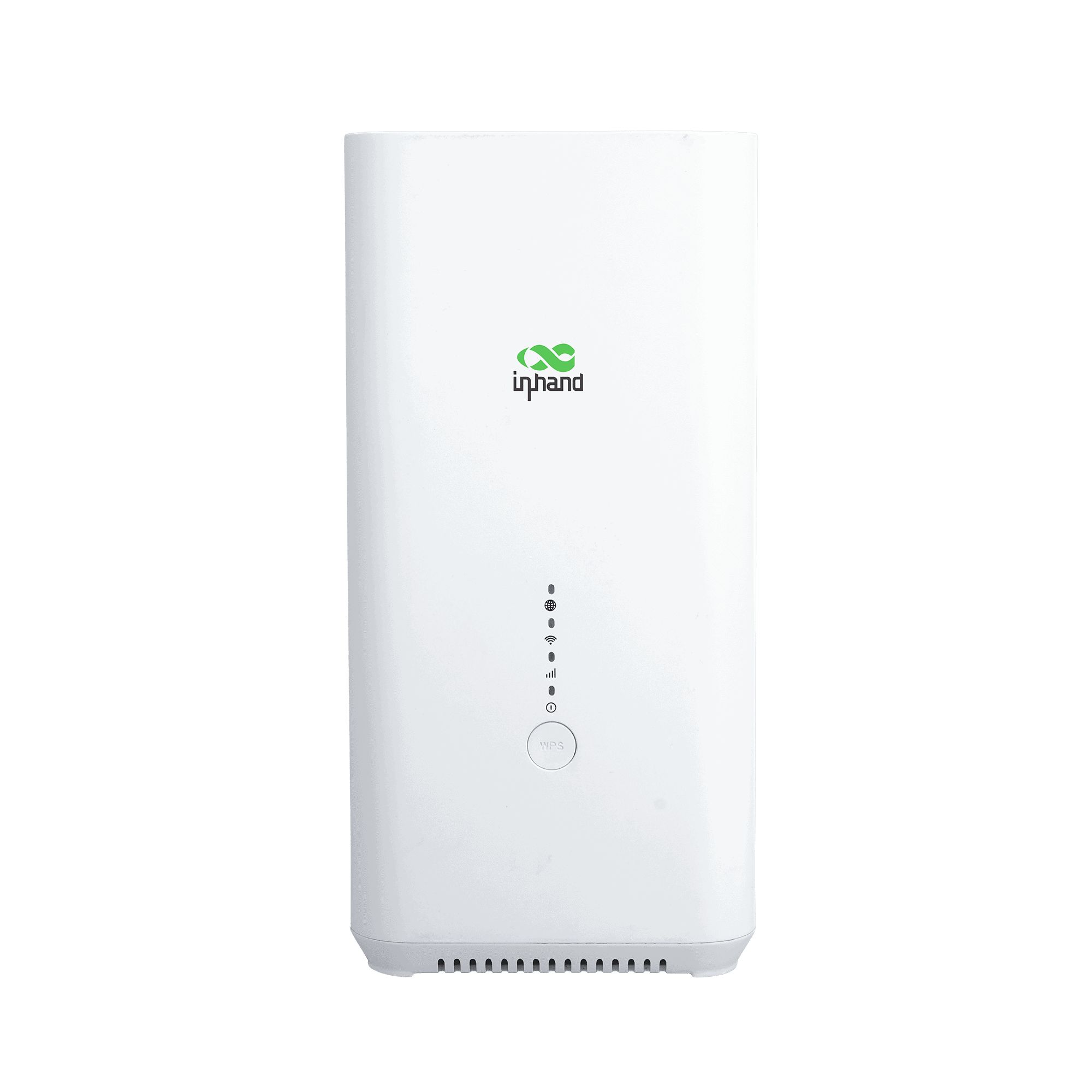
Routeur Wi-Fi 6 5G d'intérieur
Équipé d'un processeur Qualcomm X62, le CPE02 offre des débits Wi-Fi 6 AX5400 pour les commerces et les bureaux. Son intégration fluide avec InCloud simplifie la gestion en masse et garantit des opérations informatiques performantes et efficaces.
CPE02
Routeur Wi-Fi 6 5G d'intérieur
Équipé d'un processeur Qualcomm X62, le CPE02 offre des débits Wi-Fi 6 AX5400 pour les commerces et les bureaux. Son intégration fluide avec InCloud simplifie la gestion en masse et garantit des opérations informatiques performantes et efficaces.

Vidéo du guide de démarrage rapide
Déploiement rapide, connectivité sans faille

5G NSA/SA
Compatible avec la 5G NSA/SA avec des vitesses de téléchargement maximales allant jusqu'à 3,4 Gbit/s, garantissant une latence ultra-faible pour les applications gourmandes en bande passante.

Wi-Fi 6 AX5400
Offre des vitesses sans fil allant jusqu'à 5400 Mbps, prenant en charge plus de 128 utilisateurs simultanés pour une diffusion HD fluide.

Connectivité de basculement
Doté de fonctionnalités de basculement 5G et de sauvegarde WAN pour une commutation automatique des liens, il assure un accès Internet ininterrompu et la continuité des activités.

Sécurité de niveau entreprise
Protège les données grâce à des pare-feu robustes et à de multiples protocoles VPN tels que IPsec et OpenVPN, sécurisant ainsi l'accès à distance pour les réseaux distribués.

Haute fiabilité
Conçu avec un chipset Qualcomm et une dissipation thermique optimisée pour garantir un fonctionnement stable 24h/24 et 7j/7 dans des environnements commerciaux complexes.

Gestion intelligente du cloud
Permet un provisionnement sans intervention et une surveillance centralisée via InCloud, réduisant ainsi les pannes de réseau et simplifiant les opérations à distance.
-
Spécifications techniques de base
Cellulaire 5G SA/NSA + 4G LTE ; débit descendant 5G jusqu’à 2,6 Gbit/sGestion du cloud Gestionnaire InCloudVPN IPsec, L2TP, OpenVPNFonctionnalités réseau IPv4/IPv6 ; NAT, VLAN, DHCP ; PPPoE ; politique double SIM ; routage statiqueWi-Fi Wi-Fi 6 (AX5400), 2,4/5 GHz ; multi-SSID, VLAN, WPA2/WPA3Débit / Utilisateurs Pare-feu 1 Gbit/s ; jusqu'à 200 utilisateurs (128 Wi-Fi)SIM 1 × Nano 4FF + eSIM en optionEthernet 2 ports Gigabit Ethernet (UE/Asie-Pacifique) ou 2,5 GHz + 1 GHz (États-Unis) ; WAN/LAN, double LANDimensions / Montage 105 × 105 × 217 mm (4.13 × 4.13 × 8.54 in); 800 g (1.76 lb); desktop / wall-mountPouvoir 12 V / 2 A ; ≤ 15 WEnvironnement -10 °C ~ +40 °C (14 °F ~ 104 °F) op.; -40 °C ~ +85 °C (-40 °F ~ 185 °F) stg.; 5%–95% RH; IP20Certification Certifications CE, FCC, IC, PTCRB, AT&T, Verizon, T-Mobile ; CEM niveau 2
-
Indicateurs de performance
processeur IPQ5018Débit du pare-feu 1 Gbit/sUtilisateurs recommandés 200 (Wi-Fi : 128)
-
Interfaces
Cellulaire 5G NSA : 2,6 Gbit/s en téléchargement / 650 Mbit/s en envoi ; 5G SA : 2,0 Gbit/s en téléchargement / 1,0 Gbit/s en envoi ; 4G LTE : 600 Mbit/s en téléchargement / 150 Mbit/s en envoi
-
5G MIMO 4×4 Sub-6 GHz, 256QAM
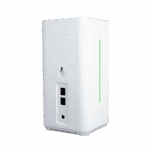
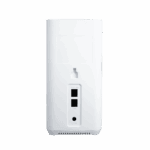
Ethernet 2 ports GbE (UE/Asie-Pacifique) ou 2,5 Gb + 1 Gb (États-Unis), prise en charge WAN/LAN et double LANCarte SIM 1 × Nano 4FF, 1 × eSIM en optionType-C Débogage uniquementRéinitialiser Réinitialisation matérielle aux paramètres d'usineWPS Connexion Wi-Fi en un clic pour le client
-
Wi-Fi
Gain d'antenne ≤ 5 dBiStandard Wi-Fi 6, 802.11 a/b/g/n/ac/axMax Rate 5400 MbpsCaractéristiques SSID multiple, SSID VLAN, SSID masquéTX Power 2.4 GHz: 17 dBm; 5 GHz: 17 dBmCryptage WPA, WPA2, WPA3
-
Pouvoir
Saisir 12 V / 2 AConsommation d'énergie ≤ 15 W
-
LED
DIRIGÉ 5G, Wi-Fi, Signal, Puissance
-
Mécanique
Dimensions (L × l × H) 105 × 105 × 217 mm (4.13 × 4.13 × 8.54 in)Poids 800 g (1.76 lb)Installation Bureau, support muralProtection IP20
-
Environnement
Température de fonctionnement -10 °C ~ +40 °C (14 °F ~ 104 °F)Température de stockage -40 °C ~ +85 °C (-40 °F ~ 185 °F)Humidité 5 % ~ 95 % HR (sans condensation)
-
Certification
Certification CE, FCC, IC, PTCRB, AT&T, Verizon, T-MobileCEM Niveau CEM 2
-
Gestion du cloud
Plate-forme Gestionnaire InCloudCaractéristiques Accès unifié aux appareils, déploiement à distance sans intervention, mises à niveau à distance en masse, déploiement de la configuration, maintenance à distance des connecteurs, authentification à deux facteursTableau de bord État de la connectivité des appareils, statistiques de trafic, statistiques du signal cellulaire, état de l'interface, statistiques et analyse des clients, gestion de la liaison montante
-
Fonctionnalités réseau
Accéder 5G/4G, filaireNumérotation PPPoE, cellular automatic redial, dual-SIM switching policy, APN configurationLiens intelligents Détection de liens en temps réelProtocoles IP IPv4, IPv6Protocoles réseau VLAN, DHCP, DNS, filtrage d'URL, DDNS, attribution d'adresses fixes, transfert IP, STP, ARP, ICMPTest de vitesse Prise en charge des tests de vitesse des appareilsVPN VPN IPsec, VPN L2TP, OpenVPNRoutage Routage statique
-
Fiabilité
Mise à niveau Mise à niveau programméebûches Journaux d'exécution, journaux de diagnosticÉvénements Connexion utilisateur, déconnexion, redémarrage de l'appareilAlertes Courriel local ; SMS et courriel de la plateformeDiagnostic ICMP, capture de paquets, tracert
Forfait standard*
- Routeur d'intérieur CPE02 *1
- Câble Ethernet *1
- Adaptateur secteur *1
- Kit de montage *1
- Guide de l'utilisateur *1
* Le contenu des colis standard varie selon les codes de commande standard.
Contactez-nous directement pour en savoir plus sur nos options d'emballage.
Caractéristiques
-
Spécifications techniques de base
Cellulaire 5G SA/NSA + 4G LTE ; débit descendant 5G jusqu’à 2,6 Gbit/sGestion du cloud Gestionnaire InCloudVPN IPsec, L2TP, OpenVPNFonctionnalités réseau IPv4/IPv6 ; NAT, VLAN, DHCP ; PPPoE ; politique double SIM ; routage statiqueWi-Fi Wi-Fi 6 (AX5400), 2,4/5 GHz ; multi-SSID, VLAN, WPA2/WPA3Débit / Utilisateurs Pare-feu 1 Gbit/s ; jusqu'à 200 utilisateurs (128 Wi-Fi)SIM 1 × Nano 4FF + eSIM en optionEthernet 2 ports Gigabit Ethernet (UE/Asie-Pacifique) ou 2,5 GHz + 1 GHz (États-Unis) ; WAN/LAN, double LANDimensions / Montage 105 × 105 × 217 mm (4.13 × 4.13 × 8.54 in); 800 g (1.76 lb); desktop / wall-mountPouvoir 12 V / 2 A ; ≤ 15 WEnvironnement -10 °C ~ +40 °C (14 °F ~ 104 °F) op.; -40 °C ~ +85 °C (-40 °F ~ 185 °F) stg.; 5%–95% RH; IP20Certification Certifications CE, FCC, IC, PTCRB, AT&T, Verizon, T-Mobile ; CEM niveau 2
-
Indicateurs de performance
processeur IPQ5018Débit du pare-feu 1 Gbit/sUtilisateurs recommandés 200 (Wi-Fi : 128)
-
Interfaces
Cellulaire 5G NSA : 2,6 Gbit/s en téléchargement / 650 Mbit/s en envoi ; 5G SA : 2,0 Gbit/s en téléchargement / 1,0 Gbit/s en envoi ; 4G LTE : 600 Mbit/s en téléchargement / 150 Mbit/s en envoi
-
5G MIMO 4×4 Sub-6 GHz, 256QAM
Ethernet 2 ports GbE (UE/Asie-Pacifique) ou 2,5 Gb + 1 Gb (États-Unis), prise en charge WAN/LAN et double LANCarte SIM 1 × Nano 4FF, 1 × eSIM en optionType-C Débogage uniquementRéinitialiser Réinitialisation matérielle aux paramètres d'usineWPS Connexion Wi-Fi en un clic pour le client
-
Wi-Fi
Gain d'antenne ≤ 5 dBiStandard Wi-Fi 6, 802.11 a/b/g/n/ac/axMax Rate 5400 MbpsCaractéristiques SSID multiple, SSID VLAN, SSID masquéTX Power 2.4 GHz: 17 dBm; 5 GHz: 17 dBmCryptage WPA, WPA2, WPA3
-
Pouvoir
Saisir 12 V / 2 AConsommation d'énergie ≤ 15 W
-
LED
DIRIGÉ 5G, Wi-Fi, Signal, Puissance
-
Mécanique
Dimensions (L × l × H) 105 × 105 × 217 mm (4.13 × 4.13 × 8.54 in)Poids 800 g (1.76 lb)Installation Bureau, support muralProtection IP20
-
Environnement
Température de fonctionnement -10 °C ~ +40 °C (14 °F ~ 104 °F)Température de stockage -40 °C ~ +85 °C (-40 °F ~ 185 °F)Humidité 5 % ~ 95 % HR (sans condensation)
-
Certification
Certification CE, FCC, IC, PTCRB, AT&T, Verizon, T-MobileCEM Niveau CEM 2
-
Gestion du cloud
Plate-forme Gestionnaire InCloudCaractéristiques Accès unifié aux appareils, déploiement à distance sans intervention, mises à niveau à distance en masse, déploiement de la configuration, maintenance à distance des connecteurs, authentification à deux facteursTableau de bord État de la connectivité des appareils, statistiques de trafic, statistiques du signal cellulaire, état de l'interface, statistiques et analyse des clients, gestion de la liaison montante
-
Fonctionnalités réseau
Accéder 5G/4G, filaireNumérotation PPPoE, cellular automatic redial, dual-SIM switching policy, APN configurationLiens intelligents Détection de liens en temps réelProtocoles IP IPv4, IPv6Protocoles réseau VLAN, DHCP, DNS, filtrage d'URL, DDNS, attribution d'adresses fixes, transfert IP, STP, ARP, ICMPTest de vitesse Prise en charge des tests de vitesse des appareilsVPN VPN IPsec, VPN L2TP, OpenVPNRoutage Routage statique
-
Fiabilité
Mise à niveau Mise à niveau programméebûches Journaux d'exécution, journaux de diagnosticÉvénements Connexion utilisateur, déconnexion, redémarrage de l'appareilAlertes Courriel local ; SMS et courriel de la plateformeDiagnostic ICMP, capture de paquets, tracert
Téléchargements
Commander
Forfait standard*
- Routeur d'intérieur CPE02 *1
- Câble Ethernet *1
- Adaptateur secteur *1
- Kit de montage *1
- Guide de l'utilisateur *1
* Le contenu des colis standard varie selon les codes de commande standard.
Contactez-nous directement pour en savoir plus sur nos options d'emballage.
Gestionnaire InCloud
Plateforme de gestion de réseau basée sur le cloud
Plateforme réseau pilotée par l'IA pour les chaînes de magasins et les PME, permettant la surveillance et la gestion centralisées des routeurs, des points d'accès et des commutateurs.
Gestionnaire InCloud
Cas connexes

Basculement 5G : une résilience intégrée pour les réseaux de supermarchés
Basculement 5G : Résilience intégrée pour les réseaux de supermarchés : Applications et cas d’utilisation – Points clés…
En savoir plus →
Connectivité 5G pour les chaînes de restauration rapide : rapide, fiable et prête à évoluer
Connectivité 5G pour les chaînes de restauration rapide : des applications rapides, fiables et prêtes à évoluer…
En savoir plus →
Haut débit 5G : le moteur ultra-rapide pour les TPE et les PME
Haut débit 5G : le moteur ultra-rapide pour les applications et les cas d’utilisation des TPE et des PME…
En savoir plus →Foire aux questions
Que propose le CPE02 ?
Le CPE02 est un CPE 5G d'intérieur qui convertit le réseau cellulaire en Wi-Fi 6 et Ethernet filaire. Il est conçu pour les commerces, restaurants, cliniques et bureaux hybrides nécessitant un accès Internet haut débit sans ligne fixe. Trois références régionales sont disponibles.
| NANR (États-Unis) | EUNR (UE/APAC) | CNNR (Chine) | |
| — | — | — | — |
| Ethernet | 1 port WAN 2,5 GbE + 1 port LAN GbE | 2× GbE (1 WAN + 1 LAN) | 2× GbE |
| Pic Wi-Fi 6 | 5400 Mbps | 3000 Mbps | 3000 Mbps |
| eSIM intégrée | eSIM Verizon intégrée | — | — |
Toutes les variantes sont prises en charge 5G SA/NSA, double WAN (cellulaire + filaire) avec commutation de port WAN/LAN, et jusqu'à 200 utilisateurs / 128 clients Wi-Fi par appareil. Alimenté par l'adaptateur 12 V/3 A fourni (≤18 W crête), montage sur bureau ou mural, indice de protection IP20 pour une utilisation en intérieur.
Comment accéder à l'interface web CPE02 ?
Connectez votre ordinateur via Ethernet ou rejoignez le réseau Wi-Fi par défaut (SSID). CPE02-[6 derniers de MAC] ou CPE02-5G-[6 derniers chiffres de l'adresse MAC] Le mot de passe Wi-Fi par défaut correspond aux 8 derniers chiffres du numéro de série de l'appareil. Ouvrez un navigateur et accédez à https://192.168.2.1 — Acceptez le certificat auto-signé. Connectez-vous avec les identifiants figurant sur la plaque signalétique de l'appareil.
Comment connecter le CPE02 au réseau cellulaire et configurer l'APN ?
Appareil éteint, insérez la carte SIM. Allumez l'appareil : le CPE02 détecte automatiquement l'opérateur et applique l'APN correspondant dans la plupart des cas ; aucune configuration manuelle n'est donc nécessaire. Si la connexion cellulaire ne s'établit pas, connectez-vous et accédez à… Internet > Tableau de liaison montante, cliquez Modifier À côté de Cellulaire, saisissez l'APN et cliquez SauvegarderConfigurez le mode SIM (SIM 1 uniquement, eSIM uniquement ou double SIM) sur le même écran ; le modèle NANR inclut une eSIM Verizon intégrée. Vérifiez en consultant la LED réseau: vert fixe = connexion cellulaire (ou filaire) ; vert clignotant = connexion au réseau cellulaire ; rouge clignotant = réseau déconnecté.
Comment puis-je transmettre l'adresse IP cellulaire publique à un périphérique en aval ?
Le CPE02 prend en charge le transfert IP : l’adresse IP publique de la connexion cellulaire est transmise directement à un périphérique aval sélectionné par liaison MAC. Accédez à Services > Paramètres de transfert, activez le transfert IP et associez l'adresse MAC du périphérique de destination. Cliquez AppliquerLe périphérique en aval reçoit l'adresse IP publique via DHCP ; le CPE02 lui-même n'est accessible que sur son interface de gestion locale.
—