


IR315
Routeur industriel
L'IR315 est un routeur industriel multiport et polyvalent, offrant une connectivité stable, sécurisée et conforme pour les sites sans surveillance et une mise en réseau efficace dans les applications IoT industrielles et commerciales.
IR315
Routeur industriel
L'IR315 est un routeur industriel multiport et polyvalent, offrant une connectivité stable, sécurisée et conforme pour les sites sans surveillance et une mise en réseau efficace dans les applications IoT industrielles et commerciales.
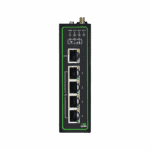
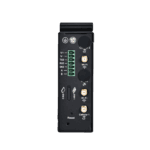
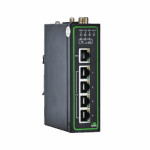
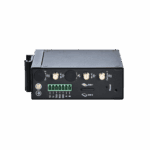
Vidéo du guide de démarrage rapide
Routeur industriel multiport et polyvalent

Un accès fiable, à tout moment, partout
L'IR315 se connecte à Internet via des réseaux cellulaires, filaires ou Wi-Fi, offrant des services réseau flexibles et fiables pour diverses applications professionnelles.

Interfaces industrielles riches
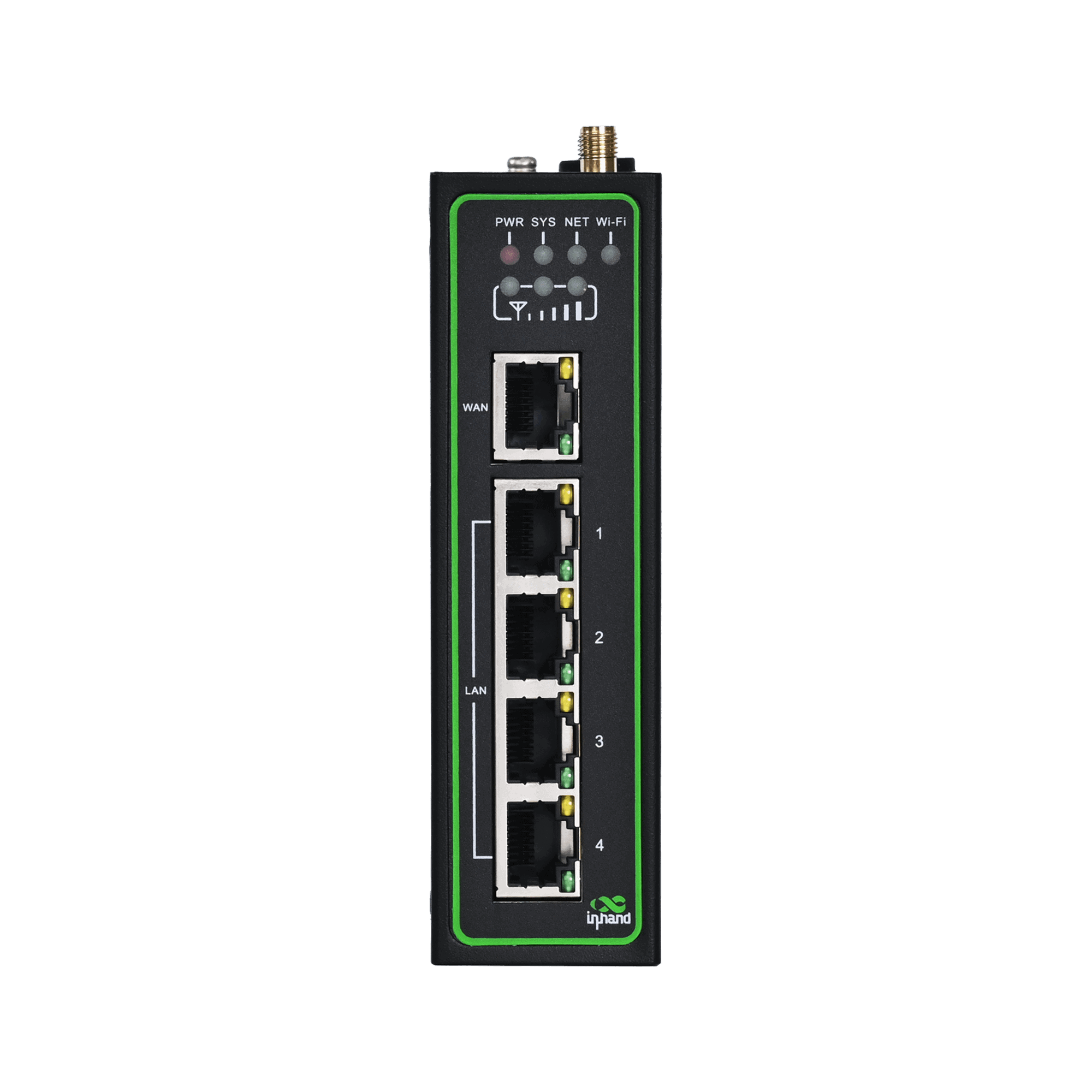
L'IR315 offre cinq ports Ethernet et des interfaces extensibles, notamment RS485, RS232, E/S et GNSS, assurant une connectivité polyvalente et fiable pour les réseaux IoT.

Stratégies de sécurité globales
L'IR315 offre une sécurité réseau complète avec pare-feu, contrôle d'accès, VPN, chiffrement des données et protection Wi-Fi améliorée pour une connectivité fiable.

Communications fiables et sans interruption
L'IR315 assure une connectivité réseau ininterrompue et fiable grâce à une sauvegarde cellulaire, filaire et Wi-Fi, une double SIM, VRRP et une surveillance multicouche.

Stabilité et fiabilité de qualité industrielle
L'IR315 présente une conception de qualité industrielle avec une large plage de températures et de tensions prises en charge et une forte résistance aux CEM pour un fonctionnement stable dans des environnements difficiles.

Gestion simplifiée du cloud
L'IR315 se connecte au cloud InHand Device Manager pour gérer des milliers d'appareils distribués en temps réel, permettant des opérations économiques et efficaces.
-
Caractéristiques techniques clés
Réseau cellulaire 5G NR (SA/NSA) or LTE (depending on model); dual Nano-SIM; supports PDP configuration (IPv4/IPv4V6)Cloud Management and Network Management Device Manager/ICS platform; SNMP v1/v2c/v3 (supports custom communication port), SNMP TRAPDimensions and Weight 127 × 108.2 × 35 mm (5 × 4.26 × 1.38 in); 454 g (1 lb)Dynamic Routing and High Availability Static/OSPF routing; VRRP (supports virtual MAC), link online detection, dual-SIM switching, SIM switching policy, embedded watchdogInterface Ethernet 5 × 10/100 Mbps RJ45, supports WAN/LAN/VLAN, 1.5KV network isolation transformer protectionFirewall and Access Control SPI stateful inspection, DoS protection, ACL, content filtering (domain auto-refresh), 802.1x, IP-MAC binding, MAC address filtering, etc.Température de fonctionnement Standard: -35 °C ~ 70 °C (-31 °F ~ 158 °F); Extended: -40 °C ~ 75 °C (-40 °F ~ 167 °F)Alimentation DC 9~36 V, overcurrent/reverse polarity protection, 2-pin industrial terminalIndice de protection IP30Serial Port and IO (optional) 1×RS-232+1×RS-485 or 4×IO (depending on model)VPN IPsec (IKEv2, AES256-SHA512), PPTP, L2TP, GRE, DMVPN, OpenVPN, WireGuard, ZeroTierWi-Fi (optional) 2.4 GHz, IEEE 802.11 b/g/n, up to 300 Mbps
-
Product Innovation Summary
5G / RedCap Support Supports NRQ2, NRR0, NRR2 and other 5G modules, as well as NRF2/NRF4 and other RedCap modulesCloud Platform Management Multi-Cloud Platform AdaptationCompliance Adaptation Supports U.S. TAA Act requirements, automatic replacement of logo/domain/SSID/alarm pageConfiguration Integrity Configuration import/export verification, supports configuration files up to 128KBDDNS Enhancement Supports HTTPS DDNS updateDual-SIM Intelligent Switching Supports automatic SIM switching based on signal quality, ICMP detection, packet loss rate, dial failure count, and other strategiesEnhanced Tunnel Management Supports peer domain name, multiple remote subnets, independent start/stop control of single tunnelEnterprise Access Radius authentication, Wi-Fi user isolation, password show/hide, calibration data backupGlobal Operator Adaptation Automatically matches APN, BAND, IMS configurations for operators such as Verizon / AT&T / T-MobileGlobalization and OEM Multi-OEM CustomizationI/O Edge Control 4-channel digital I/O, relay output, I/O status reporting to cloud platform, alarm triggeringIndustrial IoT Protocols Industrial Serial Port / DTUIndustrial Reliability High Availability DesignLink Reliability Link Backup and Hot BackupLoad Balancing Multi-link load balancing optimization, improving bandwidth utilization and business continuityModern VPN Protocols Added WireGuard, ZeroTier to meet flexible networking needsMulti-Mode Cellular Communication Intelligent Dialing Mode AdaptationNetwork Diagnosis and Observation Built-in TCPDUMP, ping, traceroute, Qlog; cellular signal / GNSS parameter reportingGestion de réseau Flexible Layer 2/Layer 3Network Security Access Contrôle d'accèsO&M and Deployment FCT Factory TestO&M Command Enhancement Factory mode supports nvram / show / info version / net test / factory resetPermission and Encryption User permission management, HTTPS API, Wi-Fi password encryption, SSH login bannerSecure Registration and Authentication Supports MQTT/MQTTS, JWT registration, public/private key authentication, remote firmware upgradeSecurity Hardening Firmware SecuritySoftware Component Upgrade Continuous updates of OpenSSL, OpenVPN, curl, tcpdump, dnsmasq, mosquitto, busybox, etc.State Grid Encryption Supports IEC101/IEC104/DC protocol state cryptography encryption, model 305NRQ2-SECVPN Technology Matrix Full-Protocol VPN SupportVulnerability Repair Continuously fixes CVE, Talos, Fortinet, CISA and other disclosed vulnerabilitiesWLAN Capability Multi-Mode Wi-Fi
-
Processeur et stockage
processeur 580 MHzÉclair 64 MB SPIBÉLIER 128 Mo DDR2
-
Connectivité et interfaces
Connecteurs d'antenne 5G: SMA ×2; 4G: SMA ×1 (overseas 4G models are SMA ×2); Wi-Fi: RP-SMA ×2Ports Ethernet 5 × 10/100 Mbps RJ45, supports WAN/LAN/VLAN, 1.5KV network isolation transformer protectionGNSS (optional) Some models support (see ordering information )Grounding Terminal SoutenuI/O Port (optional) 4 × IO (DI/DO configurable)Indicateurs LED Power, System, Network, Wi-Fi, SignalInterface d'alimentation DC 9~36V, overcurrent/reverse polarity protection, 2-pin industrial terminalBouton de réinitialisation Bouton de réinitialisation à trou d'épingleSerial Port (optional) 1 × RS-232 + 1 × RS-485Emplacement pour carte SIM Drawer-type slot ×1, supports 2 × Nano-SIM
-
Wi-Fi
10m Suction cup antenna: 90.96 Mbps (signal -54 dBm); Rod antenna: 90.74 Mbps (signal -45 dBm)1m Suction cup antenna: 91.26 Mbps (signal -36 dBm); Rod antenna: 90.22 Mbps (signal -25 dBm)30m Suction cup antenna: 1.28 Mbps (signal -62 dBm); Rod antenna: 7.20 Mbps (signal -64 dBm)5m Suction cup antenna: 90.25 Mbps (signal -47 dBm); Rod antenna: 90.30 Mbps (signal -38 dBm)Maximum Transmission Rate 300 MbpsProtocole IEEE 802.11 b/g/nRadiofréquence 2,4 GHzDistance de transmission Approx. 50 meters line-of-sight (affected by site environment)Puissance d'émission 802.11b: 16 dBm ±2 dBm (11 Mbps); 802.11g: 16 dBm ±2 dBm (54 Mbps); 802.11n @2.4 GHz: 16 dBm ±2 dBm (HT20 MCS7); 802.11n @2.4 GHz: 16 dBm ±2 dBm (HT40 MCS7)Wi-Fi Performance Test Test conditions: AP: IR305LQ20-WLAN / STA: Xiaomi 10S, WPA2-PSK AES, Channel 11, 40MHzMode de fonctionnement AP / Client / WDS
-
Device Power
Puissance de fonctionnement 150~320 mA@12VPuissance de crête 320 mA@12VPuissance de veille 120~200 mA@12V
-
Spécifications mécaniques
Enclosure and Cooling Metal shell, fanless coolingMéthode de montage DIN railProduct Dimensions (W × D × H) 127 × 108.2 × 35 mm (5 × 4.26 × 1.38 in)Poids du produit 454 g (1 lb)Indice de protection IP30
-
Environnement et certifications
Humidité ambiante 5~95% (non-condensing)Certifications CE, E-MARK, FCC, IC, PTCRB, AT&T, Verizon, T-Mobile, RCM, IMDA, MIC&JATE, SRRC, UL, C1D2, IEC 62443-4-2, EN18031EMC Indicators EN61000-4-2, level 3, ESD EN61000-4-3, level 3, Radiated Electric Field EN61000-4-4, level 3, Burst Electric Field EN61000-4-5, level 3, Surge EN61000-4-6, level 3, Conducted Disturbance Immunity EN61000-4-8, >level 2, Power Frequency Magnetic Field Immunity, horizontal/vertical 400A/m EN61000-4-12, level 3, Oscillatory Wave ImmunityTempérature de fonctionnement Standard: -35 °C ~ 70 °C (-31 °F ~ 158 °F) Extended: -40 °C ~ 75 °C (-40 °F ~ 167 °F)Caractéristiques physiques Shock IEC60068-2-27 Vibration IEC60068-2-6 Drop IEC60068-2-32Température de stockage -40 °C ~ 85 °C (-40 °F ~ 185 °F)
-
Réseau cellulaire
Authentification d'accès CHAP/PAPConnection Mode Always online, on-demand dialing, manual dialingDialing Mode PPP, QMI, ECM (depending on model)Commutation double SIM Supports SIM switching policies triggered by signal threshold, packet loss threshold, dial failure count, etc.Accès au réseau APN, VPDNNorme de réseau GSM/GPRS/EDGE, UMTS/HSPA+/EVDO/TD-SCDMA, TDD LTE/FDD LTE, 5G NR (SA/NSA)Operator Configuration Built-in global mainstream operator APN configurations, supports T-Mobile, AT&T, Verizon, etc.PDP Configuration Supports IPv4/IPv4V6Signal Reporting Supports RSRP, RSRQ, SINR, RSSI, RSCP, Ec/Io, PCI, BAND and other parameter reportingCarte SIM Dual Nano-SIM, drawer-type slot
-
Wired Network
Ports Ethernet 5 × 10/100 Mbps RJ45Gratuitous ARP Supports GARP broadcast, configurable broadcast count (1-10) and timeout (1-60 seconds)IP Passthrough Supports IP Passthrough function, distributing WAN port address to LAN port devicesIsolation Protection 1.5KV network isolation transformer protectionPort Roles Supports flexible WAN/LAN/VLAN configurationVLAN Supports Access/Trunk mode, VLAN IP address pool configurationProtocole WAN Adresse IP statique, DHCP, PPPoE
-
Wi-Fi Network
Interface d'antenne RP-SMA ×2Authentication Mode Open, WEP, WPA-PSK, WPA2-PSK, WPA/WPA2, etc.Bandwidth 20 MHz / 40 MHzEncryption Mode NONE, WEP, TKIP, AESMaximum Rate 300 MbpsProtocol Standard IEEE 802.11 b/g/nRadiofréquence 2,4 GHzDispositifs de sécurité Wi-Fi password encrypted display, Wi-Fi user isolation, AP black/whitelistPuissance d'émission 16 dBm ±2 dBmMode de fonctionnement AP / Client / WDS
-
Link Backup and Redundancy
ICMP Detection Supports detection server, interval, timeout, maximum retry count configurationLien de sauvegarde Supports cellular/WAN mutual backup, hot backup/cold backup/load balancing three modesLoad Balancing After ICMP detection succeeds, data is transmitted through the corresponding linkVRRP Virtual Router Redundancy Protocol, supports virtual MAC, priority election
-
Routing Capability
Dynamic Domain Name DDNS, supports HTTPS updateNAT Network Address Translation, supports port mapping, virtual IP mappingOSPF Open Shortest Path First dynamic routing protocol, supports router ID and network advertisementStatic Routing Supports destination network, subnet mask, gateway, interface configuration, supports priority
-
VPN and Data Security
Certificate Management Supports CA certificate, PKCS12 certificate import/exportDMVPN Dynamic Multipoint VPNGRE Generic Routing Encapsulation tunnelVPN IPsec Supports IKEv1/IKEv2, AES256-SHA512 encryption algorithm, up to 10 tunnels, supports peer domain name configurationL2TP Supports L2TP over IPsec, supports NAT traversalOpenVPN Supports TAP/TUN mode, TLS-auth/tls-crypt options, AES-256-GCM/SHA256 encryptionPPTP Supports client/server modeWireGuard New-generation high-performance VPN protocol, supports connection status detectionZeroTier Supports virtual LAN networking, multiple tunnels configurable
-
Firewall and Access Control
802.1x Port-level access authenticationACL Access Control List, supports source/destination address, port, protocol configurationContent Filtering Supports domain filtering, domain auto-refresh mechanismDevice Access Control Supports interface, protocol, source address, port configurationDMZ DMZ host configurationDoS Protection Denial of Service attack protectionIP-MAC Binding Static binding of IP and MAC addressMAC Address Filtering Supports black/whitelist modeNAT Supports source address, destination address, port, interface configurationPort Mapping Supports protocol, source address, service port, internal port, external interface configurationSPI Firewall Stateful packet inspectionVirtual IP Mapping Supports source address range configuration
-
Device Management and O&M
Gestion de la configuration Supports configuration import/export, factory resetConsole Local serial console managementGestionnaire de périphériques InHand device cloud platform, supports batch management, remote configuration, firmware upgradeFirmware Signature System firmware adds signature verification to prevent firmware tamperingHTTP API Supports HTTP/HTTPS API, remote query and configurationInConnect Supports device remote access and NAT rule issuanceSNMP SNMP v1/v2c/v3, supports custom communication portSNMP TRAP Alarm information active reportingSSH/Telnet Remote command line managementMise à niveau du système Supports Web upgrade and Device Manager remote upgrade
-
Logs and Alarms
Remote Log Supports Syslog server (UDP 514 port)SMS Alarm Supports SMS query and configuration of APN/SIM/operator, remote status query and restartStatus Reporting Supports system, Modem, network connection, routing status, GPIO pin status reportingSystem Alarm System restart, LAN up/down, SIM failure, signal quality abnormal alarmSystem Log Local/remote/serial log output, supports user-defined remote log prefixTraffic Alarm Monthly/24-hour/hourly traffic threshold alarm, traffic overrun reporting to cloud platform
-
Industrial Protocols and Interfaces
DTU TCP/UDP transparent transmission, DCTCP/DCUDP mode, supports domain name configurationI/O Control 4 × IO (DI/DO configurable), supports edge-triggered status reportingPont Modbus Modbus RTU vers Modbus TCPSerial Port Traffic Statistics Supports RS-232/RS-485 serial port traffic statistics, TCP connection status displaySMART-EMS Supports cellular IP address reporting, optional no restart when connection failsState Grid Encryption Supports IEC101/IEC104 power protocol encryption (specific models)
-
Network Services
DDNS Supports HTTPS updateDHCP Server/Client, supports static binding (up to 200 entries), address pool range automatic verificationDNS DNS proxy, DNS forwarding, supports custom domain name serverOutils d'entretien Ping, traceroute, speed test, ARPINGNetwork Packet Capture Built-in TCPDUMP packet capture tool, supports interface, capture count, expert options configurationNTP NTP server function, GPS time synchronizationPortail Captive portal authenticationQoS Bandwidth limiting, IP rate limitingScheduled Tasks Scheduled restart, supports advanced options to configure multiple rulesSIP ALG SIP Application Layer Gateway
Forfait standard*
- Routeur industriel IR315 *1
- Antenne 4G *2
- Antenne Wi-Fi *2
- Antenne GNSS *1
- Câble Ethernet *1
- Alimentation *1
- Kit de montage sur rail DIN *1
* Veuillez noter que les antennes 4G/5G/GNSS sont incluses selon le modèle choisi.
Accessoires en option
- Alimentation *1
- Kit de montage sur panneau *1
Contactez-nous directement pour en savoir plus sur nos options d'emballage.
Caractéristiques
-
Caractéristiques techniques clés
Réseau cellulaire 5G NR (SA/NSA) or LTE (depending on model); dual Nano-SIM; supports PDP configuration (IPv4/IPv4V6)Cloud Management and Network Management Device Manager/ICS platform; SNMP v1/v2c/v3 (supports custom communication port), SNMP TRAPDimensions and Weight 127 × 108.2 × 35 mm (5 × 4.26 × 1.38 in); 454 g (1 lb)Dynamic Routing and High Availability Static/OSPF routing; VRRP (supports virtual MAC), link online detection, dual-SIM switching, SIM switching policy, embedded watchdogInterface Ethernet 5 × 10/100 Mbps RJ45, supports WAN/LAN/VLAN, 1.5KV network isolation transformer protectionFirewall and Access Control SPI stateful inspection, DoS protection, ACL, content filtering (domain auto-refresh), 802.1x, IP-MAC binding, MAC address filtering, etc.Température de fonctionnement Standard: -35 °C ~ 70 °C (-31 °F ~ 158 °F); Extended: -40 °C ~ 75 °C (-40 °F ~ 167 °F)Alimentation DC 9~36 V, overcurrent/reverse polarity protection, 2-pin industrial terminalIndice de protection IP30Serial Port and IO (optional) 1×RS-232+1×RS-485 or 4×IO (depending on model)VPN IPsec (IKEv2, AES256-SHA512), PPTP, L2TP, GRE, DMVPN, OpenVPN, WireGuard, ZeroTierWi-Fi (optional) 2.4 GHz, IEEE 802.11 b/g/n, up to 300 Mbps
-
Product Innovation Summary
5G / RedCap Support Supports NRQ2, NRR0, NRR2 and other 5G modules, as well as NRF2/NRF4 and other RedCap modulesCloud Platform Management Multi-Cloud Platform AdaptationCompliance Adaptation Supports U.S. TAA Act requirements, automatic replacement of logo/domain/SSID/alarm pageConfiguration Integrity Configuration import/export verification, supports configuration files up to 128KBDDNS Enhancement Supports HTTPS DDNS updateDual-SIM Intelligent Switching Supports automatic SIM switching based on signal quality, ICMP detection, packet loss rate, dial failure count, and other strategiesEnhanced Tunnel Management Supports peer domain name, multiple remote subnets, independent start/stop control of single tunnelEnterprise Access Radius authentication, Wi-Fi user isolation, password show/hide, calibration data backupGlobal Operator Adaptation Automatically matches APN, BAND, IMS configurations for operators such as Verizon / AT&T / T-MobileGlobalization and OEM Multi-OEM CustomizationI/O Edge Control 4-channel digital I/O, relay output, I/O status reporting to cloud platform, alarm triggeringIndustrial IoT Protocols Industrial Serial Port / DTUIndustrial Reliability High Availability DesignLink Reliability Link Backup and Hot BackupLoad Balancing Multi-link load balancing optimization, improving bandwidth utilization and business continuityModern VPN Protocols Added WireGuard, ZeroTier to meet flexible networking needsMulti-Mode Cellular Communication Intelligent Dialing Mode AdaptationNetwork Diagnosis and Observation Built-in TCPDUMP, ping, traceroute, Qlog; cellular signal / GNSS parameter reportingGestion de réseau Flexible Layer 2/Layer 3Network Security Access Contrôle d'accèsO&M and Deployment FCT Factory TestO&M Command Enhancement Factory mode supports nvram / show / info version / net test / factory resetPermission and Encryption User permission management, HTTPS API, Wi-Fi password encryption, SSH login bannerSecure Registration and Authentication Supports MQTT/MQTTS, JWT registration, public/private key authentication, remote firmware upgradeSecurity Hardening Firmware SecuritySoftware Component Upgrade Continuous updates of OpenSSL, OpenVPN, curl, tcpdump, dnsmasq, mosquitto, busybox, etc.State Grid Encryption Supports IEC101/IEC104/DC protocol state cryptography encryption, model 305NRQ2-SECVPN Technology Matrix Full-Protocol VPN SupportVulnerability Repair Continuously fixes CVE, Talos, Fortinet, CISA and other disclosed vulnerabilitiesWLAN Capability Multi-Mode Wi-Fi
-
Processeur et stockage
processeur 580 MHzÉclair 64 MB SPIBÉLIER 128 Mo DDR2
-
Connectivité et interfaces
Connecteurs d'antenne 5G: SMA ×2; 4G: SMA ×1 (overseas 4G models are SMA ×2); Wi-Fi: RP-SMA ×2Ports Ethernet 5 × 10/100 Mbps RJ45, supports WAN/LAN/VLAN, 1.5KV network isolation transformer protectionGNSS (optional) Some models support (see ordering information )Grounding Terminal SoutenuI/O Port (optional) 4 × IO (DI/DO configurable)Indicateurs LED Power, System, Network, Wi-Fi, SignalInterface d'alimentation DC 9~36V, overcurrent/reverse polarity protection, 2-pin industrial terminalBouton de réinitialisation Bouton de réinitialisation à trou d'épingleSerial Port (optional) 1 × RS-232 + 1 × RS-485Emplacement pour carte SIM Drawer-type slot ×1, supports 2 × Nano-SIM
-
Wi-Fi
10m Suction cup antenna: 90.96 Mbps (signal -54 dBm); Rod antenna: 90.74 Mbps (signal -45 dBm)1m Suction cup antenna: 91.26 Mbps (signal -36 dBm); Rod antenna: 90.22 Mbps (signal -25 dBm)30m Suction cup antenna: 1.28 Mbps (signal -62 dBm); Rod antenna: 7.20 Mbps (signal -64 dBm)5m Suction cup antenna: 90.25 Mbps (signal -47 dBm); Rod antenna: 90.30 Mbps (signal -38 dBm)Maximum Transmission Rate 300 MbpsProtocole IEEE 802.11 b/g/nRadiofréquence 2,4 GHzDistance de transmission Approx. 50 meters line-of-sight (affected by site environment)Puissance d'émission 802.11b: 16 dBm ±2 dBm (11 Mbps); 802.11g: 16 dBm ±2 dBm (54 Mbps); 802.11n @2.4 GHz: 16 dBm ±2 dBm (HT20 MCS7); 802.11n @2.4 GHz: 16 dBm ±2 dBm (HT40 MCS7)Wi-Fi Performance Test Test conditions: AP: IR305LQ20-WLAN / STA: Xiaomi 10S, WPA2-PSK AES, Channel 11, 40MHzMode de fonctionnement AP / Client / WDS
-
Device Power
Puissance de fonctionnement 150~320 mA@12VPuissance de crête 320 mA@12VPuissance de veille 120~200 mA@12V
-
Spécifications mécaniques
Enclosure and Cooling Metal shell, fanless coolingMéthode de montage DIN railProduct Dimensions (W × D × H) 127 × 108.2 × 35 mm (5 × 4.26 × 1.38 in)Poids du produit 454 g (1 lb)Indice de protection IP30
-
Environnement et certifications
Humidité ambiante 5~95% (non-condensing)Certifications CE, E-MARK, FCC, IC, PTCRB, AT&T, Verizon, T-Mobile, RCM, IMDA, MIC&JATE, SRRC, UL, C1D2, IEC 62443-4-2, EN18031EMC Indicators EN61000-4-2, level 3, ESD EN61000-4-3, level 3, Radiated Electric Field EN61000-4-4, level 3, Burst Electric Field EN61000-4-5, level 3, Surge EN61000-4-6, level 3, Conducted Disturbance Immunity EN61000-4-8, >level 2, Power Frequency Magnetic Field Immunity, horizontal/vertical 400A/m EN61000-4-12, level 3, Oscillatory Wave ImmunityTempérature de fonctionnement Standard: -35 °C ~ 70 °C (-31 °F ~ 158 °F) Extended: -40 °C ~ 75 °C (-40 °F ~ 167 °F)Caractéristiques physiques Shock IEC60068-2-27 Vibration IEC60068-2-6 Drop IEC60068-2-32Température de stockage -40 °C ~ 85 °C (-40 °F ~ 185 °F)
-
Réseau cellulaire
Authentification d'accès CHAP/PAPConnection Mode Always online, on-demand dialing, manual dialingDialing Mode PPP, QMI, ECM (depending on model)Commutation double SIM Supports SIM switching policies triggered by signal threshold, packet loss threshold, dial failure count, etc.Accès au réseau APN, VPDNNorme de réseau GSM/GPRS/EDGE, UMTS/HSPA+/EVDO/TD-SCDMA, TDD LTE/FDD LTE, 5G NR (SA/NSA)Operator Configuration Built-in global mainstream operator APN configurations, supports T-Mobile, AT&T, Verizon, etc.PDP Configuration Supports IPv4/IPv4V6Signal Reporting Supports RSRP, RSRQ, SINR, RSSI, RSCP, Ec/Io, PCI, BAND and other parameter reportingCarte SIM Dual Nano-SIM, drawer-type slot
-
Wired Network
Ports Ethernet 5 × 10/100 Mbps RJ45Gratuitous ARP Supports GARP broadcast, configurable broadcast count (1-10) and timeout (1-60 seconds)IP Passthrough Supports IP Passthrough function, distributing WAN port address to LAN port devicesIsolation Protection 1.5KV network isolation transformer protectionPort Roles Supports flexible WAN/LAN/VLAN configurationVLAN Supports Access/Trunk mode, VLAN IP address pool configurationProtocole WAN Adresse IP statique, DHCP, PPPoE
-
Wi-Fi Network
Interface d'antenne RP-SMA ×2Authentication Mode Open, WEP, WPA-PSK, WPA2-PSK, WPA/WPA2, etc.Bandwidth 20 MHz / 40 MHzEncryption Mode NONE, WEP, TKIP, AESMaximum Rate 300 MbpsProtocol Standard IEEE 802.11 b/g/nRadiofréquence 2,4 GHzDispositifs de sécurité Wi-Fi password encrypted display, Wi-Fi user isolation, AP black/whitelistPuissance d'émission 16 dBm ±2 dBmMode de fonctionnement AP / Client / WDS
-
Link Backup and Redundancy
ICMP Detection Supports detection server, interval, timeout, maximum retry count configurationLien de sauvegarde Supports cellular/WAN mutual backup, hot backup/cold backup/load balancing three modesLoad Balancing After ICMP detection succeeds, data is transmitted through the corresponding linkVRRP Virtual Router Redundancy Protocol, supports virtual MAC, priority election
-
Routing Capability
Dynamic Domain Name DDNS, supports HTTPS updateNAT Network Address Translation, supports port mapping, virtual IP mappingOSPF Open Shortest Path First dynamic routing protocol, supports router ID and network advertisementStatic Routing Supports destination network, subnet mask, gateway, interface configuration, supports priority
-
VPN and Data Security
Certificate Management Supports CA certificate, PKCS12 certificate import/exportDMVPN Dynamic Multipoint VPNGRE Generic Routing Encapsulation tunnelVPN IPsec Supports IKEv1/IKEv2, AES256-SHA512 encryption algorithm, up to 10 tunnels, supports peer domain name configurationL2TP Supports L2TP over IPsec, supports NAT traversalOpenVPN Supports TAP/TUN mode, TLS-auth/tls-crypt options, AES-256-GCM/SHA256 encryptionPPTP Supports client/server modeWireGuard New-generation high-performance VPN protocol, supports connection status detectionZeroTier Supports virtual LAN networking, multiple tunnels configurable
-
Firewall and Access Control
802.1x Port-level access authenticationACL Access Control List, supports source/destination address, port, protocol configurationContent Filtering Supports domain filtering, domain auto-refresh mechanismDevice Access Control Supports interface, protocol, source address, port configurationDMZ DMZ host configurationDoS Protection Denial of Service attack protectionIP-MAC Binding Static binding of IP and MAC addressMAC Address Filtering Supports black/whitelist modeNAT Supports source address, destination address, port, interface configurationPort Mapping Supports protocol, source address, service port, internal port, external interface configurationSPI Firewall Stateful packet inspectionVirtual IP Mapping Supports source address range configuration
-
Device Management and O&M
Gestion de la configuration Supports configuration import/export, factory resetConsole Local serial console managementGestionnaire de périphériques InHand device cloud platform, supports batch management, remote configuration, firmware upgradeFirmware Signature System firmware adds signature verification to prevent firmware tamperingHTTP API Supports HTTP/HTTPS API, remote query and configurationInConnect Supports device remote access and NAT rule issuanceSNMP SNMP v1/v2c/v3, supports custom communication portSNMP TRAP Alarm information active reportingSSH/Telnet Remote command line managementMise à niveau du système Supports Web upgrade and Device Manager remote upgrade
-
Logs and Alarms
Remote Log Supports Syslog server (UDP 514 port)SMS Alarm Supports SMS query and configuration of APN/SIM/operator, remote status query and restartStatus Reporting Supports system, Modem, network connection, routing status, GPIO pin status reportingSystem Alarm System restart, LAN up/down, SIM failure, signal quality abnormal alarmSystem Log Local/remote/serial log output, supports user-defined remote log prefixTraffic Alarm Monthly/24-hour/hourly traffic threshold alarm, traffic overrun reporting to cloud platform
-
Industrial Protocols and Interfaces
DTU TCP/UDP transparent transmission, DCTCP/DCUDP mode, supports domain name configurationI/O Control 4 × IO (DI/DO configurable), supports edge-triggered status reportingPont Modbus Modbus RTU vers Modbus TCPSerial Port Traffic Statistics Supports RS-232/RS-485 serial port traffic statistics, TCP connection status displaySMART-EMS Supports cellular IP address reporting, optional no restart when connection failsState Grid Encryption Supports IEC101/IEC104 power protocol encryption (specific models)
-
Network Services
DDNS Supports HTTPS updateDHCP Server/Client, supports static binding (up to 200 entries), address pool range automatic verificationDNS DNS proxy, DNS forwarding, supports custom domain name serverOutils d'entretien Ping, traceroute, speed test, ARPINGNetwork Packet Capture Built-in TCPDUMP packet capture tool, supports interface, capture count, expert options configurationNTP NTP server function, GPS time synchronizationPortail Captive portal authenticationQoS Bandwidth limiting, IP rate limitingScheduled Tasks Scheduled restart, supports advanced options to configure multiple rulesSIP ALG SIP Application Layer Gateway
Téléchargements
Commander
Forfait standard*
- Routeur industriel IR315 *1
- Antenne 4G *2
- Antenne Wi-Fi *2
- Antenne GNSS *1
- Câble Ethernet *1
- Alimentation *1
- Kit de montage sur rail DIN *1
* Veuillez noter que les antennes 4G/5G/GNSS sont incluses selon le modèle choisi.
Accessoires en option
- Alimentation *1
- Kit de montage sur panneau *1
Contactez-nous directement pour en savoir plus sur nos options d'emballage.
Gestionnaire de périphériques
Cloud de gestion des appareils
Gestion centralisée des routeurs et passerelles industriels InHand avec surveillance visuelle, configuration et mises à niveau à distance simplifiées.
Gestionnaire de périphériques
InConnect
Service d'accès à distance
Accès distant sécurisé et prêt à l'emploi pour les appareils, permettant aux ingénieurs d'effectuer la maintenance à distance, les mises à jour logicielles et d'enregistrer les diagnostics.
InConnect
Cas connexes

Connected Inspection Robots for Smarter Industrial Operations
InHand's IR315 and InConnect deliver secure, reliable 4G/Wi-Fi connectivity and remote maintenance…
En savoir plus →
Solution de surveillance à distance des équipements ETC
Solution de surveillance à distance des équipements ETC : applications et cas d’utilisation – Points clés…
En savoir plus →
Solution de centrale à béton intelligente
Solutions de centrales à béton intelligentes : applications et cas clés – L’IR315…
En savoir plus →Foire aux questions
Quelles sont les fonctionnalités optionnelles avec lesquelles l'IR315 peut être configuré ?
L'IR315 prend en charge quatre fonctionnalités matérielles optionnelles, sélectionnées lors de la commande :
- Wi-Fi (
-WLAN(suffixe) : 802.11b/g/n, 300 Mbps, modes AP et STA - En série (
-Ssuffixe) : 1× RS232 + 1× RS485 — incompatible avec les E/S - E/S (par défaut, sans suffixe) : 4 entrées/sorties numériques configurables
- GNSS (
-G(suffixe) : GPS, GLONASS, BeiDou, Galileo et QZSS avec une précision de ±2,5 m
Modèle de numéro de pièce : IR315-- - Veuillez vérifier que la configuration correspond à votre application avant de passer commande.[-G]
Comment configurer et me connecter à l'IR315 pour la première fois ?
Installez les antennes (cellulaire, Wi-Fi, GNSS selon le cas), insérez la carte SIM (appareil éteint) et branchez l'adaptateur secteur. Une fois l'appareil démarré, connectez un ordinateur à un port LAN via Ethernet. Configurez l'adaptateur en DHCP ou attribuez-lui une adresse IP statique de type 192.168.2.x. Ouvrez un navigateur et accédez à l'adresse suivante : http://192.168.2.1 Connectez-vous avec les identifiants imprimés sur l'étiquette de l'appareil.
Comment connecter l'IR315 au réseau cellulaire et configurer l'APN ?
Appareil éteint, insérez la carte SIM. Allumez-le : l’IR315 détecte automatiquement l’opérateur et applique l’APN correspondant dans la plupart des cas ; aucune configuration manuelle n’est donc nécessaire. Si la connexion cellulaire ne s’établit pas, connectez-vous et accédez à… Réseau > Cellulaire, configurez l'APN selon les exigences de votre opérateur, puis cliquez AppliquerVérifiez en consultant le NET LED: vert fixe = réseau connecté ; vert clignotant = connexion réseau en cours ; éteint = réseau déconnecté.
Comment configurer la connexion de secours (WAN principale, basculement cellulaire) sur l'IR315 ?
Assurez-vous que la liaison montante WAN et la connexion cellulaire sont configurées et fonctionnelles. Allez à Réseau > Sauvegarde de lien. Définissez le Lien principal vers le WAN et le Lien de sauvegarde vers le cellulaire. Choisissez Sauvegarde à chaud (le réseau cellulaire reste en veille) ou Sauvegarde à froid (Le réseau cellulaire s'active uniquement après la défaillance du réseau étendu). Configurez un Serveur de détection ICMP pour déterminer la disponibilité du WAN. Cliquez Appliquer.
—