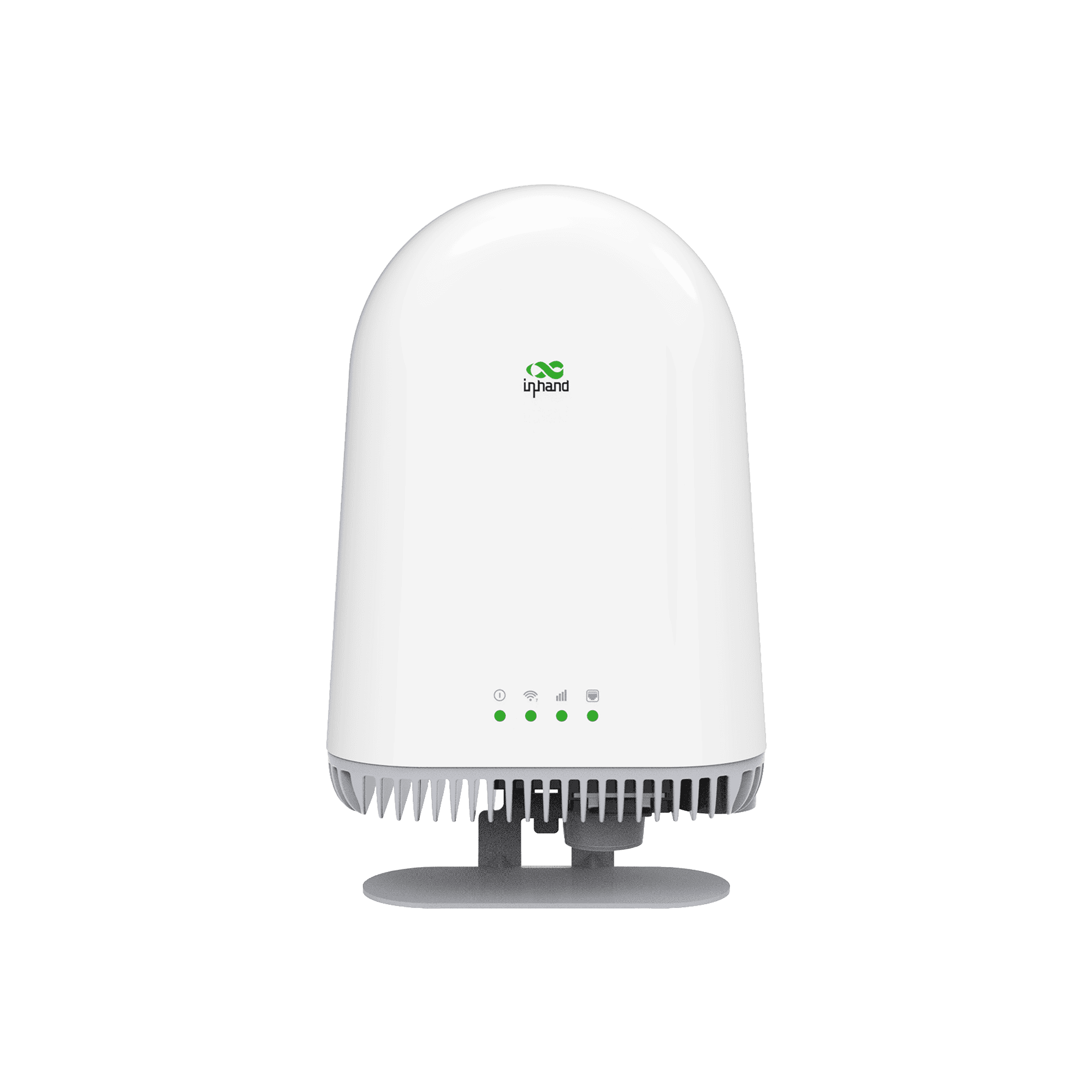






ODU12
5G extérieur
Routeur natif IA
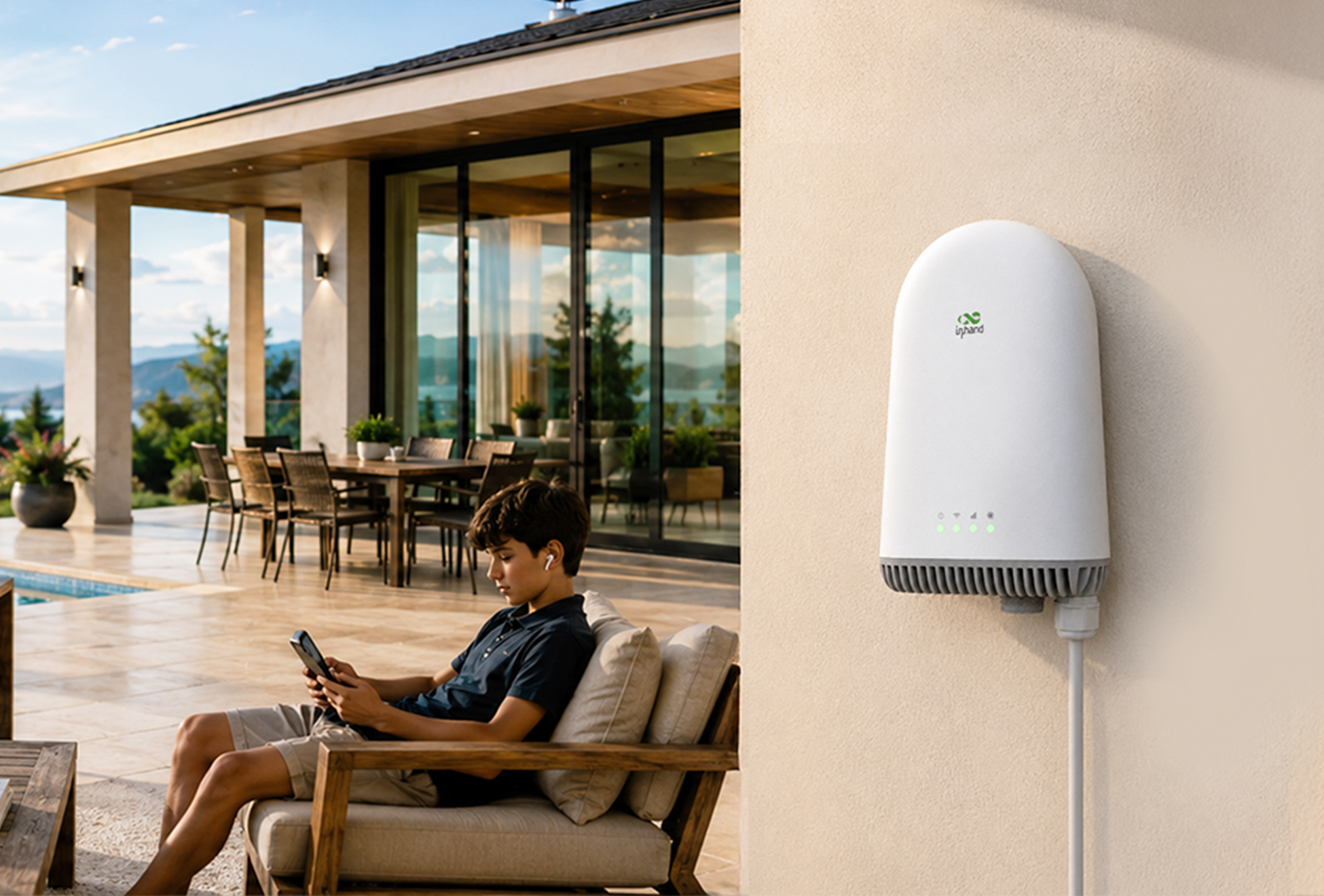
Cloud-managed outdoor 5G router with an integrated structural and
thermal design, combining high-performance connectivity with a clean
architectural look for residential and light commercial use.
PHOTO
Routeur 5G extérieur pour une connectivité haut débit
5G NSA/SA dual-mode support with downlink speeds up to 7.01 Gbps and uplink up to 2.5 Gbps, powered by the MTK 830 platform and 3GPP Release 16 for high-speed outdoor network access.
Wi-Fi 7 sans fil de nouvelle génération
BE5000 dual-band concurrent Wi-Fi 7 (802.11be), supporting up to 128 connected clients with WPA3/WPA2 security for fast, reliable local wireless access.
Conception d'antenne entièrement intégrée
8 × 5G cellular antennas and 3 × Wi-Fi antennas are fully integrated within the one-piece enclosure, eliminating external antenna components and visual clutter while maintaining uniform 360° signal coverage.
Routeur natif de l'agent
Built as a true AI Agent-native router with Agent CLI support, intent-based configuration, a rich skills library, and intelligent diagnostics for the digital workplace of the future.
Convivialité PoE
Alimentation PoE IEEE 802.3at (compatible 802.3af) avec une solution d'alimentation et de données à câble unique, plus 1 port WAN RJ45 2,5 Gbps et 1 port LAN RJ45 2,5 Gbps.
Résistance aux intempéries IP65
Boîtier compact IP65 avec dissipateur thermique en aluminium moulé sous pression blanc et coque en polymère stabilisé aux UV, température de fonctionnement de -30 °C à +70 °C, stockage de -40 °C à +85 °C et humidité sans condensation de 5%~95%.
Intégration structure-thermique
Le dissipateur thermique en aluminium moulé sous pression sert à la fois d'élément de refroidissement passif et de cadre structurel principal, permettant un fonctionnement silencieux sans ventilateur, une protection IP65, une taille réduite et une durée de vie prolongée des composants.
Gestion et maintenance du cloud
Gestion unifiée via la plateforme de gestion cloud IA InCloud Manager et l'application mobile, prenant en charge la configuration par lots à distance, la surveillance en temps réel, le diagnostic des pannes par IA, les mises à jour du firmware et les services de localisation.
-
Spécifications matérielles
Antennes 5G 8 antennes cellulaires intégrées hautes performances, couverture omnidirectionnelle à 360°Module 5G Plateforme MTK 830, version 16 de 3GPPCouleur BlancRefroidissement Refroidissement passif intégré structure-thermique, conception sans ventilateurDimensions 350 mm × 300 mm × 50 mm (référence)Matériau de l'enveloppe Dissipateur thermique en aluminium moulé sous pression + coque en polymère stabilisé aux UVAntenne GPS 1 antenne GPS intégréePort LAN 1 port RJ45 2,5 Gbit/s (peut être partagé avec le WAN pour un réseau local double)Mémoire 2 Go DDR4Montage Montage mural, sur poteau et sur toitTempérature de fonctionnement -30 °C ~ +70 °CConsommation d'énergie ≤ 18 WAlimentation Alimentation PoE conforme à la norme IEEE 802.3at (compatible 802.3af)Processeur Processeur quadricœur Cortex-A55 à 2,2 GHzIndice de protection IP65Humidité relative 5% ~ 95%, sans condensationBouton de réinitialisation 1 × Bouton de réinitialisationEmplacements pour carte SIM 2 × 4FF Nano-SIM + 1 × eSIM (réservée)Stockage eMMC 32 GoTempérature de stockage -40 °C ~ +85 °CPort USB 1 × Type-CPort WAN 1 port RJ45 2,5 Gbit/s, alimentation PoEPoids Environ 1,5 kg (à titre indicatif)Wi-Fi Wi-Fi 7 (802.11be) double bande BE5000Antennes Wi-Fi 3 antennes intégrées (2,4 GHz × 2 + 5 GHz × 3)
-
5G/4G Cellular Network
4G LTE B2/B4/B5/B7/B12(B17)/B13/B14/B25/B26/B29/B30/B38/B41/B42/B43/B46/B48/B66/B70/B715G NR n2/n5/n7/n12/n13/n14/n25/n26/n29/n30/n38/n41/n48/n66/n70/n71/n77/n78
-
Certifications & Compliance
Carrier Verizon / AT&T / T-Mobile (coming soon)Environnement RoHS / REACHMandatory FCC / IC / PTCRB
Forfait standard*
- ODU12 Outdoor Router *1
- 1m Ethernet Cable *1
- Power AC cable *1
- DC Power Adapter *1
- Quick Start Guide Card *1
Mounting:
- Indoor Desktop Stand *1
- Outdoor Waterproof Connector *2
- Outdoor Waterproof plug *2
- Pole Mount Clamp *2
- Wall Mounting Bracket *1
- Wall Mounting Alignment Tool *1
- Expansion Bolts & Screws *1
* Le contenu des colis standard varie selon les codes de commande standard.
Contactez-nous directement pour en savoir plus sur nos options d'emballage.
Gestionnaire InCloud
Plateforme de gestion de réseau basée sur le cloud
Plateforme réseau pilotée par l'IA pour les chaînes de magasins et les PME, permettant la surveillance et la gestion centralisées des routeurs, des points d'accès et des commutateurs.
Foire aux questions
What does the ODU12 offer?
The ODU12 is an outdoor 5G + Wi-Fi 7 router with a one-piece, fully-integrated-antenna design and AI-native management. Highlights:
1. Cellular: 5G NR NSA/SA(Sub-6, 3GPP Release 16) up to 7.01 Gbps DL / 2.5 Gbps UL**; 4G LTE Cat 19 fallback (1.6 Gbps DL)
2. Wi-Fi: Wi-Fi 7 (802.11be) dual-band concurrent, BE5000, up to 128 clients; WPA3
3. Antennas: Fully integrated — 8× 5G + 3× Wi-Fi + 1× GPS, 360° omnidirectional, no external antennas
4. Wired: 1× 2.5 GbE WAN (PoE-powered) + 1× 2.5 GbE LAN (dual-LAN configurable); 1× USB Type-C
5. SIM: 2× 4FF nano-SIM (dual-SIM hot backup) + 1× eSIM (reserved)
6. Compute: Quad-core Cortex-A55 @ 2.2 GHz, 2 GB DDR4, 32 GB eMMC
7. Power: IEEE 802.3at PoE (802.3af compatible), ≤ 18 W
8. Enclosure: Die-cast aluminum heat sink + UV-stabilized polymer shell; fanless, IP65, −30 to +70 °C
9. Management: InCloud Manager AI cloud platform + mobile app; AI-native on-device (Agent CLI, intent-based config)
How do I install and power the ODU12?
The ODU12 ships with a single mounting interface that supports wall, pole, and roof mounting — no specialized tools or installer required.
1. Mount: the unit using the supplied mounting kit for your surface. Because the 5G, Wi-Fi, and GPS antennas are fully integrated and 360° omnidirectional, there is no antenna to aim — orientation does not affect coverage.
2. Insert the SIM: before sealing the unit.
3. Connect power and data with one cable: run an Ethernet cable from an IEEE 802.3at PoE switch or the supplied PoE adapter to the ODU12’s 2.5 GbE WAN port. The unit draws ≤ 18 W (802.3af compatible).
4. Complete grounding: before applying power, per the Quick Start Guide.
5. Verify boot: via the front System LED (multi-color). The ODU12 has four indicators — System, Wi-Fi, Signal, and Port — for at-a-glance status.
For fastest deployment, scan the unit’s QR code with the InCloud app to onboard it to the cloud.
How do I connect the ODU12 to cellular and set the APN?
With the unit powered off, insert the SIM card. Power on — the ODU12 auto-detects the carrier and applies the matching APN in most cases, so no manual setup is needed. If the cellular link does not come up, configure the APN one of two ways:
– InCloud app: open the device’s uplink configuration in the InCloud app and enter the cellular parameters.
– Web GUI: log in to the device web interface (default address per the Quick Start Guide / nameplate) and go to Internet > Cellular to set the APN, then apply.
Verify with the Signal LED. Dual-SIM hot backup is supported, with automatic switchover on dial failure, probe failure, or data-threshold limits — configure the SIM-switching policy in the web GUI or InCloud Manager.
What makes the ODU12 an "AI-Native" router?
The ODU12 is designed to be managed through natural language rather than menu navigation, in two layers:
– On the device — Agent CLI with intent-based configuration: describe what you want and the router translates it into configuration. A built-in skills library supports intelligent diagnostics.
– In the cloud — the InCloud Manager AI Network Assistant manages the full device lifecycle by natural-language interaction, with no specialized networking expertise required. Capabilities include device monitoring, fault diagnosis with remediation recommendations, cellular-signal analysis, remote diagnostics, configuration read/copy, firmware upgrade, alert aggregation, remote terminal, and batch operations across many devices.
For day-to-day operation, the InCloud app handles QR-code onboarding, uplink configuration, real-time status and traffic, and alert push notifications — so a non-specialist can deploy and monitor the ODU12 from a phone.