InCloud Agent Is Now Available: Bringing AI into Real-World Network Operations
Actualités de l'entreprise
Network operations need more than AI that can answer questions. Network issues occur across real devices and field environments, so AI must also understand operational context, investigate, and, once authorized, act.
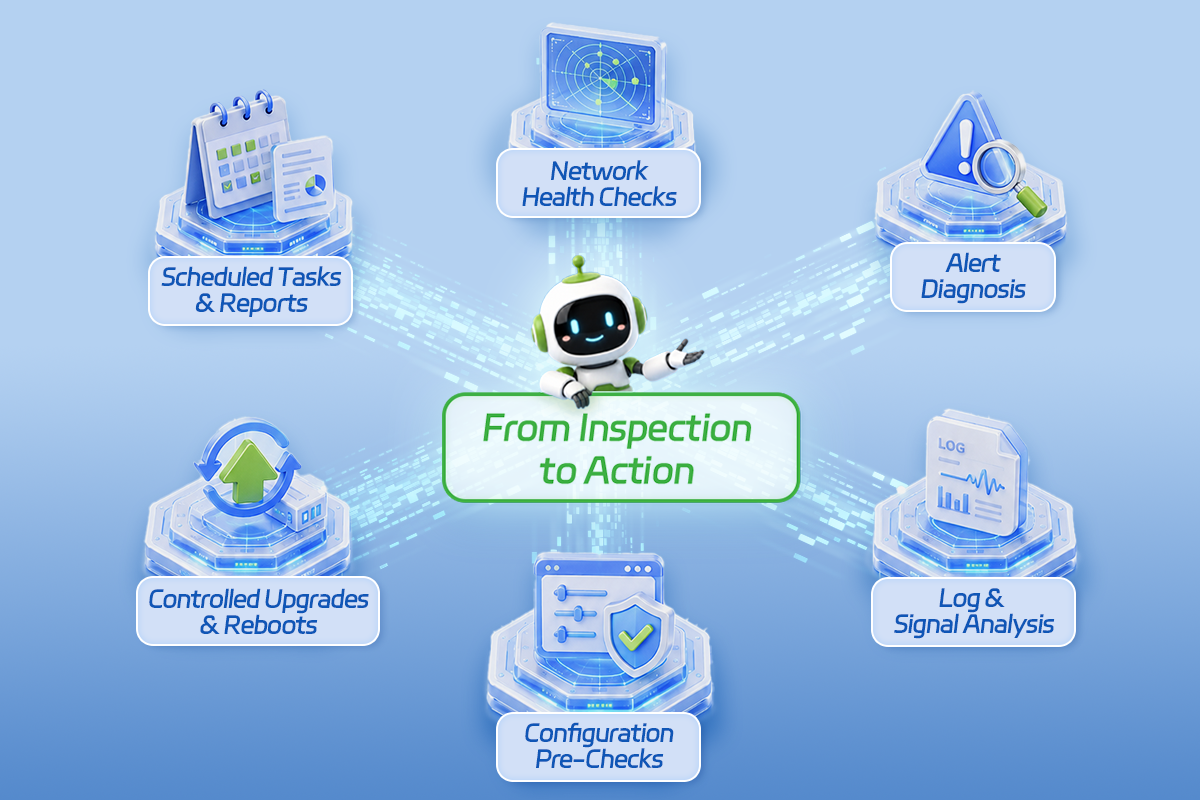
InHand Networks today announced the availability of InCloud Agent, an AI-powered network operations agent for enterprise IT and network operations teams.Users describe what they need to check or accomplish. Within their authorized scope, InCloud Agent retrieves device status, alerts, logs, configurations, and other operational data to support inspections, diagnostics, controlled actions, and result verification.
Points clés à retenir
– InCloud Agent moves beyond answering network questions to helping complete real operations tasks. – Users can start tasks in InCloud Manager or from compatible AI agents such as Claude Code and Codex CLI. Through InCloud Agent Skills, they can manage devices onboarded to InCloud Manager; through agent-cli, they can directly access supported devices reachable from an operations workstation. – Higher-risk actions, including configuration changes, firmware upgrades, and device reboots, require a pre-check and explicit user confirmation.
From Navigating Interfaces to Stating Goals
Enterprise networks span stores, branch offices, factories, and remote sites. When an issue occurs, engineers often move between device status, connectivity history, alerts, logs, signal data, and configurations to understand what happened and what to do next.
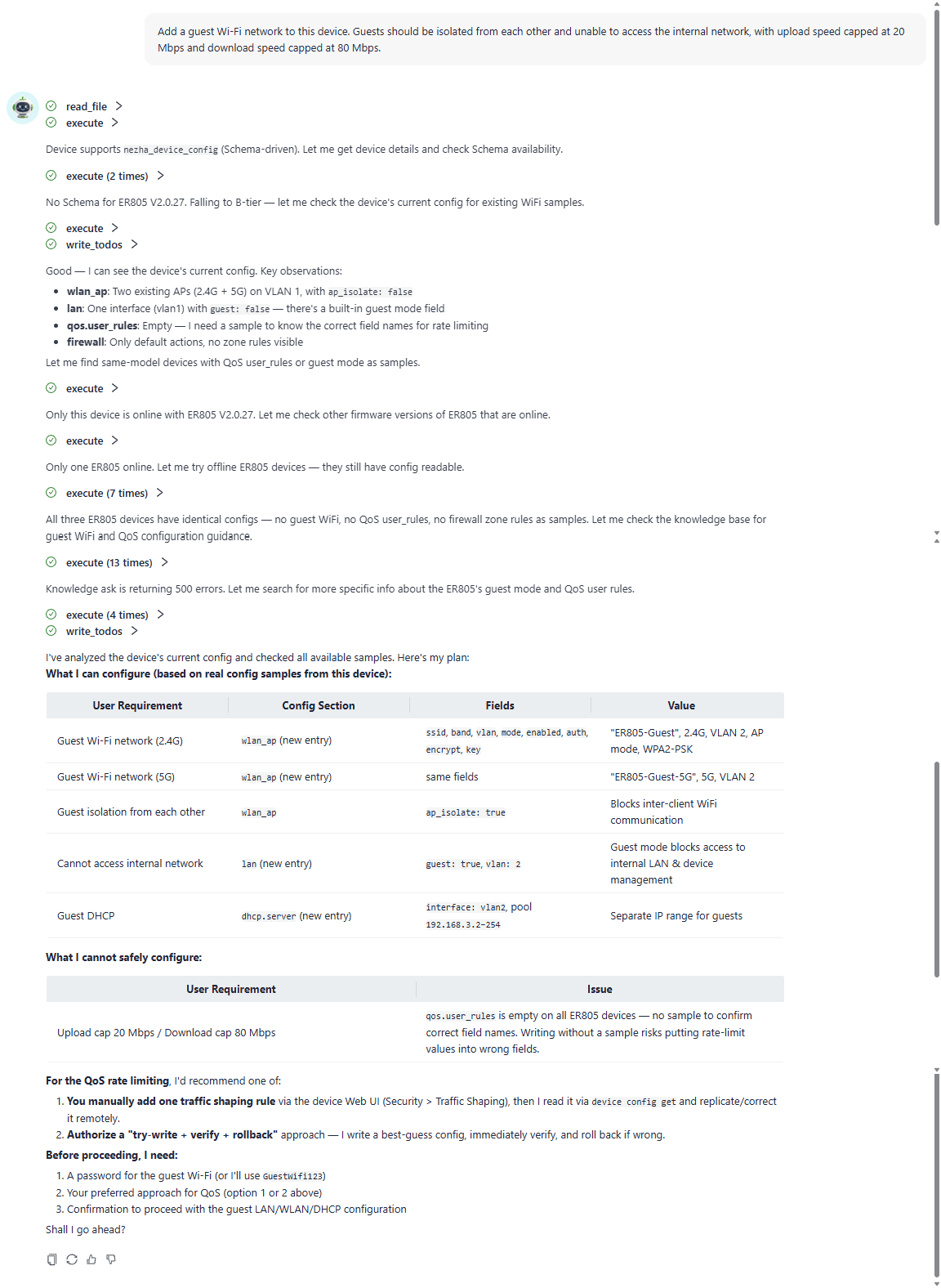
With InCloud Agent, users simply state the goal: identify stores that went offline overnight, investigate recurring device disconnects, or configure guest Wi-Fi at a site. The agent gathers the necessary information, works through the task step by step, and returns the findings and results in one place.
Users do not need to find the right page first or break a complete task into a series of commands. Operations teams define the goal and make key decisions; InCloud Agent handles information gathering, step organization, and repetitive work.
One Agent, Three Ways to Work
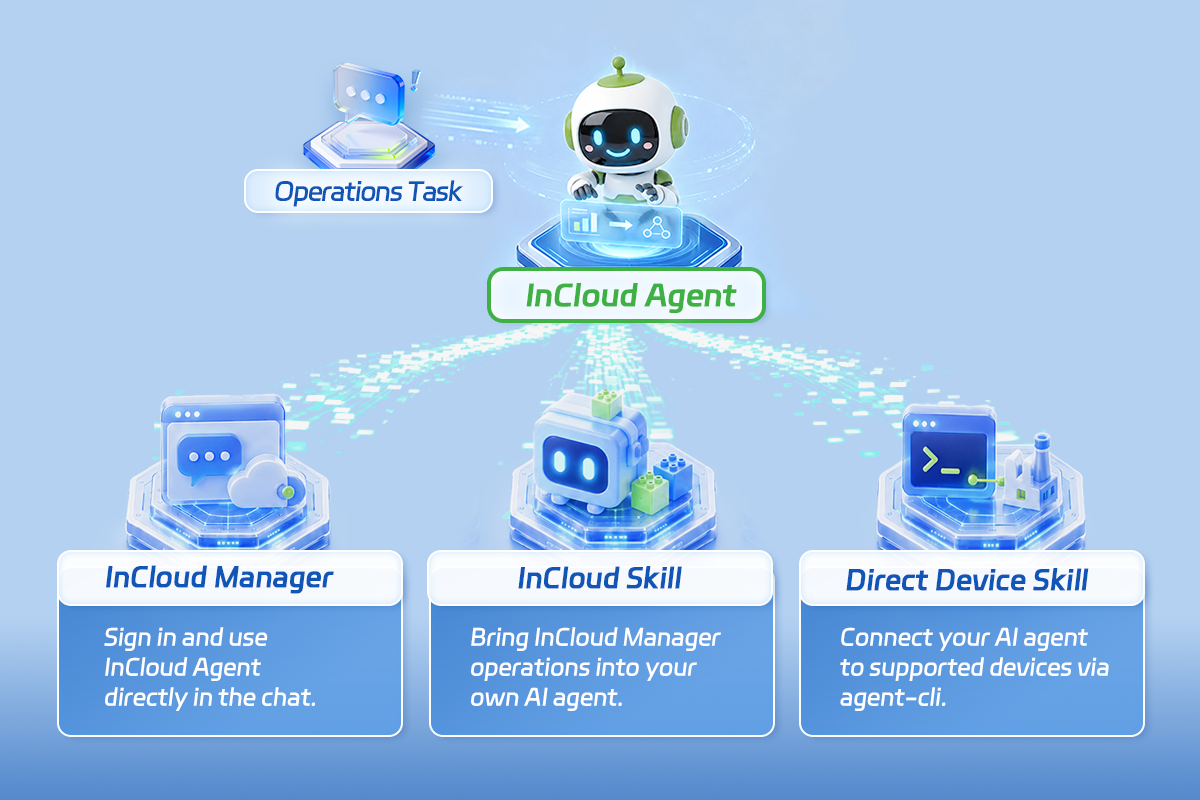
Different network environments call for different ways to work. InCloud Agent brings the same task flow to InCloud Manager, existing AI workflows, and devices in the field.
Use InCloud Agent in InCloud Manager
For networks already managed through InCloud Manager, users can initiate device queries, network-wide inspections, alert investigations, diagnostics, and recurring tasks directly from the platform.
InCloud Agent follows existing account and organization permissions and brings together relevant site, device, and operational information for multi-site and multi-device tasks.
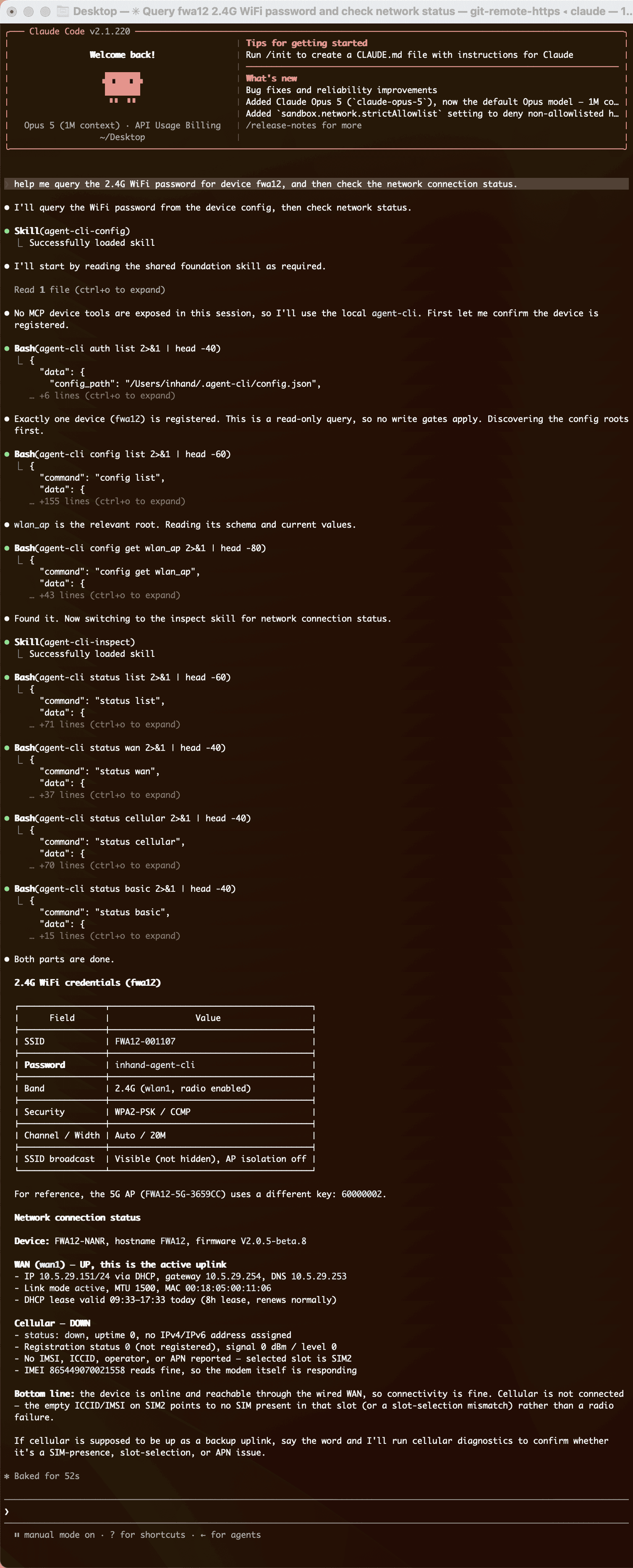
After installing InCloud Agent Skills and authorizing an InCloud Manager account, users can run operations tasks through InCloud Manager from compatible AI agents such as Claude Code and Codex CLI.
This brings device monitoring, remote diagnostics, alert handling, and common management tasks into existing workflows. Coverage depends on account permissions, device scope, and supported versions.
For devices not yet onboarded to InCloud Manager, located on private or dedicated networks, or temporarily unreachable through the cloud, engineers can use Claude Code, Codex CLI, or another compatible AI agent to invoke agent-cli on an operations workstation.
The device does not need to be onboarded to the cloud first, but the workstation must be able to reach it over the network. Supported operations vary by device model and firmware version.
All three approaches follow the same workflow: state the goal, retrieve network context, investigate and diagnose, run a pre-check, request user confirmation, execute, and verify the result.
Investigate Before Taking Action
For example, a user can ask:
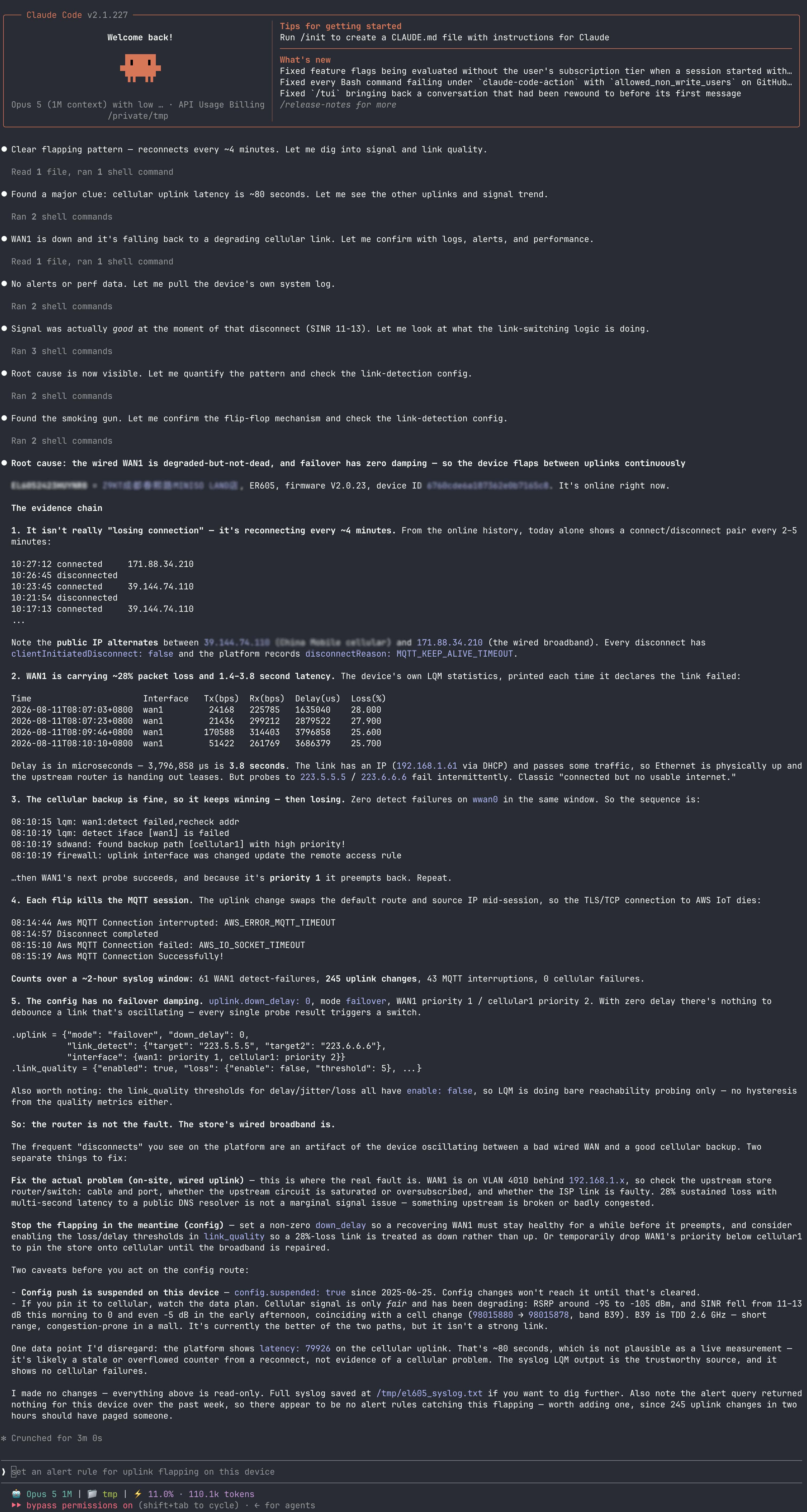
> Investigate why this device has been disconnecting so often.
InCloud Agent checks signal conditions, network registration status, and relevant logs, then organizes the evidence within one investigation. When there is enough information, it provides an assessment and recommends the next step. Otherwise, it explains what to check next, helping engineers narrow down the cause.
Tasks that change network state follow a different process. If a user asks InCloud Agent to add guest Wi-Fi with client isolation, blocked access to the internal network, and a defined session duration, the agent reviews the current configuration, prepares the change, and runs a pre-check. It presents the proposed configuration and potential impact before execution, proceeds only after explicit confirmation, and then verifies the result.
Confirm Before Execution, Verify After Completion
Lower-risk tasks, such as retrieving device information, reading logs, and running standard diagnostics, can proceed within the user’s existing permissions. For higher-risk actions, including configuration changes, firmware upgrades, and device reboots, InCloud Agent checks the execution conditions, explains the planned action and potential impact, and waits for user confirmation.
The system proceeds only after confirmation. Once the task is complete, InCloud Agent reports the execution status and verifies the result. Task evidence, confirmation records, execution records, and verification results remain available for review and traceability.
InCloud Agent collects information, organizes steps, and handles repetitive work, while network engineers remain responsible for judgment and decisions. Permissions, pre-checks, human confirmation, and result verification define how InCloud Agent operates within clear execution boundaries.
Bringing Network Operations Expertise to More Sites
InCloud Agent connects natural-language interaction with real network context and practical operations capabilities. Newer team members can follow clear investigation steps, while experienced engineers can spend less time gathering routine information and more time on issues that require expertise and judgment.
Whether users work in InCloud Manager or use InCloud Agent Skills or agent-cli from a compatible AI agent, the same task model and controls apply.
Wherever the network extends, network operations expertise can follow.
Explore InCloud Agent
Visit the InCloud Agent product page to see currently supported devices, software versions, ways to work, and common use cases, and learn how InCloud Agent can fit into your network environment and operations processes.
InCloud Agent
An AI agent for network operations, helping teams inspect, diagnose, take controlled action, and verify results more efficiently in their day-to-day workflows.


 Posez n'importe quelle question à l'IA