


ODU2002
جهاز توجيه خارجي بتقنية الجيل الخامس
قم بزيادة قوة الإشارة إلى أقصى حد باستخدام ODU2002. تم تصميم جهاز التوجيه الخارجي هذا بمعيار IP67 المتين، ويستخدم هوائيات عالية الكسب لالتقاط استقبال 5G فائق، مما يوفر اتصالاً مستقرًا للشبكات الداخلية في أي مناخ.
ODU2002
جهاز توجيه خارجي بتقنية الجيل الخامس
قم بزيادة قوة الإشارة إلى أقصى حد باستخدام ODU2002. تم تصميم جهاز التوجيه الخارجي هذا بمعيار IP67 المتين، ويستخدم هوائيات عالية الكسب لالتقاط استقبال 5G فائق، مما يوفر اتصالاً مستقرًا للشبكات الداخلية في أي مناخ.
صورة
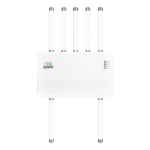
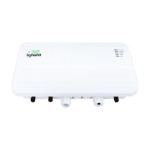
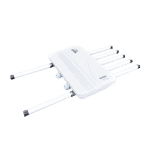
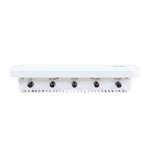
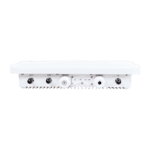
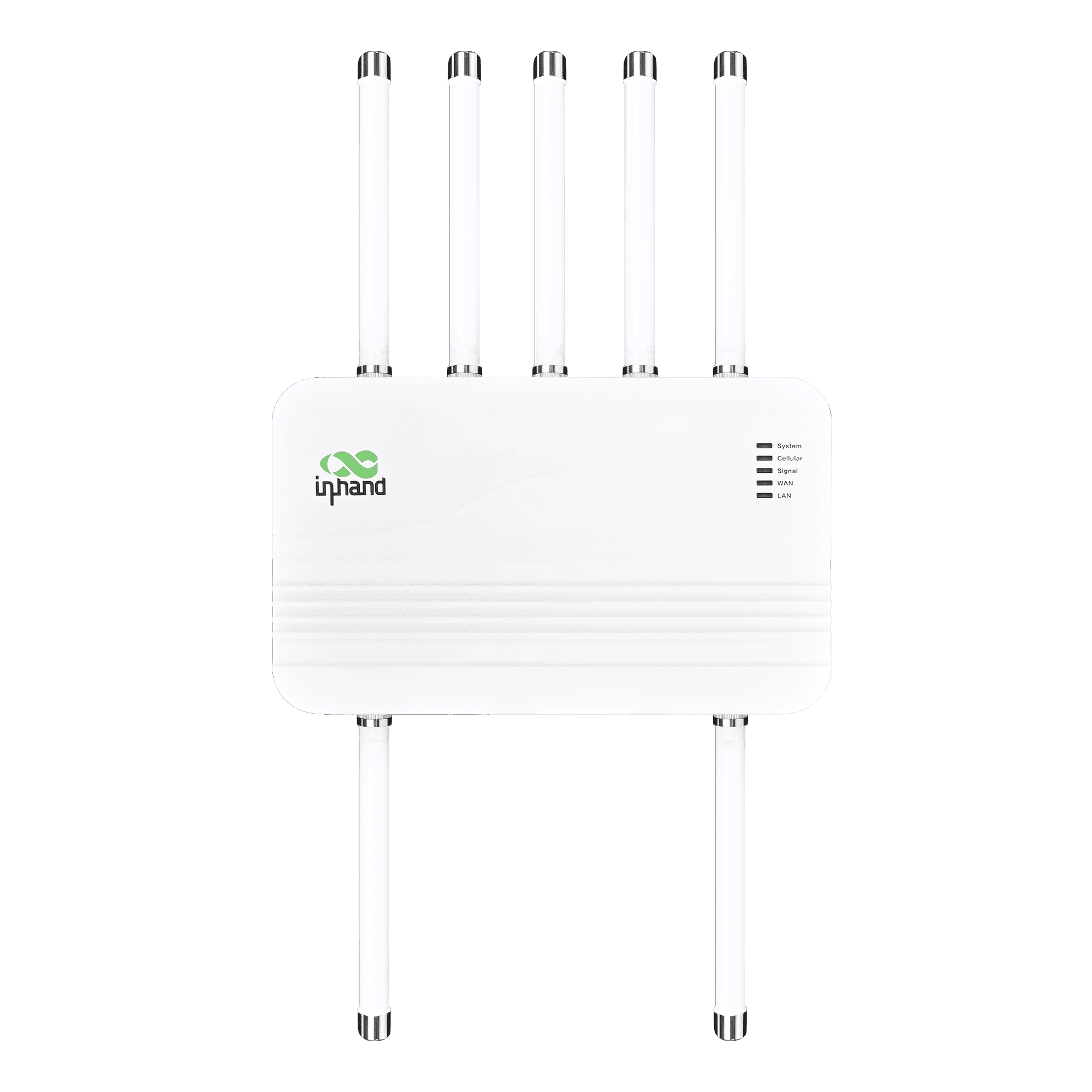
جهاز توجيه خارجي بتقنية الجيل الخامس للاتصال عالي السرعة

شبكة الجيل الخامس عالية التوافر
يوفر شبكة الجيل الخامس عالية السرعة بسرعة تصل إلى 4.76 جيجابت في الثانية للتحميل و1.25 جيجابت في الثانية للرفع، مما يضمن الوصول بزمن استجابة منخفض للعمليات الحيوية في أي مكان.

مقاوم للعوامل الجوية بمعيار IP67
صُممت بتصنيف IP67 لتحمل الغبار والمطر ودرجات الحرارة القصوى، مما يضمن الاستقرار في المناخات الخارجية القاسية.

6 هوائيات عالية الكسب
يعمل على تحسين استقبال الإشارة باستخدام هوائيات قوية واسعة النطاق، مما يوسع نطاق التغطية ويعزز السرعة حتى في المناطق النائية ذات الإشارة الضعيفة.

تقنية PoE للنشر المرن
يدعم تقنية نقل الطاقة عبر الإيثرنت (PoE)، مما يسمح بنقل البيانات والطاقة عبر كابل واحد لتسهيل عمليات التركيب الخارجية.

إدارة السحابة عن بعد
يمكنك التحكم المركزي باستخدام InCloud Manager. قم بتكوين الأجهزة ومراقبتها وترقيتها عن بُعد لتعزيز كفاءة تكنولوجيا المعلومات وتقليل زيارات المواقع.

تحديد المواقع بدقة باستخدام نظام تحديد المواقع العالمي (GPS)
يتيح نظام GNSS المتكامل تتبع الموقع في الوقت الفعلي لإدارة الأصول بكفاءة وعرض النشر المرئي على خرائط السحابة.
-
المواصفات الفنية الأساسية
الهوائيات تي إن سي: 6 × Sub-6 + 1 × GNSS + 1 × واي فايخلوي 5G SA/NSA + LTE Cat19; up to 4.76 Gbps DL / 1.25 Gbps UL (5G); dual-SIM / optional eSIMإدارة السحابة مدير السحابةبيئة -30 °C ~ +70 °C (-22 °F ~ +158 °F) op.; IEC 60068 salt mist / shock / vibration / dropإيثرنت / PoE / USB منفذان بسرعة 2.5 جيجابت إيثرنت (WAN/LAN)؛ مدخل PoE 802.3af/at؛ منفذ USB-C 2.0نظام تحديد المواقع العالمي (GNSS) نظام تحديد المواقع العالمي (GPS)، ونظام غلوناس (GLONASS)، ونظام بيدو (Beidou)، ونظام غاليليو (Galileo)، ونظام QZSSالشبكة والأمن IPv4/IPv6؛ VLAN، DHCP، DDNS؛ PPPoE؛ شريحة SIM مزدوجة؛ النسخ الاحتياطي للرابط؛ NAT؛ جدار الحماية، ACLالطاقة / الميكانيكية PoE 802.3at; ≤15 W; 360 × 220 × 72 mm (14.17 × 8.66 × 2.83 in); 2.87 kg (6.33 lb); metal; fanless; wall/pole; IP67شريحة SIM 2 × Nano-SIM (hot-swap); eSIM optionalمعدل نقل البيانات / عدد المستخدمين سرعة تصل إلى 2 جيجابت في الثانية؛ وما يصل إلى 200 مستخدمVPN بروتوكول أمان الإنترنت (IPsec)، بروتوكول نقل الطبقة الثانية (L2TP)واي فاي 802.11 b/g/n، نقطة وصول بتردد 2.4 جيجاهرتز، سرعة 150 ميجابت في الثانية
-
مؤشرات الأداء
المستخدمون الموصى بهم 200الإنتاجية سرعة تصل إلى 2 جيجابت في الثانية
-
واجهات
هوائي نوع TNC؛ 6 × Sub-6، 1 × GNSS، 1 × Wi-Fiإيثرنت 2 × 2.5 جيجابت إيثرنت RJ45، قابل للتبديل بين WAN/LAN، شبكة محلية مزدوجةنظام تحديد المواقع العالمي (GNSS) نظام تحديد المواقع العالمي (GPS) / نظام غلوناس (GLONASS) / نظام بيدو (Beidou) / نظام غاليليو (Galileo) / نظام كيو زد إس إس (QZSS)أرضي 1 × GNDقاد النظام، الخلوي، الإشارة، الشبكة الواسعة، الشبكة المحليةنقطة اتصال عبر الإيثرنت PoE في منفذ LAN (802.3af/at)إعادة ضبط زر إعادة الضبطشريحة SIM 2 × نانو 4FF، قابلة للتوصيل السريعUSB 1 × منفذ Type-C 2.0
-
خلوي
تردد هوائي الجيل الخامس 600–5000 ميجاهرتزكسب هوائي الجيل الخامس 6.46 ديسيبلمعدل البيانات الجيل الخامس: 4.76 جيجابت في الثانية تنزيل / 1.25 جيجابت في الثانية رفع؛ الجيل الرابع: 1.6 جيجابت في الثانية تنزيل / 200 ميجابت في الثانية رفع
-
قوة
مدخل الطاقة عبر الإيثرنت (PoE) 802.3atاستهلاك الطاقة ≤ 15 واط
-
ميكانيكياً
أبعاد 360 × 220 × 72 mm (14.17 × 8.66 × 2.83 in)السكن معدني، بدون مروحةتثبيت التثبيت على الحائط، التثبيت على العمودوزن 2.87 kg (6.33 lb)
-
بيئة
رطوبة 5–95 % RH (غير مكثف)درجة حرارة التشغيل -30 °C ~ +70 °C (-22 °F ~ +158 °F)حماية IP67رذاذ الملح IEC 60068-2-52درجة حرارة التخزين -40 °C ~ +85 °C (-40 °F ~ +185 °F)
-
التوافق الكهرومغناطيسي
أُجرِي EN 61000-4-6 المستوى 3EFT/Burst EN 61000-4-4 المستوى 3التفريغ الكهروستاتيكي EN 61000-4-2 المستوى 3RE/CE الفئة أ، هامش 3 ديسيبلطلب معلومات EN 61000-4-3 المستوى 3طفرة EN 61000-4-5 المستوى 3
-
بدني
السقوط الحر IEC 60068-2-32صدمة IEC 60068-2-27اهتزاز IEC 60068-2-6
-
شهادة
شهادة لجنة الاتصالات الفيدرالية، وهيئة الصناعة الكندية، ومجلس مراقبة الاتصالات عبر المحيط الهادئ، وفيريزون، وتي موبايل، وعلامة المطابقة الأوروبيةضمان 3 سنوات
-
إدارة السحابة
سمات إدارة مركزية، لوحة تحكم، ترقية مجمعة، إدارة وصلة الإرسالمنصة مدير السحابة
-
ميزات الشبكة
وصول 5G/4G، إيثرنتالتطبيقات شبكة VLAN، خادم/عميل DHCP، نظام أسماء النطاقات (DNS)، نظام أسماء النطاقات الديناميكي (DDNS)، عنوان ثابت، تمرير IPالاتصال PPPoE, cellular auto redial, dual-SIM switching, APN configurationواجهة المستخدم وضع الازدواج، التفاوض على الرابطبروتوكول الإنترنت IPv4 / IPv6النسخ الاحتياطي للرابط موازنة الأحمال على مستوى الحزممراقبة الروابط الكشف عن التأخير في الوقت الحقيقي، والارتعاش، وفقدان الحزمأولوية الارتباط تعديل أولوية الرابط
-
حماية
جدار الحماية التحكم في الوصول، وتعيين المنافذ، وإعادة توجيه المنافذ، وتصفية عناوين MACVPN شبكة افتراضية خاصة بتقنية IPsec، شبكة افتراضية خاصة بتقنية L2TP
-
يراقب
الإشارة الخلوية RSSI، RSRP، RSRQ، SINRلوحة التحكم معلومات الجهاز، حالة الواجهة، إحصائيات حركة البياناتسجلات سجلات النظام، سجلات التشخيص، أحداث الجهاز، تنبيهات البريد الإلكتروني
-
واي فاي
وضع وضع نقطة الوصول بتردد 2.4 جيجاهرتز
-
سياسة
سياسة توجيه السياسات، وتشكيل حركة المرور
-
التعافي الذاتي
كلب الحراسة جهة رقابية على البرمجيات والأجهزة
الباقة القياسية*
- جهاز توجيه خارجي ODU02 *1
- هوائي 5G *2
- هوائي MIMO لشبكة الجيل الخامس *4
- هوائي واي فاي *1
- هوائي نظام تحديد المواقع العالمي عبر الأقمار الصناعية *1
- كابل إيثرنت *1
- محول PoE مع سلك طاقة تيار متردد *1
- قوس التثبيت *1
- لوحة التثبيت *1
- معسكر أنابيب الفولاذ المقاوم للصدأ *2
* تختلف محتويات العبوة القياسية باختلاف رموز الطلب القياسية.
اتصل بنا للحصول على مزيد من المعلومات حول خيارات التغليف لدينا، يرجى الاتصال بنا مباشرة.
تحديد
-
المواصفات الفنية الأساسية
الهوائيات تي إن سي: 6 × Sub-6 + 1 × GNSS + 1 × واي فايخلوي 5G SA/NSA + LTE Cat19; up to 4.76 Gbps DL / 1.25 Gbps UL (5G); dual-SIM / optional eSIMإدارة السحابة مدير السحابةبيئة -30 °C ~ +70 °C (-22 °F ~ +158 °F) op.; IEC 60068 salt mist / shock / vibration / dropإيثرنت / PoE / USB منفذان بسرعة 2.5 جيجابت إيثرنت (WAN/LAN)؛ مدخل PoE 802.3af/at؛ منفذ USB-C 2.0نظام تحديد المواقع العالمي (GNSS) نظام تحديد المواقع العالمي (GPS)، ونظام غلوناس (GLONASS)، ونظام بيدو (Beidou)، ونظام غاليليو (Galileo)، ونظام QZSSالشبكة والأمن IPv4/IPv6؛ VLAN، DHCP، DDNS؛ PPPoE؛ شريحة SIM مزدوجة؛ النسخ الاحتياطي للرابط؛ NAT؛ جدار الحماية، ACLالطاقة / الميكانيكية PoE 802.3at; ≤15 W; 360 × 220 × 72 mm (14.17 × 8.66 × 2.83 in); 2.87 kg (6.33 lb); metal; fanless; wall/pole; IP67شريحة SIM 2 × Nano-SIM (hot-swap); eSIM optionalمعدل نقل البيانات / عدد المستخدمين سرعة تصل إلى 2 جيجابت في الثانية؛ وما يصل إلى 200 مستخدمVPN بروتوكول أمان الإنترنت (IPsec)، بروتوكول نقل الطبقة الثانية (L2TP)واي فاي 802.11 b/g/n، نقطة وصول بتردد 2.4 جيجاهرتز، سرعة 150 ميجابت في الثانية
-
مؤشرات الأداء
المستخدمون الموصى بهم 200الإنتاجية سرعة تصل إلى 2 جيجابت في الثانية
-
واجهات
هوائي نوع TNC؛ 6 × Sub-6، 1 × GNSS، 1 × Wi-Fiإيثرنت 2 × 2.5 جيجابت إيثرنت RJ45، قابل للتبديل بين WAN/LAN، شبكة محلية مزدوجةنظام تحديد المواقع العالمي (GNSS) نظام تحديد المواقع العالمي (GPS) / نظام غلوناس (GLONASS) / نظام بيدو (Beidou) / نظام غاليليو (Galileo) / نظام كيو زد إس إس (QZSS)أرضي 1 × GNDقاد النظام، الخلوي، الإشارة، الشبكة الواسعة، الشبكة المحليةنقطة اتصال عبر الإيثرنت PoE في منفذ LAN (802.3af/at)إعادة ضبط زر إعادة الضبطشريحة SIM 2 × نانو 4FF، قابلة للتوصيل السريعUSB 1 × منفذ Type-C 2.0
-
خلوي
تردد هوائي الجيل الخامس 600–5000 ميجاهرتزكسب هوائي الجيل الخامس 6.46 ديسيبلمعدل البيانات الجيل الخامس: 4.76 جيجابت في الثانية تنزيل / 1.25 جيجابت في الثانية رفع؛ الجيل الرابع: 1.6 جيجابت في الثانية تنزيل / 200 ميجابت في الثانية رفع
-
قوة
مدخل الطاقة عبر الإيثرنت (PoE) 802.3atاستهلاك الطاقة ≤ 15 واط
-
ميكانيكياً
أبعاد 360 × 220 × 72 mm (14.17 × 8.66 × 2.83 in)السكن معدني، بدون مروحةتثبيت التثبيت على الحائط، التثبيت على العمودوزن 2.87 kg (6.33 lb)
-
بيئة
رطوبة 5–95 % RH (غير مكثف)درجة حرارة التشغيل -30 °C ~ +70 °C (-22 °F ~ +158 °F)حماية IP67رذاذ الملح IEC 60068-2-52درجة حرارة التخزين -40 °C ~ +85 °C (-40 °F ~ +185 °F)
-
التوافق الكهرومغناطيسي
أُجرِي EN 61000-4-6 المستوى 3EFT/Burst EN 61000-4-4 المستوى 3التفريغ الكهروستاتيكي EN 61000-4-2 المستوى 3RE/CE الفئة أ، هامش 3 ديسيبلطلب معلومات EN 61000-4-3 المستوى 3طفرة EN 61000-4-5 المستوى 3
-
بدني
السقوط الحر IEC 60068-2-32صدمة IEC 60068-2-27اهتزاز IEC 60068-2-6
-
شهادة
شهادة لجنة الاتصالات الفيدرالية، وهيئة الصناعة الكندية، ومجلس مراقبة الاتصالات عبر المحيط الهادئ، وفيريزون، وتي موبايل، وعلامة المطابقة الأوروبيةضمان 3 سنوات
-
إدارة السحابة
سمات إدارة مركزية، لوحة تحكم، ترقية مجمعة، إدارة وصلة الإرسالمنصة مدير السحابة
-
ميزات الشبكة
وصول 5G/4G، إيثرنتالتطبيقات شبكة VLAN، خادم/عميل DHCP، نظام أسماء النطاقات (DNS)، نظام أسماء النطاقات الديناميكي (DDNS)، عنوان ثابت، تمرير IPالاتصال PPPoE, cellular auto redial, dual-SIM switching, APN configurationواجهة المستخدم وضع الازدواج، التفاوض على الرابطبروتوكول الإنترنت IPv4 / IPv6النسخ الاحتياطي للرابط موازنة الأحمال على مستوى الحزممراقبة الروابط الكشف عن التأخير في الوقت الحقيقي، والارتعاش، وفقدان الحزمأولوية الارتباط تعديل أولوية الرابط
-
حماية
جدار الحماية التحكم في الوصول، وتعيين المنافذ، وإعادة توجيه المنافذ، وتصفية عناوين MACVPN شبكة افتراضية خاصة بتقنية IPsec، شبكة افتراضية خاصة بتقنية L2TP
-
يراقب
الإشارة الخلوية RSSI، RSRP، RSRQ، SINRلوحة التحكم معلومات الجهاز، حالة الواجهة، إحصائيات حركة البياناتسجلات سجلات النظام، سجلات التشخيص، أحداث الجهاز، تنبيهات البريد الإلكتروني
-
واي فاي
وضع وضع نقطة الوصول بتردد 2.4 جيجاهرتز
-
سياسة
سياسة توجيه السياسات، وتشكيل حركة المرور
-
التعافي الذاتي
كلب الحراسة جهة رقابية على البرمجيات والأجهزة
التنزيلات
الطلب
الباقة القياسية*
- جهاز توجيه خارجي ODU02 *1
- هوائي 5G *2
- هوائي MIMO لشبكة الجيل الخامس *4
- هوائي واي فاي *1
- هوائي نظام تحديد المواقع العالمي عبر الأقمار الصناعية *1
- كابل إيثرنت *1
- محول PoE مع سلك طاقة تيار متردد *1
- قوس التثبيت *1
- لوحة التثبيت *1
- معسكر أنابيب الفولاذ المقاوم للصدأ *2
* تختلف محتويات العبوة القياسية باختلاف رموز الطلب القياسية.
اتصل بنا للحصول على مزيد من المعلومات حول خيارات التغليف لدينا، يرجى الاتصال بنا مباشرة.
مدير السحابة
منصة إدارة الشبكات السحابية
منصة شبكية مدعومة بالذكاء الاصطناعي للمتاجر المتسلسلة والشركات الصغيرة والمتوسطة، مما يتيح المراقبة والإدارة المركزية لأجهزة التوجيه ونقاط الوصول والمحولات.
مدير السحابة
قضايا ذات صلة

شبكة الجيل الخامس غير المنقطعة لفروع الشركات
شبكة الجيل الخامس المتواصلة لفروع الشركات: التطبيقات والحالات - أهم النقاط الرئيسية: متواصلة...
تعرّف على المزيد →
شبكات فروع المؤسسات الفعالة
تطبيقات وحالات شبكات الفروع المؤسسية الفعّالة: أهم النقاط الرئيسية لبناء مؤسسة فعّالة...
تعرّف على المزيد →
شبكات الجيل الخامس للمتاجر المتسلسلة
شبكات الجيل الخامس لتطبيقات وحالات المتاجر المتسلسلة - أهم النقاط الرئيسية حول شبكات الجيل الخامس...
تعرّف على المزيد →الأسئلة الشائعة
ما هي شركات الاتصالات الخلوية المعتمدة وفقًا لمعيار ODU2002؟
1. تأكد من إعداد UniFi وتشغيله.
2. قم بتشغيل نقطة وصول UniFi الخاصة بك وتأكد من اتصالها بوحدة تحكم UniFi الخاصة بك*
3. افتح تطبيق UniFi Mobile الخاص بك (iOS / Android) أو انتقل إلى مدير موقع UniFi الخاص بك.
4. انقر/اضغط للتبني عندما يظهر جهازك.
يتم تشغيل نقاط الوصول عند توصيلها بمحول UniFi PoE أو مصدر طاقة التيار المتردد باستخدام محول PoE.
*يوصى باستخدام بوابة UniFi السحابية للحصول على تجربة إعداد سلسة للغاية.
كيف أقوم بتشغيل جهاز ODU2002؟
1. تأكد من إعداد UniFi وتشغيله.
2. قم بتشغيل نقطة وصول UniFi الخاصة بك وتأكد من اتصالها بوحدة تحكم UniFi الخاصة بك*
3. افتح تطبيق UniFi Mobile الخاص بك (iOS / Android) أو انتقل إلى مدير موقع UniFi الخاص بك.
4. انقر/اضغط للتبني عندما يظهر جهازك.
يتم تشغيل نقاط الوصول عند توصيلها بمحول UniFi PoE أو مصدر طاقة تيار متردد باستخدام محول PoE. *يوصى باستخدام بوابة UniFi السحابية للحصول على تجربة إعداد سلسة.
كيف أقوم بتوصيل جهاز ODU2002 بشبكة الجوال وتعيين نقطة الوصول (APN)؟
1. تأكد من إعداد UniFi وتشغيله.
2. قم بتشغيل نقطة وصول UniFi الخاصة بك وتأكد من اتصالها بوحدة تحكم UniFi الخاصة بك*
3. افتح تطبيق UniFi Mobile الخاص بك (iOS / Android) أو انتقل إلى مدير موقع UniFi الخاص بك.
4. انقر/اضغط للتبني عندما يظهر جهازك.
يتم تشغيل نقاط الوصول عند توصيلها بمحول UniFi PoE أو مصدر طاقة تيار متردد باستخدام محول PoE. *يوصى باستخدام بوابة UniFi السحابية للحصول على تجربة إعداد سلسة.
كيف أقوم بإعداد خاصية تمرير بروتوكول الإنترنت (IP Passthrough) على جهاز ODU2002؟
1. تأكد من إعداد UniFi وتشغيله.
2. قم بتشغيل نقطة وصول UniFi الخاصة بك وتأكد من اتصالها بوحدة تحكم UniFi الخاصة بك*
3. افتح تطبيق UniFi Mobile الخاص بك (iOS / Android) أو انتقل إلى مدير موقع UniFi الخاص بك.
4. انقر/اضغط للتبني عندما يظهر جهازك.
يتم تشغيل نقاط الوصول عند توصيلها بمحول UniFi PoE أو مصدر طاقة تيار متردد باستخدام محول PoE. *يوصى باستخدام بوابة UniFi السحابية للحصول على تجربة إعداد سلسة.