


FWA12
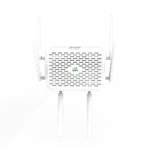
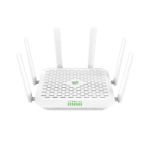
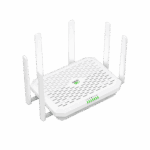
جهاز توجيه واي فاي داخلي بتقنية 5G
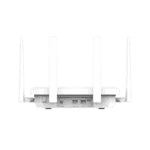
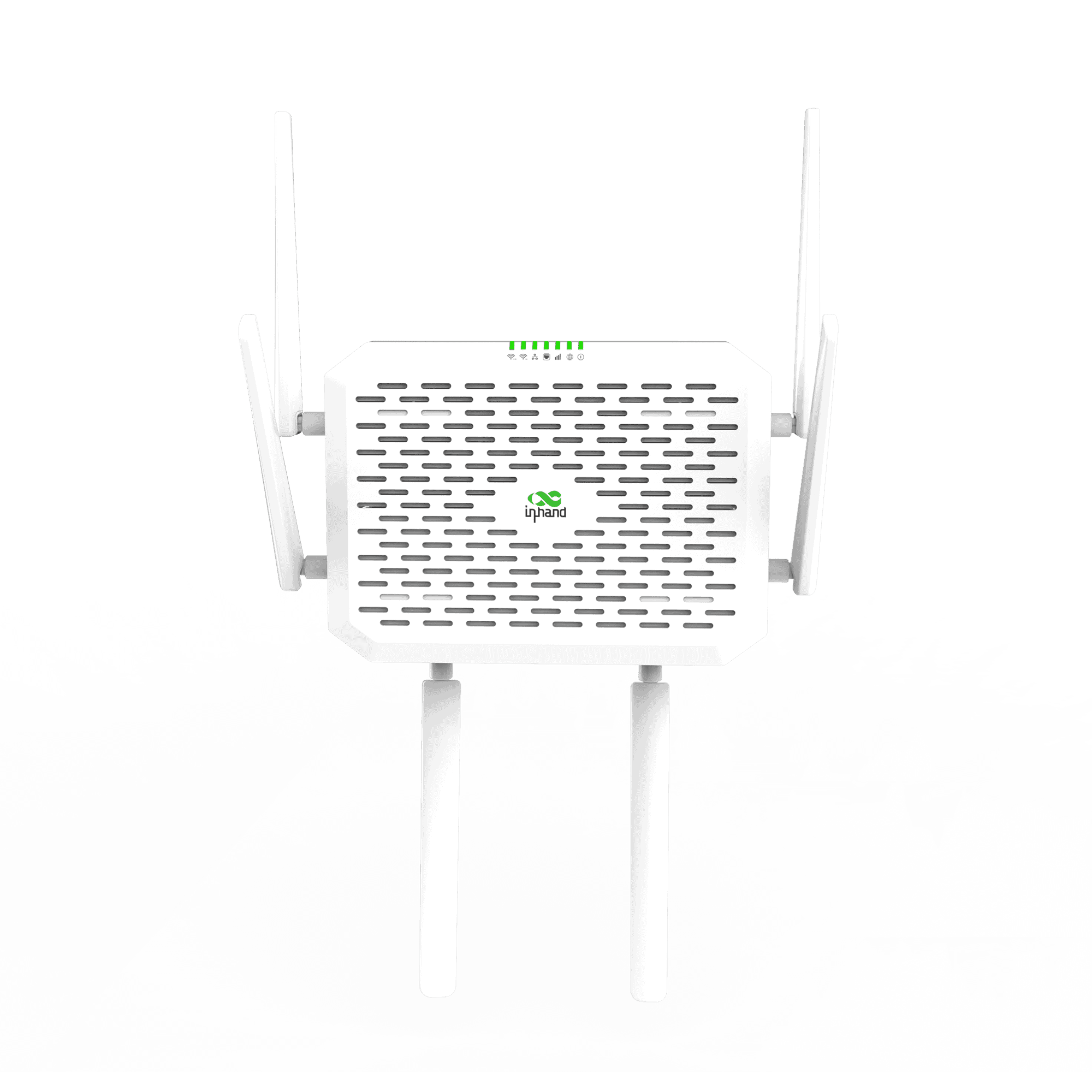
أطلق العنان لسرعة فائقة مع FWA12. يجمع هذا الجهاز القوي المعزز بالذكاء الاصطناعي بين تقنية 5G فائقة السرعة 7 جيجابت في الثانية وتقنية Wi-Fi 7، ويتعامل مع أحمال البيانات الثقيلة بسهولة، مما يوفر ميزة السرعة القصوى للمؤسسات الحديثة.
FWA12
جهاز توجيه واي فاي داخلي بتقنية 5G
أطلق العنان لسرعة فائقة مع FWA12. يجمع هذا الجهاز القوي المعزز بالذكاء الاصطناعي بين تقنية 5G فائقة السرعة 7 جيجابت في الثانية وتقنية Wi-Fi 7، ويتعامل مع أحمال البيانات الثقيلة بسهولة، مما يوفر ميزة السرعة القصوى للمؤسسات الحديثة.
فيديو دليل البدء السريع
راوتر واي فاي 7 بتقنية الجيل الخامس مع إدارة مدعومة بالذكاء الاصطناعي
شبكة الجيل الخامس فائقة السرعة R16
استمتع بسرعات من فئة الألياف الضوئية تصل إلى 7.01 جيجابت في الثانية للتحميل و2.5 جيجابت في الثانية للرفع، مدعومة بتقنية 5G R16 NSA/SA المتقدمة.
أداء واي فاي 7
استمتع بسرعات تصل إلى 5000 ميجابت في الثانية مع تغطية تصل إلى 323 قدمًا. ابقَ على اتصال بسرعة 600 ميجابت في الثانية حتى على بُعد 100 قدم لتجربة تجوال سلسة وعالية السرعة.

تجميع الموجات الحاملة المتقدمة
عرض نطاق ترددي 300 ميجاهرتز وكفاءة الشبكة مع تجميع وصلة هبوطية بأربعة حوامل ووصلة صعودية بحاملين.
جاهز لنظام نقاط البيع بنقرة واحدة
ضمان استمرارية الأعمال من خلال تحسين حركة مرور نقاط البيع بنقرة واحدة، مع إعطاء الأولوية لعرض النطاق الترددي للمعاملات بالغة الأهمية.

أمان قوي على مستوى المؤسسات
احمِ شبكتك باستخدام جدران الحماية المدمجة، وعزل SSID، ومصادقة البوابة، وإدارة الهوية الآمنة.

عمليات التشغيل والصيانة المدعومة بالذكاء الاصطناعي
قم بتحويل عمليات الصيانة باستخدام تحليل السجلات المدعوم بالذكاء الاصطناعي وتشخيص الأعطال للحصول على تجربة شبكة أكثر ذكاءً واستباقية.
-
المواصفات الفنية الأساسية
الهوائيات 6 × اتصال خلوي خارجي + 2 × اتصال خلوي داخلي؛ 3 × اتصال واي فاي داخليخلوي 5G SA/NSA + LTE Cat19؛ سرعة تنزيل تصل إلى 7.01 جيجابت في الثانية / سرعة رفع تصل إلى 2.5 جيجابت في الثانية (5G)شهادة لجنة الاتصالات الفيدرالية، وهيئة الصناعة الكندية، ومجلس مراجعة شكاوى الشرطة، وفيريزون، وتي موبايل، وإيه تي آند تيإدارة السحابة مدير إنكلاود؛ مساعد الذكاء الاصطناعي (7×24)أبعاد 236 × 172.5 × 58.5 mm (9.29 × 6.79 × 2.3 in)إيثرنت / يو إس بي 2 × 2.5 جيجابت (WAN/LAN، شبكة LAN مزدوجة)؛ يو اس بي-سي 2.0شبكة IPv4/IPv6قوة 12 فولت / 3 أمبير؛ ≤24 واطشريحة SIM 1 × eSIM + 2 × Nano-SIM (hot-swap)معدل نقل البيانات / عدد المستخدمين جدار حماية ذو حالة بسرعة 2 جيجابت في الثانية؛ يصل إلى 220 مستخدمًا (128 منهم عبر شبكة Wi-Fi)VPN بروتوكول أمان الإنترنت (IPsec)، بروتوكول نقل الطبقة الثانية (L2TP)واي فاي واي فاي 7 (802.11be)، بتردد 2.4/5.8 جيجاهرتز، وسرعة 5000 ميجابت في الثانية
-
مؤشرات الأداء
المستخدمون الموصى بهم 220 (128 جهاز واي فاي)معدل نقل البيانات عبر جدار الحماية ذي الحالة 2 جيجابت في الثانية
-
واجهات
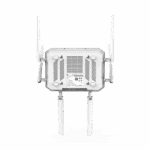
هوائي 6 هوائيات خارجية + 2 هوائيات مدمجة؛ 3 هوائيات واي فاي مدمجةإيثرنت 2 × 2.5 جيجابت إيثرنت RJ45، قابل للتبديل بين WAN/LAN، شبكة محلية مزدوجةقاد النظام، الخلوي، الإشارة، الشبكة الواسعة، الشبكة المحلية، واي فايمفتاح الطاقة زر واحدإعادة ضبط زر إعادة الضبطشريحة SIM 1 × eSIM; 2 × Nano-SIM, hot plugUSB منفذ واحد من النوع C 2.0، يدعم وضعَي المضيف والتابع
-
خلوي
تردد الهوائي 617–5925 ميجاهرتزكسب الهوائي 617-894 ميجاهرتز: 2 ديسيبل؛ 1700-5000 ميجاهرتز: 4.11 ديسيبلمعدل البيانات 5G SA/NSA: 7.01 جيجابت في الثانية DL / 2.5 جيجابت في الثانية UL؛ 4G CAT19: 1.6 جيجابت في الثانية DL / 200 ميجابت في الثانية UL
-
قوة
مدخل واجهة دائرية، 12 فولت / 3 أمبيراستهلاك الطاقة ≤ 24 واط
-
ميكانيكياً
أبعاد 236 × 172.5 × 58.5 mm (9.29 × 6.79 × 2.3 in)تثبيت التثبيت على الحائط، التثبيت على سطح المكتبوزن 2.2 رطل
-
بيئة
رطوبة 5–95 % RH (غير مكثف)درجة حرارة التشغيل -10 °C ~ +50 °C (14 °F ~ +122 °F)حماية IP20درجة حرارة التخزين -40 °C ~ +85 °C (-40 °F ~ +185 °F)
-
بدني
السقوط الحر IEC 60068-2-32صدمة IEC 60068-2-27اهتزاز IEC 60068-2-6
-
شهادة
شهادة لجنة الاتصالات الفيدرالية، وهيئة الصناعة الكندية، ومجلس مراجعة شكاوى الشرطة، وفيريزون، وتي موبايل، وإيه تي آند تيضمان 3 سنوات
-
إدارة السحابة
مساعد الذكاء الاصطناعي دعم على مدار الساعة طوال أيام الأسبوع، وحل المشكلات مع مراعاة السياق.سمات توفير تلقائي بالكامل، إدارة مركزية، مراقبة مرئيةمنصة مدير السحابة
-
ميزات الشبكة
وصول شبكة الجيل الخامس/الرابع، إيثرنتالتطبيقات شبكة VLAN، خادم/عميل DHCP، نظام أسماء النطاقات (DNS)، نظام أسماء النطاقات الديناميكي (DDNS)، عنوان ثابت، تمرير IPالاتصال PPPoE, cellular auto redial, dual-SIM switching, APN configurationواجهة المستخدم وضع الازدواج، التفاوض على الرابط، تمكين الواجهةبروتوكول الإنترنت IPv4 / IPv6النسخ الاحتياطي للرابط موازنة الأحمال على مستوى الحزم، وتعديل أولوية الارتباطمراقبة الروابط مراقبة التأخير في الوقت الحقيقي، والارتعاش، وفقدان الحزم، ومعدل نقل البيانات
-
حماية
جدار الحماية التحكم في الوصول، وتعيين المنافذ، وإعادة توجيه المنافذ، وتصفية عناوين MAC/IP/المنافذ/البروتوكولاتVPN شبكة افتراضية خاصة بتقنية IPsec، شبكة افتراضية خاصة بتقنية L2TP
-
يراقب
الإشارة الخلوية RSSI، RSRP، RSRQ، SINR، إلخ، في الوقت الحقيقي.لوحة التحكم معلومات الجهاز، حالة الواجهة، تحليل حركة البياناتسجلات سجلات النظام، سجلات التشخيص، أحداث الجهاز، تنبيهات البريد الإلكتروني
-
واي فاي
وضع 802.11 be/ax/ac/b/g/n، واي فاي 7، وضع نقطة الوصول
-
سياسة
سياسة توجيه السياسات، وتشكيل حركة المرور
-
التعافي الذاتي
كلب الحراسة نظام مراقبة البرمجيات والأجهزة، والإصلاح الذاتي
-
الصيانة عن بعد
وصول واجهة المستخدم عبر الويب، الوصول والتحكم عن بُعد عبر واجهة سطر الأوامرسحاب الصيانة عن بعد لأجهزة الكمبيوتر الشخصية، ومعدات المراقبة، والخوادم، وما إلى ذلك.التكوين استيراد وتصدير الإعداداتالتشخيص اختبار الاتصال (Ping)، وتتبع المسار (Traceroute)، والتقاط الحزم، وسجلات التشخيص
الباقة القياسية*
- جهاز توجيه داخلي FWA12 *1
- هوائي 5G *6
- كابل إيثرنت *1
- محول طاقة *1
- طقم براغي *1
- دليل المستخدم *1
* تختلف محتويات العبوة القياسية باختلاف رموز الطلب القياسية.
اتصل بنا للحصول على مزيد من المعلومات حول خيارات التغليف لدينا، يرجى الاتصال بنا مباشرة.
تحديد
-
المواصفات الفنية الأساسية
الهوائيات 6 × اتصال خلوي خارجي + 2 × اتصال خلوي داخلي؛ 3 × اتصال واي فاي داخليخلوي 5G SA/NSA + LTE Cat19؛ سرعة تنزيل تصل إلى 7.01 جيجابت في الثانية / سرعة رفع تصل إلى 2.5 جيجابت في الثانية (5G)شهادة لجنة الاتصالات الفيدرالية، وهيئة الصناعة الكندية، ومجلس مراجعة شكاوى الشرطة، وفيريزون، وتي موبايل، وإيه تي آند تيإدارة السحابة مدير إنكلاود؛ مساعد الذكاء الاصطناعي (7×24)أبعاد 236 × 172.5 × 58.5 mm (9.29 × 6.79 × 2.3 in)إيثرنت / يو إس بي 2 × 2.5 جيجابت (WAN/LAN، شبكة LAN مزدوجة)؛ يو اس بي-سي 2.0شبكة IPv4/IPv6قوة 12 فولت / 3 أمبير؛ ≤24 واطشريحة SIM 1 × eSIM + 2 × Nano-SIM (hot-swap)معدل نقل البيانات / عدد المستخدمين جدار حماية ذو حالة بسرعة 2 جيجابت في الثانية؛ يصل إلى 220 مستخدمًا (128 منهم عبر شبكة Wi-Fi)VPN بروتوكول أمان الإنترنت (IPsec)، بروتوكول نقل الطبقة الثانية (L2TP)واي فاي واي فاي 7 (802.11be)، بتردد 2.4/5.8 جيجاهرتز، وسرعة 5000 ميجابت في الثانية
-
مؤشرات الأداء
المستخدمون الموصى بهم 220 (128 جهاز واي فاي)معدل نقل البيانات عبر جدار الحماية ذي الحالة 2 جيجابت في الثانية
-
واجهات
هوائي 6 هوائيات خارجية + 2 هوائيات مدمجة؛ 3 هوائيات واي فاي مدمجةإيثرنت 2 × 2.5 جيجابت إيثرنت RJ45، قابل للتبديل بين WAN/LAN، شبكة محلية مزدوجةقاد النظام، الخلوي، الإشارة، الشبكة الواسعة، الشبكة المحلية، واي فايمفتاح الطاقة زر واحدإعادة ضبط زر إعادة الضبطشريحة SIM 1 × eSIM; 2 × Nano-SIM, hot plugUSB منفذ واحد من النوع C 2.0، يدعم وضعَي المضيف والتابع
-
خلوي
تردد الهوائي 617–5925 ميجاهرتزكسب الهوائي 617-894 ميجاهرتز: 2 ديسيبل؛ 1700-5000 ميجاهرتز: 4.11 ديسيبلمعدل البيانات 5G SA/NSA: 7.01 جيجابت في الثانية DL / 2.5 جيجابت في الثانية UL؛ 4G CAT19: 1.6 جيجابت في الثانية DL / 200 ميجابت في الثانية UL
-
قوة
مدخل واجهة دائرية، 12 فولت / 3 أمبيراستهلاك الطاقة ≤ 24 واط
-
ميكانيكياً
أبعاد 236 × 172.5 × 58.5 mm (9.29 × 6.79 × 2.3 in)تثبيت التثبيت على الحائط، التثبيت على سطح المكتبوزن 2.2 رطل
-
بيئة
رطوبة 5–95 % RH (غير مكثف)درجة حرارة التشغيل -10 °C ~ +50 °C (14 °F ~ +122 °F)حماية IP20درجة حرارة التخزين -40 °C ~ +85 °C (-40 °F ~ +185 °F)
-
بدني
السقوط الحر IEC 60068-2-32صدمة IEC 60068-2-27اهتزاز IEC 60068-2-6
-
شهادة
شهادة لجنة الاتصالات الفيدرالية، وهيئة الصناعة الكندية، ومجلس مراجعة شكاوى الشرطة، وفيريزون، وتي موبايل، وإيه تي آند تيضمان 3 سنوات
-
إدارة السحابة
مساعد الذكاء الاصطناعي دعم على مدار الساعة طوال أيام الأسبوع، وحل المشكلات مع مراعاة السياق.سمات توفير تلقائي بالكامل، إدارة مركزية، مراقبة مرئيةمنصة مدير السحابة
-
ميزات الشبكة
وصول شبكة الجيل الخامس/الرابع، إيثرنتالتطبيقات شبكة VLAN، خادم/عميل DHCP، نظام أسماء النطاقات (DNS)، نظام أسماء النطاقات الديناميكي (DDNS)، عنوان ثابت، تمرير IPالاتصال PPPoE, cellular auto redial, dual-SIM switching, APN configurationواجهة المستخدم وضع الازدواج، التفاوض على الرابط، تمكين الواجهةبروتوكول الإنترنت IPv4 / IPv6النسخ الاحتياطي للرابط موازنة الأحمال على مستوى الحزم، وتعديل أولوية الارتباطمراقبة الروابط مراقبة التأخير في الوقت الحقيقي، والارتعاش، وفقدان الحزم، ومعدل نقل البيانات
-
حماية
جدار الحماية التحكم في الوصول، وتعيين المنافذ، وإعادة توجيه المنافذ، وتصفية عناوين MAC/IP/المنافذ/البروتوكولاتVPN شبكة افتراضية خاصة بتقنية IPsec، شبكة افتراضية خاصة بتقنية L2TP
-
يراقب
الإشارة الخلوية RSSI، RSRP، RSRQ، SINR، إلخ، في الوقت الحقيقي.لوحة التحكم معلومات الجهاز، حالة الواجهة، تحليل حركة البياناتسجلات سجلات النظام، سجلات التشخيص، أحداث الجهاز، تنبيهات البريد الإلكتروني
-
واي فاي
وضع 802.11 be/ax/ac/b/g/n، واي فاي 7، وضع نقطة الوصول
-
سياسة
سياسة توجيه السياسات، وتشكيل حركة المرور
-
التعافي الذاتي
كلب الحراسة نظام مراقبة البرمجيات والأجهزة، والإصلاح الذاتي
-
الصيانة عن بعد
وصول واجهة المستخدم عبر الويب، الوصول والتحكم عن بُعد عبر واجهة سطر الأوامرسحاب الصيانة عن بعد لأجهزة الكمبيوتر الشخصية، ومعدات المراقبة، والخوادم، وما إلى ذلك.التكوين استيراد وتصدير الإعداداتالتشخيص اختبار الاتصال (Ping)، وتتبع المسار (Traceroute)، والتقاط الحزم، وسجلات التشخيص
التنزيلات
الطلب
الباقة القياسية*
- جهاز توجيه داخلي FWA12 *1
- هوائي 5G *6
- كابل إيثرنت *1
- محول طاقة *1
- طقم براغي *1
- دليل المستخدم *1
* تختلف محتويات العبوة القياسية باختلاف رموز الطلب القياسية.
اتصل بنا للحصول على مزيد من المعلومات حول خيارات التغليف لدينا، يرجى الاتصال بنا مباشرة.
مدير السحابة
منصة إدارة الشبكات السحابية
منصة شبكية مدعومة بالذكاء الاصطناعي للمتاجر المتسلسلة والشركات الصغيرة والمتوسطة، مما يتيح المراقبة والإدارة المركزية لأجهزة التوجيه ونقاط الوصول والمحولات.
مدير السحابة
قضايا ذات صلة

تنشيط التعليم الريفي باستخدام تقنية الجيل الخامس اللاسلكية الثابتة من InHand Networks
تنشيط التعليم الريفي باستخدام تطبيقات وحالات تقنية الجيل الخامس اللاسلكية الثابتة من InHand Networks...
تعرّف على المزيد →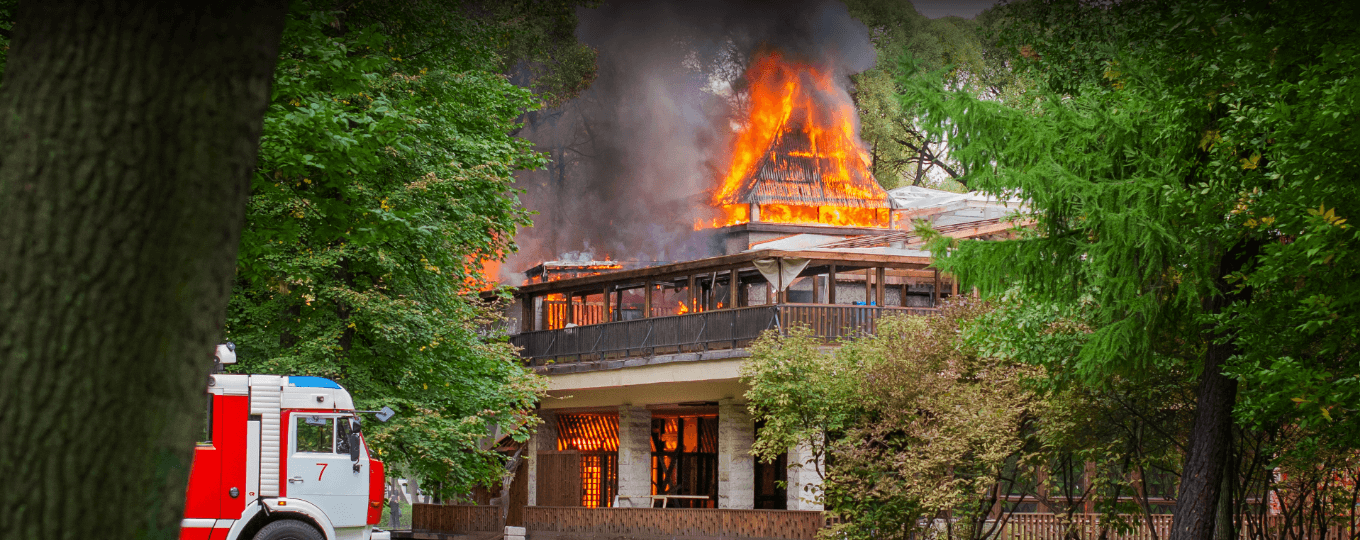
إحداث ثورة في اتصالات السلامة العامة باستخدام حلول الجيل الخامس للاتصالات اللاسلكية الثابتة
إحداث ثورة في اتصالات السلامة العامة باستخدام حلول الجيل الخامس FWA: التطبيقات والحالات الرئيسية...
تعرّف على المزيد →
تحويل الاتصال بالرعاية الصحية الريفية
تحويل تطبيقات وحالات الاتصال في مجال الرعاية الصحية الريفية: أهم النقاط الرئيسية
تعرّف على المزيد →الأسئلة الشائعة
ما هي شركات الاتصالات الخلوية المعتمدة وفقًا لمعيار FWA12؟
FWA12-NANR (5G NR، أمريكا الشمالية) معتمد من قبل فيريزون (وكالة الأمن القومي)، إيه تي آند تي، تي موبايل، وفيرست نت (5G)بالإضافة إلى هيئات FCC وIC وPTCRB. يدعم جهاز FWA12 تقنية 5G R16 NSA/SA مع تجميع بيانات الوصلة الهابطة بأربعة مكونات (4DL CA) والوصلة الصاعدة بمكونين (2UL CA)، وتصل ذروة معدل نقل البيانات إلى 7 جيجابت في الثانية للوصلة الهابطة و2.5 جيجابت في الثانية للوصلة الصاعدة. يتضمن الجهاز تقنية Wi-Fi 7 ثنائية النطاق.
كيف أقوم بإعداد وتسجيل الدخول إلى FWA12 لأول مرة؟
قم بتوصيل هوائيات الجيل الخامس والواي فاي، وأدخل بطاقة SIM، وشغّل جهاز FWA12. بمجرد تشغيل الجهاز، قم بتوصيل جهاز الكمبيوتر الخاص بك عبر كابل إيثرنت بمنفذ LAN أو انضم إلى شبكة الواي فاي الافتراضية (SSID) المطبوعة على ملصق الجهاز. افتح متصفحًا وانتقل إلى http://192.168.2.1 سجّل الدخول باستخدام بيانات الاعتماد الموجودة على ملصق الجهاز. إذا حظر متصفح Chrome صفحة تسجيل الدخول، فجرّب Firefox أو اقبل استثناء الأمان في المتصفح.
كيف أقوم بتوصيل جهاز FWA12 بشبكة الجوال وتعيين نقطة الوصول (APN)؟
بعد إيقاف تشغيل الجهاز، أدخل بطاقة SIM. شغّل الجهاز - يكتشف FWA12 تلقائيًا شركة الاتصالات ويطبق نقطة الوصول (APN) المطابقة في معظم الحالات، لذا لا حاجة إلى إعداد يدوي. إذا لم يتم الاتصال بشبكة الجوال، فسجّل الدخول وانتقل إلى الإنترنت > الهاتف المحمولأدخل رقم نقطة الوصول (APN) وفقًا لمتطلبات شركة الاتصالات الخاصة بك، ثم انقر فوق يتقدمتحقق من ذلك عن طريق التحقق من LED الخلوي: أخضر ثابت = اتصال بشبكة الجيل الخامس؛ أزرق ثابت = اتصال بشبكة الجيل الرابع؛ أحمر وامض = تعذر الوصول إلى شبكة الهاتف المحمول. مؤشر LED للإشارة يشير اللون (أحمر / أزرق / أخضر) إلى إشارة ضعيفة / متوسطة / قوية.
كيف أقوم بضبط خاصية تجاوز الفشل على جهاز FWA12؟
يتم تكوين خاصية تجاوز الفشل في ثلاثة أقسام تحت إنترنت:
- جدول وصلة الإرسال — حدد ترتيب الأولويات بسحب مقابض الأولوية. الواجهة العلوية هي وصلة الإرسال النشطة؛ أما الوصلات السفلية فهي بمثابة نسخ احتياطية. يتم تفعيل كل من شبكة الجوال وشبكة WAN افتراضيًا.
- إعدادات وصلة الإرسال - يُمكَِن الكشف عن الروابط، يختار نوع الكشف (ICMP / DNS / HTTP)، وأدخل واحداً أو اثنين عناوين الكشفحدد الشروط التي يجب أن تؤدي إلى تجاوز الفشل وقم بضبط العتبات: زمن الاستجابة > 200 مللي ثانية, التذبذب > 200 مللي ثانية, خسارة > 5%, قوة الإشارة فقيرعند استيفاء أي شرط من الشروط المحددة لـ آخر مرة في النافذة، يتم وضع علامة "معطل" على وصلة الإرسال النشطة.
- النسخ الاحتياطي للرابط - تعيين وضع تجاوز الفشل للتحويل إلى وصلة الإرسال ذات الأولوية التالية عند تعطل الوصلة النشطة.
انقر يحفظ في الأسفل. يتم الرجوع تلقائيًا إلى وصلة الإرسال ذات الأولوية الأعلى بمجرد استعادتها واجتيازها لاختبار اكتشاف الوصلة.
—