


EC312
Entry Edge Computer
EC312 targets lightweight edge applications and local industrial data processing, supporting IEOS or Debian Linux, with optional DSA and built-in security features for reliable deployment.
EC312
Entry Edge Computer
EC312 targets lightweight edge applications and local industrial data processing, supporting IEOS or Debian Linux, with optional DSA and built-in security features for reliable deployment.
PHOTO
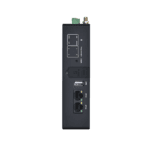
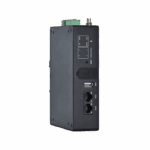
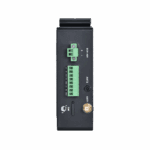
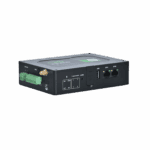
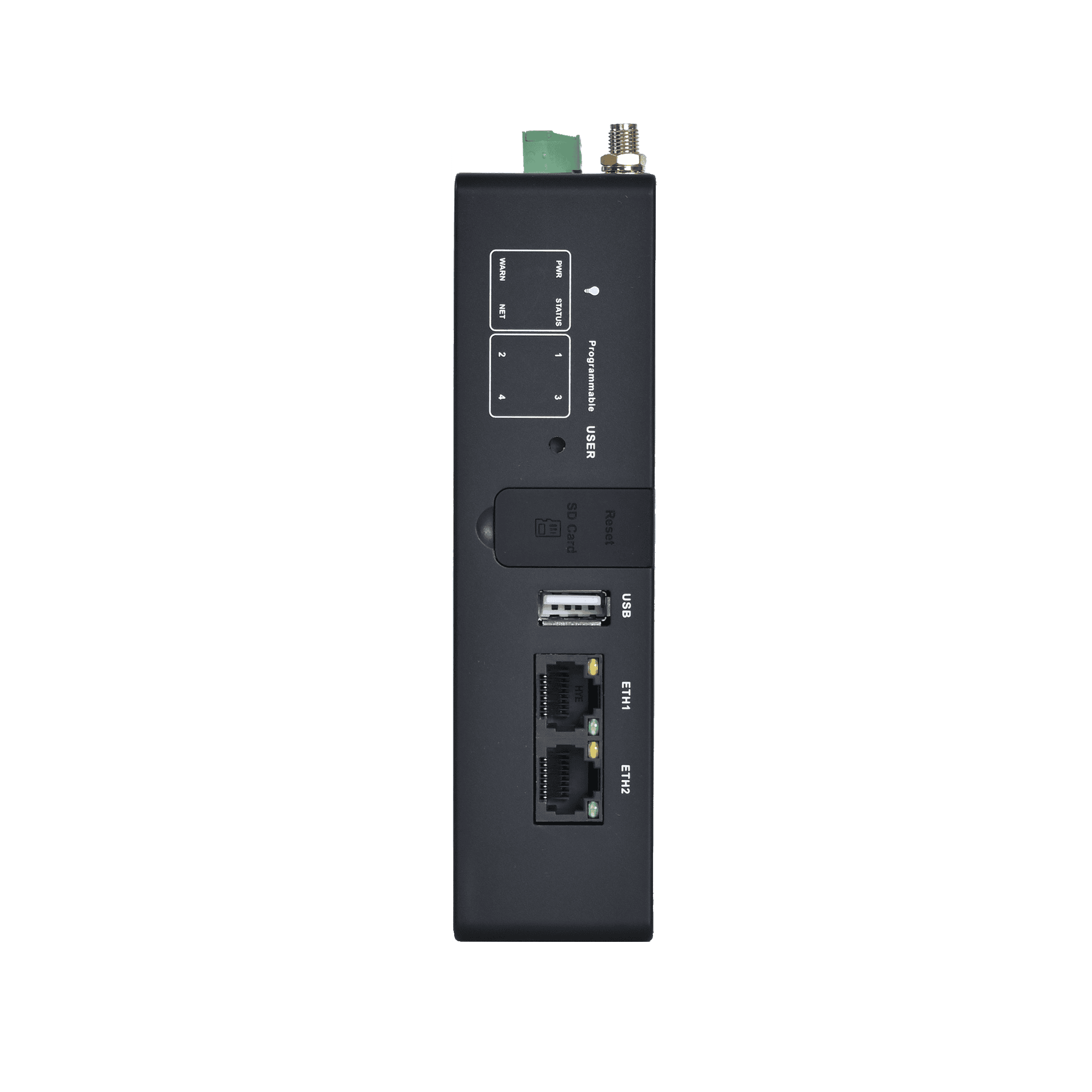
Secure, Reliable Platform for Lightweight Edge Apps






-
Core Technical Specifications
Cellular Network LTE Cat.1 / Cat.6 (model-dependent)Cloud Management DeviceLive, HTTP/HTTPS/SSH remote managementCPU ARM Cortex-A53 @1.4GHzData Acquisition Modbus RTU/TCP, EtherNet/IP, OPC UA, DNP3.0, BACnet, CNCDimensions (W × D × H) 145 × 106 × 36 mm (5.71 × 4.17 × 1.42 in)Interfaces 2×FE, 1×RS-232/485 + 1×RS-485, USB2.0 Type-A, Nano-SIM×2, microSDMemory / Storage 1GB DDR4 / 8GB eMMCNetwork Features APN, VPDN, CHAP/PAP, ARP, DHCP, ICMP, DNS, TCP/UDP, static routingOpen Platform Debian 11 / Yocto, Docker-ready, multi-language developmentPower Input 9~48V DC (max 6W)Protection Rating IP30Security IEC62443 certification, Secure Boot, TrustZone, firewall
-
Hardware Platform
CPU ARM Cortex-A53 @1.4GHzFLASH 8GB eMMCRAM 1GB DDR4
-
Connectivity & Interfaces
Antenna Connectors LTE: SMA×1, Wi-Fi: SMA×1, GPS: SMA×1, LoRa: SMA×1 (North America models: 2×SMA 4G antenna connectors)Bluetooth(Optional) BLE4.2Buttons Pinhole reset button ×1; programmable button ×1CAN Up to 2×CAN FD (isolated, via expansion module)Ethernet Ports 2x 10/100 Mbps Ethernet portExpansion Interfaces Up to 2×RS-232/485/analog input/CAN FD, isolation up to 4×DI + 4×DO, isolationGPS(Optional) Satellite location GPSmicroSD microSD (up to 32GB)Serial Ports 1×RS-232/485 + 1×RS-485 (isolated)SIM Card Holders Nano-SIM×2USB USB2.0 Type-AWi-Fi(Optional) Wi-Fi STA/AP (802.11ac/a/b/g/n, 2.4/5GHz)
-
Power & Power Consumption
Input Voltage 9~48V DCMaximum Value (Full Load) Max 6WPower Failure Alarm Power failure alarms when power failure happensPower Failure Protection Hold for 20 seconds after power failure (safe shutdown)Power Interface DC terminal input
-
Mechanical Specifications
Enclosure & Heat Dissipation Metal + plastic enclosure, fanless industrial designHardware Watchdog SupportedLED Indicators PWR, STATUS, WARN, NET, USER ×4Mounting Method Panel / DIN-rail mountingProduct Dimensions 145 × 106 × 36 mm (5.71 × 4.17 × 1.42 in)Product Weight 339 g (0.75 lb)Protection Rating IP30RTC RTC backup supportedTPM(optional) TPM2.0
-
Environment & Certifications
Certifications CE, FCC, IC, PTCRB, UL, Verizon, AT&T, T-Mobile, IEC62443-4-2EMC Standard EN61000-4-2, level 3, Static EN61000-4-3, level 3, Radiation Electric Field EN61000-4-4, level 3, Pulsed Electric Field EN61000-4-5, level 3, Surge EN61000-4-6, level 3, Conducted Distubance Immunity EN61000-4-8, Power Frequency Field Resistance, horizontal / vertical 400A/m (>level 2) EN61000-4-12,level 3,Shock Wave ResistanceEnvironmental Humidity 5~95% RH (non-condensing)Operating Temperature Models with Wi-Fi: -20 °C ~ 70 °C (-4 °F ~ 158 °F) / Models without Wi-Fi: -40 °C ~ 70 °C (-40 °F ~ 158 °F)Physical Characteristics IEC60068-2-27 shock resistance IEC60068-2-6 vibration resistance IEC60068-2-32 drop resistanceStorage Temperature -40 °C ~ 85 °C (-40 °F ~ 185 °F)
-
Operating System
Operating System Debian 11 (Kernel 5.10.168) / Yocto
-
Network Features
Access Authentication CHAP/PAPIP Applications ICMP, DNS, TCP/UDP, TCP Server, DHCPIP Routing Static routingLAN Protocols ARP, EthernetNetwork Access APN, VPDNNetwork Type LTE Cat.1 / LTE Cat.6 (North America region), EthernetWAN Protocols Static IP, DHCP
-
Security
Data security VPNNetwork Security FirewallOther Technologies IEC62443 security architectureSecure Boot SupportedTrust Zone SupportedUser Management Multi-level management rights
-
Reliability
Built-in Watchdog Embedded watchdogDual-SIM Switchover SupportedLink Detection Sends heartbeat packets to detect, auto redials when disconnected
-
Open platform & Data Acquisition Protocols (DSA)
Access Cloud Platform AWS, Azure, Ali and other cloud platformsDocker SupportedIndustrial Protocols Modbus RTU Master/Slave, Modbus TCP Master/Slave, EtherNet/IP, ISO on TCP, OPC UA Client/Server, Mitsubishi MC 3C/3E/3C Over TCP, Mitsubishi CPU Port, FINSUDP, HostLink, PPIOther Protocols BACnet, CNCPower Protocols DLT645-2007, IEC101/104, DNP3.0Secondary Development Environment Multi-language development environment
-
Network Management
Configuration backup Import/export configurationConfiguration Method Web / SSHDeviceLive Cloud supports cloud-based parameter configuration, container management, application and firmware managementLog Functions Local and remote logs with important log power-off preservationRemote management DeviceLive / HTTP / HTTPS / SSHUpgrade Method Web / FOTA / DFOTA
-
Extension Module (Optional)
— NONEN44C 2×RS-485 + 1×CAN FDN44D 2×RS-485 + 4×DI + 4×DON4CC 1×RS-485 + 2×CAN FDNAAD 2×4-20mA analog input + 4×DI + 4×DO
Standard package*
- EC312 Edge Gateway *1
- 4G Antenna *1
- Wi-Fi Antenna *1
- GNSS Antenna *1
- Ethernet Cable *1
* Standard package contents vary by standard order codes.
Optional accessories
- Power Supply *1
- Panel Mounting Kit *1
Contact us directly to learn more about our packaging options.
Specifications
-
Core Technical Specifications
Cellular Network LTE Cat.1 / Cat.6 (model-dependent)Cloud Management DeviceLive, HTTP/HTTPS/SSH remote managementCPU ARM Cortex-A53 @1.4GHzData Acquisition Modbus RTU/TCP, EtherNet/IP, OPC UA, DNP3.0, BACnet, CNCDimensions (W × D × H) 145 × 106 × 36 mm (5.71 × 4.17 × 1.42 in)Interfaces 2×FE, 1×RS-232/485 + 1×RS-485, USB2.0 Type-A, Nano-SIM×2, microSDMemory / Storage 1GB DDR4 / 8GB eMMCNetwork Features APN, VPDN, CHAP/PAP, ARP, DHCP, ICMP, DNS, TCP/UDP, static routingOpen Platform Debian 11 / Yocto, Docker-ready, multi-language developmentPower Input 9~48V DC (max 6W)Protection Rating IP30Security IEC62443 certification, Secure Boot, TrustZone, firewall
-
Hardware Platform
CPU ARM Cortex-A53 @1.4GHzFLASH 8GB eMMCRAM 1GB DDR4
-
Connectivity & Interfaces
Antenna Connectors LTE: SMA×1, Wi-Fi: SMA×1, GPS: SMA×1, LoRa: SMA×1 (North America models: 2×SMA 4G antenna connectors)Bluetooth(Optional) BLE4.2Buttons Pinhole reset button ×1; programmable button ×1CAN Up to 2×CAN FD (isolated, via expansion module)Ethernet Ports 2x 10/100 Mbps Ethernet portExpansion Interfaces Up to 2×RS-232/485/analog input/CAN FD, isolation up to 4×DI + 4×DO, isolationGPS(Optional) Satellite location GPSmicroSD microSD (up to 32GB)Serial Ports 1×RS-232/485 + 1×RS-485 (isolated)SIM Card Holders Nano-SIM×2USB USB2.0 Type-AWi-Fi(Optional) Wi-Fi STA/AP (802.11ac/a/b/g/n, 2.4/5GHz)
-
Power & Power Consumption
Input Voltage 9~48V DCMaximum Value (Full Load) Max 6WPower Failure Alarm Power failure alarms when power failure happensPower Failure Protection Hold for 20 seconds after power failure (safe shutdown)Power Interface DC terminal input
-
Mechanical Specifications
Enclosure & Heat Dissipation Metal + plastic enclosure, fanless industrial designHardware Watchdog SupportedLED Indicators PWR, STATUS, WARN, NET, USER ×4Mounting Method Panel / DIN-rail mountingProduct Dimensions 145 × 106 × 36 mm (5.71 × 4.17 × 1.42 in)Product Weight 339 g (0.75 lb)Protection Rating IP30RTC RTC backup supportedTPM(optional) TPM2.0
-
Environment & Certifications
Certifications CE, FCC, IC, PTCRB, UL, Verizon, AT&T, T-Mobile, IEC62443-4-2EMC Standard EN61000-4-2, level 3, Static EN61000-4-3, level 3, Radiation Electric Field EN61000-4-4, level 3, Pulsed Electric Field EN61000-4-5, level 3, Surge EN61000-4-6, level 3, Conducted Distubance Immunity EN61000-4-8, Power Frequency Field Resistance, horizontal / vertical 400A/m (>level 2) EN61000-4-12,level 3,Shock Wave ResistanceEnvironmental Humidity 5~95% RH (non-condensing)Operating Temperature Models with Wi-Fi: -20 °C ~ 70 °C (-4 °F ~ 158 °F) / Models without Wi-Fi: -40 °C ~ 70 °C (-40 °F ~ 158 °F)Physical Characteristics IEC60068-2-27 shock resistance IEC60068-2-6 vibration resistance IEC60068-2-32 drop resistanceStorage Temperature -40 °C ~ 85 °C (-40 °F ~ 185 °F)
-
Operating System
Operating System Debian 11 (Kernel 5.10.168) / Yocto
-
Network Features
Access Authentication CHAP/PAPIP Applications ICMP, DNS, TCP/UDP, TCP Server, DHCPIP Routing Static routingLAN Protocols ARP, EthernetNetwork Access APN, VPDNNetwork Type LTE Cat.1 / LTE Cat.6 (North America region), EthernetWAN Protocols Static IP, DHCP
-
Security
Data security VPNNetwork Security FirewallOther Technologies IEC62443 security architectureSecure Boot SupportedTrust Zone SupportedUser Management Multi-level management rights
-
Reliability
Built-in Watchdog Embedded watchdogDual-SIM Switchover SupportedLink Detection Sends heartbeat packets to detect, auto redials when disconnected
-
Open platform & Data Acquisition Protocols (DSA)
Access Cloud Platform AWS, Azure, Ali and other cloud platformsDocker SupportedIndustrial Protocols Modbus RTU Master/Slave, Modbus TCP Master/Slave, EtherNet/IP, ISO on TCP, OPC UA Client/Server, Mitsubishi MC 3C/3E/3C Over TCP, Mitsubishi CPU Port, FINSUDP, HostLink, PPIOther Protocols BACnet, CNCPower Protocols DLT645-2007, IEC101/104, DNP3.0Secondary Development Environment Multi-language development environment
-
Network Management
Configuration backup Import/export configurationConfiguration Method Web / SSHDeviceLive Cloud supports cloud-based parameter configuration, container management, application and firmware managementLog Functions Local and remote logs with important log power-off preservationRemote management DeviceLive / HTTP / HTTPS / SSHUpgrade Method Web / FOTA / DFOTA
-
Extension Module (Optional)
— NONEN44C 2×RS-485 + 1×CAN FDN44D 2×RS-485 + 4×DI + 4×DON4CC 1×RS-485 + 2×CAN FDNAAD 2×4-20mA analog input + 4×DI + 4×DO
Downloads
Ordering
Standard package*
- EC312 Edge Gateway *1
- 4G Antenna *1
- Wi-Fi Antenna *1
- GNSS Antenna *1
- Ethernet Cable *1
* Standard package contents vary by standard order codes.
Optional accessories
- Power Supply *1
- Panel Mounting Kit *1
Contact us directly to learn more about our packaging options.
DeviceLive
IoT Device Management Platform
Device management, remote monitoring, edge app management, and remote maintenance to help industrial enterprises build intelligent edge networks.
DeviceLive
Related Cases

Predictive Maintenance for Industrial Generators
Predictive Maintenance for Industrial Generators Applications and Cases Key Takeaways Predictive Maintenance…
Learn More →Frequently Asked Questions
What configurations and optional features are available on the EC312?
The EC312 ships with 1× RS-232/485 multipurpose + 1× RS-485 isolated serial as standard, plus 2× Ethernet, dual Nano SIM, USB 2.0, and MicroSD. Three configuration dimensions are selected at ordering:
– Base config (<B/H>): B (Basic) or H (adds GPS, Wi-Fi, Bluetooth, TPM)
– Extension module (optional -XXXX):
– -NAAD — 2× 4–20 mA analog input + 4× DI + 4× DO
– -N44C — 2× RS-485 + 1× CAN FD
– -N4CC — 1× RS-485 + 2× CAN FD
– -N44D — 2× RS-485 + 4× DI + 4× DO
– OS (default IEOS, or -D for Debian without InHand apps)
Part number template: EC312-<B/H>-[-XXXX][-D]. Cellular options: LQA3 (China), FQ33 (NA Cat 1), FQ39 (NA Cat 6), FQ53 (EMEA), FQ73 (AU/LatAm).
How do I set up and log in to the EC312 for the first time?
Install the cellular and Wi-Fi antennas, insert the SIM card, and connect the power adapter. Connect a computer to ETH2 (default 192.168.4.100) and set your adapter to a 192.168.4.x static IP. Open a browser and go to https://192.168.4.100:9100 — note the non-standard port 9100 (HTTPS only; HTTP auto-redirects). Log in with username adm and the password on the device nameplate.
How does the EC312 handle a power failure?
The EC312 includes a built-in supercapacitor (10.8 V / 5 F) that maintains system operation for 20–30 seconds after the external power supply is disconnected, depending on load. When power loss is detected (continuous disconnection > 0.5 seconds), the EC312:
1. Sends a UDP broadcast message power_down to 255.255.255.255:9107 so applications and downstream systems can register the event
2. Waits 3 seconds for in-flight processes to complete
3. Performs a safe power-off
This protects against data corruption and gives applications time to finalize state before shutdown.
How do I install Device Supervisor (DSA) as a plugin on the EC312?
DSA enables industrial protocol acquisition (Modbus, OPC UA, IEC 104, and 80+ other protocols) on the EC312. Install in two steps:
1. Upgrade firmware to the latest version. Download the latest EC312 firmware from the InHand Resource Center (EC300 page). In the EC312 management page, go to System > Firmware Update and apply the firmware file.
2. Install the DSA plugin. Download the DSA package (plugin-device_supervisor-V3.x.tar.gz) from the same Resource Center page. Go to Plugins > Add in the management page and install the package. After installation, DSA appears in the management menu and is ready to configure.