


EC312
Giriş Seviyesi Bilgisayar
EC312, hafif uç uygulamaları ve yerel endüstriyel veri işlemeyi hedefleyerek IEOS veya Debian Linux'u destekler ve güvenilir dağıtım için isteğe bağlı DSA ve yerleşik güvenlik özelliklerine sahiptir.
EC312
Giriş Seviyesi Bilgisayar
EC312, hafif uç uygulamaları ve yerel endüstriyel veri işlemeyi hedefleyerek IEOS veya Debian Linux'u destekler ve güvenilir dağıtım için isteğe bağlı DSA ve yerleşik güvenlik özelliklerine sahiptir.
FOTOĞRAF
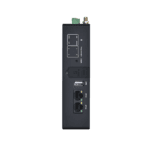
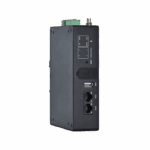
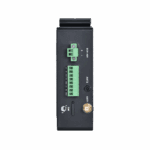
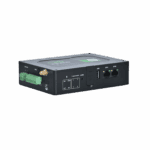
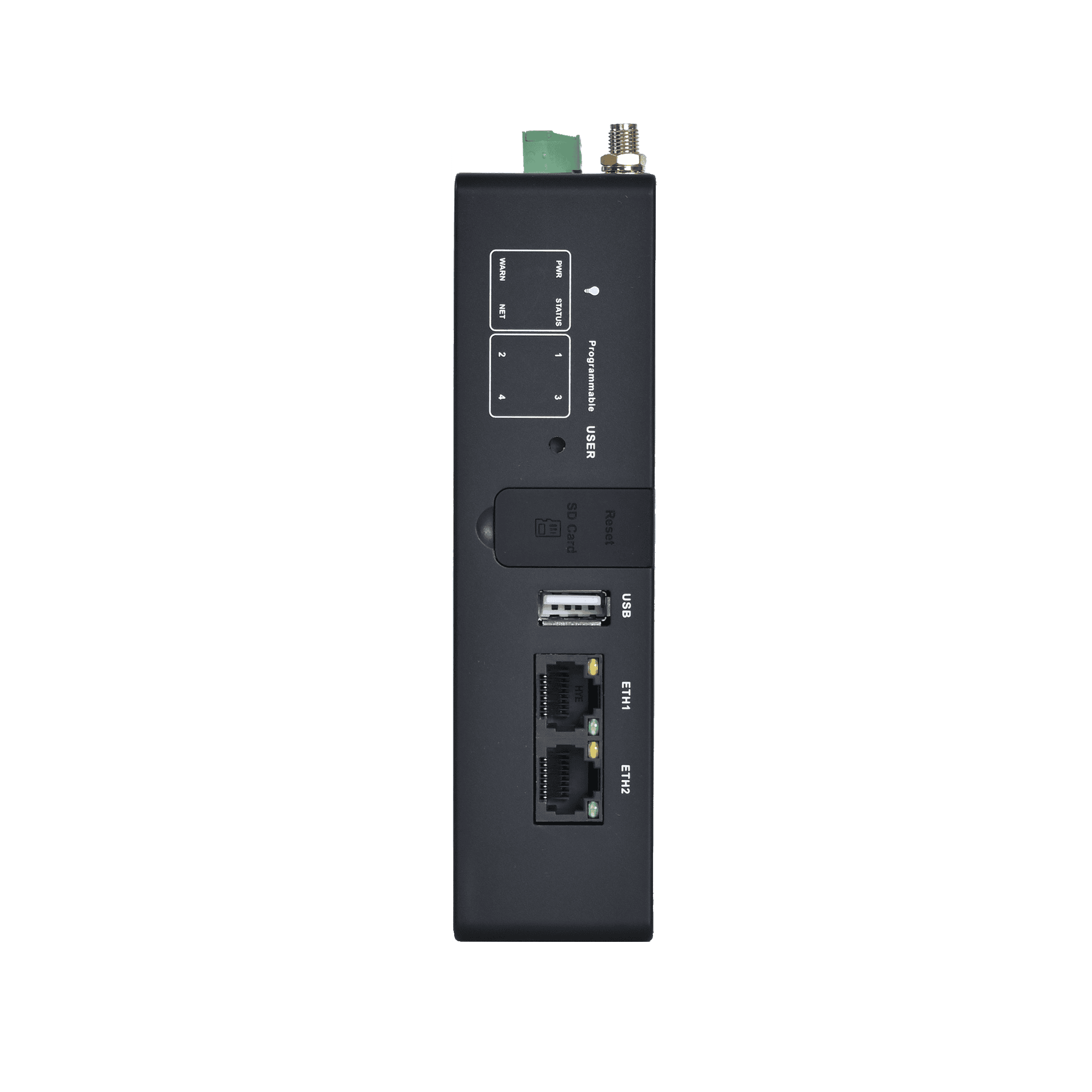
Hafif Uç Uygulamalar için Güvenli, Güvenilir Platform






-
Temel Teknik Özellikler
Açık Platform Debian 11 / Yocto, Docker uyumlu, çok dilli geliştirmeİşlemci ARM Cortex-A53 @1.4GHzVeri Toplama Modbus RTU/TCP, EtherNet/IP, OPC UA, DNP3.0, BACnet, CNCAğ Özellikleri APN, VPDN, CHAP/PAP, ARP, DHCP, ICMP, DNS, TCP/UDP, statik yönlendirmeGüvenlik IEC62443 sertifikası, Güvenli Önyükleme, TrustZone, güvenlik duvarıBulut Yönetimi DeviceLive, HTTP/HTTPS/SSH uzaktan yönetimiBellek / Depolama 1 GB DDR4 / 8 GB eMMCArayüzler 2×FE, 1×RS-232/485 + 1×RS-485, USB2.0 Type-A, Nano-SIM×2, microSDHücresel Ağ LTE Cat.1 / Cat.6 (model-dependent)Güç Girişi 9~48V DC (maks. 6W)Boyutlar (G × D × Y) 145 × 106 × 36 mm (5.71 × 4.17 × 1.42 in)Koruma Derecesi IP30
-
Donanım Platformu
İşlemci ARM Cortex-A53 @1.4GHzVeri deposu 1 GB DDR4FLAŞ 8 GB eMMC
-
Bağlantı ve Arayüzler
Ethernet Portları 2x 10/100 Mbps Ethernet portSeri Portlar 1×RS-232/485 + 1×RS-485 (izole edilmiş)OLABİLMEK En fazla 2 adet CAN FD (izole edilmiş, genişletme modülü aracılığıyla)SIM Kart Sahipleri Nano-SIM×2Anten Konnektörleri LTE: SMA×1, Wi-Fi: SMA×1, GPS: SMA×1, LoRa: SMA×1 (Kuzey Amerika modelleri: 2×SMA 4G anten konektörü)USB USB 2.0 Tip AmicroSD microSD (up to 32GB)Düğmeler İğne deliği sıfırlama düğmesi ×1; programlanabilir düğme ×1Wi-Fi(Optional) Wi-Fi STA/AP (802.11ac/a/b/g/n, 2.4/5GHz)Bluetooth (İsteğe bağlı) BLE4.2GPS (İsteğe bağlı) Uydu konum belirleme GPSGenişleme Arayüzleri Up to 2×RS-232/485/analog input/CAN FD, isolation up to 4×DI + 4×DO, isolation
-
Güç ve Güç Tüketimi
Giriş Gerilimi 9~48V DCGüç Arayüzü DC terminal girişiMaksimum Değer (Tam Yük) Maksimum 6WElektrik Kesintisi Koruması Elektrik kesintisinden sonra 20 saniye basılı tutun (güvenli kapatma)Elektrik Kesintisi Alarmı Elektrik kesintisi olduğunda devreye giren elektrik kesintisi alarmları.
-
Mekanik Özellikler
Ürün Boyutları 145 × 106 × 36 mm (5.71 × 4.17 × 1.42 in)Ürün Ağırlığı 339 g (0.75 lb)Montaj Yöntemi Panel / DIN rayına montajKoruma Derecesi IP30Muhafaza ve Isı Dağıtımı Metal + plastik gövde, fansız endüstriyel tasarımRTC RTC yedeklemesi desteklenmektedir.Donanım Gözlemcisi DesteklendiTPM (isteğe bağlı) TPM2.0LED Göstergeler GÜÇ, DURUM, UYARI, AĞ, KULLANICI ×4
-
Çevre ve Sertifikalar
Depolama Sıcaklığı -40 °C ~ 85 °C (-40 °F ~ 185 °F)Çalışma Sıcaklığı Models with Wi-Fi: -20 °C ~ 70 °C (-4 °F ~ 158 °F) Models without Wi-Fi: -40 °C ~ 70 °C (-40 °F ~ 158 °F)Çevresel Nem 5~95% RH (yoğuşmasız)Fiziksel Özellikler IEC60068-2-27 shock resistance IEC60068-2-6 vibration resistance IEC60068-2-32 drop resistanceEMC Standard EN61000-4-2, level 3, Static EN61000-4-3, level 3, Radiation Electric Field EN61000-4-4, level 3, Pulsed Electric Field EN61000-4-5, level 3, Surge EN61000-4-6, level 3, Conducted Distubance Immunity EN61000-4-8, Power Frequency Field Resistance, horizontal / vertical 400A/m (>level 2) EN61000-4-12,level 3,Shock Wave ResistanceSertifikalar CE, FCC, IC, PTCRB, UL, Verizon, AT&T, T-Mobile, IEC62443-4-2
-
İşletim Sistemi
İşletim Sistemi Debian 11 (Çekirdek 5.10.168) / Yocto
-
Ağ Özellikleri
Ağ Türü LTE Cat.1 / LTE Cat.6 (North America region), EthernetAğ Erişimi APN, VPDNErişim Kimlik Doğrulaması CHAP/PAPWAN Protokolleri Statik IP, DHCPLAN Protokolleri ARP, EthernetIP Uygulamaları ICMP, DNS, TCP/UDP, TCP Sunucusu, DHCPIP Yönlendirme Statik yönlendirme
-
Güvenlik
Güvenli Önyükleme DesteklendiGüven Bölgesi DesteklendiKullanıcı Yönetimi Çok düzeyli yönetim haklarıAğ Güvenliği Güvenlik DuvarıVeri güvenliği VPNDiğer Teknolojiler IEC62443 güvenlik mimarisi
-
Güvenilirlik
Bağlantı Algılama Algılama için kalp atışı paketleri gönderir, bağlantı kesildiğinde otomatik olarak yeniden arar.Dahili Gözetim Sistemi Gömülü gözetim sistemiDual-SIM Switchover Desteklendi
-
Açık platform ve Veri Toplama Protokolleri (DSA)
İkincil Gelişim Ortamı Çok dilli geliştirme ortamıErişim Bulut Platformu AWS, Azure, Ali ve diğer bulut platformlarıLiman işçisi DesteklendiEndüstriyel Protokoller Modbus RTU Master/Slave, Modbus TCP Master/Slave, EtherNet/IP, TCP Üzerinden ISO, OPC UA İstemci/Sunucu, TCP Üzerinden Mitsubishi MC 3C/3E/3C, Mitsubishi CPU Portu, FINSUDP, HostLink, PPIGüç Protokolleri DLT645-2007, IEC101/104, DNP3.0Diğer Protokoller BACnet, CNC
-
Ağ Yönetimi
Yapılandırma Yöntemi Web / SSHYükseltme Yöntemi Web / FOTA / DFOTALogaritma Fonksiyonları Önemli günlük kayıtlarının güç kesintisi durumunda korunmasını sağlayan yerel ve uzaktan erişimli günlükler.Yapılandırma yedeklemesi İçe/dışa aktarma yapılandırmasıUzaktan yönetim DeviceLive / HTTP / HTTPS / SSHDeviceLive Cloud Bulut tabanlı parametre yapılandırmasını, konteyner yönetimini, uygulama ve bellenim yönetimini destekler.
-
Uzantı Modülü (İsteğe bağlı)
NAAD 2×4-20mA analog giriş + 4×DI + 4×DON44C 2×RS-485 + 1×CAN FDN4CC 1×RS-485 + 2×CAN FDN44D 2×RS-485 + 4×DI + 4×DO— HİÇBİRİ
Standart paket*
- EC312 Uç Ağ Geçidi *1
- 4G Anten *1
- Wi-Fi Anteni *1
- GNSS Anteni *1
- Ethernet Kablosu *1
* Standart paket içerikleri, standart sipariş kodlarına göre değişiklik gösterebilir.
İsteğe bağlı aksesuarlar
- Güç Kaynağı *1
- Panel Montaj Kiti *1
Bize Ulaşın Ambalaj seçeneklerimiz hakkında daha fazla bilgi edinmek için doğrudan iletişime geçin.
Teknik Özellikler
-
Temel Teknik Özellikler
Açık Platform Debian 11 / Yocto, Docker uyumlu, çok dilli geliştirmeİşlemci ARM Cortex-A53 @1.4GHzVeri Toplama Modbus RTU/TCP, EtherNet/IP, OPC UA, DNP3.0, BACnet, CNCAğ Özellikleri APN, VPDN, CHAP/PAP, ARP, DHCP, ICMP, DNS, TCP/UDP, statik yönlendirmeGüvenlik IEC62443 sertifikası, Güvenli Önyükleme, TrustZone, güvenlik duvarıBulut Yönetimi DeviceLive, HTTP/HTTPS/SSH uzaktan yönetimiBellek / Depolama 1 GB DDR4 / 8 GB eMMCArayüzler 2×FE, 1×RS-232/485 + 1×RS-485, USB2.0 Type-A, Nano-SIM×2, microSDHücresel Ağ LTE Cat.1 / Cat.6 (model-dependent)Güç Girişi 9~48V DC (maks. 6W)Boyutlar (G × D × Y) 145 × 106 × 36 mm (5.71 × 4.17 × 1.42 in)Koruma Derecesi IP30
-
Donanım Platformu
İşlemci ARM Cortex-A53 @1.4GHzVeri deposu 1 GB DDR4FLAŞ 8 GB eMMC
-
Bağlantı ve Arayüzler
Ethernet Portları 2x 10/100 Mbps Ethernet portSeri Portlar 1×RS-232/485 + 1×RS-485 (izole edilmiş)OLABİLMEK En fazla 2 adet CAN FD (izole edilmiş, genişletme modülü aracılığıyla)SIM Kart Sahipleri Nano-SIM×2Anten Konnektörleri LTE: SMA×1, Wi-Fi: SMA×1, GPS: SMA×1, LoRa: SMA×1 (Kuzey Amerika modelleri: 2×SMA 4G anten konektörü)USB USB 2.0 Tip AmicroSD microSD (up to 32GB)Düğmeler İğne deliği sıfırlama düğmesi ×1; programlanabilir düğme ×1Wi-Fi(Optional) Wi-Fi STA/AP (802.11ac/a/b/g/n, 2.4/5GHz)Bluetooth (İsteğe bağlı) BLE4.2GPS (İsteğe bağlı) Uydu konum belirleme GPSGenişleme Arayüzleri Up to 2×RS-232/485/analog input/CAN FD, isolation up to 4×DI + 4×DO, isolation
-
Güç ve Güç Tüketimi
Giriş Gerilimi 9~48V DCGüç Arayüzü DC terminal girişiMaksimum Değer (Tam Yük) Maksimum 6WElektrik Kesintisi Koruması Elektrik kesintisinden sonra 20 saniye basılı tutun (güvenli kapatma)Elektrik Kesintisi Alarmı Elektrik kesintisi olduğunda devreye giren elektrik kesintisi alarmları.
-
Mekanik Özellikler
Ürün Boyutları 145 × 106 × 36 mm (5.71 × 4.17 × 1.42 in)Ürün Ağırlığı 339 g (0.75 lb)Montaj Yöntemi Panel / DIN rayına montajKoruma Derecesi IP30Muhafaza ve Isı Dağıtımı Metal + plastik gövde, fansız endüstriyel tasarımRTC RTC yedeklemesi desteklenmektedir.Donanım Gözlemcisi DesteklendiTPM (isteğe bağlı) TPM2.0LED Göstergeler GÜÇ, DURUM, UYARI, AĞ, KULLANICI ×4
-
Çevre ve Sertifikalar
Depolama Sıcaklığı -40 °C ~ 85 °C (-40 °F ~ 185 °F)Çalışma Sıcaklığı Models with Wi-Fi: -20 °C ~ 70 °C (-4 °F ~ 158 °F) Models without Wi-Fi: -40 °C ~ 70 °C (-40 °F ~ 158 °F)Çevresel Nem 5~95% RH (yoğuşmasız)Fiziksel Özellikler IEC60068-2-27 shock resistance IEC60068-2-6 vibration resistance IEC60068-2-32 drop resistanceEMC Standard EN61000-4-2, level 3, Static EN61000-4-3, level 3, Radiation Electric Field EN61000-4-4, level 3, Pulsed Electric Field EN61000-4-5, level 3, Surge EN61000-4-6, level 3, Conducted Distubance Immunity EN61000-4-8, Power Frequency Field Resistance, horizontal / vertical 400A/m (>level 2) EN61000-4-12,level 3,Shock Wave ResistanceSertifikalar CE, FCC, IC, PTCRB, UL, Verizon, AT&T, T-Mobile, IEC62443-4-2
-
İşletim Sistemi
İşletim Sistemi Debian 11 (Çekirdek 5.10.168) / Yocto
-
Ağ Özellikleri
Ağ Türü LTE Cat.1 / LTE Cat.6 (North America region), EthernetAğ Erişimi APN, VPDNErişim Kimlik Doğrulaması CHAP/PAPWAN Protokolleri Statik IP, DHCPLAN Protokolleri ARP, EthernetIP Uygulamaları ICMP, DNS, TCP/UDP, TCP Sunucusu, DHCPIP Yönlendirme Statik yönlendirme
-
Güvenlik
Güvenli Önyükleme DesteklendiGüven Bölgesi DesteklendiKullanıcı Yönetimi Çok düzeyli yönetim haklarıAğ Güvenliği Güvenlik DuvarıVeri güvenliği VPNDiğer Teknolojiler IEC62443 güvenlik mimarisi
-
Güvenilirlik
Bağlantı Algılama Algılama için kalp atışı paketleri gönderir, bağlantı kesildiğinde otomatik olarak yeniden arar.Dahili Gözetim Sistemi Gömülü gözetim sistemiDual-SIM Switchover Desteklendi
-
Açık platform ve Veri Toplama Protokolleri (DSA)
İkincil Gelişim Ortamı Çok dilli geliştirme ortamıErişim Bulut Platformu AWS, Azure, Ali ve diğer bulut platformlarıLiman işçisi DesteklendiEndüstriyel Protokoller Modbus RTU Master/Slave, Modbus TCP Master/Slave, EtherNet/IP, TCP Üzerinden ISO, OPC UA İstemci/Sunucu, TCP Üzerinden Mitsubishi MC 3C/3E/3C, Mitsubishi CPU Portu, FINSUDP, HostLink, PPIGüç Protokolleri DLT645-2007, IEC101/104, DNP3.0Diğer Protokoller BACnet, CNC
-
Ağ Yönetimi
Yapılandırma Yöntemi Web / SSHYükseltme Yöntemi Web / FOTA / DFOTALogaritma Fonksiyonları Önemli günlük kayıtlarının güç kesintisi durumunda korunmasını sağlayan yerel ve uzaktan erişimli günlükler.Yapılandırma yedeklemesi İçe/dışa aktarma yapılandırmasıUzaktan yönetim DeviceLive / HTTP / HTTPS / SSHDeviceLive Cloud Bulut tabanlı parametre yapılandırmasını, konteyner yönetimini, uygulama ve bellenim yönetimini destekler.
-
Uzantı Modülü (İsteğe bağlı)
NAAD 2×4-20mA analog giriş + 4×DI + 4×DON44C 2×RS-485 + 1×CAN FDN4CC 1×RS-485 + 2×CAN FDN44D 2×RS-485 + 4×DI + 4×DO— HİÇBİRİ
İndirmeler
Sipariş verme
Standart paket*
- EC312 Uç Ağ Geçidi *1
- 4G Anten *1
- Wi-Fi Anteni *1
- GNSS Anteni *1
- Ethernet Kablosu *1
* Standart paket içerikleri, standart sipariş kodlarına göre değişiklik gösterebilir.
İsteğe bağlı aksesuarlar
- Güç Kaynağı *1
- Panel Montaj Kiti *1
Bize Ulaşın Ambalaj seçeneklerimiz hakkında daha fazla bilgi edinmek için doğrudan iletişime geçin.
DeviceLive
IoT Cihaz Yönetim Platformu
Endüstriyel işletmelerin akıllı uç ağlar oluşturmasına yardımcı olmak için cihaz yönetimi, uzaktan izleme, uç uygulama yönetimi ve uzaktan bakım hizmetleri sunuyoruz.
DeviceLive
İlgili Vakalar
Endüstriyel Jeneratörler için Tahminleyici Bakım
Endüstriyel Jeneratörler için Tahmine Dayalı Bakım Uygulamaları ve Örnekleri: Önemli Noktalar Tahmine Dayalı Bakım…
Daha Fazla Bilgi Edinin →Sıkça Sorulan Sorular
EC312'de hangi konfigürasyonlar ve isteğe bağlı özellikler mevcuttur?
EC312 aşağıdaki özelliklerle birlikte gönderilir: 1 adet RS-232/485 çok amaçlı + 1 adet RS-485 izole seri bağlantı Standart olarak 2 adet Ethernet, çift Nano SIM, USB 2.0 ve MicroSD bağlantı noktası bulunur. Sipariş sırasında üç farklı konfigürasyon boyutu seçilebilir:
– Temel yapılandırma (): B (Temel) veya H (GPS, Wi-Fi, Bluetooth, TPM özelliklerini ekler)
– Uzantı modülü (isteğe bağlı -XXXX):
– -NAAD — 2× 4–20 mA analog giriş + 4× DI + 4× DO
– -N44C — 2× RS-485 + 1× CAN FD
– -N4CC — 1× RS-485 + 2× CAN FD
– -N44D — 2× RS-485 + 4× DI + 4× DO
– İşletim sistemi (varsayılan IEOS veya -D (InHand uygulamaları olmayan Debian için)
Parça numarası şablonu: EC312- -[-XXXX][-D]Hücresel seçenekler: LQA3 (Çin), FQ33 (Kuzey Amerika Kategori 1), FQ39 (Kuzey Amerika Kategori 6), FQ53 (EMEA), FQ73 (Avustralya/Latin Amerika).
EC312 cihazını ilk kez nasıl kurar ve giriş yaparım?
Hücresel ve Wi-Fi antenlerini takın, SIM kartı yerleştirin ve güç adaptörünü bağlayın. Bir bilgisayarı bağlayın. ETH2 (varsayılan 192.168.4.100) ve adaptörünüzü 192.168.4.x statik IP adresine ayarlayın. Bir tarayıcı açın ve şu adrese gidin: https://192.168.4.100:9100 — Standart dışı 9100 numaralı bağlantı noktasına dikkat edin (yalnızca HTTPS; HTTP otomatik yönlendirmeleri). Kullanıcı adınızla giriş yapın. adm ve cihazın isim plakasındaki şifre.
EC312 elektrik kesintisi durumunda nasıl bir performans sergiliyor?
EC312, dahili bir özelliğe sahiptir. süperkapasitör (10,8 V / 5 F) sistemin çalışmasını sürdüren 20-30 saniye Harici güç kaynağı bağlantısı kesildikten sonra, yüke bağlı olarak. Güç kaybı algılandığında (0,5 saniyeden uzun süren sürekli bağlantı kesilmesi), EC312:
1. Bir UDP yayın mesajı gönderir. güç kapatma ile 255.255.255.255:9107 Böylece uygulamalar ve alt sistemler olayı kaydedebilir.
2. Devam eden işlemlerin tamamlanması için 3 saniye bekler.
3. Güvenli bir şekilde güç kapatma işlemi gerçekleştirir.
Bu, veri bozulmasına karşı koruma sağlar ve uygulamalara kapatılmadan önce durumlarını kesinleştirmeleri için zaman tanır.
EC312 cihazına Device Supervisor (DSA) eklentisini nasıl kurarım?
DSA, EC312 üzerinde endüstriyel protokollerin (Modbus, OPC UA, IEC 104 ve 80'den fazla diğer protokol) edinilmesini sağlar. Kurulum iki adımda yapılır:
1. Yazılımı en son sürüme güncelleyin. InHand Kaynak Merkezi'nden (EC300 sayfası) en son EC312 yazılımını indirin. EC312 yönetim sayfasında şu adımları izleyin: Sistem > Donanım Yazılımı Güncellemesi ve aygıt yazılımı dosyasını uygulayın.
2. DSA eklentisini yükleyin. DSA paketini indirin (plugin-device_supervisor-V3.x.tar.gzAynı Kaynak Merkezi sayfasından. Git Eklentiler > Ekle Yönetim sayfasından paketi yükleyin. Yükleme tamamlandıktan sonra, DSA yönetim menüsünde görünür ve yapılandırmaya hazır hale gelir.