


IR302
Industrial Router
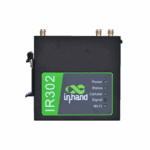
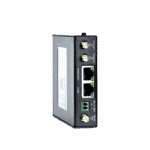
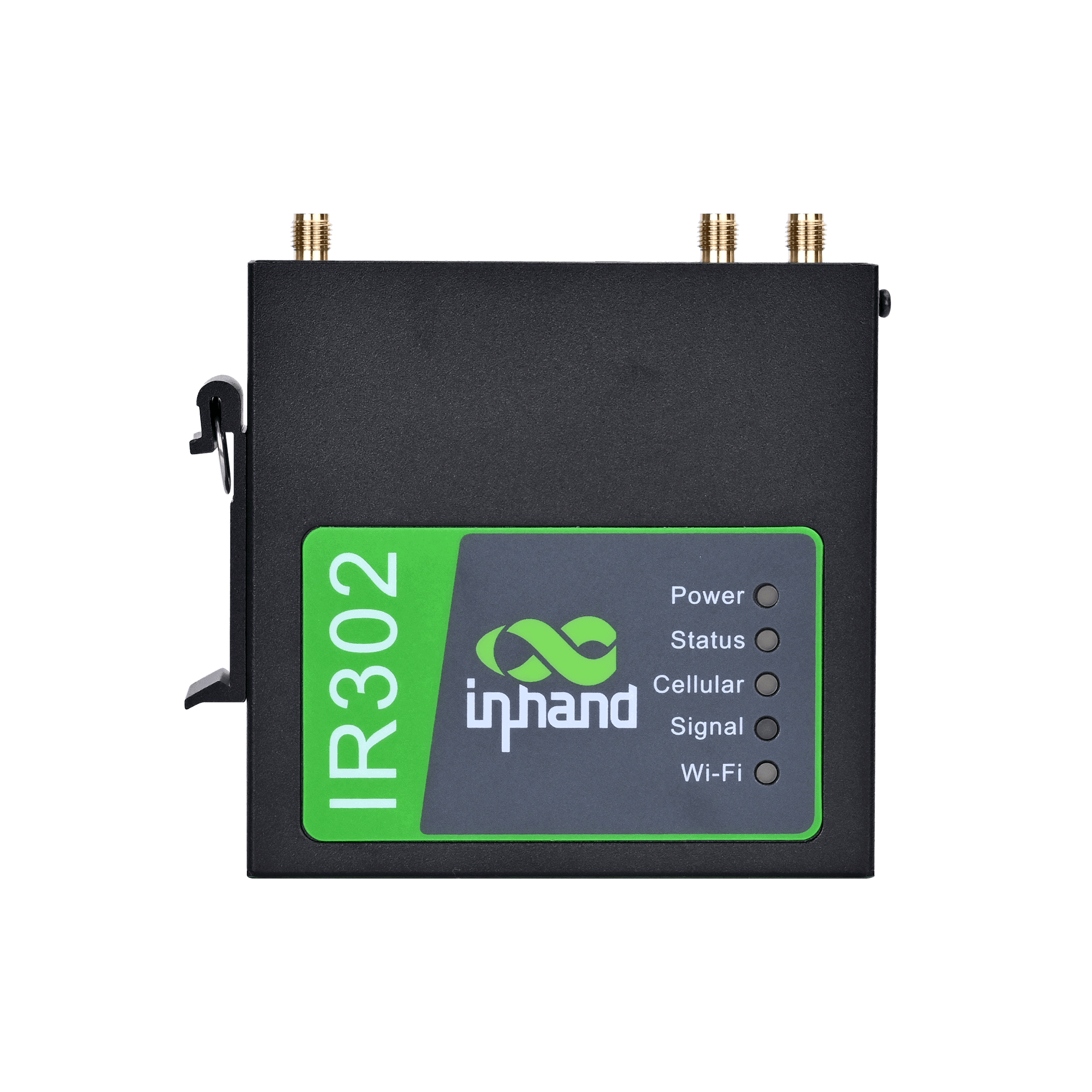
The IR302 is a compact and versatile industrial router, delivering stable, secure, and compliant connectivity for unattended sites and efficient networking in industrial and commercial IoT applications.
IR302
Industrial Router
The IR302 is a compact and versatile industrial router, delivering stable, secure, and compliant connectivity for unattended sites and efficient networking in industrial and commercial IoT applications.
QSG VIDEO
Compact and Versatile Industrial Router

Multiple Access Options, Anywhere
IR302 connects to the Internet via cellular, wired, or Wi-Fi networks, providing flexible and reliable network services for diverse business applications.

Comprehensive Security Strategies
IR302 delivers comprehensive network security with firewall, access control, VPN, data encryption, and enhanced Wi-Fi protection for reliable connectivity.

Always-On Reliable Communications
IR302 ensures uninterrupted, reliable network connectivity with cellular, wired, and Wi-Fi backup, dual SIM, VRRP, and multi-layer monitoring.

Simplified cloud management
IR302 connects to InHand Device Manager cloud to manage thousands of distributed devices in real time, enabling economical and efficient operations.
-
Key Technical Specifications
Cellular 4G LTE Cat.4/Cat.1/3G/2G, multi-band coverage, dual-SIM redundancy, ICCID binding and RSRP threshold auto-switchingCloud Management Device Manager (DM) batch configuration and firmware upgrade; InConnect Service (ICS) cloud managementDimensions Approx. 100 mm × 30 mm × 100 mm (L × W × H, excluding mounting ears and antennas)Ethernet 1× 10/100 Mbps WAN/LAN switchable + 1× 10/100 Mbps LANOperating Temperature / Protection Normal:-35℃ to 70℃ (-31 °F ~ 158 °F),Extended:-40℃ to 75℃ (-40 °F ~ 167 °F), IP30, full metal fanless natural convection coolingPower Supply 9~36V DC wide voltage input, typical power consumption 2~5W, peak < 10W, reverse polarity protectionProcessor 580MHz industrial-grade embedded processor, 128 MB DDR, 32 MB SPI FlashRemote Management SNMP v1/v2c/v3, WebUI, CLI, SSH Client, HTTP/HTTPS APISecurity Firewall, ACL access contro/l, MAC-IP binding (200 entries), content filtering, SIP ALG, attack protectionSerial Interface 1× RS-232/RS-485 combo terminal, DTU transparent transmission (TCP Server/Client/UDP/MQTT)VPN IPsec (IKEv1/v2), GRE, L2TP, PPTP, OpenVPN, WireGuard, ZeroTierWi-Fi IEEE 802.11 b/g/n, 2.4 GHz, AP/STA/AP+STA mixed mode, up to 32 clients
-
Hardware Specifications
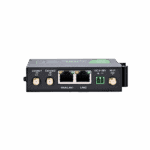
4G Module Depends on model configuration, covering Quectel, Fibocom, MeiG and other mainstream industrial modules (see Ordering Information for details)Antenna Interfaces 2 x 4G main/diversity antennas (SMA female) 1 x Wi-Fi antenna (SMA female, FQ38-WLAN configuration)Bootloader 1.1.3.r4956Enclosure Material Full metal enclosure, IP30 protection ratingEthernet Interfaces 1 x 10/100 Mbps WAN/LAN switchable port 1 x 10/100 Mbps LAN portHardware Version IR302_P_MB_V12LED Indicators Power (red), Status (green), Cellular (yellow) Signal (red/yellow/green), Wi-Fi (green)Memory 128 MB DDRMounting DIN rail mounting / Wall mountingPower Consumption Typical 2~5W, peak <10WPower Interface 2-pin industrial terminal (9~36V DC) Optional 12V DC adapterProcessor 580MHz industrial-grade embedded processorProduct Dimensions Approx. 100 mm x 30 mm x 100 mm (L x W x H, excluding mounting ears and antennas)Reset Button Supports hardware factory resetSerial Port 1 x RS-232 / RS-485 combo terminal (supports DTU transparent transmission)SIM Card Slots 2 x dual-SIM card slots (drawer type / Nano-SIM, supports dual-SIM network backup)Storage 32 MB SPI FlashTotal Weight Approx. 250 g (0.55 lb)
-
Wi-Fi Wireless LAN
1 m 72 Mbps10 m 72 Mbps30 m 72 Mbps5 m 72 Mbps
-
Network Services
DDNS Supports PeanutShell, DynDNS, No-IP and other mainstream dynamic DNS providersDHCP Server Supports DHCP server/relay, expert options (dhcp-option) customization, supports Option 43/60/82 and other extensionsDNS DNS forwarding, domain name service, custom DNS serversDual-SIM Management Dual-SIM network backup, ICCID binding, signal threshold (RSRP) automatic switching, packet loss rate triggered switching, maximum dial attempt limit, minimum connection time controlNAT SNAT/DNAT, NAPT, port forwarding (100 rules), virtual IP mapping, DMZNTP Network time synchronization, supports custom NTP servers and calibration cyclesSMS Management SMS remote reboot/dial control, custom commands, access whitelistStatic Routing Supports multiple static routes and policy routes, supports route priority configurationTCP Checksum Supports TCP checksum option configuration
-
VPN Tunnels
GRE Standard GRE tunnel, supports over IPsecIPsec IKEv1 / IKEv2, supports pre-shared key/certificate authentication, encryption algorithms include AES128/192/256, 3DES, DES; hash algorithms include MD5, SHA1, SHA256, SHA384, SHA512; DH groups include Group1/2/5/14/15/16/17/18/19/20/21 (ECP521); supports AES256+SHA512+ECP521 combinationL2TP L2TP over IPsec, supports MS-CHAPv2 authenticationOpenVPN Supports TUN/TAP mode, UDP/TCP transport, TLS/SSL encryptionPPTP PPTP client/serverWireGuard Next-generation high-performance VPN protocol, simple configuration, high encryption strengthZeroTier Supports SD-WAN virtual networking, quickly build global private LAN
-
Industrial Communication and DTU
Ethernet DTU Supports transparent transmission of Ethernet port data to remote TCP/UDP serversProtocol Conversion Supports Modbus RTU/TCP protocol conversion (optional)Serial DTU RS-232/RS-485 transparent transmission, supports TCP Server/Client, UDP, MQTT modes, supports multi-center reportingState Grid Encryption Supports national cryptographic algorithm module (optional, model suffix -SEC), supports IEC101/IEC104 power protocols
-
Remote Management
CLI Complete command line: show version/system/clock/modem/log/users/interface/ip/route/arp, ping, telnet, traceroute, reboot, arping, etc.Device Manager (DM) InHand device management platform, supports batch configuration delivery, firmware upgrades, status monitoring, alarm managementHTTP API HTTP and HTTPS protocol management interfaces, supports remote configuration and status queriesInConnect Service (ICS) Cloud management platform, supports OpenVPN cloud configuration delivery and unified managementSNMP v1/v2c/v3, supports standard MIB-II and private MIBs, supports Trap alarms; supports custom SNMP ports; extended OIDs can query dial IP, operator, SIM phone number, ICCID, BAND, etc.SSH Secure remote command line access; device can act as SSH client to connect to remote serversWebUI Responsive Chinese web management, supports wireless client parameter display, network packet capture (tcpdump), export system operating status
-
Accessories List (Per Unit Standard)
12V DC Power Adapter 1 pc4G Suction Cup Antenna 1 pc / 2 pcsCertificate of Conformity 1 pcIR302 Host 1 unitMounting Ears 1 pairNetwork Cable 1 pcProduct Warranty Card 1 pcWi-Fi Suction Cup Antenna 1 pc
-
Environmental Adaptability
Altitude ≤ 5000 mOperating Humidity 5% ~ 95% RH (non-condensing)Operating Temperature Normal:-35℃ to 70℃ (-31 °F ~ 158 °F),Extended:-40℃ to 75℃ (-40 °F ~ 167 °F)Protection Rating IP30Storage Humidity 5% ~ 95% RH (non-condensing)Storage Temperature -40 °C ~ +85 °C (-40 °F ~ +185 °F)
-
Power and Protection
ESD Protection Contact discharge 4kV, air discharge 8kV (IEC 61000-4-2)Input Current Typical 0.2A@12V, peak 0.8A@12VInput Voltage 9 ~ 36V DC (typical 12V/24V)Reverse Polarity Protection SupportedSurge Protection Power port: IEC 61000-4-5 standard, common mode 2kV, differential mode 1kV
-
EMC and Safety Certifications
CE Compliant with EU EMC Directive 2014/30/EU, RED Directive 2014/53/EUEMC IEC 61000-4-2 (Electrostatic Discharge) IEC 61000-4-3 (RF Electromagnetic Field Immunity) IEC 61000-4-4 (Electrical Fast Transient/Burst) IEC 61000-4-5 (Surge Immunity) IEC 61000-4-6 (RF Field Induced Conducted Disturbance Immunity) IEC 61000-4-8 (Power Frequency Magnetic Field Immunity)FCC Compliant with FCC Part 15/Part 22/Part 24/Part 27RoHS Compliant with EU RoHS 2.0 DirectiveSafety UL/cUL, CB (IEC 62368-1)WEEE Compliant with EU WEEE Directive
-
Reliability Indicators
MTBF ≥ 100,000 hours (Telcordia SR-332 standard, 25°C environment)Warranty Period 1 year (standard terms)
Standard package*
- IR302 Industrial Router *1
- Power Supply *1
- 4G Antenna *1 (North America *2)
- Wi-Fi Antenna *2
- Ethernet Cable *1
- Panel Mounting kit *1
* Standard package contents vary by standard order codes.
Optional accessories
- DIN Rail Mounting kit *1
Contact us directly to learn more about our packaging options.
Specifications
-
Key Technical Specifications
Cellular 4G LTE Cat.4/Cat.1/3G/2G, multi-band coverage, dual-SIM redundancy, ICCID binding and RSRP threshold auto-switchingCloud Management Device Manager (DM) batch configuration and firmware upgrade; InConnect Service (ICS) cloud managementDimensions Approx. 100 mm × 30 mm × 100 mm (L × W × H, excluding mounting ears and antennas)Ethernet 1× 10/100 Mbps WAN/LAN switchable + 1× 10/100 Mbps LANOperating Temperature / Protection Normal:-35℃ to 70℃ (-31 °F ~ 158 °F),Extended:-40℃ to 75℃ (-40 °F ~ 167 °F), IP30, full metal fanless natural convection coolingPower Supply 9~36V DC wide voltage input, typical power consumption 2~5W, peak < 10W, reverse polarity protectionProcessor 580MHz industrial-grade embedded processor, 128 MB DDR, 32 MB SPI FlashRemote Management SNMP v1/v2c/v3, WebUI, CLI, SSH Client, HTTP/HTTPS APISecurity Firewall, ACL access contro/l, MAC-IP binding (200 entries), content filtering, SIP ALG, attack protectionSerial Interface 1× RS-232/RS-485 combo terminal, DTU transparent transmission (TCP Server/Client/UDP/MQTT)VPN IPsec (IKEv1/v2), GRE, L2TP, PPTP, OpenVPN, WireGuard, ZeroTierWi-Fi IEEE 802.11 b/g/n, 2.4 GHz, AP/STA/AP+STA mixed mode, up to 32 clients
-
Hardware Specifications
4G Module Depends on model configuration, covering Quectel, Fibocom, MeiG and other mainstream industrial modules (see Ordering Information for details)Antenna Interfaces 2 x 4G main/diversity antennas (SMA female) 1 x Wi-Fi antenna (SMA female, FQ38-WLAN configuration)Bootloader 1.1.3.r4956Enclosure Material Full metal enclosure, IP30 protection ratingEthernet Interfaces 1 x 10/100 Mbps WAN/LAN switchable port 1 x 10/100 Mbps LAN portHardware Version IR302_P_MB_V12LED Indicators Power (red), Status (green), Cellular (yellow) Signal (red/yellow/green), Wi-Fi (green)Memory 128 MB DDRMounting DIN rail mounting / Wall mountingPower Consumption Typical 2~5W, peak <10WPower Interface 2-pin industrial terminal (9~36V DC) Optional 12V DC adapterProcessor 580MHz industrial-grade embedded processorProduct Dimensions Approx. 100 mm x 30 mm x 100 mm (L x W x H, excluding mounting ears and antennas)Reset Button Supports hardware factory resetSerial Port 1 x RS-232 / RS-485 combo terminal (supports DTU transparent transmission)SIM Card Slots 2 x dual-SIM card slots (drawer type / Nano-SIM, supports dual-SIM network backup)Storage 32 MB SPI FlashTotal Weight Approx. 250 g (0.55 lb)
-
Wi-Fi Wireless LAN
1 m 72 Mbps10 m 72 Mbps30 m 72 Mbps5 m 72 Mbps
-
Network Services
DDNS Supports PeanutShell, DynDNS, No-IP and other mainstream dynamic DNS providersDHCP Server Supports DHCP server/relay, expert options (dhcp-option) customization, supports Option 43/60/82 and other extensionsDNS DNS forwarding, domain name service, custom DNS serversDual-SIM Management Dual-SIM network backup, ICCID binding, signal threshold (RSRP) automatic switching, packet loss rate triggered switching, maximum dial attempt limit, minimum connection time controlNAT SNAT/DNAT, NAPT, port forwarding (100 rules), virtual IP mapping, DMZNTP Network time synchronization, supports custom NTP servers and calibration cyclesSMS Management SMS remote reboot/dial control, custom commands, access whitelistStatic Routing Supports multiple static routes and policy routes, supports route priority configurationTCP Checksum Supports TCP checksum option configuration
-
VPN Tunnels
GRE Standard GRE tunnel, supports over IPsecIPsec IKEv1 / IKEv2, supports pre-shared key/certificate authentication, encryption algorithms include AES128/192/256, 3DES, DES; hash algorithms include MD5, SHA1, SHA256, SHA384, SHA512; DH groups include Group1/2/5/14/15/16/17/18/19/20/21 (ECP521); supports AES256+SHA512+ECP521 combinationL2TP L2TP over IPsec, supports MS-CHAPv2 authenticationOpenVPN Supports TUN/TAP mode, UDP/TCP transport, TLS/SSL encryptionPPTP PPTP client/serverWireGuard Next-generation high-performance VPN protocol, simple configuration, high encryption strengthZeroTier Supports SD-WAN virtual networking, quickly build global private LAN
-
Industrial Communication and DTU
Ethernet DTU Supports transparent transmission of Ethernet port data to remote TCP/UDP serversProtocol Conversion Supports Modbus RTU/TCP protocol conversion (optional)Serial DTU RS-232/RS-485 transparent transmission, supports TCP Server/Client, UDP, MQTT modes, supports multi-center reportingState Grid Encryption Supports national cryptographic algorithm module (optional, model suffix -SEC), supports IEC101/IEC104 power protocols
-
Remote Management
CLI Complete command line: show version/system/clock/modem/log/users/interface/ip/route/arp, ping, telnet, traceroute, reboot, arping, etc.Device Manager (DM) InHand device management platform, supports batch configuration delivery, firmware upgrades, status monitoring, alarm managementHTTP API HTTP and HTTPS protocol management interfaces, supports remote configuration and status queriesInConnect Service (ICS) Cloud management platform, supports OpenVPN cloud configuration delivery and unified managementSNMP v1/v2c/v3, supports standard MIB-II and private MIBs, supports Trap alarms; supports custom SNMP ports; extended OIDs can query dial IP, operator, SIM phone number, ICCID, BAND, etc.SSH Secure remote command line access; device can act as SSH client to connect to remote serversWebUI Responsive Chinese web management, supports wireless client parameter display, network packet capture (tcpdump), export system operating status
-
Accessories List (Per Unit Standard)
12V DC Power Adapter 1 pc4G Suction Cup Antenna 1 pc / 2 pcsCertificate of Conformity 1 pcIR302 Host 1 unitMounting Ears 1 pairNetwork Cable 1 pcProduct Warranty Card 1 pcWi-Fi Suction Cup Antenna 1 pc
-
Environmental Adaptability
Altitude ≤ 5000 mOperating Humidity 5% ~ 95% RH (non-condensing)Operating Temperature Normal:-35℃ to 70℃ (-31 °F ~ 158 °F),Extended:-40℃ to 75℃ (-40 °F ~ 167 °F)Protection Rating IP30Storage Humidity 5% ~ 95% RH (non-condensing)Storage Temperature -40 °C ~ +85 °C (-40 °F ~ +185 °F)
-
Power and Protection
ESD Protection Contact discharge 4kV, air discharge 8kV (IEC 61000-4-2)Input Current Typical 0.2A@12V, peak 0.8A@12VInput Voltage 9 ~ 36V DC (typical 12V/24V)Reverse Polarity Protection SupportedSurge Protection Power port: IEC 61000-4-5 standard, common mode 2kV, differential mode 1kV
-
EMC and Safety Certifications
CE Compliant with EU EMC Directive 2014/30/EU, RED Directive 2014/53/EUEMC IEC 61000-4-2 (Electrostatic Discharge) IEC 61000-4-3 (RF Electromagnetic Field Immunity) IEC 61000-4-4 (Electrical Fast Transient/Burst) IEC 61000-4-5 (Surge Immunity) IEC 61000-4-6 (RF Field Induced Conducted Disturbance Immunity) IEC 61000-4-8 (Power Frequency Magnetic Field Immunity)FCC Compliant with FCC Part 15/Part 22/Part 24/Part 27RoHS Compliant with EU RoHS 2.0 DirectiveSafety UL/cUL, CB (IEC 62368-1)WEEE Compliant with EU WEEE Directive
-
Reliability Indicators
MTBF ≥ 100,000 hours (Telcordia SR-332 standard, 25°C environment)Warranty Period 1 year (standard terms)
Downloads
Ordering
Standard package*
- IR302 Industrial Router *1
- Power Supply *1
- 4G Antenna *1 (North America *2)
- Wi-Fi Antenna *2
- Ethernet Cable *1
- Panel Mounting kit *1
* Standard package contents vary by standard order codes.
Optional accessories
- DIN Rail Mounting kit *1
Contact us directly to learn more about our packaging options.
Device Manager
Device Management Cloud
Centralized management of InHand industrial routers and gateways with visual monitoring, plus easy remote configuration and upgrades.
Device Manager
InConnect
Remote Access Service
Plug-and-play secure remote access for devices, enabling engineers to perform remote maintenance, software updates, and log diagnostics.
InConnect
Related Cases

Wireless ATM Connectivity
Wireless ATM Connectivity Applications and Cases Key Takeaways To maintain stable connections…
Learn More →
Wireless POS Solution
Wireless POS Solution Applications and Cases Key Takeaways InHand’s Wireless POS Solution…
Learn More →
Remote Maintenance of Elevators
Remote Maintenance of Elevators Applications and Cases Key Takeaways The remote maintenance…
Learn More →Frequently Asked Questions
Which cellular carriers are certified with the IR302?
IR302-FQ38 (LTE Cat 4, North America) is certified with Verizon, AT&T, T-Mobile, and FirstNet (LTE/4G), plus FCC, IC, and PTCRB. IR302-FQ33 (LTE Cat 1, North America) is certified with Verizon and AT&T. IR302-FQ02 (global LTE Cat-M/NB-IoT) is certified with Verizon and AT&T. The Europe/APAC SKUs (IR302-FQ58, IR302-FQ53) are CE and UKCA certified. The IR302 family also holds Anatel (Brazil), CCC (China), and EAC approvals.
How do I set up and log in to the IR302 for the first time?
Install the antennas, insert the SIM card with the device powered off, and connect the power adapter. Once the device boots, connect a computer via Ethernet to a LAN port (both ports are LAN by default). Set the computer’s network adapter to DHCP or a 192.168.2.x static IP. Open a browser to http://192.168.2.1 and log in with the credentials printed on the device label.
How do I connect the IR302 to cellular and set the APN?
With the device powered off, insert the SIM card. Power on, log in, and go to Network > Cellular. Select your carrier profile at SIM1 Network Provider. For a custom APN, edit it in the Profiles section, then select that profile index in the Network Provider dropdown. Click Apply. Verify by checking the Cellular LED: steady on = connected; blinking = dialing up; off = disabled.
How do I enable Wi-Fi on the IR302?
The IR302’s Wi-Fi is disabled by default. Log in to the web GUI and go to Network > Switch WLAN Mode; set WLAN Type to AP. Then go to Network > WLAN, enable it, and configure the SSID, security type, and password. Click Apply.
—