


LT312
LoRaWAN-DTU
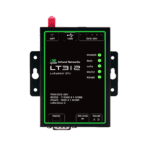
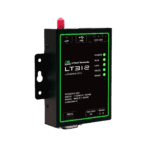
LT312 is a general-purpose LoRaWAN data terminal supporting OTAA/ABP and Class A/C with ADR or fixed SF. It enables Modbus-RTU acquisition, remote commands, and data upload via RS485/RS232.
LT312
LoRaWAN-DTU
LT312 is a general-purpose LoRaWAN data terminal supporting OTAA/ABP and Class A/C with ADR or fixed SF. It enables Modbus-RTU acquisition, remote commands, and data upload via RS485/RS232.
PHOTO
Serial Acquisition & Transparent Transfer over LoRaWAN






-
Core Technical Specifications
Adaptive Supports ADR and fixed SF switchingAutomation Supports script editingCloud Integration Capability End-to-cloud data forwarding through LoRaWAN gateways/platformsDevice Operating Modes Class A/C, supports OTAA and ABPFrequency Bands EU433/CN470/CN779/EU868/AS923/AU915/KR920Humidity 5 to 95% RH (non-condensing)Power Consumption Average power consumption <= 0.5 WPower Input DC12V/1ASerial Data Services Transparent transmissionSerial Interfaces 1 x RS-232 (DB9) + 1 x RS-485 (3.81 mm 2-pin)Transmit Power Up to 22 dBm transmit power, -135 dBm sensitivity @ SF12/BW125kHz
-
LoRaWAN RF
Data rate (typical) 5.5 / 3.1 / 1.8 / 1.0 / 0.6 / 0.3 kbpsFrequency bands EU433, CN470, CN779, EU868, AS923, AU915, KR920Join/operation modes OTAA/ABP, Class A/CProtocol LoRaWAN 1.0.3Receiver sensitivity -135 dBm @ SF12 BW125kHzSpreading factor SF7-SF12, 6 levels adjustableTransmit power 22 dBm
-
Serial Interfaces
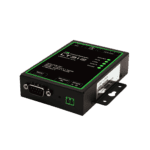
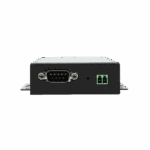
RS-232 baud rate 2400-115200 bps, default 115200 bps, 8N1RS-232 protection Fully isolated, built-in 15 kV ESDRS-232 quantity/type 1 x DB9RS-485 baud rate 2400-115200 bps, default 9600 bps, 8N1RS-485 protection Fully isolated, built-in 15 kV ESDRS-485 quantity/type 1 x 3.81 mm 2-pin terminal
-
Power
Connector type Port 1: 3.81 mm 2-pin terminal; Port 2: DC 5.5 x 2.1 mmInput DC12V, 1APower Consumption Average <= 0.5 W
-
Mechanical & Environment
Ambient humidity 5 to 95% (non-condensing)Operating Temperature -20 °C ~ 70 °C (-4 °F ~ 158 °F)Storage temperature -40 °C ~ 85 °C (-40 °F ~ 185 °F)
-
Indicators
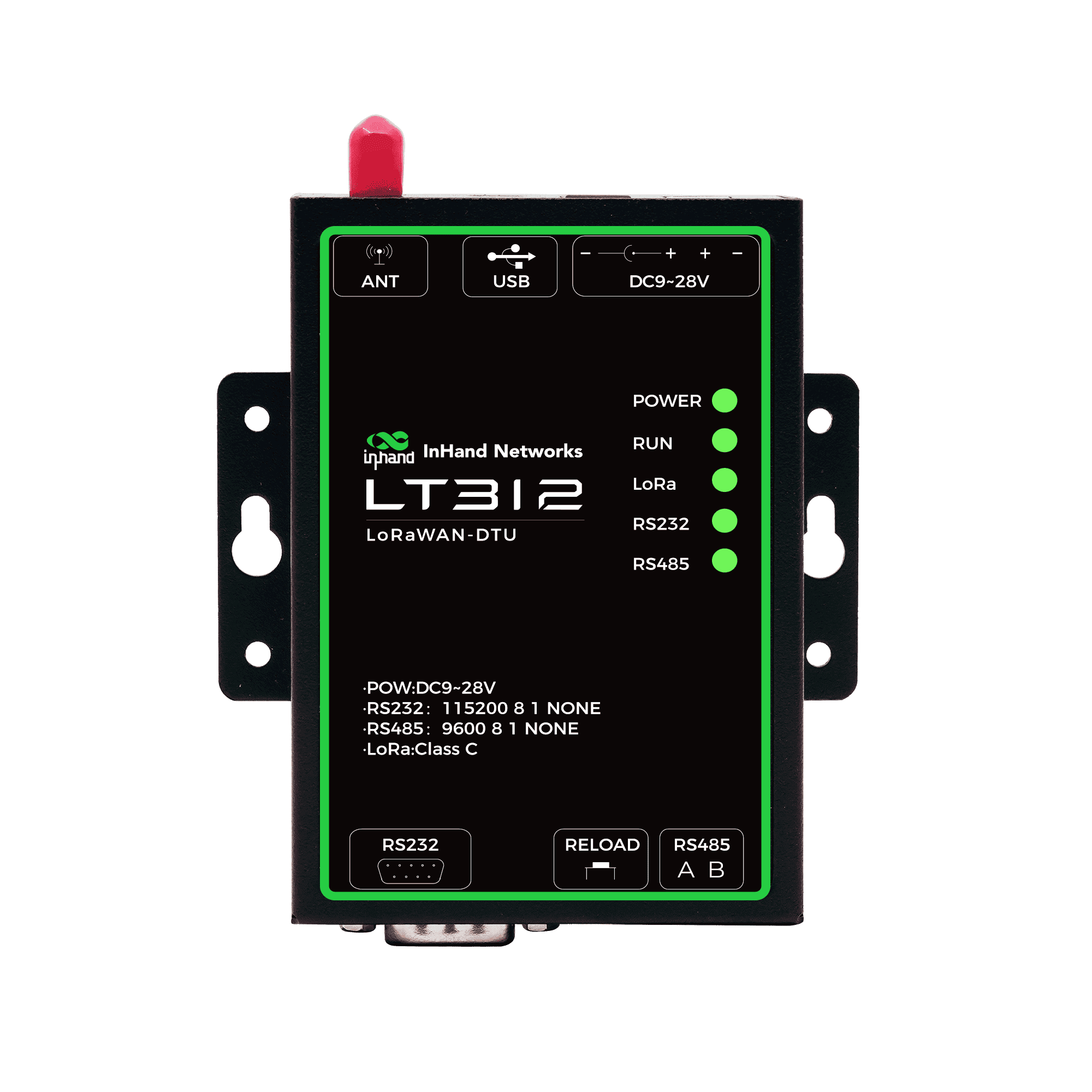
LoRa indicator On: LoRa data transmitting; Off: idlePOWER indicator On: normal power; Off: undervoltage or faultRS-232 indicator Blinks: RS-232 data received; Off: idleRS-485 indicator Blinks: RS-485 data received; Off: idleRUN indicator Blinks: normal operation; steady on/off: fault
-
Network Features
Channel/power control Adjustable channel and transmit powerDevice class Class A/CJoin method OTAA / ABPLink adaptation ADR and fixed SF switchingProtocol stack LoRaWAN 1.0.3
-
Serial Data Services
Data mode Transparent transmissionProtocol compatibility Modbus-RTU compatible polling/commandsSerial configuration Flexible serial settings for diverse devicesTask scheduling Scheduled tasks and active polling
-
Automation & Reliability
Heartbeat Customizable LoRaWAN heartbeatI/O output control Configurable output behaviorScript support Script editing and task orchestrationWatchdog Built-in reliability watchdog
-
Deployment & Integration
Cloud path End-to-cloud data forwarding via LoRaWAN gateway/platformDevice integration Meters, PLCs, and serial devicesTypical scenarios Buildings, campuses, factories
Standard package*
- LT312 LoRaWAN-DTU *1
- LoRaWAN Antenna *1
- Power Supply *1
- Expansion Bolt *5
* Standard package contents vary by standard order codes.
Contact us directly to learn more about our packaging options.
Specifications
-
Core Technical Specifications
Adaptive Supports ADR and fixed SF switchingAutomation Supports script editingCloud Integration Capability End-to-cloud data forwarding through LoRaWAN gateways/platformsDevice Operating Modes Class A/C, supports OTAA and ABPFrequency Bands EU433/CN470/CN779/EU868/AS923/AU915/KR920Humidity 5 to 95% RH (non-condensing)Power Consumption Average power consumption <= 0.5 WPower Input DC12V/1ASerial Data Services Transparent transmissionSerial Interfaces 1 x RS-232 (DB9) + 1 x RS-485 (3.81 mm 2-pin)Transmit Power Up to 22 dBm transmit power, -135 dBm sensitivity @ SF12/BW125kHz
-
LoRaWAN RF
Data rate (typical) 5.5 / 3.1 / 1.8 / 1.0 / 0.6 / 0.3 kbpsFrequency bands EU433, CN470, CN779, EU868, AS923, AU915, KR920Join/operation modes OTAA/ABP, Class A/CProtocol LoRaWAN 1.0.3Receiver sensitivity -135 dBm @ SF12 BW125kHzSpreading factor SF7-SF12, 6 levels adjustableTransmit power 22 dBm
-
Serial Interfaces
RS-232 baud rate 2400-115200 bps, default 115200 bps, 8N1RS-232 protection Fully isolated, built-in 15 kV ESDRS-232 quantity/type 1 x DB9RS-485 baud rate 2400-115200 bps, default 9600 bps, 8N1RS-485 protection Fully isolated, built-in 15 kV ESDRS-485 quantity/type 1 x 3.81 mm 2-pin terminal
-
Power
Connector type Port 1: 3.81 mm 2-pin terminal; Port 2: DC 5.5 x 2.1 mmInput DC12V, 1APower Consumption Average <= 0.5 W
-
Mechanical & Environment
Ambient humidity 5 to 95% (non-condensing)Operating Temperature -20 °C ~ 70 °C (-4 °F ~ 158 °F)Storage temperature -40 °C ~ 85 °C (-40 °F ~ 185 °F)
-
Indicators
LoRa indicator On: LoRa data transmitting; Off: idlePOWER indicator On: normal power; Off: undervoltage or faultRS-232 indicator Blinks: RS-232 data received; Off: idleRS-485 indicator Blinks: RS-485 data received; Off: idleRUN indicator Blinks: normal operation; steady on/off: fault
-
Network Features
Channel/power control Adjustable channel and transmit powerDevice class Class A/CJoin method OTAA / ABPLink adaptation ADR and fixed SF switchingProtocol stack LoRaWAN 1.0.3
-
Serial Data Services
Data mode Transparent transmissionProtocol compatibility Modbus-RTU compatible polling/commandsSerial configuration Flexible serial settings for diverse devicesTask scheduling Scheduled tasks and active polling
-
Automation & Reliability
Heartbeat Customizable LoRaWAN heartbeatI/O output control Configurable output behaviorScript support Script editing and task orchestrationWatchdog Built-in reliability watchdog
-
Deployment & Integration
Cloud path End-to-cloud data forwarding via LoRaWAN gateway/platformDevice integration Meters, PLCs, and serial devicesTypical scenarios Buildings, campuses, factories
Downloads
Ordering
Standard package*
- LT312 LoRaWAN-DTU *1
- LoRaWAN Antenna *1
- Power Supply *1
- Expansion Bolt *5
* Standard package contents vary by standard order codes.
Contact us directly to learn more about our packaging options.
Frequently Asked Questions
What does the LT312 offer?
The LT312 is an industrial LoRaWAN Data Terminal Unit (DTU) — a serial-to-LoRaWAN bridge that lets RS232 / RS485 devices (meters, PLCs, controllers) talk to a LoRaWAN network without any additional infrastructure. Highlights:
| — | — |
| LoRaWAN | LoRaWAN 1.0.3; OTAA or ABP join; Class A or Class C |
| RF | TX power 22 dBm; RX sensitivity −135 dBm @ SF12 / 125 kHz; SF7–SF12 (ADR or fixed); 125 kHz BW |
| Data rates | 5.5 / 3.1 / 1.8 / 1.0 / 0.6 / 0.3 kbps (SF7 → SF12) |
| Serial | 1× RS485 (3.81 mm 2-pin terminal) + 1× RS232 (DB9) — both fully isolated with 15 kV ESD protection |
| Baud rates | 2400 – 115200 bps; default RS485 = 9600, RS232 = 115200; 8N1 |
| Protocol | Modbus-RTU compatible polling; transparent transmission; scheduled or remote commands |
| Scripting | Script editing + task orchestration for custom acquisition logic; configurable LoRaWAN heartbeat |
| Reliability | Hardware watchdog |
| Power | DC 9–28 V wide input, average ≤ 0.5 W; ships with 12 V adapter and wall-mount kit |
| Antenna | 1× SMA |
| Environment | −20 to +70 °C operating |
| LEDs | 5× — POWER, RUN, LoRa, RS232, RS485 |
Four regional SKUs by LoRaWAN frequency plan:
| SKU | Frequency plan | Region |
| — | — | — |
| LT312-US915 | US915 | North America |
| LT312-EU868 | EU868 | Europe |
| LT312-CN470 | CN470 | China |
| LT312-AS923 | AS923 | Asia-Pacific (excluding South Korea and India) |
The spec also lists support for EU433 / CN779 / AU915 / KR920 bands; contact InHand for availability of those regional variants.
Target applications per the datasheet: buildings, campuses, and factories — simplifying integration of meters, PLCs, and serial devices into LoRaWAN networks.
How do I install and connect the LT312?
- Mount the LT312 using the included wall-mount kit, or place on a desk.
- Connect the antenna to the SMA connector. Keep it elevated and away from metal surfaces for best range.
- Connect the serial device:
- RS485 — wire A and B to the 3.81 mm 2-pin terminal block.
- RS232 — connect via the DB9 port.
- Power up with the supplied 12 V adapter (DC 5.5 × 2.1 mm barrel jack), or wire your own DC 9–28 V source to the 3.81 mm 2-pin power terminal block.
- Verify status via the five LEDs:
- POWER solid = power normal; off = under-voltage or fault.
- RUN blinking = system running normally; constantly on or off = fault.
- LoRa on = LoRa data is transmitting; off = no LoRa data.
- RS232 / RS485 blinking = serial data being received on that port.
How do I bridge serial devices to LoRaWAN with the LT312?
The LT312 supports four data-flow modes that can be combined to fit the deployment:
- Transparent transmission — anything received on RS232 or RS485 is passed straight to the LoRaWAN uplink (and vice versa for downlinks). Useful when the upstream application already speaks the device’s native protocol.
- Active polling (Modbus-RTU) — the LT312 polls the connected meter / PLC / controller at configurable intervals using Modbus-RTU and forwards the readings as LoRaWAN uplinks.
- Scheduled commands — pre-configured serial commands are sent on a fixed schedule (for example, an hourly meter read or a daily reset).
- Remote commands — downlink commands from the LoRaWAN network server are relayed onto the serial port (push a control command from the cloud to a downstream device).
For more complex behavior, script editing + task orchestration lets you compose acquisition tasks, define their execution order and schedule, and customize the LoRaWAN heartbeat payload and interval. The hardware watchdog auto-recovers from faults.
LoRaWAN-stack settings are configurable: OTAA or ABP join, Class A (low-power, RX-window-after-TX-only) or Class C (continuous receive for low-latency downlinks), ADR on or fixed SF (SF7–SF12), TX power, and channel plan.
How do I pair the LT312 with the EC312-LoRaWAN Gateway?
The LT312 (terminal node) and EC312-LoRaWAN (gateway / concentrator) form a complete InHand LoRaWAN stack:
“ “
Serial device ──RS232/RS485──> LT312 ──LoRaWAN──> EC312-LoRaWAN ──Cellular/Wi-Fi/Ethernet──> Cloud

   (meter, PLC,                 (terminal           (gateway with               (DeviceLive,

   controller)                  node / DTU)         built-in ChirpStack         AWS, Azure,

                                                    or Packet Forward)          ChirpStack, etc.)
Match the frequency plan between the two — the LT312 SKU and the EC312-LoRaWAN SKU must use compatible bands (e.g., LT312-US915 with EC312-H-FQ33-L915, or LT312-EU868 with EC312-H-FQ53-L868). Then on the EC312-LoRaWAN gateway, follow the ChirpStack onboarding steps from EC312-LoRaWAN Q3:
- In ChirpStack, create the Device Profile matching the LT312’s MAC version (LoRaWAN 1.0.3) and regional parameters.
- Create an Application to scope the LT312 nodes.
- Add the LT312 as a Device, entering the LT312’s Device EUI, Join EUI, and Application Key (provided by the LT312 / read from its config).
- Configure the LT312 itself for OTAA join (matching the application key) or ABP (matching the device address and session keys), and choose Class A or Class C per your downlink-latency needs.
- Trigger serial traffic on the LT312 — uplinks appear in the ChirpStack Events tab; for Class C, queue downlink commands from the Queue tab.
For deployments using an external network server (e.g., The Things Stack), set the EC312-LoRaWAN gateway to Packet Forward mode instead of the built-in NS, then onboard the LT312 on that external NS the same way.