


LT312
LoRaWAN-DTU
LT312, OTAA/ABP ve ADR veya sabit SF ile Class A/C'yi destekleyen genel amaçlı bir LoRaWAN veri terminalidir. Modbus-RTU alımına, uzaktan komutlara ve RS485/RS232 üzerinden veri yüklemeye olanak tanır.
LT312
LoRaWAN-DTU
LT312, OTAA/ABP ve ADR veya sabit SF ile Class A/C'yi destekleyen genel amaçlı bir LoRaWAN veri terminalidir. Modbus-RTU alımına, uzaktan komutlara ve RS485/RS232 üzerinden veri yüklemeye olanak tanır.
FOTOĞRAF
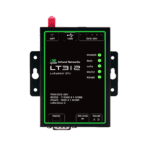
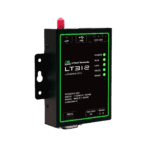
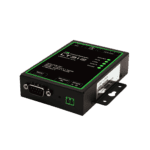
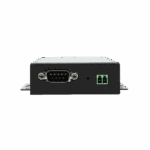
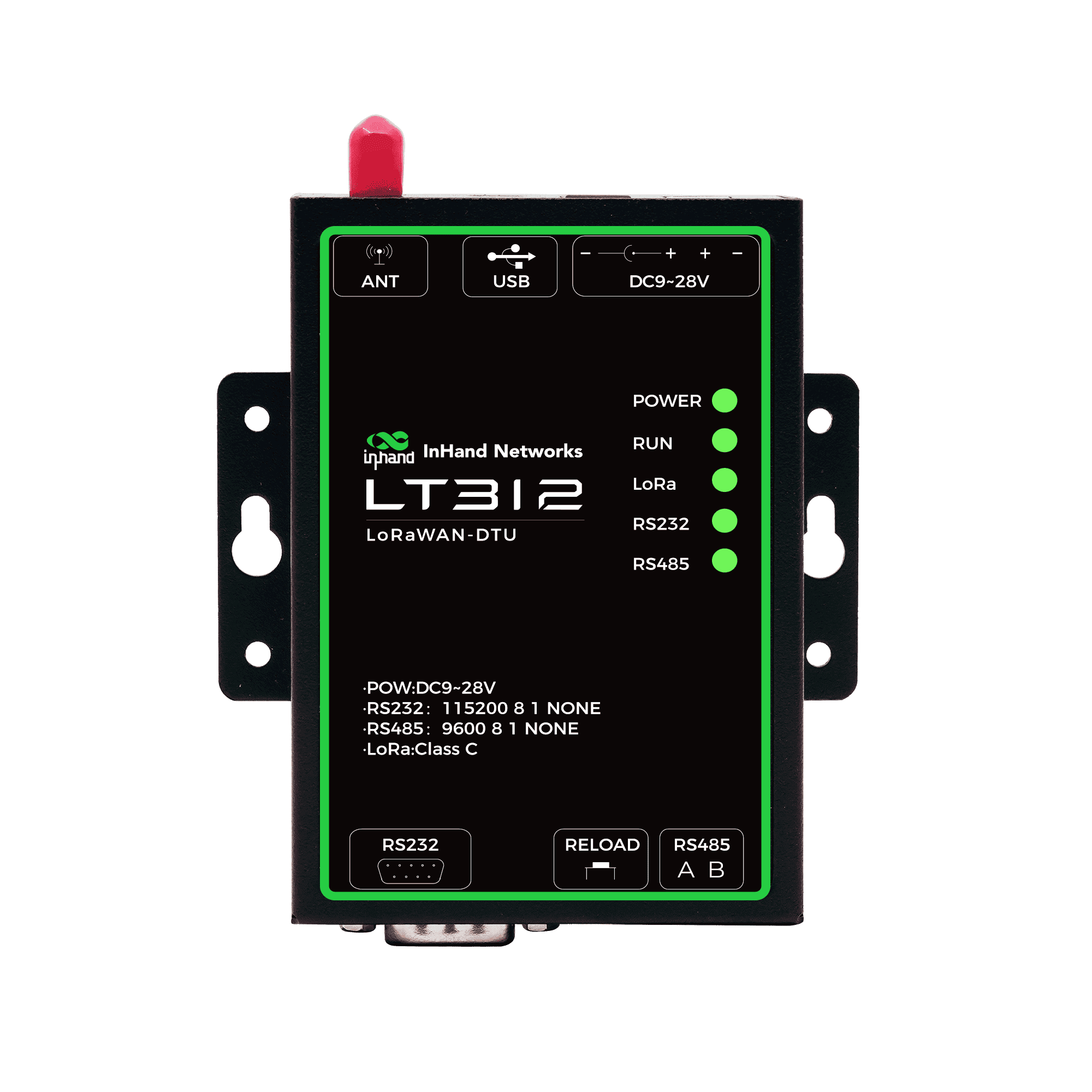
LoRaWAN Üzerinden Seri Edinim ve Şeffaf Aktarım






-
Temel Teknik Özellikler
Cihaz Çalışma Modları A/C sınıfı, OTAA ve ABP'yi destekler.Adaptive Supports ADR and fixed SF switchingSeri Veri Hizmetleri Şeffaf iletimAutomation Supports script editingBulut Entegrasyon Yeteneği LoRaWAN ağ geçitleri/platformları aracılığıyla uçtan buluta veri iletimiFrequency Bands EU433/CN470/CN779/EU868/AS923/AU915/KR920İletim Gücü SF12/BW125kHz'de 22 dBm'ye kadar iletim gücü, -135 dBm hassasiyet.Seri Arayüzler 1 x RS-232 (DB9) + 1 x RS-485 (3.81 mm 2-pin)Güç Girişi DC12V/1AGüç Tüketimi Average power consumption <= 0.5 WNem 5 ila 95% RH (yoğuşmasız)
-
LoRaWAN RF
Protokol LoRaWAN 1.0.3Frekans bantları EU433, CN470, CN779, EU868, AS923, AU915, KR920Güç iletimi 22 dBmAlıcı hassasiyeti -135 dBm @ SF12 BW125kHzKatılım/işlem modları OTAA/ABP, A/C SınıfıYayılma faktörü SF7-SF12, 6 kademeli ayarlanabilir.Veri hızı (tipik) 5,5 / 3,1 / 1,8 / 1,0 / 0,6 / 0,3 kbps
-
Seri Arayüzler
RS-485 quantity/type 1 x 3,81 mm 2 pimli terminalRS-485 baud rate 2400-115200 bps, varsayılan 9600 bps, 8N1RS-485 protection Tamamen izole edilmiş, dahili 15 kV ESD koruması.RS-232 quantity/type 1 x DB9RS-232 baud rate 2400-115200 bps, varsayılan 115200 bps, 8N1RS-232 protection Tamamen izole edilmiş, dahili 15 kV ESD koruması.
-
Güç
Giriş DC12V, 1ABağlayıcı tipi Port 1: 3,81 mm 2 pinli terminal; Port 2: DC 5,5 x 2,1 mmGüç Tüketimi Ortalama <= 0,5 W
-
Mekanik ve Çevre
Depolama sıcaklığı -40 °C ~ 85 °C (-40 °F ~ 185 °F)Çalışma Sıcaklığı -20 °C ~ 70 °C (-4 °F ~ 158 °F)Ortam nemi 5 ila 95% (yoğuşmasız)
-
Göstergeler
GÜÇ göstergesi Açık: normal güç; Kapalı: düşük voltaj veya arızaÇALIŞTIRMA göstergesi Yanıp sönme: normal çalışma; sürekli açık/kapalı: arızaLoRa göstergesi Açık: LoRa veri iletimi; Kapalı: beklemedeRS-232 indicator Blinks: RS-232 data received; Off: idleRS-485 indicator Blinks: RS-485 data received; Off: idle
-
Ağ Özellikleri
Protokol yığını LoRaWAN 1.0.3Cihaz sınıfı A SınıfıBirleştirme yöntemi OTAA / ABPBağlantı uyarlaması ADR ve sabit SF anahtarlamaKanal/güç kontrolü Ayarlanabilir kanal ve iletim gücü
-
Seri Veri Hizmetleri
Veri modu Şeffaf iletimProtokol uyumluluğu Modbus-RTU uyumlu yoklama/komutlarSeri yapılandırma Çeşitli cihazlar için esnek seri ayarlarıGörev planlaması Planlanmış görevler ve aktif anketler
-
Otomasyon ve Güvenilirlik
Komut dosyası desteği Komut dosyası düzenleme ve görev yönetimiKalp atışı Özelleştirilebilir LoRaWAN kalp atışıG/Ç çıkış kontrolü Yapılandırılabilir çıktı davranışıGözlemci Dahili güvenilirlik denetleyicisi
-
Dağıtım ve Entegrasyon
Tipik senaryolar Binalar, kampüsler, fabrikalarCihaz entegrasyonu Sayaçlar, PLC'ler ve seri cihazlarBulut yolu LoRaWAN ağ geçidi/platformu üzerinden uçtan buluta veri iletimi
Standart paket*
- LT312 LoRaWAN-DTU *1
- LoRaWAN Anteni *1
- Güç Kaynağı *1
- Genleşme Cıvatası *5
* Standart paket içerikleri, standart sipariş kodlarına göre değişiklik gösterebilir.
Bize Ulaşın Ambalaj seçeneklerimiz hakkında daha fazla bilgi edinmek için doğrudan iletişime geçin.
Teknik Özellikler
-
Temel Teknik Özellikler
Cihaz Çalışma Modları A/C sınıfı, OTAA ve ABP'yi destekler.Adaptive Supports ADR and fixed SF switchingSeri Veri Hizmetleri Şeffaf iletimAutomation Supports script editingBulut Entegrasyon Yeteneği LoRaWAN ağ geçitleri/platformları aracılığıyla uçtan buluta veri iletimiFrequency Bands EU433/CN470/CN779/EU868/AS923/AU915/KR920İletim Gücü SF12/BW125kHz'de 22 dBm'ye kadar iletim gücü, -135 dBm hassasiyet.Seri Arayüzler 1 x RS-232 (DB9) + 1 x RS-485 (3.81 mm 2-pin)Güç Girişi DC12V/1AGüç Tüketimi Average power consumption <= 0.5 WNem 5 ila 95% RH (yoğuşmasız)
-
LoRaWAN RF
Protokol LoRaWAN 1.0.3Frekans bantları EU433, CN470, CN779, EU868, AS923, AU915, KR920Güç iletimi 22 dBmAlıcı hassasiyeti -135 dBm @ SF12 BW125kHzKatılım/işlem modları OTAA/ABP, A/C SınıfıYayılma faktörü SF7-SF12, 6 kademeli ayarlanabilir.Veri hızı (tipik) 5,5 / 3,1 / 1,8 / 1,0 / 0,6 / 0,3 kbps
-
Seri Arayüzler
RS-485 quantity/type 1 x 3,81 mm 2 pimli terminalRS-485 baud rate 2400-115200 bps, varsayılan 9600 bps, 8N1RS-485 protection Tamamen izole edilmiş, dahili 15 kV ESD koruması.RS-232 quantity/type 1 x DB9RS-232 baud rate 2400-115200 bps, varsayılan 115200 bps, 8N1RS-232 protection Tamamen izole edilmiş, dahili 15 kV ESD koruması.
-
Güç
Giriş DC12V, 1ABağlayıcı tipi Port 1: 3,81 mm 2 pinli terminal; Port 2: DC 5,5 x 2,1 mmGüç Tüketimi Ortalama <= 0,5 W
-
Mekanik ve Çevre
Depolama sıcaklığı -40 °C ~ 85 °C (-40 °F ~ 185 °F)Çalışma Sıcaklığı -20 °C ~ 70 °C (-4 °F ~ 158 °F)Ortam nemi 5 ila 95% (yoğuşmasız)
-
Göstergeler
GÜÇ göstergesi Açık: normal güç; Kapalı: düşük voltaj veya arızaÇALIŞTIRMA göstergesi Yanıp sönme: normal çalışma; sürekli açık/kapalı: arızaLoRa göstergesi Açık: LoRa veri iletimi; Kapalı: beklemedeRS-232 indicator Blinks: RS-232 data received; Off: idleRS-485 indicator Blinks: RS-485 data received; Off: idle
-
Ağ Özellikleri
Protokol yığını LoRaWAN 1.0.3Cihaz sınıfı A SınıfıBirleştirme yöntemi OTAA / ABPBağlantı uyarlaması ADR ve sabit SF anahtarlamaKanal/güç kontrolü Ayarlanabilir kanal ve iletim gücü
-
Seri Veri Hizmetleri
Veri modu Şeffaf iletimProtokol uyumluluğu Modbus-RTU uyumlu yoklama/komutlarSeri yapılandırma Çeşitli cihazlar için esnek seri ayarlarıGörev planlaması Planlanmış görevler ve aktif anketler
-
Otomasyon ve Güvenilirlik
Komut dosyası desteği Komut dosyası düzenleme ve görev yönetimiKalp atışı Özelleştirilebilir LoRaWAN kalp atışıG/Ç çıkış kontrolü Yapılandırılabilir çıktı davranışıGözlemci Dahili güvenilirlik denetleyicisi
-
Dağıtım ve Entegrasyon
Tipik senaryolar Binalar, kampüsler, fabrikalarCihaz entegrasyonu Sayaçlar, PLC'ler ve seri cihazlarBulut yolu LoRaWAN ağ geçidi/platformu üzerinden uçtan buluta veri iletimi
İndirmeler
Sipariş verme
Standart paket*
- LT312 LoRaWAN-DTU *1
- LoRaWAN Anteni *1
- Güç Kaynağı *1
- Genleşme Cıvatası *5
* Standart paket içerikleri, standart sipariş kodlarına göre değişiklik gösterebilir.
Bize Ulaşın Ambalaj seçeneklerimiz hakkında daha fazla bilgi edinmek için doğrudan iletişime geçin.
Sıkça Sorulan Sorular
LT312 ne sunuyor?
LT312 endüstriyel bir üründür. LoRaWAN Veri Terminal Birimi (DTU) — RS232 / RS485 cihazlarının (sayaçlar, PLC'ler, kontrol üniteleri) ek altyapı gerektirmeden LoRaWAN ağıyla iletişim kurmasını sağlayan bir seri-LoRaWAN köprüsü. Öne çıkan özellikler:
| — | — |
| LoRaWAN | LoRaWAN 1.0.3; OTAA veya ABP katılımı; A Sınıfı veya C Sınıfı |
| RF | TX gücü 22 dBm; RX hassasiyeti −135 dBm @ SF12 / 125 kHz; SF7–SF12 (ADR veya sabit); 125 kHz bant genişliği |
| Veri oranları | 5,5 / 3,1 / 1,8 / 1,0 / 0,6 / 0,3 kbps (SF7 → SF12) |
| Seri | 1× RS485 (3,81 mm 2 pimli terminal) + 1× RS232 (DB9) — her ikisi de tamamen izole edilmiş ile 15 kV ESD koruması |
| Baud hızları | 2400 – 115200 bps; varsayılan RS485 = 9600, RS232 = 115200; 8N1 |
| Protokol | Modbus-RTU uyumlu yoklama; şeffaf iletim; planlanmış veya uzaktan komutlar |
| Komut dosyası oluşturma | Özel veri toplama mantığı için komut dosyası düzenleme + görev düzenleme; yapılandırılabilir LoRaWAN kalp atışı sinyali. |
| Güvenilirlik | Donanım gözetmeni |
| Güç | DC 9–28 V geniş giriş, ortalama ≤ 0,5 W12 V adaptör ve duvara montaj kiti ile birlikte gönderilir. |
| Anten | 1× SMA |
| Çevre | -20 ila +70 °C çalışma sıcaklığı |
| LED'ler | 5× — GÜÇ, ÇALIŞTIRMA, LoRa, RS232, RS485 |
Dört bölgesel ürün kodu LoRaWAN frekans planına göre:
| Ürün Kodu | Frekans planı | Bölge |
| — | — | — |
| LT312-US915 | ABD915 | Kuzey Amerika |
| LT312-EU868 | AB868 | Avrupa |
| LT312-CN470 | CN470 | Çin |
| LT312-AS923 | AS923 | Asya-Pasifik (Güney Kore ve Hindistan hariç) |
Teknik özelliklerde ayrıca şu destekler de listelenmiştir: AB433 / CN779 / AU915 / KR920 Bantlar; bu bölgesel varyantların bulunabilirliği için InHand ile iletişime geçin.
Teknik özellikler sayfasında belirtilen hedef uygulama alanları: binalar, kampüsler ve fabrikalar; sayaçların, PLC'lerin ve seri cihazların LoRaWAN ağlarına entegrasyonunu basitleştirmek.
LT312'yi nasıl kurar ve bağlarım?
- Dağ LT312'yi birlikte verilen duvara montaj kitiyle monte edebilir veya bir masa üzerine yerleştirebilirsiniz.
- Anteni bağlayın SMA konektörüne bağlayın. En iyi menzil için yüksek bir yerde ve metal yüzeylerden uzakta tutun.
- Seri cihazı bağlayın:
- RS485 — A ve B kablolarını 3,81 mm'lik 2 pinli terminal bloğuna bağlayın.
- RS232 — DB9 portu üzerinden bağlantı kurun.
- Güçlendirin Birlikte verilen 12 V adaptör (DC 5,5 × 2,1 mm silindir jak) ile veya kendi DC 9–28 V güç kaynağınızı 3,81 mm 2 pinli güç terminal bloğuna bağlayarak kullanabilirsiniz.
- Durumu doğrulayın beş LED aracılığıyla:
- GÜÇ Sabit = güç normal; kapalı = düşük voltaj veya arıza.
- KOŞMAK Yanıp sönme = sistem normal çalışıyor; sürekli açık veya kapalı = arıza
- LoRa açık = LoRa verisi iletiliyor; kapalı = LoRa verisi iletilmiyor.
- RS232 / RS485 Yanıp sönme = o porttan seri veri alınıyor anlamına gelir.
LT312 ile seri cihazları LoRaWAN'a nasıl bağlarım?
LT312, dağıtıma uyacak şekilde birleştirilebilen dört veri akışı modunu destekler:
- Şeffaf iletim — RS232 veya RS485 üzerinden alınan her şey doğrudan LoRaWAN yukarı bağlantısına iletilir (ve aşağı bağlantılar için de bunun tersi geçerlidir). Yukarı akış uygulamasının cihazın yerel protokolünü zaten kullandığı durumlarda kullanışlıdır.
- Aktif yoklama (Modbus-RTU) — LT312, Modbus-RTU kullanarak yapılandırılabilir aralıklarla bağlı sayaç/PLC/kontrol cihazından veri alır ve okumaları LoRaWAN uplink'leri olarak iletir.
- Planlanmış komutlar — Önceden yapılandırılmış seri komutlar sabit bir programa göre gönderilir (örneğin, saatlik sayaç okuması veya günlük sıfırlama).
- Uzaktan komutlar — LoRaWAN ağ sunucusundan gelen aşağı bağlantı komutları seri porta iletilir (buluttan aşağı akış cihazına bir kontrol komutu gönderilir).
Daha karmaşık davranışlar için, komut dosyası düzenleme + görev düzenleme Bu özellik, satın alma görevlerini oluşturmanıza, yürütme sırasını ve programını tanımlamanıza ve özelleştirmenize olanak tanır. LoRaWAN kalp atışı Yük ve aralık. Donanım izleme sistemi arızalardan otomatik olarak kurtulur.
LoRaWAN yığını ayarları yapılandırılabilir: OTAA veya ABP katılmak, A Sınıfı (düşük güç, RX penceresi yalnızca TX'ten sonra) veya C Sınıfı (Düşük gecikmeli indirme bağlantıları için sürekli alım), ADR üzerinde veya sabit SF (SF7–SF12), TX gücü ve kanal planı.
LT312 cihazını EC312-LoRaWAN Ağ Geçidi ile nasıl eşleştirebilirim?
LT312 (terminal düğüm) ve EC312-LoRaWAN (ağ geçidi/yoğunlaştırıcı), eksiksiz bir InHand LoRaWAN yığını oluşturur:
“ “
Seri cihaz ──RS232/RS485──> LT312 ──LoRaWAN──> EC312-LoRaWAN ──Hücresel/Wi-Fi/Ethernet──> Bulut

   (metre, PLC, (terminal (DeviceLive ile ağ geçidi,

   denetleyici) düğüm / DTU) yerleşik ChirpStack AWS, Azure,

                                                    veya Paket İletme) ChirpStack, vb.)
Eşleştir frekans planı İki cihaz arasında — LT312 SKU ve EC312-LoRaWAN SKU'nun uyumlu bantlar kullanması gerekir (örneğin, LT312-US915 ile EC312-H-FQ33-L915 veya LT312-EU868 ile EC312-H-FQ53-L868). Ardından, EC312-LoRaWAN ağ geçidinde, EC312-LoRaWAN Q3'ten ChirpStack kurulum adımlarını izleyin:
- ChirpStack'te şunu oluşturun: Cihaz Profili LT312'nin MAC sürümü (LoRaWAN 1.0.3) ve bölgesel parametreleriyle uyumlu.
- Bir tane oluşturun Başvuru LT312 düğümlerinin kapsamını belirlemek için.
- LT312'yi ekleyin CihazLT312'ye girerken Cihaz EUI, EUI'ye katılın, Ve Uygulama Anahtarı (LT312 tarafından sağlanır / yapılandırma dosyasından okunur).
- LT312'yi kendiniz yapılandırın OTAA (Uygulama anahtarıyla eşleşen) birleşin veya ABP (cihaz adresini ve oturum anahtarlarını eşleştirerek) ve indirme gecikmesi ihtiyaçlarınıza göre A Sınıfı veya C Sınıfı'nı seçin.
- LT312 üzerinde seri trafiği tetikleyin — yukarı bağlantılar ChirpStack'te görünür. Olaylar sekme; C Sınıfı için, indirme komutlarını şuradan sıraya alın: Sıra sekme.
Harici ağ sunucusu (örneğin, The Things Stack) kullanan dağıtımlar için EC312-LoRaWAN ağ geçidini şu şekilde ayarlayın: Paket İletme Dahili NS yerine harici NS modunu kullanın, ardından LT312'yi aynı şekilde bu harici NS'ye takın.