


ER2000
Enterprise-grade
switch
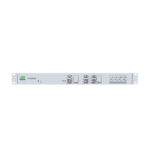
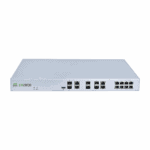
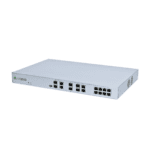
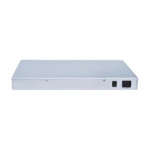
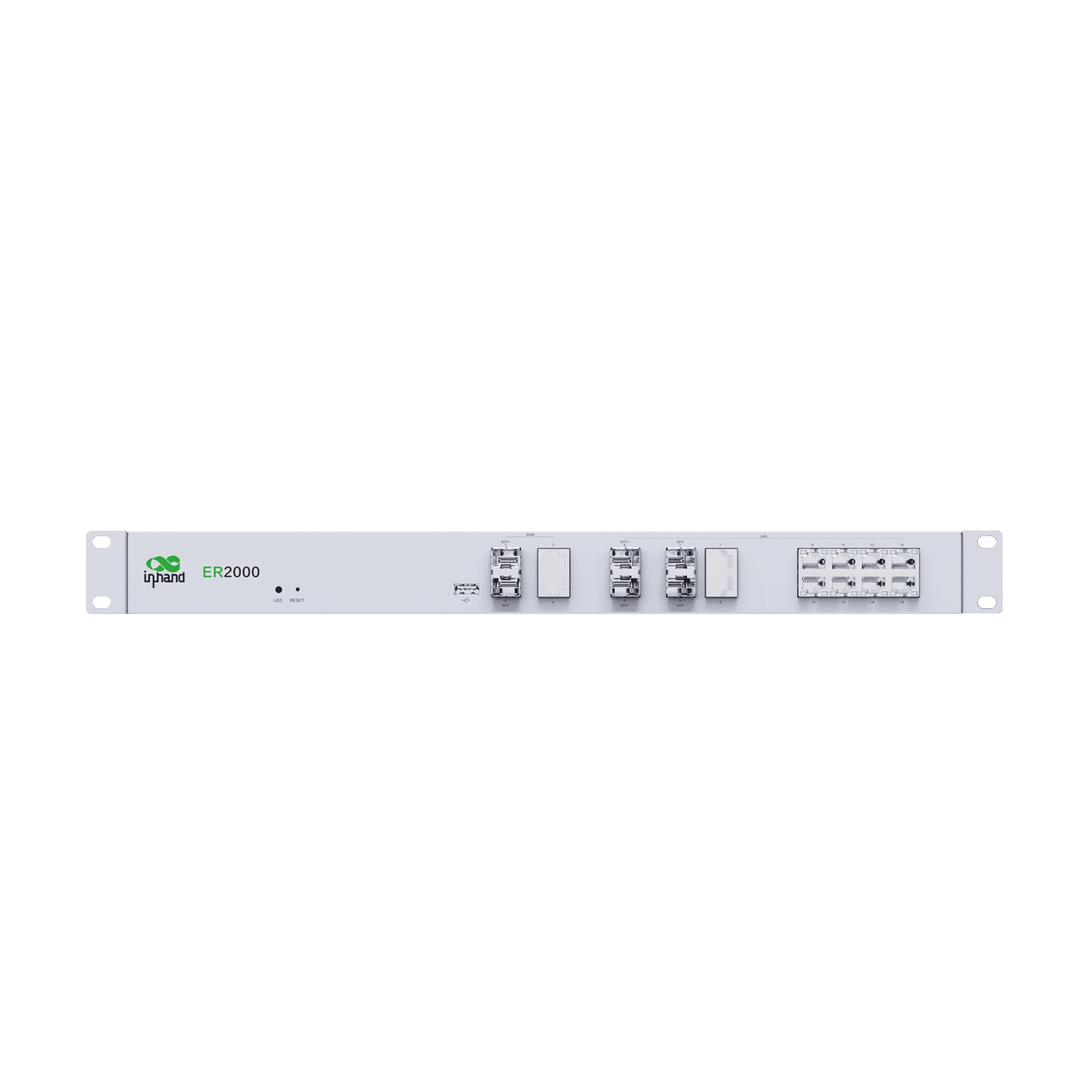
ER2000 is a high‑performance enterprise router with 10G‑class Ethernet and versatile interfaces, ideal for enterprise core and data center networks.
ER2000
Enterprise-grade
switch
ER2000 is a high‑performance enterprise router with 10G‑class Ethernet and versatile interfaces, ideal for enterprise core and data center networks.
PHOTO
Enterprise SD-WAN Router for Branch Connectivity

High-Performance Enterprise Router
Built-in high-performance routing and processing capabilities support large-volume forwarding and stable operation, meeting the needs of enterprise core networks.

10G SFP+ Port
Provides 10G SFP+ , suitable for high-speed backbone and aggregation network connections.

SD-WAN
Supports intelligent site-to-site routing management, optimizing traffic scheduling and improving network availability.

Network Visibility & Diagnostics
Provides client connection, port usage, network status, traffic monitoring, and alert logs, enhancing operational efficiency and network visibility.

Unified Cloud Management
Supports InCloud Manager, enabling centralized policy, remote configuration, and bulk operation and maintenance.

PoE on Ethernet Ports
Provides 8 IEEE 802.3af/at PoE ports to power cameras, APs, and other devices.
-
Core Technical Specifications
Cloud Management InCloud ManagerDimensions / Install 440 × 290 × 44 mm (17.32 × 11.42 × 1.73 in); rack-mountedEMC / Certification EMC Level 2; CE, FCC, IC (under plan)Environment -10 °C ~ +50 °C (14 °F ~ +122 °F) op.; -40 °C ~ +85 °C (-40 °F ~ +185 °F) stg.; 5–95% RH; IP20Ethernet WAN: 1 × 10G SFP+ + 1 × GbE SFP + 2 × GbE RJ45 (PoE); LAN: 2 × 10G SFP+ + 2 × GbE Combo + 8 × GbE RJ45 (PoE); 1 × USB 3.0Network IPv4/IPv6PoE 10 × PoE output, 802.3at, 150 WPower 100–240 V AC, 50/60 Hz, 2 A; peak ≤200 WSD-WAN Hub mode; branch interconnect; 500+ branch sitesThroughput / Scale 6 Gbps; IPsec 1 Gbps; 1000+ clientsVPN IPsec, L2TP, VXLAN, GRE, OpenVPN; 500+ entriesWAN Access Multiple wired links; PPPoE; real-time link detection
-
Performance Metrics
Flash 8 GB eMMCIPsec VPN Throughput 1 GbpsModel ER2000RAM 4 GB DDR4Recommended Users 1000+Throughput 6 Gbps
-
Interfaces
LAN 2 × 10G SFP+, 2 × GbE Combo, 8 × GbE RJ45 (PoE)LED Power, NetworkPOE 10 × PoE output, 802.3at, 150 WReset Pinhole reset buttonUSB 1 × USB 3.0WAN 1 × 10G SFP+, 1 × GbE SFP, 2 × GbE RJ45 (PoE)
-
Power
Input 100–240 V AC, 50/60 Hz, 2 APeak Power ≤ 200 W
-
Mechanical
Dimensions 440 × 290 × 44 mm (17.32 × 11.42 × 1.73 in)Installation Rack-mountedProtection IP20
-
Environment
Humidity 5–95 % RH (non-condensing)Operating Temperature -10 °C ~ +50 °C (14 °F ~ +122 °F)Storage Temperature -40 °C ~ +85 °C (-40 °F ~ +185 °F)
-
Certification
Certification Under plan: CE, FCC, ICEMC EMC level 2
-
Cloud Management
Dashboard Device connectivity status, network topology, traffic statistics, interface status, client statistics and analysis, uplink managementFeatures Unified device access, zero-touch remote deployment, bulk remote upgrades, configuration deployment, SD-WAN networking, Connector remote maintenance, two-factor authenticationPlatform InCloud Manager
-
Network Features
Access Multiple wired link connectionsDialing PPPoEIntelligent Links Real-time link detectionIP Protocols IPv4, IPv6Protocols VLAN, DHCP (Server/Client), DNS, DDNS, Fixed Address, IP Passthrough, STP, ARP, ICMPRouting Static routingSD-WAN SD-WAN networkingVPN IPsec VPN, L2TP VPN, VXLAN, GRE, OpenVPN
-
Security
Access Control Black/white list filtering, domain filtering, 802.1XFirewall 3L inbound/outbound rules, port forwarding, SNAT, DNATRemote access control Supported
-
Reliability
Alarms Local email; platform SMS and emailEvents User logins, connection disconnects, device rebootsLogs Runtime logs, diagnostic logsTraffic Shaping QoS by link, IP, and protocolUpgrades Scheduled upgrades
-
Diagnostic
Tools ICMP, packet capture, tracert
Standard package*
- ER2000 Enterprise Router *1
- Ethernet Cable *1
- Power Supply *1
* Standard package contents vary by standard order codes.
Contact us directly to learn more about our packaging options.
Specifications
-
Core Technical Specifications
Cloud Management InCloud ManagerDimensions / Install 440 × 290 × 44 mm (17.32 × 11.42 × 1.73 in); rack-mountedEMC / Certification EMC Level 2; CE, FCC, IC (under plan)Environment -10 °C ~ +50 °C (14 °F ~ +122 °F) op.; -40 °C ~ +85 °C (-40 °F ~ +185 °F) stg.; 5–95% RH; IP20Ethernet WAN: 1 × 10G SFP+ + 1 × GbE SFP + 2 × GbE RJ45 (PoE); LAN: 2 × 10G SFP+ + 2 × GbE Combo + 8 × GbE RJ45 (PoE); 1 × USB 3.0Network IPv4/IPv6PoE 10 × PoE output, 802.3at, 150 WPower 100–240 V AC, 50/60 Hz, 2 A; peak ≤200 WSD-WAN Hub mode; branch interconnect; 500+ branch sitesThroughput / Scale 6 Gbps; IPsec 1 Gbps; 1000+ clientsVPN IPsec, L2TP, VXLAN, GRE, OpenVPN; 500+ entriesWAN Access Multiple wired links; PPPoE; real-time link detection
-
Performance Metrics
Flash 8 GB eMMCIPsec VPN Throughput 1 GbpsModel ER2000RAM 4 GB DDR4Recommended Users 1000+Throughput 6 Gbps
-
Interfaces
LAN 2 × 10G SFP+, 2 × GbE Combo, 8 × GbE RJ45 (PoE)LED Power, NetworkPOE 10 × PoE output, 802.3at, 150 WReset Pinhole reset buttonUSB 1 × USB 3.0WAN 1 × 10G SFP+, 1 × GbE SFP, 2 × GbE RJ45 (PoE)
-
Power
Input 100–240 V AC, 50/60 Hz, 2 APeak Power ≤ 200 W
-
Mechanical
Dimensions 440 × 290 × 44 mm (17.32 × 11.42 × 1.73 in)Installation Rack-mountedProtection IP20
-
Environment
Humidity 5–95 % RH (non-condensing)Operating Temperature -10 °C ~ +50 °C (14 °F ~ +122 °F)Storage Temperature -40 °C ~ +85 °C (-40 °F ~ +185 °F)
-
Certification
Certification Under plan: CE, FCC, ICEMC EMC level 2
-
Cloud Management
Dashboard Device connectivity status, network topology, traffic statistics, interface status, client statistics and analysis, uplink managementFeatures Unified device access, zero-touch remote deployment, bulk remote upgrades, configuration deployment, SD-WAN networking, Connector remote maintenance, two-factor authenticationPlatform InCloud Manager
-
Network Features
Access Multiple wired link connectionsDialing PPPoEIntelligent Links Real-time link detectionIP Protocols IPv4, IPv6Protocols VLAN, DHCP (Server/Client), DNS, DDNS, Fixed Address, IP Passthrough, STP, ARP, ICMPRouting Static routingSD-WAN SD-WAN networkingVPN IPsec VPN, L2TP VPN, VXLAN, GRE, OpenVPN
-
Security
Access Control Black/white list filtering, domain filtering, 802.1XFirewall 3L inbound/outbound rules, port forwarding, SNAT, DNATRemote access control Supported
-
Reliability
Alarms Local email; platform SMS and emailEvents User logins, connection disconnects, device rebootsLogs Runtime logs, diagnostic logsTraffic Shaping QoS by link, IP, and protocolUpgrades Scheduled upgrades
-
Diagnostic
Tools ICMP, packet capture, tracert
Downloads
Ordering
Standard package*
- ER2000 Enterprise Router *1
- Ethernet Cable *1
- Power Supply *1
* Standard package contents vary by standard order codes.
Contact us directly to learn more about our packaging options.
InCloud Manager
Cloud-Based Network Management Platform
AI-driven network platform for chain stores and SMEs, enabling centralized monitoring and management of routers, APs, and switches.
InCloud Manager
Related Cases

One-stop Network Solution for a Retail Chain Stores
One-stop Network Solution for a Retail Chain Stores Applications and Cases Key…
Learn More →Frequently Asked Questions
What does the ER2000 offer?
The ER2000 is a wired-only enterprise SD-WAN aggregation router for headquarters, data centers, and large campuses — the head-end counterpart to the ER605/ER615/ER805/ER815 branch routers in an InCloud Manager SD-WAN deployment. Highlights:
| — | — |
| Throughput | 6 Gbps routing, 1 Gbps IPsec VPN |
| Capacity | 1000+ concurrent users, 500+ branch sites |
| WAN ports | 1× 10G SFP+, 1× GbE SFP, 2× GbE RJ45 (PoE) |
| LAN ports | 2× 10G SFP+, 2× GbE combo, 8× GbE RJ45 (PoE) |
| Memory | 4 GB DDR4 RAM, 8 GB eMMC |
| Cellular / Wi-Fi | None — wired-only |
| Form factor | 1U rack-mount, 100–240 V AC, ≤200 W peak |
Single SKU: ER2000-PLUS (global). Cloud-managed via InCloud Manager (zero-touch deploy, batch firmware/config push, dashboards, SD-WAN policy, link detection, traffic shaping, and event/alert pipelines).
How do I install the ER2000?
1. Mount in a standard 19″ rack with the supplied 1U brackets; leave airflow clearance.
2. Connect the AC power cord (100–240 V, 50/60 Hz). Total draw can reach 200 W including PoE — size the rack PDU accordingly.
3. Connect upstream uplinks to the WAN ports (10G SFP+ for fiber, GbE SFP for slower fiber, RJ45 for copper / PoE-fed devices).
4. Connect downstream LAN — 10G SFP+ for backbone aggregation, GbE combo and RJ45 for distribution.
5. The Power/Network LED lights during boot. Initial local management is via the LAN ports at the default IP printed on the device label.
How do I add the ER2000 to InCloud Manager?
1. Sign in (or create an account) at https://star.inhandcloud.com.
2. Click Add Device and enter the ER2000’s serial number from the chassis label.
3. Connect the ER2000 to the internet via any WAN port. Once it reaches the platform, it appears online in the dashboard.
You can then create the SD-WAN site / hub, push policy and routing templates, schedule firmware upgrades, and view dashboards covering connectivity, topology, traffic, and per-interface status. Two-factor authentication and full operation/diagnostic logs are built in.
When should I pick the ER2000 vs the ER605 / ER615?
| ER605 / ER615 | ER2000 | |
| — | — | — |
| Role | Branch / store / SMB | Headquarters / data center / aggregation |
| Throughput | 500 Mbps – 1 Gbps | 6 Gbps |
| IPsec VPN | 30–100 Mbps | 1 Gbps |
| Recommended users | 50–200 | 1000+ |
| Cellular | 5G / 4G | None |
| Wi-Fi | Wi-Fi 5 / Wi-Fi 6 | None |
| 10G ports | — | 4× 10G SFP+ |
| PoE output | — | RJ45 ports (WAN + LAN) |
| Form factor | Desktop / wall-mount | 1U rack |
Pick the ER2000 when the site terminates many SD-WAN tunnels, needs 10G fiber uplinks, or aggregates traffic from hundreds of branches running ER605 / ER615 / ER805 / ER815. Pick a branch ER when the site needs cellular failover, integrated Wi-Fi, or a desktop / wall-mount form factor.
—