


ER2000
Kurumsal düzeyde
anahtar
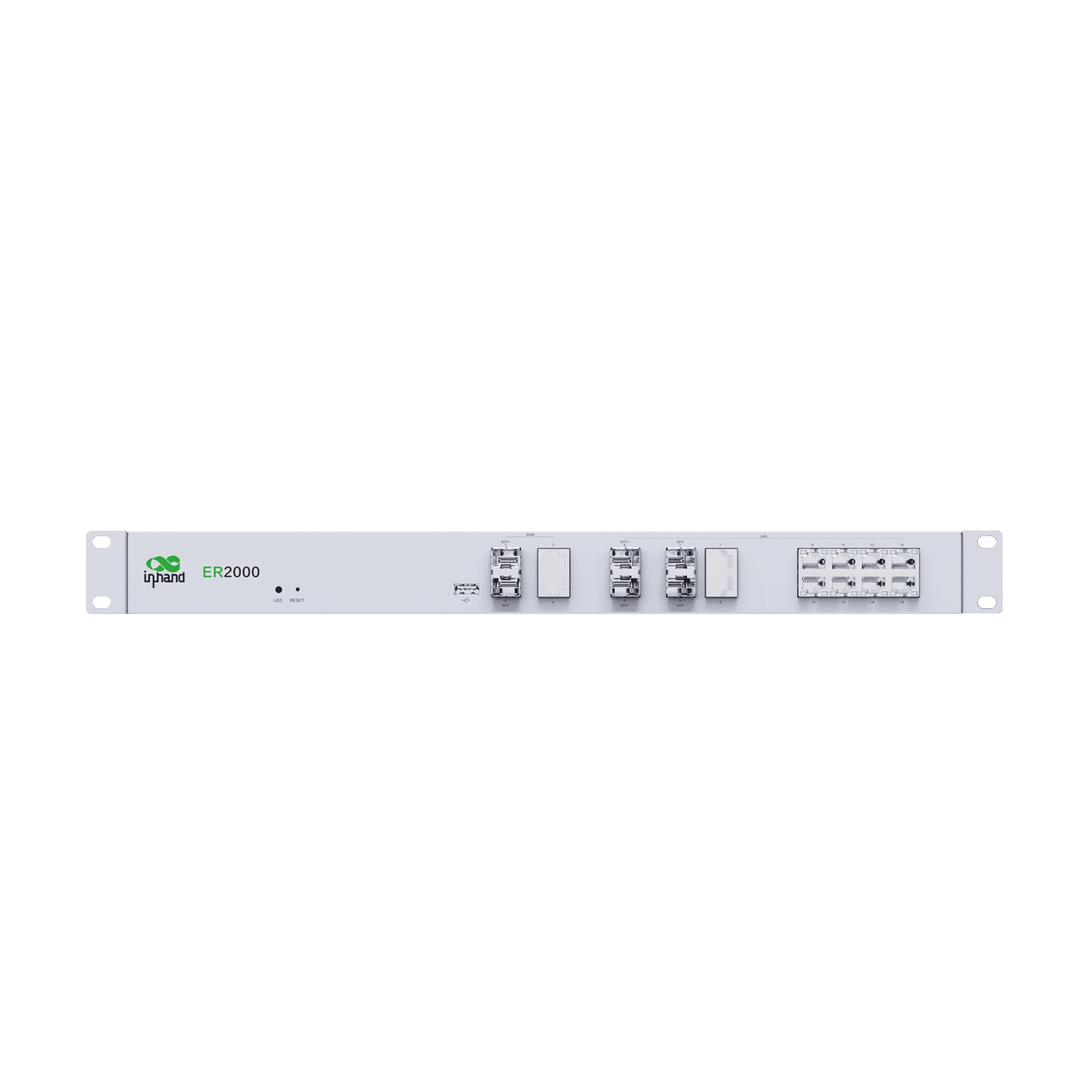
ER2000, kurumsal çekirdek ve veri merkezi ağları için ideal olan, 10G sınıfı Ethernet ve çok yönlü arayüzlere sahip yüksek performanslı bir kurumsal yönlendiricidir.
ER2000
Kurumsal düzeyde
anahtar
ER2000, kurumsal çekirdek ve veri merkezi ağları için ideal olan, 10G sınıfı Ethernet ve çok yönlü arayüzlere sahip yüksek performanslı bir kurumsal yönlendiricidir.
FOTOĞRAF
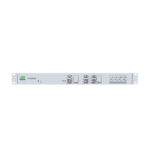
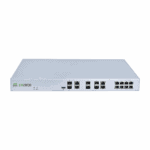
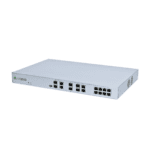
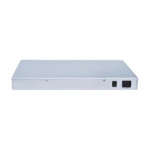
Şube Bağlantısı için Kurumsal SD-WAN Yönlendirici

Yüksek Performanslı Kurumsal Yönlendirici
Dahili yüksek performanslı yönlendirme ve işleme yetenekleri, büyük hacimli iletimi ve istikrarlı çalışmayı destekleyerek kurumsal çekirdek ağlarının ihtiyaçlarını karşılar.

10G SFP+ Bağlantı Noktası
Yüksek hızlı omurga ve toplama ağ bağlantıları için uygun olan 10G SFP+ desteği sağlar.

SD-WAN
Akıllı site-to-site yönlendirme yönetimini destekleyerek trafik planlamasını optimize eder ve ağ kullanılabilirliğini artırır.

Ağ Görünürlüğü ve Tanılama
İstemci bağlantısı, port kullanımı, ağ durumu, trafik izleme ve uyarı kayıtları sağlayarak operasyonel verimliliği ve ağ görünürlüğünü artırır.

Birleşik Bulut Yönetimi
InCloud Manager'ı destekleyerek merkezi politika yönetimi, uzaktan yapılandırma, toplu işlem ve bakım olanağı sağlar.

Ethernet Portlarında PoE
Kameraları, erişim noktalarını ve diğer cihazları çalıştırmak için 8 adet IEEE 802.3af/at PoE portu sağlar.
-
Temel Teknik Özellikler
Bulut Yönetimi InCloud YöneticisiÖlçüler / Kurulum 440 × 290 × 44 mm (17.32 × 11.42 × 1.73 in); rack-mountedEMC / Sertifikasyon EMC Seviye 2; CE, FCC, IC (plan aşamasında)Çevre -10 °C ~ +50 °C (14 °F ~ +122 °F) op.; -40 °C ~ +85 °C (-40 °F ~ +185 °F) stg.; 5–95% RH; IP20Ethernet WAN: 1 × 10G SFP+ + 1 × GbE SFP + 2 × GbE RJ45 (PoE); LAN: 2 × 10G SFP+ + 2 × GbE Kombinasyonu + 8 × GbE RJ45 (PoE); 1 × USB 3.0Ağ IPv4/IPv6PoE 10 × PoE çıkışı, 802.3at, 150 WGüç 100–240 V AC, 50/60 Hz, 2 A; tepe gücü ≤200 WSD-WAN Merkez modu; şubeler arası bağlantı; 500'den fazla şube lokasyonuVerim / Ölçek 6 Gbps; IPsec 1 Gbps; 1000+ istemciVPN IPsec, L2TP, VXLAN, GRE, OpenVPN; 500'den fazla girişWAN Erişimi Çoklu kablolu bağlantılar; PPPoE; gerçek zamanlı bağlantı tespiti
-
Performans Ölçütleri
Flaş 8 GB eMMCIPsec VPN Veri Aktarım Hızı 1 GbpsModel ER2000Veri deposu 4 GB DDR4Önerilen Kullanıcılar 1000+Verim 6 Gbps
-
Arayüzler
LAN 2 × 10G SFP+, 2 × GbE Kombinasyonu, 8 × GbE RJ45 (PoE)NEDEN OLMUŞ Güç, AğPOE 10 × PoE çıkışı, 802.3at, 150 WSıfırla İğne deliği sıfırlama düğmesiUSB 1 × USB 3.0WAN 1 × 10G SFP+, 1 × GbE SFP, 2 × GbE RJ45 (PoE)
-
Güç
Giriş 100–240 V AC, 50/60 Hz, 2 ATepe Gücü ≤ 200 W
-
Mekanik
Boyutlar 440 × 290 × 44 mm (17.32 × 11.42 × 1.73 in)Kurulum Rafa monte edilmişKoruma IP20
-
Çevre
Nem 5–95 % RH (yoğuşmasız)Çalışma Sıcaklığı -10 °C ~ +50 °C (14 °F ~ +122 °F)Depolama Sıcaklığı -40 °C ~ +85 °C (-40 °F ~ +185 °F)
-
Sertifikasyon
Sertifikasyon Plan kapsamında: CE, FCC, ICEMC EMC seviye 2
-
Bulut Yönetimi
Kontrol Paneli Cihaz bağlantı durumu, ağ topolojisi, trafik istatistikleri, arayüz durumu, istemci istatistikleri ve analizi, yukarı bağlantı yönetimiÖzellikler Birleşik cihaz erişimi, sıfır dokunuşlu uzaktan dağıtım, toplu uzaktan yükseltmeler, yapılandırma dağıtımı, SD-WAN ağ iletişimi, Bağlayıcı uzaktan bakımı, iki faktörlü kimlik doğrulamaPlatform InCloud Yöneticisi
-
Ağ Özellikleri
Erişim Çoklu kablolu bağlantı bağlantılarıArama PPPoEAkıllı Bağlantılar Gerçek zamanlı bağlantı tespitiIP Protokolleri IPv4, IPv6Protokoller VLAN, DHCP (Sunucu/İstemci), DNS, DDNS, Sabit Adres, IP Geçişi, STP, ARP, ICMPYönlendirme Statik yönlendirmeSD-WAN SD-WAN ağ iletişimiVPN IPsec VPN, L2TP VPN, VXLAN, GRE, OpenVPN
-
Güvenlik
Erişim Kontrolü Kara/beyaz liste filtreleme, alan adı filtreleme, 802.1XGüvenlik Duvarı 3L gelen/giden kuralları, port yönlendirme, SNAT, DNATUzaktan erişim kontrolü Desteklendi
-
Güvenilirlik
Alarmlar Yerel e-posta; platform SMS ve e-postaOlaylar Kullanıcı girişleri, bağlantı kesilmeleri, cihaz yeniden başlatmalarıGünlükler Çalışma zamanı günlükleri, teşhis günlükleriTrafik Şekillendirme Bağlantı, IP ve protokole göre QoSYükseltmeler Planlı yükseltmeler
-
Teşhis
Aletler ICMP, paket yakalama, tracert
Standart paket*
- ER2000 Kurumsal Yönlendirici *1
- Ethernet Kablosu *1
- Güç Kaynağı *1
* Standart paket içerikleri, standart sipariş kodlarına göre değişiklik gösterebilir.
Bize Ulaşın Ambalaj seçeneklerimiz hakkında daha fazla bilgi edinmek için doğrudan iletişime geçin.
Teknik Özellikler
-
Temel Teknik Özellikler
Bulut Yönetimi InCloud YöneticisiÖlçüler / Kurulum 440 × 290 × 44 mm (17.32 × 11.42 × 1.73 in); rack-mountedEMC / Sertifikasyon EMC Seviye 2; CE, FCC, IC (plan aşamasında)Çevre -10 °C ~ +50 °C (14 °F ~ +122 °F) op.; -40 °C ~ +85 °C (-40 °F ~ +185 °F) stg.; 5–95% RH; IP20Ethernet WAN: 1 × 10G SFP+ + 1 × GbE SFP + 2 × GbE RJ45 (PoE); LAN: 2 × 10G SFP+ + 2 × GbE Kombinasyonu + 8 × GbE RJ45 (PoE); 1 × USB 3.0Ağ IPv4/IPv6PoE 10 × PoE çıkışı, 802.3at, 150 WGüç 100–240 V AC, 50/60 Hz, 2 A; tepe gücü ≤200 WSD-WAN Merkez modu; şubeler arası bağlantı; 500'den fazla şube lokasyonuVerim / Ölçek 6 Gbps; IPsec 1 Gbps; 1000+ istemciVPN IPsec, L2TP, VXLAN, GRE, OpenVPN; 500'den fazla girişWAN Erişimi Çoklu kablolu bağlantılar; PPPoE; gerçek zamanlı bağlantı tespiti
-
Performans Ölçütleri
Flaş 8 GB eMMCIPsec VPN Veri Aktarım Hızı 1 GbpsModel ER2000Veri deposu 4 GB DDR4Önerilen Kullanıcılar 1000+Verim 6 Gbps
-
Arayüzler
LAN 2 × 10G SFP+, 2 × GbE Kombinasyonu, 8 × GbE RJ45 (PoE)NEDEN OLMUŞ Güç, AğPOE 10 × PoE çıkışı, 802.3at, 150 WSıfırla İğne deliği sıfırlama düğmesiUSB 1 × USB 3.0WAN 1 × 10G SFP+, 1 × GbE SFP, 2 × GbE RJ45 (PoE)
-
Güç
Giriş 100–240 V AC, 50/60 Hz, 2 ATepe Gücü ≤ 200 W
-
Mekanik
Boyutlar 440 × 290 × 44 mm (17.32 × 11.42 × 1.73 in)Kurulum Rafa monte edilmişKoruma IP20
-
Çevre
Nem 5–95 % RH (yoğuşmasız)Çalışma Sıcaklığı -10 °C ~ +50 °C (14 °F ~ +122 °F)Depolama Sıcaklığı -40 °C ~ +85 °C (-40 °F ~ +185 °F)
-
Sertifikasyon
Sertifikasyon Plan kapsamında: CE, FCC, ICEMC EMC seviye 2
-
Bulut Yönetimi
Kontrol Paneli Cihaz bağlantı durumu, ağ topolojisi, trafik istatistikleri, arayüz durumu, istemci istatistikleri ve analizi, yukarı bağlantı yönetimiÖzellikler Birleşik cihaz erişimi, sıfır dokunuşlu uzaktan dağıtım, toplu uzaktan yükseltmeler, yapılandırma dağıtımı, SD-WAN ağ iletişimi, Bağlayıcı uzaktan bakımı, iki faktörlü kimlik doğrulamaPlatform InCloud Yöneticisi
-
Ağ Özellikleri
Erişim Çoklu kablolu bağlantı bağlantılarıArama PPPoEAkıllı Bağlantılar Gerçek zamanlı bağlantı tespitiIP Protokolleri IPv4, IPv6Protokoller VLAN, DHCP (Sunucu/İstemci), DNS, DDNS, Sabit Adres, IP Geçişi, STP, ARP, ICMPYönlendirme Statik yönlendirmeSD-WAN SD-WAN ağ iletişimiVPN IPsec VPN, L2TP VPN, VXLAN, GRE, OpenVPN
-
Güvenlik
Erişim Kontrolü Kara/beyaz liste filtreleme, alan adı filtreleme, 802.1XGüvenlik Duvarı 3L gelen/giden kuralları, port yönlendirme, SNAT, DNATUzaktan erişim kontrolü Desteklendi
-
Güvenilirlik
Alarmlar Yerel e-posta; platform SMS ve e-postaOlaylar Kullanıcı girişleri, bağlantı kesilmeleri, cihaz yeniden başlatmalarıGünlükler Çalışma zamanı günlükleri, teşhis günlükleriTrafik Şekillendirme Bağlantı, IP ve protokole göre QoSYükseltmeler Planlı yükseltmeler
-
Teşhis
Aletler ICMP, paket yakalama, tracert
İndirmeler
Sipariş verme
Standart paket*
- ER2000 Kurumsal Yönlendirici *1
- Ethernet Kablosu *1
- Güç Kaynağı *1
* Standart paket içerikleri, standart sipariş kodlarına göre değişiklik gösterebilir.
Bize Ulaşın Ambalaj seçeneklerimiz hakkında daha fazla bilgi edinmek için doğrudan iletişime geçin.
InCloud Yöneticisi
Bulut Tabanlı Ağ Yönetim Platformu
Zincir mağazalar ve KOBİ'ler için yapay zeka destekli ağ platformu, yönlendiricilerin, erişim noktalarının ve anahtarların merkezi olarak izlenmesini ve yönetilmesini sağlar.
InCloud Yöneticisi
İlgili Vakalar

Perakende zincir mağazaları için tek elden ağ çözümü.
Perakende Zincir Mağazaları için Tek Noktadan Ağ Çözümü: Uygulamalar ve Örnek Olaylar...
Daha Fazla Bilgi Edinin →Sıkça Sorulan Sorular
ER2000 ne sunuyor?
ER2000, genel merkezler, veri merkezleri ve büyük kampüsler için tasarlanmış, yalnızca kablolu bağlantı özelliğine sahip kurumsal bir SD-WAN toplama yönlendiricisidir; InCloud Manager SD-WAN dağıtımında ER605/ER615/ER805/ER815 şube yönlendiricilerinin merkez uçtaki karşılığıdır. Öne çıkan özellikler:
| — | — |
| Verim | 6 Gbps yönlendirme, 1 Gbps IPsec VPN |
| Kapasite | 1000+ eş zamanlı kullanıcılar, 500+ şube siteleri |
| WAN portları | 1× 10G SFP+, 1× GbE SFP, 2× GbE RJ45 (PoE) |
| LAN bağlantı noktaları | 2× 10G SFP+, 2× GbE birleşimi, 8× GbE RJ45 (PoE) |
| Hafıza | 4 GB DDR4 RAM, 8 GB eMMC |
| Hücresel / Wi-Fi | Yok — sadece kablolu |
| Şekil faktörü | 1U raf tipi, 100–240 V AC, ≤200 W tepe gücü |
Tek Ürün Kodu: ER2000-PLUS (küresel). InCloud Manager aracılığıyla bulut üzerinden yönetilir (sıfır dokunuşla dağıtım, toplu ürün yazılımı/yapılandırma gönderimi, gösterge panelleri, SD-WAN politikası, bağlantı algılama, trafik şekillendirme ve olay/uyarı işlem hatları).
ER2000'i nasıl kurarım?
1. Birlikte verilen 1U braketleri kullanarak standart 19 inçlik bir rafa monte edin; hava akışı için boşluk bırakın.
2. AC güç kablosunu bağlayın (100–240 V, 50/60 Hz). PoE dahil toplam güç tüketimi 200 W'a ulaşabilir; buna göre rack PDU'yu boyutlandırın.
3. Yukarı yönlü bağlantıları WAN portlarına bağlayın (fiber için 10G SFP+, daha yavaş fiber için GbE SFP, bakır/PoE beslemeli cihazlar için RJ45).
4. Aşağı yönlü LAN bağlantısını yapın — omurga birleştirme için 10G SFP+, dağıtım için GbE kombinasyonu ve RJ45.
5. Önyükleme sırasında Güç/Ağ LED'i yanar. İlk yerel yönetim, cihaz etiketinde yazılı olan varsayılan IP adresindeki LAN portları üzerinden yapılır.
ER2000 cihazını InCloud Manager'a nasıl eklerim?
1. Şu adresten giriş yapın (veya hesap oluşturun): https://star.inhandcloud.com.
2. Tıklayın Cihaz Ekle ve ER2000'e girin seri numarası Şasi etiketinden.
3. ER2000'i herhangi bir WAN portu üzerinden internete bağlayın. Platforma ulaştığında, kontrol panelinde çevrimiçi olarak görünecektir.
Ardından SD-WAN sitesini/merkezini oluşturabilir, politika ve yönlendirme şablonlarını uygulayabilir, aygıt yazılımı güncellemelerini planlayabilir ve bağlantı, topoloji, trafik ve arayüz başına durum bilgilerini kapsayan gösterge panellerini görüntüleyebilirsiniz. İki faktörlü kimlik doğrulama ve eksiksiz çalışma/tanılama günlükleri yerleşik olarak mevcuttur.
ER2000'i mi yoksa ER605/ER615'i mi ne zaman tercih etmeliyim?
| ER605 / ER615 | ER2000 | |
| — | — | — |
| Rol | Şube / mağaza / KOBİ | Merkez ofis / veri merkezi / toplama |
| Verim | 500 Mbps – 1 Gbps | 6 Gbps |
| IPsec VPN | 30–100 Mbps | 1 Gbps |
| Önerilen kullanıcılar | 50–200 | 1000+ |
| Hücresel | 5G / 4G | Hiçbiri |
| Wifi | Wi-Fi 5 / Wi-Fi 6 | Hiçbiri |
| 10G bağlantı noktaları | — | 4× 10G SFP+ |
| PoE çıkışı | — | RJ45 portları (WAN + LAN) |
| Şekil faktörü | Masaüstü / duvara monte | 1U raf |
Seçin ER2000 Site birçok SD-WAN tünelini sonlandırdığında, 10G fiber uplink'lere ihtiyaç duyduğunda veya ER605 / ER615 / ER805 / ER815 çalıştıran yüzlerce şubeden gelen trafiği bir araya getirdiğinde. Birini seçin. şube ER Site hücresel yedekleme, entegre Wi-Fi veya masaüstü/duvara monte edilebilir bir form faktörüne ihtiyaç duyduğunda.
—