


CR202-Lite
جهاز توجيه خلوي من الجيل الرابع
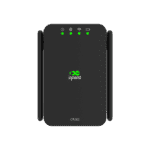
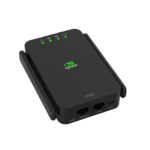
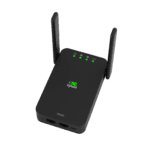
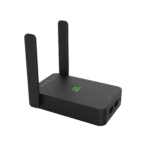
بفضل هيكلها الصغير والمدمج وبطاريتها عالية السعة، توفر أجهزة التوجيه الخلوية المحمولة من سلسلة CR202 من InHand Networks اتصالاً عالي السرعة وموثوقًا للأفراد والشركات، مما يسمح للمستخدمين بالوصول إلى الشبكة في أي وقت وفي أي مكان.
CR202-Lite
جهاز توجيه خلوي من الجيل الرابع
بفضل هيكلها الصغير والمدمج وبطاريتها عالية السعة، توفر أجهزة التوجيه الخلوية المحمولة من سلسلة CR202 من InHand Networks اتصالاً عالي السرعة وموثوقًا للأفراد والشركات، مما يسمح للمستخدمين بالوصول إلى الشبكة في أي وقت وفي أي مكان.
فيديو دليل البدء السريع
جهاز توجيه خلوي محمول، ابقَ على اتصال في أي مكان وفي أي وقت.

رائعة وقابلة للحمل
تتميز أجهزة التوجيه الخلوية المحمولة CR202 بتصميم أنيق وصغير الحجم يناسب بسهولة الجيب أو الحقيبة، مما يوفر الاتصال في أي وقت وفي أي مكان.

مصدر طاقة متعدد الاستخدامات
بفضل بطارية عالية السعة، يوفر جهاز CR202 ما يصل إلى 8 ساعات من التشغيل لكل شحنة، ويدعم التشغيل المستمر عند توصيله بمصدر الطاقة المرفق.

اتصال شامل
يدعم جهاز CR202 الوصول الخلوي واللاسلكي والسلكي، مما يوفر اتصالاً موثوقاً بالشبكة لما يصل إلى 32 جهازًا في وقت واحد.

تتيح لك إدارة السحابة الفعالة التحكم الكامل في كل شيء.
بفضل اقترانه مع سحابة إدارة الأجهزة، يتيح جهاز CR202 إدارة سحابية سلسة، مما يسمح بالمراقبة في الوقت الفعلي والتحكم الفعال في المواقع الموزعة.
رائعة وقابلة للحمل
تتميز أجهزة التوجيه الخلوية المحمولة CR202 بتصميم أنيق وصغير الحجم يناسب بسهولة الجيب أو الحقيبة، مما يوفر الاتصال في أي وقت وفي أي مكان.
مصدر طاقة متعدد الاستخدامات
بفضل بطارية عالية السعة، يوفر جهاز CR202 ما يصل إلى 8 ساعات من التشغيل لكل شحنة، ويدعم التشغيل المستمر عند توصيله بمصدر الطاقة المرفق.
اتصال شامل
يدعم جهاز CR202 الوصول الخلوي واللاسلكي والسلكي، مما يوفر اتصالاً موثوقاً بالشبكة لما يصل إلى 32 جهازًا في وقت واحد.
تتيح لك إدارة السحابة الفعالة التحكم الكامل في كل شيء.
بفضل اقترانه مع سحابة إدارة الأجهزة، يتيح جهاز CR202 إدارة سحابية سلسة، مما يسمح بالمراقبة في الوقت الفعلي والتحكم الفعال في المواقع الموزعة.
-
المواصفات الفنية الأساسية
خلوي 4G LTE (Cat.4/Cat.6); up to 300 Mbps DL / 50 Mbps UL (Cat.6)شهادة FCC، IC، PTCRB، Verizon، AT&T، FirstNet، T-MOBILE، CE، UN38.3إدارة السحابة مدير الأجهزة المحمولةالأبعاد / الوزن 122 × 75 × 26.4 mm (4.80 × 2.95 × 1.04 in); 235 g (0.52 lb)إيثرنت / هوائي 2 × 10/100 ميجابت في الثانية (WAN/LAN، شبكة LAN مزدوجة)؛ 2 × 4G خارجي + 2 × واي فاي داخليتثبيت Desktop / wall; -10 °C ~ +50 °C (14 °F ~ +122 °F) op.; -20 °C ~ +60 °C (-4 °F ~ +140 °F) stg.الشبكة والأمن تقنية ترجمة عناوين الشبكة (NAT)، والتوجيه الثابت؛ وجدار الحماية SPI، وهجمات حجب الخدمة (DoS)، وقوائم التحكم بالوصول (ACL)، وتصفية عناوين URLالطاقة / البطارية منفذ USB-C بقوة 5 فولت / 2 أمبير؛ بطارية اختيارية بسعة 3000 مللي أمبير، تدوم حتى 8 ساعاتشريحة SIM شريحة نانو واحدة + شريحة eSIM اختياريةمعدل نقل البيانات / عدد المستخدمين سرعة 100 ميجابت في الثانية؛ حتى 32 مستخدمًاواي فاي 2.4 جيجاهرتز 802.11 b/g/n، 300 ميجابت في الثانية؛ نقطة وصول / محطة
-
مؤشرات الأداء
معدل نقل البيانات 100 ميجابت في الثانيةالمستخدمون الموصى بهم 32
-
واجهات
هوائي هوائيان خارجيان لشبكة الجيل الرابع، وهوائيان داخليان لشبكة الواي فايخلوي 4G LTE Cat.4/Cat.6; Cat.6: 300 Mbps DL / 50 Mbps ULإيثرنت 2 × 10/100 ميجابت في الثانية، قابل للتبديل بين WAN/LAN، شبكة محلية مزدوجةتشغيل/إيقاف زر التشغيل/الإيقافإعادة ضبط زر إعادة الضبطشريحة SIM 1 × Nano-SIM, 1 × eSIM optional
-
مصابيح LED
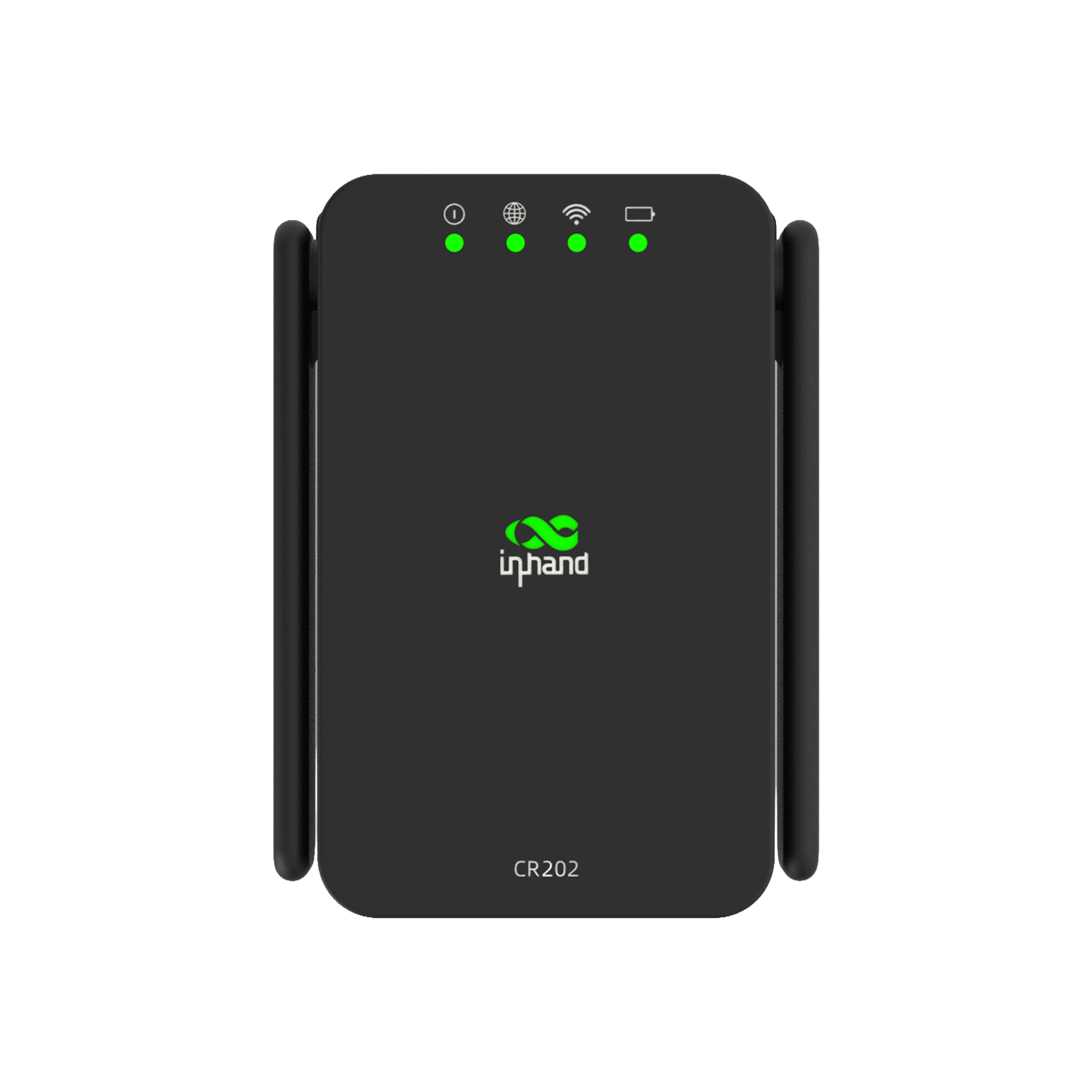
قاد النظام، الخلوي، واي فاي، البطارية
-
واي فاي
تكرار نطاق واحد 2.4 جيجاهرتزأقصى عرض نطاق ترددي 300 ميجابت في الثانيةوضع AP / STAبروتوكول 802.11 b/g/n
-
قوة
بطارية بطارية اختيارية بسعة 3000 مللي أمبير، تدوم حتى 8 ساعاتمدخل النوع C، 5 فولت / 2 أمبير
-
ميكانيكياً
تبريد بدون مروحةأبعاد 122 × 75 × 26.4 mm (4.80 × 2.95 × 1.04 in)السكن البلاستيكتثبيت سطح المكتب، التثبيت على الحائطوزن 235 g (0.52 lb)
-
بيئة
درجة حرارة التشغيل -10 °C ~ +50 °C (14 °F ~ +122 °F)حماية IP30درجة حرارة التخزين -20 °C ~ +60 °C (-4 °F ~ +140 °F)
-
شهادة
شهادة FCC، IC، PTCRB، Verizon، AT&T، FirstNet، T-MOBILE، CE، UN38.3ضمان 3 سنوات (البطارية: سنة واحدة)
-
ميزات الشبكة
وصول مصادقة APNالمصادقة CHAP/PAPتطبيق الملكية الفكرية اختبار الاتصال (Ping)، خادم DHCP، عميل DHCP، ترحيل DNS، Telnet، تمرير IPبروتوكول الشبكة المحلية ARPNAT يدعم NATمعيار الشبكة GSM/EDGE، WCDMA، TDD LTE/FDD LTEالتوجيه التوجيه الثابتبروتوكول الشبكة الواسعة (WAN) عنوان IP ثابت، PPPoE، DHCP
-
حماية
التحكم في الوصول قوائم التحكم بالوصول، تصفية عناوين URLجدار الحماية حماية SPI، حماية من هجمات حجب الخدمةآخر NAT، DMZ، تعيين المنافذ
-
مصداقية
Dual-SIM Failover Supports dual-SIM failover (North American model only)النسخ الاحتياطي للرابط النسخ الاحتياطي الساخن، النسخ الاحتياطي البارد، موازنة الأحمالالكشف عن الروابط اكتشاف نبضات القلب، إعادة الاتصال التلقائيكلب الحراسة الفحص الذاتي، واستعادة الأعطال ذاتيًا
-
إدارة
إنذار إنذار إعادة تشغيل النظام، إنذار اتصال/انقطاع منفذ الشبكة المحلية، إنذار حركة البيانات، إنذار فشل بطاقة SIMإعدادات Telnet، الويب، SSHمدير الجهاز مدير الأجهزة InHand للإدارة الجماعيةالاتصال عند الطلب الاتصال عند الطلب، تفعيل البيانات / الرسائل النصية القصيرةأدوات الصيانة بينغ، تتبع المساروظائف الرسائل النصية القصيرة استعلام عن الحالة، إعادة التشغيلاستعلام عن الحالة حالة النظام، حالة المودم، حالة اتصال الشبكة، حالة التوجيهإدارة حركة المرور عتبة حركة البيانات، إحصائيات حركة المرور، إنذار حركة المروريرقي ترقية الويب، ترقية مدير الأجهزة
الباقة القياسية*
- جهاز توجيه خلوي CR202-Lite *1
- بطارية ليثيوم 3000 مللي أمبير *1
- مزود الطاقة *1
- كابل إيثرنت *1
- دليل المستخدم *1
* تختلف محتويات العبوة القياسية باختلاف رموز الطلب القياسية.
اتصل بنا للحصول على مزيد من المعلومات حول خيارات التغليف لدينا، يرجى الاتصال بنا مباشرة.
تحديد
-
المواصفات الفنية الأساسية
خلوي 4G LTE (Cat.4/Cat.6); up to 300 Mbps DL / 50 Mbps UL (Cat.6)شهادة FCC، IC، PTCRB، Verizon، AT&T، FirstNet، T-MOBILE، CE، UN38.3إدارة السحابة مدير الأجهزة المحمولةالأبعاد / الوزن 122 × 75 × 26.4 mm (4.80 × 2.95 × 1.04 in); 235 g (0.52 lb)إيثرنت / هوائي 2 × 10/100 ميجابت في الثانية (WAN/LAN، شبكة LAN مزدوجة)؛ 2 × 4G خارجي + 2 × واي فاي داخليتثبيت Desktop / wall; -10 °C ~ +50 °C (14 °F ~ +122 °F) op.; -20 °C ~ +60 °C (-4 °F ~ +140 °F) stg.الشبكة والأمن تقنية ترجمة عناوين الشبكة (NAT)، والتوجيه الثابت؛ وجدار الحماية SPI، وهجمات حجب الخدمة (DoS)، وقوائم التحكم بالوصول (ACL)، وتصفية عناوين URLالطاقة / البطارية منفذ USB-C بقوة 5 فولت / 2 أمبير؛ بطارية اختيارية بسعة 3000 مللي أمبير، تدوم حتى 8 ساعاتشريحة SIM شريحة نانو واحدة + شريحة eSIM اختياريةمعدل نقل البيانات / عدد المستخدمين سرعة 100 ميجابت في الثانية؛ حتى 32 مستخدمًاواي فاي 2.4 جيجاهرتز 802.11 b/g/n، 300 ميجابت في الثانية؛ نقطة وصول / محطة
-
مؤشرات الأداء
معدل نقل البيانات 100 ميجابت في الثانيةالمستخدمون الموصى بهم 32
-
واجهات
هوائي هوائيان خارجيان لشبكة الجيل الرابع، وهوائيان داخليان لشبكة الواي فايخلوي 4G LTE Cat.4/Cat.6; Cat.6: 300 Mbps DL / 50 Mbps ULإيثرنت 2 × 10/100 ميجابت في الثانية، قابل للتبديل بين WAN/LAN، شبكة محلية مزدوجةتشغيل/إيقاف زر التشغيل/الإيقافإعادة ضبط زر إعادة الضبطشريحة SIM 1 × Nano-SIM, 1 × eSIM optional
-
مصابيح LED
قاد النظام، الخلوي، واي فاي، البطارية
-
واي فاي
تكرار نطاق واحد 2.4 جيجاهرتزأقصى عرض نطاق ترددي 300 ميجابت في الثانيةوضع AP / STAبروتوكول 802.11 b/g/n
-
قوة
بطارية بطارية اختيارية بسعة 3000 مللي أمبير، تدوم حتى 8 ساعاتمدخل النوع C، 5 فولت / 2 أمبير
-
ميكانيكياً
تبريد بدون مروحةأبعاد 122 × 75 × 26.4 mm (4.80 × 2.95 × 1.04 in)السكن البلاستيكتثبيت سطح المكتب، التثبيت على الحائطوزن 235 g (0.52 lb)
-
بيئة
درجة حرارة التشغيل -10 °C ~ +50 °C (14 °F ~ +122 °F)حماية IP30درجة حرارة التخزين -20 °C ~ +60 °C (-4 °F ~ +140 °F)
-
شهادة
شهادة FCC، IC، PTCRB، Verizon، AT&T، FirstNet، T-MOBILE، CE، UN38.3ضمان 3 سنوات (البطارية: سنة واحدة)
-
ميزات الشبكة
وصول مصادقة APNالمصادقة CHAP/PAPتطبيق الملكية الفكرية اختبار الاتصال (Ping)، خادم DHCP، عميل DHCP، ترحيل DNS، Telnet، تمرير IPبروتوكول الشبكة المحلية ARPNAT يدعم NATمعيار الشبكة GSM/EDGE، WCDMA، TDD LTE/FDD LTEالتوجيه التوجيه الثابتبروتوكول الشبكة الواسعة (WAN) عنوان IP ثابت، PPPoE، DHCP
-
حماية
التحكم في الوصول قوائم التحكم بالوصول، تصفية عناوين URLجدار الحماية حماية SPI، حماية من هجمات حجب الخدمةآخر NAT، DMZ، تعيين المنافذ
-
مصداقية
Dual-SIM Failover Supports dual-SIM failover (North American model only)النسخ الاحتياطي للرابط النسخ الاحتياطي الساخن، النسخ الاحتياطي البارد، موازنة الأحمالالكشف عن الروابط اكتشاف نبضات القلب، إعادة الاتصال التلقائيكلب الحراسة الفحص الذاتي، واستعادة الأعطال ذاتيًا
-
إدارة
إنذار إنذار إعادة تشغيل النظام، إنذار اتصال/انقطاع منفذ الشبكة المحلية، إنذار حركة البيانات، إنذار فشل بطاقة SIMإعدادات Telnet، الويب، SSHمدير الجهاز مدير الأجهزة InHand للإدارة الجماعيةالاتصال عند الطلب الاتصال عند الطلب، تفعيل البيانات / الرسائل النصية القصيرةأدوات الصيانة بينغ، تتبع المساروظائف الرسائل النصية القصيرة استعلام عن الحالة، إعادة التشغيلاستعلام عن الحالة حالة النظام، حالة المودم، حالة اتصال الشبكة، حالة التوجيهإدارة حركة المرور عتبة حركة البيانات، إحصائيات حركة المرور، إنذار حركة المروريرقي ترقية الويب، ترقية مدير الأجهزة
التنزيلات
الطلب
الباقة القياسية*
- جهاز توجيه خلوي CR202-Lite *1
- بطارية ليثيوم 3000 مللي أمبير *1
- مزود الطاقة *1
- كابل إيثرنت *1
- دليل المستخدم *1
* تختلف محتويات العبوة القياسية باختلاف رموز الطلب القياسية.
اتصل بنا للحصول على مزيد من المعلومات حول خيارات التغليف لدينا، يرجى الاتصال بنا مباشرة.
مدير الجهاز
سحابة إدارة الأجهزة
إدارة مركزية لأجهزة التوجيه والبوابات الصناعية من InHand مع مراقبة مرئية، بالإضافة إلى سهولة التكوين والترقية عن بعد.
مدير الجهاز
قضايا ذات صلة

الاتصال اللاسلكي لرحلات العمل
الاتصال اللاسلكي لرحلات العمل: التطبيقات والحالات الرئيسية. الاتصال اللاسلكي...
تعرّف على المزيد →
الاتصال اللاسلكي لتجار التجزئة عبر الهاتف المحمول
الاتصال اللاسلكي لتطبيقات وحالات تجار التجزئة للهواتف المحمولة - أهم النقاط الرئيسية مع الاتصال المزدوج...
تعرّف على المزيد →
البث المباشر في الهواء الطلق
أهم النقاط الرئيسية لتطبيقات البث المباشر الخارجي وحالاته مع جهاز CR202-Lite المحمول بتقنية LTE...
تعرّف على المزيد →الأسئلة الشائعة
ما هي الشهادات التي يحملها جهاز CR202-Lite؟
CR202-NAC6-WLAN-B/NA-Lite (LTE Cat 6، أمريكا الشمالية) معتمد من قبل فيريزون، إيه تي آند تي، تي موبايل، وفيرست نت (LTE/4G)بالإضافة إلى هيئة الاتصالات الفيدرالية (FCC) وهيئة الصناعة الكندية (IC) وهيئة مراقبة البث التلفزيوني عبر المحيط الهادئ (PTCRB). CR202-EUC4-WLAN-B/NA-Lite (LTE Cat 4، أوروبا/آسيا والمحيط الهادئ) حاصل على شهادة CE. غير متوفر يشير اللاحقة إلى وجود بطارية (3000 مللي أمبير، مدة تشغيل 8 ساعات تقريبًا) أو عدم وجود بطارية. تتضمن وحدات التخزين في أمريكا الشمالية فقط شريحة eSIM مدمجة؛ بينما تستخدم وحدات التخزين في أوروبا/آسيا والمحيط الهادئ شريحة nano-SIM خارجية فقط.
كيف يمكنني التأكد من أن جهاز CR202-Lite لديه اتصال خلوي؟
تحقق من شبكة LED (رمز الكرة الأرضية). يجب أن يكون مؤشر LED الخاص بالكرة الأرضية ثابت لكي يكون الاتصال الخلوي متاحًا - اللون الأخضر يعني إشارة قوية، والأصفر إشارة متوسطة، والأحمر إشارة ضعيفة. يشير وميض اللون الأخضر إلى محاولة الاتصال؛ بينما يشير وميض اللون الأصفر أو الأحمر إلى خطأ في الاتصال أو مشكلة في شريحة SIM/المودم. إيقاف تشغيل الاتصال الخلوي يعني تعطيله.
كيف يمكنني الوصول إلى واجهة الويب الخاصة بجهاز CR202-Lite؟
شغّل الجهاز. وصّل حاسوبك المحمول عبر كابل إيثرنت بمنفذ الشبكة المحلية (LAN)، أو انضم إلى شبكة Wi-Fi الافتراضية (SSID) المطبوعة على ملصق الجهاز. افتح متصفحًا وانتقل إلى http://192.168.2.1 سجّل الدخول باستخدام بيانات الاعتماد المطبوعة على لوحة الاسم. إذا لم يتم تحميل الصفحة، فقم بتعيين محوّل الشبكة الخاص بك إلى DHCP أو عنوان IP ثابت من النطاق 192.168.2.x.
كيف أقوم بتكوين خاصية تجاوز الفشل لشريحتي SIM على جهاز CR202-Lite NA SKU؟
يدعم جهاز CR202-Lite NA شريحة nano-SIM فعلية بالإضافة إلى شريحة eSIM مدمجة من Verizon. سجّل الدخول وانتقل إلى الشبكة > الخلوية:
- اضبط الشريحة الرئيسية (Nano أو eSIM) - هذا هو الرقم الأساسي الذي يتم الاتصال به عند بدء التشغيل.
- ضع علامة صح عرض الخيارات المتقدمة، ثم يدعم شريحتين SIM.
- اختر ملف تعريف شركة الاتصالات في مزود شبكة نانو سيم و مزود شبكة eSIM (أو قم بتعديل APN عبر يدير).
- لضمان موثوقية عملية تجاوز الأعطال، اضبط وضع الكشف عن بروتوكول ICMP ل تجاهل حركة المرورأدخل هدفًا يمكن الوصول إليه في خادم كشف بروتوكول ICMP (مثال،
8.8.8.8، وضبط فترة الكشف عن ICMP و نفذ الوقت حسب الحاجة. يقوم الجهاز بإرسال طلبات اتصال إلى الشريحة المستهدفة على الشريحة النشطة؛ إذا فشلت طلبات الاتصال، فإنه ينتقل إلى الشريحة الاحتياطية. - انقر يتقدم.
بدون اكتشاف بروتوكول ICMP، لا يتم تشغيل تجاوز الفشل إلا عند حدوث انقطاع كامل على مستوى المودم، مما قد يؤدي إلى تفويت حالات الفشل "المسجل ولكن لا يوجد إنترنت".
—