


ISM5010D
Endüstriyel Ethernet Anahtarı
Bu yönetilebilir Katman 2 endüstriyel Ethernet anahtarı, güvenilir endüstriyel ağ bağlantısı için 2 adet 100/1000/2500Base-X SFP yuvası ve 8 adet 10/100/1000Base-T portu sunar.
ISM5010D
Endüstriyel Ethernet Anahtarı
Bu yönetilebilir Katman 2 endüstriyel Ethernet anahtarı, güvenilir endüstriyel ağ bağlantısı için 2 adet 100/1000/2500Base-X SFP yuvası ve 8 adet 10/100/1000Base-T portu sunar.
FOTOĞRAF
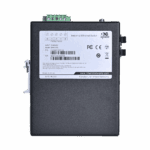
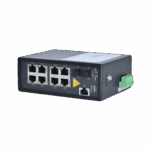
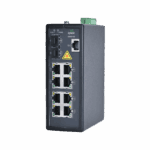
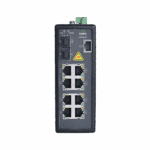
Yönetilebilir Katman 2 Endüstriyel Ethernet Anahtarlama

Gelişmiş Katman 2 Yönetimi
Esnek ağ kontrolü için VLAN, QoS, IGMP snooping ve port yansıtma dahil olmak üzere kapsamlı Katman 2 yönetim işlevlerini destekler.

Endüstriyel Ağ Yedekliliği
Ağ kullanılabilirliğini artırmak için STP, RSTP ve MSTP dahil olmak üzere endüstriyel Ethernet yedekleme mekanizmalarını destekler.

Çoklu Yönetim Arayüzleri
Basitleştirilmiş yapılandırma ve bakım için web tarayıcısı, komut satırı arayüzü (CLI), Telnet ve seri konsol aracılığıyla esnek ağ yönetimi sağlar.

Endüstriyel Sınıf Donanım
Endüstriyel sınıf yonga setleri ve zorlu ortamlarda güvenilir çalışma için sağlam dökme alüminyum gövde ile üretilmiştir.

Geniş Sıcaklık Aralığında Çalışma
Gözetimsiz endüstriyel tesisler için -40°C ile +75°C arasındaki geniş bir sıcaklık aralığında fansız çalışmayı destekler.

Yedek DC Güç Girişleri
Endüstriyel tesislerde güç güvenilirliğini artırmak için izole edilmiş yedekli çift DC güç girişlerini destekler.
-
Başlıca Teknik Özellikler
Sertifikalar CE, FCCBoyutlar / Ağırlık 52 mm x 140 mm x 110 mm; 0.7 kg (1.54 lb)Çevre -40 °C ~ +75 °C (-40 °F ~ +167 °F) operating; IP40Yönetmek Web, CLI, SNMPv1/v2c/v3, RMON; STP/RSTP/MSTP, IGMP Snooping, VLANLimanlar 2 x 100/1000/2500BaseX SFP + 8 x 10/100/1000BaseTGüç 18\~60 VDC dual redundant input, 10 WAnahtarlama Performansı 44 Gbps arka plan bant genişliği; 8K MAC tablosuTip Katman 2 Yönetilebilir Endüstriyel Ethernet Anahtarı
-
IEEE Standartları
IEEE 802 AğlarIEEE 802.1d Yayılma Ağacı AlgoritmasıIEEE 802.1p Öncelikli SıralamaIEEE 802.1q VLAN etiketlemeIEEE 802.1s Çoklu Yayılma AğacıIEEE 802.1w Hızlı Yayılma AğacıIEEE 802.1x Kimlik doğrulamaIEEE 802.3 EthernetIEEE 802.3ac VLAN EtiketlemeIEEE 802.3ad Bağlantı ToplamaIEEE 802.3u Hızlı EthernetIEEE 802.3x Akış KontrolüIEEE 802.3z Gigabit Ethernet
-
RFC Standartları
RFC 1059, 1119 NTPv1/2RFC 1191 Path MTU DiscoveryRFC 1403 BGP OSPF EtkileşimiRFC 1542 Bootstrap Uzantıları ve DHCPRFC 1994 PPP Meydan Okuma El Sıkışma Kimlik Doğrulama ProtokolüRFC 2068 HTTPRFC 213 DHCP SunucusuRFC 2138 YARIÇAPRFC 2139 RADIUS MuhasebeRFC 2236 IGMPv2RFC 2474 DiffServ ÖnceliğiRFC 2597 DiffServ Güvenceli YönlendirmeRFC 2598 DiffServ Hızlandırılmış İletimRFC 2865 Uzaktan Kimlik Doğrulama Çevirmeli Kullanıcı Hizmeti (RADIUS)RFC 3046 DHCP Aktarım Aracısı Bilgi SeçeneğiRFC 3222 Yönlendirme Bilgi Tabanı (FIB)RFC 768 UDPRFC 791 IPRFC 792 ICMPRFC 793 TCPRFC 826 ARPRFC 854 Telnet İstemcisi ve SunucusuRFC 862 Yankı ProtokolüRFC 863 Protokolü AtRFC 867 Gündüz ProtokolüRFC 868 Zaman Protokolü
-
Diğer Protokoller
GMRP GARPGVRP GARPIGMP CasuslukSNMPv3 DesteklendiSSH2 Güvenli Kabuk 2
-
Fiziksel Performans
Soğutma Yöntemi Fansız soğutmaBoyutlar (G × D × Y) 52 mm × 140 mm × 110 mmEkli Tamamen kapalı, dikişsiz metal muhafazaNem 5 \~ 95% (yoğuşmasız)Giriş Koruması IP40Montaj Yöntemi DIN rayına montajÇalışma Sıcaklığı -40 °C ~ +75 °C (-40 °F ~ +167 °F)Depolama Sıcaklığı -40 °C ~ +85 °C (-40 °F ~ +185 °F)Ağırlık 0.7 kg (1.54 lb)
-
Donanım Performansı
Arka Panel Bant Genişliği 44 GbpsDöviz kuru 148.800 pps/100M port; 1.488.000 pps/1000M portMAC Tablo Boyutu 8KPaket Tampon Boyutu 4 MbitVeri deposu 128 MBİletim Modu Paralel Depolama İletme
-
Güç Parametreleri
Giriş Gerilimi 18~60 VDC çift yedekli girişAşırı Akım Koruması DesteklendiGüç Tüketimi 10 WTers Kutup Koruması Desteklendi
-
Elektromanyetik Özellikler
EMI FCC 47 CFR Bölüm 15 Sınıf A; EN55022 Sınıf AAcil Tıp Hizmetleri IEC(EN)61000-4-2, Class 4 IEC(EN)61000-4-4, Class 4 IEC(EN)61000-4-5, Class 4 IEC(EN)61000-4-11, Class 4 IEC(EN)61000-4-12, Class 4
-
Mekanik Özellikler
Serbest düşüş IEC60068-2-31Şok IEC60068-2-27Titreşim IEC60068-2-6
-
Sertifikalar
Sertifikalar CE, FCC
-
Kalite Güvencesi
MTBF 35 yılGaranti Süresi 5 yıl
-
Yazılım Fonksiyonları
Teşhis Modu Gösterge ışığı, Günlük Dosyası, RMON, Bağlantı Noktası Yansıtma, TRAPYönetim Modu Tarayıcı, Seri Bağlantı Noktası, STD-17 MIB-II, STD-58 SMIv2, STD-59 RMON, STD-62 SNMPv3, SNMPv2c, SNMPv1Yedeklilik STP, MSTP, RSTP, Port TrunkingZaman Senkronizasyonu NTP
Standart paket*
- ISM5010D Yönetilebilir Endüstriyel Anahtar *1
* Standart paket içerikleri, standart sipariş kodlarına göre değişiklik gösterebilir.
Bize Ulaşın Ambalaj seçeneklerimiz hakkında daha fazla bilgi edinmek için doğrudan iletişime geçin.
Teknik Özellikler
-
Başlıca Teknik Özellikler
Sertifikalar CE, FCCBoyutlar / Ağırlık 52 mm x 140 mm x 110 mm; 0.7 kg (1.54 lb)Çevre -40 °C ~ +75 °C (-40 °F ~ +167 °F) operating; IP40Yönetmek Web, CLI, SNMPv1/v2c/v3, RMON; STP/RSTP/MSTP, IGMP Snooping, VLANLimanlar 2 x 100/1000/2500BaseX SFP + 8 x 10/100/1000BaseTGüç 18\~60 VDC dual redundant input, 10 WAnahtarlama Performansı 44 Gbps arka plan bant genişliği; 8K MAC tablosuTip Katman 2 Yönetilebilir Endüstriyel Ethernet Anahtarı
-
IEEE Standartları
IEEE 802 AğlarIEEE 802.1d Yayılma Ağacı AlgoritmasıIEEE 802.1p Öncelikli SıralamaIEEE 802.1q VLAN etiketlemeIEEE 802.1s Çoklu Yayılma AğacıIEEE 802.1w Hızlı Yayılma AğacıIEEE 802.1x Kimlik doğrulamaIEEE 802.3 EthernetIEEE 802.3ac VLAN EtiketlemeIEEE 802.3ad Bağlantı ToplamaIEEE 802.3u Hızlı EthernetIEEE 802.3x Akış KontrolüIEEE 802.3z Gigabit Ethernet
-
RFC Standartları
RFC 1059, 1119 NTPv1/2RFC 1191 Path MTU DiscoveryRFC 1403 BGP OSPF EtkileşimiRFC 1542 Bootstrap Uzantıları ve DHCPRFC 1994 PPP Meydan Okuma El Sıkışma Kimlik Doğrulama ProtokolüRFC 2068 HTTPRFC 213 DHCP SunucusuRFC 2138 YARIÇAPRFC 2139 RADIUS MuhasebeRFC 2236 IGMPv2RFC 2474 DiffServ ÖnceliğiRFC 2597 DiffServ Güvenceli YönlendirmeRFC 2598 DiffServ Hızlandırılmış İletimRFC 2865 Uzaktan Kimlik Doğrulama Çevirmeli Kullanıcı Hizmeti (RADIUS)RFC 3046 DHCP Aktarım Aracısı Bilgi SeçeneğiRFC 3222 Yönlendirme Bilgi Tabanı (FIB)RFC 768 UDPRFC 791 IPRFC 792 ICMPRFC 793 TCPRFC 826 ARPRFC 854 Telnet İstemcisi ve SunucusuRFC 862 Yankı ProtokolüRFC 863 Protokolü AtRFC 867 Gündüz ProtokolüRFC 868 Zaman Protokolü
-
Diğer Protokoller
GMRP GARPGVRP GARPIGMP CasuslukSNMPv3 DesteklendiSSH2 Güvenli Kabuk 2
-
Fiziksel Performans
Soğutma Yöntemi Fansız soğutmaBoyutlar (G × D × Y) 52 mm × 140 mm × 110 mmEkli Tamamen kapalı, dikişsiz metal muhafazaNem 5 \~ 95% (yoğuşmasız)Giriş Koruması IP40Montaj Yöntemi DIN rayına montajÇalışma Sıcaklığı -40 °C ~ +75 °C (-40 °F ~ +167 °F)Depolama Sıcaklığı -40 °C ~ +85 °C (-40 °F ~ +185 °F)Ağırlık 0.7 kg (1.54 lb)
-
Donanım Performansı
Arka Panel Bant Genişliği 44 GbpsDöviz kuru 148.800 pps/100M port; 1.488.000 pps/1000M portMAC Tablo Boyutu 8KPaket Tampon Boyutu 4 MbitVeri deposu 128 MBİletim Modu Paralel Depolama İletme
-
Güç Parametreleri
Giriş Gerilimi 18~60 VDC çift yedekli girişAşırı Akım Koruması DesteklendiGüç Tüketimi 10 WTers Kutup Koruması Desteklendi
-
Elektromanyetik Özellikler
EMI FCC 47 CFR Bölüm 15 Sınıf A; EN55022 Sınıf AAcil Tıp Hizmetleri IEC(EN)61000-4-2, Class 4 IEC(EN)61000-4-4, Class 4 IEC(EN)61000-4-5, Class 4 IEC(EN)61000-4-11, Class 4 IEC(EN)61000-4-12, Class 4
-
Mekanik Özellikler
Serbest düşüş IEC60068-2-31Şok IEC60068-2-27Titreşim IEC60068-2-6
-
Sertifikalar
Sertifikalar CE, FCC
-
Kalite Güvencesi
MTBF 35 yılGaranti Süresi 5 yıl
-
Yazılım Fonksiyonları
Teşhis Modu Gösterge ışığı, Günlük Dosyası, RMON, Bağlantı Noktası Yansıtma, TRAPYönetim Modu Tarayıcı, Seri Bağlantı Noktası, STD-17 MIB-II, STD-58 SMIv2, STD-59 RMON, STD-62 SNMPv3, SNMPv2c, SNMPv1Yedeklilik STP, MSTP, RSTP, Port TrunkingZaman Senkronizasyonu NTP
İndirmeler
Sipariş verme
Standart paket*
- ISM5010D Yönetilebilir Endüstriyel Anahtar *1
* Standart paket içerikleri, standart sipariş kodlarına göre değişiklik gösterebilir.
Bize Ulaşın Ambalaj seçeneklerimiz hakkında daha fazla bilgi edinmek için doğrudan iletişime geçin.
İlgili Vakalar

Akıllı Şebeke Trafo Merkezi Otomasyonu
Akıllı Şebeke Trafo Merkezi Otomasyonu Uygulamaları ve Örnekleri: Önemli Çıkarımlar Yüksek performanslı bir sistem kurun…
Daha Fazla Bilgi Edinin →
Akıllı Fabrika
Akıllı Fabrika Uygulamaları ve Örnekleri: Temel Çıkarımlar Üretim hattınızı optimize edin…
Daha Fazla Bilgi Edinin →Sıkça Sorulan Sorular
ISM5010D nedir?
ISM5010D, Layer 2 yönetilebilir 10 portlu endüstriyel Gigabit Ethernet anahtarıdır. 8 adet Gigabit bakır + 2 adet 100/1000/2500BaseX SFP Yukarı bağlantılar. Fansız, IP40, DIN rayına monte edilebilir, yedekli 18–60 V DC çift güç girişi. 44 Gbps arka panel, 8K MAC tablosu. Çalışma sıcaklığı -40 °C ila +75 °CSertifikalar: CE, FCC. Web arayüzü, komut satırı arayüzü ve SNMP aracılığıyla tam Katman 2 yönetimi.
ISM5010D'yi nasıl kurar ve çalıştırırım?
35 mm DIN rayına monte edin. Yedekli 18–60 V DC çift güç girişlerini bağlayın. 8 adet Gigabit bakır port tüm standart hızları destekler; 2 adet SFP yuvası 100, 1000 veya 2.5G modüllerini kabul eder. İlk bant dışı CLI erişimi için konsol portunu kullanın veya web yönetimine geçin.
ISM5010D web arayüzüne nasıl erişebilirim?
Bilgisayarınızı herhangi bir bakır porta doğrudan bağlayın. Bilgisayarınızın IP adresini ayarlayın. 192.168.2.2 / 255.255.255.0 (anahtar varsayılan olarak DHCP çalıştırmaz). Bir tarayıcı açın ve şu adrese gidin: http://192.168.2.1 Cihaz etiketinde yer alan kimlik bilgilerini kullanarak giriş yapın.
ISM5010D'de halka yedekliliğini (ERPS) nasıl kurarım?
ISM5010D destekler ERPS (G.8032)50 ms'nin altında arıza durumunda devreye girme süresiyle halka yedekliliği için EAPS ve MEAPS'e gidin. Ağ > Halka YapılandırmasıBir halka örneği oluşturun, iki halka bağlantı noktası atayın ve bu anahtarı ana, geçiş veya RPL sahibi olarak ayarlayın. Döngüdeki her anahtarda aynı halkayı yapılandırın. ERPS, bir arıza yük devretmeyi zorlayana kadar yedek bağlantıyı otomatik olarak engeller. Yakınsamayı onaylayın. Ağ > Halka > Durum.
—