


ODU2002
Dış Mekan 5G Yönlendirici
ODU2002 ile sinyal gücünü en üst düzeye çıkarın. IP67 dayanıklılık standardına sahip bu dış mekan yönlendiricisi, üstün 5G sinyal alımı için yüksek kazançlı antenler kullanır ve her türlü iklimde iç mekan ağlarına istikrarlı bağlantı sağlar.
ODU2002
Dış Mekan 5G Yönlendirici
ODU2002 ile sinyal gücünü en üst düzeye çıkarın. IP67 dayanıklılık standardına sahip bu dış mekan yönlendiricisi, üstün 5G sinyal alımı için yüksek kazançlı antenler kullanır ve her türlü iklimde iç mekan ağlarına istikrarlı bağlantı sağlar.
FOTOĞRAF
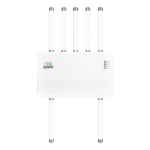
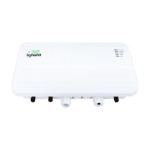
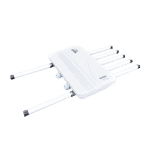
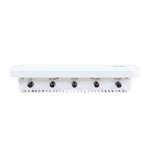
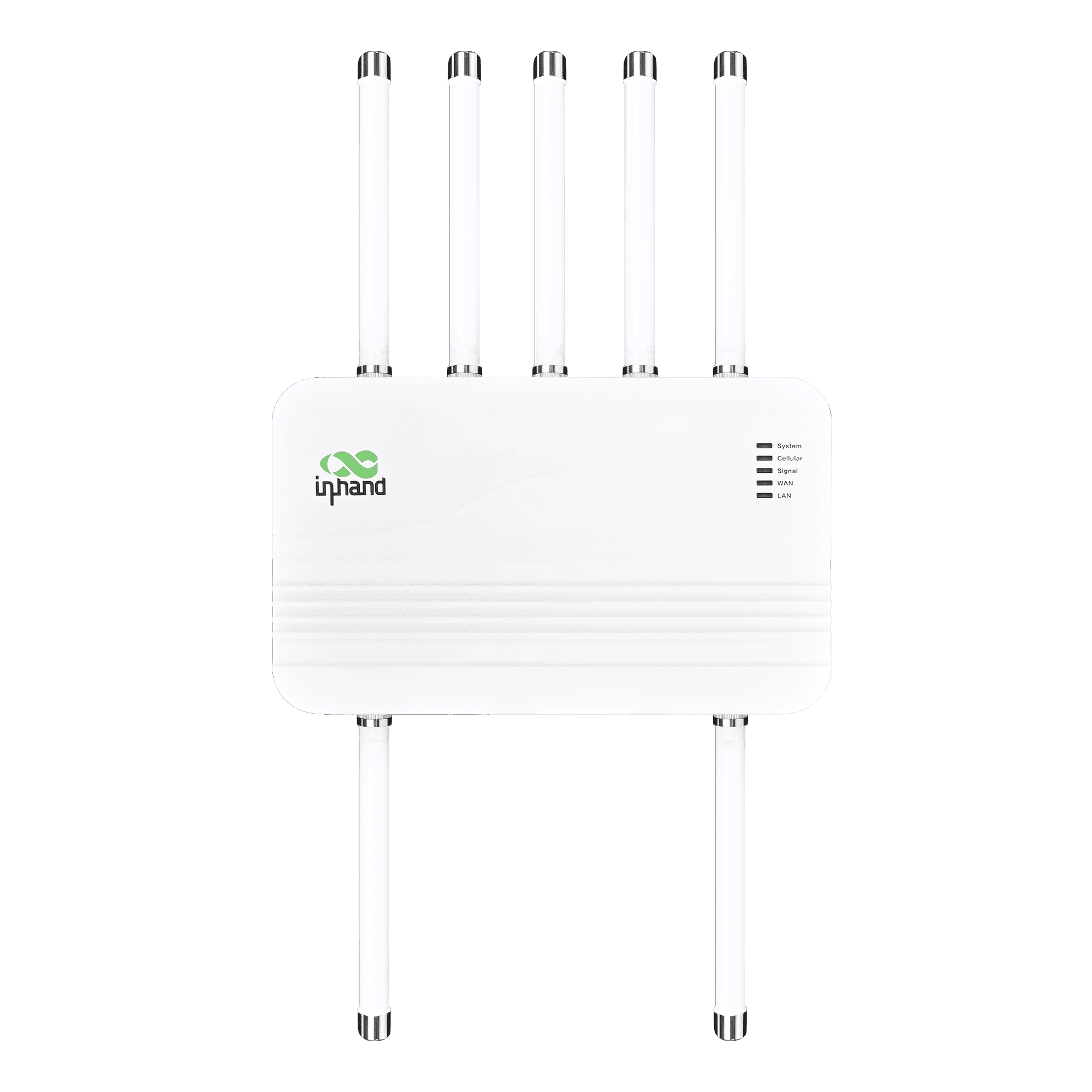
Yüksek Hızlı Bağlantı için Dış Mekan 5G Yönlendirici

Yüksek Kullanılabilirlik 5G
4,76 Gbps'ye kadar indirme ve 1,25 Gbps'ye kadar yükleme hızıyla yüksek hızlı 5G sunarak, her yerde kritik görev operasyonları için düşük gecikmeli erişim sağlar.

Dayanıklı IP67 Hava Koşullarına Dayanıklı
IP67 derecesiyle toz, yağmur ve aşırı sıcaklıklara dayanacak şekilde tasarlanmış olup, zorlu dış mekan koşullarında stabilite sağlar.

6 Yüksek Kazançlı Anten
Güçlü geniş bant antenleriyle sinyal alımını optimize ederek, zayıf sinyalli uzak bölgelerde bile kapsama alanını genişletir ve hızı artırır.

Esnek Dağıtım için PoE
Ethernet Üzerinden Güç (PoE) desteği sayesinde, veri ve güç iletimi tek bir kablo üzerinden gerçekleştirilebilir, bu da dış mekan kurulumlarını basitleştirir.

Bulut Uzaktan Yönetimi
InCloud Manager ile kontrolü merkezileştirin. BT verimliliğini artırmak ve saha ziyaretlerini azaltmak için cihazları uzaktan yapılandırın, izleyin ve yükseltin.

Hassas GPS Konumlandırma
Entegre GNSS, verimli varlık yönetimi için gerçek zamanlı konum takibi ve bulut haritalarında görselleştirilmiş dağıtım olanağı sağlar.
-
Temel Teknik Özellikler
Antenler TNC: 6 × Alt 6 + 1 × GNSS + 1 × Wi-FiHücresel 5G SA/NSA + LTE Cat19; up to 4.76 Gbps DL / 1.25 Gbps UL (5G); dual-SIM / optional eSIMBulut Yönetimi InCloud YöneticisiÇevre -30 °C ~ +70 °C (-22 °F ~ +158 °F) op.; IEC 60068 salt mist / shock / vibration / dropEthernet / PoE / USB 2 × 2,5 GbE (WAN/LAN); PoE 802.3af/at girişi; USB-C 2.0GNSS GPS, GLONASS, Beidou, Galileo, QZSSAğ ve Güvenlik IPv4/IPv6; VLAN, DHCP, DDNS; PPPoE; çift SIM; bağlantı yedekleme; NAT; güvenlik duvarı, ACLGüç / Mekanik PoE 802.3at; ≤15 W; 360 × 220 × 72 mm (14.17 × 8.66 × 2.83 in); 2.87 kg (6.33 lb); metal; fanless; wall/pole; IP67SIM 2 × Nano-SIM (hot-swap); eSIM optionalVerim / Kullanıcılar 2 Gbps'ye kadar; 200 kullanıcıya kadarVPN IPsec, L2TPWifi 802.11 b/g/n, 2.4 GHz AP, 150 Mbps
-
Performans Ölçütleri
Önerilen Kullanıcılar 200Verim 2 Gbps'ye kadar
-
Arayüzler
Anten TNC tipi; 6 × Sub-6, 1 × GNSS, 1 × Wi-FiEthernet 2 × 2,5 GbE RJ45, WAN/LAN değiştirilebilir, çift LANGNSS GPS / GLONASS / Beidou / Galileo / QZSSZemin 1 × GNDNEDEN OLMUŞ Sistem, Hücresel, Sinyal, WAN, LANPOE LAN portunda PoE (802.3af/at)Sıfırla Sıfırlama düğmesiSIM 2 × Nano 4FF, tak çalıştırUSB 1 × Tip-C 2.0
-
Hücresel
5G Anten Frekansı 600–5000 MHz5G Anten Kazancı 6,46 dBiVeri Hızı 5G: 4,76 Gbps İndirme / 1,25 Gbps Yükleme; 4G: 1,6 Gbps İndirme / 200 Mbps Yükleme
-
Güç
Giriş Ethernet Üzerinden Güç (PoE) 802.3atGüç Tüketimi ≤ 15 W
-
Mekanik
Boyutlar 360 × 220 × 72 mm (14.17 × 8.66 × 2.83 in)Konut Metal, fansızKurulum Duvara monte, direğe monteAğırlık 2.87 kg (6.33 lb)
-
Çevre
Nem 5–95 % RH (yoğuşmasız)Çalışma Sıcaklığı -30 °C ~ +70 °C (-22 °F ~ +158 °F)Koruma IP67Tuzlu Sis IEC 60068-2-52Depolama Sıcaklığı -40 °C ~ +85 °C (-40 °F ~ +185 °F)
-
EMC
Yürütülen EN 61000-4-6 Seviye 3EFT/Burst EN 61000-4-4 Seviye 3ESD EN 61000-4-2 Seviye 3RE/CE A Sınıfı, 3 dB MarjRFI EN 61000-4-3 Seviye 3Kabarmak EN 61000-4-5 Seviye 3
-
Fiziksel
Serbest Düşüş IEC 60068-2-32Şok IEC 60068-2-27Titreşim IEC 60068-2-6
-
Sertifikasyon
Sertifikasyon FCC, IC, PTCRB, Verizon, T-Mobile, CEGaranti 3 yıl
-
Bulut Yönetimi
Özellikler Merkezi yönetim, kontrol paneli, toplu yükseltme, uplink yönetimiPlatform InCloud Yöneticisi
-
Ağ Özellikleri
Erişim 5G/4G, EthernetUygulamalar VLAN, DHCP Sunucusu/İstemcisi, DNS, DDNS, Sabit Adres, IP GeçişiArama PPPoE, cellular auto redial, dual-SIM switching, APN configurationArayüz Çift yönlü mod, bağlantı müzakeresiIP Protokolü IPv4 / IPv6Bağlantı Yedekleme Paket bazında yük dengelemeBağlantı İzleme Gerçek zamanlı gecikme, titreşim ve paket kaybı tespitiBağlantı Önceliği Bağlantı önceliği ayarlaması
-
Güvenlik
Güvenlik Duvarı Erişim kontrolü, port eşleme, port yönlendirme, MAC filtrelemeVPN IPsec VPN, L2TP VPN
-
İzleme
Hücresel Sinyal RSSI, RSRP, RSRQ, SINRKontrol Paneli Cihaz bilgileri, arayüz durumu, trafik istatistikleriGünlükler Sistem günlükleri, teşhis günlükleri, cihaz olayları, e-posta uyarıları
-
Wifi
Mod 2,4 GHz AP modu
-
Politika
Politika Politika yönlendirme, trafik şekillendirme
-
Kendi Kendini Kurtarma
Gözlemci Yazılım ve donanım gözetmeni
Standart paket*
- ODU02 Dış Mekan Yönlendiricisi *1
- 5G Anten *2
- 5G MIMO Anteni *4
- Wi-Fi Anteni *1
- GNSS Anteni *1
- Ethernet Kablosu *1
- PoE Adaptörü AC Kablosu*1
- Montaj Braketi *1
- Montaj Plakası *1
- Paslanmaz Çelik Boru Kampı *2
* Standart paket içerikleri, standart sipariş kodlarına göre değişiklik gösterebilir.
Bize Ulaşın Ambalaj seçeneklerimiz hakkında daha fazla bilgi edinmek için doğrudan iletişime geçin.
Teknik Özellikler
-
Temel Teknik Özellikler
Antenler TNC: 6 × Alt 6 + 1 × GNSS + 1 × Wi-FiHücresel 5G SA/NSA + LTE Cat19; up to 4.76 Gbps DL / 1.25 Gbps UL (5G); dual-SIM / optional eSIMBulut Yönetimi InCloud YöneticisiÇevre -30 °C ~ +70 °C (-22 °F ~ +158 °F) op.; IEC 60068 salt mist / shock / vibration / dropEthernet / PoE / USB 2 × 2,5 GbE (WAN/LAN); PoE 802.3af/at girişi; USB-C 2.0GNSS GPS, GLONASS, Beidou, Galileo, QZSSAğ ve Güvenlik IPv4/IPv6; VLAN, DHCP, DDNS; PPPoE; çift SIM; bağlantı yedekleme; NAT; güvenlik duvarı, ACLGüç / Mekanik PoE 802.3at; ≤15 W; 360 × 220 × 72 mm (14.17 × 8.66 × 2.83 in); 2.87 kg (6.33 lb); metal; fanless; wall/pole; IP67SIM 2 × Nano-SIM (hot-swap); eSIM optionalVerim / Kullanıcılar 2 Gbps'ye kadar; 200 kullanıcıya kadarVPN IPsec, L2TPWifi 802.11 b/g/n, 2.4 GHz AP, 150 Mbps
-
Performans Ölçütleri
Önerilen Kullanıcılar 200Verim 2 Gbps'ye kadar
-
Arayüzler
Anten TNC tipi; 6 × Sub-6, 1 × GNSS, 1 × Wi-FiEthernet 2 × 2,5 GbE RJ45, WAN/LAN değiştirilebilir, çift LANGNSS GPS / GLONASS / Beidou / Galileo / QZSSZemin 1 × GNDNEDEN OLMUŞ Sistem, Hücresel, Sinyal, WAN, LANPOE LAN portunda PoE (802.3af/at)Sıfırla Sıfırlama düğmesiSIM 2 × Nano 4FF, tak çalıştırUSB 1 × Tip-C 2.0
-
Hücresel
5G Anten Frekansı 600–5000 MHz5G Anten Kazancı 6,46 dBiVeri Hızı 5G: 4,76 Gbps İndirme / 1,25 Gbps Yükleme; 4G: 1,6 Gbps İndirme / 200 Mbps Yükleme
-
Güç
Giriş Ethernet Üzerinden Güç (PoE) 802.3atGüç Tüketimi ≤ 15 W
-
Mekanik
Boyutlar 360 × 220 × 72 mm (14.17 × 8.66 × 2.83 in)Konut Metal, fansızKurulum Duvara monte, direğe monteAğırlık 2.87 kg (6.33 lb)
-
Çevre
Nem 5–95 % RH (yoğuşmasız)Çalışma Sıcaklığı -30 °C ~ +70 °C (-22 °F ~ +158 °F)Koruma IP67Tuzlu Sis IEC 60068-2-52Depolama Sıcaklığı -40 °C ~ +85 °C (-40 °F ~ +185 °F)
-
EMC
Yürütülen EN 61000-4-6 Seviye 3EFT/Burst EN 61000-4-4 Seviye 3ESD EN 61000-4-2 Seviye 3RE/CE A Sınıfı, 3 dB MarjRFI EN 61000-4-3 Seviye 3Kabarmak EN 61000-4-5 Seviye 3
-
Fiziksel
Serbest Düşüş IEC 60068-2-32Şok IEC 60068-2-27Titreşim IEC 60068-2-6
-
Sertifikasyon
Sertifikasyon FCC, IC, PTCRB, Verizon, T-Mobile, CEGaranti 3 yıl
-
Bulut Yönetimi
Özellikler Merkezi yönetim, kontrol paneli, toplu yükseltme, uplink yönetimiPlatform InCloud Yöneticisi
-
Ağ Özellikleri
Erişim 5G/4G, EthernetUygulamalar VLAN, DHCP Sunucusu/İstemcisi, DNS, DDNS, Sabit Adres, IP GeçişiArama PPPoE, cellular auto redial, dual-SIM switching, APN configurationArayüz Çift yönlü mod, bağlantı müzakeresiIP Protokolü IPv4 / IPv6Bağlantı Yedekleme Paket bazında yük dengelemeBağlantı İzleme Gerçek zamanlı gecikme, titreşim ve paket kaybı tespitiBağlantı Önceliği Bağlantı önceliği ayarlaması
-
Güvenlik
Güvenlik Duvarı Erişim kontrolü, port eşleme, port yönlendirme, MAC filtrelemeVPN IPsec VPN, L2TP VPN
-
İzleme
Hücresel Sinyal RSSI, RSRP, RSRQ, SINRKontrol Paneli Cihaz bilgileri, arayüz durumu, trafik istatistikleriGünlükler Sistem günlükleri, teşhis günlükleri, cihaz olayları, e-posta uyarıları
-
Wifi
Mod 2,4 GHz AP modu
-
Politika
Politika Politika yönlendirme, trafik şekillendirme
-
Kendi Kendini Kurtarma
Gözlemci Yazılım ve donanım gözetmeni
İndirmeler
Sipariş verme
Standart paket*
- ODU02 Dış Mekan Yönlendiricisi *1
- 5G Anten *2
- 5G MIMO Anteni *4
- Wi-Fi Anteni *1
- GNSS Anteni *1
- Ethernet Kablosu *1
- PoE Adaptörü AC Kablosu*1
- Montaj Braketi *1
- Montaj Plakası *1
- Paslanmaz Çelik Boru Kampı *2
* Standart paket içerikleri, standart sipariş kodlarına göre değişiklik gösterebilir.
Bize Ulaşın Ambalaj seçeneklerimiz hakkında daha fazla bilgi edinmek için doğrudan iletişime geçin.
InCloud Yöneticisi
Bulut Tabanlı Ağ Yönetim Platformu
Zincir mağazalar ve KOBİ'ler için yapay zeka destekli ağ platformu, yönlendiricilerin, erişim noktalarının ve anahtarların merkezi olarak izlenmesini ve yönetilmesini sağlar.
InCloud Yöneticisi
İlgili Vakalar

Kurumsal Şubeler için Kesintisiz 5G Ağı
Kurumsal Şubeler İçin Kesintisiz 5G Ağı: Uygulamalar ve Örnek Olaylar Kesintisiz…
Daha Fazla Bilgi Edinin →
Verimli Kurumsal Şube Ağları
Verimli Kurumsal Şube Ağları Uygulamaları ve Örnek Olaylar: Verimli Kurumsal Ağlar Oluşturmanın Temel Çıkarımları…
Daha Fazla Bilgi Edinin →
Zincir Mağazalar için 5G Ağ Bağlantısı
Zincir Mağazalar için 5G Ağ İletişimi: Uygulamalar ve Örnekler Önemli Noktalar 5G Ağ İletişimi…
Daha Fazla Bilgi Edinin →Sıkça Sorulan Sorular
Hangi mobil operatörler ODU2002 sertifikasına sahiptir?
1. UniFi'nin kurulu ve çalışır durumda olduğundan emin olun.
2. UniFi AP'nizi açın ve UniFi Konsolunuzla bağlantısının olduğundan emin olun*.
3. UniFi Mobil Uygulamanızı (iOS / Android) açın veya UniFi Site Yöneticinize gidin.
4. Cihazınız açıldığında, sahiplenmek için tıklayın/dokunun.
AP'ler, bir UniFi PoE Switch'e veya PoE adaptörü kullanılarak AC güç kaynağına bağlandığında çalışmaya başlar.
*En sorunsuz kurulum deneyimi için UniFi Cloud Gateway önerilir.
ODU2002'ye nasıl güç veririm?
1. UniFi'nin kurulu ve çalışır durumda olduğundan emin olun.
2. UniFi AP'nizi açın ve UniFi Konsolunuzla bağlantısının olduğundan emin olun*.
3. UniFi Mobil Uygulamanızı (iOS / Android) açın veya UniFi Site Yöneticinize gidin.
4. Cihazınız açıldığında, sahiplenmek için tıklayın/dokunun.
AP'ler, bir UniFi PoE Switch'e veya PoE Adaptörü kullanılarak AC güç kaynağına bağlandığında çalışmaya başlar. *En sorunsuz kurulum deneyimi için UniFi Cloud Gateway önerilir.
ODU2002 cihazını hücresel ağa nasıl bağlarım ve APN ayarlarını nasıl yaparım?
1. UniFi'nin kurulu ve çalışır durumda olduğundan emin olun.
2. UniFi AP'nizi açın ve UniFi Konsolunuzla bağlantısının olduğundan emin olun*.
3. UniFi Mobil Uygulamanızı (iOS / Android) açın veya UniFi Site Yöneticinize gidin.
4. Cihazınız açıldığında, sahiplenmek için tıklayın/dokunun.
AP'ler, bir UniFi PoE Switch'e veya PoE Adaptörü kullanılarak AC güç kaynağına bağlandığında çalışmaya başlar. *En sorunsuz kurulum deneyimi için UniFi Cloud Gateway önerilir.
ODU2002'de IP Passthrough'u nasıl kurarım?
1. UniFi'nin kurulu ve çalışır durumda olduğundan emin olun.
2. UniFi AP'nizi açın ve UniFi Konsolunuzla bağlantısının olduğundan emin olun*.
3. UniFi Mobil Uygulamanızı (iOS / Android) açın veya UniFi Site Yöneticinize gidin.
4. Cihazınız açıldığında, sahiplenmek için tıklayın/dokunun.
AP'ler, bir UniFi PoE Switch'e veya PoE Adaptörü kullanılarak AC güç kaynağına bağlandığında çalışmaya başlar. *En sorunsuz kurulum deneyimi için UniFi Cloud Gateway önerilir.