


InBOX710
4G ARM
حاسوب صناعي
InBOX710 عبارة عن صندوق طرفي صناعي بدون مروحة، مصمم للحوسبة المحلية والاتصال المستقرين. يدمج هذا الصندوق تقنيات 4G وWi-Fi وBLE، ويدعم شاشة HDMI بدقة 4K مع منفذ تسلسلي ومنفذ USB، مما يجعله مناسبًا للمحطات الطرفية غير المراقبة وعمليات النشر الطرفية الخفيفة.
InBOX710
4G ARM
حاسوب صناعي
InBOX710 عبارة عن صندوق طرفي صناعي بدون مروحة، مصمم للحوسبة المحلية والاتصال المستقرين. يدمج هذا الصندوق تقنيات 4G وWi-Fi وBLE، ويدعم شاشة HDMI بدقة 4K مع منفذ تسلسلي ومنفذ USB، مما يجعله مناسبًا للمحطات الطرفية غير المراقبة وعمليات النشر الطرفية الخفيفة.
صورة
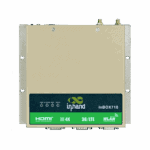
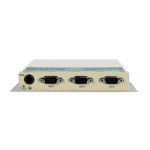
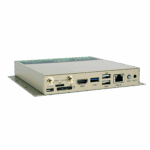
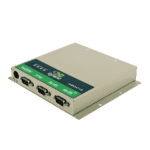
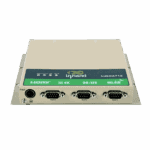
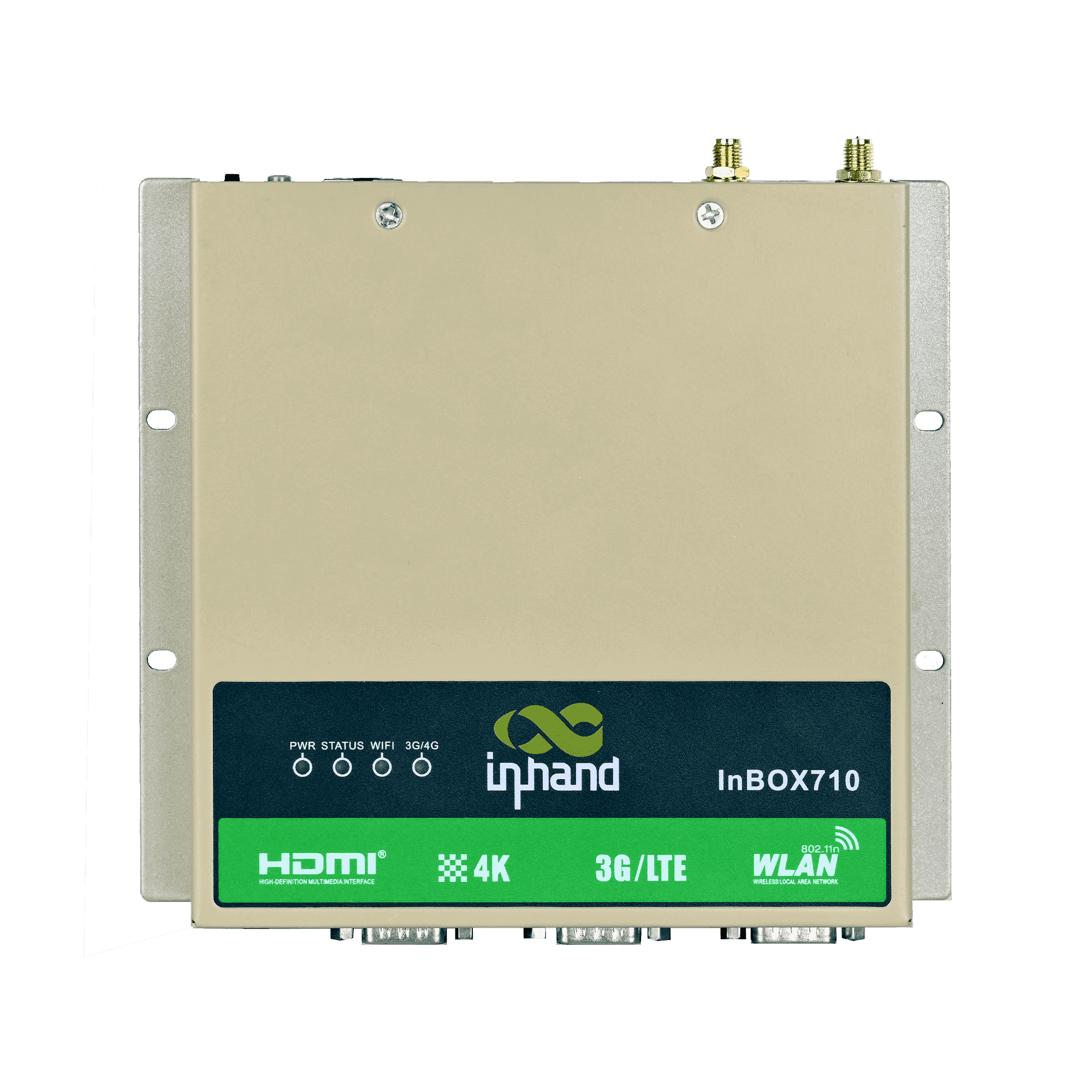
حوسبة طرفية مدمجة وموثوقة للمحطات الصناعية





تعمل آليات التشخيص الذاتي والتعافي على تقليل الأعطال في الموقع وجهود الصيانة، مما يحسن الكفاءة التشغيلية للأنظمة غير المراقبة.

-
المواصفات الأساسية
بلوتوث بلوتوث 4.2وحدة المعالجة المركزية RK3399، سداسي النواة، 1.8 جيجاهرتزأبعاد 170 × 150 × 26 mm (6.69 × 5.91 × 1.02 in)إيثرنت 1 × 10/100 ميجابت في الثانيةنظام التشغيل أندرويد / لينكس (ديبيان 9)مدخل الطاقة 12 فولت تيار مستمرذاكرة الوصول العشوائي / التخزين 2 جيجابايت / 16 جيجابايت eMMCمسلسل 2 × RS-232، 1 × RS-232/RS-485USB منفذان USB 2.0، منفذ USB 3.0 واحدمخرج الفيديو HDMI 2.0، يدعم دقة تصل إلى 4K بمعدل 60 إطارًا في الثانيةواي فاي 802.11b/g/n، وضع العميل/نقطة الوصولدرجة حرارة التشغيل -20 °C ~ 70 °C (-4 °F ~ 158 °F)
-
المعالج
وحدة المعالجة المركزية RK3399، سداسي النواة، 1.8 جيجاهرتزفلاش ذاكرة eMMC سعة 16 جيجابايتكبش 2 جيجابايت
-
واجهات
هوائي 1 × SMA (3G/4G)؛ 1 × RP-SMA (واي فاي)أزرار زر تشغيل واحد؛ مفتاح وضع واحدتصحيح الأخطاء 1 × من النوع Cإيثرنت 1 × 10/100 ميجابت في الثانية، WAN/LANHDMI منفذ HDMI 2.0 واحد، يدعم دقة تصل إلى 4096 × 2160 (4K)، مع صوتSD حامل بطاقة SD من نوع الدرج × 1مسلسل 2 × RS-232 (DB9)؛ 1 × RS-232/RS-485 (DB9)شريحة SIM حامل بطاقة SIM من نوع الدرج × 1USB منفذان USB 2.0؛ منفذ USB 3.0 واحد
-
الاتصال
بلوتوث بلوتوث 4.2خلوي 4G LTEواي فاي 802.11b/g/n، وضع العميل/نقطة الوصول
-
قوة
استهلاك الطاقة أقل من 10 واط (بدون ملحقات)مدخل الطاقة 12 فولت تيار مستمر (واجهة دائرية رباعية النواة ذاتية القفل)
-
ميكانيكياً
تبريد بدون مروحةالأبعاد (العرض × العمق × الارتفاع) 170 × 150 × 26 مم (بما في ذلك أجزاء التركيب)السكن معدنتثبيت التثبيت على الحائطتصنيف الحماية IP40
-
البيئة
رطوبة 5 ~ 95% (غير مكثف)درجة حرارة التخزين -40 °C ~ 85 °C (-40 °F ~ 185 °F)درجة حرارة التشغيل -20 °C ~ 70 °C (-4 °F ~ 158 °F)
-
مصداقية
RTC ساعة توقيت حقيقية مدمجة مع بطارية زر
-
التوافق الكهرومغناطيسي
تقنية الحرية النفسية (EFT) المستوى 3التفريغ الكهروستاتيكي المستوى 3طفرة المستوى 3
-
المؤشرات
3G/4G LED يبقى قيد التشغيل عند الاتصال بشكل طبيعيمؤشر الطاقة يعمل دائماً بعد تشغيل الطاقةمؤشر الحالة الضوئية يومض أثناء التشغيل العاديمصباح LED مزود بتقنية Wi-Fi يبقى قيد التشغيل عند الاتصال بشكل طبيعي
-
شهادة
شهادة CCC، CE، FCC، IC
-
نظام التشغيل
نظام التشغيل لينكس (ديبيان 9) / أندرويد
-
شبكة
بلوتوث بلوتوث 4.2شبكة 4Gواي فاي 802.11b/g/n، وضع العميل/نقطة الوصول
-
معالجة الرسومات
معالجة الصور BMP، JPG، PNG، GIFقوة المعالجة معالج إشارة صور مزدوج بدقة تصل إلى 800 ميجابكسل/ثانية، يدعم إدخال بيانات الكاميرا المزدوجة، واستخراج معلومات ثلاثية الأبعاد ومعلومات العمقترميز الفيديو فك تشفير فيديو عالي الدقة 4K بمعدل 60 إطارًا في الثانية باستخدام H.265/H.264/VP9
-
إدارة التكوين
مفتاح مؤقت مدعوميرقي ترقية USB محلية
الباقة القياسية*
- جهاز كمبيوتر InBox710 Edge *1
- ملحقات اختيارية
- هوائي 4G *1
- هوائي واي فاي *1
- مزود الطاقة *1
* تختلف محتويات العبوة القياسية باختلاف رموز الطلب القياسية.
اتصل بنا للحصول على مزيد من المعلومات حول خيارات التغليف لدينا، يرجى الاتصال بنا مباشرة.
تحديد
-
المواصفات الأساسية
بلوتوث بلوتوث 4.2وحدة المعالجة المركزية RK3399، سداسي النواة، 1.8 جيجاهرتزأبعاد 170 × 150 × 26 mm (6.69 × 5.91 × 1.02 in)إيثرنت 1 × 10/100 ميجابت في الثانيةنظام التشغيل أندرويد / لينكس (ديبيان 9)مدخل الطاقة 12 فولت تيار مستمرذاكرة الوصول العشوائي / التخزين 2 جيجابايت / 16 جيجابايت eMMCمسلسل 2 × RS-232، 1 × RS-232/RS-485USB منفذان USB 2.0، منفذ USB 3.0 واحدمخرج الفيديو HDMI 2.0، يدعم دقة تصل إلى 4K بمعدل 60 إطارًا في الثانيةواي فاي 802.11b/g/n، وضع العميل/نقطة الوصولدرجة حرارة التشغيل -20 °C ~ 70 °C (-4 °F ~ 158 °F)
-
المعالج
وحدة المعالجة المركزية RK3399، سداسي النواة، 1.8 جيجاهرتزفلاش ذاكرة eMMC سعة 16 جيجابايتكبش 2 جيجابايت
-
واجهات
هوائي 1 × SMA (3G/4G)؛ 1 × RP-SMA (واي فاي)أزرار زر تشغيل واحد؛ مفتاح وضع واحدتصحيح الأخطاء 1 × من النوع Cإيثرنت 1 × 10/100 ميجابت في الثانية، WAN/LANHDMI منفذ HDMI 2.0 واحد، يدعم دقة تصل إلى 4096 × 2160 (4K)، مع صوتSD حامل بطاقة SD من نوع الدرج × 1مسلسل 2 × RS-232 (DB9)؛ 1 × RS-232/RS-485 (DB9)شريحة SIM حامل بطاقة SIM من نوع الدرج × 1USB منفذان USB 2.0؛ منفذ USB 3.0 واحد
-
الاتصال
بلوتوث بلوتوث 4.2خلوي 4G LTEواي فاي 802.11b/g/n، وضع العميل/نقطة الوصول
-
قوة
استهلاك الطاقة أقل من 10 واط (بدون ملحقات)مدخل الطاقة 12 فولت تيار مستمر (واجهة دائرية رباعية النواة ذاتية القفل)
-
ميكانيكياً
تبريد بدون مروحةالأبعاد (العرض × العمق × الارتفاع) 170 × 150 × 26 مم (بما في ذلك أجزاء التركيب)السكن معدنتثبيت التثبيت على الحائطتصنيف الحماية IP40
-
البيئة
رطوبة 5 ~ 95% (غير مكثف)درجة حرارة التخزين -40 °C ~ 85 °C (-40 °F ~ 185 °F)درجة حرارة التشغيل -20 °C ~ 70 °C (-4 °F ~ 158 °F)
-
مصداقية
RTC ساعة توقيت حقيقية مدمجة مع بطارية زر
-
التوافق الكهرومغناطيسي
تقنية الحرية النفسية (EFT) المستوى 3التفريغ الكهروستاتيكي المستوى 3طفرة المستوى 3
-
المؤشرات
3G/4G LED يبقى قيد التشغيل عند الاتصال بشكل طبيعيمؤشر الطاقة يعمل دائماً بعد تشغيل الطاقةمؤشر الحالة الضوئية يومض أثناء التشغيل العاديمصباح LED مزود بتقنية Wi-Fi يبقى قيد التشغيل عند الاتصال بشكل طبيعي
-
شهادة
شهادة CCC، CE، FCC، IC
-
نظام التشغيل
نظام التشغيل لينكس (ديبيان 9) / أندرويد
-
شبكة
بلوتوث بلوتوث 4.2شبكة 4Gواي فاي 802.11b/g/n، وضع العميل/نقطة الوصول
-
معالجة الرسومات
معالجة الصور BMP، JPG، PNG، GIFقوة المعالجة معالج إشارة صور مزدوج بدقة تصل إلى 800 ميجابكسل/ثانية، يدعم إدخال بيانات الكاميرا المزدوجة، واستخراج معلومات ثلاثية الأبعاد ومعلومات العمقترميز الفيديو فك تشفير فيديو عالي الدقة 4K بمعدل 60 إطارًا في الثانية باستخدام H.265/H.264/VP9
-
إدارة التكوين
مفتاح مؤقت مدعوميرقي ترقية USB محلية
التنزيلات
الطلب
الباقة القياسية*
- جهاز كمبيوتر InBox710 Edge *1
- ملحقات اختيارية
- هوائي 4G *1
- هوائي واي فاي *1
- مزود الطاقة *1
* تختلف محتويات العبوة القياسية باختلاف رموز الطلب القياسية.
اتصل بنا للحصول على مزيد من المعلومات حول خيارات التغليف لدينا، يرجى الاتصال بنا مباشرة.
سحابة الابتكار بالذكاء الاصطناعي
منصة تشغيل أعمال البيع بالتجزئة غير الخاضعة للرقابة
التكنولوجيا تغير الحياة
وتجعل آلات البيع بالتجزئة التسوق أكثر ملاءمة.
سحابة الابتكار بالذكاء الاصطناعي
قضايا ذات صلة
حلول الأجهزة لآلات البيع الذكية
تطبيقات وحلول الأجهزة الذكية لآلات البيع: أهم النقاط الرئيسية
تعرّف على المزيد →الأسئلة الشائعة
ما هي رموز المنتجات (SKUs) المتوفرة في InBOX710؟
جهاز InBOX710 هو حاسوب مدمج صغير الحجم مزود بمخرج عرض HDMI وتقنية 4G LTE. رموز المنتجات: InBOX710-DQ20 (الصين)، InBOX710-FQ58 (أوروبا والشرق الأوسط وأفريقيا)، InBOX710-FQ39 (أمريكا الشمالية)، InBOX710-EN00 (بدون خلوي). لاحقة -L لنظام ديبيان لينكس أو -STD لأجهزة أندرويد. أضف -485 بالنسبة لنسخة RS-485. الشهادات التنظيمية: CCC (الصين)، CE، FCC، IC.
كيف أقوم بتهيئة جهاز InBOX710؟
يعمل جهاز InBOX710 بنظامي التشغيل Debian Linux أو Android (حسب الطراز)، ولا يتضمن واجهة إدارة عبر الويب. قم بتوصيل شاشة بمنفذ HDMI واستخدم نظام التشغيل المكتبي للتكوين، أو اتصل عبر SSH بعنوان IP الافتراضي للجهاز على شبكة Ethernet. 192.168.2.2 بيانات تسجيل الدخول موثقة في دليل فتح العلبة.
كيف أقوم بضبط إعدادات نقطة الوصول الخلوية (APN) على جهاز InBOX710؟
يقوم جهاز InBOX710 بضبط إعدادات الشبكة الخلوية عبر أوامر سطر الأوامر. سجّل الدخول عبر SSH أو الطرفية المحلية، ثم شغّل الأمر التالي: nvram set wan1_ppp_apn= (يلزم الحصول على صلاحيات الجذر). احفظ باستخدام nvram commit يقوم جهاز الاتصال الخلوي بالاتصال تلقائيًا عند إعادة التشغيل التالية. تحقق من حالة الاتصال باستخدام nvram get _wan1_network_type وأرسل إشارة مع nvram get _wan1_sigrssi .
كيف تتم مقارنة جهاز InBOX710 بجهازي InBOX712 و InBOX732؟
| InBOX710 | InBOX712 | InBOX732 | |
| — | — | — | — |
| مخرجات العرض | منفذ HDMI واحد | منفذان HDMI (4K + 1080p) | منفذ HDMI واحد |
| خيارات نظام التشغيل | ديبيان لينكس ( -L ) أو أندرويد ( -STD ) | نظام أندرويد 7.1 فقط | ديبيان ( -L أو أندرويد 10 |
| وحدات الإدخال والإخراج الصناعية | RS-232 × 3، RS-485 اختياري ( -485 ) | — | ناقل CAN، 4 × DI + 4 × DO، إدخال/إخراج الصوت |
| مدخل الطاقة | معيار | معيار | جهد واسع 9-24 فولت تيار مستمر |
| الاستخدام المستهدف | كشك، لافتات رقمية، واجهة تفاعلية | لافتات بشاشتين، ونظام نقاط البيع + شاشة عرض للعملاء | مركبة صناعية متينة |
اختر InBOX710 للحوسبة المدمجة للأغراض العامة - أكشاك HDMI أحادية، أو لافتات، أو تطبيقات HMI، مع خيار Debian أو Android وRS-485 اختياري للأجهزة التسلسلية القديمة.
—