


ES620
Yönetilen
Kurumsal Anahtar
ES620, yüksek performanslı, bulut tabanlı PoE Layer-2 bir cihazdır.
InCloud yönetimiyle birlikte gelen bu switch, kurumsal, kampüs ve şube ağ kurulumları için idealdir.
ES620
Yönetilen
Kurumsal Anahtar
ES620, yüksek performanslı, bulut tabanlı PoE Layer-2 bir cihazdır.
InCloud yönetimiyle birlikte gelen bu switch, kurumsal, kampüs ve şube ağ kurulumları için idealdir.
FOTOĞRAF
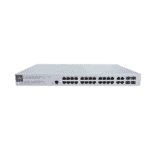
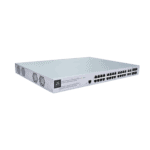
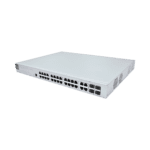
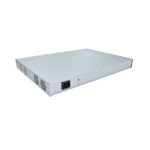
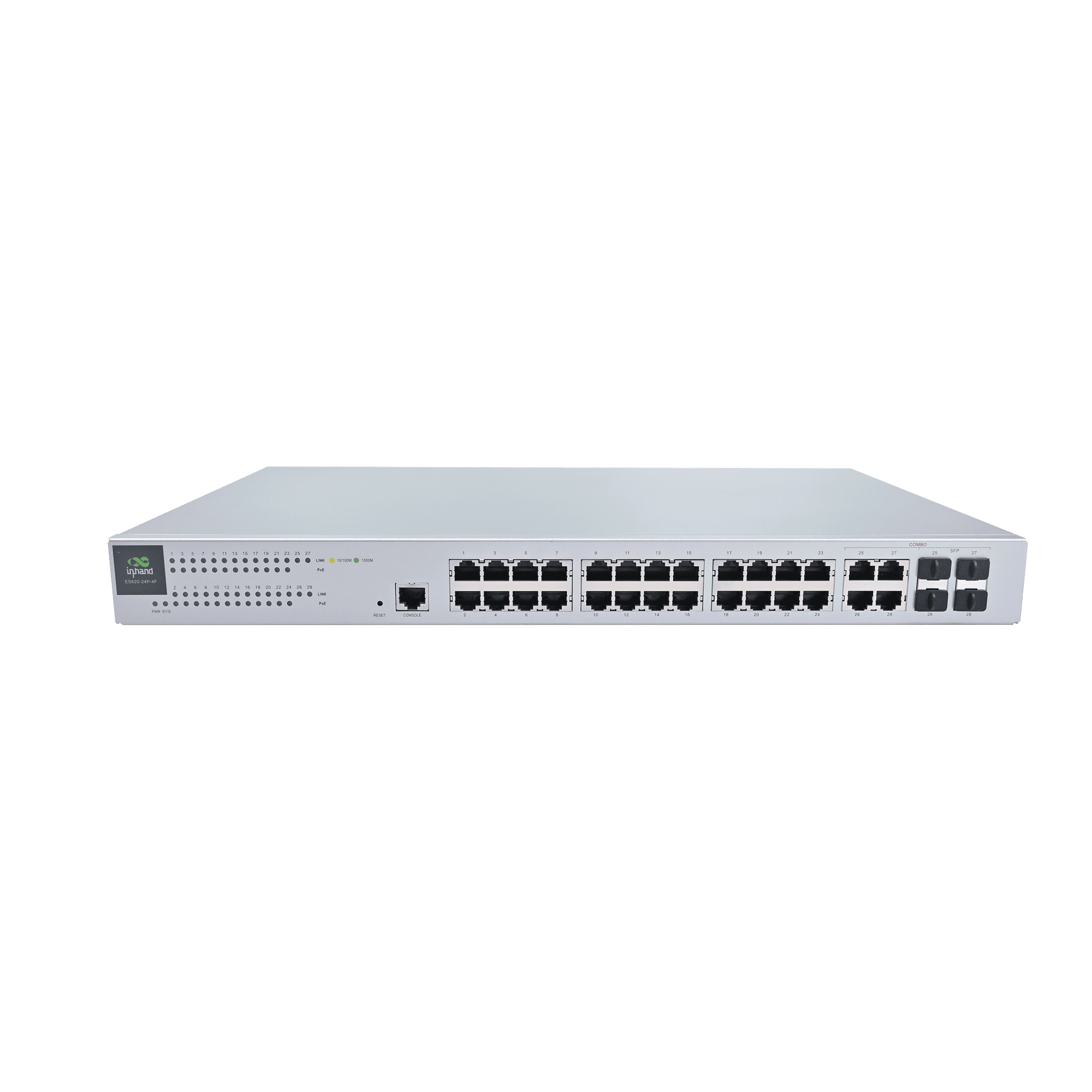
Güvenilir Kurumsal Ağ Bağlantısı için Akıllı PoE Anahtarı

Yüksek Performanslı Anahtarlama
Yüksek anahtarlama kapasitesi ve iletim performansı sunan 24 adet Gigabit RJ45 portu ve 4 adet birleşik optik/elektrik portu içerir.

Bulut Tabanlı Yönetim Kontrolü
Merkezi politika, sıfır dokunuşlu kurulum, toplu yapılandırma ve uzaktan bakım için InCloud Manager ile entegre olur.

Akıllı PoE Güç Dağıtımı
24 portun tamamı, port başına 30W'a kadar güç sağlayan ve erişim noktaları, kameralar ve telefonlar için geniş bir toplam güç bütçesi sunan IEEE 802.3af/at PoE'yi destekler.

Kolay Dağıtım
VLAN, STP ve port ayarları için sezgisel bir web arayüzü sunarken, kolay tak ve çalıştır kurulumuna olanak tanır.

Ağ Görünürlüğü ve Tanılama
Bulut kontrol paneli, operasyonel görünürlüğü artırmak için topoloji görünümleri, trafik izleme, durum uyarıları ve günlükler sunar.

Güvenilir Güç ve İstikrarlı Çalışma
Dahili fanlar ve AC güç desteğine sahip metal kasa, sürekli veya ağır yükler altında istikrarlı performans sağlar.
-
Temel Teknik Özellikler
Bulut Yönetimi InCloud Manager: unified device access, zero-touch remote deploymentUyumluluk Planlama aşamasında: CE, FCC, IC; EMC Seviye 2Soğutma 4 × built-in fansKontrol Paneli Device statistics, connectivity statusÇevre Operating 0 °C ~ +45 °C (32 °F ~ +113 °F); storage -40 °C ~ +70 °C (-40 °F ~ +158 °F); humidity 95 % RH @ 40 °CArayüzler ve PoE 28 × GbE RJ45; 24 × 802,3 af/PoE'de; 1 × Konsol; 1 × SıfırlaBakım Planlı yükseltmelerMekanik 440 × 315 × 44 mm (17.32 × 12.4 × 1.73 in); metal; 1U rack; IP20Performans Anahtarlama kapasitesi 56 Gbps; paket iletimi 41 Mpps; RAM 128 MB; Flash 32 MBGüç 100–240 V AC, 50–60 Hz; toplam 400 W tüketim (370 W PoE)
-
Performans Ölçütleri
Flaş 32 MBMAC Adres Tablosu 8KModel ES620Paket İletim Hızı 41 MppsVeri deposu 128 MBAnahtarlama Kapasitesi 56 Gbps
-
Arayüzler
Konsol 1 × KonsolEthernet 28 × GbE RJ45POE 24 × 802,3 af/atSıfırla 1 × Sıfırlama düğmesi
-
LED'ler
NEDEN OLMUŞ 1 × Güç, 1 × Sistem, 24 × PoE durumu, 28 × Bağlantı durumu
-
Soğutma
Fan 4 adet dahili fan
-
Güç
Giriş 100–240 V AC, 50–60 HzGüç Tüketimi Toplam 400 W (370 W PoE)
-
Mekanik
Boyutlar 440 × 315 × 44 mm (17.32 × 12.4 × 1.73 in)Kurulum 1U RafMalzeme MetalKoruma IP20
-
Çevre
Nem 95 % RH @ 40 °CÇalışma Sıcaklığı 0 °C ~ +45 °C (32 °F ~ +113 °F)Depolama Sıcaklığı -40 °C ~ +70 °C (-40 °F ~ +158 °F)
-
Sertifikasyon
Sertifikasyon Planlama aşamasında: CE, FCC, ICEMC EMC Seviye 2
-
Bulut Yönetimi
Kontrol Paneli Cihaz istatistikleri, bağlantı durumu, bağlantı kalitesi analizi (gecikme, paket kaybı, verimlilik); trafik istatistikleri, arayüz durumu, istemci istatistikleri analiziÖzellikler Birleşik cihaz erişimi, sıfır dokunuşlu uzaktan dağıtım, toplu yükseltmeler ve yapılandırma dağıtımı, bulut bağlantılı uzaktan bakım, iki faktörlü kimlik doğrulamaPlatform InCloud Yöneticisi
-
Ağ Özellikleri
IP Protokolü IPv4Protokoller VLAN, STP, RSTP, port yönetimi, trafik kontrolü, 802.1X, PoE yönetimi, bağlantı birleştirme, döngü tespiti, yayın fırtınası
-
Bakım
Uyarılar SMS ve e-posta uyarılarıTeşhis ICMP, Tracert, TcpdumpOlaylar Kullanıcı girişi, bağlantı/bağlantı kesilmesi, cihaz yeniden başlatılması ve diğer operasyonel olaylarGünlükler Operasyon kayıtları ve teşhis kayıtlarıYükseltmeler Planlı yükseltmeler
Standart paket*
- ES620 Kurumsal Anahtar *1
- Güç Kaynağı *1
- Seri Kablo *1
- PGND kablosu *1
- Montaj Kiti *1
* Standart paket içerikleri, standart sipariş kodlarına göre değişiklik gösterebilir.
Bize Ulaşın Ambalaj seçeneklerimiz hakkında daha fazla bilgi edinmek için doğrudan iletişime geçin.
Teknik Özellikler
-
Temel Teknik Özellikler
Bulut Yönetimi InCloud Manager: unified device access, zero-touch remote deploymentUyumluluk Planlama aşamasında: CE, FCC, IC; EMC Seviye 2Soğutma 4 × built-in fansKontrol Paneli Device statistics, connectivity statusÇevre Operating 0 °C ~ +45 °C (32 °F ~ +113 °F); storage -40 °C ~ +70 °C (-40 °F ~ +158 °F); humidity 95 % RH @ 40 °CArayüzler ve PoE 28 × GbE RJ45; 24 × 802,3 af/PoE'de; 1 × Konsol; 1 × SıfırlaBakım Planlı yükseltmelerMekanik 440 × 315 × 44 mm (17.32 × 12.4 × 1.73 in); metal; 1U rack; IP20Performans Anahtarlama kapasitesi 56 Gbps; paket iletimi 41 Mpps; RAM 128 MB; Flash 32 MBGüç 100–240 V AC, 50–60 Hz; toplam 400 W tüketim (370 W PoE)
-
Performans Ölçütleri
Flaş 32 MBMAC Adres Tablosu 8KModel ES620Paket İletim Hızı 41 MppsVeri deposu 128 MBAnahtarlama Kapasitesi 56 Gbps
-
Arayüzler
Konsol 1 × KonsolEthernet 28 × GbE RJ45POE 24 × 802,3 af/atSıfırla 1 × Sıfırlama düğmesi
-
LED'ler
NEDEN OLMUŞ 1 × Güç, 1 × Sistem, 24 × PoE durumu, 28 × Bağlantı durumu
-
Soğutma
Fan 4 adet dahili fan
-
Güç
Giriş 100–240 V AC, 50–60 HzGüç Tüketimi Toplam 400 W (370 W PoE)
-
Mekanik
Boyutlar 440 × 315 × 44 mm (17.32 × 12.4 × 1.73 in)Kurulum 1U RafMalzeme MetalKoruma IP20
-
Çevre
Nem 95 % RH @ 40 °CÇalışma Sıcaklığı 0 °C ~ +45 °C (32 °F ~ +113 °F)Depolama Sıcaklığı -40 °C ~ +70 °C (-40 °F ~ +158 °F)
-
Sertifikasyon
Sertifikasyon Planlama aşamasında: CE, FCC, ICEMC EMC Seviye 2
-
Bulut Yönetimi
Kontrol Paneli Cihaz istatistikleri, bağlantı durumu, bağlantı kalitesi analizi (gecikme, paket kaybı, verimlilik); trafik istatistikleri, arayüz durumu, istemci istatistikleri analiziÖzellikler Birleşik cihaz erişimi, sıfır dokunuşlu uzaktan dağıtım, toplu yükseltmeler ve yapılandırma dağıtımı, bulut bağlantılı uzaktan bakım, iki faktörlü kimlik doğrulamaPlatform InCloud Yöneticisi
-
Ağ Özellikleri
IP Protokolü IPv4Protokoller VLAN, STP, RSTP, port yönetimi, trafik kontrolü, 802.1X, PoE yönetimi, bağlantı birleştirme, döngü tespiti, yayın fırtınası
-
Bakım
Uyarılar SMS ve e-posta uyarılarıTeşhis ICMP, Tracert, TcpdumpOlaylar Kullanıcı girişi, bağlantı/bağlantı kesilmesi, cihaz yeniden başlatılması ve diğer operasyonel olaylarGünlükler Operasyon kayıtları ve teşhis kayıtlarıYükseltmeler Planlı yükseltmeler
İndirmeler
Sipariş verme
Standart paket*
- ES620 Kurumsal Anahtar *1
- Güç Kaynağı *1
- Seri Kablo *1
- PGND kablosu *1
- Montaj Kiti *1
* Standart paket içerikleri, standart sipariş kodlarına göre değişiklik gösterebilir.
Bize Ulaşın Ambalaj seçeneklerimiz hakkında daha fazla bilgi edinmek için doğrudan iletişime geçin.
InCloud Yöneticisi
Bulut Tabanlı Ağ Yönetim Platformu
Zincir mağazalar ve KOBİ'ler için yapay zeka destekli ağ platformu, yönlendiricilerin, erişim noktalarının ve anahtarların merkezi olarak izlenmesini ve yönetilmesini sağlar.
InCloud Yöneticisi
İlgili Vakalar

Otel Ağ Çözümü
Otel Ağ Çözümü Uygulamaları ve Örnekleri: 24 Portlu PoE ve... ile Önemli Noktalar
Daha Fazla Bilgi Edinin →Sıkça Sorulan Sorular
ES620 ne gibi özellikler sunuyor?
ES620, kurumsal siteler için bulut tabanlı yönetilen bir Katman 2 Gigabit PoE anahtarıdır ve tamamen buluttan yönetilir. InCloud YöneticisiInHand'in ER yönlendiricileri ve EAP erişim noktaları tarafından kullanılan aynı platform. Öne çıkan özellikler:
| — | — |
| Limanlar | Toplam 28 GbE — 24× RJ45 PoE + 4× kombine uplink |
| Anahtarlama kapasitesi | 56 Gbps; 41 Mpps paket iletimi |
| PoE | 802.3af/at, kadar port başına 30 W, Toplam 370 W enerji tüketimi |
| MAC tablosu | 8K |
| Şekil faktörü | 1U raf tipi, 4 adet dahili fan, 100–240 V AC |
| Çalışma sıcaklığı | 0 ila +45 °C |
Tek sipariş edilebilir ürün kodu: ES620-24P-4FBulut özellikleri arasında sıfır dokunuşla dağıtım, toplu bellenim/yapılandırma aktarımı, gösterge paneli analitiği (bağlantı kalitesi, trafik, istemci istatistikleri), olay/uyarı işlem hatları (SMS/e-posta) ve uzaktan teşhis (ping, traceroute, tcpdump) yer almaktadır. Standart anahtarlama özellikleri arasında VLAN, STP/RSTP, port yönetimi, trafik kontrolü ve PoE yönetimi bulunmaktadır.
ES620'yi nasıl kurarım?
- ES620'yi birlikte verilen 1U braketlerle standart 19 inçlik bir rafa monte edin. Hava akışı için yeterli boşluk bırakın; dört dahili fan havayı önden arkaya doğru çeker.
- AC güç kablosunu bağlayın (100–240 V, 50/60 Hz). PoE dahil toplam güç tüketimi 400 W'a ulaşabilir; raf güç dağıtım ünitesinin boyutunu buna göre belirleyin.
- Yukarı akış yönlendiricisini veya anahtarlama anahtarını aşağıdakilerden birine bağlayın. 4 adet kombine uplink portu.
- PoE cihazlarını (erişim noktaları, kameralar, IP telefonlar) 1-24 numaralı portlara takın. Her port, 802.3af/at standardına göre 30 W'a kadar güç sağlar ve tüm portlar toplamda 370 W'a kadar güç sunar.
- Önyükleme sırasında Güç ve Sistem LED'leri yanar. Cihazlar bağlandıkça, bağlantı noktası başına Bağlantı ve PoE göstergeleri belirir.
ES620'yi InCloud Manager'a nasıl eklerim?
- Giriş yapın (veya hesap oluşturun)
https://star.inhandcloud.com. - Tıklamak Cihaz Ekle ve ES620'nin içine girin seri numarası Şasi etiketinden.
- ES620'yi herhangi bir uplink portu üzerinden internete bağlayın. Platforma ulaştığında, kontrol panelinde çevrimiçi olarak görünecektir.
Ardından ağ/site oluşturabilir, port ve PoE yapılandırmasını gönderebilir, aygıt yazılımı yükseltmelerini planlayabilir ve bağlantı, trafik ve port başına durum bilgilerini içeren kontrol panellerini görüntüleyebilirsiniz. İki faktörlü kimlik doğrulama ve çalışma/tanılama günlükleri de yerleşik olarak mevcuttur.
ES620 serisi ile ES220 serisi arasındaki farklar nelerdir?
| ES220 | ES620 | |
| — | — | — |
| Yönetmek | Yönetim gerektirmeyen, tak ve çalıştır | InCloud Manager aracılığıyla bulut üzerinden yönetilir. |
| Maksimum bağlantı noktaları | 9 (ES220-8P-1T) | 28 (24 PoE + 4 kombo) |
| Anahtarlama kapasitesi | 10–16 Gbps | 56 Gbps |
| PoE bütçesi | 52 W veya 120 W | 370 W |
| MAC tablosu | 2K | 8K |
| Şekil faktörü | Masaüstü / duvar | 1U raf tipi montaj |
| Hedef | Küçük perakende / KOBİ | İşletme / kampüs / otel |
Seçin ES220 Sadece Ethernet portlarına ve isteğe bağlı olarak birkaç PoE çıkışına ihtiyaç duyan, yönetimsel yük getirmeyen küçük bir site için. Şunu seçin: ES620 Sitede çok sayıda PoE cihazı bulunduğunda, VLAN segmentasyonuna ihtiyaç duyulduğunda veya yönlendiricileriniz ve erişim noktalarınızla birlikte tek bir bulut kontrol panelinden yönetmek istediğiniz çoklu lokasyonlu bir filonun içinde yer aldığında.
—