


ER615
Kurumsal Yönlendirici
ER615, küçük şubeler ve perakende satış noktaları için ideal, gelişmiş performans ve Wi-Fi 6 AX3000 özelliklerine sahip, uygun fiyatlı, yükseltilmiş bir şube yönlendiricisidir.
ER615
Kurumsal Yönlendirici
ER615, küçük şubeler ve perakende satış noktaları için ideal, gelişmiş performans ve Wi-Fi 6 AX3000 özelliklerine sahip, uygun fiyatlı, yükseltilmiş bir şube yönlendiricisidir.
FOTOĞRAF
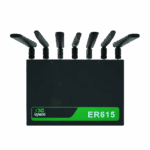
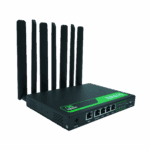
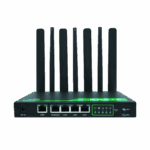
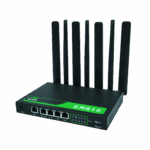
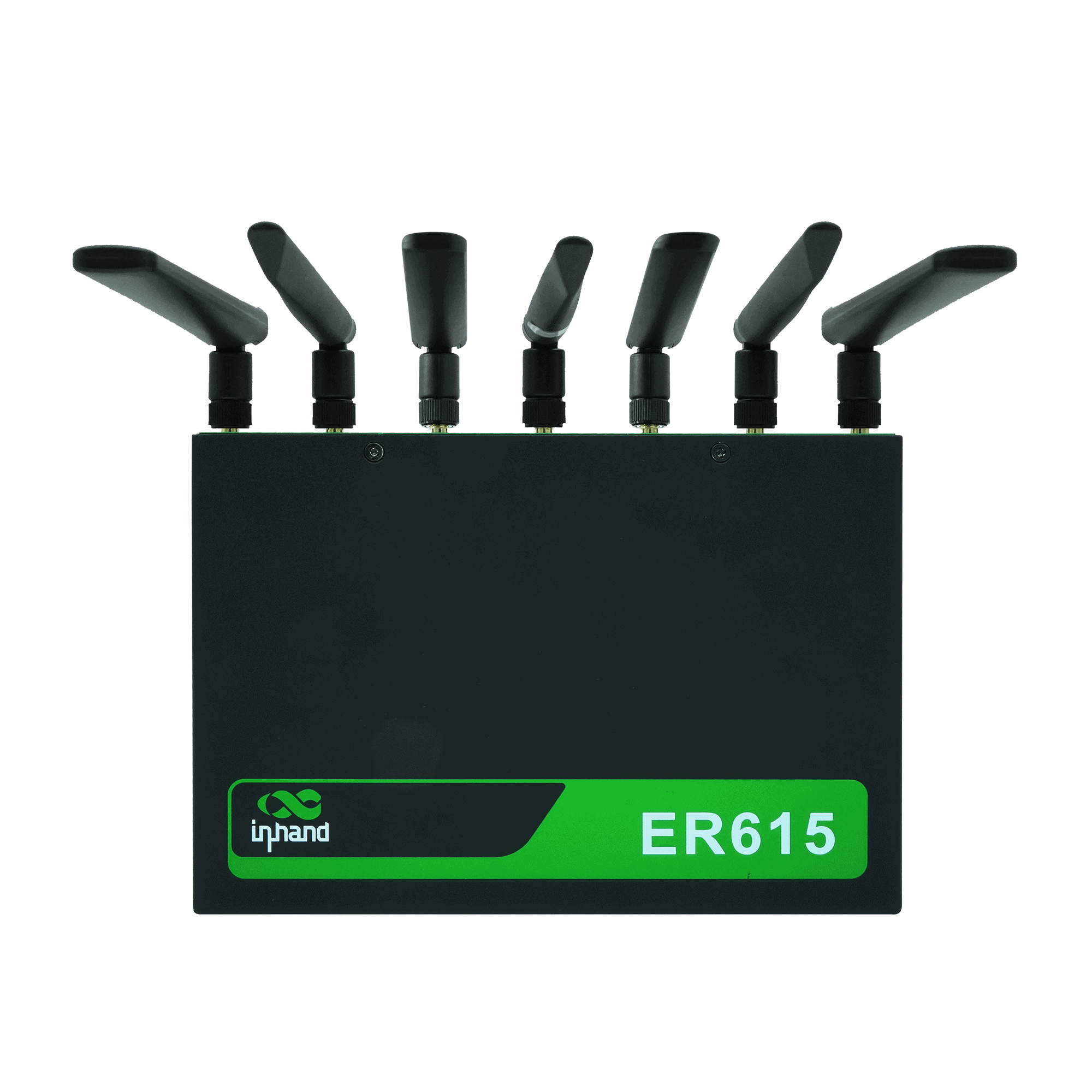
Küçük ve Orta Ölçekli İşletmeler İçin Yüksek Hızlı Bağlantı Sağlayan 5G WiFi6 Yönlendirici

Düşük maliyetli hücresel bağlantı
İstikrarlı 4G/5G hücresel erişim sağlayarak küçük mağazalar ve temel şube ağ ihtiyaçları için yüksek değer sunar.

3'ü 1 arada IoT kartını destekler.
Üç operatörün şebekelerinde tek SIM kart geçişiyle çoklu SIM kullanımını destekleyerek yüksek kaliteli hücresel bağlantı sağlar.

Bant dışı yönetim
Kritik cihazların güvenilir çalışmasını sağlamak amacıyla, bağımsız bir yönetim kanalı aracılığıyla terminalleri (POS cihazları, kameralar, telefonlar) uzaktan izler ve bakımını yapar.

Birden fazla cihaz bağlantısını destekler.
Gigabit portlar ve 1200M Wi-Fi desteği, günlük mağaza ağ iletişimi için POS cihazları, kameralar, VoIP, telefonlar ve diğer cihazları destekler.

Merkezi bulut yönetimi
Operasyonel karmaşıklığı azaltarak, birleşik erişim, görsel yönetim ve toplu yapılandırma/güncellemeler için InCloud Manager'ı destekler.
Düşük maliyetli hücresel bağlantı
İstikrarlı 4G/5G hücresel erişim sağlayarak küçük mağazalar ve temel şube ağ ihtiyaçları için yüksek değer sunar.
3'ü 1 arada IoT kartını destekler.
Üç operatörün şebekelerinde tek SIM kart geçişiyle çoklu SIM kullanımını destekleyerek yüksek kaliteli hücresel bağlantı sağlar.
Bant dışı yönetim
Kritik cihazların güvenilir çalışmasını sağlamak amacıyla, bağımsız bir yönetim kanalı aracılığıyla terminalleri (POS cihazları, kameralar, telefonlar) uzaktan izler ve bakımını yapar.
Birden fazla cihaz bağlantısını destekler.
Gigabit portlar ve 1200M Wi-Fi desteği, günlük mağaza ağ iletişimi için POS cihazları, kameralar, VoIP, telefonlar ve diğer cihazları destekler.
Merkezi bulut yönetimi
Operasyonel karmaşıklığı azaltarak, birleşik erişim, görsel yönetim ve toplu yapılandırma/güncellemeler için InCloud Manager'ı destekler.
-
Temel Teknik Özellikler
Antenler 4G: SMA ×2; 5G: SMA ×4; Wi-Fi: RP-SMA ×2; ≤5 dBiHücresel 5G/4G; NSA 2,6 Gbps'ye kadar indirme / 458 Mbps yükleme; SA 2 Gbps'ye kadar indirme / 766 Mbps yükleme; LTE 150/50 Mbps'ye kadarBulut Yönetimi InCloud YöneticisiBoyutlar / Çevre 198 × 137 × 25 mm (7.8 × 5.39 × 0.98 in); 848 g (1.87 lb); wall / desktop; -10 °C ~ +50 °C (14 °F ~ +122 °F) op.; -40 °C ~ +85 °C (-40 °F ~ +185 °F) stg.; 5–95% RH; IP20EMC EMC Seviye 2Ethernet 5 × GbE (WAN/LAN, çift WAN)Ağ ve Güvenlik IPv4/IPv6; VLAN, DHCP, statik yönlendirme; NAT; 3 katmanlı güvenlik duvarı; PPPoE; çift SIM kart desteğiGüç 12 V / 2 A; tepe noktası ≤24 WSD-WAN / VPN SD-WAN (Spoke); IPsec, L2TPSIM Dual Nano-SIM; eSIM optionalVerim / Kullanıcılar 1 Gbps; IPsec 100 Mbps; 200 kullanıcı (128 Wi-Fi)Wifi Wi-Fi 6 (802.11ax), 2.4/5 GHz, 3000 Mbps; çoklu SSID, VLAN, misafir ağı
-
Performans Ölçütleri
Flaş 8 GBIPsec VPN Veri Aktarım Hızı 100 MbpsVeri deposu 512 MBÖnerilen Kullanıcılar 200 (Wi-Fi: 128)Verim 1 Gbps
-
Arayüzler
Anten 4G: SMA × 2, Wi-Fi: RP-SMA × 2; 5G: SMA × 4, Wi-Fi: RP-SMA × 2Hücresel 5G SA: 2 Gbps İndirme / 766 Mbps Yükleme; 5G NSA: 2,6 Gbps İndirme / 458 Mbps Yükleme; 4G LTE: 150 Mbps İndirme / 50 Mbps YüklemeEthernet 5 × 10/100/1000 Mbps, WAN/LAN geçişi, çift WANSıfırla İğne deliği sıfırlama düğmesiSIM Kart Dual Nano-SIM (eSIM optional)
-
Güç
Giriş 12 V / 2 ATepe Gücü ≤ 24 W
-
LED'ler
NEDEN OLMUŞ Güç, Ağ, Sinyal, Wi-Fi
-
Mekanik
Boyutlar 198 × 137 × 25 mm (7.8 × 5.39 × 0.98 in)Kurulum Duvara monte, masaüstüKoruma IP20Ağırlık 848 g (1.87 lb)
-
Çevre
Nem 5–95 % RH (yoğuşmasız)Çalışma Sıcaklığı -10 °C ~ +50 °C (14 °F ~ +122 °F)Depolama Sıcaklığı -40 °C ~ +85 °C (-40 °F ~ +185 °F)
-
EMC
EMC EMC seviye 2
-
Bulut Yönetimi
Kontrol Paneli WAN/erişim/uygulama görünürlüğü, trafik istatistikleri, hücresel sinyal, arayüz durumu, istemci analiziÖzellikler Merkezi yapılandırma, sıfır dokunuşlu kurulum, uzaktan yükseltmeler, SD-WANPlatform InCloud Yöneticisi
-
Ağ Özellikleri
Erişim 5G/4G, kablolu, Wi-FiArama PPPoE, cellular auto redial, dual-SIM switching, APN configurationIP Protokolleri IPv4, IPv6Protokoller VLAN, DHCP (Sunucu/İstemci), DHCP Snooping, DNS, DDNS, IP Passthrough, STP, ARP, ICMPYönlendirme Statik yönlendirmeSD-WAN SD-WAN (Spoke)VPN IPsec VPN, L2TP VPN
-
Wifi
Şifreleme WPA, WPA2, WPA-PSK, WPA2-PSK, WPA3Özellikler Çoklu SSID, SSID VLAN, SSID gizli, misafir modu
-
Güvenlik
Erişim Kontrolü Kara/beyaz liste, alan adı filtrelemeGüvenlik Duvarı 3L gelen/giden kuralları, port yönlendirme, SNAT, DNAT
-
Güvenilirlik
Alarmlar Yerel e-posta; platform SMS ve e-postaOlaylar Kullanıcı girişleri, bağlantı kesilmeleri, cihaz yeniden başlatmalarıGünlükler Çalışma zamanı günlükleri, teşhis günlükleriTrafik Şekillendirme Bağlantı/IP/protokol bazında trafik şekillendirmeYükseltmeler Planlı yükseltmeler
-
Teşhis
Aletler ICMP, paket yakalama, izleme rotası
Standart paket*
- ER615 Kurumsal Yönlendirici *1
- WI-FI Anteni *3
- 5G Anten *4
- 4G Anten *2
- Ethernet Kablosu *1
- Güç Kaynağı *1
* Standart paket içerikleri, standart sipariş kodlarına göre değişiklik gösterebilir.
Bize Ulaşın Ambalaj seçeneklerimiz hakkında daha fazla bilgi edinmek için doğrudan iletişime geçin.
Teknik Özellikler
-
Temel Teknik Özellikler
Antenler 4G: SMA ×2; 5G: SMA ×4; Wi-Fi: RP-SMA ×2; ≤5 dBiHücresel 5G/4G; NSA 2,6 Gbps'ye kadar indirme / 458 Mbps yükleme; SA 2 Gbps'ye kadar indirme / 766 Mbps yükleme; LTE 150/50 Mbps'ye kadarBulut Yönetimi InCloud YöneticisiBoyutlar / Çevre 198 × 137 × 25 mm (7.8 × 5.39 × 0.98 in); 848 g (1.87 lb); wall / desktop; -10 °C ~ +50 °C (14 °F ~ +122 °F) op.; -40 °C ~ +85 °C (-40 °F ~ +185 °F) stg.; 5–95% RH; IP20EMC EMC Seviye 2Ethernet 5 × GbE (WAN/LAN, çift WAN)Ağ ve Güvenlik IPv4/IPv6; VLAN, DHCP, statik yönlendirme; NAT; 3 katmanlı güvenlik duvarı; PPPoE; çift SIM kart desteğiGüç 12 V / 2 A; tepe noktası ≤24 WSD-WAN / VPN SD-WAN (Spoke); IPsec, L2TPSIM Dual Nano-SIM; eSIM optionalVerim / Kullanıcılar 1 Gbps; IPsec 100 Mbps; 200 kullanıcı (128 Wi-Fi)Wifi Wi-Fi 6 (802.11ax), 2.4/5 GHz, 3000 Mbps; çoklu SSID, VLAN, misafir ağı
-
Performans Ölçütleri
Flaş 8 GBIPsec VPN Veri Aktarım Hızı 100 MbpsVeri deposu 512 MBÖnerilen Kullanıcılar 200 (Wi-Fi: 128)Verim 1 Gbps
-
Arayüzler
Anten 4G: SMA × 2, Wi-Fi: RP-SMA × 2; 5G: SMA × 4, Wi-Fi: RP-SMA × 2Hücresel 5G SA: 2 Gbps İndirme / 766 Mbps Yükleme; 5G NSA: 2,6 Gbps İndirme / 458 Mbps Yükleme; 4G LTE: 150 Mbps İndirme / 50 Mbps YüklemeEthernet 5 × 10/100/1000 Mbps, WAN/LAN geçişi, çift WANSıfırla İğne deliği sıfırlama düğmesiSIM Kart Dual Nano-SIM (eSIM optional)
-
Güç
Giriş 12 V / 2 ATepe Gücü ≤ 24 W
-
LED'ler
NEDEN OLMUŞ Güç, Ağ, Sinyal, Wi-Fi
-
Mekanik
Boyutlar 198 × 137 × 25 mm (7.8 × 5.39 × 0.98 in)Kurulum Duvara monte, masaüstüKoruma IP20Ağırlık 848 g (1.87 lb)
-
Çevre
Nem 5–95 % RH (yoğuşmasız)Çalışma Sıcaklığı -10 °C ~ +50 °C (14 °F ~ +122 °F)Depolama Sıcaklığı -40 °C ~ +85 °C (-40 °F ~ +185 °F)
-
EMC
EMC EMC seviye 2
-
Bulut Yönetimi
Kontrol Paneli WAN/erişim/uygulama görünürlüğü, trafik istatistikleri, hücresel sinyal, arayüz durumu, istemci analiziÖzellikler Merkezi yapılandırma, sıfır dokunuşlu kurulum, uzaktan yükseltmeler, SD-WANPlatform InCloud Yöneticisi
-
Ağ Özellikleri
Erişim 5G/4G, kablolu, Wi-FiArama PPPoE, cellular auto redial, dual-SIM switching, APN configurationIP Protokolleri IPv4, IPv6Protokoller VLAN, DHCP (Sunucu/İstemci), DHCP Snooping, DNS, DDNS, IP Passthrough, STP, ARP, ICMPYönlendirme Statik yönlendirmeSD-WAN SD-WAN (Spoke)VPN IPsec VPN, L2TP VPN
-
Wifi
Şifreleme WPA, WPA2, WPA-PSK, WPA2-PSK, WPA3Özellikler Çoklu SSID, SSID VLAN, SSID gizli, misafir modu
-
Güvenlik
Erişim Kontrolü Kara/beyaz liste, alan adı filtrelemeGüvenlik Duvarı 3L gelen/giden kuralları, port yönlendirme, SNAT, DNAT
-
Güvenilirlik
Alarmlar Yerel e-posta; platform SMS ve e-postaOlaylar Kullanıcı girişleri, bağlantı kesilmeleri, cihaz yeniden başlatmalarıGünlükler Çalışma zamanı günlükleri, teşhis günlükleriTrafik Şekillendirme Bağlantı/IP/protokol bazında trafik şekillendirmeYükseltmeler Planlı yükseltmeler
-
Teşhis
Aletler ICMP, paket yakalama, izleme rotası
İndirmeler
Sipariş verme
Standart paket*
- ER615 Kurumsal Yönlendirici *1
- WI-FI Anteni *3
- 5G Anten *4
- 4G Anten *2
- Ethernet Kablosu *1
- Güç Kaynağı *1
* Standart paket içerikleri, standart sipariş kodlarına göre değişiklik gösterebilir.
Bize Ulaşın Ambalaj seçeneklerimiz hakkında daha fazla bilgi edinmek için doğrudan iletişime geçin.
InCloud Yöneticisi
Bulut Tabanlı Ağ Yönetim Platformu
Zincir mağazalar ve KOBİ'ler için yapay zeka destekli ağ platformu, yönlendiricilerin, erişim noktalarının ve anahtarların merkezi olarak izlenmesini ve yönetilmesini sağlar.
InCloud Yöneticisi
İlgili Vakalar

Hücresel Yedekleme Çözümü ile Güvenli ve Kesintisiz Bağlantı
Hücresel Yedekleme Çözümü ile Güvenli ve Kesintisiz Bağlantı: Uygulamalar ve Örnek Olaylar Önemli Noktalar…
Daha Fazla Bilgi Edinin →
SD-WAN, Chain Clothing'in Operasyonlarını Güçlendiriyor
SD-WAN, Zincir Giyim Uygulamaları ve Örnekleri için Operasyonları Geliştiriyor: Önemli Noktalar SD-WAN…
Daha Fazla Bilgi Edinin →
Dağıtılmış Yol İzleme için SD-WAN Ağları
Dağıtılmış Yol İzleme Uygulamaları ve Örnekleri için SD-WAN Ağları: Temel Çıkarımlar A…
Daha Fazla Bilgi Edinin →Sıkça Sorulan Sorular
ER615 ne gibi özellikler sunuyor?
ER615, ER605'e göre daha yüksek istemci yoğunluğu ve veri aktarım hızı için tasarlanmış, bulut tabanlı yönetilen 5G/4G şube uç yönlendiricisidir ve Wi-Fi 6 özelliğine sahiptir. Öne çıkan özellikler:
| — | — |
| Verim | 1 Gbps yönlendirme, 100 Mbps IPsec VPN |
| Önerilen kullanıcılar | Kadar 200 toplam (128 Wi-Fi istemcisi) |
| Hücresel | 5G (SA 2 Gbps'ye kadar indirme hızı, NSA 2,6 Gbps'ye kadar indirme hızı) veya 4G; çift nano-SIM, isteğe bağlı eSIM |
| Wifi | Wi-Fi 6 (802.11ax) çift bantlı, 3000 Mbps'ye kadar, WPA3 Destek |
| Ethernet | 5× GbE — WAN/LAN değiştirilebilir, çift WAN |
| Hafıza | 512 MB RAM / 8 GB Flash |
| Yönetmek | InCloud Manager (ücretsiz Temel lisans; Branch Professional lisansı tam SD-WAN özelliklerini etkinleştirir) |
Hücresel ürün kodları şunları içerir: ER615-CNNR (Çin 5G) ER615-CNC4 (Çin 4G Kategori 4), ER615-EUC4 (AB/APAC 4G Kategori 4) ve ER615-EN00 (hücresel bağlantı yok). Her biri Wi-Fi'li veya Wi-Fi'siz olarak mevcuttur ( -WLAN veya -NA ).
ER615 cihazını ilk kez nasıl kurar ve giriş yaparım?
Hücresel ve Wi-Fi antenlerini takın, SIM kartı yerleştirin ve 12 V/2 A güç adaptörünü bağlayın. Cihaz açıldıktan sonra, bir bilgisayarı Ethernet kablosuyla bir LAN portuna bağlayın. Adaptörü DHCP veya 192.168.2.x statik IP adresine ayarlayın. Bir tarayıcı açın ve şu adrese gidin: http://192.168.2.1 Cihaz etiketinde yazılı olan kimlik bilgileriyle giriş yapın.
ER615 cihazını hücresel ağa nasıl bağlarım ve APN ayarlarını nasıl yaparım?
Cihaz kapalıyken SIM kartı/kartları takın. Cihazı açın — ER615 çoğu durumda operatörü otomatik olarak algılar ve eşleşen APN'yi uygular, bu nedenle manuel kurulum gerekmez. Hücresel bağlantı kurulmazsa, oturum açın ve şuraya gidin: İnternet 〉 HücreselOperatörünüzün gereksinimlerine göre APN'yi yapılandırın ve tıklayın. UygulaÇift SIM (veya eSIM) yedekleme için, her profili yapılandırın ve bağlantı önceliğini ayarlayın. Kontrol ederek doğrulayın. Ağ LED'i: Sabit yeşil = hücresel bağlantı mevcut; yanıp sönen yeşil = bağlanıyor; yanıp sönen kırmızı = bağlantı kesildi.
ER615 cihazında yük devretmeyi nasıl yapılandırırım?
ER615 hücresel bağlantıyı destekler (çift nano-SIM + isteğe bağlı eSIM), çift kablolu WANve Wi-Fi istemci bağlantısı. Yedeklemeyi üç yerde yapılandırın: İnternet:
- Yukarı Bağlantı Tablosu — bağlantıları sürükleyerek ayarlayın öncelik sırası.
- Yükleme Ayarları > Bağlantı Algılama — Algılama adreslerini ve eşik değerlerini ayarlayın gecikme, titreşim, paket kaybı ve sinyal gücü.
- Bağlantı Yedekleme > Yük Devretme Modu — Bir sonraki öncelikli bağlantıya geçiş davranışını seçin.
Tıklamak KaydetmekÖnceliği daha yüksek olan bağlantı kurtarıldıktan ve Bağlantı Algılama testini geçtikten sonra otomatik olarak geri dönüş gerçekleşir.
—