


InCloud Agent
An AI Agent for Network Operations
Tell it what to check or address. It uses device status, alerts, logs, and site data to analyze issues. When needed, it calls operations tools to execute approved actions and verify results within existing permissions and approval workflows.
Start with a request. Move the task forward.
From routine inspections and troubleshooting to device actions and result verification, AI uses live device status, alerts, logs, and configurations to complete tasks, rather than simply answer questions.
Start with a request. Move the task forward.
From routine inspections and troubleshooting to device actions and result verification, AI uses live device status, alerts, logs, and configurations to complete tasks, rather than simply answer questions.
Why InCloud Agent
Enterprise networks are increasingly distributed across stores, branches, factories, vehicles, energy sites, and unmanned locations. Even with centralized management, engineers still search through device status, alerts, connection history, logs, signal data, configurations, and firmware details when something goes wrong.
Rather than adding another monitoring screen, InCloud Agent reduces repetitive information gathering and routine operational work.
Help lean teams support more sites, devices, and customers
Move faster from symptoms to evidence-based conclusions
Support operations in cloud-managed, LAN, and private-network environments, as well as on devices reachable from an operations PC
Automate repetitive work without giving up permissions or control
Three ways to use InCloud Agent
Choose based on whether your devices are managed in InCloud Manager and whether your team already uses an AI agent.
Access
Use InCloud Agent directly in InCloud Manager.
After signing in, open the AI Network Assistant chat to use InCloud Agent.
Query devices, troubleshoot issues, or carry out network operations. InCloud Agent uses device, site, alert, log, signal, configuration, and firmware data already in InCloud Manager. It stays within the current user’s account and device permissions.
Best for
IT, network, and operations teams that already manage devices in InCloud Manager and want AI-assisted operations without setting up a separate AI agent.
Key features
- Ready to use; no separate AI agent required
- No model selection or setup
- Uses existing InCloud Manager data and operations capabilities
Access
Bring InCloud Manager operations into your own AI agent.
If your team already uses an AI agent, install the InCloud Skill to let it query device data and perform operations through InCloud Manager.
The agent uses the user’s existing InCloud Manager account and permissions. Adding the Skill does not grant additional platform access.
Best for
Teams with their own AI agent that want to add network operations to existing AI workflows.
Key features
- Choose your own AI agent and model
- Access devices and operations data through InCloud Manager
- Combine with automated workflows and other tools
Access
Connect your AI agent directly to devices, even when they are not in InCloud Manager.
For devices not managed in InCloud Manager, including those on LANs or private networks, use the Direct Device Skill.
The Skill includes agent-cli, which runs on the AI agent’s host computer and connects to supported InHand devices over the network.
Best for
Field commissioning, technical support, LAN or private-network environments, and devices not yet managed in InCloud Manager.
Key features
- No InCloud Manager required
- The AI agent interacts directly with devices
- agent-cli connects to devices and provides access to supported operations
See how it handles real network issues
From multi-site anomaly triage to on-site device diagnosis, InCloud Agent uses live device data to analyze issues, take action, and verify outcomes.
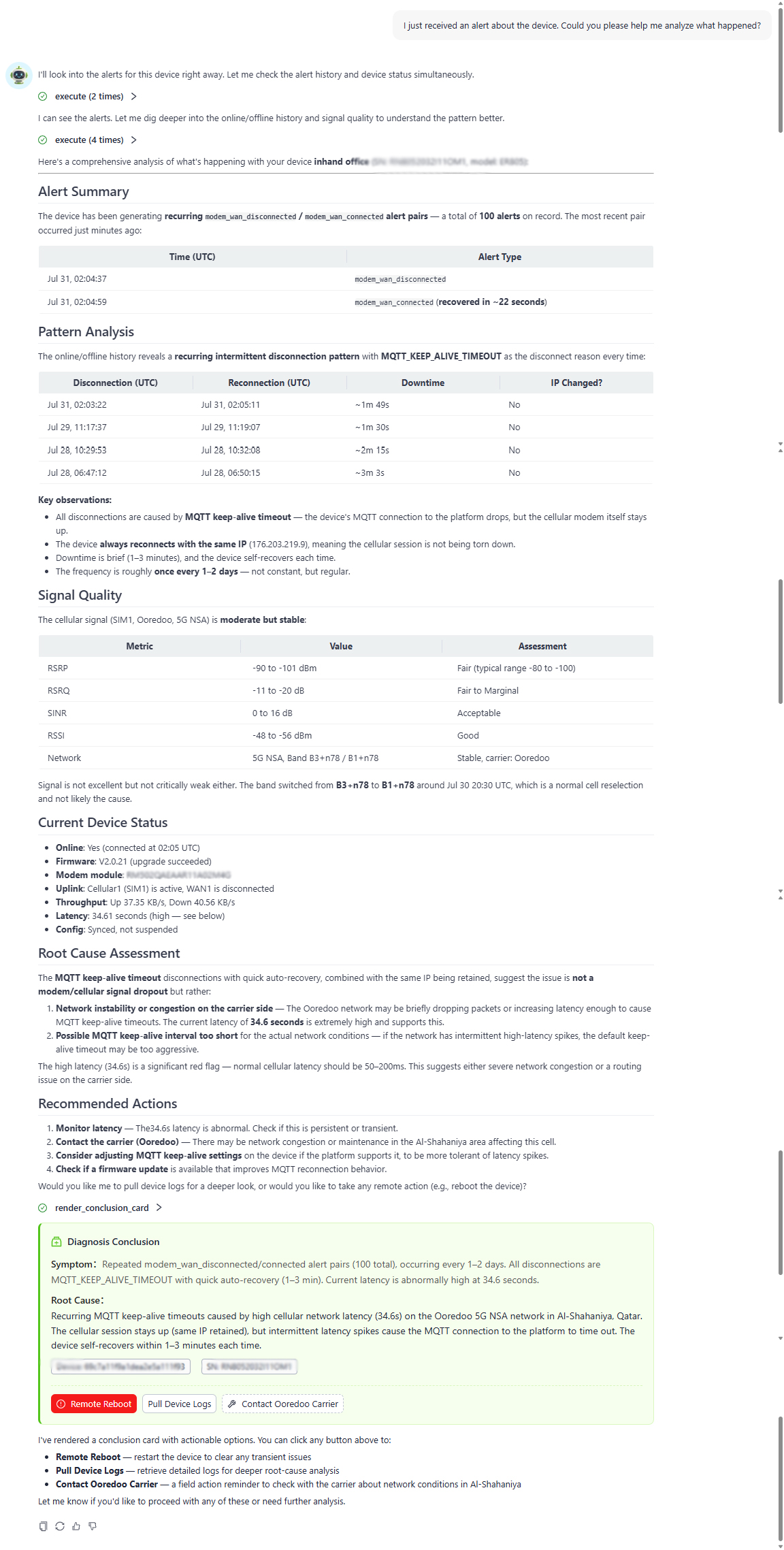
Identify anomalies across multiple sites
Combine device status, site data, alerts, and logs to identify the anomalies and devices that need attention first.
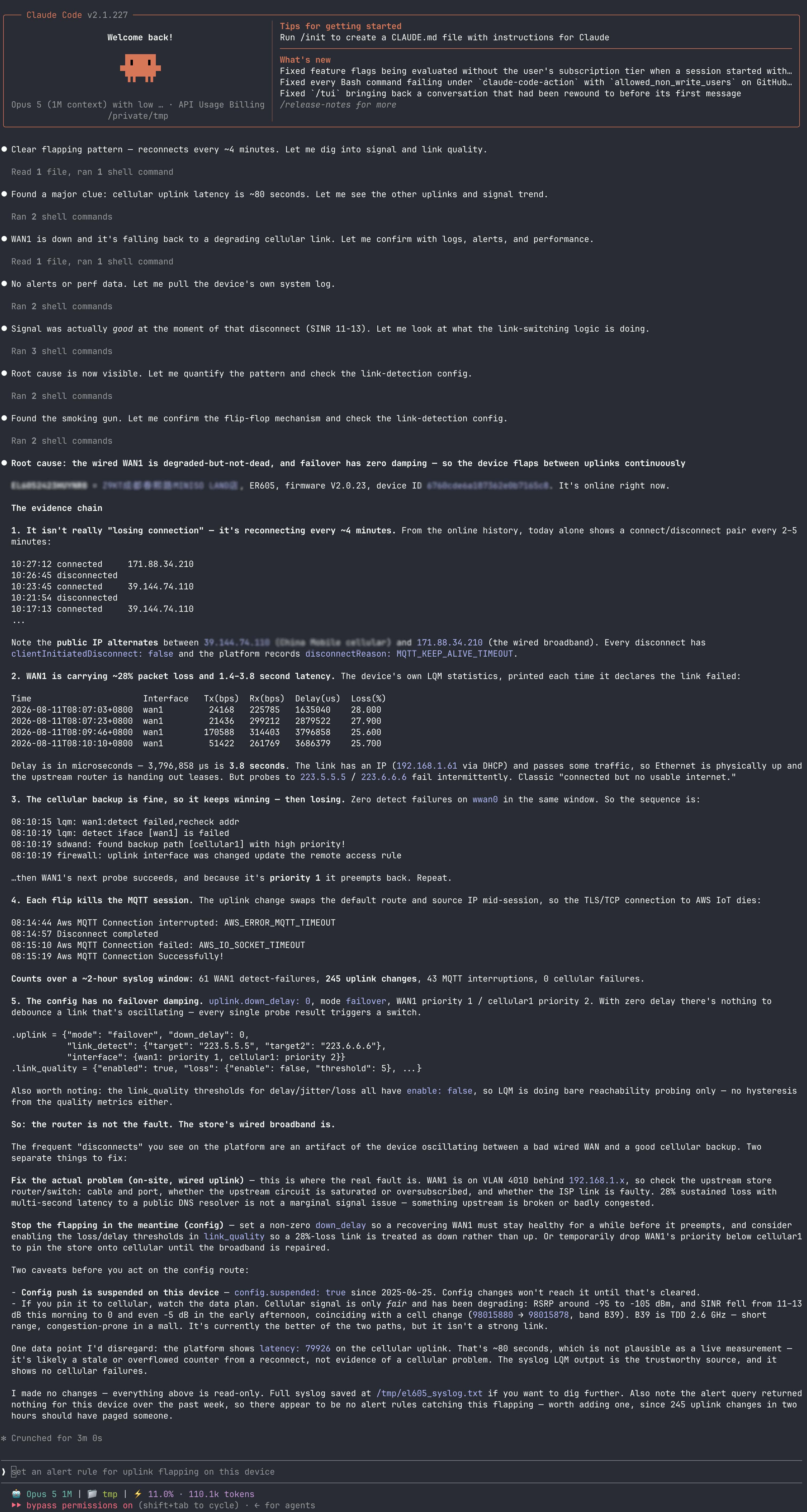
Diagnose repeated cellular disconnects
Use your team’s AI agent with the InCloud Skill to retrieve cellular device status, signal data, logs, and other operational data for diagnosis.
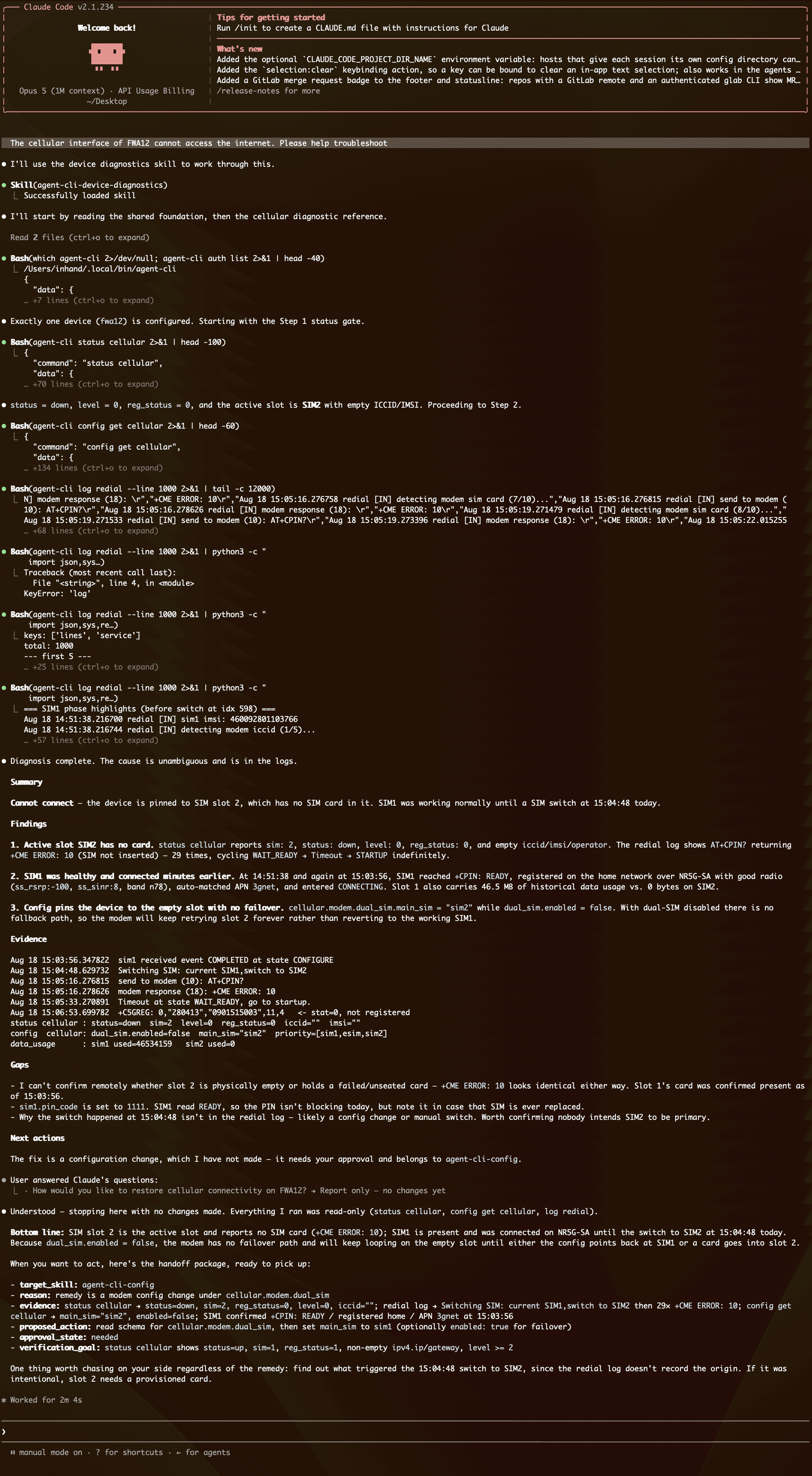
Diagnose devices not managed in the cloud
When a device is not managed in InCloud Manager, an on-site engineer can use an AI agent with agent-cli to retrieve device status and logs and run diagnostics.
From request to verified result
Whether you use InCloud Agent or your own agent with a Skill, the core workflow is the same.

Describe the task
State what you want to check or do.
For example: “Why did this device disconnect three times last night?”
Gather and analyze
Gather relevant device status, alerts, logs, network conditions, configurations, and other data for the task.
Confirm and execute
Read-only queries and diagnostics proceed directly. Before configuration changes, firmware upgrades, or device restarts, the agent checks permissions and prerequisites and asks for confirmation when required.
Verify the result
After the action, retrieve the latest device status or related metrics to confirm:
- Did the action succeed?
- Is the issue resolved?
- Are there remaining anomalies to monitor?
- Is further action needed?
Frequently asked questions
Does InCloud Agent require InCloud Manager?
Not always. The AI Network Assistant and InCloud Skill require InCloud Manager. With agent-cli, your AI agent can connect directly to supported devices without onboarding them to InCloud Manager.
What accounts or credentials are required?
The AI Network Assistant and InCloud Skill require a valid InCloud Manager account with the appropriate permissions. agent-cli requires the device address and valid device login credentials.
What is the difference between the InCloud Skill and the Direct Device Skill?
Both support network operations, but they connect to different targets:
– The InCloud Skill connects to InCloud Manager to access managed devices and data through the cloud platform.
– The Direct Device Skill uses agent-cli to connect to a specific device without requiring it to be managed in InCloud Manager.
Is agent-cli free?
agent-cli is open source under the MIT License. InCloud Manager, InCloud CLI, third-party AI tools, and related services are subject to their respective licenses and terms.
Which AI tools work with InCloud Agent Skills?
Compatible agents include Claude Code and Codex CLI. Other tools must support the Agent Skills specification and meet the relevant CLI installation and authorization requirements.
How does the InCloud Skill handle authorization and data boundaries?
The InCloud Skill uses the user’s InCloud Manager account and cannot exceed its permissions. How a third-party AI tool processes, stores, or transmits interaction data depends on the selected tool, deployment, and configuration. Organizations should assess the tool against their data policies before use. High-risk actions still require explicit user confirmation.
Which devices and software versions are supported?
Support varies by access method, device model, firmware version, and operation type. Contact InHand for the latest compatibility list and to confirm whether your device and intended task are supported.

