


CR602
جهاز توجيه خلوي من الجيل الخامس
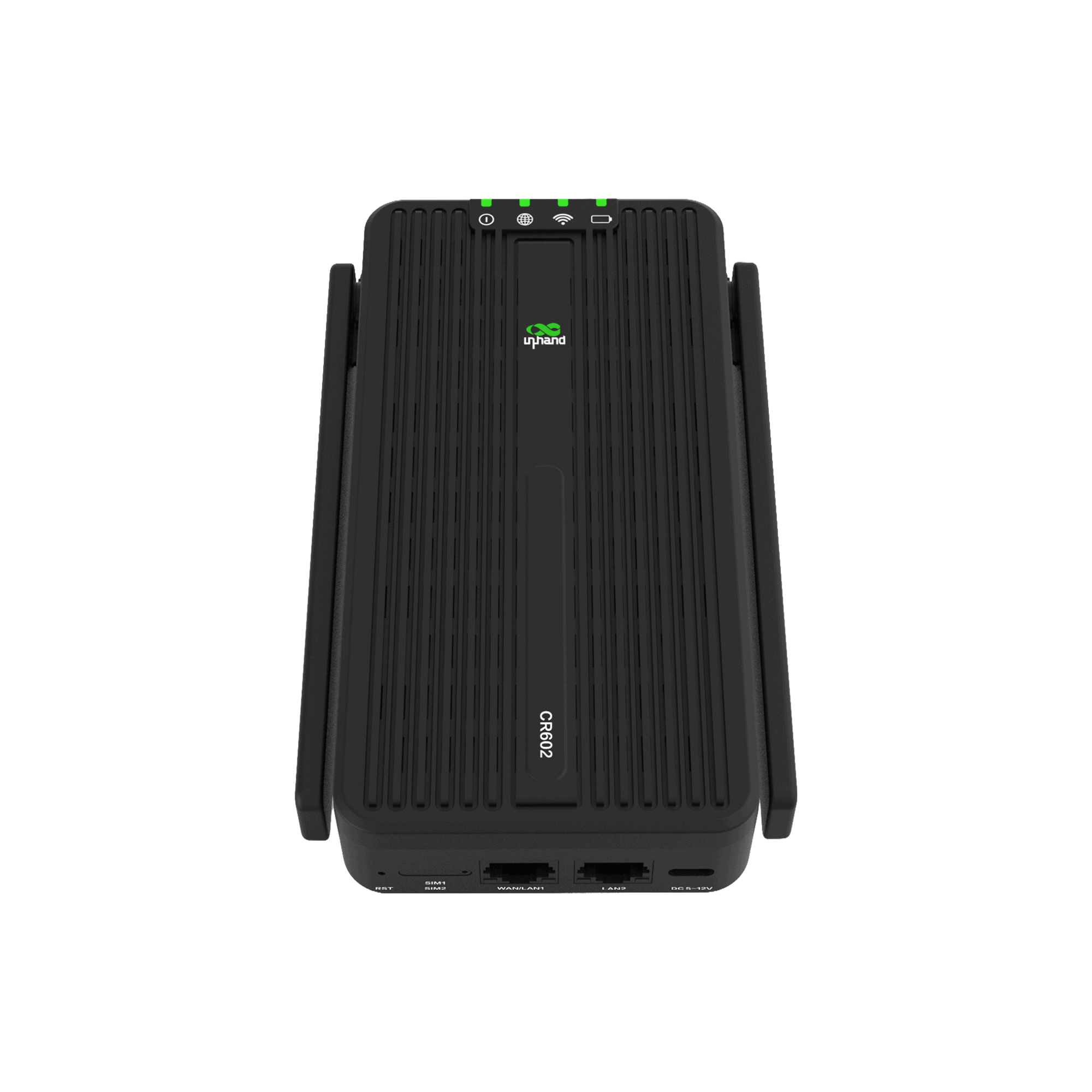
جهاز توجيه خلوي عالي الأداء بتقنية الجيل الخامس، يجمع بين تقنية الجيل الخامس NR وشبكة Wi-Fi 7 ومنفذي 2.5 جيجابت إيثرنت. يعمل ببطارية سعة 10000 مللي أمبير، ويوفر اتصالاً فائق السرعة وموثوقاً به لتشغيل ممتد في البيئات الخارجية والمتنقلة وحالات الطوارئ.
CR602
جهاز توجيه خلوي من الجيل الخامس
جهاز توجيه خلوي عالي الأداء بتقنية الجيل الخامس، يجمع بين تقنية الجيل الخامس NR وشبكة Wi-Fi 7 ومنفذي 2.5 جيجابت إيثرنت. يعمل ببطارية سعة 10000 مللي أمبير، ويوفر اتصالاً فائق السرعة وموثوقاً به لتشغيل ممتد في البيئات الخارجية والمتنقلة وحالات الطوارئ.
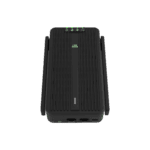
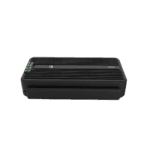
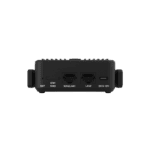
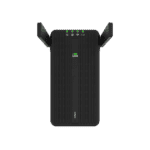
ملخص
اتصال فائق السرعة بتقنية الجيل الخامس

رائع وصغير الحجم
يتميز جهاز CR602 بصغر حجمه وخفة وزنه، مما يوفر اتصالاً موثوقاً أثناء التنقل. يمكن وضعه في الجيوب أو حقائب الظهر أو صناديق الأدوات لاستخدامه في أي وقت وفي أي مكان.

طاقة تدوم طويلاً
بفضل بطاريته القوية التي تبلغ سعتها 10000 مللي أمبير، يوفر جهاز CR602 استخدامًا ممتدًا لاتصال متواصل.

أداء فائق
يوفر جهاز CR602 سرعة تصل إلى 7.01 جيجابت في الثانية للاتصال الخلوي، و3 جيجابت في الثانية لشبكة Wi-Fi 7، و2.5 جيجابت في الثانية لشبكة Ethernet لتجربة اتصال عالية السرعة ومطورة.

تتيح لك إدارة السحابة الفعالة التحكم الكامل في كل شيء.
يتيح جهاز CR602 المزود ببرنامج InCloud Manager إدارة السحابة القابلة للتوسع، ومراقبة الشبكة في الوقت الفعلي، والتحكم الفعال في تكنولوجيا المعلومات للمواقع الموزعة في أي مكان.
رائع وصغير الحجم
يتميز جهاز CR602 بصغر حجمه وخفة وزنه، مما يوفر اتصالاً موثوقاً أثناء التنقل. يمكن وضعه في الجيوب أو حقائب الظهر أو صناديق الأدوات لاستخدامه في أي وقت وفي أي مكان.
طاقة تدوم طويلاً
بفضل بطاريته القوية التي تبلغ سعتها 10000 مللي أمبير، يوفر جهاز CR602 استخدامًا ممتدًا لاتصال متواصل.
أداء فائق
يوفر جهاز CR602 سرعة تصل إلى 7.01 جيجابت في الثانية للاتصال الخلوي، و3 جيجابت في الثانية لشبكة Wi-Fi 7، و2.5 جيجابت في الثانية لشبكة Ethernet لتجربة اتصال عالية السرعة ومطورة.
AI-Powered Cloud Management
يتيح جهاز CR602 المزود ببرنامج InCloud Manager إدارة السحابة القابلة للتوسع، ومراقبة الشبكة في الوقت الفعلي، والتحكم الفعال في تكنولوجيا المعلومات للمواقع الموزعة في أي مكان.
-
Core Features and Benefits
5G Ultra-High Performance Downlink/Uplink peak rates 7.01 Gbps/2.5 Gbps; 300 MHz NR bandwidth; Sub-6 Carrier Aggregation DL 4CA/UL 2CAWi-Fi 7 Next-Generation Wireless BE3000 dual-band concurrent (2.4GHz + 5GHz); up to 32 clients; 160MHz channel width; 4K QAM modulationTriple SIM Intelligent Switching Dual Nano-SIM + pre-provisioned eSIM; Primary/Backup1/Backup2 priority configurable; second-level failover switchingeSIM Factory Pre-activated Ready to use out of box, no waiting for physical SIM card delivery10000mAh Large Battery Up to 15 hours continuous operation in 5G mode; supports USB-C, power bank and other charging methodsCompact All-in-One Design Compact body (167 × 102 × 36.5 mm (6.57 × 4.02 × 1.44 in)); foldable external antenna; IP30 protection ratingInCloud Cloud Management Unified cloud platform management, mobile APP anytime anywhere O&M
-
Product Design Highlights
Large Capacity Battery 10000mAh large battery provides extended runtime, supports removal and replacementWi-Fi 7 Next-Generation Wireless Wi-Fi 7 BE3000 delivers ultimate wireless experienceHigh-Performance Antenna Design Dual design of external foldable and built-in LDS antenna ensures stable signalSmart SIM Management Dual Nano-SIM + eSIM triple-card design provides flexible connectivityReliable Thermal Design Built-in metal heatsink combined with smart temperature control ensures long-term stable operationCompact All-in-One Compact design for easy carrying
-
مواصفات الأجهزة
المعالج Quad-core Cortex-A55 (2.2 GHz)ذاكرة 2GB DDR4تخزين 4GB eMMCوحدة الجيل الخامس RG620Tفتحة بطاقة SIM 2× Nano-SIM + 1× Built-in eSIM (GSMA Consumer specification)منافذ إيثرنت 2× 2.5G Gigabit RJ45, WAN/LAN adaptiveUSB Interface 1× USB-C (supports charging)واي فاي Wi-Fi 7 (802.11be) dual-band BE30005G Antenna 2× External foldable high-performance cellular antenna + 6× Built-in high-performance cellular antennaهوائي واي فاي 3× Built-in antennaبطارية Built-in 10000mAh lithium batteryمزود الطاقة USB-C power supply or battery powerاستهلاك الطاقة ≤20Wزر إعادة الضبط 1× Reset buttonزر التشغيل 1× Power buttonالمؤشرات Power indicator, network indicator, Wi-Fi indicator, battery level indicatorطريقة التبريد Passive cooling designتصنيف الحماية IP30Housing Material High-strength engineering plasticDevice Color Blackدرجة حرارة التشغيل -10 °C ~ +40 °C (14 °F ~ +104 °F)درجة حرارة التخزين -20 °C ~ +60 °C (-4 °F ~ +140 °F)الرطوبة النسبية 5%~95% non-condensingأبعاد 167 × 102 × 36.5 mm (6.57 × 4.02 × 1.44 in)وزن Approx. 550 g (1.21 lb) (with battery)
-
Flexible SIM Priority Configuration
Primary Preferred dialing SIM, used by default after power-on / rebootBackup 1 (Secondary) First switch target when Primary is abnormalBackup 2 (Tertiary) Final fallback when Backup 1 is still unavailable
-
SIM Switching Trigger Conditions
Dial Failure SIM card abnormal, PDP activation failure, etc.الكشف عن الروابط ICMP detection continuously times out 3 timesTraffic Threshold Monthly used traffic reaches set upper limit
-
Access Capacity
Wireless Access (Wi-Fi) ≤ 32 devicesWired Access ≤ 96 devicesTotal Device Capacity ≤ 128 devices
الباقة القياسية*
- جهاز توجيه خلوي CR602 *1
- بطارية ليثيوم 10000 مللي أمبير *1
- مزود الطاقة *1
- كابل إيثرنت *1
- دليل المستخدم *1
* تختلف محتويات العبوة القياسية باختلاف رموز الطلب القياسية.
اتصل بنا للحصول على مزيد من المعلومات حول خيارات التغليف لدينا، يرجى الاتصال بنا مباشرة.
تحديد
-
Core Features and Benefits
5G Ultra-High Performance Downlink/Uplink peak rates 7.01 Gbps/2.5 Gbps; 300 MHz NR bandwidth; Sub-6 Carrier Aggregation DL 4CA/UL 2CAWi-Fi 7 Next-Generation Wireless BE3000 dual-band concurrent (2.4GHz + 5GHz); up to 32 clients; 160MHz channel width; 4K QAM modulationTriple SIM Intelligent Switching Dual Nano-SIM + pre-provisioned eSIM; Primary/Backup1/Backup2 priority configurable; second-level failover switchingeSIM Factory Pre-activated Ready to use out of box, no waiting for physical SIM card delivery10000mAh Large Battery Up to 15 hours continuous operation in 5G mode; supports USB-C, power bank and other charging methodsCompact All-in-One Design Compact body (167 × 102 × 36.5 mm (6.57 × 4.02 × 1.44 in)); foldable external antenna; IP30 protection ratingInCloud Cloud Management Unified cloud platform management, mobile APP anytime anywhere O&M
-
Product Design Highlights
Large Capacity Battery 10000mAh large battery provides extended runtime, supports removal and replacementWi-Fi 7 Next-Generation Wireless Wi-Fi 7 BE3000 delivers ultimate wireless experienceHigh-Performance Antenna Design Dual design of external foldable and built-in LDS antenna ensures stable signalSmart SIM Management Dual Nano-SIM + eSIM triple-card design provides flexible connectivityReliable Thermal Design Built-in metal heatsink combined with smart temperature control ensures long-term stable operationCompact All-in-One Compact design for easy carrying
-
مواصفات الأجهزة
المعالج Quad-core Cortex-A55 (2.2 GHz)ذاكرة 2GB DDR4تخزين 4GB eMMCوحدة الجيل الخامس RG620Tفتحة بطاقة SIM 2× Nano-SIM + 1× Built-in eSIM (GSMA Consumer specification)منافذ إيثرنت 2× 2.5G Gigabit RJ45, WAN/LAN adaptiveUSB Interface 1× USB-C (supports charging)واي فاي Wi-Fi 7 (802.11be) dual-band BE30005G Antenna 2× External foldable high-performance cellular antenna + 6× Built-in high-performance cellular antennaهوائي واي فاي 3× Built-in antennaبطارية Built-in 10000mAh lithium batteryمزود الطاقة USB-C power supply or battery powerاستهلاك الطاقة ≤20Wزر إعادة الضبط 1× Reset buttonزر التشغيل 1× Power buttonالمؤشرات Power indicator, network indicator, Wi-Fi indicator, battery level indicatorطريقة التبريد Passive cooling designتصنيف الحماية IP30Housing Material High-strength engineering plasticDevice Color Blackدرجة حرارة التشغيل -10 °C ~ +40 °C (14 °F ~ +104 °F)درجة حرارة التخزين -20 °C ~ +60 °C (-4 °F ~ +140 °F)الرطوبة النسبية 5%~95% non-condensingأبعاد 167 × 102 × 36.5 mm (6.57 × 4.02 × 1.44 in)وزن Approx. 550 g (1.21 lb) (with battery)
-
Flexible SIM Priority Configuration
Primary Preferred dialing SIM, used by default after power-on / rebootBackup 1 (Secondary) First switch target when Primary is abnormalBackup 2 (Tertiary) Final fallback when Backup 1 is still unavailable
-
SIM Switching Trigger Conditions
Dial Failure SIM card abnormal, PDP activation failure, etc.الكشف عن الروابط ICMP detection continuously times out 3 timesTraffic Threshold Monthly used traffic reaches set upper limit
-
Access Capacity
Wireless Access (Wi-Fi) ≤ 32 devicesWired Access ≤ 96 devicesTotal Device Capacity ≤ 128 devices
التنزيلات
الطلب
الباقة القياسية*
- جهاز توجيه خلوي CR602 *1
- بطارية ليثيوم 10000 مللي أمبير *1
- مزود الطاقة *1
- كابل إيثرنت *1
- دليل المستخدم *1
* تختلف محتويات العبوة القياسية باختلاف رموز الطلب القياسية.
اتصل بنا للحصول على مزيد من المعلومات حول خيارات التغليف لدينا، يرجى الاتصال بنا مباشرة.
مدير السحابة
منصة إدارة الشبكات السحابية
منصة شبكية مدعومة بالذكاء الاصطناعي للمتاجر المتسلسلة والشركات الصغيرة والمتوسطة، مما يتيح المراقبة والإدارة المركزية لأجهزة التوجيه ونقاط الوصول والمحولات.
مدير السحابة
قضايا ذات صلة

اتصال الجيل الخامس لرحلات العمل
اتصال الجيل الخامس لسفر الأعمال: التطبيقات والحالات الرئيسية مع تقنية الجيل الخامس المزدوجة...
تعرّف على المزيد →
اتصال الجيل الخامس لمحلات البيع بالتجزئة الصغيرة
اتصال الجيل الخامس لمتاجر التجزئة الصغيرة: التطبيقات والحالات الرئيسية. مدعوم بـ...
تعرّف على المزيد →
اتصال الجيل الخامس لرحلات المركبات الترفيهية
اتصال الجيل الخامس لتطبيقات وحالات السفر بالمركبات الترفيهية: أهم النقاط الرئيسية مع تقنية الواي فاي...
تعرّف على المزيد →الأسئلة الشائعة
ما الذي يقدمه جهاز CR602؟
جهاز CR602 هو راوتر خلوي بتقنية الجيل الخامس (5G) للاتصال داخل المباني وأثناء التنقل. أهم مميزاته:
- 5G NR Sub-6 بدعم من وكالة الأمن القومي ووكالة الأمن القومي، يصل إلى 7.01 جيجابت في الثانية تنزيل / 2.5 جيجابت في الثانية رفع معدلات المودم القصوى؛ والتحويل إلى شبكة LTE.
- واي فاي 7 (802.11be) نطاق مزدوج 2.4 جيجاهرتز + 5.8 جيجاهرتز، يصل إلى 32 عميلًا.
- شريحة ثلاثية: 2× شريحة نانو-SIM + 1× شريحة eSIM مع خاصية التبديل التلقائي في حالة فشل الشريحة.
- 2× 2.5 جيجابت إيثرنت منافذ RJ45 - كلاهما قابل للتبديل بين WAN/LAN، لذا يمكن إضافة وصلة سلكية دون فقدان منفذ LAN.
- تزويد الطاقةمحول USB من النوع C (شحن سريع 5 فولت/3 أمبير، أو 9 فولت/3 أمبير، أو 12 فولت/2.5 أمبير). مدمج بطارية سعتها 10000 مللي أمبير يوصل حتى 15 ساعة للتشغيل اللاسلكي؛ اضغط مع الاستمرار على زر التشغيل/الإيقاف لمدة 3 ثوانٍ لتشغيل الجهاز من البطارية. يضيء مؤشر البطارية باللون الأخضر عند مستوى شحن أعلى من 20%، وباللون الأحمر عند مستوى شحن أقل من 20%. ضمان البطارية لمدة عام واحد (3 سنوات على الجهاز نفسه).
- بدون مروحة، غلاف بلاستيكي، IP30، يمكن تركيبه على سطح المكتب أو على الحائط.
كيف يمكنني الوصول إلى واجهة الويب الخاصة بجهاز CR602؟
قم بتوصيل جهاز الكمبيوتر الخاص بك عبر منفذ إيثرنت بمنفذ LAN، أو انضم إلى شبكة Wi-Fi الافتراضية (SSID). CR602-XXXXXX (آخر 6 أحرف من الرقم التسلسلي). كلمة مرور Wi-Fi الافتراضية هي آخر 8 أحرف من الرقم التسلسلي. افتح متصفحًا وانتقل إلى https://192.168.2.1 — اقبل تحذير الشهادة الموقعة ذاتيًا. سجّل الدخول باستخدام بيانات الاعتماد الموجودة على الملصق الموجود على اللوحة الخلفية.
كيف أقوم بتوصيل جهاز CR602 بشبكة الجوال وتعيين نقطة الوصول (APN)؟
أدخل شريحة SIM والجهاز مطفأ. شغّل الجهاز - سيكتشف CR602 شركة الاتصالات تلقائيًا ويطبق نقطة الوصول (APN) المطابقة في معظم الحالات، لذا لا حاجة إلى إعداد يدوي. إذا لم يتم الاتصال بشبكة الجوال، فسجّل الدخول، ثم انتقل إلى الإنترنت > الهاتف المحمولقم بضبط إعدادات نقطة الوصول (APN) وفقًا لمتطلبات شركة الاتصالات الخاصة بك، ثم انقر فوق يتقدمفي حالة فشل استخدام شريحتين SIM، قم بتكوين ملف تعريف كل شريحة SIM على حدة. تحقق من ذلك عن طريق فحص شبكة LED: أخضر ثابت = اتصال بإشارة جيدة؛ أصفر ثابت = إشارة متوسطة؛ أحمر ثابت = إشارة ضعيفة؛ أخضر وامض = جارٍ الاتصال؛ أحمر وامض = لا توجد شريحة SIM أو خطأ في المودم.
كيف يمكنني إعطاء الأولوية لشبكة إيثرنت السلكية على شبكة الجيل الخامس الخلوية على جهاز CR602؟
يدعم جهاز CR602 خاصية تجاوز الأعطال في وصلات الإرسال المتعددة عبر شبكة إيثرنت سلكية، وشبكة الجيل الخامس الخلوية، وشبكة Wi-Fi. انتقل إلى الإنترنت > جدول وصلات الإرسال — بشكل افتراضي، يكون الاتصال الخلوي في أعلى الجدول وهو وصلة الإرسال النشطة. اسحب صف WAN فوق Cellular باستخدام مُعرّف الأولوية، يصبح اتصال WAN هو الاتصال الأساسي، ويتم تحويل اتصال Cellular إلى اتصال احتياطي. قم بتكوين اكتشاف الارتباط (فحص ICMP) ضمن إعدادات وصلة الإرسال لذا، ينتقل الجهاز تلقائيًا إلى شبكة الجوال في حال انقطاع الاتصال السلكي. انقر يحفظ.
—