


ER615
جهاز توجيه المؤسسة
جهاز ER615 هو جهاز توجيه فرعي مطور وفعال من حيث التكلفة مع أداء محسّن وتقنية Wi-Fi 6 AX3000، وهو مثالي للفروع الصغيرة ومواقع البيع بالتجزئة.
ER615
جهاز توجيه المؤسسة
جهاز ER615 هو جهاز توجيه فرعي مطور وفعال من حيث التكلفة مع أداء محسّن وتقنية Wi-Fi 6 AX3000، وهو مثالي للفروع الصغيرة ومواقع البيع بالتجزئة.
صورة
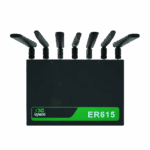
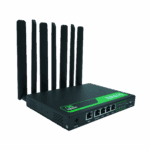
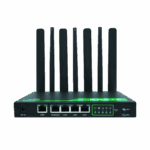
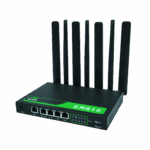
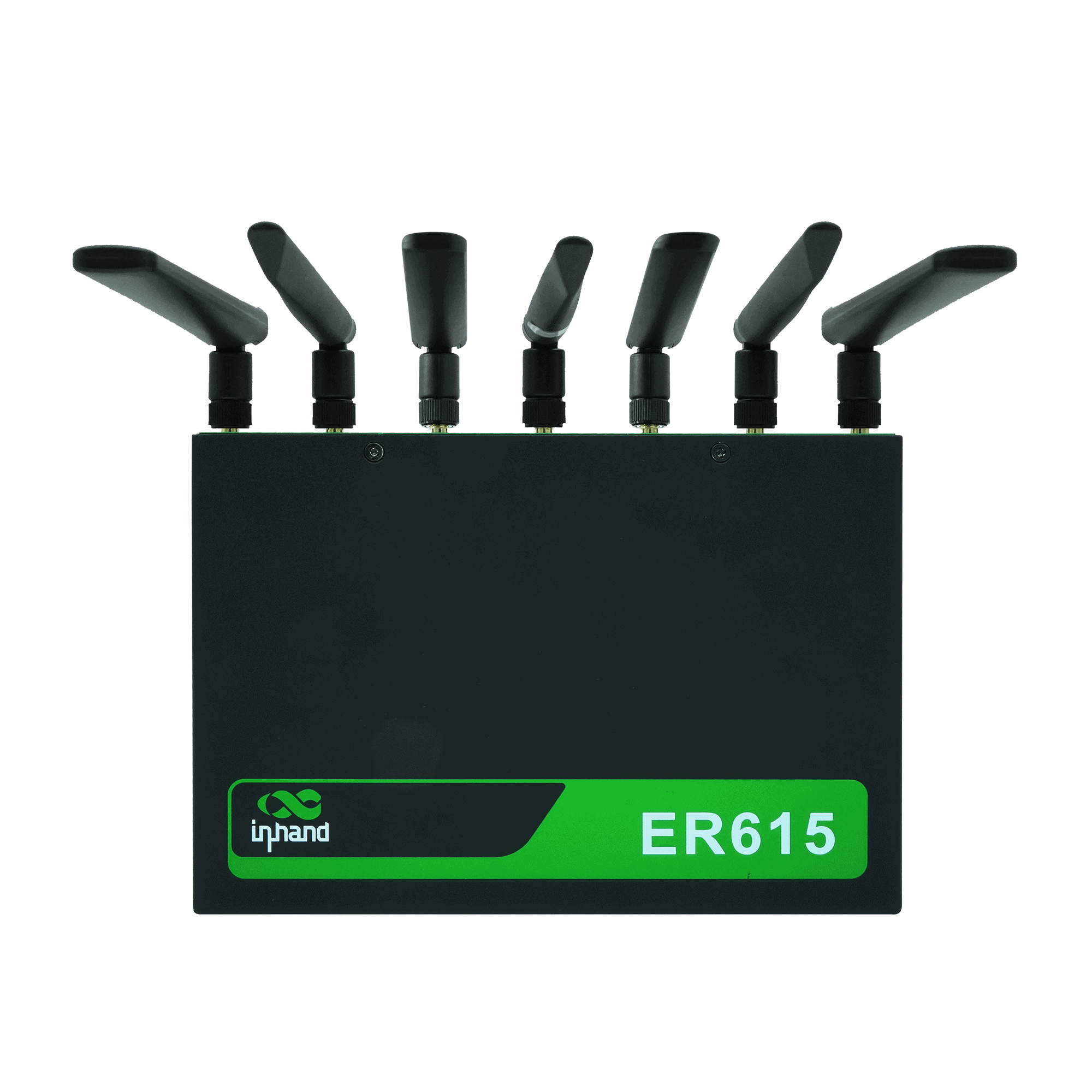
جهاز توجيه واي فاي 6 بتقنية الجيل الخامس لتوفير اتصال عالي السرعة للشركات الصغيرة والمتوسطة

اتصال خلوي منخفض التكلفة
يوفر وصولاً مستقراً إلى شبكات الجيل الرابع والخامس، مما يوفر قيمة عالية للمتاجر الصغيرة واحتياجات الشبكات الأساسية للفروع.

يدعم بطاقة إنترنت الأشياء 3 في 1
يدعم تشغيل شرائح SIM المتعددة مع إمكانية التبديل بين شريحة SIM واحدة عبر شبكات ثلاثة مشغلين، مما يضمن اتصالاً خلوياً عالي الجودة.

إدارة خارج النطاق
يقوم بمراقبة وصيانة الأجهزة الطرفية (نقاط البيع، الكاميرات، الهواتف) عن بعد عبر قناة إدارة مستقلة، مما يضمن التشغيل الموثوق للأجهزة الحيوية.

يدعم توصيلات أجهزة متعددة
تدعم منافذ جيجابت وشبكة واي فاي بسرعة 1200 ميجابت نقاط البيع والكاميرات وتقنية VoIP والهواتف وغيرها من الأجهزة اللازمة لربط المتاجر بالشبكة بشكل يومي.

إدارة مركزية للسحابة
يدعم InCloud Manager للوصول الموحد والإدارة المرئية والتكوين/الترقيات المجمعة، مما يقلل من التعقيد التشغيلي.
اتصال خلوي منخفض التكلفة
يوفر وصولاً مستقراً إلى شبكات الجيل الرابع والخامس، مما يوفر قيمة عالية للمتاجر الصغيرة واحتياجات الشبكات الأساسية للفروع.
يدعم بطاقة إنترنت الأشياء 3 في 1
يدعم تشغيل شرائح SIM المتعددة مع إمكانية التبديل بين شريحة SIM واحدة عبر شبكات ثلاثة مشغلين، مما يضمن اتصالاً خلوياً عالي الجودة.
إدارة خارج النطاق
يقوم بمراقبة وصيانة الأجهزة الطرفية (نقاط البيع، الكاميرات، الهواتف) عن بعد عبر قناة إدارة مستقلة، مما يضمن التشغيل الموثوق للأجهزة الحيوية.
يدعم توصيلات أجهزة متعددة
تدعم منافذ جيجابت وشبكة واي فاي بسرعة 1200 ميجابت نقاط البيع والكاميرات وتقنية VoIP والهواتف وغيرها من الأجهزة اللازمة لربط المتاجر بالشبكة بشكل يومي.
إدارة مركزية للسحابة
يدعم InCloud Manager للوصول الموحد والإدارة المرئية والتكوين/الترقيات المجمعة، مما يقلل من التعقيد التشغيلي.
-
المواصفات الفنية الأساسية
الهوائيات 4G: سما ×2؛ 5G: SMA ×4؛ واي فاي: RP-SMA ×2؛ ≥5 ديسيبلخلوي 5G/4G؛ NSA تصل إلى 2.6 جيجابت في الثانية تنزيل / 458 ميجابت في الثانية رفع؛ SA تصل إلى 2 جيجابت في الثانية تنزيل / 766 ميجابت في الثانية رفع؛ LTE تصل إلى 150/50 ميجابت في الثانيةإدارة السحابة مدير السحابةالأبعاد / البيئة 198 × 137 × 25 mm (7.8 × 5.39 × 0.98 in); 848 g (1.87 lb); wall / desktop; -10 °C ~ +50 °C (14 °F ~ +122 °F) op.; -40 °C ~ +85 °C (-40 °F ~ +185 °F) stg.; 5–95% RH; IP20التوافق الكهرومغناطيسي المستوى الثاني من EMCإيثرنت 5 × جيجابت إيثرنت (WAN/LAN، WAN مزدوج)الشبكة والأمن IPv4/IPv6؛ VLAN، DHCP، التوجيه الثابت؛ NAT؛ جدار حماية ثلاثي الطبقات؛ PPPoE؛ شريحة SIM مزدوجةقوة 12 فولت / 2 أمبير؛ ذروة ≤24 واطشبكة SD-WAN / VPN شبكة SD-WAN (فرعية)؛ بروتوكول IPsec، بروتوكول L2TPشريحة SIM Dual Nano-SIM; eSIM optionalمعدل نقل البيانات / عدد المستخدمين 1 جيجابت في الثانية؛ بروتوكول أمان الإنترنت (IPsec) بسرعة 100 ميجابت في الثانية؛ 200 مستخدم (128 منهم عبر شبكة Wi-Fi)واي فاي واي فاي 6 (802.11ax)، بتردد 2.4/5 جيجاهرتز، وسرعة 3000 ميجابت في الثانية؛ يدعم شبكات متعددة (SSID)، وشبكات VLAN، وشبكة الضيوف.
-
مؤشرات الأداء
فلاش 8 جيجابايتمعدل نقل بيانات VPN بتقنية IPsec 100 ميجابت في الثانيةكبش 512 ميجابايتالمستخدمون الموصى بهم 200 (واي فاي: 128)الإنتاجية 1 جيجابت في الثانية
-
واجهات
هوائي 4G: SMA × 2، واي فاي: RP-SMA × 2؛ 5G: SMA × 4، واي فاي: RP-SMA × 2خلوي 5G SA: سرعة تنزيل 2 جيجابت/ثانية / سرعة رفع 766 ميجابت/ثانية؛ 5G NSA: سرعة تنزيل 2.6 جيجابت/ثانية / سرعة رفع 458 ميجابت/ثانية؛ 4G LTE: سرعة تنزيل 150 ميجابت/ثانية / سرعة رفع 50 ميجابت/ثانيةإيثرنت 5 × 10/100/1000 ميجابت في الثانية، تبديل WAN/LAN، WAN مزدوجإعادة ضبط زر إعادة الضبط ذو الثقب الصغيرشريحة SIM Dual Nano-SIM (eSIM optional)
-
قوة
مدخل 12 فولت / 2 أمبيرذروة الطاقة ≤ 24 واط
-
مصابيح LED
قاد الطاقة، الشبكة، الإشارة، واي فاي
-
ميكانيكياً
أبعاد 198 × 137 × 25 mm (7.8 × 5.39 × 0.98 in)تثبيت للتثبيت على الحائط، سطح المكتبحماية IP20وزن 848 g (1.87 lb)
-
بيئة
رطوبة 5–95 % RH (غير مكثف)درجة حرارة التشغيل -10 °C ~ +50 °C (14 °F ~ +122 °F)درجة حرارة التخزين -40 °C ~ +85 °C (-40 °F ~ +185 °F)
-
التوافق الكهرومغناطيسي
التوافق الكهرومغناطيسي المستوى الثاني من EMC
-
إدارة السحابة
لوحة التحكم رؤية الشبكة الواسعة/الوصول/التطبيقات، إحصائيات حركة البيانات، إشارة الهاتف المحمول، حالة الواجهة، تحليل العميلسمات تكوين مركزي، نشر بدون تدخل يدوي، ترقيات عن بُعد، شبكة واسعة مُعرّفة بالبرمجيات (SD-WAN)منصة مدير السحابة
-
ميزات الشبكة
وصول 5G/4G، سلكي، واي فايالاتصال PPPoE, cellular auto redial, dual-SIM switching, APN configurationبروتوكولات الإنترنت IPv4، IPv6البروتوكولات الشبكات المحلية الظاهرية (VLAN)، وبروتوكول DHCP (خادم/عميل)، ومراقبة DHCP، ونظام أسماء النطاقات (DNS)، ونظام أسماء النطاقات الديناميكي (DDNS)، وتمرير بروتوكول الإنترنت (IP Passthrough)، وبروتوكول الشجرة الممتدة (STP)، وبروتوكول تحليل العناوين (ARP)، وبروتوكول رسائل التحكم في الإنترنت (ICMP).التوجيه التوجيه الثابتشبكة SD-WAN شبكة SD-WAN (فرعية)VPN شبكة افتراضية خاصة بتقنية IPsec، شبكة افتراضية خاصة بتقنية L2TP
-
واي فاي
التشفير WPA، WPA2، WPA-PSK، WPA2-PSK، WPA3سمات شبكة متعددة SSID، شبكة VLAN لشبكة SSID، إخفاء شبكة SSID، وضع الضيف
-
حماية
التحكم في الوصول القائمة السوداء/البيضاء، تصفية النطاقاتجدار الحماية قواعد 3L الواردة/الصادرة، إعادة توجيه المنافذ، SNAT، DNAT
-
مصداقية
إنذار البريد الإلكتروني المحلي؛ الرسائل النصية القصيرة والبريد الإلكتروني عبر المنصةالفعاليات تسجيل دخول المستخدم، انقطاع الاتصال، إعادة تشغيل الجهازسجلات سجلات وقت التشغيل، سجلات التشخيصتنظيم حركة المرور تشكيل حركة المرور حسب الرابط/عنوان IP/البروتوكولترقيات التحديثات المجدولة
-
التشخيص
أدوات بروتوكول ICMP، التقاط الحزم، تتبع المسار
الباقة القياسية*
- جهاز توجيه المؤسسات ER615 *1
- هوائي واي فاي *3
- هوائي 5G *4
- هوائي 4G *2
- كابل إيثرنت *1
- مزود الطاقة *1
* تختلف محتويات العبوة القياسية باختلاف رموز الطلب القياسية.
اتصل بنا للحصول على مزيد من المعلومات حول خيارات التغليف لدينا، يرجى الاتصال بنا مباشرة.
تحديد
-
المواصفات الفنية الأساسية
الهوائيات 4G: سما ×2؛ 5G: SMA ×4؛ واي فاي: RP-SMA ×2؛ ≥5 ديسيبلخلوي 5G/4G؛ NSA تصل إلى 2.6 جيجابت في الثانية تنزيل / 458 ميجابت في الثانية رفع؛ SA تصل إلى 2 جيجابت في الثانية تنزيل / 766 ميجابت في الثانية رفع؛ LTE تصل إلى 150/50 ميجابت في الثانيةإدارة السحابة مدير السحابةالأبعاد / البيئة 198 × 137 × 25 mm (7.8 × 5.39 × 0.98 in); 848 g (1.87 lb); wall / desktop; -10 °C ~ +50 °C (14 °F ~ +122 °F) op.; -40 °C ~ +85 °C (-40 °F ~ +185 °F) stg.; 5–95% RH; IP20التوافق الكهرومغناطيسي المستوى الثاني من EMCإيثرنت 5 × جيجابت إيثرنت (WAN/LAN، WAN مزدوج)الشبكة والأمن IPv4/IPv6؛ VLAN، DHCP، التوجيه الثابت؛ NAT؛ جدار حماية ثلاثي الطبقات؛ PPPoE؛ شريحة SIM مزدوجةقوة 12 فولت / 2 أمبير؛ ذروة ≤24 واطشبكة SD-WAN / VPN شبكة SD-WAN (فرعية)؛ بروتوكول IPsec، بروتوكول L2TPشريحة SIM Dual Nano-SIM; eSIM optionalمعدل نقل البيانات / عدد المستخدمين 1 جيجابت في الثانية؛ بروتوكول أمان الإنترنت (IPsec) بسرعة 100 ميجابت في الثانية؛ 200 مستخدم (128 منهم عبر شبكة Wi-Fi)واي فاي واي فاي 6 (802.11ax)، بتردد 2.4/5 جيجاهرتز، وسرعة 3000 ميجابت في الثانية؛ يدعم شبكات متعددة (SSID)، وشبكات VLAN، وشبكة الضيوف.
-
مؤشرات الأداء
فلاش 8 جيجابايتمعدل نقل بيانات VPN بتقنية IPsec 100 ميجابت في الثانيةكبش 512 ميجابايتالمستخدمون الموصى بهم 200 (واي فاي: 128)الإنتاجية 1 جيجابت في الثانية
-
واجهات
هوائي 4G: SMA × 2، واي فاي: RP-SMA × 2؛ 5G: SMA × 4، واي فاي: RP-SMA × 2خلوي 5G SA: سرعة تنزيل 2 جيجابت/ثانية / سرعة رفع 766 ميجابت/ثانية؛ 5G NSA: سرعة تنزيل 2.6 جيجابت/ثانية / سرعة رفع 458 ميجابت/ثانية؛ 4G LTE: سرعة تنزيل 150 ميجابت/ثانية / سرعة رفع 50 ميجابت/ثانيةإيثرنت 5 × 10/100/1000 ميجابت في الثانية، تبديل WAN/LAN، WAN مزدوجإعادة ضبط زر إعادة الضبط ذو الثقب الصغيرشريحة SIM Dual Nano-SIM (eSIM optional)
-
قوة
مدخل 12 فولت / 2 أمبيرذروة الطاقة ≤ 24 واط
-
مصابيح LED
قاد الطاقة، الشبكة، الإشارة، واي فاي
-
ميكانيكياً
أبعاد 198 × 137 × 25 mm (7.8 × 5.39 × 0.98 in)تثبيت للتثبيت على الحائط، سطح المكتبحماية IP20وزن 848 g (1.87 lb)
-
بيئة
رطوبة 5–95 % RH (غير مكثف)درجة حرارة التشغيل -10 °C ~ +50 °C (14 °F ~ +122 °F)درجة حرارة التخزين -40 °C ~ +85 °C (-40 °F ~ +185 °F)
-
التوافق الكهرومغناطيسي
التوافق الكهرومغناطيسي المستوى الثاني من EMC
-
إدارة السحابة
لوحة التحكم رؤية الشبكة الواسعة/الوصول/التطبيقات، إحصائيات حركة البيانات، إشارة الهاتف المحمول، حالة الواجهة، تحليل العميلسمات تكوين مركزي، نشر بدون تدخل يدوي، ترقيات عن بُعد، شبكة واسعة مُعرّفة بالبرمجيات (SD-WAN)منصة مدير السحابة
-
ميزات الشبكة
وصول 5G/4G، سلكي، واي فايالاتصال PPPoE, cellular auto redial, dual-SIM switching, APN configurationبروتوكولات الإنترنت IPv4، IPv6البروتوكولات الشبكات المحلية الظاهرية (VLAN)، وبروتوكول DHCP (خادم/عميل)، ومراقبة DHCP، ونظام أسماء النطاقات (DNS)، ونظام أسماء النطاقات الديناميكي (DDNS)، وتمرير بروتوكول الإنترنت (IP Passthrough)، وبروتوكول الشجرة الممتدة (STP)، وبروتوكول تحليل العناوين (ARP)، وبروتوكول رسائل التحكم في الإنترنت (ICMP).التوجيه التوجيه الثابتشبكة SD-WAN شبكة SD-WAN (فرعية)VPN شبكة افتراضية خاصة بتقنية IPsec، شبكة افتراضية خاصة بتقنية L2TP
-
واي فاي
التشفير WPA، WPA2، WPA-PSK، WPA2-PSK، WPA3سمات شبكة متعددة SSID، شبكة VLAN لشبكة SSID، إخفاء شبكة SSID، وضع الضيف
-
حماية
التحكم في الوصول القائمة السوداء/البيضاء، تصفية النطاقاتجدار الحماية قواعد 3L الواردة/الصادرة، إعادة توجيه المنافذ، SNAT، DNAT
-
مصداقية
إنذار البريد الإلكتروني المحلي؛ الرسائل النصية القصيرة والبريد الإلكتروني عبر المنصةالفعاليات تسجيل دخول المستخدم، انقطاع الاتصال، إعادة تشغيل الجهازسجلات سجلات وقت التشغيل، سجلات التشخيصتنظيم حركة المرور تشكيل حركة المرور حسب الرابط/عنوان IP/البروتوكولترقيات التحديثات المجدولة
-
التشخيص
أدوات بروتوكول ICMP، التقاط الحزم، تتبع المسار
التنزيلات
الطلب
الباقة القياسية*
- جهاز توجيه المؤسسات ER615 *1
- هوائي واي فاي *3
- هوائي 5G *4
- هوائي 4G *2
- كابل إيثرنت *1
- مزود الطاقة *1
* تختلف محتويات العبوة القياسية باختلاف رموز الطلب القياسية.
اتصل بنا للحصول على مزيد من المعلومات حول خيارات التغليف لدينا، يرجى الاتصال بنا مباشرة.
مدير السحابة
منصة إدارة الشبكات السحابية
منصة شبكية مدعومة بالذكاء الاصطناعي للمتاجر المتسلسلة والشركات الصغيرة والمتوسطة، مما يتيح المراقبة والإدارة المركزية لأجهزة التوجيه ونقاط الوصول والمحولات.
مدير السحابة
قضايا ذات صلة

اتصال آمن وسلس مع حل تجاوز الأعطال الخلوية
اتصال آمن وسلس مع حلول تجاوز الأعطال الخلوية: التطبيقات والحالات - أهم النقاط الرئيسية...
تعرّف على المزيد →
تقنية SD-WAN تعزز عمليات سلسلة متاجر الملابس
تقنية SD-WAN تعزز عمليات تطبيقات وحالات سلاسل الملابس. أهم النقاط الرئيسية: تقنية SD-WAN...
تعرّف على المزيد →
شبكات SD-WAN لمراقبة الطرق الموزعة
شبكات SD-WAN لتطبيقات مراقبة الطرق الموزعة وحالاتها - أهم النقاط الرئيسية أ...
تعرّف على المزيد →الأسئلة الشائعة
ما الذي يقدمه جهاز ER615؟
جهاز ER615 هو موجه طرفي للفروع يعمل بتقنية الجيل الخامس/الرابع ويدعم تقنية Wi-Fi 6، ويتم إدارته عبر السحابة، وهو مصمم لكثافة عملاء وإنتاجية أعلى من جهاز ER605. أهم الميزات:
| — | — |
| الإنتاجية | 1 جيجابت في الثانية التوجيه، 100 ميجابت في الثانية شبكة افتراضية خاصة بتقنية IPsec |
| المستخدمون الموصى بهم | حتى 200 إجمالي (128 عميل واي فاي) |
| خلوي | الجيل الخامس (سرعة تنزيل تصل إلى 2 جيجابت في الثانية في وضع SA، وسرعة تنزيل تصل إلى 2.6 جيجابت في الثانية في وضع NSA) أو شبكة الجيل الرابع؛ شريحة SIM نانو مزدوجة، وشريحة eSIM اختيارية |
| واي فاي | واي فاي 6 (802.11ax) نطاق مزدوج، سرعة تصل إلى 3000 ميجابت في الثانية، WPA3 يدعم |
| إيثرنت | 5 × جيجابت - شبكة WAN/LAN قابلة للتبديل، شبكة WAN مزدوجة |
| ذاكرة | ذاكرة وصول عشوائي 512 ميجابايت / ذاكرة فلاش 8 جيجابايت |
| إدارة | مدير InCloud (رخصة أساسية مجانية؛ يتيح الإصدار الاحترافي من Branch إمكانية الوصول الكامل إلى SD-WAN) |
تشمل وحدات التخزين الخلوية ER615-CNNR (شبكة الجيل الخامس في الصين)، ER615-CNC4 (الصين 4G الفئة 4)، ER615-EUC4 (شبكة الجيل الرابع من الفئة الرابعة في أوروبا/آسيا والمحيط الهادئ)، و ER615-EN00 (بدون اتصال خلوي). كل منها متوفر مع أو بدون واي فاي ( - شبكة لاسلكية أو غير متوفر ).
كيف أقوم بإعداد جهاز ER615 وتسجيل الدخول إليه لأول مرة؟
قم بتثبيت هوائيات الاتصال الخلوي والواي فاي، وأدخل بطاقة SIM، ثم وصّل محول الطاقة 12 فولت/2 أمبير. بعد تشغيل الجهاز، وصّل جهاز كمبيوتر عبر كابل إيثرنت بمنفذ LAN. اضبط المحول على DHCP أو عنوان IP ثابت 192.168.2.x. افتح متصفحًا وانتقل إلى http://192.168.2.1 قم بتسجيل الدخول باستخدام بيانات الاعتماد المطبوعة على ملصق الجهاز.
كيف أقوم بتوصيل جهاز ER615 بشبكة الجوال وتعيين نقطة الوصول (APN)؟
بعد إيقاف تشغيل الجهاز، أدخل بطاقة (بطاقات) SIM. شغّل الجهاز - سيكتشف جهاز ER615 شركة الاتصالات تلقائيًا ويطبق نقطة الوصول (APN) المطابقة في معظم الحالات، لذا لا حاجة إلى إعداد يدوي. إذا لم يتم الاتصال بشبكة الجوال، فسجّل الدخول، ثم انتقل إلى الإنترنت 〉 الهاتف المحمولقم بضبط إعدادات نقطة الوصول (APN) وفقًا لمتطلبات شركة الاتصالات الخاصة بك، ثم انقر فوق يتقدمفي حالة فشل الاتصال بشريحتين (أو شريحة eSIM)، قم بتكوين كل ملف تعريف وتعيين أولوية الارتباط. تحقق من ذلك عن طريق فحص شبكة LED: أخضر ثابت = اتصال خلوي؛ أخضر وامض = جارٍ الاتصال؛ أحمر وامض = غير متصل.
كيف أقوم بضبط خاصية تجاوز الفشل على جهاز ER615؟
يدعم جهاز ER615 الاتصال الخلوي (شريحة نانو SIM مزدوجة + شريحة eSIM اختيارية)، شبكة WAN سلكية مزدوجةوربط عميل Wi-Fi. قم بتكوين تجاوز الفشل في ثلاثة أماكن ضمن إنترنت:
- جدول وصلة الإرسال — اسحب روابط الإرسال لضبط ترتيب الأولوية.
- إعدادات الوصلة الصاعدة > اكتشاف الوصلة — تحديد عناوين الكشف وعتباتها لـ زمن الاستجابة، والارتعاش، وفقدان الحزم، وقوة الإشارة.
- النسخ الاحتياطي للرابط > وضع تجاوز الفشل — اختر سلوك التبديل إلى وصلة الإرسال ذات الأولوية التالية.
انقر يحفظ. يحدث التعافي التلقائي بمجرد استعادة وصلة الإرسال ذات الأولوية الأعلى واجتيازها لاختبار اكتشاف الوصلة.
—