


InPAD3101
10.1" Hepsi Bir Arada
Etkileşimli Terminal
InPAD3101, self servis ve endüstriyel terminaller için bağlantı özelliklerine sahip daha büyük bir ekran sunar. Zengin seri ve USB bağlantı noktalarını entegre eder ve hızlı uygulama geliştirme ve dağıtımı için birden fazla Android seçeneğini destekler.
InPAD3101
10.1" Hepsi Bir Arada
Etkileşimli Terminal
InPAD3101, self servis ve endüstriyel terminaller için bağlantı özelliklerine sahip daha büyük bir ekran sunar. Zengin seri ve USB bağlantı noktalarını entegre eder ve hızlı uygulama geliştirme ve dağıtımı için birden fazla Android seçeneğini destekler.
FOTOĞRAF
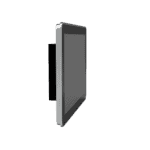
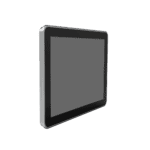
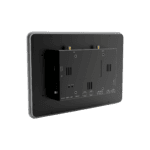
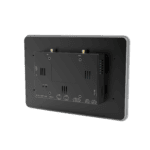
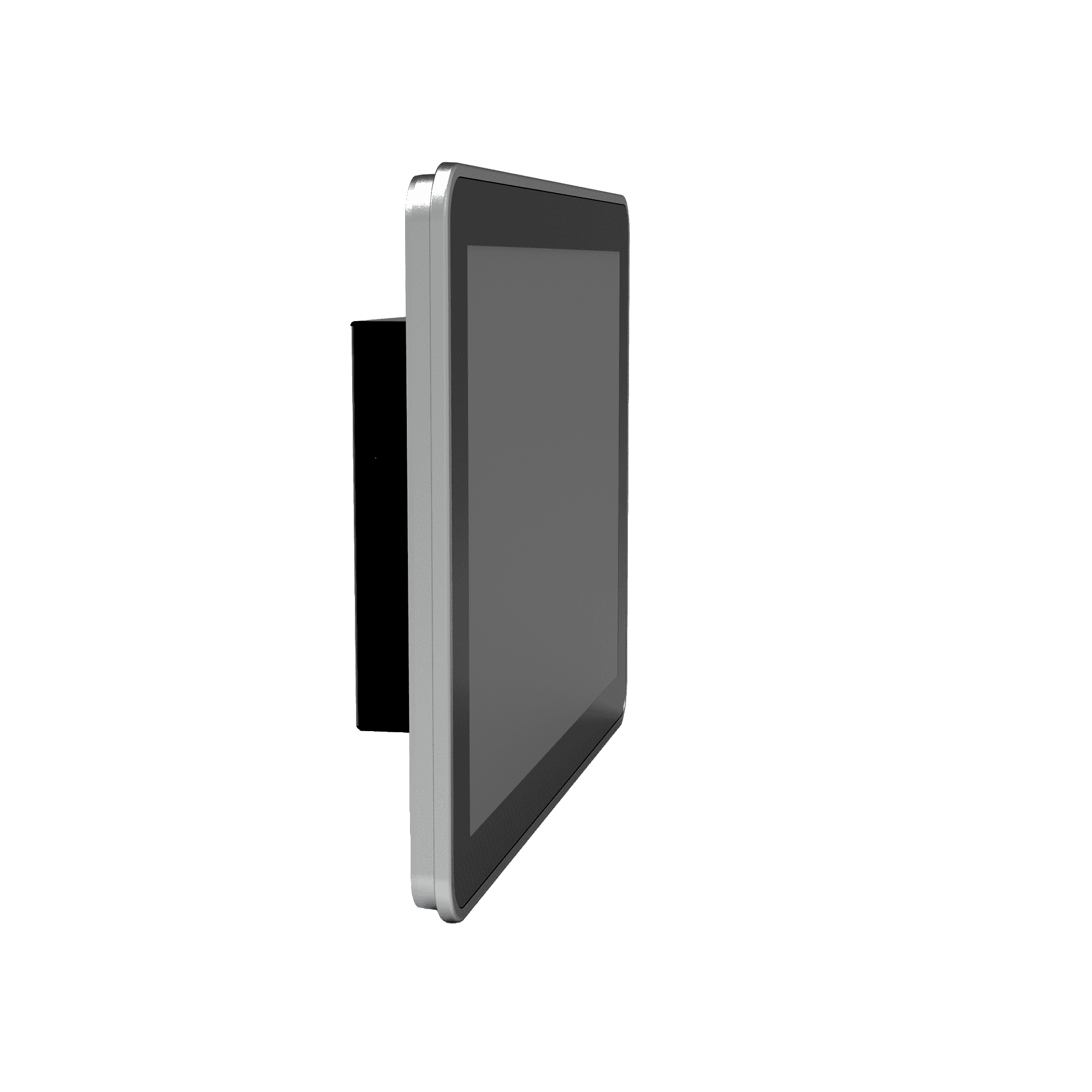
10.1'' Hepsi Bir Arada Android Tablet






-
Temel Özellikler
Bluetooth Bluetooth 4.2İşlemci RK3288 Dört Çekirdekli Cortex-A17, 1.6 GHzBoyutlar 258 × 172 × 36 mm (10.16 × 6.77 × 1.42 in)Görüntülemek 10.1" 1280 × 800, 450 cd/m², Kapasitif DokunmatikEthernet 1 × 10/100 MbpsÖn Koruma IP65İşletim sistemi Android 7.1RAM / Depolama 2 GB / 8 GBSeri 2 × RS-232, 2 × RS-485USB 4 × USB 2.0Wifi 802.11b/g/n, İstemci/AP ModuÇalışma Sıcaklığı -10 °C ~ 60 °C (14 °F ~ 140 °F)
-
İşlemci
İşlemci RK3288 Dört Çekirdekli Cortex-A17, 1.6 GHzFLAŞ 8 GBVeri deposu 2 GB
-
Görüntülemek
Parlaklık 450 cd/m² (tipik)Zıtlık 800:1Çözünürlük 1280 × 800Boyut 10.1"Dokunmatik Ekran Kapasitif dokunmatik ekranBakış Açısı Tam görüş açısı
-
Arayüzler
Anten 1 × SMA (4G); 1 × RP-SMA (Kablosuz)Ses 1 × SPK, 2 kanallı 8 ohm 5W hoparlör çıkışı (2.0mm 4Pin)Düğmeler 1 × Güç Düğmesi (uzun basış yeniden başlatma, kısa basış yeniden başlatma arayüzü); 1 × Mod TuşuHata ayıklama 1 × ADBEthernet 1 × 10/100 Mbps, WAN/LANSeri 2 × RS-232 (3-pin terminal, 3.5mm pitch, no flange, ttyS1/ttyS3) 2 × RS-485 (5-pin terminal, 3.5mm pitch, with flange, ttyS2/ttyS4)SIM 1 × Standart SIMUSB 4 × USB 2.0
-
Bağlantı
Bluetooth Bluetooth 4.2Hücresel 4G LTEWifi 802.11b/g/n, İstemci/AP Modu
-
Güç
Güç Tüketimi < 10 WGüç girişi 12 V DC (dairesel arayüz), güç verildiğinde otomatik başlatma
-
Mekanik
Soğutma FansızBoyutlar (G × D × Y) 258 × 172 × 36 mm (10.16 × 6.77 × 1.42 in)Konut MetalKurulum Duvara MontajKoruma Derecesi IP65 (ön ekran)
-
Çevresel
Nem 5 ~ 95% (yoğuşmasız)Depolama Sıcaklığı -40 °C ~ 85 °C (-40 °F ~ 185 °F)Çalışma Sıcaklığı -10 °C ~ 60 °C (14 °F ~ 140 °F)
-
Güvenilirlik
RTC Dahili Gerçek Zamanlı Saat (RTC)Gözlemci Desteklendi
-
EMC
EFT Seviye 2ESD Seviye 2Kabarmak Seviye 2
-
Göstergeler
Güç LED'i Güç açıldıktan sonra sürekli yanar.Durum LED'i Normal çalışma sırasında yanıp sönme
-
Sertifikasyon
Sertifikasyon CE
-
İşletim Sistemi
İşletim sistemi Android 7.1
-
Ağ
Bluetooth Bluetooth 4.2Ağ 4GWifi 802.11b/g/n, İstemci/AP Modu
-
Grafik İşleme
Multimedya 4K 10-bit H.265/H.264 video kod çözme; 1080P çok formatlı kod çözme (VC-1, MPEG-1/2/4, VP8); 1080P video kodlama (H.264, VP8); Video son işlem: tarama çizgilerini kaldırma, gürültü giderme, kenar/detay/renk optimizasyonu
-
Uygulamalar
Uygulama Yazılımı Android işletim sistemi uygulamalarıyla uyumludur.
-
Yapılandırma Yönetimi
Güncelleme Yerel USB yükseltmesi
Standart paket*
- InPAD3101 Edge Tablet Bilgisayar *1
- İsteğe bağlı aksesuarlar
- 4G Anten *1
- Wi-Fi Anteni *1
- Güç Kaynağı *1
* Standart paket içerikleri, standart sipariş kodlarına göre değişiklik gösterebilir.
Bize Ulaşın Ambalaj seçeneklerimiz hakkında daha fazla bilgi edinmek için doğrudan iletişime geçin.
Teknik Özellikler
-
Temel Özellikler
Bluetooth Bluetooth 4.2İşlemci RK3288 Dört Çekirdekli Cortex-A17, 1.6 GHzBoyutlar 258 × 172 × 36 mm (10.16 × 6.77 × 1.42 in)Görüntülemek 10.1" 1280 × 800, 450 cd/m², Kapasitif DokunmatikEthernet 1 × 10/100 MbpsÖn Koruma IP65İşletim sistemi Android 7.1RAM / Depolama 2 GB / 8 GBSeri 2 × RS-232, 2 × RS-485USB 4 × USB 2.0Wifi 802.11b/g/n, İstemci/AP ModuÇalışma Sıcaklığı -10 °C ~ 60 °C (14 °F ~ 140 °F)
-
İşlemci
İşlemci RK3288 Dört Çekirdekli Cortex-A17, 1.6 GHzFLAŞ 8 GBVeri deposu 2 GB
-
Görüntülemek
Parlaklık 450 cd/m² (tipik)Zıtlık 800:1Çözünürlük 1280 × 800Boyut 10.1"Dokunmatik Ekran Kapasitif dokunmatik ekranBakış Açısı Tam görüş açısı
-
Arayüzler
Anten 1 × SMA (4G); 1 × RP-SMA (Kablosuz)Ses 1 × SPK, 2 kanallı 8 ohm 5W hoparlör çıkışı (2.0mm 4Pin)Düğmeler 1 × Güç Düğmesi (uzun basış yeniden başlatma, kısa basış yeniden başlatma arayüzü); 1 × Mod TuşuHata ayıklama 1 × ADBEthernet 1 × 10/100 Mbps, WAN/LANSeri 2 × RS-232 (3-pin terminal, 3.5mm pitch, no flange, ttyS1/ttyS3) 2 × RS-485 (5-pin terminal, 3.5mm pitch, with flange, ttyS2/ttyS4)SIM 1 × Standart SIMUSB 4 × USB 2.0
-
Bağlantı
Bluetooth Bluetooth 4.2Hücresel 4G LTEWifi 802.11b/g/n, İstemci/AP Modu
-
Güç
Güç Tüketimi < 10 WGüç girişi 12 V DC (dairesel arayüz), güç verildiğinde otomatik başlatma
-
Mekanik
Soğutma FansızBoyutlar (G × D × Y) 258 × 172 × 36 mm (10.16 × 6.77 × 1.42 in)Konut MetalKurulum Duvara MontajKoruma Derecesi IP65 (ön ekran)
-
Çevresel
Nem 5 ~ 95% (yoğuşmasız)Depolama Sıcaklığı -40 °C ~ 85 °C (-40 °F ~ 185 °F)Çalışma Sıcaklığı -10 °C ~ 60 °C (14 °F ~ 140 °F)
-
Güvenilirlik
RTC Dahili Gerçek Zamanlı Saat (RTC)Gözlemci Desteklendi
-
EMC
EFT Seviye 2ESD Seviye 2Kabarmak Seviye 2
-
Göstergeler
Güç LED'i Güç açıldıktan sonra sürekli yanar.Durum LED'i Normal çalışma sırasında yanıp sönme
-
Sertifikasyon
Sertifikasyon CE
-
İşletim Sistemi
İşletim sistemi Android 7.1
-
Ağ
Bluetooth Bluetooth 4.2Ağ 4GWifi 802.11b/g/n, İstemci/AP Modu
-
Grafik İşleme
Multimedya 4K 10-bit H.265/H.264 video kod çözme; 1080P çok formatlı kod çözme (VC-1, MPEG-1/2/4, VP8); 1080P video kodlama (H.264, VP8); Video son işlem: tarama çizgilerini kaldırma, gürültü giderme, kenar/detay/renk optimizasyonu
-
Uygulamalar
Uygulama Yazılımı Android işletim sistemi uygulamalarıyla uyumludur.
-
Yapılandırma Yönetimi
Güncelleme Yerel USB yükseltmesi
İndirmeler
Sipariş verme
Standart paket*
- InPAD3101 Edge Tablet Bilgisayar *1
- İsteğe bağlı aksesuarlar
- 4G Anten *1
- Wi-Fi Anteni *1
- Güç Kaynağı *1
* Standart paket içerikleri, standart sipariş kodlarına göre değişiklik gösterebilir.
Bize Ulaşın Ambalaj seçeneklerimiz hakkında daha fazla bilgi edinmek için doğrudan iletişime geçin.
Yapay Zeka Destekli Bulut Geliştirme
Gözetimsiz perakende işletme platformu
Teknoloji hayatı değiştiriyor
Otomatik satış makineleriyle yapılan perakende alışveriş, alışverişi daha kolay hale getiriyor.
Yapay Zeka Destekli Bulut Geliştirme
İlgili Vakalar
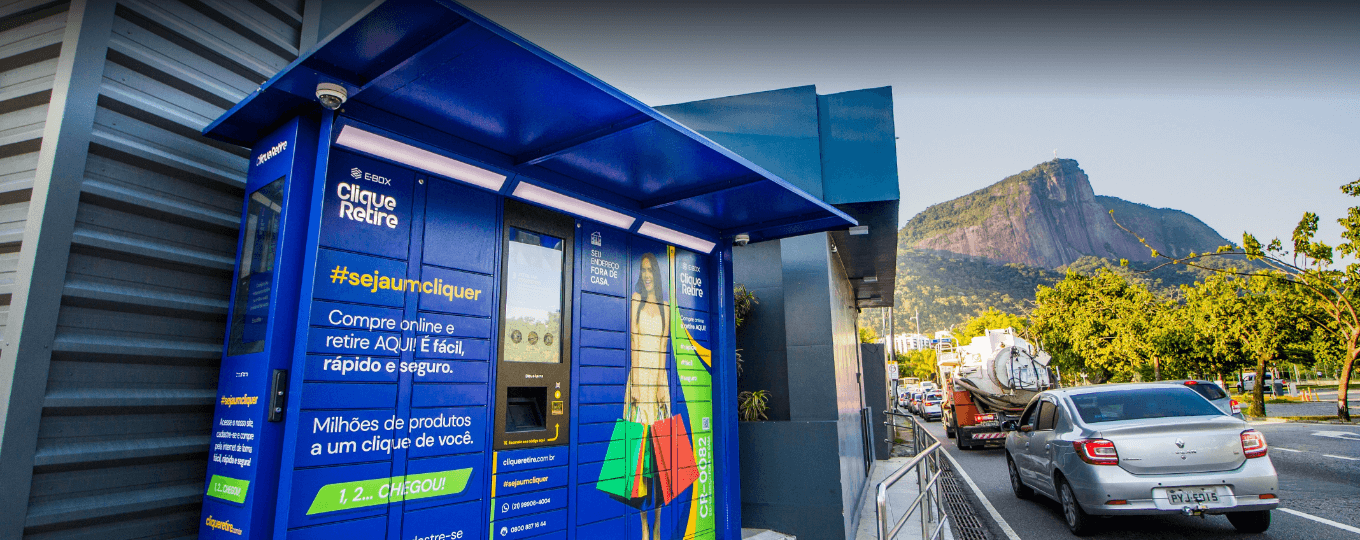
Akıllı Dolap Çözümü
Akıllı Dolap Çözümü Uygulamaları ve Örnekleri: Önemli Noktalar Geleneksel dolap imalatı…
Daha Fazla Bilgi Edinin →Sıkça Sorulan Sorular
InPAD3101 ne sunuyor?
InPAD3101, endüstriyel bir 4G Android terminalidir ve şu özelliklere sahiptir: 10,1 inç 1280 × 800 kapasitif dokunmatik ekranSelf servis kiosklar, çift amaçlı POS/müşteri ekranı kurulumları ve daha büyük HMI uygulamaları için boyutlandırılmıştır. Başlıca özellikler:
| — | — |
| Görüntülemek | 10,1 inç, 1280 × 800, kapasitif dokunmatik, 450 cd/m² tipik, 800:1, IP65 ön ekran |
| Hesapla | RK3288 dört çekirdekli Cortex-A17 @ 1.6 GHz, 2 GB RAM, 8 GB Flash bellek |
| İşletim sistemi | Android 7.1 |
| Hücresel | 4G LTE; FQ58 (EMEA / Güney Kore / Tayland / Hindistan) FQ39 (Kuzey Amerika) veya EN00 (hücresel bağlantı yok) |
| Wi-Fi / BT | 802.11 b/g/n (İstemci ve AP modları), Bluetooth 4.2 |
| Kablolu ağ | 1 adet 10/100 Mbps Ethernet (WAN/LAN değiştirilebilir) |
| Endüstriyel G/Ç | 2 adet RS-232 (3 pinli terminal) + 2 adet RS-485 (flanşlı 5 pinli terminal), 4 adet USB 2.0 |
| Güç | DC 12 V (5521 dairesel konektör), < 10 W, fansız |
| Muhafaza / montaj | Metal, 258 × 172 × 36 mm, duvara monte veya VESA 75×75 |
| Çevre | -10 ila +60 °C çalışma sıcaklığı, RTC, donanım izleme sistemi, CE sertifikalı. |
Teknik özellikler sayfasında belirtilen tipik uygulama alanları şunlardır: otomatik satış makineleri, insansız süpermarketler, otomatik ödeme terminalleri, akıllı ekspres kabinler, akıllı şarj kabinleri, çöp geri dönüşüm kabinleri ve tıbbi ekipmanlar.
InPAD3101'de ağ bağlantısını nasıl kurarım?
Ethernet portu şudur: varsayılan olarak devre dışı. Bunu şu şekilde etkinleştirin: Ayarlar > Ethernet > Ethernet KullanLiman şu şekilde faaliyet göstermektedir: varsayılan olarak WAN (DHCP, statik IP seçeneğiyle); şuna geçin: LAN modu alt cihazlar için kullanmak üzere (varsayılan LAN IP adresi) 192.168.1.100 ).
Wi-Fi için öncelikle RP-SMA Wi-Fi antenini bağlayın, ardından Ayarlar > Wi-FiBir SSID seçin ve şifreyi girin.
Hücresel bağlantı için, SIM kartı Standart SIM yuvasına takın ve APN ayarlarını yapılandırın. Ayarlar > Daha Fazla > Hücresel Ağlar > Erişim Noktası Adları. ICMP tespiti Varsayılan olarak etkinleştirilmiştir — cihaz bağlantıyı izler ve başarısızlık durumunda otomatik olarak yeniden arar; hedef sunucu ve aralık yapılandırılabilir. Ayarlar > Daha Fazla > ICMP algılama.
InPAD3101'e nasıl yazılım güncellemesi yapabilirim veya uygulama yükleyebilirim?
Ürün yazılımı güncellemesi — iki yöntem:
- USB bellek: Yükseltme dosyasını yeniden adlandırın.
güncelleme.zipve bunu bir USB belleğe kopyalayın. Belleği takın, ardından şuraya gidin: Ayarlar > Tablet Hakkında > Udisk sistem güncellemeleriSistem otomatik olarak güncellenir ve yeniden başlatılır. - ADB yayını (FOTA tarzı): kopyala
güncelleme.zipcihazın/sdcarddizin, etkinleştir USB hata ayıklama Geliştirici Seçenekleri'nde şu komutu çalıştırın:
adb shell am broadcast -a com.ubox.upgraderom --include-stopped-packages
“
APK dosyasını yükleyin: APK dosyasını bir USB belleğe kopyalayın, cihaza takın, dosya gezginini açın ve yüklemek için APK dosyasına dokunun. İlk yüklemede, etkinleştirin. Bilinmeyen kaynaklar altında Ayarlar > Güvenlik.
Geliştirici Seçeneklerini etkinleştirmek için dokunun. Ayarlar > Tablet Hakkında > Yapı numarası "Artık bir geliştiricisiniz" yazısını görene kadar beş kez tekrarlayın.
InPAD3101 ile InPAD070S'nin karşılaştırması nasıl?
| InPAD070S | InPAD3101 | |
| — | — | — |
| Görüntülemek | 7 inç, 1024 × 600 | 10,1 inç, 1280 × 800 |
| Android işletim sistemi | Android 7.1 veya Android 12 | Android 7.1 |
| Boyutlar | 195 × 128,8 × 36 mm | 258 × 172 × 36 mm |
| Diğer tüm donanımlar | Birebir aynı | Birebir aynı |
Her iki model de RK3288 işlemci, 2 GB RAM / 8 GB Flash bellek, 2× RS-232 + 2× RS-485, 4× USB 2.0, 1× 10/100 Ethernet, 4G + Wi-Fi + Bluetooth 4.2, IP65 ön ekran, metal kasa, DC 12 V güç kaynağı ve CE sertifikasına sahiptir.
Seçin InPAD3101 Dağıtımın ihtiyaç duyduğu zamanlarda daha büyük 10,1 inç ekran — Ödeme terminalleri, daha büyük akıllı dolaplar, perakende veya sağlık sektöründeki müşteriyle doğrudan temas eden ekranlar veya 7 inçlik bir panele kıyasla ekstra ekran alanının kullanım kolaylığını artırdığı herhangi bir HMI (İnsan-Makine Arayüzü).
—