


IR315
Endüstriyel Yönlendirici
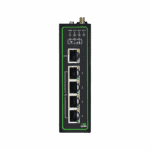
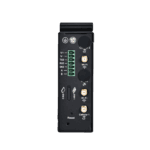
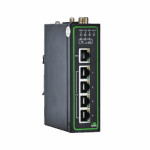
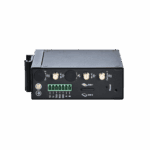
IR315, çok portlu ve çok yönlü bir endüstriyel yönlendiricidir; gözetimsiz tesisler için istikrarlı, güvenli ve uyumlu bağlantı sağlar ve endüstriyel ve ticari IoT uygulamalarında verimli ağ iletişimi sunar.
IR315
Endüstriyel Yönlendirici
IR315, çok portlu ve çok yönlü bir endüstriyel yönlendiricidir; gözetimsiz tesisler için istikrarlı, güvenli ve uyumlu bağlantı sağlar ve endüstriyel ve ticari IoT uygulamalarında verimli ağ iletişimi sunar.
QSG VİDEO
Çoklu Portlu ve Çok Yönlü Endüstriyel Yönlendirici

Her zaman, her yerde güvenilir erişim.
IR315, hücresel, kablolu veya Wi-Fi ağları üzerinden internete bağlanarak çeşitli iş uygulamaları için esnek ve güvenilir ağ hizmetleri sunar.

Zengin Endüstriyel Arayüzler
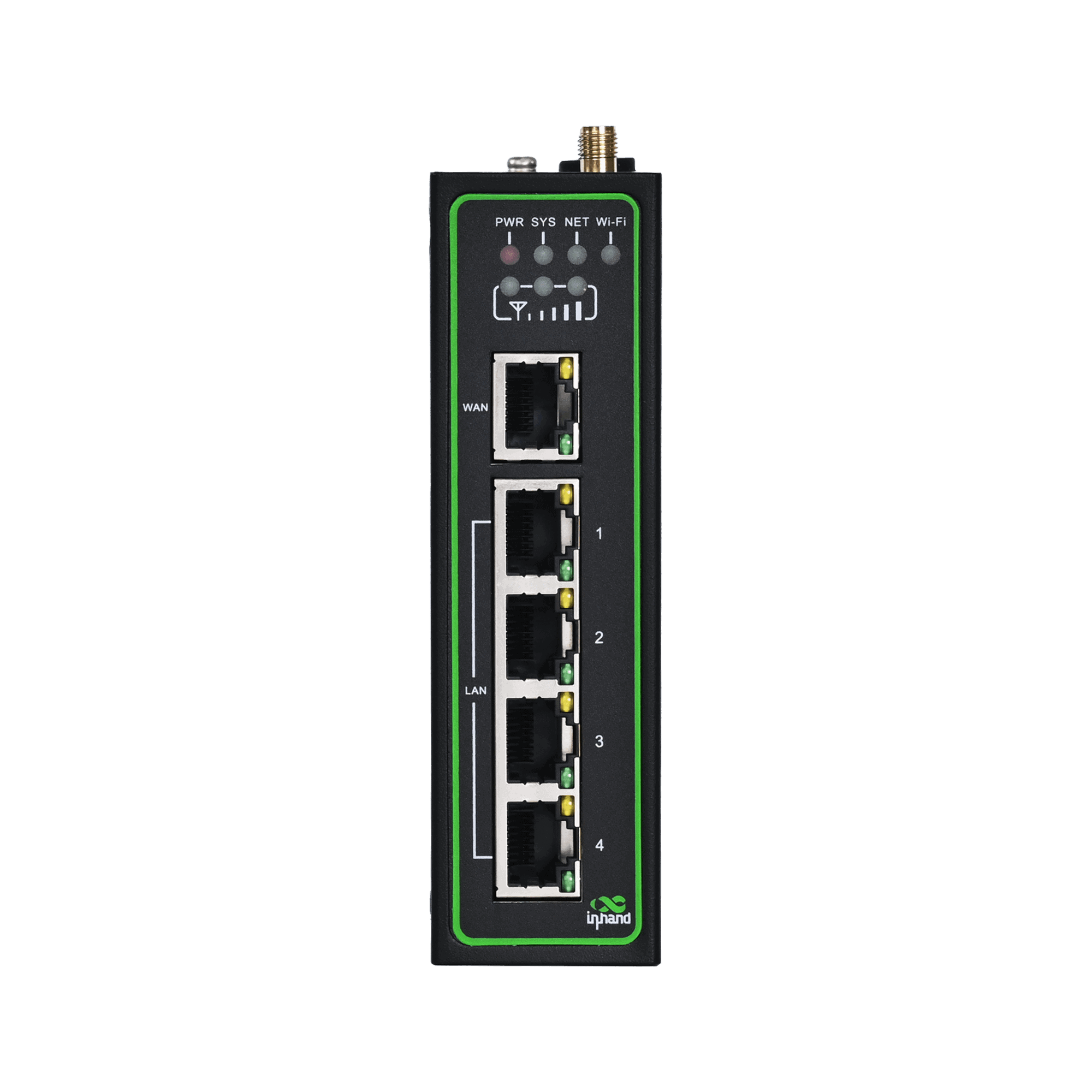
IR315, beş Ethernet portu ve RS485, RS232, G/Ç ve GNSS dahil olmak üzere genişletilebilir arayüzler sunarak IoT ağ iletişimi için çok yönlü ve güvenilir bağlantı sağlar.

Kapsamlı Güvenlik Stratejileri
IR315, güvenilir bağlantı için güvenlik duvarı, erişim kontrolü, VPN, veri şifreleme ve gelişmiş Wi-Fi koruması ile kapsamlı ağ güvenliği sunar.

Güvenilir ve Kesintisiz İletişim
IR315, hücresel, kablolu ve Wi-Fi yedekleme, çift SIM, VRRP ve çok katmanlı izleme özellikleriyle kesintisiz ve güvenilir ağ bağlantısı sağlar.

Endüstriyel Sınıf Stabilite ve Güvenilirlik
IR315, zorlu ortamlarda istikrarlı çalışma için geniş sıcaklık ve voltaj desteğine ve güçlü EMC direncine sahip endüstriyel sınıf bir tasarıma sahiptir.

Basitleştirilmiş bulut yönetimi
IR315, binlerce dağıtılmış cihazı gerçek zamanlı olarak yönetmek için InHand Device Manager bulutuna bağlanarak ekonomik ve verimli operasyonlar sağlar.
-
Başlıca Teknik Özellikler
Hücresel Ağ 5G NR (SA/NSA) or LTE (depending on model); dual Nano-SIM; supports PDP configuration (IPv4/IPv4V6)Cloud Management and Network Management Device Manager/ICS platform; SNMP v1/v2c/v3 (supports custom communication port), SNMP TRAPDimensions and Weight 127 × 108.2 × 35 mm (5 × 4.26 × 1.38 in); 454 g (1 lb)Dynamic Routing and High Availability Static/OSPF routing; VRRP (supports virtual MAC), link online detection, dual-SIM switching, SIM switching policy, embedded watchdogEthernet Arayüzü 5 × 10/100 Mbps RJ45, supports WAN/LAN/VLAN, 1.5KV network isolation transformer protectionFirewall and Access Control SPI stateful inspection, DoS protection, ACL, content filtering (domain auto-refresh), 802.1x, IP-MAC binding, MAC address filtering, etc.Çalışma Sıcaklığı Standard: -35 °C ~ 70 °C (-31 °F ~ 158 °F); Extended: -40 °C ~ 75 °C (-40 °F ~ 167 °F)Güç Kaynağı DC 9~36 V, overcurrent/reverse polarity protection, 2-pin industrial terminalKoruma Derecesi IP30Serial Port and IO (optional) 1×RS-232+1×RS-485 or 4×IO (depending on model)VPN IPsec (IKEv2, AES256-SHA512), PPTP, L2TP, GRE, DMVPN, OpenVPN, WireGuard, ZeroTierWi-Fi (optional) 2.4 GHz, IEEE 802.11 b/g/n, up to 300 Mbps
-
Product Innovation Summary
5G / RedCap Support Supports NRQ2, NRR0, NRR2 and other 5G modules, as well as NRF2/NRF4 and other RedCap modulesCloud Platform Management Multi-Cloud Platform AdaptationCompliance Adaptation Supports U.S. TAA Act requirements, automatic replacement of logo/domain/SSID/alarm pageConfiguration Integrity Configuration import/export verification, supports configuration files up to 128KBDDNS Enhancement Supports HTTPS DDNS updateDual-SIM Intelligent Switching Supports automatic SIM switching based on signal quality, ICMP detection, packet loss rate, dial failure count, and other strategiesEnhanced Tunnel Management Supports peer domain name, multiple remote subnets, independent start/stop control of single tunnelEnterprise Access Radius authentication, Wi-Fi user isolation, password show/hide, calibration data backupGlobal Operator Adaptation Automatically matches APN, BAND, IMS configurations for operators such as Verizon / AT&T / T-MobileGlobalization and OEM Multi-OEM CustomizationI/O Edge Control 4-channel digital I/O, relay output, I/O status reporting to cloud platform, alarm triggeringIndustrial IoT Protocols Industrial Serial Port / DTUIndustrial Reliability High Availability DesignLink Reliability Link Backup and Hot BackupLoad Balancing Multi-link load balancing optimization, improving bandwidth utilization and business continuityModern VPN Protocols Added WireGuard, ZeroTier to meet flexible networking needsMulti-Mode Cellular Communication Intelligent Dialing Mode AdaptationNetwork Diagnosis and Observation Built-in TCPDUMP, ping, traceroute, Qlog; cellular signal / GNSS parameter reportingAğ Yönetimi Flexible Layer 2/Layer 3Network Security Access Erişim KontrolüO&M and Deployment FCT Factory TestO&M Command Enhancement Factory mode supports nvram / show / info version / net test / factory resetPermission and Encryption User permission management, HTTPS API, Wi-Fi password encryption, SSH login bannerSecure Registration and Authentication Supports MQTT/MQTTS, JWT registration, public/private key authentication, remote firmware upgradeSecurity Hardening Firmware SecuritySoftware Component Upgrade Continuous updates of OpenSSL, OpenVPN, curl, tcpdump, dnsmasq, mosquitto, busybox, etc.State Grid Encryption Supports IEC101/IEC104/DC protocol state cryptography encryption, model 305NRQ2-SECVPN Technology Matrix Full-Protocol VPN SupportVulnerability Repair Continuously fixes CVE, Talos, Fortinet, CISA and other disclosed vulnerabilitiesWLAN Capability Multi-Mode Wi-Fi
-
CPU ve Depolama
İşlemci 580 MHzFlaş 64 MB SPIVeri deposu 128 MB DDR2
-
Bağlantı ve Arayüzler
Anten Konnektörleri 5G: SMA ×2; 4G: SMA ×1 (overseas 4G models are SMA ×2); Wi-Fi: RP-SMA ×2Ethernet Portları 5 × 10/100 Mbps RJ45, supports WAN/LAN/VLAN, 1.5KV network isolation transformer protectionGNSS (optional) Some models support (see ordering information )Grounding Terminal DesteklendiI/O Port (optional) 4 × IO (DI/DO configurable)LED Göstergeler Power, System, Network, Wi-Fi, SignalGüç Arayüzü DC 9~36V, overcurrent/reverse polarity protection, 2-pin industrial terminalSıfırlama Düğmesi İğne deliği sıfırlama düğmesiSerial Port (optional) 1 × RS-232 + 1 × RS-485SIM Kart Yuvası Drawer-type slot ×1, supports 2 × Nano-SIM
-
Wifi
10m Suction cup antenna: 90.96 Mbps (signal -54 dBm); Rod antenna: 90.74 Mbps (signal -45 dBm)1m Suction cup antenna: 91.26 Mbps (signal -36 dBm); Rod antenna: 90.22 Mbps (signal -25 dBm)30m Suction cup antenna: 1.28 Mbps (signal -62 dBm); Rod antenna: 7.20 Mbps (signal -64 dBm)5m Suction cup antenna: 90.25 Mbps (signal -47 dBm); Rod antenna: 90.30 Mbps (signal -38 dBm)Maximum Transmission Rate 300 MbpsProtokol IEEE 802.11 b/g/nRadyo Frekansı 2,4 GHzİletim Mesafesi Approx. 50 meters line-of-sight (affected by site environment)İletim Gücü 802.11b: 16 dBm ±2 dBm (11 Mbps); 802.11g: 16 dBm ±2 dBm (54 Mbps); 802.11n @2.4 GHz: 16 dBm ±2 dBm (HT20 MCS7); 802.11n @2.4 GHz: 16 dBm ±2 dBm (HT40 MCS7)Wi-Fi Performance Test Test conditions: AP: IR305LQ20-WLAN / STA: Xiaomi 10S, WPA2-PSK AES, Channel 11, 40MHzÇalışma Modu AP / Client / WDS
-
Device Power
Çalışma Gücü 150~320 mA@12VTepe Gücü 320 mA@12VBekleme Gücü 120~200 mA@12V
-
Mekanik Özellikler
Enclosure and Cooling Metal shell, fanless coolingMontaj Yöntemi DIN railProduct Dimensions (W × D × H) 127 × 108.2 × 35 mm (5 × 4.26 × 1.38 in)Ürün Ağırlığı 454 g (1 lb)Koruma Derecesi IP30
-
Çevre ve Sertifikalar
Ortam Nem Oranı 5~95% (non-condensing)Sertifikalar CE, E-MARK, FCC, IC, PTCRB, AT&T, Verizon, T-Mobile, RCM, IMDA, MIC&JATE, SRRC, UL, C1D2, IEC 62443-4-2, EN18031EMC Indicators EN61000-4-2, level 3, ESD EN61000-4-3, level 3, Radiated Electric Field EN61000-4-4, level 3, Burst Electric Field EN61000-4-5, level 3, Surge EN61000-4-6, level 3, Conducted Disturbance Immunity EN61000-4-8, >level 2, Power Frequency Magnetic Field Immunity, horizontal/vertical 400A/m EN61000-4-12, level 3, Oscillatory Wave ImmunityÇalışma Sıcaklığı Standard: -35 °C ~ 70 °C (-31 °F ~ 158 °F) Extended: -40 °C ~ 75 °C (-40 °F ~ 167 °F)Fiziksel Özellikler Shock IEC60068-2-27 Vibration IEC60068-2-6 Drop IEC60068-2-32Depolama Sıcaklığı -40 °C ~ 85 °C (-40 °F ~ 185 °F)
-
Hücresel Ağ
Erişim Kimlik Doğrulaması CHAP/PAPConnection Mode Always online, on-demand dialing, manual dialingDialing Mode PPP, QMI, ECM (depending on model)Çift SIM Kart Değiştirme Supports SIM switching policies triggered by signal threshold, packet loss threshold, dial failure count, etc.Ağ Erişimi APN, VPDNAğ Standardı GSM/GPRS/EDGE, UMTS/HSPA+/EVDO/TD-SCDMA, TDD LTE/FDD LTE, 5G NR (SA/NSA)Operator Configuration Built-in global mainstream operator APN configurations, supports T-Mobile, AT&T, Verizon, etc.PDP Configuration Supports IPv4/IPv4V6Signal Reporting Supports RSRP, RSRQ, SINR, RSSI, RSCP, Ec/Io, PCI, BAND and other parameter reportingSIM Kart Dual Nano-SIM, drawer-type slot
-
Wired Network
Ethernet Portları 5 × 10/100 Mbps RJ45Gratuitous ARP Supports GARP broadcast, configurable broadcast count (1-10) and timeout (1-60 seconds)IP Passthrough Supports IP Passthrough function, distributing WAN port address to LAN port devicesIsolation Protection 1.5KV network isolation transformer protectionPort Roles Supports flexible WAN/LAN/VLAN configurationVLAN Supports Access/Trunk mode, VLAN IP address pool configurationWAN Protokolü Statik IP, DHCP, PPPoE
-
Wi-Fi Network
Anten Arayüzü RP-SMA ×2Authentication Mode Open, WEP, WPA-PSK, WPA2-PSK, WPA/WPA2, etc.Bandwidth 20 MHz / 40 MHzEncryption Mode NONE, WEP, TKIP, AESMaximum Rate 300 MbpsProtocol Standard IEEE 802.11 b/g/nRadyo Frekansı 2,4 GHzGüvenlik Özellikleri Wi-Fi password encrypted display, Wi-Fi user isolation, AP black/whitelistİletim Gücü 16 dBm ±2 dBmÇalışma Modu AP / Client / WDS
-
Link Backup and Redundancy
ICMP Detection Supports detection server, interval, timeout, maximum retry count configurationBağlantı Yedekleme Supports cellular/WAN mutual backup, hot backup/cold backup/load balancing three modesLoad Balancing After ICMP detection succeeds, data is transmitted through the corresponding linkVRRP Virtual Router Redundancy Protocol, supports virtual MAC, priority election
-
Routing Capability
Dynamic Domain Name DDNS, supports HTTPS updateNAT Network Address Translation, supports port mapping, virtual IP mappingOSPF Open Shortest Path First dynamic routing protocol, supports router ID and network advertisementStatic Routing Supports destination network, subnet mask, gateway, interface configuration, supports priority
-
VPN and Data Security
Certificate Management Supports CA certificate, PKCS12 certificate import/exportDMVPN Dynamic Multipoint VPNGRE Generic Routing Encapsulation tunnelIPsec VPN Supports IKEv1/IKEv2, AES256-SHA512 encryption algorithm, up to 10 tunnels, supports peer domain name configurationL2TP Supports L2TP over IPsec, supports NAT traversalOpenVPN Supports TAP/TUN mode, TLS-auth/tls-crypt options, AES-256-GCM/SHA256 encryptionPPTP Supports client/server modeWireGuard New-generation high-performance VPN protocol, supports connection status detectionZeroTier Supports virtual LAN networking, multiple tunnels configurable
-
Firewall and Access Control
802.1x Port-level access authenticationACL Access Control List, supports source/destination address, port, protocol configurationContent Filtering Supports domain filtering, domain auto-refresh mechanismDevice Access Control Supports interface, protocol, source address, port configurationDMZ DMZ host configurationDoS Protection Denial of Service attack protectionIP-MAC Binding Static binding of IP and MAC addressMAC Address Filtering Supports black/whitelist modeNAT Supports source address, destination address, port, interface configurationPort Mapping Supports protocol, source address, service port, internal port, external interface configurationSPI Firewall Stateful packet inspectionVirtual IP Mapping Supports source address range configuration
-
Device Management and O&M
Yapılandırma Yönetimi Supports configuration import/export, factory resetKonsol Local serial console managementAygıt Yöneticisi InHand device cloud platform, supports batch management, remote configuration, firmware upgradeFirmware Signature System firmware adds signature verification to prevent firmware tamperingHTTP API Supports HTTP/HTTPS API, remote query and configurationInConnect Supports device remote access and NAT rule issuanceSNMP SNMP v1/v2c/v3, supports custom communication portSNMP TRAP Alarm information active reportingSSH/Telnet Remote command line managementSistem Yükseltmesi Supports Web upgrade and Device Manager remote upgrade
-
Logs and Alarms
Remote Log Supports Syslog server (UDP 514 port)SMS Alarm Supports SMS query and configuration of APN/SIM/operator, remote status query and restartStatus Reporting Supports system, Modem, network connection, routing status, GPIO pin status reportingSystem Alarm System restart, LAN up/down, SIM failure, signal quality abnormal alarmSystem Log Local/remote/serial log output, supports user-defined remote log prefixTraffic Alarm Monthly/24-hour/hourly traffic threshold alarm, traffic overrun reporting to cloud platform
-
Industrial Protocols and Interfaces
DTU TCP/UDP transparent transmission, DCTCP/DCUDP mode, supports domain name configurationI/O Control 4 × IO (DI/DO configurable), supports edge-triggered status reportingModbus Köprüsü Modbus RTU'dan Modbus TCP'yeSerial Port Traffic Statistics Supports RS-232/RS-485 serial port traffic statistics, TCP connection status displaySMART-EMS Supports cellular IP address reporting, optional no restart when connection failsState Grid Encryption Supports IEC101/IEC104 power protocol encryption (specific models)
-
Network Services
DDNS Supports HTTPS updateDHCP Server/Client, supports static binding (up to 200 entries), address pool range automatic verificationDNS DNS proxy, DNS forwarding, supports custom domain name serverBakım Aletleri Ping, traceroute, speed test, ARPINGNetwork Packet Capture Built-in TCPDUMP packet capture tool, supports interface, capture count, expert options configurationNTP NTP server function, GPS time synchronizationPortal Captive portal authenticationHizmet Kalitesi Bandwidth limiting, IP rate limitingScheduled Tasks Scheduled restart, supports advanced options to configure multiple rulesSIP ALG SIP Application Layer Gateway
Standart paket*
- IR315 Endüstriyel Yönlendirici *1
- 4G Anten *2
- Wi-Fi Anteni *2
- GNSS Anteni *1
- Ethernet Kablosu *1
- Güç Kaynağı *1
- DIN Ray Montaj Kiti *1
* Lütfen 4G/5G/GNSS antenlerinin seçtiğiniz modele bağlı olarak dahil olduğunu unutmayın.
İsteğe bağlı aksesuarlar
- Güç Kaynağı *1
- Panel Montaj Kiti *1
Bize Ulaşın Ambalaj seçeneklerimiz hakkında daha fazla bilgi edinmek için doğrudan iletişime geçin.
Teknik Özellikler
-
Başlıca Teknik Özellikler
Hücresel Ağ 5G NR (SA/NSA) or LTE (depending on model); dual Nano-SIM; supports PDP configuration (IPv4/IPv4V6)Cloud Management and Network Management Device Manager/ICS platform; SNMP v1/v2c/v3 (supports custom communication port), SNMP TRAPDimensions and Weight 127 × 108.2 × 35 mm (5 × 4.26 × 1.38 in); 454 g (1 lb)Dynamic Routing and High Availability Static/OSPF routing; VRRP (supports virtual MAC), link online detection, dual-SIM switching, SIM switching policy, embedded watchdogEthernet Arayüzü 5 × 10/100 Mbps RJ45, supports WAN/LAN/VLAN, 1.5KV network isolation transformer protectionFirewall and Access Control SPI stateful inspection, DoS protection, ACL, content filtering (domain auto-refresh), 802.1x, IP-MAC binding, MAC address filtering, etc.Çalışma Sıcaklığı Standard: -35 °C ~ 70 °C (-31 °F ~ 158 °F); Extended: -40 °C ~ 75 °C (-40 °F ~ 167 °F)Güç Kaynağı DC 9~36 V, overcurrent/reverse polarity protection, 2-pin industrial terminalKoruma Derecesi IP30Serial Port and IO (optional) 1×RS-232+1×RS-485 or 4×IO (depending on model)VPN IPsec (IKEv2, AES256-SHA512), PPTP, L2TP, GRE, DMVPN, OpenVPN, WireGuard, ZeroTierWi-Fi (optional) 2.4 GHz, IEEE 802.11 b/g/n, up to 300 Mbps
-
Product Innovation Summary
5G / RedCap Support Supports NRQ2, NRR0, NRR2 and other 5G modules, as well as NRF2/NRF4 and other RedCap modulesCloud Platform Management Multi-Cloud Platform AdaptationCompliance Adaptation Supports U.S. TAA Act requirements, automatic replacement of logo/domain/SSID/alarm pageConfiguration Integrity Configuration import/export verification, supports configuration files up to 128KBDDNS Enhancement Supports HTTPS DDNS updateDual-SIM Intelligent Switching Supports automatic SIM switching based on signal quality, ICMP detection, packet loss rate, dial failure count, and other strategiesEnhanced Tunnel Management Supports peer domain name, multiple remote subnets, independent start/stop control of single tunnelEnterprise Access Radius authentication, Wi-Fi user isolation, password show/hide, calibration data backupGlobal Operator Adaptation Automatically matches APN, BAND, IMS configurations for operators such as Verizon / AT&T / T-MobileGlobalization and OEM Multi-OEM CustomizationI/O Edge Control 4-channel digital I/O, relay output, I/O status reporting to cloud platform, alarm triggeringIndustrial IoT Protocols Industrial Serial Port / DTUIndustrial Reliability High Availability DesignLink Reliability Link Backup and Hot BackupLoad Balancing Multi-link load balancing optimization, improving bandwidth utilization and business continuityModern VPN Protocols Added WireGuard, ZeroTier to meet flexible networking needsMulti-Mode Cellular Communication Intelligent Dialing Mode AdaptationNetwork Diagnosis and Observation Built-in TCPDUMP, ping, traceroute, Qlog; cellular signal / GNSS parameter reportingAğ Yönetimi Flexible Layer 2/Layer 3Network Security Access Erişim KontrolüO&M and Deployment FCT Factory TestO&M Command Enhancement Factory mode supports nvram / show / info version / net test / factory resetPermission and Encryption User permission management, HTTPS API, Wi-Fi password encryption, SSH login bannerSecure Registration and Authentication Supports MQTT/MQTTS, JWT registration, public/private key authentication, remote firmware upgradeSecurity Hardening Firmware SecuritySoftware Component Upgrade Continuous updates of OpenSSL, OpenVPN, curl, tcpdump, dnsmasq, mosquitto, busybox, etc.State Grid Encryption Supports IEC101/IEC104/DC protocol state cryptography encryption, model 305NRQ2-SECVPN Technology Matrix Full-Protocol VPN SupportVulnerability Repair Continuously fixes CVE, Talos, Fortinet, CISA and other disclosed vulnerabilitiesWLAN Capability Multi-Mode Wi-Fi
-
CPU ve Depolama
İşlemci 580 MHzFlaş 64 MB SPIVeri deposu 128 MB DDR2
-
Bağlantı ve Arayüzler
Anten Konnektörleri 5G: SMA ×2; 4G: SMA ×1 (overseas 4G models are SMA ×2); Wi-Fi: RP-SMA ×2Ethernet Portları 5 × 10/100 Mbps RJ45, supports WAN/LAN/VLAN, 1.5KV network isolation transformer protectionGNSS (optional) Some models support (see ordering information )Grounding Terminal DesteklendiI/O Port (optional) 4 × IO (DI/DO configurable)LED Göstergeler Power, System, Network, Wi-Fi, SignalGüç Arayüzü DC 9~36V, overcurrent/reverse polarity protection, 2-pin industrial terminalSıfırlama Düğmesi İğne deliği sıfırlama düğmesiSerial Port (optional) 1 × RS-232 + 1 × RS-485SIM Kart Yuvası Drawer-type slot ×1, supports 2 × Nano-SIM
-
Wifi
10m Suction cup antenna: 90.96 Mbps (signal -54 dBm); Rod antenna: 90.74 Mbps (signal -45 dBm)1m Suction cup antenna: 91.26 Mbps (signal -36 dBm); Rod antenna: 90.22 Mbps (signal -25 dBm)30m Suction cup antenna: 1.28 Mbps (signal -62 dBm); Rod antenna: 7.20 Mbps (signal -64 dBm)5m Suction cup antenna: 90.25 Mbps (signal -47 dBm); Rod antenna: 90.30 Mbps (signal -38 dBm)Maximum Transmission Rate 300 MbpsProtokol IEEE 802.11 b/g/nRadyo Frekansı 2,4 GHzİletim Mesafesi Approx. 50 meters line-of-sight (affected by site environment)İletim Gücü 802.11b: 16 dBm ±2 dBm (11 Mbps); 802.11g: 16 dBm ±2 dBm (54 Mbps); 802.11n @2.4 GHz: 16 dBm ±2 dBm (HT20 MCS7); 802.11n @2.4 GHz: 16 dBm ±2 dBm (HT40 MCS7)Wi-Fi Performance Test Test conditions: AP: IR305LQ20-WLAN / STA: Xiaomi 10S, WPA2-PSK AES, Channel 11, 40MHzÇalışma Modu AP / Client / WDS
-
Device Power
Çalışma Gücü 150~320 mA@12VTepe Gücü 320 mA@12VBekleme Gücü 120~200 mA@12V
-
Mekanik Özellikler
Enclosure and Cooling Metal shell, fanless coolingMontaj Yöntemi DIN railProduct Dimensions (W × D × H) 127 × 108.2 × 35 mm (5 × 4.26 × 1.38 in)Ürün Ağırlığı 454 g (1 lb)Koruma Derecesi IP30
-
Çevre ve Sertifikalar
Ortam Nem Oranı 5~95% (non-condensing)Sertifikalar CE, E-MARK, FCC, IC, PTCRB, AT&T, Verizon, T-Mobile, RCM, IMDA, MIC&JATE, SRRC, UL, C1D2, IEC 62443-4-2, EN18031EMC Indicators EN61000-4-2, level 3, ESD EN61000-4-3, level 3, Radiated Electric Field EN61000-4-4, level 3, Burst Electric Field EN61000-4-5, level 3, Surge EN61000-4-6, level 3, Conducted Disturbance Immunity EN61000-4-8, >level 2, Power Frequency Magnetic Field Immunity, horizontal/vertical 400A/m EN61000-4-12, level 3, Oscillatory Wave ImmunityÇalışma Sıcaklığı Standard: -35 °C ~ 70 °C (-31 °F ~ 158 °F) Extended: -40 °C ~ 75 °C (-40 °F ~ 167 °F)Fiziksel Özellikler Shock IEC60068-2-27 Vibration IEC60068-2-6 Drop IEC60068-2-32Depolama Sıcaklığı -40 °C ~ 85 °C (-40 °F ~ 185 °F)
-
Hücresel Ağ
Erişim Kimlik Doğrulaması CHAP/PAPConnection Mode Always online, on-demand dialing, manual dialingDialing Mode PPP, QMI, ECM (depending on model)Çift SIM Kart Değiştirme Supports SIM switching policies triggered by signal threshold, packet loss threshold, dial failure count, etc.Ağ Erişimi APN, VPDNAğ Standardı GSM/GPRS/EDGE, UMTS/HSPA+/EVDO/TD-SCDMA, TDD LTE/FDD LTE, 5G NR (SA/NSA)Operator Configuration Built-in global mainstream operator APN configurations, supports T-Mobile, AT&T, Verizon, etc.PDP Configuration Supports IPv4/IPv4V6Signal Reporting Supports RSRP, RSRQ, SINR, RSSI, RSCP, Ec/Io, PCI, BAND and other parameter reportingSIM Kart Dual Nano-SIM, drawer-type slot
-
Wired Network
Ethernet Portları 5 × 10/100 Mbps RJ45Gratuitous ARP Supports GARP broadcast, configurable broadcast count (1-10) and timeout (1-60 seconds)IP Passthrough Supports IP Passthrough function, distributing WAN port address to LAN port devicesIsolation Protection 1.5KV network isolation transformer protectionPort Roles Supports flexible WAN/LAN/VLAN configurationVLAN Supports Access/Trunk mode, VLAN IP address pool configurationWAN Protokolü Statik IP, DHCP, PPPoE
-
Wi-Fi Network
Anten Arayüzü RP-SMA ×2Authentication Mode Open, WEP, WPA-PSK, WPA2-PSK, WPA/WPA2, etc.Bandwidth 20 MHz / 40 MHzEncryption Mode NONE, WEP, TKIP, AESMaximum Rate 300 MbpsProtocol Standard IEEE 802.11 b/g/nRadyo Frekansı 2,4 GHzGüvenlik Özellikleri Wi-Fi password encrypted display, Wi-Fi user isolation, AP black/whitelistİletim Gücü 16 dBm ±2 dBmÇalışma Modu AP / Client / WDS
-
Link Backup and Redundancy
ICMP Detection Supports detection server, interval, timeout, maximum retry count configurationBağlantı Yedekleme Supports cellular/WAN mutual backup, hot backup/cold backup/load balancing three modesLoad Balancing After ICMP detection succeeds, data is transmitted through the corresponding linkVRRP Virtual Router Redundancy Protocol, supports virtual MAC, priority election
-
Routing Capability
Dynamic Domain Name DDNS, supports HTTPS updateNAT Network Address Translation, supports port mapping, virtual IP mappingOSPF Open Shortest Path First dynamic routing protocol, supports router ID and network advertisementStatic Routing Supports destination network, subnet mask, gateway, interface configuration, supports priority
-
VPN and Data Security
Certificate Management Supports CA certificate, PKCS12 certificate import/exportDMVPN Dynamic Multipoint VPNGRE Generic Routing Encapsulation tunnelIPsec VPN Supports IKEv1/IKEv2, AES256-SHA512 encryption algorithm, up to 10 tunnels, supports peer domain name configurationL2TP Supports L2TP over IPsec, supports NAT traversalOpenVPN Supports TAP/TUN mode, TLS-auth/tls-crypt options, AES-256-GCM/SHA256 encryptionPPTP Supports client/server modeWireGuard New-generation high-performance VPN protocol, supports connection status detectionZeroTier Supports virtual LAN networking, multiple tunnels configurable
-
Firewall and Access Control
802.1x Port-level access authenticationACL Access Control List, supports source/destination address, port, protocol configurationContent Filtering Supports domain filtering, domain auto-refresh mechanismDevice Access Control Supports interface, protocol, source address, port configurationDMZ DMZ host configurationDoS Protection Denial of Service attack protectionIP-MAC Binding Static binding of IP and MAC addressMAC Address Filtering Supports black/whitelist modeNAT Supports source address, destination address, port, interface configurationPort Mapping Supports protocol, source address, service port, internal port, external interface configurationSPI Firewall Stateful packet inspectionVirtual IP Mapping Supports source address range configuration
-
Device Management and O&M
Yapılandırma Yönetimi Supports configuration import/export, factory resetKonsol Local serial console managementAygıt Yöneticisi InHand device cloud platform, supports batch management, remote configuration, firmware upgradeFirmware Signature System firmware adds signature verification to prevent firmware tamperingHTTP API Supports HTTP/HTTPS API, remote query and configurationInConnect Supports device remote access and NAT rule issuanceSNMP SNMP v1/v2c/v3, supports custom communication portSNMP TRAP Alarm information active reportingSSH/Telnet Remote command line managementSistem Yükseltmesi Supports Web upgrade and Device Manager remote upgrade
-
Logs and Alarms
Remote Log Supports Syslog server (UDP 514 port)SMS Alarm Supports SMS query and configuration of APN/SIM/operator, remote status query and restartStatus Reporting Supports system, Modem, network connection, routing status, GPIO pin status reportingSystem Alarm System restart, LAN up/down, SIM failure, signal quality abnormal alarmSystem Log Local/remote/serial log output, supports user-defined remote log prefixTraffic Alarm Monthly/24-hour/hourly traffic threshold alarm, traffic overrun reporting to cloud platform
-
Industrial Protocols and Interfaces
DTU TCP/UDP transparent transmission, DCTCP/DCUDP mode, supports domain name configurationI/O Control 4 × IO (DI/DO configurable), supports edge-triggered status reportingModbus Köprüsü Modbus RTU'dan Modbus TCP'yeSerial Port Traffic Statistics Supports RS-232/RS-485 serial port traffic statistics, TCP connection status displaySMART-EMS Supports cellular IP address reporting, optional no restart when connection failsState Grid Encryption Supports IEC101/IEC104 power protocol encryption (specific models)
-
Network Services
DDNS Supports HTTPS updateDHCP Server/Client, supports static binding (up to 200 entries), address pool range automatic verificationDNS DNS proxy, DNS forwarding, supports custom domain name serverBakım Aletleri Ping, traceroute, speed test, ARPINGNetwork Packet Capture Built-in TCPDUMP packet capture tool, supports interface, capture count, expert options configurationNTP NTP server function, GPS time synchronizationPortal Captive portal authenticationHizmet Kalitesi Bandwidth limiting, IP rate limitingScheduled Tasks Scheduled restart, supports advanced options to configure multiple rulesSIP ALG SIP Application Layer Gateway
İndirmeler
Sipariş verme
Standart paket*
- IR315 Endüstriyel Yönlendirici *1
- 4G Anten *2
- Wi-Fi Anteni *2
- GNSS Anteni *1
- Ethernet Kablosu *1
- Güç Kaynağı *1
- DIN Ray Montaj Kiti *1
* Lütfen 4G/5G/GNSS antenlerinin seçtiğiniz modele bağlı olarak dahil olduğunu unutmayın.
İsteğe bağlı aksesuarlar
- Güç Kaynağı *1
- Panel Montaj Kiti *1
Bize Ulaşın Ambalaj seçeneklerimiz hakkında daha fazla bilgi edinmek için doğrudan iletişime geçin.
Aygıt Yöneticisi
Cihaz Yönetimi Bulutu
InHand endüstriyel yönlendiricilerinin ve ağ geçitlerinin görsel izleme özelliğiyle merkezi yönetimi, ayrıca kolay uzaktan yapılandırma ve yükseltmeler.
Aygıt Yöneticisi
InConnect
Uzaktan Erişim Hizmeti
Cihazlar için tak ve çalıştır özellikli güvenli uzaktan erişim, mühendislerin uzaktan bakım, yazılım güncellemeleri ve teşhis kayıtları gerçekleştirmesini sağlar.
InConnect
İlgili Vakalar

Connected Inspection Robots for Smarter Industrial Operations
InHand's IR315 and InConnect deliver secure, reliable 4G/Wi-Fi connectivity and remote maintenance…
Daha Fazla Bilgi Edinin →
ETC Ekipmanlarının Uzaktan İzleme Çözümü
ETC Ekipman Uygulamaları ve Örnekleri için Uzaktan İzleme Çözümü: Önemli Noktalar…
Daha Fazla Bilgi Edinin →
Akıllı Beton Karıştırma İstasyonu Çözümü
Akıllı Beton Karıştırma İstasyonu Çözümü Uygulamaları ve Örnekleri: Önemli Noktalar IR315…
Daha Fazla Bilgi Edinin →Sıkça Sorulan Sorular
IR315'e hangi isteğe bağlı özellikler eklenebilir?
IR315, sipariş aşamasında seçilebilen dört isteğe bağlı donanım özelliğini destekler:
- Wifi (
-WLAN(sonek): 802.11b/g/n, 300 Mbps, AP ve STA modları - Seri (
-Ssonek): 1× RS232 + 1× RS485 — G/Ç ile karşılıklı olarak dışlayıcı - G/Ç (varsayılan, sonek yok): 4 adet yapılandırılabilir dijital giriş/çıkış
- GNSS (
-G(Sonek): ±2,5 m doğrulukla GPS, GLONASS, BeiDou, Galileo ve QZSS
Parça numarası şablonu: IR315-- - Sipariş vermeden önce yapılandırmanın uygulamanızla uyumlu olduğundan emin olun.[-G]
IR315 cihazını ilk kez nasıl kurar ve giriş yaparım?
Antenleri (hücresel, Wi-Fi, GNSS uygunsa) takın, cihaz kapalıyken SIM kartı takın ve güç adaptörünü bağlayın. Cihaz açıldıktan sonra, bir bilgisayarı Ethernet kablosuyla bir LAN portuna bağlayın. Adaptörü DHCP veya 192.168.2.x statik IP adresine ayarlayın. Bir tarayıcı açın ve şu adrese gidin: http://192.168.2.1 Cihaz etiketinde yazılı olan kimlik bilgileriyle giriş yapın.
IR315 cihazını hücresel ağa nasıl bağlarım ve APN ayarlarını nasıl yaparım?
Cihaz kapalıyken SIM kartı takın. Cihazı açın — IR315 çoğu durumda operatörü otomatik olarak algılar ve eşleşen APN'yi uygular, bu nedenle manuel kurulum gerekmez. Hücresel bağlantı kurulmazsa, oturum açın ve şuraya gidin: Ağ > HücreselOperatörünüzün gereksinimlerine göre APN'yi yapılandırın ve tıklayın. Uygula. Kontrol ederek doğrulayın. NET LED: Sabit yeşil = ağ bağlantısı kurulmuş; yanıp sönen yeşil = ağ bağlantısı kuruluyor; kapalı = ağ bağlantısı kesilmiş.
IR315 cihazında yedekleme bağlantısını (WAN birincil, hücresel arıza durumunda devreye girme) nasıl yapılandırırım?
WAN bağlantısının ve hücresel bağlantının yapılandırıldığından ve çalıştığından emin olun. Şuraya gidin: Ağ > Bağlantı YedeklemeAyarlayın Ana Bağlantı WAN'a ve Yedek Bağlantı Hücresel'e. Seçin Sıcak Yedekleme (hücresel cihaz bekleme modunda kalır) veya Soğuk Yedekleme (Hücresel bağlantı yalnızca WAN bağlantısı kesildikten sonra etkinleşir). Bir ayar yapın. ICMP Algılama Sunucusu WAN'ın aktif olup olmadığını belirlemek için tıklayın. Uygula.
—